

You sent the proposal at 9:02, the prospect replied at noon asking where it was, and the message finally showed up in their inbox at 11:14. Nothing bounced, nothing landed in spam, and the sending platform still shows the send as successful. An email delivery delay is the time between hitting send and the message reaching the inbox, lost to a temporary refusal, a provider rate limit, a backlog on the sending server, an outage, or a filter holding the mail for scanning. It's rarely random, and the message headers usually name the exact hop where the minutes went.
The fix depends entirely on which hop held the mail. Pushing more volume, or adding warmup activity while a provider is actively deferring you, makes the delay longer rather than shorter.
Causes of Email Delay at a Glance
Late mail isn't the same as failed mail. SMTP was built to keep a message queued when the destination isn't ready, so a delay is often the protocol behaving exactly as designed. RFC 5321, the core SMTP standard published in October 2008, states that a sender should generally wait at least 30 minutes before retrying a failed delivery attempt, and describes a typical backoff policy of two connection attempts during the first hour, followed by one attempt every two or three hours. A recipient server that's briefly unavailable can therefore turn a near-instant delivery into a wait measured in hours.
The same standard notes that an SMTP client may need several minutes to decide a connection attempt has failed. Even a one-minute timeout becomes a substantial delay when the sender is working through dozens or hundreds of queued messages, which is why one slow destination can hold up mail that has nothing to do with it.
Match the symptom to the cause
Work down this list in order. The rows are arranged the way a deliverability engineer checks them, from the most common temporary refusal to the least likely infrastructure event.
| Cause | Typical delay | Where to look | Fix |
|---|---|---|---|
| Greylisting and first-send deferral | At least 30 minutes per retry | 4xx deferral in bounce or log, gap between Received lines | Wait, keep the same sending server, don't resend in a loop |
| Provider throttling | Minutes to hours | 421 or other 4xx codes, delay rises at one provider only | Pause, lower volume, resume gradually |
| Sending server queue | Hours to days | Queue age on your mail server, gap before your first Received line | Clear the stuck relay or destination, then recheck the queue |
| Large attachments | Longer processing, may be rejected | Message size in headers and bounce text | Compress images or send a shared link |
| DNS or authentication failure | Minutes to hours, mail may be filtered or deferred | SPF, DKIM and DMARC results in Authentication-Results | Fix the DNS record, then send a test |
| Spam filtering and quarantine | Hours, or no inbox arrival | Spam folder placement and filter verdict in headers | Review content, complaint rate and authentication |
| Provider or network outage | Lasts as long as the outage | Provider status page, timestamps stop at one hop | Wait and retry, or route through a backup relay |
The benchmark worth remembering
A message still missing from the inbox after the 30-minute first retry window, with a 4xx code in the log, is a deferral to diagnose, not a lost message. A message with no 4xx code and no queue entry is a different problem, usually placement.
Latency also isn't uniform across the internet. A 2004 MIT CSAIL measurement study of email paths, errors, latency and loss across a diverse set of internet SMTP servers found significant latency variation, with periods of high delay correlated with particular domains and several observed messages showing latencies measured in days. Measure delay per recipient provider, not as one average across your whole list.
Pick the one or two rows that match what you're seeing, then confirm the cause in the headers before touching any setting.
How to Read Received Headers to Find the Delay
Every Received line is a stamp applied by a server that handled the message. Stacked together, they're a timeline, and the gap between two neighboring stamps is the time the message sat at that stage. That's the whole technique.
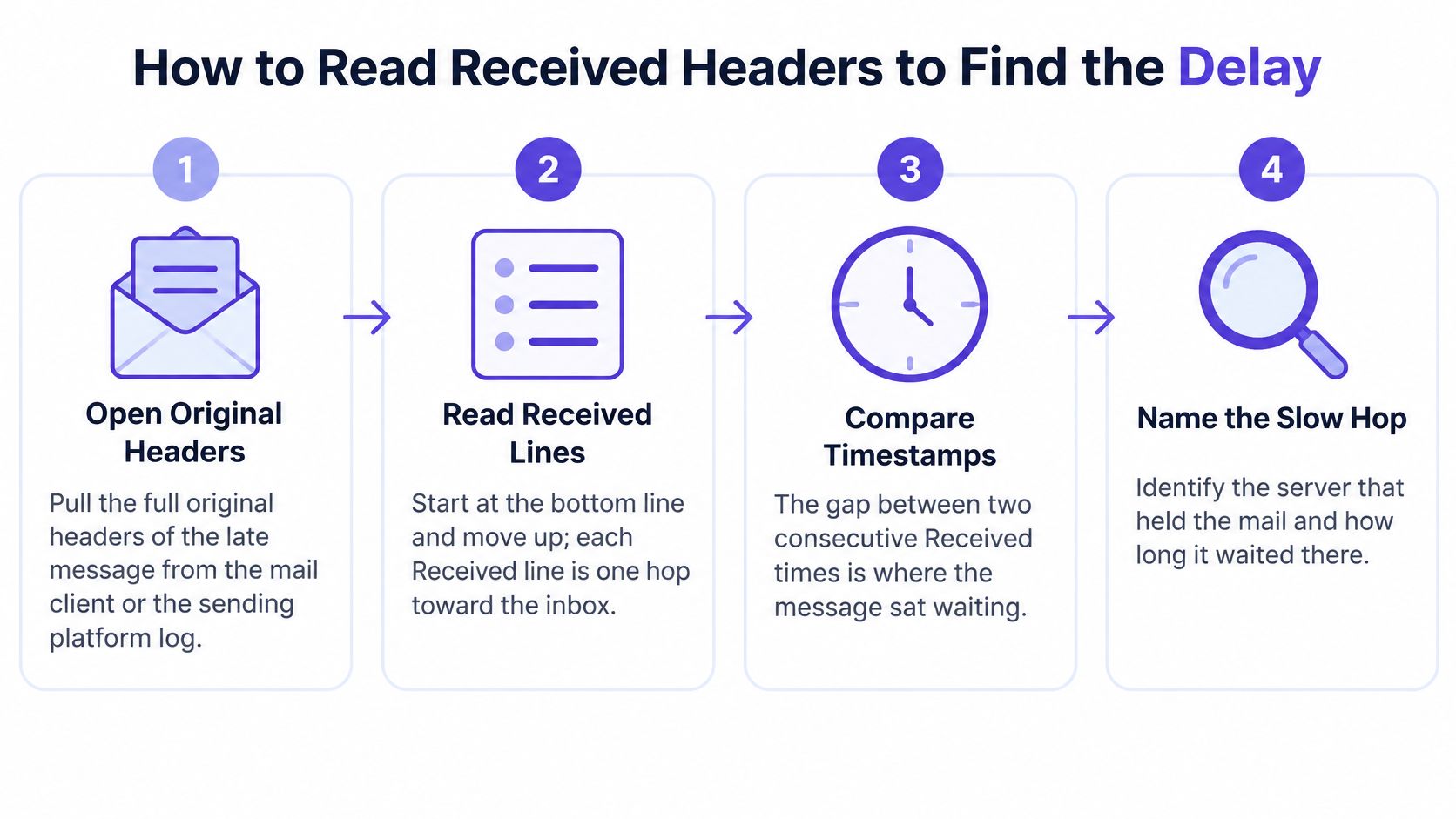
The seven-step read
- Open the full original headers. Use "Show original" in Gmail, "View message source" in Outlook on the web, or the raw header view in your sending platform's message log. The preview pane won't show Received lines.
- Read the Received lines from bottom to top. The bottom line is the first hop out of the sender, the top line is the last server that touched the mail. Reading top down reverses the story and sends people chasing the wrong hop.
- Write down the timestamp on each line. Convert everything to one time zone before subtracting. Mixed offsets are the most common reason a header read produces a negative gap.
- Subtract neighbors and find the largest gap. That single number tells you which side of the connection owns the problem.
- Name the server on the slow side of the gap. A gap before your own server's first hop points to a sending-side queue. A gap between your server and an external hop points to the recipient side, meaning deferral, throttling or filtering.
- Pull the SMTP code for that hop from the bounce text or the log. 421 means the service is unavailable, 451 means a temporary local error or policy deferral, and 452 means insufficient storage on the recipient server. The code turns "it was slow" into a specific cause.
- Read the Authentication-Results line. SPF, DKIM and DMARC verdicts sit there in plain text. A softfail or neutral result at the same hop as the gap changes the fix from "wait" to "repair the record".
A worked example
Say the last hop on your own server stamps the message at 09:02, and the first recipient-side hop stamps it at 11:14. That's 2 hours and 12 minutes lost after handoff, so the sending application, your DNS and your content template are all off the hook for this message. Start with the recipient's response codes and the queue entry for that destination.
Now flip it. If the message was created at 09:02 and your own relay didn't stamp it until 11:14, nothing left your environment for over two hours. No amount of complaint-rate cleanup fixes that.
Headers tell you where the clock ran. Response codes tell you why. Read them in that order, and never guess the cause from the delay length alone.
One caution: forwarded mail adds hops. An address that forwards to a second mailbox, or a mailing list that re-injects the message, inserts extra Received lines and can bury the delay under routine internal routing. Check whether the recipient address is a forwarder before blaming the provider.
Confirm the Delay Source Before You Change Anything
Changing three things at once is how a two-hour deferral becomes a two-week reputation problem. Take the hop with the largest gap, match its code or queue state to one row of the causes table, and fix that one cause only. Leave DNS, volume and server settings untouched until the test send is done. If you edit the SPF record, rewrite the template and raise volume in the same afternoon, a clean result tells you nothing, because you cannot say which change fixed it or which one made it worse.
Then send one message and check where it lands at each provider, inbox or spam. For the placement check, run a quick deliverability test instead of building your own seed list. The free Email Deliverability Test sends one email and shows whether it lands in the inbox or spam at Gmail, Outlook, Yahoo and Apple Mail, with no signup. If the result is still unclear, Mailwarm's free deliverability audit reviews the sending setup and names the top 3 fixes to improve inbox placement fast. Mailwarm does not promise guaranteed inbox placement or instant results, and neither should any fix you apply here.
Resume normal volume over several days rather than in one jump. A sender recovering from a throttle or deferral is in the same position as a cold domain: mailbox providers trust gradual, consistent volume. Mailwarm's warmup logic follows this pattern, starting at 10 to 20 emails per day per mailbox and increasing by roughly 10 to 20 percent every few days, and that restraint applies just as well to a manual recovery.
Stop rule: if one provider keeps deferring after the fix, pause sends to that provider. More volume into an active throttle lengthens the queue instead of clearing it, and each deferred batch adds negative signals that extend the penalty. Warmup activity on top of a throttled domain does the same damage, because the provider reads it as more unwanted volume, not as proof of engagement.
The discipline of isolating one variable before reacting is not unique to email. Timing and list quality decide whether a message arrives while it still matters in any outbound channel, and this look at how promoters fill rooms with texts makes the same point for SMS campaigns. In email, the penalty is a damaged sender reputation that takes weeks to rebuild.
Greylisting and First-Send Deferrals
Greylisting is a deliberate temporary refusal. The recipient server hasn't seen this combination of sending server and address before, so it returns a 4xx and expects a real mail server to come back later. Properly configured senders do. Much spam software doesn't. That's the entire test, and the cost of passing it is time.
The instinct to hit send again is the wrong one. A manual resend creates a second message with a new message ID, which the recipient server treats as another unfamiliar first contact, so it gets deferred too.
What the retry timing actually looks like
The SMTP standard's retry requirements require a sender to delay retrying a destination after a failed attempt, with a general recommended retry interval of at least 30 minutes, and say the give-up period generally needs to be at least 4 to 5 days. It describes a practical strategy of two connection attempts during the first hour, then one attempt every two or three hours. A message can sit in the queue for hours or days while the sending system waits for a server, connection or policy condition to recover, and it still isn't lost.
Confirm greylisting with three signals together: two Received timestamps 30 minutes or more apart, a 4xx deferral in the log for the first attempt, then a successful hop on the retry. A send at 9:00 that lands at 9:34 after one deferral hasn't failed. It passed.
The wait-and-check sequence
- Don't resend in a loop. Repeated attempts add pressure and don't speed delivery.
- Wait at least 30 minutes before any manual retry, and let the automatic retry do the work in the meantime.
- Keep the same sending server, IP address and From address for first contacts. Rotating IPs to "get around" a deferral resets the greylisting test on every new address.
- Publish SPF and DKIM and align DMARC, so the first message arrives authenticated rather than as an unknown sender with no credentials.
For the full mechanics of first-send deferrals and how providers clear them on retry, Mailwarm's guide to greylisting and first sends deferred, then passed on provider retries covers the pattern in depth.
Provider Throttling at Gmail and Microsoft 365
Gmail and Microsoft 365 slow senders before they reject them. Mail arrives late instead of bouncing, the dashboard shows accepted messages, and the only visible symptom is a growing gap between send time and arrival time at one provider while every other provider stays normal. That gap usually sits in the hop where the recipient provider accepted the connection but slowed acceptance of messages. Locate that hop in the Received headers before changing volume, warmup, or authentication.
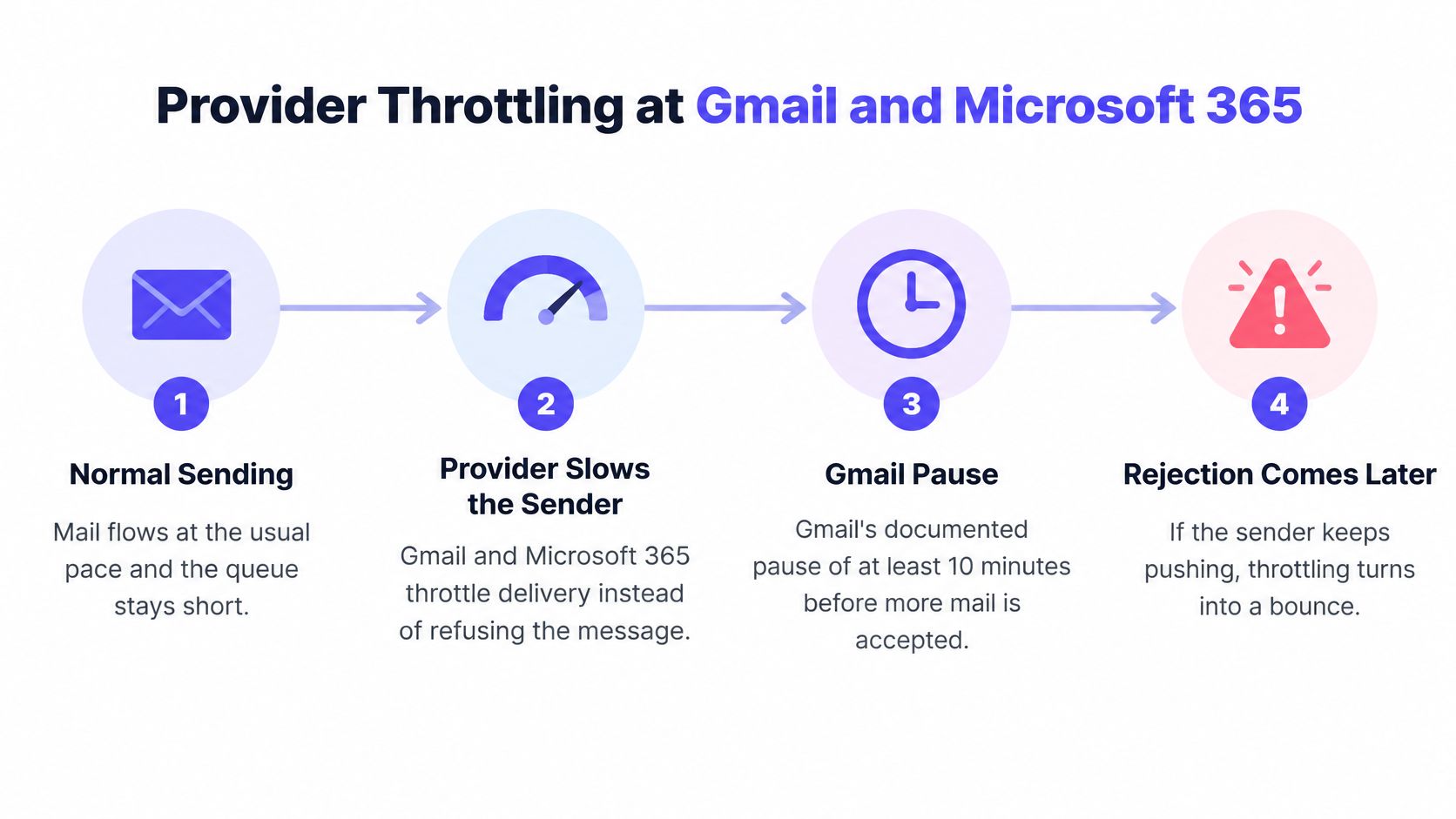
The documented waiting periods
Google's SMTP error guidance says senders should stop sending for at least 10 minutes, identify the cause, then resume with messages from a single connection, and wait another 10 minutes if that connection fails. Treat that as a containment step, not a full recovery plan. The cause still matters, because throttling often follows a sudden volume spike, uneven sending patterns, poor engagement, or a reputation issue that another burst will make worse.
| Provider or case | Trigger | Documented wait or limit | Next step |
|---|---|---|---|
| Gmail | 4xx deferrals or SMTP errors | Pause at least 10 minutes, then resume on one connection | Find the cause before resuming |
| Microsoft 365 (Exchange Online) | Mailbox exceeds per-minute submission limit | Excess submissions carried into following minutes | Retry with backoff and lower concurrent connections |
| Gmail and other providers | 421, 451 or 452 responses | Exponential backoff, not rapid retries | Reduce volume, then increase gradually |
The codes matter here. 421 is service unavailable, 451 is a policy or local temporary deferral, and 452 is insufficient storage on the recipient side. Full meanings and provider-specific wording sit in Mailwarm's write-ups of SMTP error 421 and SMTP error 451. Read the exact response in the SMTP log, then match it to the provider, mailbox, and sending window in the Received chain. A code seen at one provider tells you little about a delay seen at another.
Confirm it, then ramp back
Throttling has a signature: deferrals cluster at one provider, and the p95 delay rises there while other providers stay flat. An aggregate average hides this completely, which is why per-provider percentiles belong in every sending dashboard. Use percentiles with the timestamp gap between the last accepted submission and the next provider hop, because that gap shows where time was lost.
Say a burst of 1,200 messages to Gmail starts returning 421 after the first 300. The rest aren't rejected, they're waiting. The right move is to pause, find the cause in the logs and authentication results, restart at the hourly rate that was working, and increase over several days. Never raise volume while deferrals continue.
Raising volume into a throttle is like accelerating toward a closed toll booth. The queue gets longer, not faster.
Warmup can help a sender build reputation over time, but adding warmup traffic during an active throttle adds more connections to an already constrained path. Keep the first recovery step small and provider-specific. Mailwarm's guide to recovering from email throttling walks through the ramp-back sequence provider by provider.
Server Queues, Large Attachments and Outages
Start with the check you can run in ten seconds. On Postfix, postqueue -p lists the queue with the age of every message. Exchange admin center and most commercial relays have an equivalent queue viewer. If the oldest message is six hours old, that's a backlog on your side, not provider filtering.

Throttling before the message leaves
The bottleneck can sit at authenticated submission, before the mail ever reaches a recipient server. Microsoft's Exchange Online SMTP submission guidance explains that when a mailbox exceeds its per-minute submission limit, excess message submissions are throttled and carried over to following minutes, creating delivery delays rather than an immediate non-delivery report. Microsoft recommends designing applications and devices to retry submissions after throttling so queued messages eventually get accepted.
That produces a confusing symptom: the application logs a successful send while messages pile up behind the provider's rate controls. Check four things together.
- Queue size and oldest message age: a growing queue with a rising oldest age means throughput is lower than submission rate.
- Concurrent connections: more parallel connections into a per-minute limit doesn't raise the ceiling, it just triggers throttling sooner.
- Retry logic: retries need backoff. A tight retry loop against a throttled endpoint keeps the mailbox permanently over its limit.
- Submission spread: batch jobs that fire thousands of messages in the same minute should be paced across minutes instead.
Attachments and outages
Big messages take longer to transmit and longer to scan, and some servers refuse them outright. Gmail caps a message at 25 MB including attachments, per the Gmail sending limits reference. Compress images before attaching, host large files and send a link, or split a heavy send into smaller batches. A 20 MB PDF sent to 400 recipients is a size problem dressed up as a deliverability problem.
For outages, check the provider's status page and see whether the Received timestamps stop at one hop. If they do, wait and let the retry queue work, and move to a backup relay only if the outage runs for hours. Mailwarm's article on email queued messages covers clearing stuck relays and destinations.
Authentication, DNS and Spam Filtering Delays
More warmup doesn't fix a missing record. Authentication gaps and filtering either hold mail for extra scrutiny or divert it, and major providers increasingly reject non-compliant mail rather than only slowing it down.
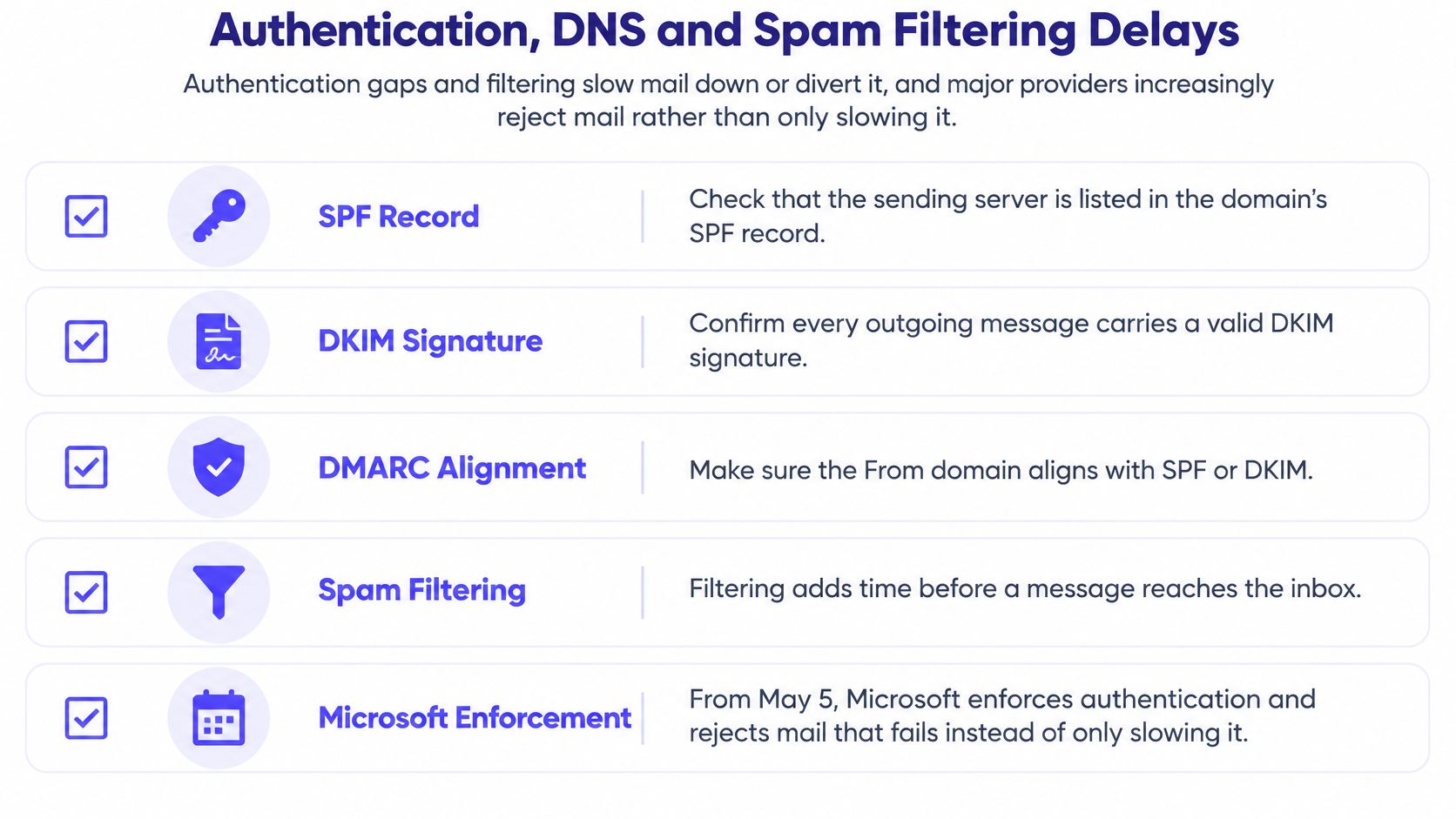
Enforcement replaced patience
Microsoft now enforces SPF, DKIM and DMARC alignment requirements on high-volume senders to Outlook.com, Hotmail and Live addresses, so a misconfigured domain faces rejection instead of a free pass. Gmail follows the same direction, and its guidance in this breakdown of the Gmail and Yahoo authentication requirements keeps spam rates below 0.10% and treats 0.30% or higher as a line not to cross.
Authentication gaps are common rather than exotic. Missing SPF records turn up regularly in DNS checks across sending domains, including those of legitimate senders who never finished the setup. Presence of a gap alone doesn't prove it caused any individual delay, which is why the header timestamps come first and this check comes second.
Missing SPF or DKIM, invalid forward or reverse DNS, absent TLS, or a From domain that doesn't align can all trigger temporary failures or spam placement, according to Google's sender guidelines. A held message can also be released late from quarantine scanning, so check the spam folder before assuming a slow server.
The five-point check
- One SPF record per domain, covering every service that sends on its behalf. Two SPF records is a permanent error, not a redundancy. Check your SPF before anything else.
- DKIM signing enabled for the sending domain, with the selector present on outgoing mail. Verify it with the DKIM checker.
- A DMARC record in place, with alignment checked against the visible From domain, not just the return path. Check your DMARC record for the policy and alignment result.
- Complaint rate under control, following Gmail's guidance above. Content and list quality drive this, not sending speed.
- A test send to Gmail, Outlook and Yahoo, checking inbox versus spam rather than trusting a delivered status.
Run the five points in order, because a failed SPF result invalidates everything downstream of it. A delay in this category usually has one cause and two contributing factors, and fixing the records ends the hold at the filtering hop rather than masking it. If anything in the setup isn't working as expected, Mailwarm's support team will review the configuration, identify the issues affecting deliverability, and help fix them. Mailwarm doesn't promise guaranteed inbox placement.
Email Delivery Delay Questions Answered
Why is my email delayed by several hours?
Hours-long delays usually come from a temporary deferral, provider throttling, or a backlog on the sending server. Compare the Received timestamps to see which hop held the message, then check the log for a 4xx code at that hop. A gap before your own server's first stamp means a local queue, not recipient filtering.
How do I find where an email was delayed?
Open the full original headers and read the Received lines from bottom to top, since the bottom line is the first hop out of the sender. Subtract each timestamp from the one above it. The largest gap names the server that held the mail, and that's where the investigation starts.
What do SMTP 421 and 451 errors mean for a delayed email?
Both are temporary responses, so the message is deferred rather than rejected. 421 signals service unavailability and 451 a local or policy deferral. Wait, reduce sending volume to that provider, and let backoff retries handle delivery. Resending in a loop adds queue pressure and typically extends the throttle.
Can email warmup fix a delivery delay?
Not on its own. Warmup builds engagement signals and sender reputation over time, typically 2 to 4 weeks depending on domain age, volume and engagement quality. It doesn't clear a sending-server queue, repair authentication, or lift an active throttle. Fix the diagnosed cause first, then warm up. Mailwarm doesn't guarantee inbox placement.
An email delivery delay has a location before it has a solution, and the Received headers plus one SMTP code will tell you which of the seven causes you're dealing with. Mailwarm pairs provider-level warmup across 50,000+ aged real inboxes with spam score monitoring, inbox placement insights, authentication fix tools and expert deliverability calls in every plan, so the reputation work continues after the immediate fix. If outbound email carries revenue for your team, visit Mailwarm and start with the free deliverability audit to see your sending setup and the top 3 fixes worth making first.