

Email throttling is a receiver temporarily slowing or deferring mail with a 4xx code because of volume or reputation. It's a warning before a possible block, not a permanent rejection.
The counterintuitive part is that sending below a published daily limit doesn't make a campaign safe. A provider can still defer mail when traffic arrives in bursts, reputation weakens, or several domains compete for capacity on a shared sending IP. The useful response isn't to find a bigger limit. It's to control sending pressure and read the receiver's feedback.
What Email Throttling Actually Means
Email throttling is adaptive traffic management, not a universal emails-per-day restriction. The receiving system decides how much traffic to accept from a sender, then asks the sending server to wait when that traffic exceeds what it currently tolerates.
The provider-specific wording helps identify the pressure involved. These recognizable deferral excerpts point to different concerns:
- Gmail:
421 4.7.28with wording about an unusual rate of unsolicited mail. - Yahoo:
421 4.7.0 [TSS04]with wording that messages are temporarily deferred. - Microsoft:
451 4.7.650with wording about rate limiting due to IP reputation.
These are excerpts, not interchangeable diagnoses. The full response matters because the enhanced status code and accompanying explanation tell the sending system which scope needs attention.
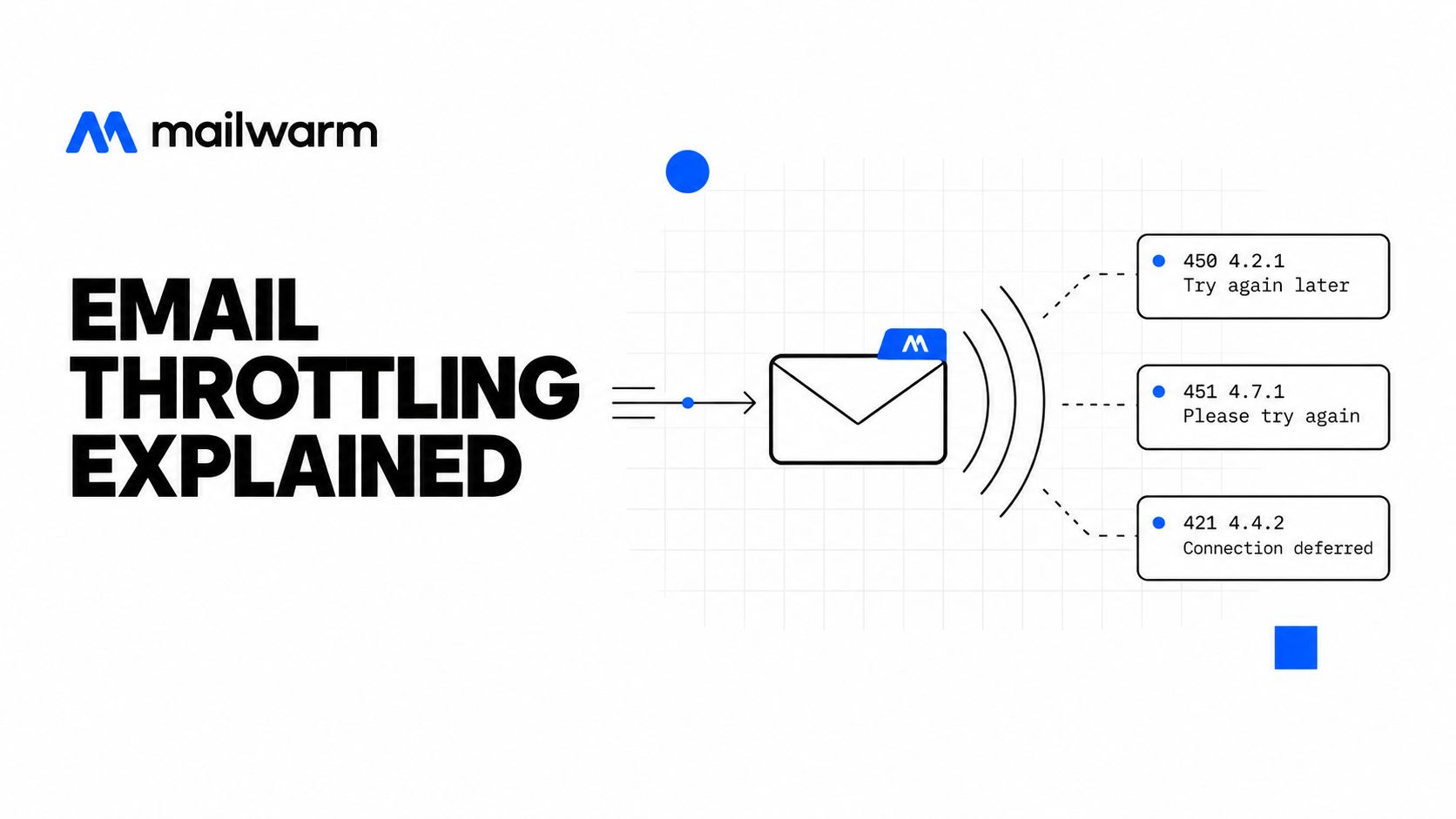
What the receiver is asking for
A temporary refusal means the receiver hasn't accepted that delivery attempt. It doesn't mean the recipient address is invalid, and it doesn't establish whether a later accepted message will reach the inbox.
For example, Google documents 421 4.4.5 Server busy, try again later in its Gmail SMTP error reference. That response asks the sender to defer delivery, not delete the contact.
A campaign dashboard can blur this distinction by grouping deferred messages under “bounces.” The SMTP transcript is more useful than that summary label.
Practical rule: Diagnose the receiver's response before changing the recipient list, domain, or sending infrastructure.
The receiver controls acceptance. The sender controls submission speed, retry behavior, and the quality of the traffic being submitted. Stable delivery depends on both sides.
How 4xx Deferrals Differ from 5xx Failures
The distinction determines whether a message stays in the delivery queue. Temporary failure calls for another attempt later. Permanent failure generally calls for stopping delivery of that message.
RFC 5321's temporary-failure guidance defines 4yz responses as temporary negative completions and recommends retry intervals of at least 30 minutes for each destination, with a delivery-attempt period generally lasting 4–5 days. Those are queue-management recommendations, not a promise that a provider will accept the message within that period.
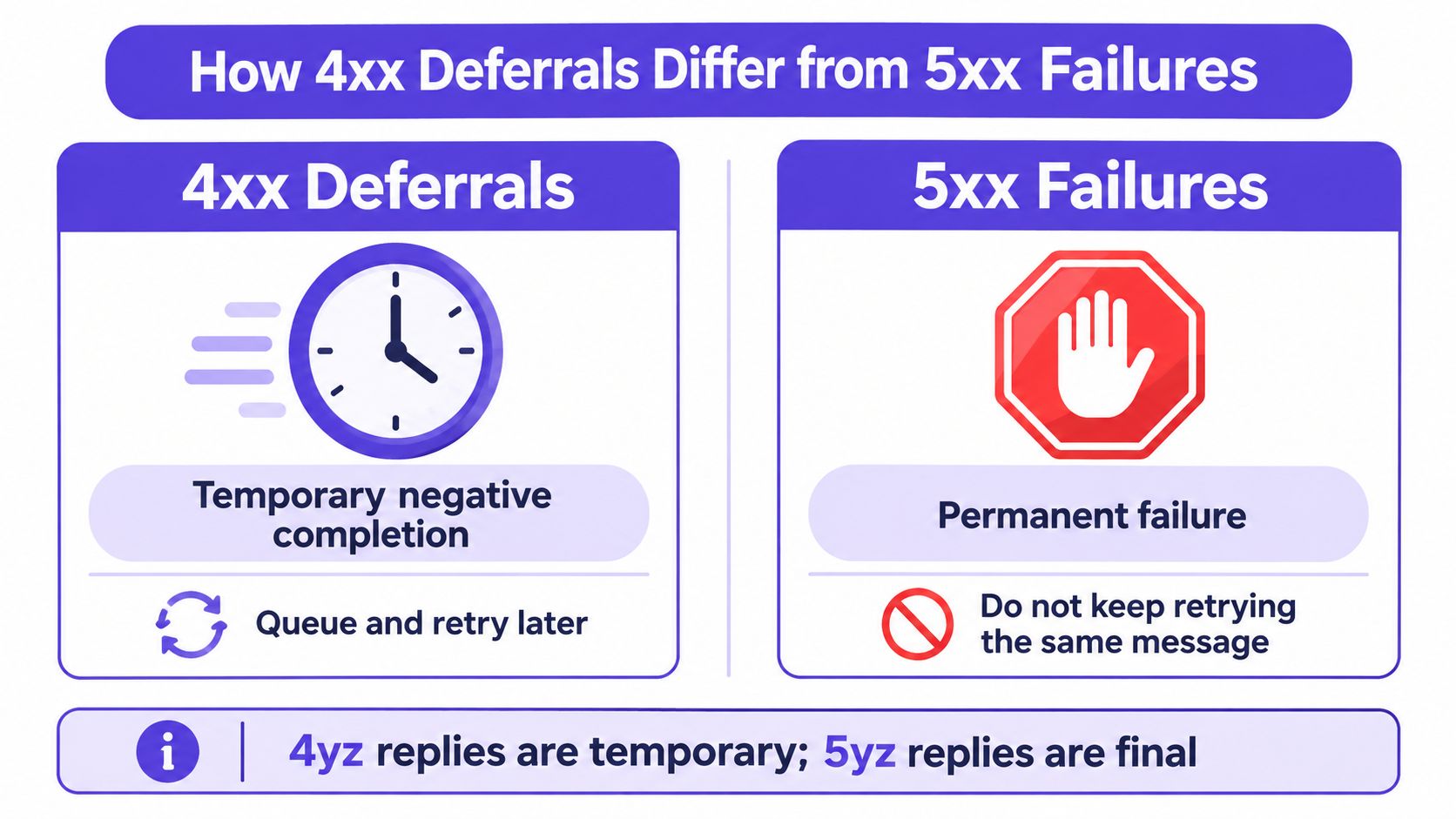
Retry state belongs to the destination
A single global retry counter is a poor design. If Gmail is deferring traffic while another provider is accepting it, the sending system should reduce pressure on Gmail without unnecessarily freezing unrelated deliveries.
A useful queue needs:
- Destination-specific backoff: Track failures by receiving provider or destination host.
- Increasing delays: Avoid repeatedly submitting the same deferred messages immediately.
- Jitter: Spread retry attempts so queued workers don't restart together.
- An expiry policy: Record the first failure and stop attempts when the delivery window expires.
Connection-level and recipient-level failures also need different handling. A 421 can mean the service is unavailable and the connection will close; a 452 can indicate insufficient storage or too many recipients. Neither justifies an immediate retry loop.
Some temporary failures are deliberate checks rather than evidence of a volume problem. Understanding greylisting and deferred first sends helps separate those cases from sustained rate throttling.
The expensive mistake is treating every temporary response as a hard bounce. The opposite mistake is keeping the message alive while retrying so aggressively that the sender maintains the very pressure the receiver asked it to reduce.
Throttling Versus a Block
Throttling and blocking can look identical in a campaign summary: messages aren't arriving. The difference becomes clearer in the delivery logs and the queue.
Throttling preserves a route to later delivery. A permanent rejection closes that attempt unless someone fixes the underlying problem and deliberately initiates an appropriate new send.
Throttling Versus Blocking Signals
| Signal | Throttling | Blocking |
|---|---|---|
| SMTP response | Temporary negative response, commonly in the temporary-failure class | Often a permanent negative response |
| Queue behavior | Message remains eligible for deferred delivery | Delivery normally stops for that message |
| Later acceptance | Possible after waiting or reducing pressure | Requires investigation and correction |
| Timing | Delayed, with no universal recovery duration | Doesn't resolve merely because retries continue |
| Inbox placement | May deteriorate alongside deferrals | Separate from the rejection itself |
| First action | Reduce the affected traffic and inspect feedback | Identify the rejection reason before resending |
“Blocked” isn't a precise diagnosis
Providers and sending tools don't always use the word consistently. A temporary policy refusal may be described as a temporary block, while a permanent policy rejection may affect a valid address.
That's why the code class and full explanation matter more than the dashboard's label. Even a permanent response doesn't automatically mean “bad address.” It may describe authentication, policy, or permission problems.
A delivery delay and a spam-folder delivery are different failures. One concerns acceptance; the other concerns placement after acceptance.
Teams should also avoid assuming that every temporary refusal is a warning that a permanent block will follow. It's a signal to investigate, not a forecast.
The useful distinction is operational: should the existing message wait in the queue, or should delivery stop while someone corrects the cause? That question produces a better response than a panic-driven domain change.
Why Providers Throttle Your Mail
Providers evaluate sending behavior, not just account allowances. The same campaign volume can receive different treatment depending on its concentration, authentication, reputation, and recipient response.
Google explicitly recommends a consistent sending rate, starting with engaged recipients, and increasing volume gradually while monitoring responses and reputation in its email sender guidelines. A published ceiling isn't a safe operating target.
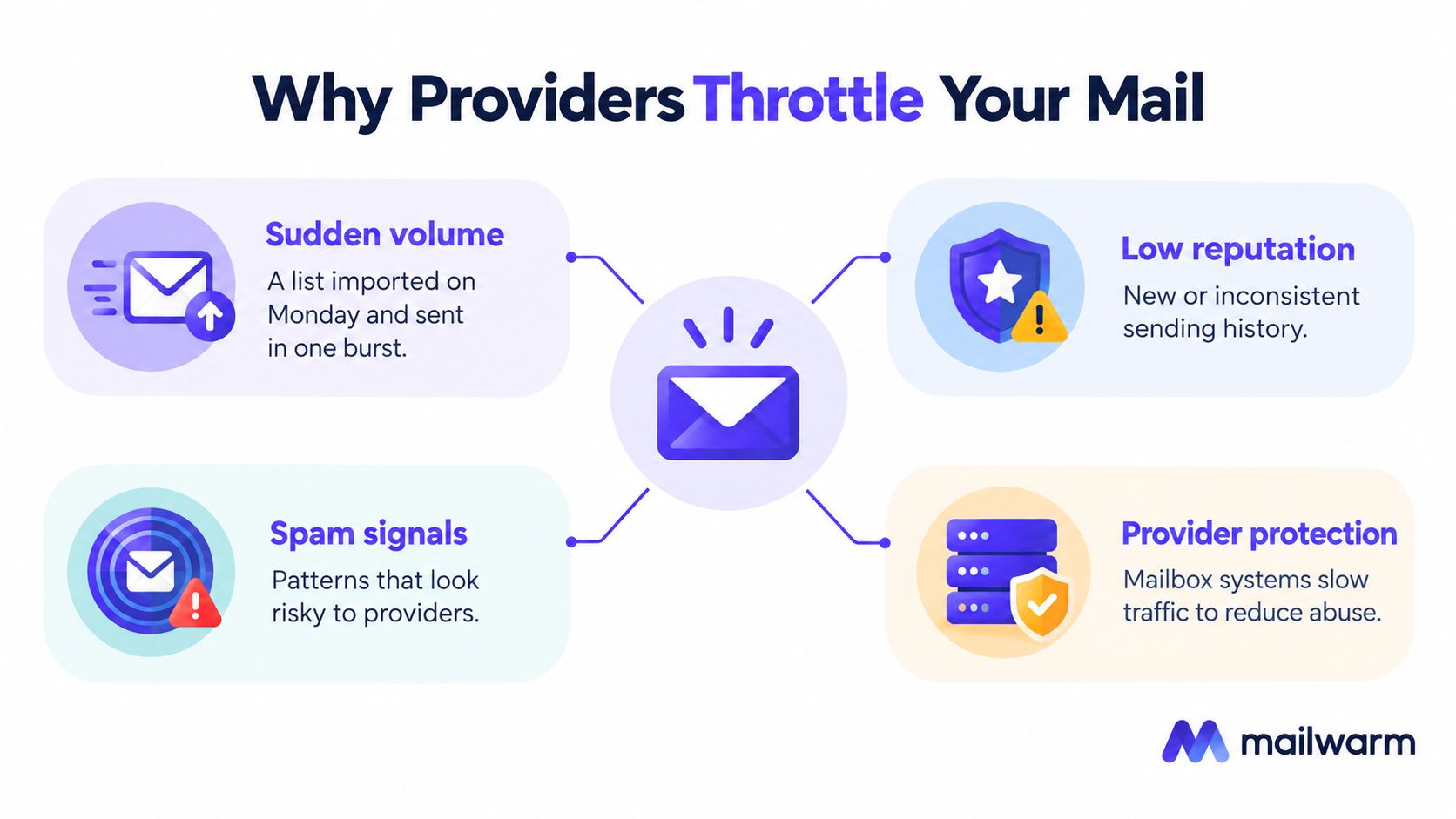
Sudden volume and weak engagement
A newly imported list creates a scheduling problem before it creates a deliverability problem. If the platform releases an entire sequence step together, the receiver sees concentrated traffic rather than the daily average shown in the campaign settings.
Low engagement adds another concern. A sender shouldn't interpret silence as permission to increase pressure. The practical response is to narrow targeting and improve relevance, rather than compensate with more submissions.
The main triggers deserve separate checks:
- Sudden volume: Compare the actual submission pattern with the sender's previous activity, including retries.
- Low engagement: Review whether recipients have a clear reason to want the message.
- Complaints: Investigate targeting and list acquisition rather than treating complaints as a scheduling issue.
- New domain or IP: Build sending history before expecting established capacity.
Infrastructure can change the diagnosis
An authentication or transport problem won't disappear just because the campaign is slower. Google documents temporary rate-limit responses associated with missing reverse DNS and missing TLS, while shared infrastructure can concentrate pressure across otherwise separate domains.
A reputation-related response also doesn't prove which campaign caused it. The sending IP, domain, and authentication identity may have different histories.
Teams preparing to warm up a new domain should establish a gradual sending pattern before launching a broad sequence. A fresh identity isn't a shortcut around an existing reputation problem.
Sender-Side Throttling You Should Set Yourself
A sender-controlled pace is better than a receiver-enforced emergency stop. Campaign settings should limit how quickly work enters the queue, while the delivery system separately adapts to provider responses.
For cold outreach, a single mailbox in the low dozens of messages per day is a conservative operating recommendation, not an announced provider threshold. Domain history, recipient engagement, existing traffic, and provider mix still determine whether that pace is appropriate.
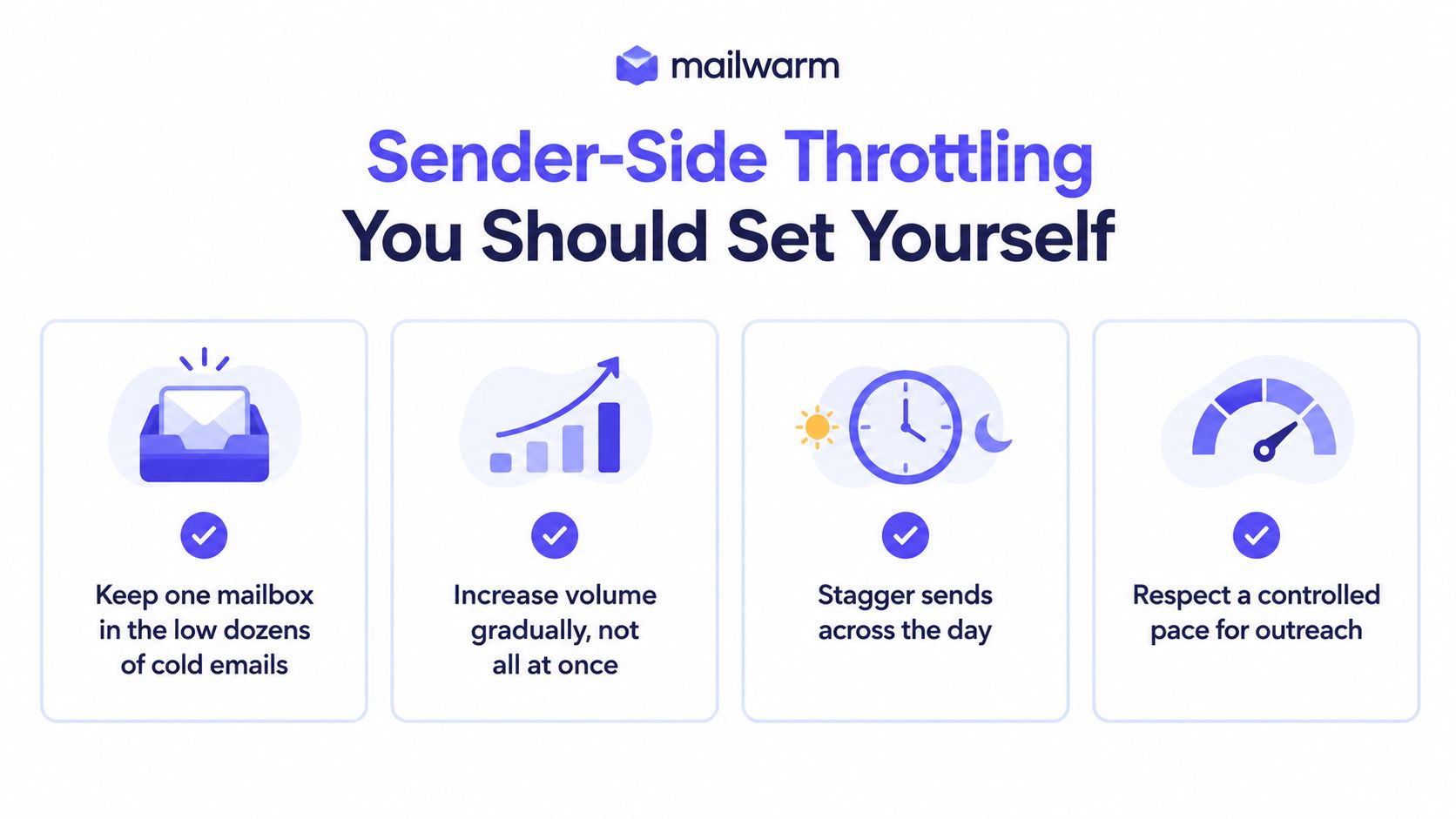
Set the campaign and transport controls
- Cap each mailbox. Include follow-ups and other outbound activity, not just newly enrolled prospects.
- Use recipient-local send windows. Spread scheduled work rather than releasing it at the opening of the window.
- Add variable gaps. Randomized spacing helps prevent synchronized submissions, but it doesn't make unwanted mail acceptable.
- Limit connections. More workers shouldn't mean unlimited simultaneous SMTP sessions.
- Prevent catch-up bursts. A paused campaign must resume at its controlled pace, not dump its backlog.
Microsoft documents a maximum of three concurrent connections, 30 messages per minute, and 10,000 recipients daily for the relevant SMTP AUTH submission context; excess per-minute submissions can be delayed into subsequent minutes, according to its SMTP submission guidance. Those service limits aren't cold-outreach recommendations.
Published limits aren't outreach targets
Public quotas still matter for capacity planning. However, Gmail sending limits shouldn't be interpreted as a volume a new mailbox can safely use immediately.
For planning a gradual start, Flowkon's email warm-up guide provides additional context on warmup options. The operational priority remains the same: Mailwarm strategies for safer outreach should translate into settings that prevent bursts, not permission to send faster.
How to Get Out of a Throttle
Recovery starts by reducing the affected traffic, not by changing the sender's identity. The objective is to restore clean acceptance without recreating the same pressure as soon as a probe succeeds.
Google's sender troubleshooting guidance says that after a quota-related 4.7.28 response, senders should stop for at least 10 minutes, identify the cause, and resume through a single connection before gradually increasing connections. That provider-specific pause doesn't replace the sending server's broader retry policy.
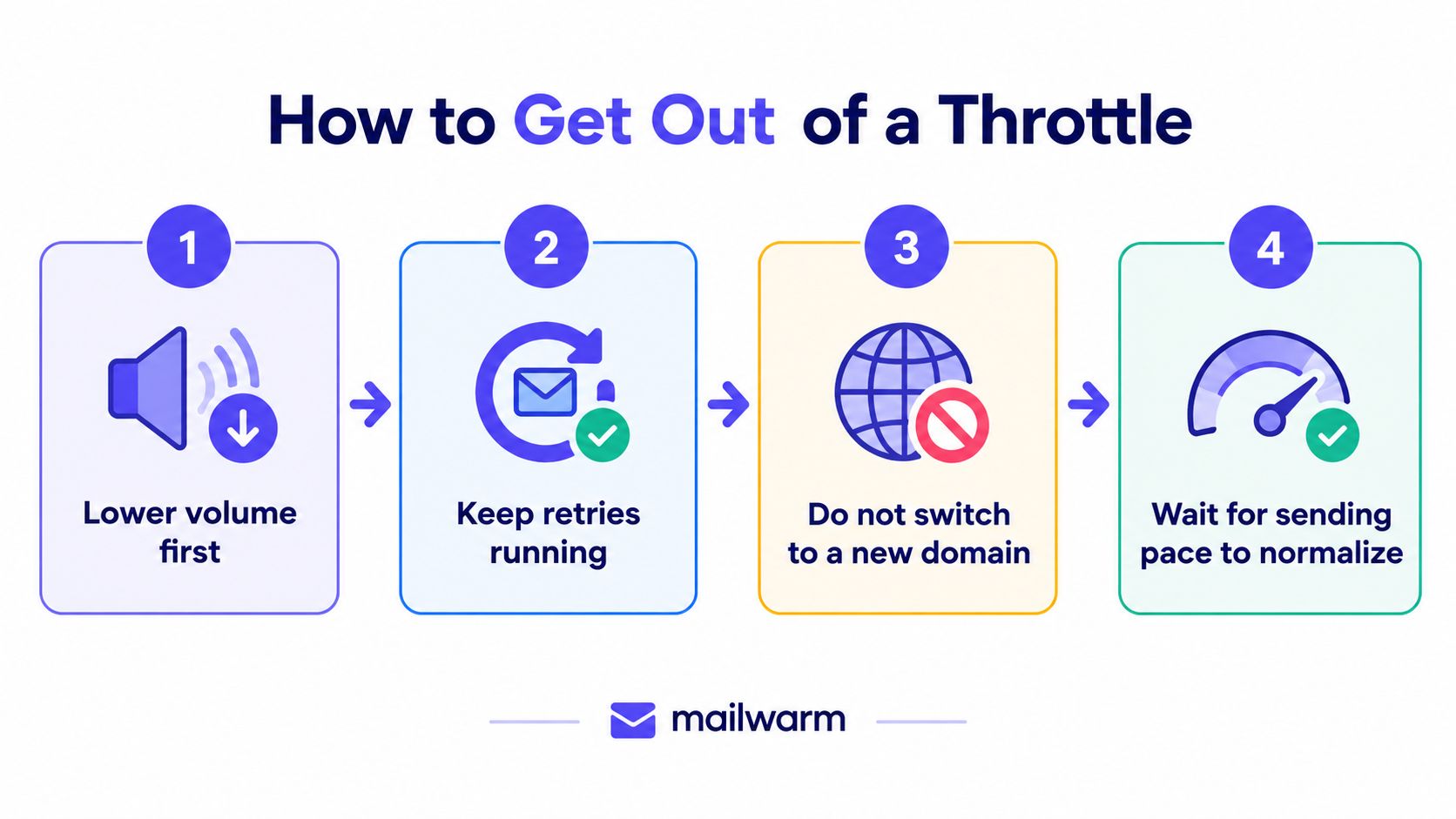
Follow the recovery sequence
- Lower volume first. Reduce new campaign admissions to the affected provider. Include queued retries when assessing total pressure.
- Keep retries running correctly. Preserve deferred messages, but let the queue respect backoff and expiry rather than forcing delivery.
- Don't switch to a new domain mid-campaign. Moving the same list and burst pattern doesn't correct the behavior that triggered the restriction.
- Keep warmup steady where delivery remains healthy. A campaign pause doesn't require abandoning the established warmup routine. However, warmup must also respect an active provider restriction.
- Reopen capacity gradually. Successful probes justify cautious progress, not immediate restoration of the old campaign speed.
Higher volume isn't always the problem
Sender A in the Mailwarm network went from 75.6% spam to 11% spam over 14 weeks, while monitored volume grew from 250 to more than 4,000 emails. This is a strong recovery example, not an average result or proof that one pacing change caused the improvement.
The practical lesson is narrower than a promise: improved placement and higher volume can coexist. The case doesn't establish that increasing volume improves reputation, or that a specific ramp will reproduce the result.
Recovery principle: Earn additional capacity through stable delivery. Don't demand it by releasing the backlog.
Early Warning Signals Worth Watching
A rise in temporary deferrals is a direct warning that the receiver is refusing current delivery attempts. Reply rates can reveal a business problem, but they can't explain whether messages were accepted in the first place.
Monitoring should therefore start with SMTP events and then add placement and recipient-feedback data. A single overall deliverability score can hide a provider-specific problem.
Separate the signals by destination
| Signal | Where to inspect it | What to investigate |
|---|---|---|
| Deferred attempts | Sending logs and delivery events | Shared response codes and affected destinations |
| Queue age | MTA or sending-platform queue | Whether deferred messages are completing |
| Permanent failures | Bounce details | Address failures versus policy rejections |
| Warmup placement | Provider-level placement results | Whether deterioration is concentrated |
| Spam complaints | Available provider reporting | Audience relevance and unwanted traffic |
| Authentication changes | Delivery diagnostics | Whether configuration changed before failures |
A provider-level view helps answer a concrete question: is the sender having a general problem, or is a particular receiver becoming less willing to accept its mail?
Interpret placement carefully
Warmup messages landing in spam at a particular provider are a reason to investigate that provider's treatment of the sender. They aren't proof that a campaign is being throttled, because acceptance and placement remain separate outcomes.
Google Postmaster Tools adds another perspective. Teams that read Postmaster delivery data alongside SMTP responses can compare delivery errors, reputation, and reported spam rather than relying on campaign opens alone.
Useful alerts should name the affected provider and error family. “Deliverability dropped” gives the operator little to act on; a grouped set of temporary responses and an aging queue points to a specific investigation.
The monitoring goal isn't a perfect score. It's enough context to make the next sending decision safely.
Choosing How to Monitor and Recover
The right setup depends on who owns delivery operations. A sales team with no queue visibility needs different support from an engineering team that already manages its own mail infrastructure.
The important dividing line isn't automated versus manual. It's whether someone can connect receiver feedback to a change in sending behavior.
| Approach | What it does well | Main trade-off |
|---|---|---|
| React to campaign failures | Requires little setup | Usually lacks the detail needed to diagnose queues and provider scope |
| Build in-house monitoring | Gives direct control over logs, pacing, and retries | Requires engineering ownership and ongoing maintenance |
| Use a deliverability platform | Adds warmup, placement visibility, and specialist support | Doesn't replace correct sending-server behavior |
Match the support to the risk
Mailwarm is a premium email warmup and deliverability platform, not just a system for exchanging automated messages. Its email warmup tool supports Gmail, Microsoft, Yahoo, SMTP, and IP warmup; every plan includes expert deliverability sessions, spam score monitoring, inbox placement insights, bounce prevention, and access to a 50,000+ real inbox network.
That combination fits teams that need help connecting reputation and placement signals to operational decisions. It isn't the right fit for someone whose only requirement is the cheapest automated warmup activity.
Keep ownership clear
A deliverability platform cannot override a mailbox provider's refusal. The sending platform or MTA still needs to enforce the actual rate, retain deferred messages, and respect the receiver's instructions.
The sales operator owns targeting and campaign enrollment. The delivery operator owns transport behavior. Specialist guidance helps when those responsibilities overlap, especially when campaign settings appear conservative but retries or shared infrastructure create unexpected pressure.
Teams should evaluate monitoring around decisions: can the operator identify the affected scope, reduce its traffic, and verify recovery? A dashboard that displays activity without supporting those decisions is less useful than it looks.
Verifying That the Throttle Has Cleared
A quiet error log isn't proof of recovery. It may mean the sender stopped attempting delivery.
Verification requires successful delivery attempts at a controlled volume, together with evidence that deferred messages are leaving the queue rather than merely waiting longer.
Run a controlled verification
- Confirm that delivery attempts resumed. Compare current submissions with the earlier failure period. No attempts means no meaningful recovery test.
- Inspect the affected response family. Check whether the same provider and sending identity still produce temporary refusals.
- Track queued-message outcomes. Previously deferred messages should move to accepted delivery or a clearly recorded terminal outcome.
- Send a controlled test. Use a known Gmail recipient and compare the sending log with the received message.
- Hold the pace before increasing it. Observe stable acceptance and placement rather than treating an isolated success as full clearance.
Read logs and headers for different purposes
The sending log records the receiver's SMTP response. The received message's Received: headers help inspect the route and timing, while Authentication-Results: helps inspect authentication outcomes.
Those headers don't normally provide a complete history of earlier failed delivery attempts. A received test proves that particular message arrived; it doesn't prove that every queued campaign message has been delivered.
Useful verification records include:
- Queue identifier: Connect the original message with its retries and final result.
- Destination: Confirm that the test covers the provider that deferred traffic.
- Timing: Compare submission, acceptance, and arrival rather than looking only at “sent.”
- Placement: Check whether acceptance resulted in inbox or spam-folder delivery.
Recovery ends with a stable operating pace, not a return to the old burst pattern. If the queue grows again as capacity increases, the sender should hold or reduce traffic before the next campaign enrollment.
Frequently Asked Questions About Email Throttling
Does email throttling mean the address is bad?
No. A temporary delivery refusal doesn't establish that the address is invalid. Contact suppression should follow the actual failure reason, not a dashboard label that groups every unsuccessful attempt together.
How long does email throttling last?
There's no universal duration. Recovery depends on the provider's reason for deferring traffic, whether the sender corrects it, and how the delivery system handles subsequent attempts.
Does switching domains help?
Switching domains isn't a sound recovery strategy when the underlying problem is traffic quality or scheduling. A new identity also lacks the established sending history that the team needs to build.
Can warmup replace sender-side throttling?
No. Warmup and rate control address different parts of delivery operations. Warmup doesn't excuse excessive campaign volume, and it shouldn't bypass an active provider restriction.
Can Mailwarm override a provider's throttle?
No. Mailwarm can support a deliverability workflow, but the receiving provider decides whether to accept a message. The sender still needs a delivery system that follows temporary-failure instructions correctly.
Is a successful test enough to restart the campaign?
No. A successful test confirms one delivery, not the health of the entire queue or campaign. Normal operations should resume only after controlled traffic shows stable acceptance and the backlog is resolving.
What matters most after a throttle clears?
The most important change is preventing another burst. Keep campaign enrollment, follow-ups, and retries within a controlled pace, and maintain warmup where delivery remains healthy rather than stopping every activity indiscriminately.
Email throttling needs controlled sending and visibility into what happens after delivery resumes. Mailwarm offers expert-guided warmup, inbox placement insights, and reputation support for teams that depend on email. Visit the platform to review warmup and monitoring options, then pair that support with provider-specific pacing and correct retry behavior.