

On domains that send email, keep SPF softfail (~all) once DMARC is at quarantine or reject; use hardfail (-all) only on domains that never send mail. In the Mailwarm network study, 25% of observed custom domains had no SPF record or an unusable one, so fixing the record matters more than changing its final character.
That sample included both legitimate senders and spammers. A stronger qualifier won't repair missing SPF, an overlooked sending service, or a DMARC policy that isn't enforcing.
The Short Answer on SPF Softfail vs Hardfail
For an active sending domain, our recommendation is ~all with DMARC at p=quarantine or p=reject. Reserve -all for parked domains and defensive registrations that never send email. The distinction matters, but it isn't a shortcut to better deliverability or a substitute for correct authentication.
An SPF softfail marks an unlisted sender as probably unauthorized. A hardfail states that the sender isn't authorized. Neither result dictates the same delivery action at every receiving system. Receivers apply their own filtering and reputation policies, and DMARC evaluates whether SPF or DKIM passes and aligns with the visible From domain. RFC 7208 defines the SPF results and notes that receivers aren't required to take identical action for them.
The practical decision comes down to the domain's job:
- It sends email: Keep
~all, inventory every legitimate sender, and enforce DMARC. - It never sends email: Publish
v=spf1 -alland a DMARC policy ofp=reject. - Its sender inventory is incomplete: Don't tighten the SPF qualifier yet. Find the missing services first.
Three operational issues deserve more attention than the debate itself: whether SPF works at all, whether its mechanisms stay within the 10 DNS-lookup limit, and whether strict receivers reject forwarded mail after an SPF failure. A domain can have the theoretically stronger qualifier and still have a broken record or a legitimate sender that wasn't authorized.
Why Most Domains Should Not Argue About Qualifiers Yet
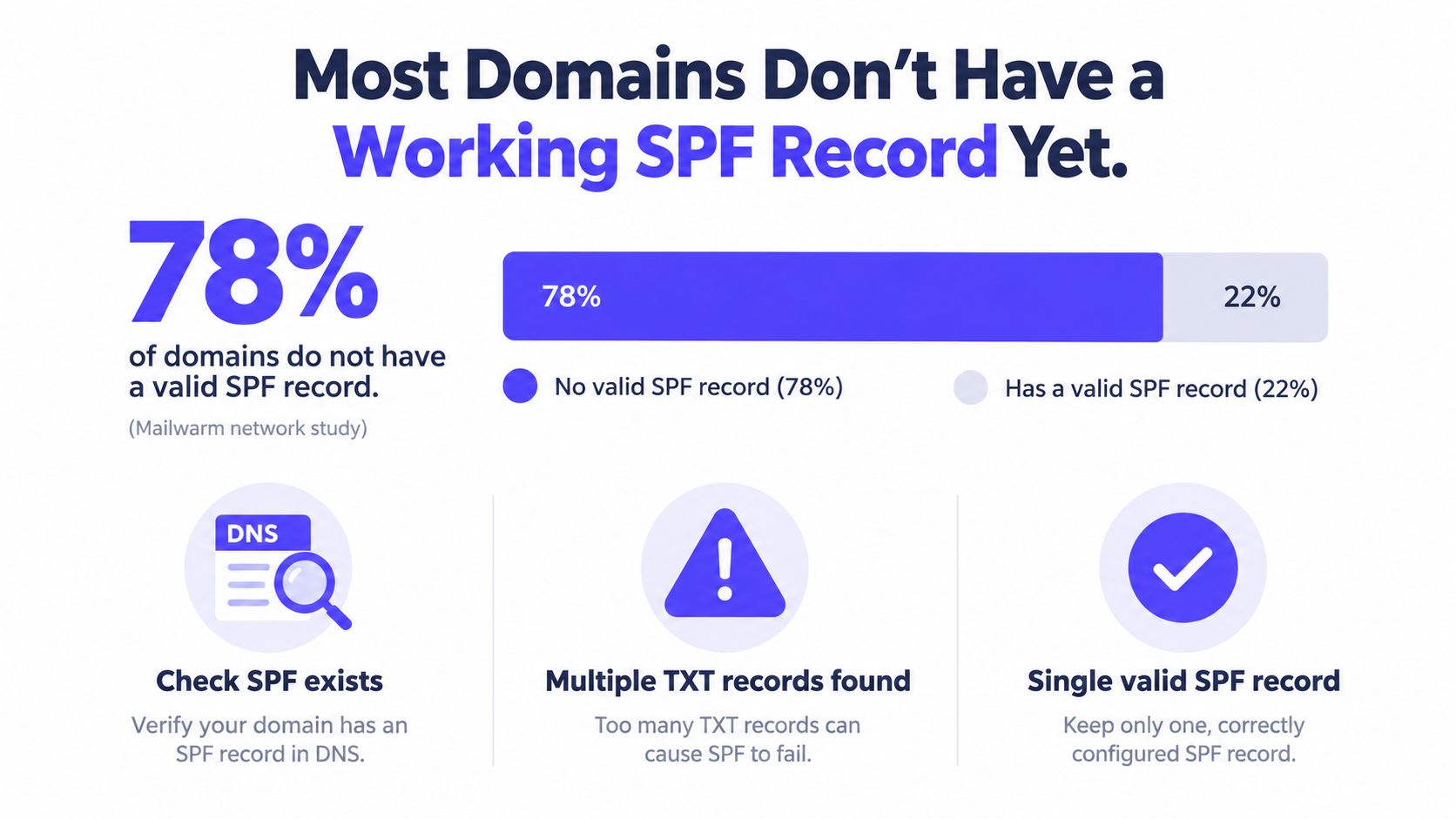
One in four domains fails before the qualifier debate even starts. In the Mailwarm network study, October 2026, DNS checks on 12,936 custom domains that sent email into monitored inboxes found that 25% had no SPF record or an unusable one. The study covers the domains observed in those inboxes, legitimate senders and spammers alike, so it describes that observed set rather than every domain on the internet.
A quarter of observed senders have nothing to qualify. Swapping ~all for -all on a domain with no record, a malformed record, or one receivers cannot parse changes nothing at the receiving server.
SPF, DKIM, and DMARC also get conflated in this argument. SPF checks whether the sending host is authorized for the envelope-from domain. DKIM verifies a message signature. DMARC checks whether an authenticated SPF or DKIM domain aligns with the visible From domain. A message can pass SPF and still fail DMARC alignment, or pass DMARC through aligned DKIM while SPF fails.
Identify the domain's current state
Deliverability teams should place each domain in one of three states before touching a qualifier:
- No usable SPF record. Stop here. Publish one syntactically valid record that names the services sending for the domain.
- A record exists but sender coverage is unverified. Stay on
~allwhile DMARC reports reveal every legitimate source. - Authorization validated. Now the qualifier question is worth having, and it takes about five minutes.
Teams that want hands-on DNS work can find SPF DKIM DMARC setup help through Nerds 2 You Edmonton. Until a working, aligned record exists, arguing over one character is a distraction.
Softfail and Hardfail Compared Side by Side
The syntax differs by one character, but the policy statement does not. ~all says unlisted senders are probably unauthorized. -all says they are unauthorized. Neither means every receiver must deliver or reject the message in a particular way.
| Attribute | ~all (softfail) | -all (hardfail) |
|---|---|---|
| Syntax | v=spf1 ... ~all | v=spf1 ... -all |
| Policy statement | An unlisted sender is probably unauthorized. | An unlisted sender is unauthorized. |
| Receiver behavior | A receiver may apply closer scrutiny, but shouldn't reject solely because of softfail under RFC 7208. | A receiver may reject or apply another local enforcement action. |
| Forwarding risk | Forwarding can still cause SPF to fail, but softfail isn't itself a mandatory rejection. | A strict receiver may reject a forwarded message when the forwarding server isn't authorized. |
| Missing legitimate sender | The sender can fail SPF and face filtering or other local action. | The sender can fail SPF and face immediate rejection at a strict receiver. |
| When to use | Active sending domains, especially alongside enforced DMARC. | Domains that never send email. |
A sending domain might use a record like this, with the actual provider authorization mechanisms added to match its setup:
v=spf1 include:spf.example-sender.com ~allA parked domain with no outbound mail can use:
v=spf1 -allThese are examples, not complete records for every provider. The include mechanism must match the sender's published SPF instructions. Adding an arbitrary provider name doesn't authorize a service.
Softfail is not a harmless pass. It is a negative SPF result, and a receiver may still place the message in spam, quarantine it, or apply other scrutiny. Hardfail is a stronger authorization boundary, not a universal command that forces every receiver to reject. DMARC alignment and receiver policy continue to matter.
Why Hardfail Can Hurt Forwarded Mail
Forwarding changes the sending path. When a recipient forwards a message, the next receiver may see the forwarding server as the source. If that server isn't authorized by the original sender's SPF record, SPF can fail even though the original message was legitimate.
Some receivers evaluate SPF during the SMTP transaction and may reject a hardfail before processing the message content or completing DMARC evaluation. That can prevent aligned DKIM from saving a forwarded message in that particular flow. Other receivers may handle the message differently. The result depends on receiver policy, forwarding behavior, and whether the message's DKIM signature survives intact.
A simplified rejection might appear in a sending system's logs as:
550 5.7.1 SPF validation failedThat exact text isn't universal. A receiving server can use a different response, reject at another stage, or accept the message and filter it later. The key risk is operational: switching to -all can turn a forwarding-related SPF failure into an SMTP bounce at a strict receiver.
Practical rule: Don't use SPF hardfail as a forwarding fix or a substitute for DMARC. Check forwarding behavior and authentication results before changing an active domain's policy.
DMARC provides the domain-level enforcement policy. It can pass through aligned DKIM even when SPF fails, but a failed DKIM signature or missing alignment can leave the message without a valid aligned path. Teams troubleshooting this scenario can follow Mailwarm's guide to SPF and DMARC.
For active domains, the default of ~all plus enforced DMARC avoids making SPF's qualifier an extra source of avoidable forwarding bounces. The tradeoff is clear: softfail still flags unauthorized sources, while DMARC enforcement handles the domain's disposition policy.
Fixing the SPF Record Before You Argue About Qualifiers
Network scans keep turning up domains with no usable SPF at all. For those domains, arguing about ~all versus -all is wasted effort. Fix the record, then pick the qualifier.
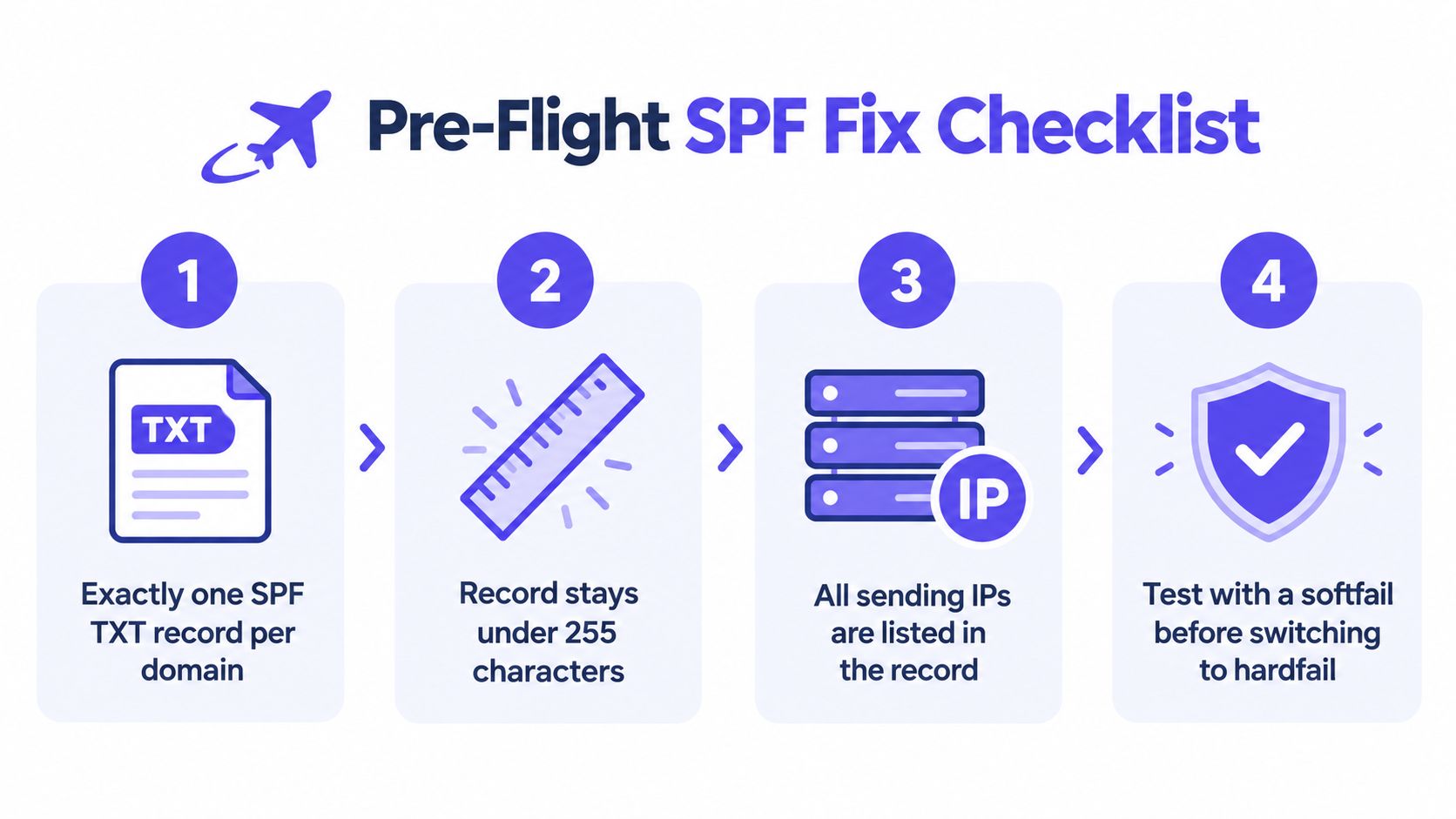
Run the pre-flight checks
- Confirm there is one SPF record. A domain should publish a single SPF TXT record. Separate SPF records can produce a permanent error, or
permerror. - Stay under the 10 DNS-lookup limit. Mechanisms and modifiers such as
include,a,mx,exists, andredirectcan trigger lookups. Nested includes count too. - List every real sender. Inventory the CRM, transactional platform, marketing system, website forms, and support tools that send for the domain. Use each provider's documented SPF instructions.
- Validate before tightening policy. Check syntax, duplicate records, missing services, and lookup count before moving from
~allto-all.
A domain using Google Workspace and one sending service might publish:
v=spf1 include:_spf.google.com include:spf.example-sender.com ~allThe provider mechanisms in that example are illustrative. Use the exact SPF authorization value supplied by each service, and don't paste in an include just because its name looks plausible.
The common failure is splitting authorization across two records:
v=spf1 include:_spf.google.com ~allv=spf1 include:spf.example-sender.com ~allTwo TXT records do not authorize two platforms. They can create a broken SPF evaluation. Merge the approved mechanisms into one record, then validate the full DNS response. For lookup counting and common failure modes, see Mailwarm tips on SPF records.
A DNS control panel shows only the first TXT line, while an include can reference more mechanisms downstream. Count the entire chain before changing policy. SPF record troubleshooting for Australian businesses covers practical checks for that kind of review. If a sender is missing or the lookup path is broken, -all makes the failures louder, not cleaner.
Parked Domains and Lookalikes Deserve Hardfail
A domain registered for brand protection, a retired company name, or a defensive lookalike has no legitimate outbound mail to preserve. For those domains, -all is the clear choice. There are no authorized senders to overlook if the domain never sends.
A parked domain's SPF record can be:
v=spf1 -allA country-code variant that also never sends email can use the same policy:
v=spf1 -allDon't apply this blindly to a domain just because it has no employee mailboxes. A marketing automation platform, transactional service, website form, or support system may still send using that domain. Check the full sending inventory before treating a domain as inactive.
| Domain type | Recommended qualifier | Why | Supporting DMARC |
|---|---|---|---|
| Active business domain | ~all | Keeps a less definitive SPF result while DMARC applies the domain's enforcement policy. | Use p=quarantine or p=reject once sending sources are validated. |
| Parked or defensive domain | -all | No legitimate mail should originate from it. | Use p=reject to state that unauthenticated mail shouldn't be accepted. |
| Retired domain with lingering senders | ~all until audited | Old services or automated messages may still use it. | Review reports and retire the senders before hardening. |
The right qualifier follows the domain's actual purpose. A parked domain can be strict; an active domain should be managed around its sending paths and DMARC configuration.
Your Migration Plan and the Checkers Worth Running
Change the qualifier last. Everything else on this list comes first, and skipping ahead is how outbound sales teams and marketing senders break their own mail. Keep ~all while the sender inventory and authentication reports are under review. A stricter qualifier never compensates for a service that was never added to the record.
Use this sequence:
- Publish one valid SPF record ending in
~all. Confirm it authorizes every legitimate sending service and stays within the DNS lookup limit. - Review DMARC aggregate reports. Look for legitimate sources that fail SPF or DKIM alignment. Fix the source or its authentication before touching policy.
- Enforce DMARC gradually. Move from monitoring to quarantine, then to reject when the reports support the change. Run a DMARC report review before each policy step.
- Keep
~allon active sending domains. Reserve-allfor domains confirmed not to send. - Recheck after every DNS change. Draft the updated record, publish it, and verify your SPF record once it propagates. Keep the lookup count within the limit covered earlier.
Treat that order as fixed. Teams that jump straight to -all usually discover a forgotten sender the hard way, through bounced invoices and silent support tickets.
After any authentication change, watch DMARC aggregate results and SPF-related bounces closely. Inbox placement monitoring helps separate authentication problems from filtering and reputation issues. Mailwarm provides that monitoring alongside email warmup and deliverability guidance.
FAQ
Is ~all safer than -all for a sending domain?
For most active sending domains, yes. ~all makes an unauthorized-sender assertion without making hardfail the default response, while enforced DMARC supplies the domain's quarantine or reject policy.
Does SPF hardfail guarantee that a receiver rejects mail?
No. -all produces an SPF fail for an unlisted sender, but the receiving system decides what action to take. Some receivers may reject, while others may apply a different local policy.
Can DMARC pass when SPF fails?
Yes. DMARC can pass when either SPF or DKIM passes and aligns with the visible From domain. A message may therefore pass through aligned DKIM even when SPF fails.
Should a parked domain use -all?
Yes, if the domain never sends email through any service. Publish v=spf1 -all and pair it with a DMARC reject policy.
How can teams check SPF and DMARC together?
Inspect the SPF record, confirm the sender inventory, and review DMARC aggregate reports for legitimate authentication failures. Use the free SPF and DMARC checkers before and after DNS changes.
Check SPF and DMARC together with the free checkers before changing a policy, so an active sender doesn't get mistaken for unauthorized mail. For ongoing inbox placement monitoring and deliverability guidance alongside warmup, visit Mailwarm.