
A hard bounce is a permanent 5xx failure that means suppress the address, and a soft bounce is a temporary 4xx failure that means retry it. But that popular hard bounce vs soft bounce rule needs a qualification: a permanent rejection doesn't always mean the recipient address is invalid.
The enhanced status code and diagnostic text determine the next action. Deleting every contact attached to a 5xx response can hide a sender-side policy problem, while repeatedly retrying every temporary failure can prolong throttling.
Classify Any Bounce in 30 Seconds
The first digit classifies the delivery failure. The remaining code explains whether the fix belongs to the recipient address, the receiving server, or the sender.
A classification isn't a diagnosis. The same hard-bounce label can cover a nonexistent mailbox and a valid mailbox rejecting an unauthenticated sender.
Read the reply in this order
- Read the first digit. A reply starting with 4 indicates a temporary failure. A reply starting with 5 indicates permanent failure for the request as submitted.
- Read the enhanced status code. Look for a code such as
5.1.1or4.2.2, then read the accompanying diagnostic text. - Assign an action. Suppress confirmed invalid recipients, allow controlled retries for temporary failures, and investigate policy blocks separately.
The Nylas bounce-code reference identifies 5.1.1 as an unknown or nonexistent destination mailbox, which should be suppressed once confirmed. Resending can't create a mailbox that doesn't exist.
SMTP reply codes and their bounce class
| SMTP reply | What it means | Class | Rule |
|---|---|---|---|
550 5.1.1 | Recipient mailbox does not exist | Hard | Suppress after the first attempt |
550 5.1.2 | Recipient domain does not exist | Hard | Suppress after the first attempt |
552 5.2.2 | Recipient mailbox is full | Soft operational exception, despite the 5xx | Retry and track repeats |
421 4.7.0 | Server busy or throttling traffic | Soft | Retry with backoff |
451 4.4.1 | Connection timeout | Soft | Retry with backoff |
550 5.7.1 | Policy or spam rejection | Permanent policy block | Pause affected sends and investigate the sender |
The mailbox-full row needs special handling. The receiving server has issued a permanent response for that attempt, so the sending server might not queue it automatically. A later, controlled resend requires an application-level decision, not an assumption that SMTP will retry it.
Bounce codes originate from the recipient's mail server, so diagnostic wording can differ by provider. Preserve the complete reply rather than storing only the sending platform's simplified label.
Practical check: Export the previous week's bounce log, sort by reply prefix, and review every 5xx response carrying a
5.2.xor5.7.xcode before the next campaign.
Keep delivery classification separate from the broader difference between bounced and blocked email. The immediate question is which action the actual response supports.
Retry and Suppression Rules for Each Bounce Type
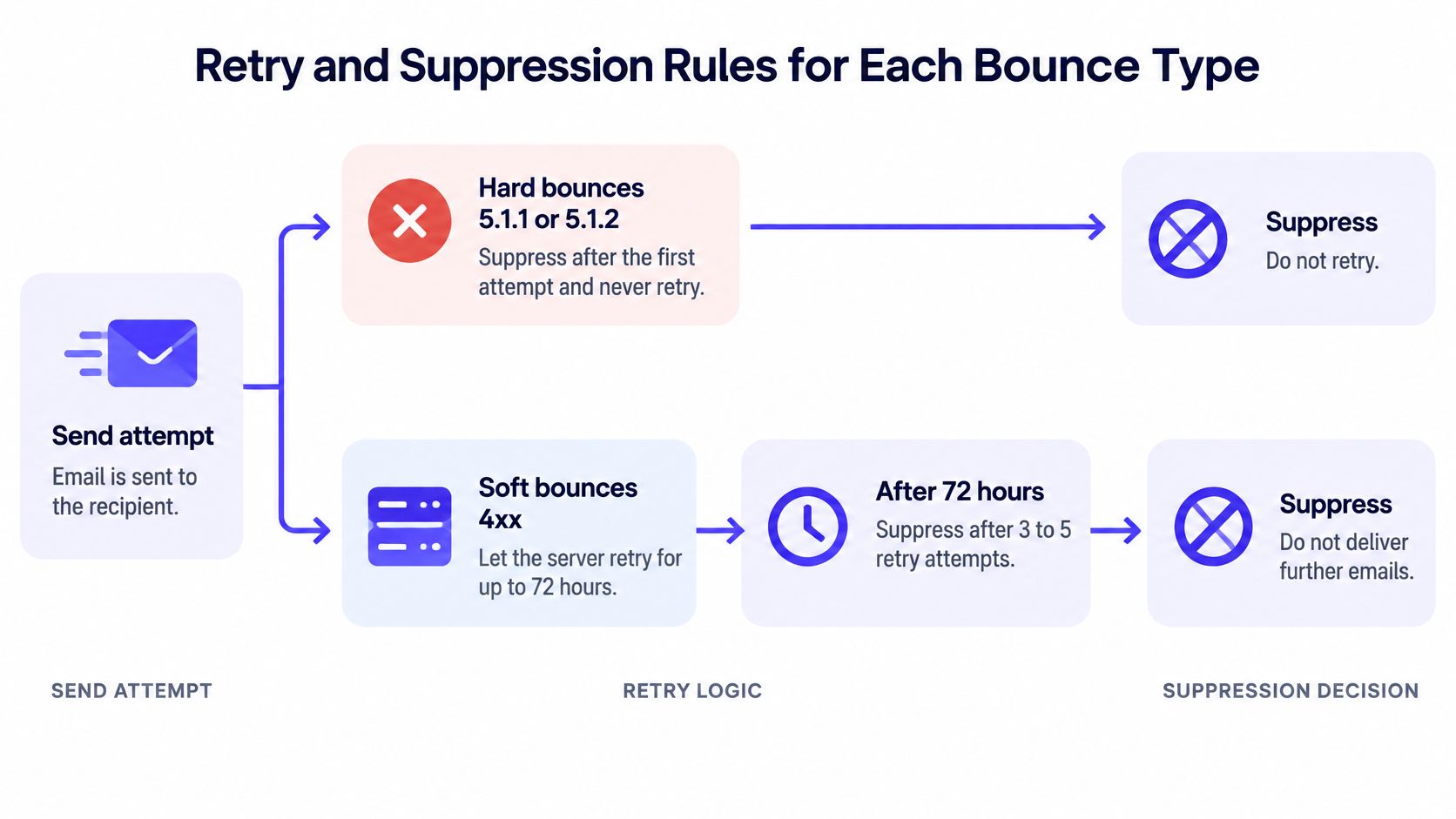
Suppress invalid addresses immediately, retry temporary failures cautiously, and keep policy blocks out of the invalid-address bucket. These should be separate rules in the sending platform, not a single automatic hard-bounce workflow.
The following policy is a practical campaign-management recommendation. Its retry window and suppression counts aren't universal SMTP requirements.
Retry and suppression rules by bounce class
| Bounce class | Retry | Suppress when | What to fix |
|---|---|---|---|
Hard, 5.1.1 or 5.1.2 | Never retry the unchanged address | After the first attempt | Verify the address and remove it from active sends |
Soft, 4.x.x | Allow controlled retries for up to 72 hours | After 3 to 5 consecutive failures across campaigns | Sending volume and authentication if failures recur |
Policy block, 5.7.x | Don't retry in bulk | Don't suppress solely as an invalid contact | Authentication, content, and reputation |
Count campaign-level failures separately from individual queue attempts. Otherwise, a server making several retries during the same outage could exhaust the contact's allowance before the temporary condition clears.
This decision flow keeps the retry queue separate from long-term contact suppression.
A Gmail quota error needs a volume change
Gmail's sender guidance identifies 4.7.28 as a quota-related rejection and recommends reducing sending volume when messages bounce or are deferred, then increasing it gradually after SMTP error rates decline.
Say a campaign encounters that response across Gmail recipients. Immediately resubmitting the same campaign at the same speed doesn't address the quota problem. Reduce concurrency and sending volume, leave temporary messages in the managed queue, and watch provider-specific errors before increasing throughput.
A retry is useful only when the condition can change. Repeating the same sending pressure isn't a recovery plan.
For recurring deferrals, review connection behavior and sending pace to prevent recurring SMTP 421 errors. Don't create a second resend job while the original message remains queued.
Write the rules into the platform's suppression settings, assign an owner to policy-block investigations, and schedule a review before releasing affected traffic. The email bounce-rate calculation should then reflect those classifications rather than mixing invalid recipients with sender-side rejections.
Why Some Bounce Codes Mislead the Dashboard
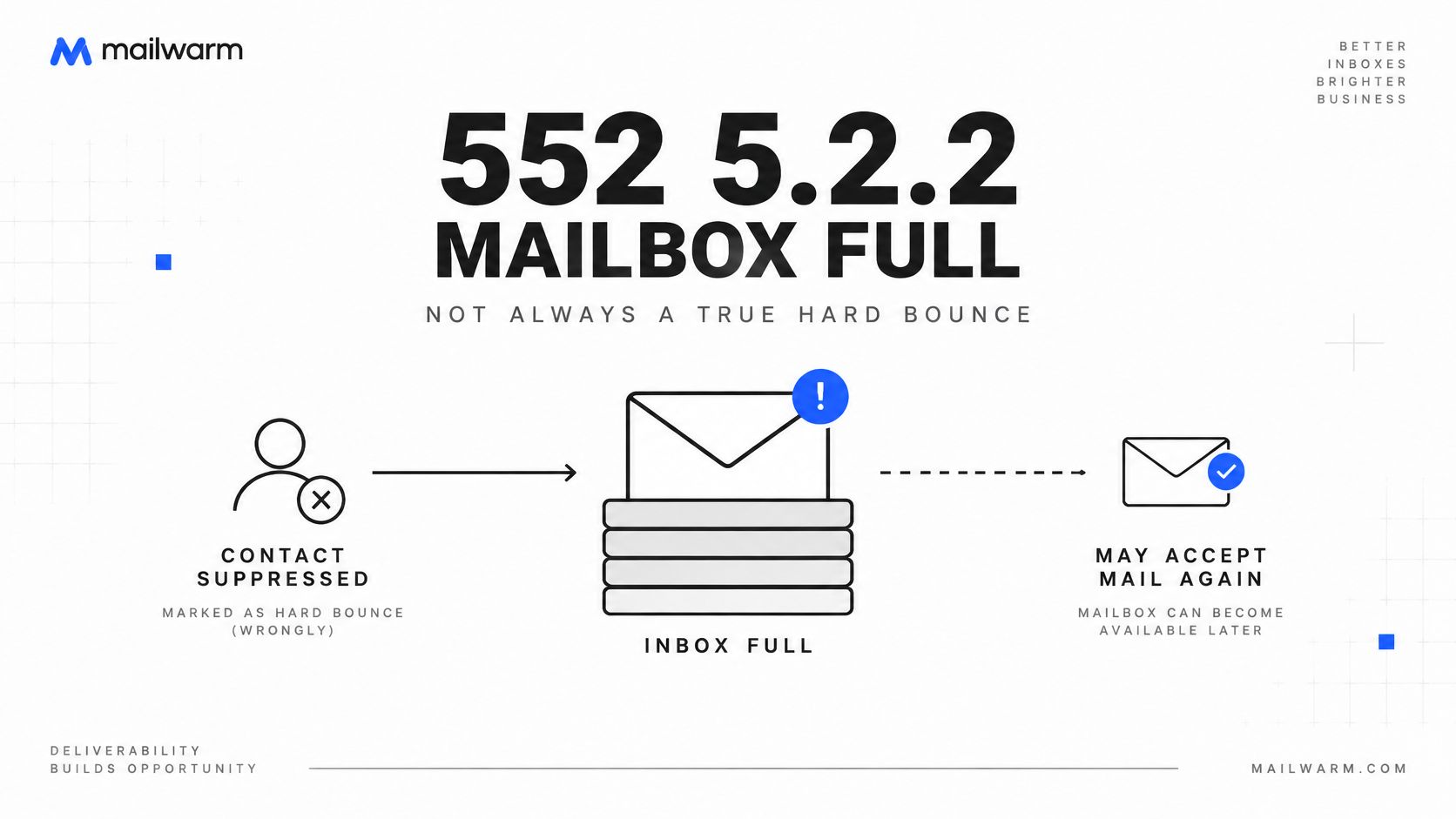
An SMTP code's first digit is a useful starting point, not a complete diagnosis. 552 5.2.2 carries a permanent failure prefix, yet its diagnostic text can indicate a full mailbox, which the recipient may resolve by freeing storage.
The sending server may still end that delivery attempt because it received a permanent reply. Keep the response classified as permanent for that attempt, but don't automatically treat the address as invalid.
Mailbox capacity and sender policy need different fixes
A full mailbox is commonly represented by 4.2.2; 4.4.1 indicates a connection timeout, and 4.7.0 can indicate throttling or greylisting, according to the WebSpecification bounce-handling guide. These temporary conditions can support delayed retries, with recurring failures monitored.
For 552 5.2.2, record the mailbox-capacity reason separately from invalid-address failures. If the platform allows it, schedule a controlled resend after a delay rather than permanently suppressing the contact.
550 5.7.1 can also mislead prefix-based rules. It indicates a policy or security rejection, not proof that the mailbox doesn't exist. The Nylas hard-versus-soft-bounce guide describes policy-related responses that may call for authentication, content, or sender-reputation fixes.
Check the sender before deleting the recipient
A policy rejection can point to a sender-side problem. Check authentication and sending configuration before removing a recipient, especially when the same response appears across multiple recipients at one provider. A missing or misconfigured SPF record is one possible issue to investigate.
- Preserve the response. Check the original SMTP text for the enhanced status code and provider explanation.
- Confirm authentication. Review the SPF record and other relevant authentication settings; a successful previous campaign does not confirm that the current configuration is correct.
- Compare affected recipients. If a policy error clusters at one provider, investigate the provider-specific rejection rather than deleting contacts indiscriminately.
When a Hard Bounce Rate Signals a List Problem
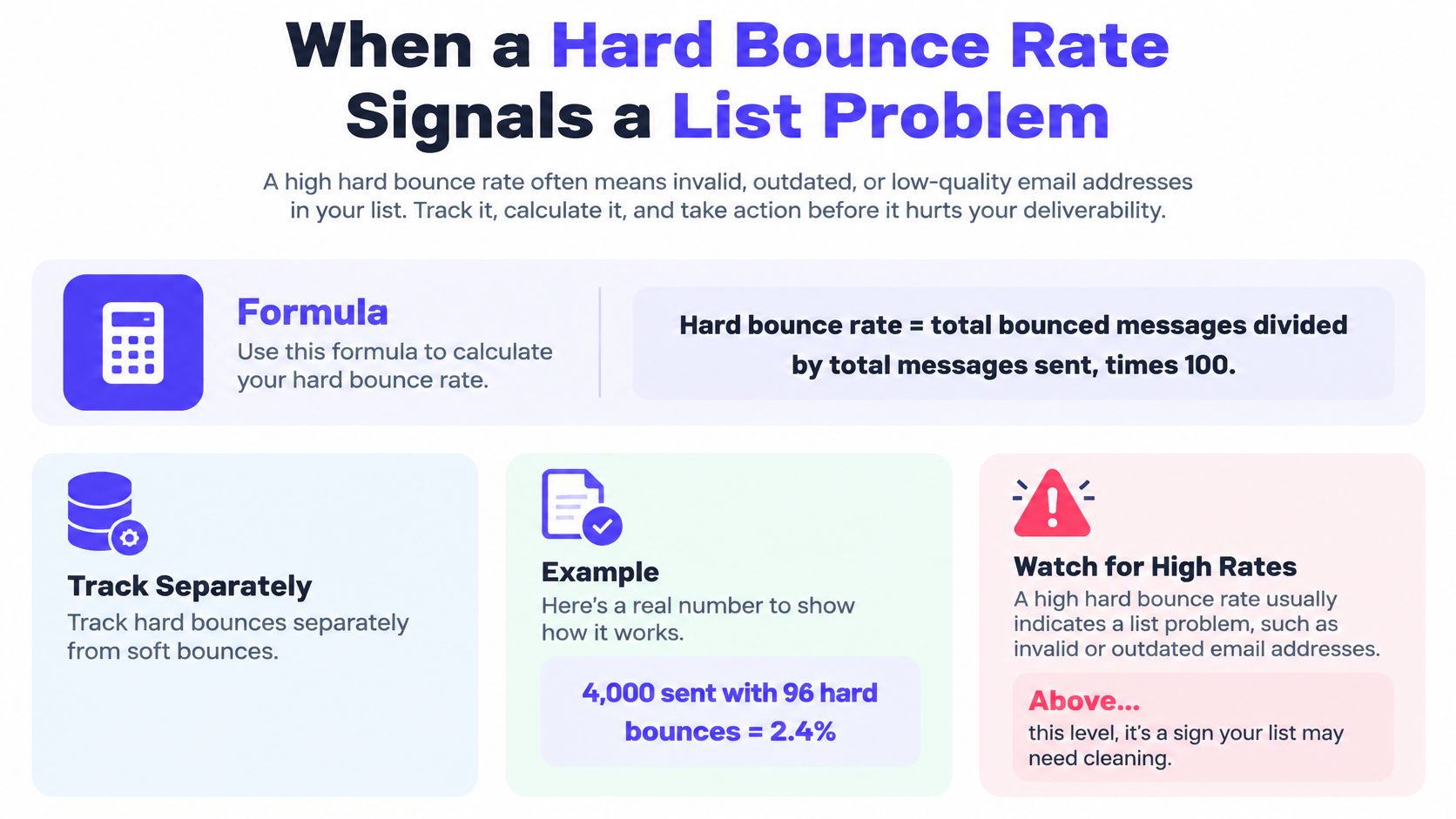
Total bounce rate = total bounced messages ÷ total messages sent × 100. Calculate the hard-bounce rate with hard bounces alone in the numerator, and track temporary failures separately.
For a hypothetical campaign, 4,000 sent messages with 96 hard bounces equals 2.4%. That exceeds the recommended 2% list-quality alarm, so the next campaign should wait for verification. This alarm is an operating policy, not a universal mailbox-provider threshold.
The calculation is simple, but the classification determines whether the result is useful.
Published bounce-rate benchmarks
| Source | Figure | Scope |
|---|---|---|
| Twilio SendGrid 2023, based on more than 5 trillion emails sent in 2022 | 1.06% average, 0.21% median | Total bounces, hard and soft combined |
| GetResponse 2023 email-marketing benchmarks | 2.33% overall | Total bounces, not split by hard or soft |
| Validity 2025 | About 1.5% | Permission-based email marketing, total bounces |
EmailValidation.io's benchmark summary reports the SendGrid and GetResponse figures shown above. MarketSplash's summary of Validity's benchmark reports the permission-based marketing figure.
These aren't interchangeable targets. List acquisition, geography, campaign type, and mailbox-provider mix change the comparison. Newsletter operators can also explore newsletter benchmarking data from HeyNews when choosing a relevant comparison group.
Separate list quality from inbox placement
An increase in confirmed invalid-recipient failures points toward acquisition or list maintenance. An increase in temporary deferrals calls for a closer look at receiving-provider conditions, sending pace, and authentication.
The Validity 2025 benchmark report explains why a bounce rate around 1.5% can produce an apparent delivery rate near 98.5% without proving inbox placement. Accepted messages can still land in spam.
Dashboard rule: Pair bounce reporting with inbox placement checks. Acceptance isn't the same as visibility.
For prospecting teams, efforts to lower bounce rates in outbound campaigns should start with confirmed failure reasons, not comparisons against permission-based newsletter averages.
Clean the List and Gate the Next Send
Warmup cannot fix bad data. Verification and list hygiene can. Positive engagement doesn't make a nonexistent mailbox accept mail, so reputation work should follow address cleanup rather than substitute for it.
Consider a list containing invalid addresses. Increasing warmup activity while continuing to send that list leaves the original failure untouched. The practical recovery sequence starts with removing those recipients and preventing their return through the next import.
Recover in the right order
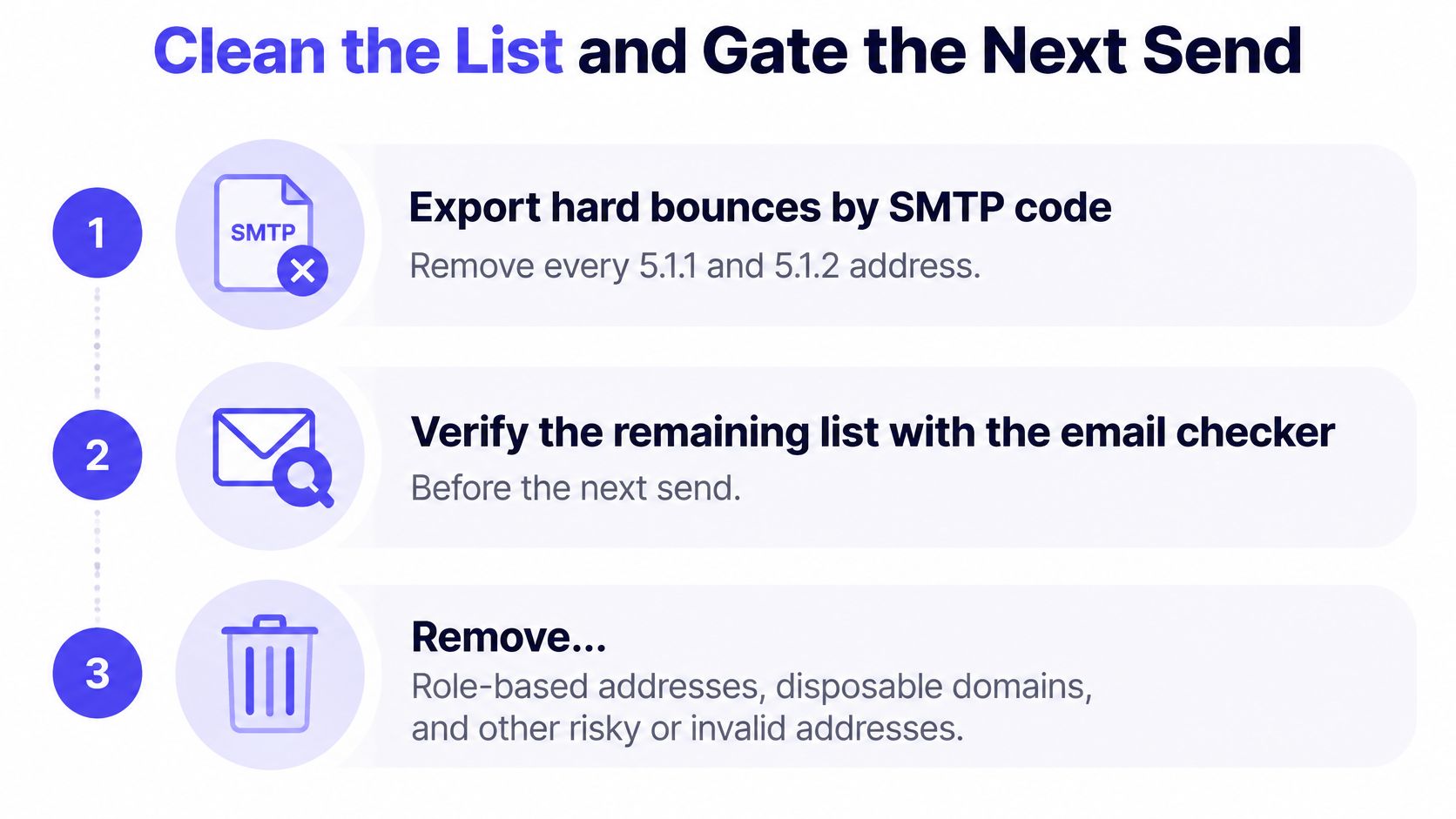
- Export failures by SMTP code. Remove confirmed
5.1.1and5.1.2recipients from active campaigns and preserve their suppression status. - Run the remaining list through the email checker before another send. Keep uncertain results out of the recovery campaign rather than treating verification as a guarantee.
- Apply an inactivity policy. For campaign recovery, use a conservative cutoff such as contacts older than 12 months with no engagement. Check reply and conversion history rather than relying on opens alone, and define when to suppress inactive subscribers.
- Resume at reduced volume. Watch errors by receiving provider and increase sending only when the affected segment stabilizes.
- Gate each increase. Keep the hard-bounce rate below the operating alarm and confirm that policy rejections have stopped before restoring full campaign volume.
The cleanup checklist should be part of campaign approval, not a task left until after another failed send.
Require a pre-send approval check
Sort the last 30 days of failures by SMTP code, not just by count. Keep mailbox-capacity responses and policy blocks in separate review categories so neither becomes an invalid-contact suppression.
The approval checklist should include:
- Address status. Confirm that suppressed invalid recipients haven't re-entered through a CRM sync or uploaded file.
- Authentication. Review SPF results and check your DMARC record, including alignment with the actual sending service.
- Queue status. Confirm that old temporary deliveries aren't still pending before launching replacement sends.
- Provider recovery. Review the receiving provider that issued the errors instead of relying only on an account-wide average.
This also applies to teams automating staffing agency client acquisition with dreach. Acquisition automation should preserve suppression decisions rather than repeatedly introducing rejected contacts.
For a new domain, Mailwarm recommends planning 2 to 4 weeks of warmup before campaigns and retaining maintenance warmup afterward. That preparation doesn't override the pre-send checks, and an existing domain's recovery should follow its observed SMTP errors rather than a promised completion date.
Frequently Asked Questions
What is a hard bounce?
A hard bounce is a permanent delivery failure, usually represented by a 5xx reply. An invalid-recipient response such as 550 5.1.1 warrants immediate suppression, while a policy response requires sender-side investigation rather than automatic contact removal.
What is a soft bounce?
A soft bounce is a temporary failure, usually represented by a 4xx reply such as 421 or 451. The address may remain deliverable, so controlled retries are appropriate unless repeated failures justify suppression or the diagnostic reveals a sender problem.
How long should a soft bounce be retried?
The recommended campaign policy is to allow managed retries for up to 72 hours, then suppress after 3 to 5 consecutive failures across campaigns. That's an operating recommendation, not a universal SMTP timer, and individual queue retries shouldn't be counted as separate campaign failures.
Is a 552 mailbox full bounce hard or soft?
It's formally a permanent SMTP response, but the underlying storage condition can be temporary. Operationally, it belongs in a mailbox-capacity review category, with a controlled later resend if appropriate, rather than automatic permanent removal.
Why shouldn't a 550 5.7.1 bounce trigger contact suppression?
That code signals a policy or security rejection, not proof of an invalid mailbox. Pause affected sending and investigate authentication, content, and reputation before attempting delivery again.
Does Mailwarm need access to private inboxes?
No. The platform doesn't require IMAP access or permission to read private inboxes, and it provides inbox placement insights, spam score monitoring, and expert deliverability guidance.
Apply the hard bounce vs soft bounce rules to the next bounce-log export before restarting campaigns. Mailwarm is a premium email warmup and deliverability platform that helps senders build reputation, monitor inbox placement, and reduce spam risk through real inbox engagement, advanced warmup controls, and expert guidance. Visit the platform to support reputation recovery after invalid addresses and sender-side errors have been addressed.