

A total bounce rate under 2% and a hard bounce rate under 0.5% are healthy working targets for cold and opt-in email, but a bounce rate benchmark only means something when split by bounce type, market and list source. These are operating thresholds, not universal mailbox-provider rules.
A blended percentage can hide the problem that needs attention. A campaign with temporary mailbox failures needs a different response from a campaign sent to addresses that don't exist. For founders, sales teams and agencies, the useful question isn't whether the number looks good. It's which recipients failed, why they failed and whether sending should continue.
Bounce Rate Benchmark Ranges and How Hard and Soft Bounces Differ
An email bounce rate benchmark is a reference point for the share of sent emails that receiving servers reject. A useful report separates total bounces, hard bounces and soft bounces rather than treating every failure as the same event.
The following bands are editorial working rules of thumb, not published requirements from Gmail, Outlook or another mailbox provider. Teams should use them to trigger investigation, not to declare a sending program safe.
Working bands for cold and opt-in email
| Metric | Healthy | Watch closely | Act now |
|---|---|---|---|
| Total bounce rate | Under 2% | 2% to 5% | Above 5% |
| Hard bounce rate | Under 0.5% | 0.5% to 1% | Above 1% |
| Soft bounce rate | Under 1% | 1% to 2% | Above 2% |
| Spam complaint rate | Under 0.1% | At or above the healthy band, review every complaint | Recurring complaints from a source, pause that segment |
Spam complaints belong beside bounce metrics because they inform sending decisions, but a complaint isn't a bounce. The complaint row deliberately uses a behavioral stop rule rather than inventing another numerical provider threshold.
Hard bounces are permanent delivery failures. Examples include a nonexistent recipient, a closed account or a domain that no longer receives email.
Soft bounces are temporary delivery failures. A full mailbox, an unavailable receiving server or a message that exceeds an accepted size can produce one, although platforms may classify repeated failures differently.
Read permanent failures first
Consider a hypothetical campaign sent to 1,000 addresses, with 15 hard bounces and 5 soft bounces. Its total bounce rate is 2%, but its hard bounce rate is 1.5%. The permanent failures call for action even though the total sits at the beginning of the warning band.
Calculate each rate against the same sent-email denominator. Don't divide hard bounces by total bounces, which measures the composition of failures rather than the share of sending that failed.
Practical rule: A reassuring total doesn't cancel an unhealthy hard bounce segment.
Published benchmarks can disagree because they combine different populations. Transactional messages, cold outreach and opt-in newsletters don't start with the same recipient relationship. New sending domains and established programs also shouldn't be treated as interchangeable.
A report that supports decisions should include:
- Failure detail: Hard, soft and unknown-user classifications, with the original server response.
- Sending context: Volume, campaign purpose and sending-domain age.
- Recipient context: Acquisition source, country and mailbox provider.
- Outcome context: Complaints and inbox placement, kept distinct from rejected messages.
Healthy means maintaining current practices while watching the trend. Watch closely means reviewing the latest import and identifying the affected cohort. Act now means pausing that cohort before another campaign repeats the failure.
For a separate view of the sending setup, teams can test your email deliverability. That baseline complements bounce logs rather than replacing them.
Bounce Rate Benchmarks by Market and Why They Differ
The country spread is substantial: Belkins' email deliverability benchmarks report email bounce rates of 3.26% for India, 2.86% for Spain, 1.90% for France, 1.62% for Germany, 1.05% for Sweden and 0.71% for Finland. These are reported market observations, not recommended sending limits.
Reported bounce rates by market
| Market | Reported bounce rate |
|---|---|
| India | 3.26% |
| Spain | 2.86% |
| France | 1.90% |
| Germany | 1.62% |
| Sweden | 1.05% |
| Finland | 0.71% |
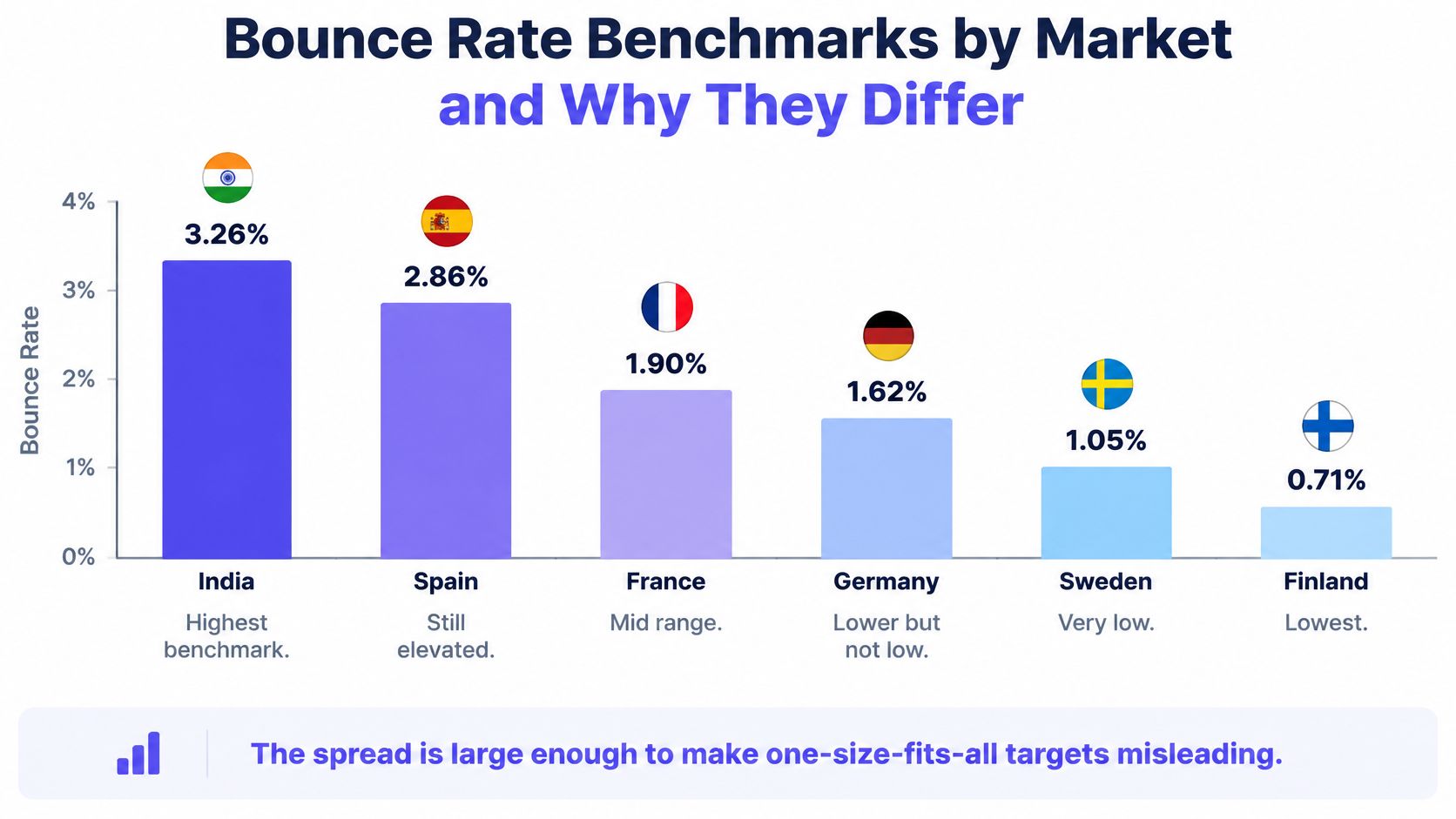
The spread makes a single global comparison a poor diagnostic. It doesn't establish that geography causes delivery failure, nor does it justify accepting avoidable failures in a higher-bounce market.
Test the drivers behind the country label
Several explanations deserve investigation. The benchmark doesn't isolate which explanation accounts for each country's result.
- Address quality: Local records may contain different levels of obsolete or incomplete contact information. Compare unknown-user responses within each acquisition source.
- Local data sources: A directory export and a permissioned customer database represent different collection processes. Keep their results separate even when both target the same country.
- Role accounts: Shared addresses such as general enquiries and sales mailboxes need their own classification. Their presence alone doesn't prove they're invalid.
- Validation practices: Teams may verify addresses at different stages or retain failed records under different rules. Record when and how each batch was checked.
- Mailbox-provider behavior: Receiving systems can return different responses to similar sending activity. Retain provider-level results rather than assigning every failure to geography.
- Campaign targeting: A market launch may introduce unfamiliar companies, contact sources and recipient roles together. Separate those changes before choosing an explanation.
Suppose a team launches campaigns in India and Finland. It should establish separate local baselines while applying the same standards for permanent-failure suppression and source review. A higher published market figure isn't permission to keep sending to invalid addresses.
Geography is a comparison field, not a diagnosis.
A low aggregate rate can still conceal a weak provider or acquisition source. The operational target should remain strict, while the market baseline helps identify which segment deserves investigation first.
What Pushes Bounce Rates Above Benchmark
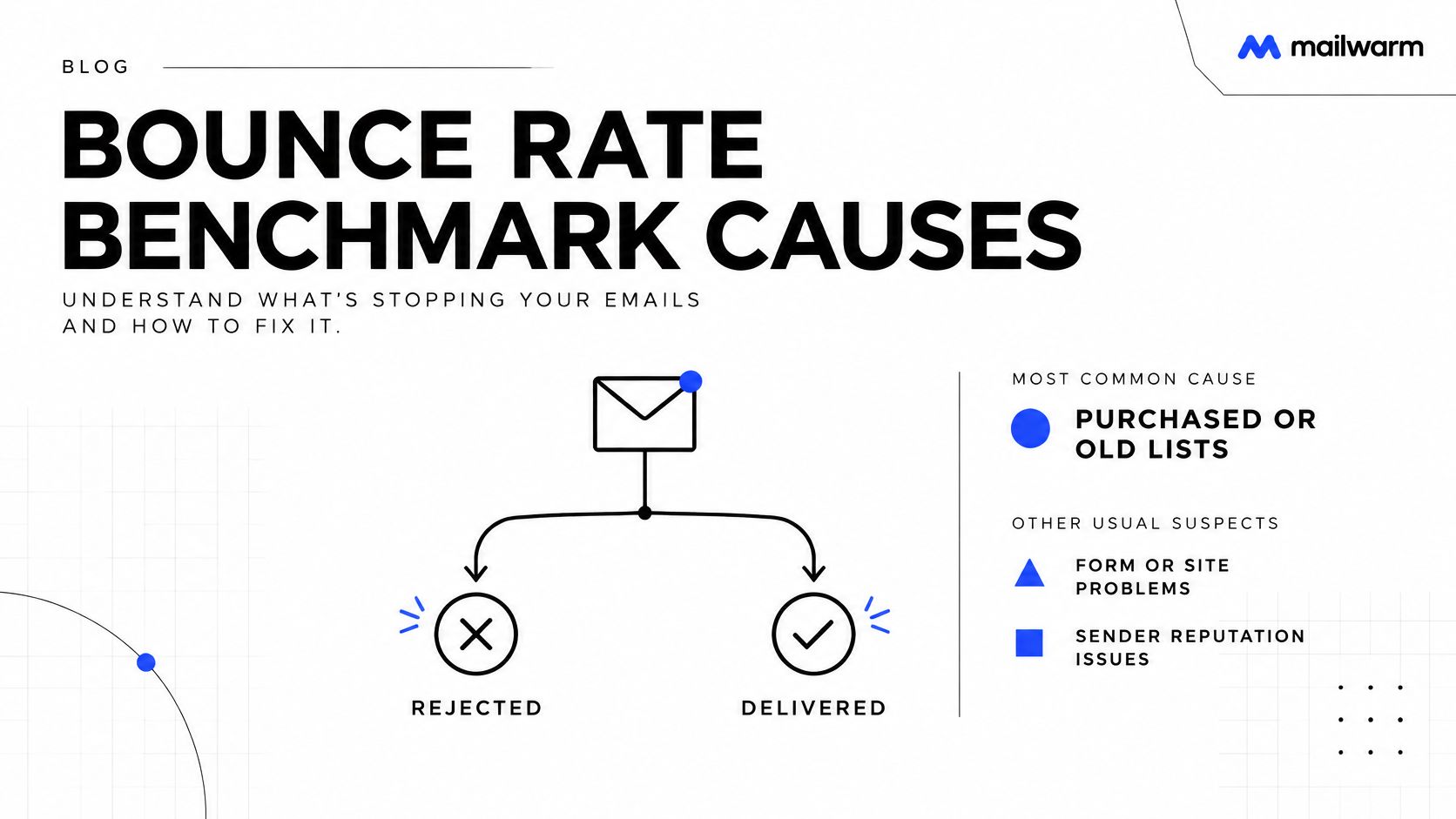
List source is the first place to investigate, especially when failures begin immediately after an import. It's a practical starting point, not proof that acquisition quality explains every bounce.
The server response determines whether the problem concerns recipient validity, temporary availability or a sending restriction. Changing subject lines before reading those responses can leave the actual failure untouched.
Match each suspected cause to a visible pattern
- Purchased, scraped or old records: Unknown-user failures concentrated in an imported batch suggest that recipient validity needs checking. A directory export containing former employees is a concrete example.
- Form-entry mistakes: Repeated failures involving misspelled domains or incomplete addresses suggest a collection problem. A signup form that accepts an obvious email-provider typo should send that record for correction before a campaign uses it.
- Role accounts: Failures clustered around shared mailbox names warrant a separate review, but those names aren't automatically invalid. A company may keep its sales mailbox active while retiring a general enquiries address.
- Catch-all domains: A domain-level acceptance check may not confirm that the intended recipient exists or will ultimately receive the message. A prospecting batch marked catch-all therefore needs cautious handling rather than automatic approval.
- New sending domains: Policy or reputation-related rejections after a sharp launch point toward the sending setup, not necessarily nonexistent recipients. A newly configured domain sent straight into a full campaign is a case worth isolating.
- New sources or markets: A sudden change limited to a newly introduced cohort suggests that the collection process or recipient mix changed. A local directory added during market expansion should remain identifiable in the logs.
- Dormant contacts: Previously collected addresses can become invalid when people leave jobs or accounts close. A reactivation campaign should separate long-unused records from recently confirmed contacts.
Catch-all handling deserves particular care because verification status and sender behavior answer different questions. Mailwarm's explanation of sender reputation and catch-all email provides context for assessing that risk.
Diagnostic caution: A rejection message is evidence. A list label is only a clue.
The same acquisition batch can produce different outcomes across receiving providers. Analysts should compare the actual rejection reasons before concluding that the entire list, country or sending tool is responsible.
How to Diagnose a High Bounce Rate Step by Step
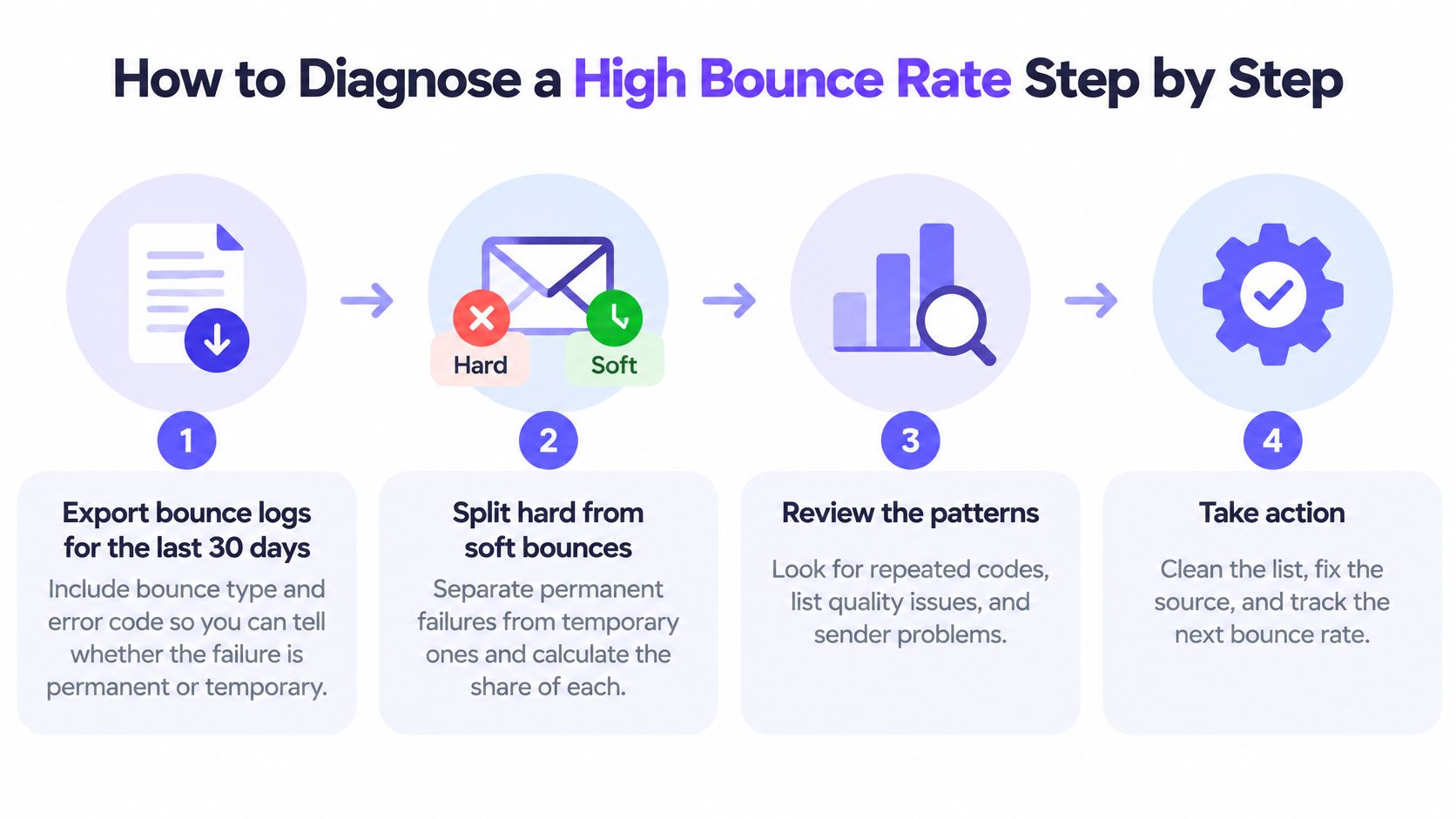
A useful diagnosis connects each failure to a recipient, a sending event and a server response. An aggregate dashboard alone can't establish that connection.
The workflow below uses a practical review window and manual sample. Those are investigation choices, not benchmark findings.
Build an auditable investigation
Export the last 30 days of bounce logs. Include recipient, send timestamp, campaign, bounce classification and the full error response, because a platform label can omit the detail needed to distinguish recipient failure from policy rejection.
Separate hard and soft bounces. Calculate each against sent messages in the same reporting window, and retain pending retries separately so temporary deferrals don't become premature permanent-failure counts.
Group results by list source, campaign, send date and recipient provider. This reveals whether the problem follows a particular imported cohort, receiving system or sending event rather than affecting the whole program.
Compare each group with its own stable baseline. Keep campaign purpose and classification rules consistent, because a change in reporting or recipient mix can otherwise look like deterioration.
Locate the start of the spike. Match that date against imports, new sources and volume changes so the investigation tests a specific operational change rather than a broad suspicion.
Review domain history and the sending ramp. Record when sending began and how activity increased, because a policy-rejection pattern requires a different response from unknown-user failures.
Inspect a manual sample of 50 bounced addresses. Check for repeated domain typos, shared mailbox names, duplicate records and identical server responses, using the sample to confirm a pattern rather than estimate the whole population.
Write a cause statement for every affected segment. A line such as “Imported directory contacts show repeated unknown-user responses” gives the team a testable explanation before any settings change.
Keep the original response attached
Error text should remain available beside the platform's simplified classification. For permanent recipient-failure messages, Mailwarm advice on recipient bounces offers additional troubleshooting context.
Don't treat every permanent rejection as evidence that the address itself is invalid. The response may instead identify a policy restriction, which calls for reviewing the sending setup and recipient-provider pattern.
A completed investigation should produce a ranked work queue:
- Affected segment: A clearly named source, campaign, market or provider.
- Failure size: Bounce count alongside the relevant rate and sent volume.
- Likely cause: A specific explanation supported by repeated responses.
- Next action: Suppression, verification, collection repair or sending review.
Rank segments by bounce count as well as rate. A small cohort with a severe rate needs containment, while a larger cohort with a milder rate may account for more failed messages.
The final output isn't a red dashboard indicator. It's a list of segments ranked by failed-message count, each with a likely cause and an owner responsible for the next change.
Fix Excessive Bounces and Set Your Target
The fix should follow the diagnosed cause. A temporary capacity problem doesn't call for the same response as an invalid recipient, and a provider policy rejection doesn't automatically mean the list needs deletion.
Bounce symptoms, likely causes and fixes
| Symptom | Likely cause | Fix |
|---|---|---|
| Hard bounces spike after a new list import | Unverified or scraped addresses | Verify the list, remove failed addresses and suppress them permanently |
| Soft bounces from full mailboxes | Temporary recipient or server conditions | Retry for a few days, then suppress after repeated soft bounces |
| Unknown-user bounces at one provider | Stale or closed accounts at that provider | Remove those addresses and review the segment source |
| Bounces concentrated in one country | Local address quality or data source | Pause that source and verify addresses before sending |
| Bounces from a new domain | Full volume before reputation exists | Ramp volume slowly and warm the domain first |
| Total rate creeping up over weeks | Older lists with no cleaning schedule | Clean lists monthly and track against the target |
These are starting hypotheses, not automatic verdicts. For example, country-level concentration could also reflect a provider or source used disproportionately in that market.
Permanent invalid-recipient failures should enter a suppression list that survives future imports. Otherwise, another upload can restore the same failed addresses.
Collection practices matter too. Teams should keep outreach lists permissioned and maintain acquisition records, rather than treating verification as permission to contact anyone with a technically valid address.
Set a target and a controlled ramp
Use the opening healthy bands as internal operating goals. Check the repaired segment weekly for four weeks, retaining both bounce counts and rates so a smaller campaign doesn't create a misleading improvement.
For a new domain, Mailwarm recommends starting with 10 to 20 emails per day per mailbox, then increasing by roughly 10 to 20 percent every few days. Its warmup process runs that ramp automatically, but teams should still avoid increasing campaign activity while unresolved rejection patterns remain.
Mailwarm recommends planning for 2 to 4 weeks of warmup before running campaigns from a new domain, then keeping maintenance warmup active afterward. Teams preparing to warm up a new domain should treat that schedule as preparation, not a guarantee of acceptance.
Stop condition: An unexplained permanent-failure pattern is a reason to pause the affected segment, not a reason to increase volume more slowly.
This week's repair should be narrow enough to evaluate. Pause the identified cohort, apply the relevant fix and document what changed before sending resumes.
A lower total is only useful if the underlying problem has been removed. Sending fewer messages to the same broken source isn't the same as repairing that source.
Bounce Rate Benchmark Questions Answered
Is a 2% bounce rate bad?
A 2% total bounce rate sits at the start of this article's watch band, not at an automatic failure point. The hard bounce share, rejection reasons and direction of travel determine the next action.
Does a high bounce rate hurt inbox placement?
A high bounce rate can expose recipient-quality or sending problems that also matter for deliverability. Bounce rate alone doesn't establish where accepted messages land, so inbox placement needs a separate check.
How often should teams clean email lists?
A practical schedule is before every large import and monthly for active lists, with invalid recipients suppressed as soon as failures are confirmed. MarTech Do's guidance can help teams manage consent across email lists when cleanup also requires reconciling collection and permission records.
Does Mailwarm need access to a private inbox?
No. Mailwarm is a premium email warmup and deliverability platform that doesn't require IMAP access or permission to read a private inbox. It provides deliverability analytics and expert guidance to help teams review sending setup and bounce risk.
Does bounce rate in Google Analytics mean the same thing?
No, it's a website metric rather than an email-delivery metric. Google Analytics' engagement documentation defines GA4 bounce rate as the percentage of sessions that weren't engaged: under the default criteria, they lasted no longer than 10 seconds, produced no key event and included fewer than two page or screen views. Email bounce rate measures rejected messages, so the figures shouldn't be compared.
Keep Your Bounce Rate Benchmark on Target
A useful bounce rate benchmark supports a sending decision. Teams should start with permanent failures, compare equivalent segments and repair the diagnosed cause before replacing copy or tools.
This week, the sending owner should export the review window with error codes, separate hard from soft failures and compare each acquisition source and receiving provider. Repeating that check through the follow-up period will show whether the repair holds.
The target is fewer avoidable failures, not merely a better-looking average. For teams using email as a growth channel, expert-guided email warmup can support sender-reputation work alongside careful list management and provider-level investigation.
Mailwarm helps senders build reputation, monitor inbox placement and improve deliverability through real inbox engagement, advanced warmup controls and expert guidance. Teams investigating excessive bounces can visit Mailwarm to explore deliverability monitoring and expert-guided warmup alongside their list-quality fixes.