
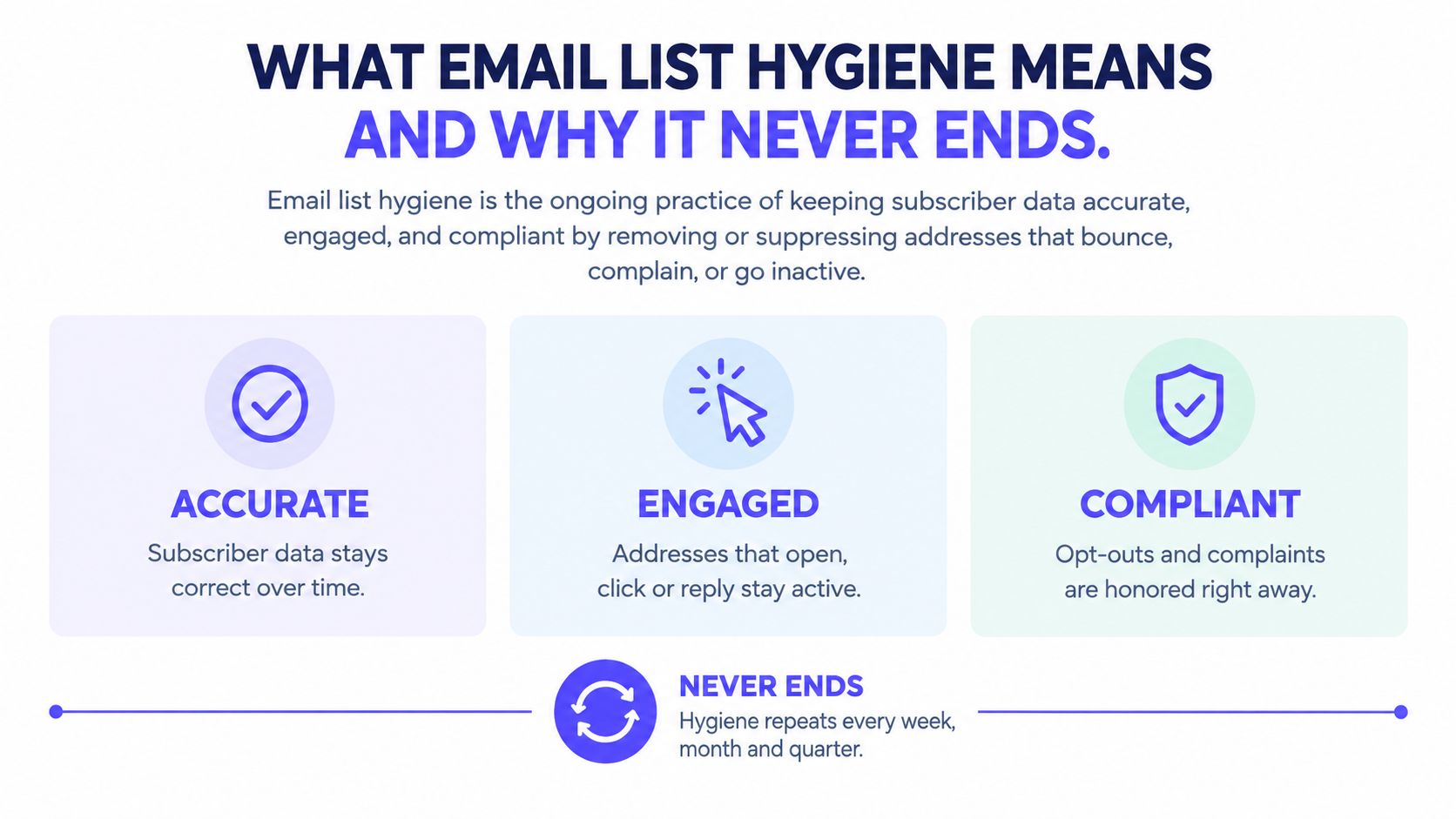
ZeroBounce identified 2.5 billion invalid email addresses during 2024, according to its Email List Decay Report announcement. Email list hygiene is the ongoing practice of keeping contact data accurate, engaged, and permissioned by suppressing addresses that bounce, complain, opt out, or stop responding.
A cleanup protects a campaign. A recurring routine protects the sending operation, because addresses, recipient expectations, and acquisition quality keep changing.
What Email List Hygiene Means and Why It Never Ends
An email list resembles a fridge: everything can be fresh when it goes in, but leaving it unchecked doesn't preserve it. People change jobs, abandon accounts, and lose interest. A successful verification result isn't a permanent property of an address.
In its analysis of more than 11 billion addresses processed during 2025, ZeroBounce found that at least 23% of email-list data degraded within one year, with invalid addresses the largest source of deterioration. Applied illustratively to a 10,000-address list, that rate would mean roughly 2,300 invalid or risky records after a year, not a prediction for every database.
What actually deteriorates
List decay includes different problems that need different responses:
- Addresses stop existing. An employee leaves, a mailbox closes, or a domain stops accepting mail.
- People stop caring. The mailbox still works, but the recipient no longer wants the sequence.
- Risk remains unresolved. Catch-all domains and abuse-prone records require more scrutiny than a simple valid label provides.
Technical validity and recipient interest aren't interchangeable. An address can accept mail while generating complaints, and an apparently inactive customer can still buy without interacting with marketing emails.
Practical rule: Suppression should stop unwanted sending without erasing the evidence needed to prevent another import.
Keep the address's suppression status, reason, acquisition source, and event history where permitted. Deleting a row without retaining suppression controls can let a CRM sync add the same contact back.
Good hygiene therefore includes bounce handling, complaint processing, engagement-based sunsetting, and acquisition checks. Each runs on a schedule or an event trigger, rather than waiting for someone to notice a disappointing campaign.
Hard Bounces, Soft Bounces and the SMTP Errors Behind Them
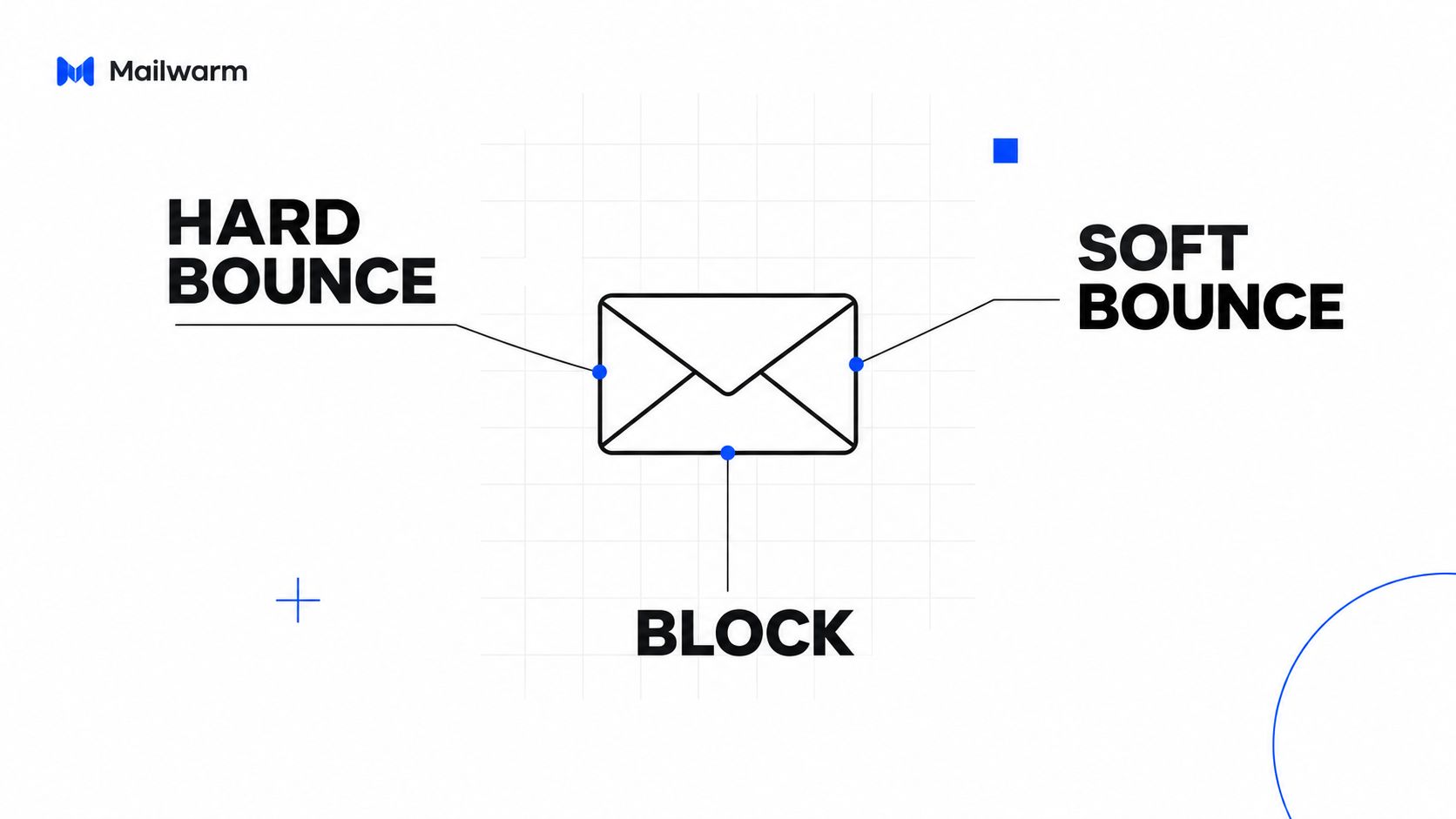
A bounce says a message was not delivered. The SMTP response helps identify whether the address failed, delivery was delayed, or the receiving provider rejected the message for policy, authentication, or reputation reasons.
SMTP error types and the right response
Providers can phrase errors differently, so check the enhanced status code and full delivery-status notification before changing a contact's status.
| SMTP error | Type | Action |
|---|---|---|
550 5.1.1 user unknown | Hard bounce | Suppress the address after the first confirmed failure |
421 4.7.0 try again later | Temporary deferral | Back off and inspect provider-level patterns |
452 4.2.2 mailbox full | Soft bounce | Retry, suppress after 3 to 5 consecutive failures |
550 5.7.1 message rejected for policy | Policy block | Investigate authentication, content, and reputation rather than marking the address invalid |
A 550 response does not always mean the mailbox is invalid. A policy rejection can affect legitimate recipients across a domain, so suppressing every address that receives one may hide a problem with your sending setup.
Check before sending, diagnose afterward
MillionVerifier's list-hygiene guidance recommends validating addresses before sending and distinguishing permanent failures from temporary ones. It describes an overall bounce-rate target below approximately 2%. Treat that as industry guidance, not a universal mailbox-provider rule.
Pre-send validation can check syntax, domain and MX availability, role accounts, disposable addresses, and known risky records. It reduces uncertainty, but it cannot guarantee acceptance or identify every spam trap.
After sending, compare failures by acquisition source, campaign, recipient domain, and import date. A cluster tied to one form points to a different issue than policy blocks concentrated at one provider. Blocklist listings can also occur for reasons unrelated to list quality, so investigate the sending setup and reputation signals alongside contact data.
Use delivery logs to calculate your email bounce rate, separating invalid-address failures from policy rejections. A blended rate can obscure the cause and lead to the wrong fix.
The Rules for Every Type of Bad Contact
Suppress what can hurt delivery, sunset persistent non-response, and keep genuinely engaged contacts eligible. The rules should live in the sending platform and CRM, not in a spreadsheet someone checks before launch.
Contact types, triggers and actions for list hygiene
| Contact type or signal | Action | When |
|---|---|---|
| Hard bounce, address does not exist | Suppress after the first failure | Same day |
| Soft bounce, mailbox full or temporary defer | Retry on a controlled schedule, suppress after 3 to 5 consecutive failures | Tracked on every send |
| Spam complaint | Suppress immediately and investigate the source segment | Same day |
| Unsubscribe or opt-out request | Suppress immediately | Same day |
| Role address, such as info@, admin@, sales@ | Keep out of personal sequences and cold outreach | At import and each re-verification |
| Catch-all domain | Flag as risky, send last, don't count as confirmed | At verification |
| No clicks or replies in 90 to 180 days | Remove from the main sequence and assess for re-engagement | Scheduled engagement review |
| List older than a few months | Re-verify before any reuse | Before each reactivation |
| Hard bounce rate above 2% | Stop the send and audit the data source | Alarm threshold |
These are operating defaults, not universal mailbox-provider requirements. The hard-bounce alarm is deliberately conservative: stop exposing the rest of the list while the team identifies the failing source.
Handle uncertainty separately
Role addresses aren't automatically invalid. A shared sales inbox may be appropriate for an explicitly requested business conversation, but it shouldn't enter a sequence written as though a named individual subscribed.
Catch-all domains accept mail without reliably confirming that a particular mailbox exists. Keep those records separate, require a credible acquisition basis, and send eligible records after lower-risk segments. Sending last doesn't make an unpermissioned address acceptable.
A verifier's valid result answers a technical question. It doesn't establish consent, relevance, or willingness to receive another message.
For agencies, apply suppression and engagement policies per client. One client's healthy newsletter shouldn't conceal another client's failing prospect import in an account-wide average.
Tune retry and sunset settings using source-level outcomes, customer status, and sending frequency. Don't relax confirmed hard-bounce or complaint suppression because a campaign needs more recipients.
Spam Complaints and Unsubscribes You Must Act On Immediately
Google's sender FAQ recommends keeping spam rates below 0.1% and preventing them from reaching 0.3% or higher. Gmail calculates the rate daily; bulk senders above 0.3% can lose mitigation eligibility, which may return after the rate stays below that level for seven consecutive days.
Those are reputation controls, not cleanup targets. Waiting for repeated complaints from the same person means sending again after that person has already rejected the relationship.
Turn feedback into suppression
- Suppress the complaining recipient immediately. Apply the exclusion across active marketing sequences, including connected sending tools.
- Identify the triggering campaign and cohort. Inspect acquisition source, signup expectations, targeting, and recent frequency.
- Pause the suspect segment. Fix the underlying issue before releasing similar contacts back into sending.
- Confirm propagation. Check that CRM syncs, scheduled campaigns, and imports can't override the suppression.
Yahoo's sender guidance asks bulk senders to remain below 0.3%, monitor its Complaint Feedback Loop, and process unsubscribes within two days without requiring login. Yahoo's complaint calculation uses inbox-delivered mail, so a locally calculated rate with a different denominator may not match.
The FTC's CAN-SPAM compliance guide requires honoring opt-outs within 10 business days, without a fee or information beyond the recipient's email address. Operationally, immediate suppression is safer than treating the legal deadline as a processing schedule.
Keep an investigation trail
Each complaint record should retain:
- Source: The form, event, import, or acquisition partner.
- Campaign: The message and sequence that triggered feedback.
- Date: The complaint timestamp and suppression timestamp.
- Segment: The audience rules and sending client.
Provider dashboards and local event feeds won't always expose identical information. Review both, and understand why 0.3% complaints threatens deliverability before treating a seemingly small percentage as harmless.
Sunsetting Contacts Who Never Click or Reply
Opens aren't reliable evidence of attention. Apple Mail Privacy Protection can preload tracking images even when the recipient hasn't read the email, so an open-based eligibility rule can keep silent contacts active indefinitely.
Use clicks, replies, purchases, and attributable site activity together. Even clicks need context, because security scanners can follow links without a person expressing interest.

Zeta Global's Q3 2025 benchmark reported improved top-of-funnel open rates while post-open engagement softened and list churn increased. That finding illustrates why a rising open rate doesn't establish stronger recipient interest.
Build a value-adjusted sunset path
Use 90 to 180 days without a click or reply as an operating review window, assessed across several campaign cycles rather than a single send. A frequent prospecting sequence warrants a different decision from an occasional customer newsletter.
The path should change eligibility progressively:
- Remove the contact from the main sequence. Check customer status, recent purchases, and live sales conversations before treating silence as lost value.
- Reduce frequency. Don't add a win-back sequence on top of ordinary campaigns.
- Send two or three re-engagement messages. Offer a clear preference choice, useful update, or simple reason to reply.
- Suppress persistent non-response. Preserve the status so another import doesn't restart the sequence.
Test the cost of removing people
Consider a hypothetical list of 5,000 contacts, with 1,200 who haven't clicked in 150 days. Those contacts shouldn't all disappear immediately: some may have replied, purchased, or entered an active opportunity.
Separate those exceptions, then place the remaining eligible group into the reduced-frequency path. Compare a carefully controlled holdout with the sunset treatment, tracking meaningful conversions, complaints, contribution margin, and inbox-placement outcomes.
Better engagement percentages aren't enough if the team achieves them by removing reachable buyers.
The opposite mistake is keeping everyone because an address hasn't bounced. A working mailbox isn't a reason to keep sending indefinitely. The decision should balance customer value with demonstrated interest, without overriding opt-outs or complaints.
Verifying New Signups and Reviving Old Lists
Hygiene starts before an address reaches the CRM. Public forms need bot protection, address validation, and a clear explanation of what the person is subscribing to.
Double opt-in adds an ownership check: the recipient must act on a confirmation message before joining the active audience. It adds friction and may reduce completed subscriptions, but it helps exclude accidental entries and signups submitted by someone else.
Capture a usable record
- Validate at entry. Flag syntax errors and unavailable domains before the record enters an automated sequence.
- Classify risk. Route role accounts, disposable domains, and catch-all results into separate handling.
- Record permission. Keep the signup source, consent language, timestamp, and confirmation status.
- Set expectations. Make the content and likely frequency clear before confirmation.
Minotaurus's Gmail and Yahoo requirements overview describes authentication, domain alignment, one-click unsubscribe, and complaint rates below 0.3% for high-volume senders; Google's bulk-sender threshold is approximately 5,000 messages daily to personal Gmail accounts. A technically deliverable record still needs a legitimate reason to receive the message.
Enrichment can help correct company or role context, but it doesn't create consent or prove deliverability. For teams evaluating that separate workflow, looot's checklist of best data enrichment tools provides a starting point for comparing enrichment options.
Reactivate cautiously
Re-verify a list that's been unused for a few months before sending again. Apply existing suppressions first, inspect its acquisition history, and exclude contacts whose permission or relevance can't be established.
Old and purchased lists can contain invalid addresses and recycled spam traps. Verification doesn't make a bought list safe, and no checker can promise to identify every trap. Understanding spam-trap types and avoidance helps teams address acquisition rather than searching for a removal shortcut.
Use the pre-send cleaning guide for a single campaign cleanup, and the email checker for individual address checks. Neither replaces recurring suppression and engagement governance.
How to Run Hygiene as a Weekly and Monthly Routine
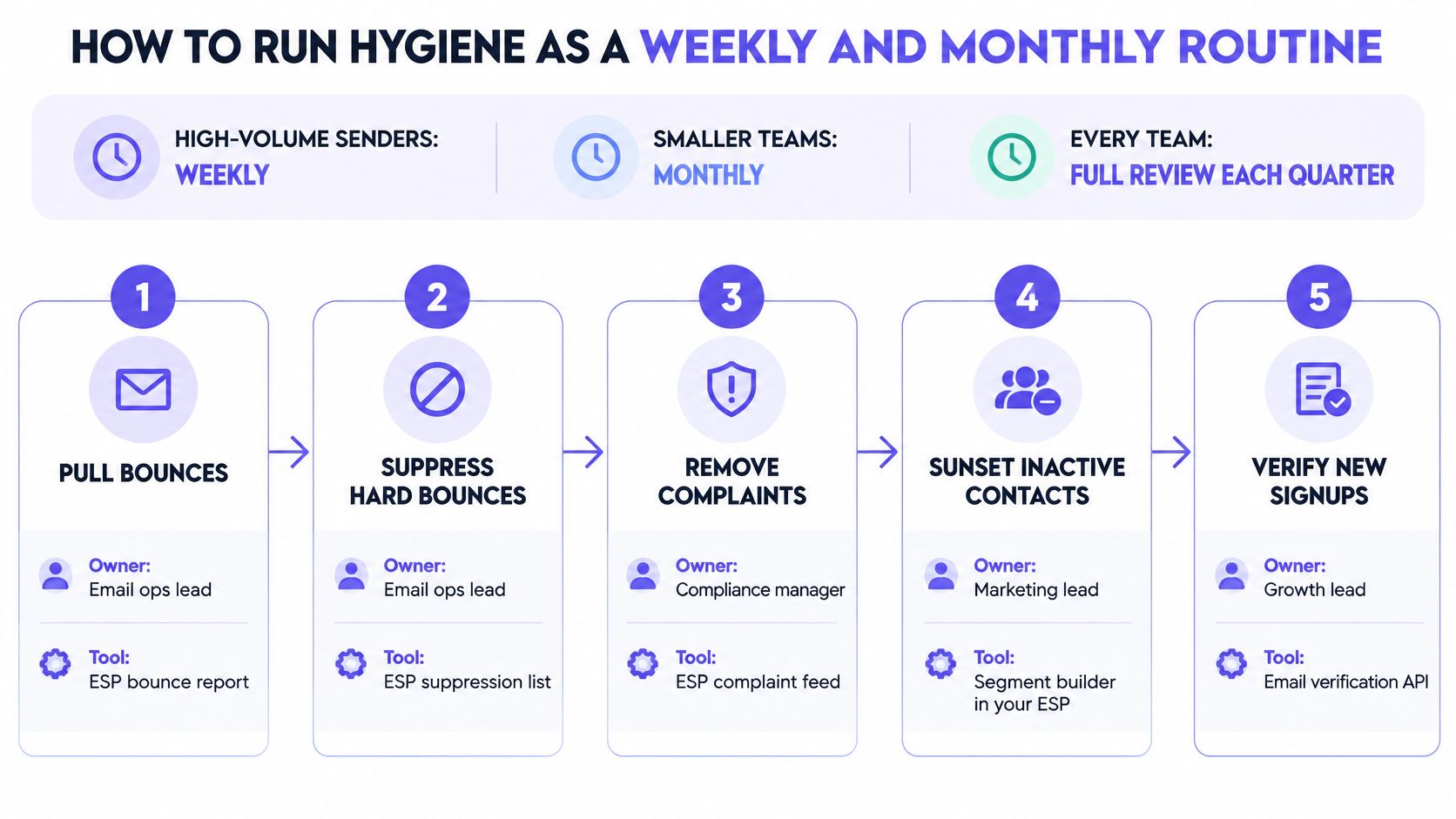
Use a weekly review for high-volume operations, a monthly review for smaller teams, and a deeper quarterly audit for every sending program. These are recommended operating cadences, not permission to delay complaint or bounce processing.
Assign a primary owner and a backup. A dashboard without someone responsible for acting on it won't prevent the next bad send.
Run the recurring checks
- Ingest events daily. The email operations lead connects ESP bounce events, complaint feeds, and unsubscribe webhooks to suppression controls. Confirm that events exclude recipients from queued messages.
- Review source-level outcomes. The deliverability owner uses ESP reports and provider dashboards to inspect campaign, source, acquisition date, and recipient-provider trends. Investigate abrupt changes before releasing another batch.
- Build the monthly inactivity segment. The marketing lead uses the ESP segment builder with CRM purchase and opportunity fields. Check that automated opens don't reset the engagement clock.
- Run re-engagement and enforce the result. The lifecycle owner manages the reduced-frequency path in the automation platform. Confirm that persistent non-responders leave ordinary campaigns.
- Re-verify dormant segments. The CRM owner uses an email verifier before reactivation, then reconciles results with existing suppression and permission records. A valid result must never reactivate an opted-out contact.
- Maintain sensible continuity. The sending owner uses the campaign calendar and sending controls to avoid sudden volume jumps. Light, relevant sending between campaigns is preferable to manufacturing demand by emailing inactive contacts.
Check that the routine worked
Compare source-level outcomes before and after a change, rather than celebrating a smaller database. Then run a quick deliverability test to inspect placement alongside the event logs.
Mailwarm is a premium email warmup and deliverability platform that combines real inbox engagement, advanced warmup controls, monitoring, and expert guidance. Its email warmup supports reputation building, but proper DNS setup, list hygiene, and smart sending patterns remain essential; a free deliverability audit also identifies the sending setup's top three fixes.
For the first week, keep setup focused:
- Automate suppression: Test the event-to-exclusion path.
- Capture a baseline: Save source-level bounce and complaint reports.
- Tag silent contacts: Exclude customer and active-opportunity exceptions.
- Schedule ownership: Put recurring reviews and the sunset check on named calendars.
Frequently Asked Questions About Email List Hygiene
Why do emails still land in spam after a list cleanup?
A clean list doesn't repair authentication failures, established reputation problems, or unwanted acquisition practices. The team still needs to inspect provider feedback, sending patterns, and whether recipients expected the messages. Removing bad records helps, but it isn't a complete deliverability fix.
Should contacts who never open be deleted?
Not on open data alone. Privacy features can inflate opens, while customers may purchase or reply without a reliable tracking event. Use meaningful engagement and customer value to decide eligibility, then apply a sunset path before removing contacts from active marketing.
Is an old purchased list safe to reuse?
No, and verification alone doesn't make it safe. Rechecking may identify invalid or risky records, but it won't establish permission or reliably eliminate every recycled spam trap. A list without a defensible acquisition history should stay out of the sending program.
How does list hygiene affect sender reputation?
Suppressing failed and unwanted deliveries reduces avoidable negative signals. Source-level monitoring also helps the team stop a problematic segment before exposing the rest of the audience. Hygiene supports reputation protection, but authentication, content, and sending behavior still matter.
Does Mailwarm need access to the private inbox?
Mailwarm doesn't require IMAP access or permission to read a user's private inbox. Expert deliverability calls are included in every plan. That guidance complements list maintenance rather than replacing suppression, permission checks, or sensible sending practices.
Making Email List Hygiene a Standing Habit
Turn on automatic suppression this week, then keep the source review and monthly sunset check running. Email list hygiene works when teams act on delivery events promptly, evaluate silence using meaningful engagement, and re-verify dormant data before reuse.
Agencies should run the routine per client, with decisions grounded in acquisition source and recipient behavior. Opens alone should never decide who stays active, and verification should never override a complaint or opt-out.
Mailwarm helps teams build sender reputation, monitor inbox placement, and reduce spam risk through real inbox engagement and expert-guided warmup. Pair the hygiene routine with a sending-setup review, then visit Mailwarm to request a free deliverability audit and identify the highest-impact fixes.