
New Gmail accounts should spend 2 to 4 weeks ramping up gradually with engaged sending before cold campaigns begin, and SPF, DKIM, and DMARC should already be configured. Gmail warmup isn't a permission slip to send more email. It's a controlled way to build sender reputation while Google evaluates authentication, recipient behavior, and delivery outcomes.
That distinction matters because authentication alone doesn't guarantee inbox placement. Independent 2026 reporting found global inbox placement averaged about 66%, despite a Global Deliverability Health Score of 87 out of 100, with SPF adoption at 90%, DKIM at 87%, and DMARC at 58% according to the 2026 deliverability report. Gmail needs consistent evidence that recipients welcome the mail, not just proof that the sender can publish DNS records.
What Gmail Warmup Means and Why It Matters
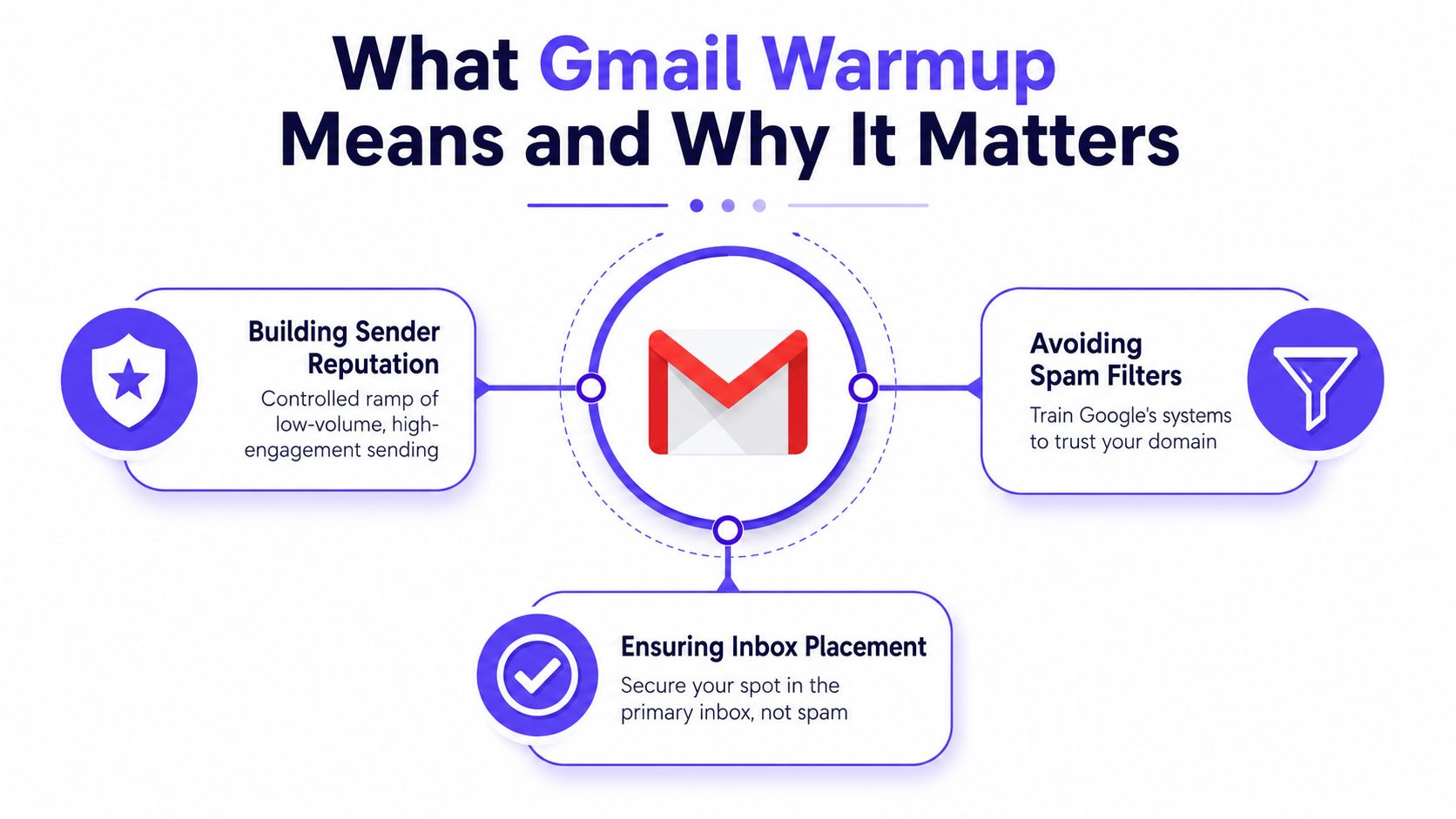
Gmail warmup is a controlled ramp of low-volume, relevant email from a new or inactive Gmail or Google Workspace mailbox. The sending pattern starts cautiously, generates genuine engagement, and increases only when delivery and recipient behavior remain healthy.
Google defines sender reputation as a rating of the quality of the domains and IP addresses used to send email. Messages from senders with a high reputation are more likely to reach the Inbox instead of Spam, while Google's reputation bands range from Bad to Low, Medium, and High as summarized from Google's Postmaster documentation.
Gmail evaluates several connected signals:
- Authentication: SPF and DKIM establish whether the message is authorized and signed. Bulk senders also need DMARC, alignment, and one-click unsubscribe.
- Sending history: Google considers the reputation associated with the sending domain and IP infrastructure.
- Recipient behavior: Replies, opens, spam complaints, deletions, and other engagement signals help distinguish wanted mail from unwanted mail.
A fresh mailbox has little positive history. Sending a large cold campaign immediately can therefore create a mismatch between volume and trust. Gmail may route messages to Spam, defer delivery, or restrict sending when complaints and failed deliveries accumulate.
Practical rule: Warm up the mailbox and validate the sending system at the same time, but don't confuse warmup activity with permission to ignore list quality or complaint control.
Gmail also deserves provider-specific treatment. Google controls the receiving environment, filtering logic, and Workspace policies, so a warmup program aimed mainly at Outlook or Yahoo won't necessarily create useful Gmail signals. Google provides Postmaster Tools so senders can monitor email performance and understand how Gmail routes messages.
Gmail's Daily Sending Limits You Need to Know
Gmail sending limits are easy to misstate because account type, account age, delivery method, and recipient count all matter. The familiar 500-recipient figure applies to some new accounts and browser-based restrictions, while established accounts and Workspace configurations can operate under different ceilings.
Every address in To, Cc, and Bcc counts as one recipient. A single message sent to several addresses therefore consumes several units of the applicable limit, even though it appears as one message in the sender's Sent folder.
The practical approach is to treat published limits as an outer boundary, not a target. Cold outreach should remain well below the account's cap, especially while the mailbox is establishing its reputation. A sudden cluster of 4xx delivery responses should trigger an immediate reduction in volume.
| Account type | Daily recipient cap | Practical cold-send ceiling |
|---|---|---|
| New Gmail account | 500 recipients per day | Keep cold activity minimal until history develops |
| Established regular Gmail account | Up to 5,000 recipients in a rolling 24-hour period | Stay substantially below the cap during cold outreach |
| Workspace outgoing gateway | Up to 20,000 recipients through SMTP relay | Apply provider and domain controls before scaling |
The figures above come from the specified Gmail warmup sending-limit guidance, which distinguishes new accounts, established Gmail accounts, and Workspace relay infrastructure in its Gmail warmup coverage. They shouldn't be used to justify immediate high-volume sending.
Workspace tiers and relay arrangements can impose additional restrictions. POP and IMAP forwarding may also behave differently from direct sending through Gmail or an approved Workspace gateway. Teams should verify the applicable account policy in the Google Admin environment before assuming that a relay cap applies to every mailbox.
A safer operating model has three controls:
- Account age: Treat a mailbox under two weeks old as restricted, regardless of theoretical capacity.
- Delivery response: Reduce volume when Gmail returns temporary failures or deferrals.
- Recipient mix: Keep early messages focused on known, responsive contacts instead of unverified cold lists.
A Week-by-Week Gmail Warmup Schedule
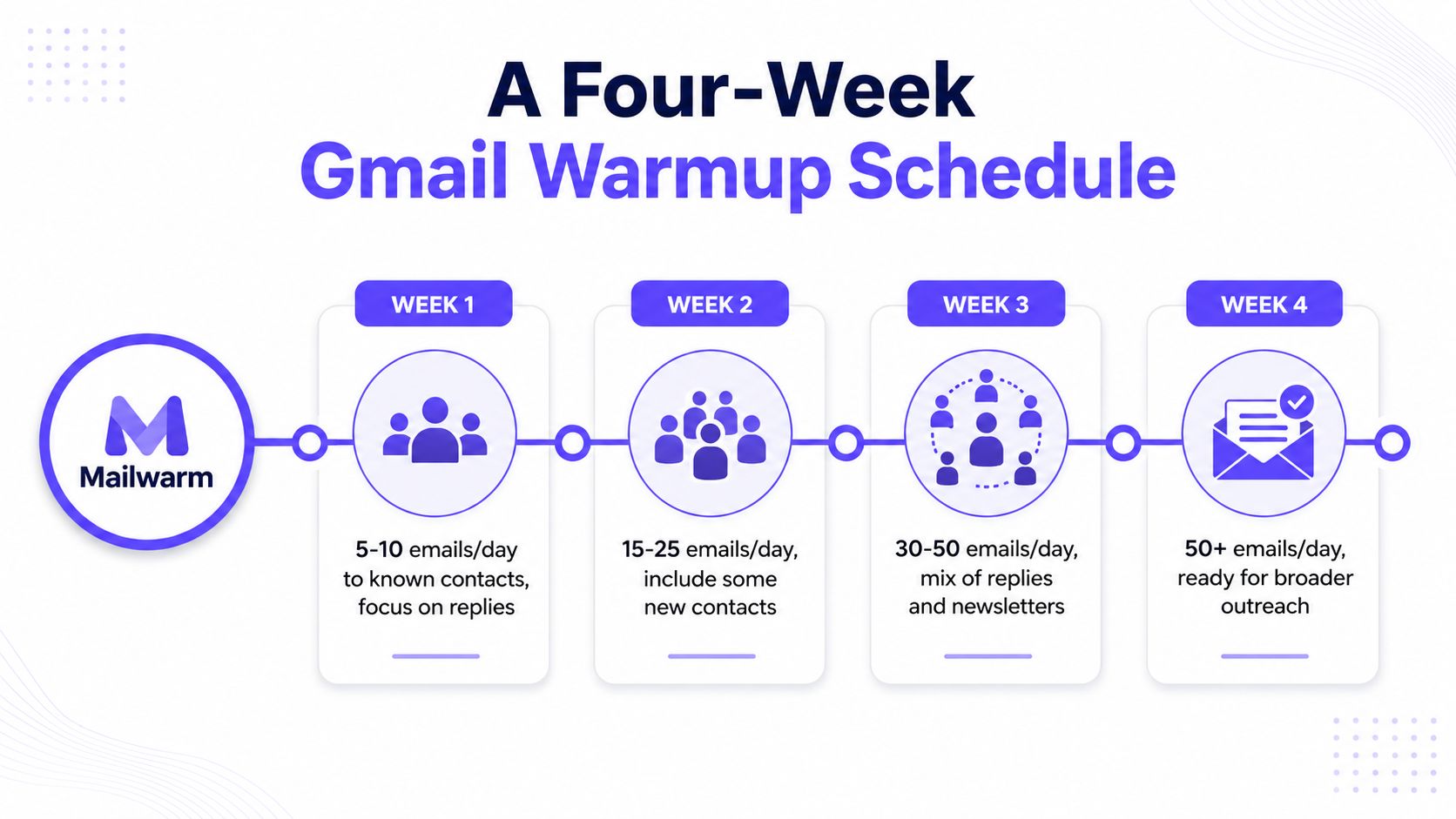
A four-week schedule gives a new Gmail mailbox enough time to establish a pattern without turning warmup into a bulk campaign. The exact pace should follow delivery signals, not a calendar alone.
| Period | Suggested activity | What to watch |
|---|---|---|
| Week 1 | Send 5 to 10 emails per day to known contacts | Replies, opens, and spam actions |
| Week 2 | Increase to 20 to 30 emails per day and add warm second-degree contacts | Bounce rate below 2% |
| Week 3 | Scale to 50 to 75 emails per day and include newsletter-style messages or Gmail groups | Reply rate above 10% |
| Week 4 | Reach 100 to 150 emails per day if reputation remains healthy, then test cold outreach at 10% of daily volume | Placement, deferrals, and complaints |
The ramp figures are a practical schedule supplied for this guide. They should be treated as operating targets rather than guaranteed Gmail limits. A mailbox that produces complaints or temporary failures needs a slower pace, even if the schedule suggests an increase.
What to monitor during the ramp
Google Postmaster Tools should be checked daily for:
- Domain reputation
- IP reputation
- Spam rate
If spam rate exceeds 0.1%, cut volume by half and review the recipient list, message content, and authentication status. Google guidance places 0.10% at the point where inbox placement can start deteriorating, while 0.30% is the level senders must never reach under Gmail's bulk-sender requirements as summarized by InboxEagle.
A mailbox that performs well with known contacts but poorly with new Gmail recipients isn't ready for broader outreach. The next step is not another volume increase. It is a review of list quality, content relevance, and the Gmail-specific reputation signal.
For teams building a broader email deliverability setup for sales teams, the schedule should run separately from the first substantial cold campaign. Warmup messages should create real conversations, not merely inflate a sent counter.
Google's 2026 Bulk Sender Rules and What They Change
Warmup can't compensate for missing authentication or uncontrolled complaints. Gmail's 2026 requirements make the technical foundation part of the warmup process, particularly for senders reaching 5,000 or more messages per day to Gmail as summarized in Google's sender guidance.
The requirements affect more than the final campaign. A new mailbox that begins warmup without valid authentication can generate activity that fails to build trust. The sender needs to confirm the technical setup before the first ramping message leaves the account.
| Requirement | Threshold | Warmup impact |
|---|---|---|
| SPF | Required for bulk senders | Authorize the sending infrastructure before ramping |
| DKIM | Required for bulk senders | Sign messages consistently from the sending domain |
| DMARC | Required for bulk senders, with domain alignment | Add policy and reporting before campaign volume grows |
| One-click unsubscribe | Required for marketing mail | Make list removal immediate and functional |
| Spam complaints | Below 0.10% is the safer operating point, and never 0.30% | Suppress disengaged or complaining recipients quickly |
Google also expects domain alignment, so SPF and DKIM shouldn't merely exist somewhere in the infrastructure. They need to align with the visible sending domain. Marketing traffic needs a working one-click unsubscribe mechanism, because recipients must have a clear way to stop receiving messages without marking them as Spam.
This changes the old idea that a sender can tolerate complaints during a long warmup. Gmail's guidance makes complaint control an operating threshold, not a vague quality goal. A warmup pool with real Gmail engagement can help create positive signals, but it can't rescue an irrelevant list or a misleading campaign.
Authentication should therefore be checked before volume increases. Google-oriented guidance treats SPF and DKIM as mandatory for all senders, with bulk senders also needing DMARC alignment and one-click unsubscribe as summarized by Overloop. Senders should also monitor domain and IP reputation through Postmaster Tools instead of relying only on campaign open data.
Manual Gmail Warmup Versus Automated Provider-Level Warmup
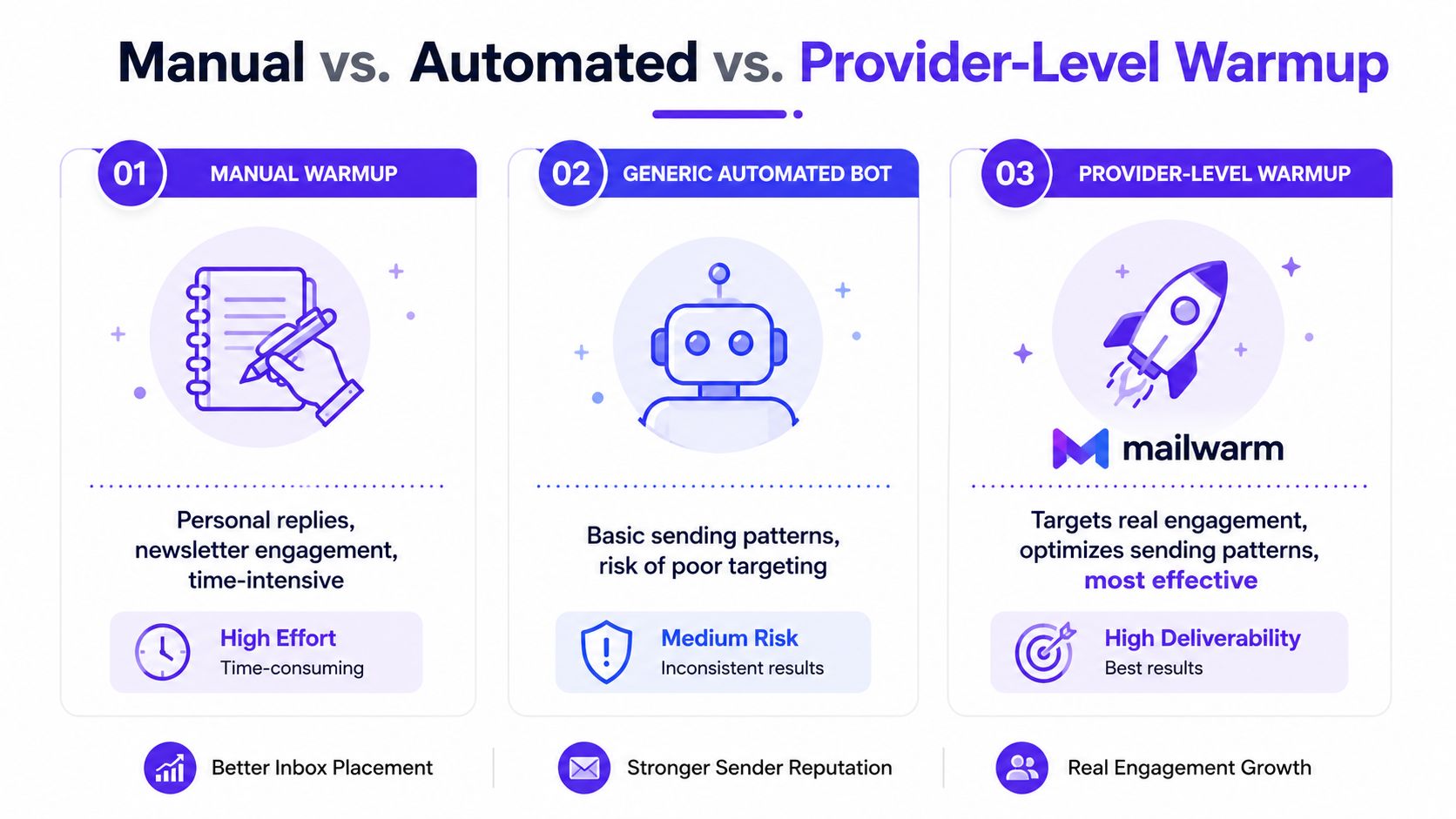
Manual warmup works when the operator has responsive contacts and enough time to maintain natural conversations. The weakness is consistency. A small personal network can't always produce enough varied engagement, and the activity stops when the operator gets busy.
A generic automated bot solves the time problem, but it may send warmup traffic to a mixed pool of providers. Activity from aged Yahoo or Outlook addresses can be useful for broader infrastructure, yet it doesn't provide the same Gmail-specific focus as interactions with Gmail and Google Workspace inboxes.
Provider-level warmup targets the mailbox provider that matters most to the campaign. Gmail recipients can open, reply, continue threads, remove messages from Spam, and mark messages as important. Those actions create engagement context in the same ecosystem where the sender needs to improve placement.
| Approach | Cost and effort | Control | Main limitation |
|---|---|---|---|
| Manual exchanges | Low financial cost, high operator time | High control over contacts and content | Limited by the size and responsiveness of the network |
| Generic automation | Moderate effort after setup | Volume and timing are automated | Provider mix may not match the campaign's target audience |
| Provider-level warmup | Higher service cost, lower daily effort | Targets specific providers and engagement types | Still requires sound authentication and recipient practices |
Mailwarm is a premium email warmup and deliverability platform that combines 50,000+ aged real inboxes, real opens and replies, thread activity, spam removal, important marking, provider-level warmup, spam score monitoring, inbox placement insights, authentication fix tools, bounce prevention, and expert deliverability calls. It doesn't require IMAP access or permission to read a user's private inbox.
Provider-level warmup isn't a substitute for good outreach. It is a way to direct reputation-building activity toward Gmail when Gmail placement is the problem. Teams comparing options can review the best email warmup tools, then evaluate whether each platform offers provider targeting, meaningful engagement, monitoring, and access controls.
The practical difference becomes clear when Gmail underperforms Outlook or Yahoo. Broad warmup activity may show a healthy dashboard while the target provider continues to filter the campaign. Provider-level controls let the sender investigate the failing environment instead of averaging away the problem.
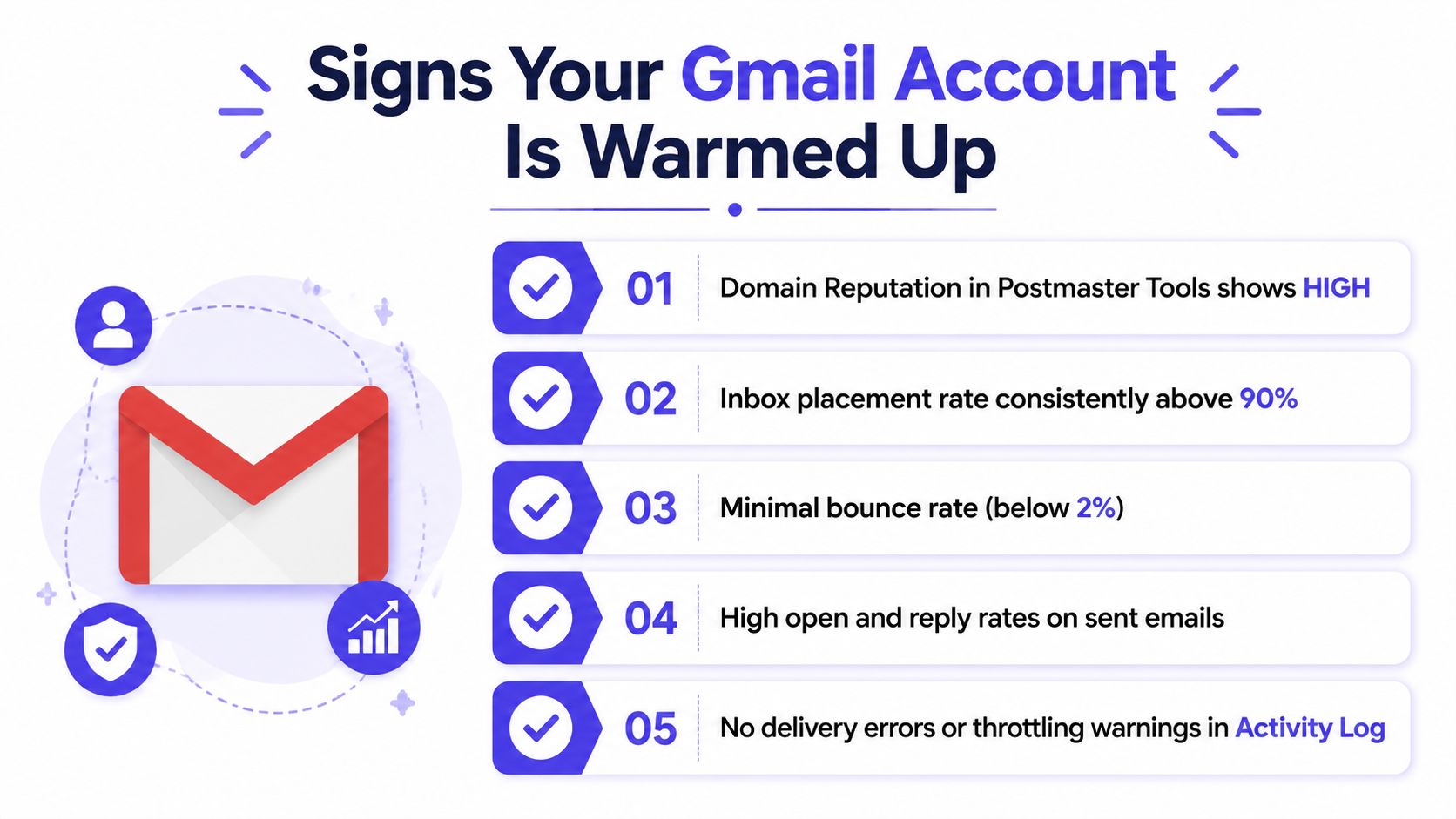
Signs Your Gmail Account Is Warmed Up and Ready
A mailbox is ready for cold outreach when several signals agree. Calendar time alone isn't enough, and a high open rate from friendly contacts can hide poor placement among new Gmail recipients.
Google Postmaster Tools should show High domain reputation, with IP reputation moving in the same direction. Spam rate should remain under 0.1%, and the account should show no pattern of temporary delivery failures.
Readiness checklist
- New-recipient delivery: Messages reach Gmail recipients who haven't previously exchanged mail with the sender.
- Inbox location: Replies arrive in the Primary tab rather than consistently landing in Promotions or Spam.
- Error history: The Sent activity shows no recurring 5.0.x or 4.7.x delivery errors during the observed period.
- Stable behavior: Sending remains consistent through a sustained period rather than improving for only a few days.
- Seed placement: A small test to fresh Gmail addresses produces inbox placement above 90%.
The readiness thresholds in the checklist are operational criteria for this guide. A sender that falls below the 90% seed-placement mark should extend warmup and investigate before increasing cold volume. A sender that sees complaint growth should pause expansion even if replies remain strong.
Gmail-specific checks matter because other providers can look healthy while Gmail filters the same content. A campaign that reaches Outlook but misses Gmail needs a Gmail-focused review of reputation, authentication alignment, message similarity, and recipient behavior.
Gmail Warmup Questions Answered
How many emails can a new Gmail account send per day?
A new account should be treated as restricted, with the specified new-account ceiling set at 500 recipients per day in the Gmail sending-limit guidance. That figure is a limit, not a recommended warmup volume. Early sending should remain much lower and should focus on responsive contacts.
How long should a Gmail account be warmed up?
New Gmail accounts generally need 2 to 4 weeks of gradual, engaged sending before cold campaigns begin. The schedule should be extended when spam rate rises, Gmail placement weakens, or temporary delivery failures appear.
Does Google penalize cold email?
Google doesn't judge a message only by whether it is cold. Gmail evaluates authentication, sender reputation, complaints, bounces, blocklist history, and engagement, so unsolicited mail becomes risky when recipients ignore it or report it as Spam.
Can a personal Gmail account be warmed up like Workspace?
A personal Gmail mailbox can follow the same behavioral principles, but its sending controls and administrative visibility differ from Workspace. The sender should verify the applicable account limits and avoid treating a personal mailbox like a bulk-sending system.
What happens if warmup reaches a spam trap?
A spam trap or complaint signal should be treated as a list-quality failure, not as a reason to increase warmup. Remove the affected address, review acquisition and verification practices, and pause expansion until Gmail reputation stabilizes.
Can a spam word checker replace warmup?
No. A spam word checker can help identify content risks, but it can't create sender history, authenticate a domain, or generate recipient engagement.
Putting Your Gmail Warmup Plan Into Action
The next seven days should focus on authentication, Postmaster Tools, known contacts, and clean logging. Sending should remain light while the sender checks domain reputation, IP reputation, spam rate, bounces, and temporary failures.
Over the next 30 days, the mailbox should follow the staged schedule, remain below the 0.30% complaint ceiling, and include a working one-click unsubscribe process for marketing mail. Teams should verify authentication through the Google Admin Toolbox and use Google Postmaster Tools to identify Gmail-specific reputation changes.
Ongoing maintenance means consistent volume, suppression of unengaged recipients, and provider-level monitoring when Gmail is the main destination. A team sending more than 500 messages per inbox should consider provider-level warmup and placement testing instead of relying on generic activity alone.
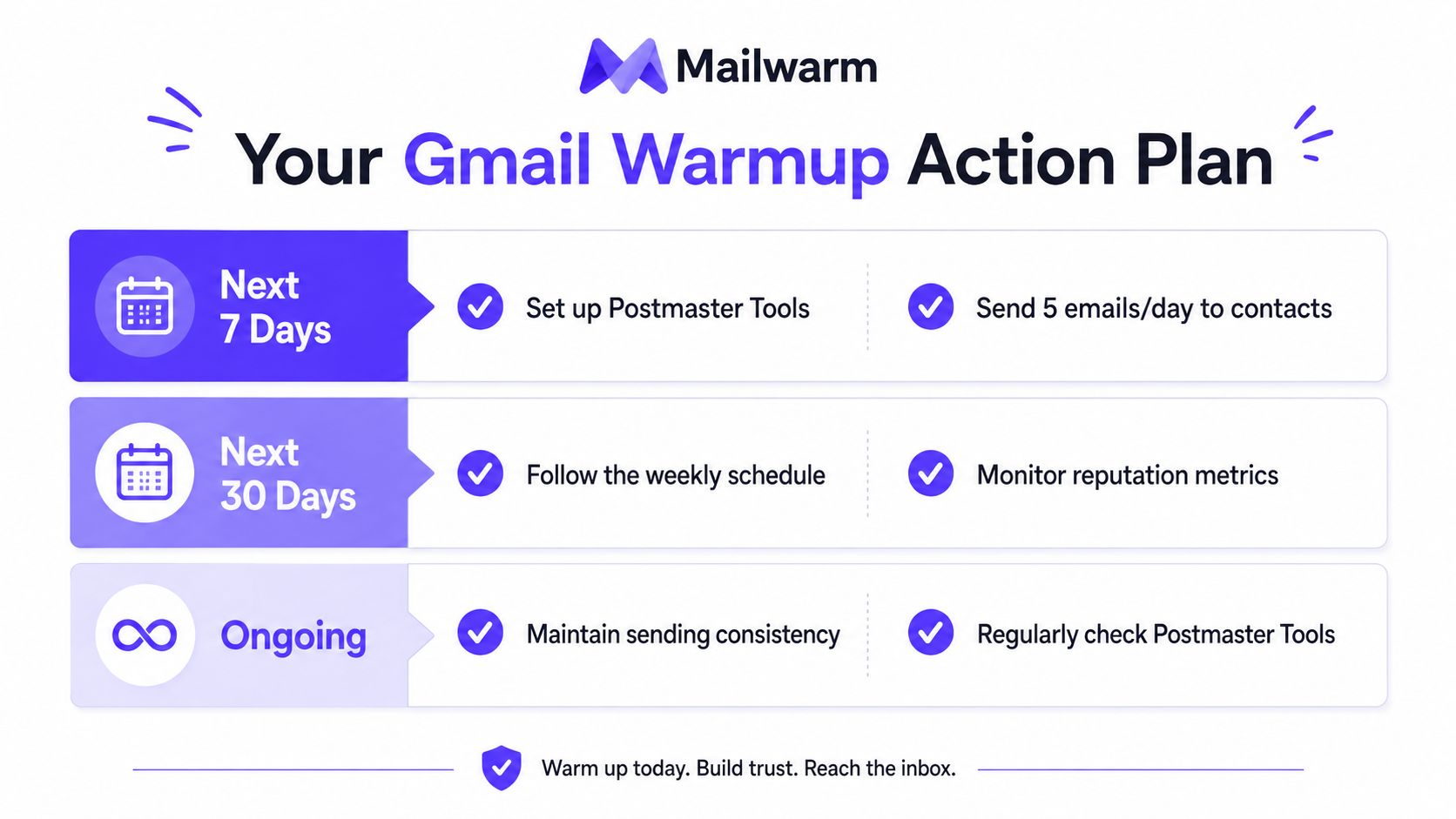
Start the warmup schedule today, log every send, and launch cold campaigns only after seed-list inbox placement exceeds 90%.
Mailwarm helps teams build sender reputation with real inbox engagement, provider-level Gmail warmup, spam score monitoring, authentication tools, and inbox placement insights. Visit Mailwarm to set up a Gmail warmup program with expert deliverability calls included in every plan.