
One click unsubscribe is a method built on two List-Unsubscribe headers, where the mail client sends an HTTPS POST to the unsubscribe endpoint with no preference page or login required. A footer link doesn't meet that standard, even when it's visible and easy to find. The harder problem starts after the POST arrives, because that opt-out has to reach every sending tool, CRM segment and agency workflow that can still email the contact.
What One Click Unsubscribe Requires in Your Headers
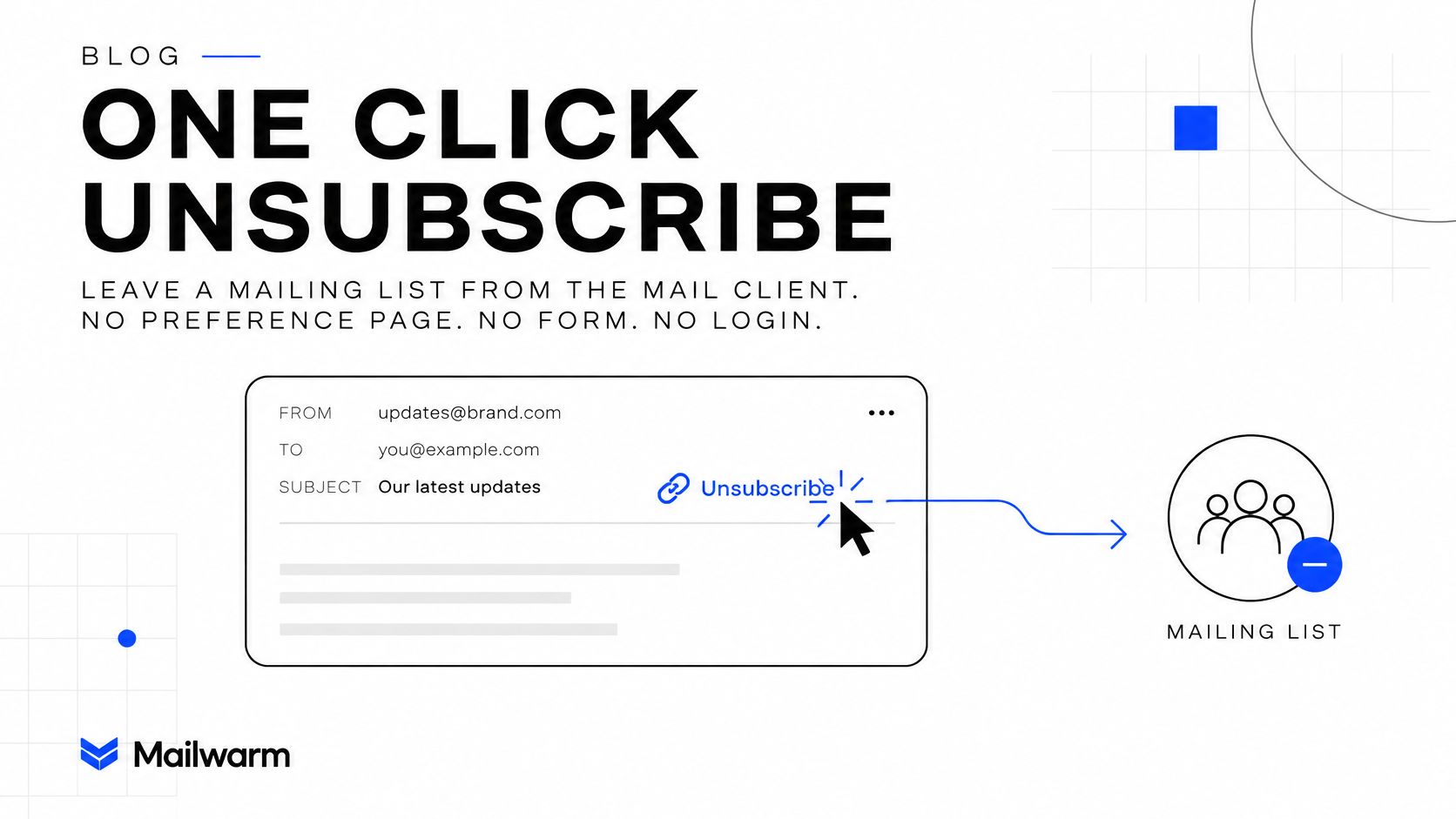
One click unsubscribe is a header-based method that lets a recipient leave a mailing list from the mail client, with no preference page, form or login. It became a formal technical standard through RFC 8058, and Gmail's sender guidance identifies RFC 8058 headers as the required implementation for qualifying marketing messages.
The standard separates a genuine one-click action from an ordinary unsubscribe link in the body. A visible link alone doesn't satisfy it. The headers turn the opt-out into a machine-readable signal the inbox can surface directly, so the recipient doesn't have to hunt through the message or complete another step.
The Exact Header Values
A compliant message carries both lines, unchanged, under one valid signature. A placeholder looks like this:
- List-Unsubscribe:
<https://yourdomain.com/unsubscribe?id=TOKEN> - List-Unsubscribe-Post:
List-Unsubscribe=One-Click
The URI has to identify both the recipient and the mailing list. A generic endpoint that can't tell who opted out, or which list they left, can't suppress the right address from the right stream.
| Element | Required value | What fails if it is missing |
|---|---|---|
| List-Unsubscribe | HTTPS URI identifying the recipient and the mailing list | The mail client has no endpoint to call |
| List-Unsubscribe-Post | Exact value List-Unsubscribe=One-Click | The message is not a one-click request under RFC 8058 |
| DKIM signature | Valid, covering both headers | The headers are not protected in transit |
| Request method | HTTPS POST from the mail client | A GET request from a link scanner must not unsubscribe anyone |
DKIM coverage matters for a practical reason. If the signature doesn't cover both headers, a relay can alter or strip them and the receiving system has no protected value to trust. Header folding creates the same kind of failure in a quieter way, because a URI split across lines can arrive broken even though it looked correct in the sending platform.
Practical rule: If the mail client doesn't show a one-click action, a header is missing or unsigned.
That test isn't proof on its own, since providers don't render the control in every case. It's a fast first check. Open the raw message, compare both lines against the table, and confirm the signature covers them before debugging anything else.
How to Add One Click Unsubscribe to Your Emails
The setup has six steps, and most failures come from small formatting slips rather than missing infrastructure.
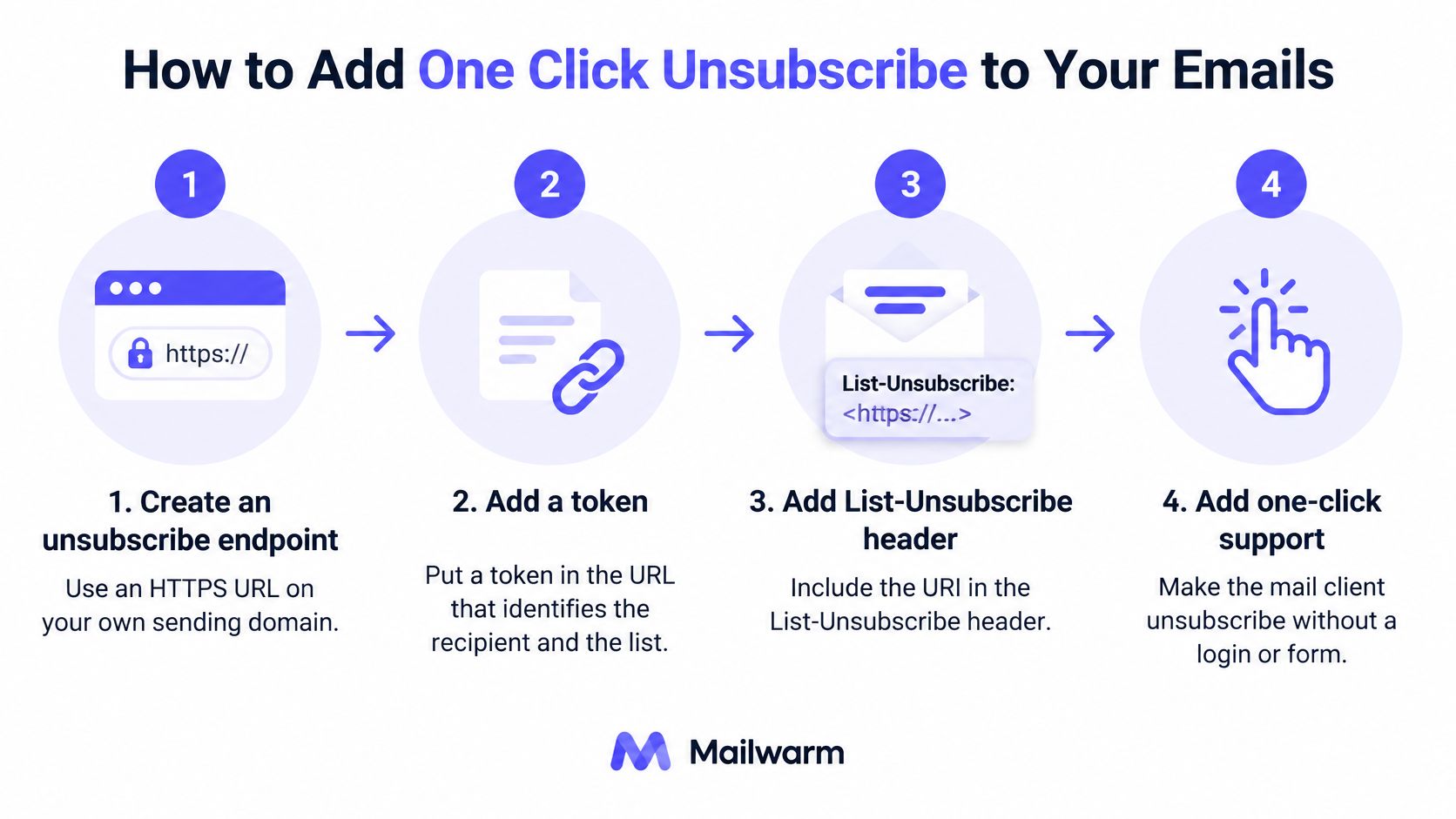
- Create the endpoint. Put it on an HTTPS URL on the sending domain, with a token that identifies the recipient and the list. Don't put the raw email address in the query string.
- Add List-Unsubscribe. Place the URI in angle brackets, for example
<https://yourdomain.com/unsubscribe?id=TOKEN>. Watch for header folding that splits the URI across lines. - Add List-Unsubscribe-Post. Use exactly
List-Unsubscribe=One-Click, spelled and capitalized as written. A lowercase variant isn't the required value. - Sign both headers with DKIM. Add both names to the signed header list. An unsigned header can be changed in transit.
- Send real tests. Send to one Gmail address and one Yahoo address, then open the raw headers and confirm both lines arrived unchanged. A relay that rewrites headers shows up here, not in the platform preview.
- Validate the signature. Use the tool to check your DKIM record and confirm the signature validates over both headers.
Teams selling to consumers face the same choice between a direct opt-out and a preference page, and it's worth reading how others compare unsubscribe options for shoppers before deciding what the body link should do. The header action stays direct either way.
The short video below walks through the sending setup in a live mailbox.
A working message in raw form is easy to recognize. Both headers are present, one signature covers them, and there are no folded lines inside the URI.
What Your Endpoint Must Do When a Request Arrives
An unsubscribe endpoint is part of your suppression system, not just a URL that returns a success page. When a mail client sends an HTTPS POST, the request must work without cookies, HTTP authorization, or browser session data. If the endpoint depends on a logged-in session, the opt-out can fail.
Four Behaviors to Build In
- Identify the recipient from the token. Resolve the recipient and list using the token in the URL, not session data.
- Suppress the address immediately. Remove it from the relevant promotional list. A confirmation page alone does not complete the unsubscribe.
- Handle repeats safely. A second identical POST should succeed without an error or re-adding the address.
- Keep GET from unsubscribing. Link scanners may fetch URLs automatically. If a GET suppresses an address, a contact who did not click may be removed from the list.
Use the request method to distinguish the mail client's unsubscribe action from background URL checks. Treating GET and POST alike can cause silent list loss that is difficult to trace.
An unsubscribe that needs a login is not one-click, whatever the headers say.
A Check Anyone Can Run
Send the request to the exact endpoint URL published in your List-Unsubscribe header:
curl -i -X POST \
  -H "Content-Type: application/x-www-form-urlencoded" \
  --data "List-Unsubscribe=One-Click" \
  "https://yourdomain.com/unsubscribe?id=TOKEN"
Replace the example URL with your endpoint, including a valid recipient token. Confirm the response is 2xx and that the address no longer appears in the promotional list. Repeat the POST to check that it still succeeds, then send a GET to the same URL and confirm the address remains unchanged.
Log the receipt time, list, source provider, and completion time for each request. Those fields help support staff trace failures and help teams build an email list hygiene routine that catches suppression problems before they affect a campaign.
Which Providers Require It and When
Provider rules set different coverage and processing expectations. For senders, the practical test is whether each request reaches every system that can mail the contact, not just the platform that sent the original campaign.
| Provider or rule | Mail it covers | Requirement or deadline |
|---|---|---|
| Gmail | Marketing and subscribed mail | RFC 8058 headers and a visible unsubscribe link in the message body |
| Yahoo | Promotional mail, excluding transactional messages such as password resets and order confirmations | One-click unsubscribe following RFC 8058; remove the address from the relevant marketing list within two days |
| Microsoft consumer properties | Bulk senders | Follow applicable bulk-sender requirements |
| US CAN-SPAM | Commercial email | Provide a clear, conspicuous opt-out and honor it within 10 business days |
Yahoo's sender FAQs specify one-click unsubscribe for promotional messages, while excluding transactional mail from that requirement. Yahoo also expects senders to honor requests and remove the address from the relevant marketing list within two days. See the Yahoo sender compliance guidance when setting your suppression workflow.
A fast endpoint is only one part of compliance. If a contact remains active in a CRM, agency platform, or secondary sending tool, that system can still send after the request. Make the suppression event available to every system authorized to email the contact.
People using a mail app for Gmail and Outlook can act on the unsubscribe option provided with a message. The sender still has to process that request across its own sending systems.
Proving the Deadline Was Met
For each request, record its receipt time, recipient, source mailbox provider, campaign or list identifier, and completion time. Alert the team if processing is approaching Yahoo's two-day window. Those records show whether the suppression reached the relevant list on time.
What Unsubscribe Rates Tell You About Your List
An unsubscribe rate is a diagnostic, not a universal pass-or-fail score. Compare like with like: send type, audience, and measurement period all affect the result.
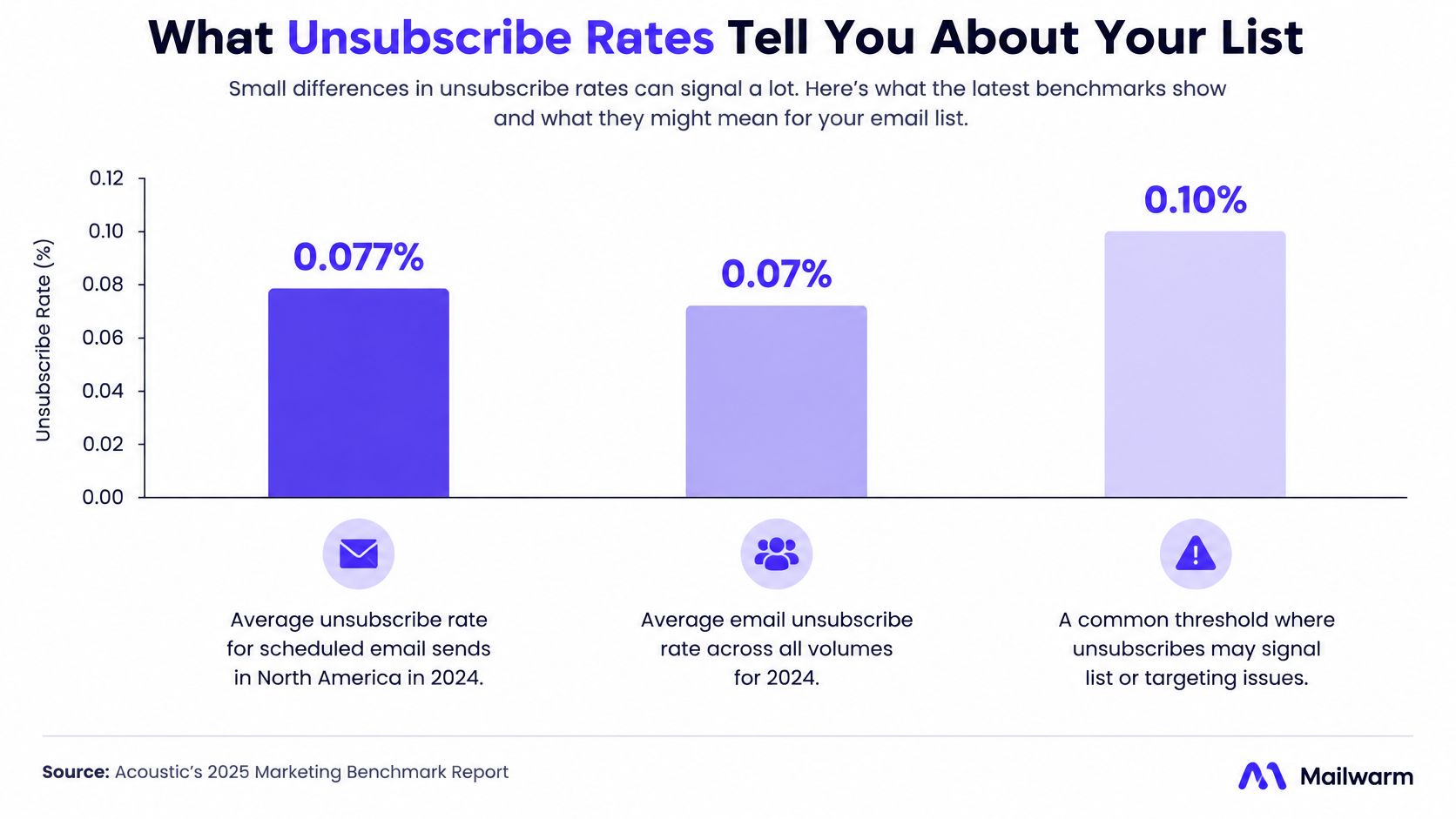
Flicked Email reports that MailerLite's average campaign unsubscribe rate was 0.08% in 2024 and 0.22% in 2025, across more than 3.6 million campaigns in 2025. That makes the 2025 figure about 2.75 times the 2024 figure. The two numbers are useful context, but they don't establish a target for every list.
| Source | Period and audience | Average unsubscribe rate |
|---|---|---|
| MailerLite, as reported by Flicked Email | 2024, campaigns | 0.08% |
| MailerLite, as reported by Flicked Email | 2025, more than 3.6 million campaigns | 0.22% |
Run the Calculation on One Campaign
- Divide unsubscribes by delivered emails for each campaign.
- Compare the result with a benchmark for a similar send type and audience.
- Flag campaigns well above that comparison point, then check for recent list or cadence changes.
For example, 88 unsubscribes from 40,000 delivered emails equals 0.22%. With 31 unsubscribes, the rate is about 0.08%. The difference is 57 recipients. That gap is a reason to investigate, not proof that one campaign was successful and the other failed.
Start with the list source and send frequency. A new import, a borrowed segment, or a change from weekly to daily sends can affect the rate. For outbound prospecting, compare results with the unsubscribe warning signs in outbound campaigns, rather than treating subscriber campaigns as a direct benchmark.
Track the rate over time alongside complaint trends. A rise in opt-outs can still be a healthy outcome if fewer recipients mark messages as spam. Suppressing opt-outs across every sending tool matters too: one click should prevent later marketing sends, not just remove a contact from the campaign that triggered it. Use separate emails to win back former customers only where the recipient remains eligible to receive them.
Treat benchmarks as context. Your own campaign history, audience, and sending pattern are the relevant comparison.
Where One Click Unsubscribe Still Fails and How to Verify It
A contact unsubscribes from your newsletter on Monday. The newsletter platform suppresses the address, but a CRM sequence sends to it on Thursday because the CRM never received the change. From the recipient's perspective, the opt-out failed. The next step may be a spam complaint.
The Fix Is One Shared Suppression Store
Every sending tool, CRM segment, and agency workflow must check the same suppression store before sending. Manual exports and uploads can leave a gap when someone misses a list. An automated sync with a timestamped audit log makes it easier to trace when the request arrived and where it was applied.
Set the suppression scope carefully. Blocking all messages can prevent password resets and order confirmations; blocking too little can leave a promotional stream active. Record which list or category the contact unsubscribed from, so marketing stops while transactional messages remain eligible.
Authentication is a separate failure point. Weak authentication can undermine provider trust in messages, even when the unsubscribe headers are present. Mailwarm offers free tools including a deliverability test, spam checker, blacklist checker, SPF checker, DKIM checker, DMARC checker, email checker, subject line tester, BIMI checker, MX lookup, reverse DNS lookup, email header analyzer, and generators for SPF, DKIM, DMARC, email signatures, Gmail, and email.
Five Checks Before the Next Send
- Inspect the raw headers of a test message. Confirm that List-Unsubscribe and List-Unsubscribe-Post are present and unchanged.
- Check the DKIM signature to confirm it covers both headers.
- Send a test POST request and confirm the address is removed from the list.
- Test each sending tool with a seed address. Confirm that every tool blocks the suppressed contact.
- Check the audit log for timestamps showing when the request arrived and when suppression took effect.
One opinion worth acting on: Step 4 deserves the closest attention. Header errors show up in a test message; a broken sync may stay hidden until another tool emails the person.
Test the endpoint and the suppression path separately. A successful POST only confirms that the endpoint accepted the request. It does not prove that every CRM, sending platform, or agency workflow has stopped contacting the address.
Mailwarm's free deliverability audit provides a review of the sending setup and the top three fixes to improve inbox placement. The platform includes real inbox engagement, inbox placement monitoring, expert guidance, and no IMAP access requirement.
Frequently Asked Questions About One Click Unsubscribe
What Is One Click Unsubscribe
It's an RFC 8058 method that lets a recipient unsubscribe from the mail client through an HTTPS POST. The message carries the List-Unsubscribe and List-Unsubscribe-Post headers. No form, login or preference page is involved.
Is a Visible Unsubscribe Link Enough
No. A link in the body doesn't satisfy the standard. Gmail and Yahoo look for the headers on qualifying marketing mail.
Which Emails Need It
Yahoo requires it for promotional mail. Transactional mail such as password resets and order confirmations is excluded from that specific requirement.
How Fast Must Requests Be Honored
Yahoo expects the address removed from the marketing list within two days. CAN-SPAM allows 10 business days, so the provider deadline is the one to build around.
Does Mailwarm Need Inbox Access
No. Mailwarm doesn't require IMAP access or permission to read a private inbox. Expert deliverability calls are included in every plan.
If email is part of the growth strategy, correct one click unsubscribe headers protect reputation only when suppression, authentication and inbox placement are monitored together. Mailwarm helps senders build sender reputation, monitor inbox placement, and reduce spam risk through real inbox engagement across 50,000+ aged real inboxes, spam score monitoring and expert-guided warmup. Visit Mailwarm to review the sending setup before the next campaign goes out.