

A campaign is ready to launch, the copy is approved, and the audience is loaded. Then Gmail slows delivery, Yahoo places messages in spam, and the team discovers that authentication was only partially configured. That scenario is common because the Google and Yahoo sender requirements are no longer just technical recommendations for high-volume senders.
In practical terms, bulk senders need authenticated infrastructure, an easy unsubscribe process, and tight complaint control. This guide explains what Google and Yahoo expect, how to verify each requirement, and why partial compliance can still damage inbox placement.
What the 2026 Sender Requirements Actually Require
For senders delivering 5,000 or more messages per day to Gmail recipients, Google requires SPF, DKIM, DMARC, and easy unsubscribing, while complaint control remains a central enforcement condition. Google's guidance also distinguishes between all senders, who need at least SPF or DKIM, and bulk senders, who must meet the stricter authentication standard described in its Gmail sender guidelines.
Yahoo introduced its own enforcement phase in February 2024, with List-Unsubscribe enforcement rolling out in June 2024, creating a phased move toward stricter inbox entry requirements for high-volume mail. The practical framework is similar across both providers, but Yahoo also emphasizes valid forward and reverse DNS and compliance with relevant mail standards through its sender best practices.
The important change is operational. Authentication, unsubscribe handling, and complaint monitoring now affect whether providers accept, defer, filter, or reject mail. The requirements apply to promotional traffic and, where volume and recipient signals create risk, mixed streams that combine marketing, sales, and transactional messages.
A sender can have a valid SPF record and still fail to protect inbox placement if DKIM alignment is missing, DMARC is absent, or recipients can't easily leave a campaign. The requirements work as a bundle, not as isolated DNS tasks.
Practical rule: Treat authentication and complaint monitoring as sending infrastructure, not as a one-time compliance project.
For teams reviewing an older setup, the first task is to map every service that sends mail for the domain. That usually includes a CRM, marketing platform, sales sequencer, support system, billing application, and internal notification service.
Who Counts as a Bulk Sender in 2026
Google defines a bulk sender as one sending 5,000 or more messages per day to Gmail recipients. Google's bulk sender requirements make clear that the threshold is tied to mail sent to Gmail addresses, not the total number of messages sent from an account.
Yahoo describes bulk senders as senders delivering a significant volume of mail. Its sender FAQ sits alongside requirements for authentication, reputation, and unsubscribe handling. The practical lesson is that mailbox providers assess sending patterns and infrastructure, not the size of the company behind the domain.
A three-person startup can qualify during a product launch. If the team sends a campaign to 8,000 mixed Gmail and business addresses, the Gmail-directed portion may place the sender within the bulk framework. A small agency can reach the same position through several client campaigns, while a recruiting team can cross the line through concentrated outreach.
The threshold matters because bulk status changes the minimum setup:
- Regular senders need at least SPF or DKIM for Gmail, while good authentication and reputation practices remain advisable at any volume.
- Bulk senders need SPF and DKIM, DMARC, aligned authentication, and one-click unsubscribe for applicable marketing messages.
- Mixed senders need to identify which systems send promotional, sales, and transactional mail, then prevent one stream from damaging the others.
- Intermittent bulk senders should prepare before a launch rather than waiting for enforcement signals.
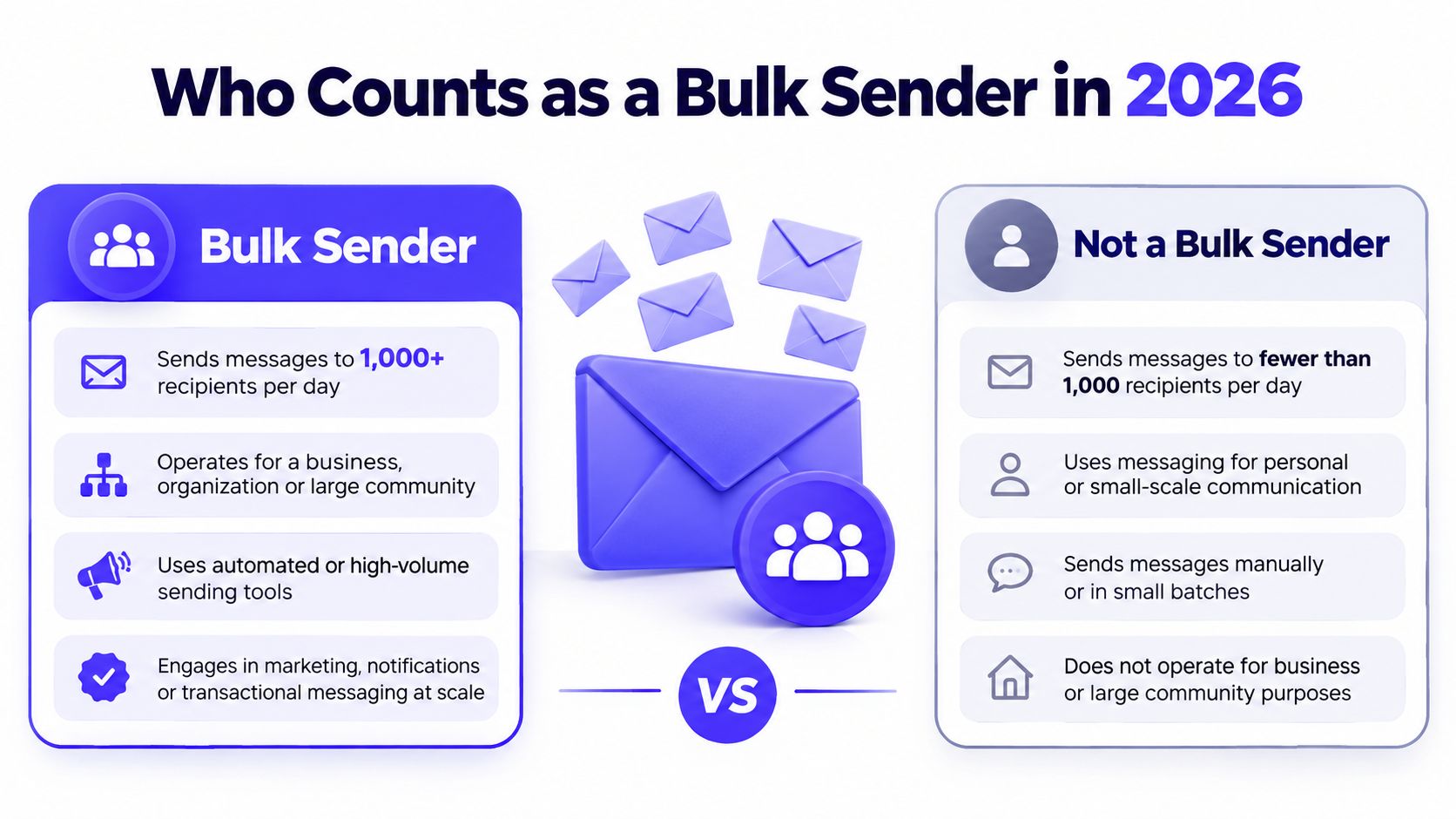
The gray area catches teams off guard. A company may stay below the threshold during ordinary weeks, then exceed it during a newsletter release or outbound push. Providers can still filter low-volume senders when authentication is broken or complaints rise, so staying below the threshold doesn't make deliverability controls optional.
The Requirements One by One
The following table gives the working view. The exact implementation depends on the sending platform, but each item needs a visible owner and a repeatable verification process.
| Requirement | What to Implement | How to Verify |
|---|---|---|
| SPF | Authorize every legitimate sending service and keep the policy aligned with the envelope sender | Inspect the published SPF record and test all sending paths |
| DKIM | Sign outbound messages with a valid domain key and maintain key rotation | Review message headers and confirm a DKIM pass |
| DMARC | Publish at least a monitoring policy for bulk sending, with alignment and reporting configured | Check the DMARC record and review aggregate reports |
| One-click unsubscribe | Add compliant List-Unsubscribe and List-Unsubscribe-Post handling to marketing mail | Inspect raw headers and test the unsubscribe action |
| Complaint control | Keep spam complaints below the applicable provider threshold | Monitor Google Postmaster Tools and provider reports |
| Forward and reverse DNS | Ensure the sending identity resolves correctly in both directions | Check the hostname, PTR, and forward lookup relationship |
SPF authorizes sending services
Sender Policy Framework tells receiving providers which services may send mail for a domain. The common failure isn't the absence of SPF. It's an incomplete record that omits a legitimate CRM, email platform, or support provider.
To comply, inventory every outbound service before editing the record. The SPF policy must resolve cleanly through its full lookup chain, and providers enforce a 10-lookup maximum, so nested includes and unnecessary services can create failures.
Verification should include a DNS inspection tool and a test message from every sending platform. The message must also show alignment between the authenticated path and the visible From domain where DMARC enforcement depends on it.
DKIM signs the message
DomainKeys Identified Mail adds a cryptographic signature to outbound mail. It helps the receiving provider verify that the message was authorized by the sending domain and wasn't altered in transit.
Each sending service should use its own selector where practical. The implementation should use keys meeting the stated 1024-bit minimum, and the team should document selector ownership so old keys can be retired without breaking active campaigns.
Verify DKIM in the raw headers of a delivered message. A passing signature isn't enough if the signing domain doesn't align with the From domain used in the campaign.
DMARC connects authentication to identity
DMARC checks whether SPF or DKIM authenticates the message in alignment with the visible From domain. For bulk senders, the practical starting point is p=none, which allows monitoring before enforcement becomes more aggressive.
The DNS record should include a reporting address through rua. Teams can then identify unknown senders, alignment failures, forwarding behavior, and services that were omitted from the authentication inventory. Once legitimate traffic is understood, the policy can progress toward quarantine or reject.
Verification requires checking the published DMARC record, reviewing aggregate reports, and sending test messages from each platform. The guide to SPF DKIM DMARC is useful when the team needs to connect the three protocols rather than configure them independently.
One-click unsubscribe must work at the header level
A visible unsubscribe link in the message body helps recipients, but it isn't the same as one-click unsubscribe. Marketing mail should support the List-Unsubscribe header and the List-Unsubscribe-Post mechanism, rather than relying only on a mailto link or a landing page.
The sending platform must process the request promptly. Google says bulk senders must process unsubscribe requests within two days, as described in its Gmail spam protection announcement.
Verify the raw headers of a real campaign message. Then test the action from a mailbox that receives the message, confirm that the correct audience is removed, and check that a later campaign doesn't re-add the address without consent.
Complaint rate is the silent eligibility test
Authentication proves that a sender is authorized. It doesn't prove that recipients want the mail. Google ties bulk-sender compliance to keeping spam complaints below 0.10%, while broader guidance identifies 0.30% as a critical ceiling for bulk traffic. The Google and Yahoo requirements overview explains the distinction between the lower operating target and the danger threshold.
Google Postmaster Tools provides the main monitoring location for Gmail traffic. Teams should review complaint trends by stream, domain, campaign, and audience segment, then suppress stale or disengaged contacts before they generate more negative signals.
Forward and reverse DNS establish technical identity
Yahoo's guidance places particular emphasis on valid forward and reverse DNS, while Gmail also expects sending infrastructure to identify itself consistently. The sending IP should resolve to a hostname, and that hostname should resolve back to the expected IP.
This is normally handled by the infrastructure or email service provider. Verification requires a DNS inspection tool, provider diagnostics, and a review of the SMTP HELO identity. A mismatch can produce delivery delays, bounce spikes, or reputation problems even when SPF and DKIM pass.
What Happens If You Ignore the Rules
Mailbox providers rarely begin with a dramatic block. A sender may first see slower delivery, more messages routed to spam, or weaker placement in inbox testing. These soft failures are easy to miss because the campaign can appear to send successfully from the platform.
The next warning is often a pattern rather than a single error:
- Gmail Postmaster Tools shows complaint rates moving toward the provider's danger thresholds.
- Seed tests reveal a sudden placement decline at Gmail or Yahoo.
- Bounce activity rises after a DNS or sending-platform change.
- Legacy lists produce weaker engagement and more spam complaints.
- Marketing messages appear in secondary folders even though delivery logs show acceptance.
If the sender doesn't correct the underlying issue, providers can defer traffic or reject it during the SMTP transaction. Gmail's guidance states that messages from non-compliant bulk senders may face non-delivery or enforcement, while the rules are designed to reduce unwanted mail before it reaches recipients.
Partial compliance creates a particularly dangerous false sense of security. SPF may pass while DKIM is absent, or DKIM may pass while the signing domain fails alignment. A sender can also authenticate correctly and still lose placement because the audience reports messages as spam.
The operational mistake is measuring sent volume instead of provider response. Acceptance by the sending platform doesn't mean inbox delivery.
Domain reputation damage can outlast the original campaign. Once a sender has trained mailbox providers to expect unwanted mail, changing a subject line or adding a missing DNS record won't immediately restore trust. Teams should check if your domain is blacklisted, but blacklist status is only one signal. Provider complaints, authentication alignment, bounce behavior, and engagement still need review.
Compliance Checklist and the Rule That Catches Most Senders
The checklist below is designed for a weekly operations review. It combines the technical requirements with the monitoring tasks that show whether the setup works in production.
| Check | Verification method | Owner |
|---|---|---|
| SPF is published and aligned | DNS inspection and test messages from every sending service | Infrastructure |
| DKIM signs every outbound message | Raw-header review for each platform and sending domain | Email operations |
DMARC uses at least p=none with reporting enabled | DMARC record inspection and aggregate report review | Security or infrastructure |
| One-click unsubscribe is present on bulk marketing mail | Raw-header inspection and live unsubscribe test | Marketing operations |
| List-Unsubscribe-Post follows RFC 8058 | Header validation and end-to-end request test | Email engineering |
| Complaint rate stays below 0.10% in Postmaster Tools | Google Postmaster Tools monitoring by domain and stream | Deliverability owner |
| Forward and reverse DNS match | DNS and SMTP identity checks | Infrastructure |
The checklist should be copied into the team's campaign launch process, not left in a technical document. A new sending service, domain, or campaign type should trigger a fresh review because authentication can break when providers change.
List hygiene deserves equal attention. CleanMyList's sender reputation tips provide useful context for reducing invalid and disengaged contacts before they affect complaint signals.
The complaint-rate rule catches many senders off guard because teams often don't measure it. Authentication can be technically perfect while a stale list, an unclear subject line, or a poorly targeted segment pushes complaints upward and causes inbox placement to deteriorate.
The practical response is continuous monitoring:
- Segment by intent: Keep promotional, transactional, and outbound streams distinguishable.
- Suppress negative signals: Remove recipients who repeatedly ignore or complain about campaigns.
- Review after changes: Check complaints and placement after adding a provider or changing volume.
- Use testing before launch: Compare provider-level placement before a large campaign goes live.
Teams evaluating platforms can also review the best email warmup tools, but warmup shouldn't replace authentication, list hygiene, or complaint monitoring.
Putting It All Together
A focused remediation week starts with an inventory of every service that sends mail for the domain. The team should inspect SPF, DKIM, and DMARC, fix alignment gaps, confirm reporting, and verify forward and reverse DNS with the infrastructure owner.
The sending platform should then enable compliant one-click unsubscribe for promotional traffic. Marketing and sales teams should clean active lists, separate audience segments, and pause recipients who create repeated negative signals. Google Postmaster Tools should remain part of the weekly operating routine, not a dashboard opened only after a campaign fails.
Mailwarm can support the monitoring and reputation side of this work as a premium email warmup and deliverability platform. It combines real inbox engagement, provider-level warmup, spam score monitoring, inbox placement insights, authentication fix tools, bounce prevention, and deliverability analytics, without requiring IMAP access to a private inbox. Its network includes 50,000+ aged real inboxes, and every plan includes expert deliverability calls.
Reputation work doesn't end when DNS records pass validation. Teams that rely on email for growth should book a deliverability audit and fix the highest-risk issue before the next major send.
Frequently Asked Questions About the 2026 Rules
What counts as a bulk sender under the 2026 Google and Yahoo rules?
Google defines a bulk sender as one sending 5,000 or more messages per day to Gmail recipients, as stated in its bulk sender guidance. Yahoo applies a significant-volume standard with similar expectations for high-volume senders.
Do the rules apply to cold email?
Cold email still falls within scope when the sending pattern reaches the applicable bulk threshold. Promotional or marketing messages also need one-click unsubscribe and complaint control, whether they come from a newsletter, outbound campaign, or prospecting list.
Clear, relevant copy and transparent expectations can reduce negative recipient signals. Guidance on how to write clear emails can improve communication, but it does not replace SPF, DKIM, DMARC, or monitoring.
Do senders under 5,000 emails a day need DMARC?
Google requires all senders to use at least SPF or DKIM, while bulk senders need SPF, DKIM, and DMARC, according to its bulk sender guidance. Below 5,000 messages per day, authentication and alignment still protect reputation and make future volume easier to manage.
What is the Google sender requirement complaint threshold?
Google's bulk-sender guidance sets the spam complaint target below 0.10%. 0.30% is treated as a critical danger threshold in broader sender guidance. Monitor complaint trends early. Waiting until enforcement begins turns a small list-quality problem into an inbox-placement problem.
Does Mailwarm need access to a private inbox?
Mailwarm does not require IMAP access or permission to read a private inbox. It supports reputation work through real inbox engagement, authentication tools, spam score monitoring, placement insights, and expert guidance.
Mailwarm helps teams monitor inbox placement, reduce spam risk, and support sender reputation through real inbox engagement, provider-level warmup, authentication checks, and deliverability guidance. Visit Mailwarm to review the platform and arrange an audit before a high-volume campaign.