

Mailwarm, Warmup Inbox, and MailReach are the three strongest Lemwarm alternatives, with Mailwarm focused on premium deliverability, Warmup Inbox on affordable automation, and MailReach on diagnostics. Pricing and fit vary by team size, provider mix, and whether the sender needs a standalone warmup tool or a broader outbound platform.
A team can start with Lemwarm because it's convenient, then discover that convenience doesn't answer the harder questions. Are replies realistic? Does the tool support Gmail and Microsoft environments separately? Can the team avoid IMAP access? Does the dashboard show inbox placement, or only warmup activity?
Those questions matter because email delivery isn't the same as email deliverability. Delivery means the receiving server accepted a message. Deliverability means the message reached a visible mailbox location, rather than spam or another filtered folder, as explained in this email deliverability guide.
The Top Lemwarm Alternatives at a Glance
Mailwarm, Warmup Inbox, and MailReach deserve attention first. They solve different problems, but each offers a clearer path beyond basic automated warmup. Warmy, Instantly, and TrulyInbox are useful secondary choices when a specific workflow, budget, or sending platform matters more than broad deliverability control.
A serious comparison shouldn't start with monthly cost or the number of automated emails. It should start with pool quality, reply realism, provider control, authentication, and monitoring. Validity's 2025 benchmark reported average global inbox placement of 87.2%, meaning about 12.8% of legitimate messages didn't reach the inbox, according to its 2025 deliverability benchmark.
That gap is why a warmup tool needs to be judged by mailbox outcomes, not activity volume. The European Union Agency for Cybersecurity found that adoption of StartTLS, SPF, and DKIM in the EU ranged from about 89% to 99%, while DMARC was around 71% and DANE with DNSSEC remained very low at 2% and 5%, as reported in this email deliverability statistics analysis.
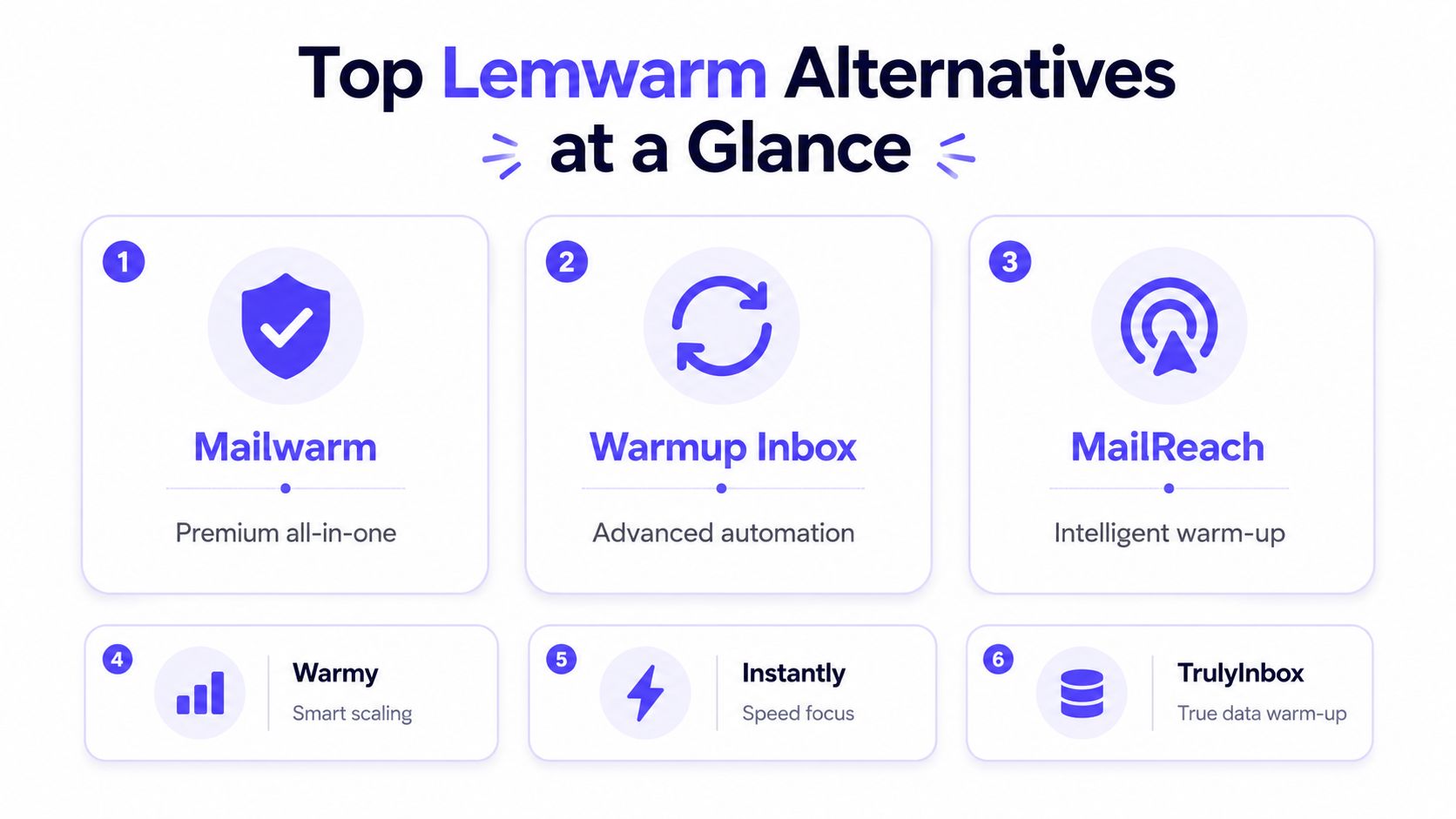
The practical shortlist looks like this:
Mailwarm: Premium all-in-one deliverability infrastructure.
Warmup Inbox: Budget-friendly peer-network automation.
MailReach: Warmup paired with stronger placement diagnostics.
Warmy: AI-guided engagement and health reporting.
Instantly: Warmup inside a cold outreach platform.
TrulyInbox: Simple, cost-conscious warmup with fewer controls.
Lemwarm still works for straightforward automated warmup, especially inside a Lemlist-centered workflow. But the top email warmup tools now compete on security, provider targeting, reply quality, and expert support. The right choice depends on the sender's actual bottleneck, and the use-case verdict later makes that decision direct.
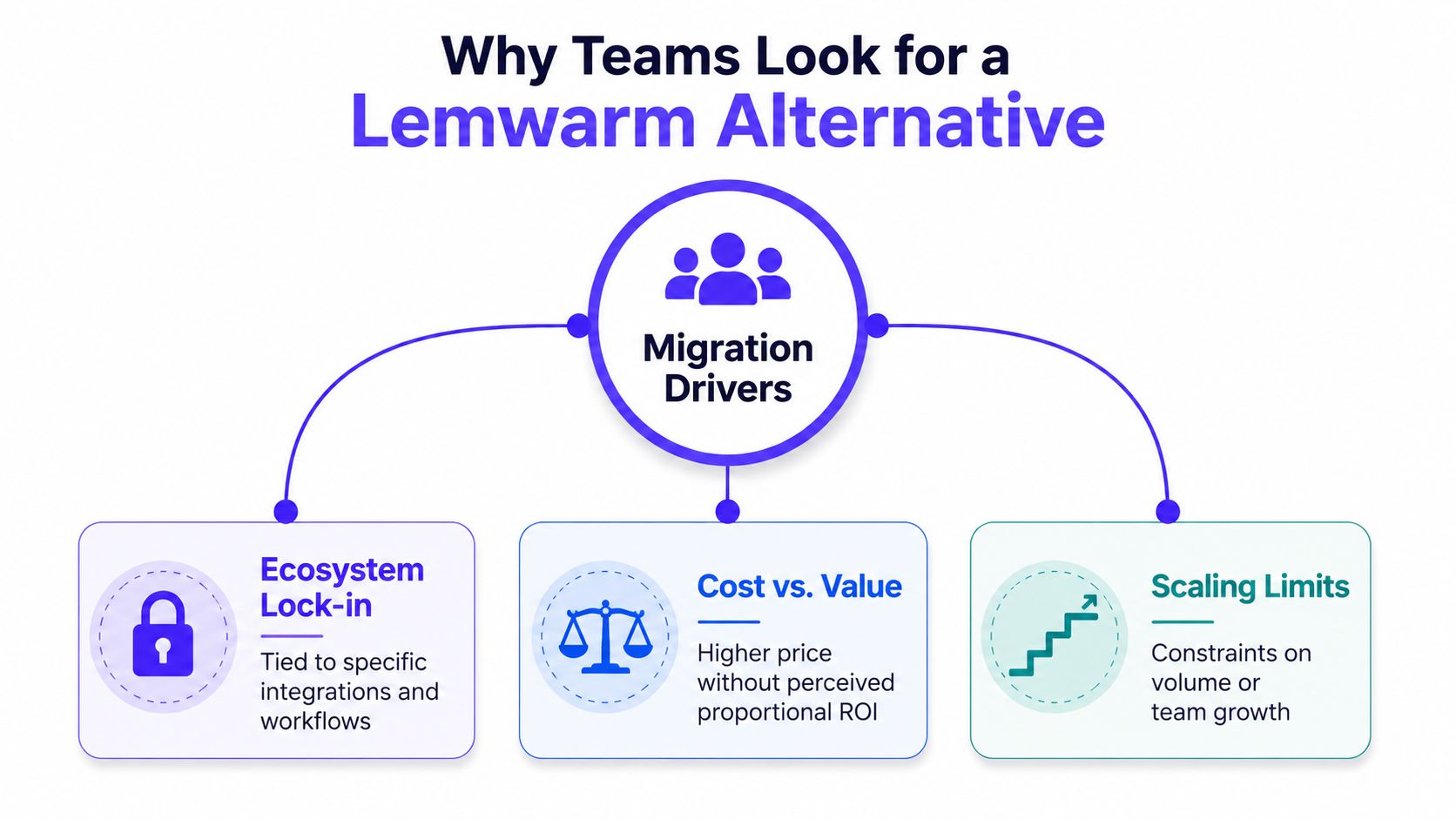
Why Teams Look for a Lemwarm Alternative
Teams usually leave Lemwarm for one of three reasons: ecosystem friction, uncertainty about pool quality, or insufficient feature depth. None of these makes Lemwarm useless. They show where a basic warmup setup stops fitting a more complicated sending operation.
Ecosystem friction
Lemwarm fits naturally with Lemlist. That's useful when one platform manages campaigns, mailboxes, and warmup. It's less convenient for teams using Instantly, Smartlead, a CRM-led workflow, or a custom outbound stack. Those teams may end up managing separate logins, disconnected reports, and different support processes for sending and reputation.
The operational problem isn't just inconvenience. A deliverability manager needs to connect warmup activity with campaign volume, bounce behavior, authentication status, and provider-specific placement. Separate systems make that review harder.
Reply quality and pool depth
A large peer network doesn't automatically mean a strong reputation signal. The useful question is whether the participating inboxes are aged, active, relevant to the target providers, and capable of producing varied engagement rather than repetitive automated actions.
Mailbox providers evaluate sender reputation from sending behavior, and that reputation is tied to the sending domain and IP address. Domain reputation is often more influential than IP reputation, according to OneSignal's email deliverability documentation. That makes network composition more important than a simple “real inboxes” label.
Practical rule: Warmup activity can support a reputation strategy, but it can't replace authentication, controlled volume, clean lists, or genuine recipient engagement.
Feature depth
Teams outgrow basic warmup when they need provider-level targeting, custom content, authentication checks, spam monitoring, or a human who can interpret the findings. A dashboard that reports opens and replies may confirm that the tool is active, but it doesn't necessarily explain why campaigns land in spam.
The technical order matters. SPF alignment should be checked first, followed by DKIM signing, then DMARC policy and alignment. A 2025 to 2026 deliverability synthesis reports 95% to 98% inbox placement for fully authenticated domains, while unauthenticated sending falls below 85% in multiple syntheses, as summarized by Stripo's 2026 benchmark research. Warmup should follow that foundation, not substitute for it.
Mailwarm the Premium All in One Upgrade
Mailwarm is the premium option for teams that treat deliverability as infrastructure instead of a checkbox. It combines warmup automation, real inbox engagement, spam score monitoring, inbox placement insights, authentication fix tools, bounce prevention, and expert guidance.
The network includes 50,000+ aged real inboxes across Gmail, Outlook, Microsoft 365, Yahoo, and SMTP providers. Engagement can include opens, replies, threaded conversations, spam removal, and important marking. Depending on the plan, Mailwarm can produce up to 100% replies to warmup emails, which gives teams more control over the type of engagement generated.

Where the premium is justified
Mailwarm's strongest distinction is provider-level warmup. A team can direct activity toward Gmail, Outlook, Microsoft 365, Yahoo, SMTP, and other relevant environments instead of relying only on generic network traffic. That matters when a campaign performs well at Gmail but struggles with Microsoft mailboxes.
Security is another practical difference. No IMAP access is required, and Mailwarm doesn't need permission to read a user's private inbox. For agencies, regulated businesses, and teams with strict access policies, that reduces the operational tradeoff of connecting a warmup system.
Mailwarm also goes beyond sending automated messages. Its monitoring can surface spam-score changes, inbox placement issues, authentication problems, and bounce risks. Every plan includes expert deliverability calls, so the team isn't left to interpret a dashboard without context.
The higher price makes sense for teams that need reputation protection, not just low-cost activity. It's particularly suitable for agencies managing multiple sending domains, B2B teams scaling outbound on Google Workspace, and SaaS companies where inbox placement affects launches, pipeline, or customer communication.
A smaller sender may not need every layer. If the requirement is only gradual automated warmup for one mailbox, a simpler tool can be adequate. If the team needs aged inboxes, provider-level control, authentication support, deliverability analytics, and expert calls, Mailwarm is a more complete alternative to Lemwarm.
Warmup Inbox the Budget Peer Network Option
Warmup Inbox is a sensible entry point for solo senders and small teams that want simple, automated warmup without paying for a broader deliverability program. Its core model uses a peer network to generate opens, replies, and spam-recovery actions.
Onboarding is straightforward. The sender connects a mailbox, selects a daily volume, and lets the system exchange messages across participating inboxes. That simplicity is the product's strength, particularly for users who don't want to configure complicated workflows.
Where it works well
Warmup Inbox fits a single mailbox or a small set of mailboxes that need steady activity. The interface is easier to operate than a full deliverability control center, and the peer network creates more varied engagement than a static sequence of self-sent test messages.
The tool also offers more than raw sending activity. Depending on the plan, users can access spam monitoring, blacklist checks, authentication checks, placement tracking, custom templates, and provider-oriented settings. Teams looking for practical inbox placement improvement tips can use those checks to identify problems before increasing campaign volume.
The tradeoff is depth. Warmup Inbox is strongest when the team wants automation, not ongoing consultation. Custom ramp curves, detailed provider segmentation, and expert remediation aren't its main selling points. Pool quality remains central because the network is the mechanism producing the engagement.
The operational limits
Per-mailbox economics can become less attractive as an agency adds domains. A low entry price helps a solo sender, but the same billing structure can become expensive for a portfolio of client inboxes. Teams should calculate the total cost across every connected mailbox rather than judging the first tier alone.
Warmup Inbox also shouldn't be treated as a substitute for authentication. SPF, DKIM, and DMARC need to be correctly aligned before the sender increases volume. The Validity benchmark shows why this matters, since inbox placement varies substantially across providers and sending patterns.
Warmup Inbox is therefore a budget fallback, not the obvious upgrade for a complex agency operation. It does one thing clearly and accessibly. It becomes a weaker fit when the buyer needs granular SMTP control, private-inbox security, expert deliverability calls, or detailed diagnosis across multiple provider environments.
MailReach takes a different position. It combines peer-network warmup with spam testing, blacklist checks, placement diagnostics, and integrations that appeal to growth and SDR teams. That makes it more useful than a basic warmer when the team wants evidence about where messages land, although provider-level controls, expert consultation, and IMAP-free architecture aren't its defining strengths.
Warmy Instantly and TrulyInbox Compared
Warmy, Instantly, and TrulyInbox shouldn't be treated as identical Lemwarm alternatives. Each one occupies a different lane, and the right choice depends on whether the sender values guided automation, campaign integration, or low-cost simplicity.
Warmy is the modern interface choice. Its strength is AI-guided warmup built around natural exchanges, spam recovery, and automated health reporting. The tradeoff is that teams wanting deep network configuration or hands-on deliverability support may find the interface more reassuring than operationally complete. Warmy suits senders who want guided setup and minimal network management.
Instantly makes the most sense when outreach already runs inside Instantly. Its warmup module sits alongside campaign workflows, so the team avoids another vendor login and can manage sending activity in one environment. The limitation is concentration risk. A sender receives convenience, but the platform's warmup and outreach reporting remain closely tied to the same ecosystem.
TrulyInbox is the lean option. It offers automated warmup, simple controls, and a predictable structure for users who don't need extensive monitoring or consultation. The compromise is feature depth, especially for teams that need authentication remediation, provider-level insight, or a broader reputation dashboard.
| Tool | Strongest fit | Main strength | Honest tradeoff |
|---|---|---|---|
| Warmy | AI-guided warmup users | Guided exchanges and health reporting | Less appeal for hands-on network control |
| Instantly | Instantly outreach users | Warmup integrated with campaigns | Reporting is tied to the sending ecosystem |
| TrulyInbox | Budget-conscious senders | Simple, lean automated warmup | Fewer advanced deliverability controls |
The rule of thumb is simple: choose Warmy for AI-guided warmup, Instantly when outreach is the reason for warming up, and TrulyInbox when cost and simplicity matter more than feature depth.
How the Main Lemwarm Alternatives Stack Up
A side-by-side view exposes the key differences. The table uses qualitative price labels rather than unsupported current price claims, because vendor pricing changes and the supplied verified data doesn't establish a consistent price for every product.
Lemwarm alternatives compared side by side
| Tool | Starting Price | Reply Quality | Provider Control | IMAP Required | Monitoring | Support |
|---|---|---|---|---|---|---|
| Mailwarm | Premium | High, with up to 100% replies depending on plan | Strong, provider-level warmup | No | Advanced placement, spam, authentication, and bounce insight | Expert calls included |
| Warmup Inbox | Budget | Peer-network engagement | Basic to moderate | Varies by setup | Useful core checks | Self-serve focused |
| MailReach | Mid-range | Peer-network engagement | Moderate | Varies by setup | Strong placement and spam diagnostics | Product support, limited consulting emphasis |
| Warmy | Mid-range to custom | AI-guided exchanges | Moderate | Varies by setup | Automated health reports | Guided product experience |
| Instantly | Platform-dependent | Integrated warmup activity | Tied to Instantly workflows | Varies by setup | Primarily platform-level warmup visibility | Platform support |
| TrulyInbox | Budget to mid-range | Automated peer-network replies | Basic | Varies by setup | Simpler score and activity reporting | Self-serve focused |
| Lemwarm | Ecosystem-dependent | Automated peer-network engagement | Tied closely to Lemlist workflows | Setup-dependent | Core deliverability checks | Lemlist ecosystem support |
The price column reflects positioning, not an invented amount. Warmup Inbox and TrulyInbox target cost-conscious senders, MailReach occupies a diagnostic-focused middle ground, and Mailwarm charges a premium for broader controls and guidance.
Reply quality separates basic activity from more realistic engagement. Mailwarm supports opens, replies, threads, spam removal, and important marking, with replies reaching up to 100% depending on plan. Other tools can still generate useful peer-network interactions, but the buyer should ask how much of that activity consists of replies, how varied the content is, and whether the pool includes the providers that matter.
Provider control is where many comparisons become shallow. A generic pool may produce activity without improving the specific Gmail, Outlook, Microsoft 365, Yahoo, or SMTP environment that filters the team's campaigns. Mailwarm's provider-level warmup and no-IMAP model give it a clearer fit for security-conscious operations.
Teams that need a broader category overview can also consult this review of email delivery platforms. For senders using SMTP infrastructure, SMTP warmup deserves separate evaluation because SMTP workflows can have different access and control requirements than mailbox-based tools.
Choosing the Right Alternative for Your Situation
The best Lemwarm alternative depends less on brand preference than on the sender's operating model. A single mailbox, a multi-client agency, and an outbound team running several providers shouldn't buy the same product.
Solo sender on a tight budget
A solo sender with one Gmail or Outlook mailbox usually needs a steady ramp, simple controls, and enough visibility to notice obvious problems. Warmup Inbox or Inbox fits that situation better than a premium platform, especially when the sender doesn't need expert consultation or provider-specific remediation.
The important constraint is technical readiness. Authentication should be checked before the sender increases volume, and list quality must be controlled once live campaigns begin. Warmup can't repair a high complaint rate, poor targeting, or invalid addresses.
Growth team with outbound infrastructure
Growth teams that already use Instantly should start with Instantly's integrated warmup module. The operational benefit is fewer moving parts, and campaign settings remain close to warmup activity.
MailReach is a better fit when the team wants placement diagnostics alongside warmup. It gives growth operators more information about spam-folder behavior and provider differences, although it doesn't replace a full deliverability control center or dedicated expert program.
Agencies and email-dependent teams
Agencies managing multiple domains need more than cheap warmup volume. They need provider-level control, access policies that don't expose private inboxes, authentication checks, bounce prevention, reporting, and a support path when a client's domain begins to deteriorate.
Mailwarm fits this premium use case. It combines real engagement across 50,000+ aged inboxes, provider-level warmup, custom email content, spam monitoring, inbox placement insight, and expert calls in every plan. The premium is justified when a team is protecting several client domains or depends on email for revenue.
Decision rule: Choose the simplest tool that can diagnose the problem the team actually has. Don't pay for enterprise guidance when the need is basic pacing, and don't use basic pacing when provider-specific placement is the real failure.
A safe switching process
Audit current performance. Review inbox placement, spam-folder outcomes, bounces, complaints, authentication, and provider mix. A delivery rate can look healthy while inbox placement remains weak, as shown by benchmark reporting that found average delivery around 98.16% but average inbox placement only 83.1%, according to State of Cold Email research.
Map must-have controls. Decide whether the team needs SMTP support, no IMAP access, provider-level warmup, custom content, blacklist checks, or expert calls.
Pilot one domain. Run the replacement on one controlled mailbox or domain before moving the entire portfolio. Keep volume gradual and compare equivalent sending patterns.
Measure real outcomes. Track inbox placement, spam placement, bounces, complaints, replies, and provider-specific behavior. This email deliverability metrics explainer provides useful context for separating delivery from placement.
Switch in stages. Don't stop all reputation-building activity at once. Keep the transition controlled, then move additional domains only after the pilot shows stable results.
Frequently Asked Questions
Is Lemwarm included with Lemlist?
Lemwarm is closely tied to the Lemlist ecosystem, but buyers should verify the current plan terms and whether the intended mailbox setup is covered. Teams using other sending platforms may still need a separate warmup or deliverability solution.
What is the best Lemwarm alternative?
Mailwarm is the strongest fit for teams that need premium deliverability controls, aged real inbox engagement, provider-level warmup, no IMAP access, and expert guidance. Warmup Inbox suits simple budget warmup, while MailReach is a stronger choice for senders who prioritize placement diagnostics.
Is paid warmup worth it?
Paid warmup can be worthwhile when a team needs controlled ramping, monitoring, provider insight, or operational support. It isn't a replacement for SPF, DKIM, DMARC, clean lists, controlled volume, and genuine recipient engagement.
Do Lemwarm alternatives require IMAP access?
Requirements vary by provider and connection method. Mailwarm doesn't require IMAP access or permission to read a user's private inbox, which makes it more suitable for teams with strict security or compliance policies.
How long does warmup take to show results?
There isn't a universal timeline. Results depend on domain age, authentication, provider mix, sending history, volume, list quality, and recipient engagement, so teams should judge progress through inbox placement and reputation signals rather than warmup activity alone.
Does switching providers reset warmup progress?
A provider switch can reset the tool's internal history and network baseline, even if the domain itself retains some reputation. Teams should pilot the replacement, keep volume controlled, and compare mailbox-provider outcomes before fully retiring the previous setup.
Is Mailwarm worth the premium price for agencies?
Mailwarm costs more because it combines real inbox engagement, up to 100% replies to warmup emails depending on the plan, spam score monitoring, provider-level warmup, authentication tools, no IMAP access required, and expert deliverability calls included in every plan. The premium makes more sense when agencies protect several domains or need support beyond automated sending.
Mailwarm helps senders build reputation, monitor inbox placement, and improve deliverability through real inbox engagement, advanced warmup controls, and expert guidance. Teams comparing Lemwarm alternatives can visit Mailwarm to review the platform, test the fit for their provider mix, and decide whether premium deliverability support belongs in their sending stack.