

A campaign can look solid on paper and still fail in the mailbox. The copy is sharp, the audience is right, and the send goes out on schedule. Then replies stall, opens look weak, and nobody knows whether the problem is the offer, the list, or simple invisibility.
That's where an inbox placement test matters. It gives teams a controlled way to check whether messages are reaching the inbox, drifting into spam, landing in promotions, or disappearing altogether before larger sending does real damage.
What Is an Inbox Placement Test?
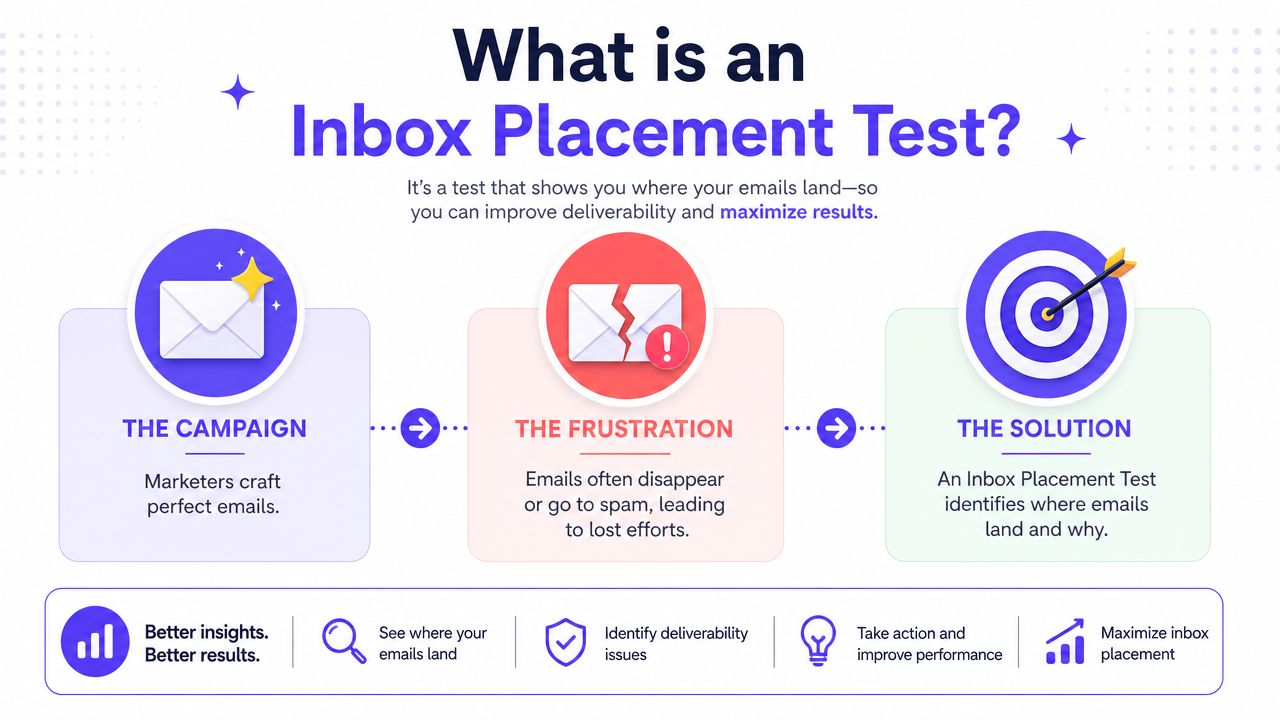
A team sends a campaign, sees high delivery, and assumes the message had a fair shot. Then replies stay flat and revenue never shows up. In many cases, the message was accepted by the receiving server but never reached the main inbox. An inbox placement test checks that gap before a broader send turns a visibility problem into a performance problem.
An inbox placement test sends your actual email to a seed list made up of test addresses across major mailbox providers. You review where each message lands: inbox, spam, promotions, or missing. That gives you something delivery logs cannot give. Delivery logs confirm server acceptance. Placement testing shows whether a human was likely to see the email.
The practical definition
At a practical level, it is a controlled pre-send check. You send the exact campaign, with the same copy, links, headers, and authentication setup, to seed inboxes at Gmail, Outlook, Yahoo, Apple-linked environments, and other providers that matter to your audience. Then you compare placement by provider and by folder.
That distinction matters because accepted mail and seen mail are different business states.
A sender can post a strong inbox placement score and still get weak results. I see that pattern often with outbound teams that test a clean seed list, get a reassuring result, then send to a low-quality prospect list and wonder why replies collapse. The test did its job. It measured mailbox placement under controlled conditions. It did not validate list quality, offer strength, brand trust, or audience fit.
Why teams use it before launch
Used correctly, an inbox placement test helps teams catch issues while they are still cheap to fix. It can expose authentication errors, domain or IP reputation trouble, and provider-specific filtering that would stay hidden in standard send logs.
It also gives you a baseline before changing domains, warming new infrastructure, restarting after low volume, or launching a new outbound sequence. For teams sending cold email, that baseline matters more when compared against real-world cold email inbox placement benchmarks and best practices, not treated as a one-time pass or fail check.
What an inbox placement test does not do
It doesn't tell a sender whether the campaign will perform commercially.
A test can confirm that mail reached the inbox. It cannot tell you whether the recipient recognizes the sender, trusts the domain, finds the message relevant, or has any reason to respond. That is the mistake behind a lot of "good scores, bad results" cases. Teams read placement as proof of campaign health, when it is only proof of visibility under test conditions.
Use inbox placement testing for what it is: a visibility diagnostic. Then connect the result to business outcomes. If placement is weak, fix deliverability first. If placement is strong and performance is still poor, the problem usually sits in targeting, list quality, offer, or message-market fit.
Why You Are Flying Blind Without It
Sending without testing means making decisions from incomplete information. A team sees low opens and starts rewriting subject lines. Sales blames the copy. Marketing blames the list. Operations blames the platform. Meanwhile, the actual issue may be simple mailbox filtering.

Without an inbox placement test, there's no clean way to separate message quality from mailbox visibility. Delivery logs only show acceptance. They don't show where the message ended up.
What gets missed when teams skip testing
A sender who doesn't test usually misses three things:
Provider-specific filtering: Gmail may behave differently from Outlook or Yahoo for the same campaign.
Reputation drift: Placement can weaken after changes in volume, infrastructure, or engagement.
False diagnosis: Teams often change offers and copy when authentication or trust is the underlying issue.
That last point causes the most wasted effort. Good campaigns get scrapped because the team never confirmed whether recipients could see them.
A weak campaign in the inbox is a messaging problem. A strong campaign in spam is a deliverability problem. Those require different fixes.
Why this becomes a business problem quickly
Poor placement doesn't just reduce visibility. It also distorts performance analysis. If a chunk of mail lands in spam or promotions, open and reply data stop reflecting the quality of the campaign itself.
That leads to bad operational decisions:
Sales teams keep pushing sequences that never had a fair chance.
Agencies report on engagement without knowing whether placement is stable.
Founders think outbound stopped working when sender trust is the underlying issue.
Recruiters assume candidate interest dropped when mailbox filtering changed.
A short technical explainer can help frame the stakes:
Teams that test before launch work from evidence. Teams that don't are guessing with reputation on the line.
How to Run an Effective Inbox Placement Test
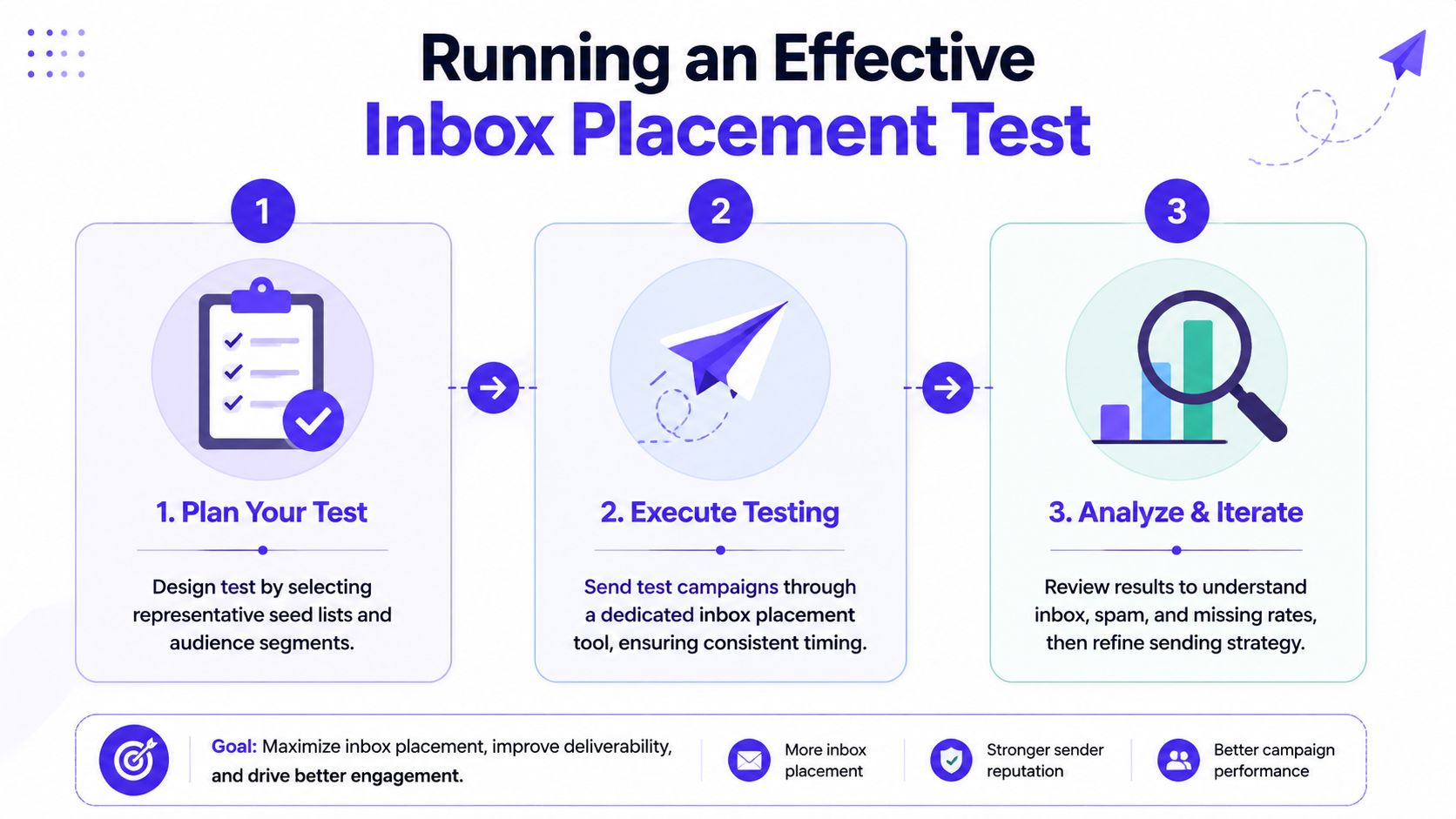
A useful inbox placement test is controlled, repeatable, and close to real sending conditions. Sloppy setup creates noisy results. Good setup gives the sender something actionable.
Independent deliverability guidance recommends running the test before launch and then weekly during active sending, and says anything below 85% inbox placement needs immediate attention in its inbox placement testing guide.
Build a seed list that reflects reality
The seed list should mirror the mailbox providers that matter to the actual audience. Typically, this means including a mix of Gmail, Outlook or Microsoft, Yahoo, and Apple-related environments where relevant.
The point isn't to create a random list of test addresses. The point is to model the provider mix that the campaign will face in production.
A practical seed list should do the following:
Match provider exposure: Include the mailbox ecosystems the audience uses.
Cover the major folders: Review inbox, spam, promotions, and missing placement.
Stay consistent over time: Use a stable testing structure so changes in results are easier to interpret.
Check the basics before sending
Testing before basic setup is verified wastes time. If authentication or sending identity is broken, the test will only confirm what should have been caught earlier.
Pre-flight checks should include:
Authentication health: Confirm SPF, DKIM, and DMARC are correctly configured and aligned.
Domain readiness: Make sure the sending domain and mailbox history aren't showing obvious signs of trust issues.
Campaign consistency: Test the exact sender identity, subject line, links, formatting, and body copy planned for the live campaign.
Working standard: Never test a simplified version of the campaign and assume the result applies to the real send.
Even small changes matter. Swapping links, modifying subject lines, or changing sender identity after testing can invalidate the result.
Send the actual campaign content
A rigorous inbox placement test sends the exact campaign to the seed list. Not a draft. Not a stripped-down mockup. The actual content.
That includes:
| Test element | What to use |
|---|---|
| Sender identity | The same mailbox and domain planned for the live send |
| Subject line | The final version |
| Body copy | The exact text and formatting |
| Links and tracking | The same links and redirect behavior used in production |
| Sending pattern | A realistic send setup for the campaign |
Many teams undermine themselves by running a “safe” test email, getting a decent result, and then launching a different version full of extra links, tracking changes, or more aggressive copy.
Review results by provider, not just one total score
One overall number can hide a real problem. A campaign may perform well in one ecosystem and badly in another.
The review process should answer simple questions:
Which providers are placing mail in the inbox
Which are sending it to spam or promotions
Whether any copies are missing
Whether the result changed from previous tests
That provider-by-provider view matters because the fix may be highly specific. If Outlook struggles while Gmail is stable, broad campaign changes may do more harm than good.
Repeat on a schedule
Inbox placement isn't static. It shifts with reputation, authentication changes, content changes, and provider behavior.
That's why active senders should treat testing as ongoing monitoring, not a one-off launch task. Weekly checks during active sending create a feedback loop. If placement starts to slip, the team can pause, adjust, and protect reputation before the issue compounds.
Reading Your Results and Fixing Common Failures
A team runs a seed test, sees strong inbox placement, launches the campaign, and then watches replies, clicks, or booked meetings stay flat. That gap is where inbox placement tests get misread.
A test result shows how a message performed in a controlled sample. It does not prove that real subscribers trust the sender, want the message, or will engage with it. Kit makes that point clearly in its guide to analyzing inbox placement test results.
What the numbers actually mean
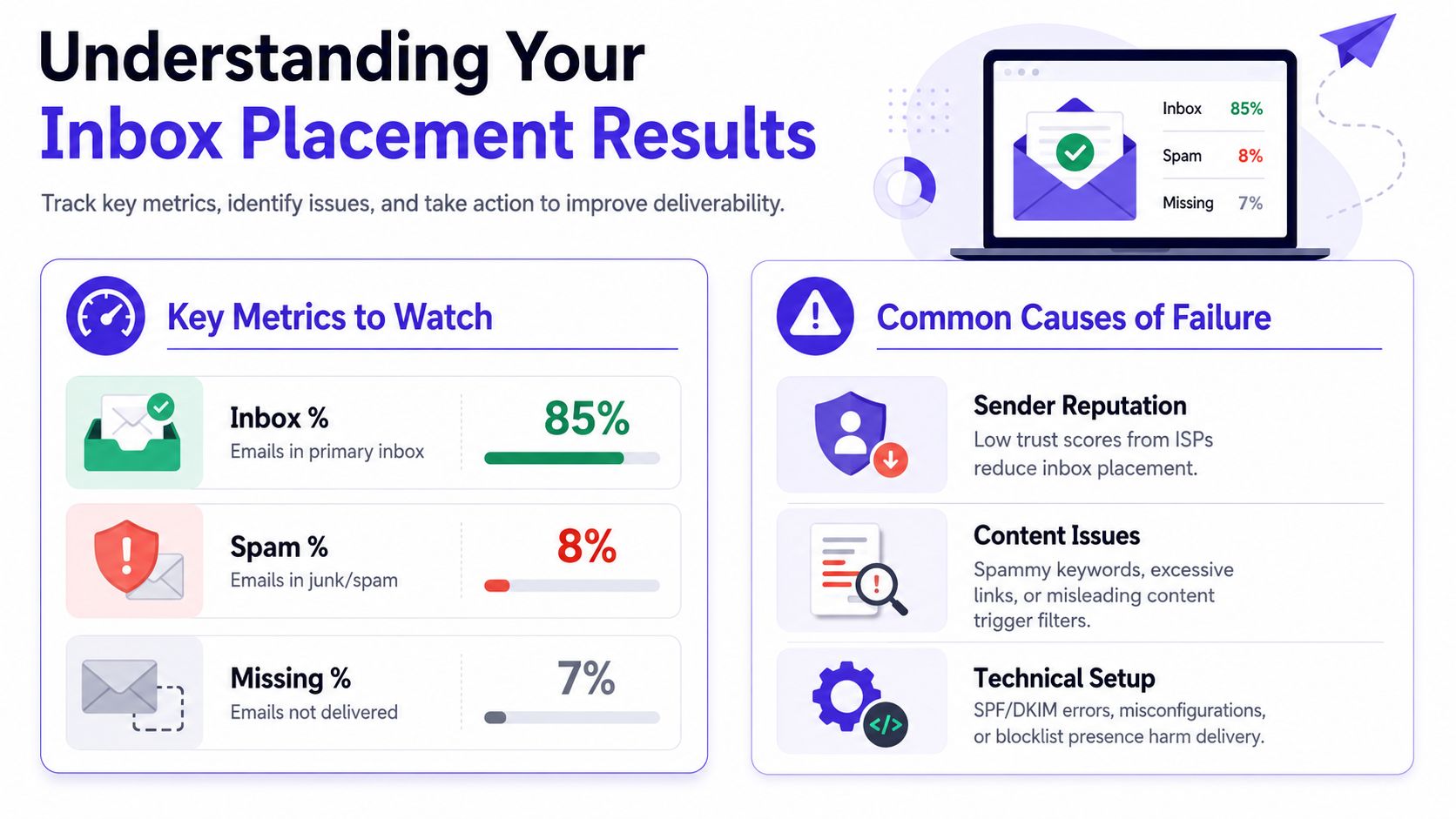
Start with the three outcomes that matter:
Inbox placement: The provider accepted the message and placed it in the inbox.
Spam placement: The provider accepted it but filtered it to junk or spam.
Missing placement: The message did not appear where expected, which usually points to blocking, throttling, or a delivery problem.
Benchmarks help, but they are only rough guardrails. A score that looks healthy for one sender can still be weak for another if the provider mix is different, the domain is new, or the campaign type changed. Read results in context.
The right question is simple. Did this test confirm technical reach, or did it expose a problem that will affect revenue, pipeline, or customer communication?
A practical interpretation framework
Use the pattern, not just the percentage:
| Result pattern | Likely meaning | Operational response |
|---|---|---|
| Strong inbox placement across providers | Core setup is probably stable | Check engagement, offer quality, and audience fit before assuming the campaign is healthy |
| Mixed placement by provider | Filtering or reputation issues at a specific provider | Isolate the weak provider and change as little as possible elsewhere |
| High spam placement across most providers | Message trust is low across the board | Review authentication, content, and recent sending behavior before scaling |
| Missing messages | Delivery failure, blocking, or routing issues | Audit infrastructure and sending identity immediately |
High inbox placement means you earned the chance to compete for attention. It does not mean the campaign will produce business results.
When authentication is the problem
Poor placement across several providers often starts with authentication or alignment errors. That is one of the first checks I make because the fix is usually clear and the impact can be large.
Focus on three areas:
Domain alignment: Confirm the visible From domain matches the domain strategy used for the campaign.
Authentication records: SPF, DKIM, and DMARC need to be valid and aligned.
Retesting: Run a fresh placement test after changes. Do not assume the records propagated correctly.
Mailwarm's guide to SPF, DKIM, and DMARC alignment is a useful reference if the records look right on paper but placement still drops.
When content is the problem
Sometimes the technical setup is clean and the message still lands in spam. Then the message itself becomes the likely cause. In that situation, using a spam checker before sending can help catch content and formatting issues that increase filtering risk.
Watch for patterns like these:
Bloated templates: Too many links, heavy image use, or multiple tracking layers
Forced urgency: Stacked CTAs, exaggerated claims, or formatting that looks promotional
Behavior mismatch: A mailbox with a history of short plain text outreach suddenly sends a designed campaign with sales-heavy copy
Small changes matter here. One extra redirect, one new tracking domain, or one template revision can shift filtering fast.
Operational details around sender identity can also feed into trust. If your website forms and automated notifications use weak or inconsistent sender identities, fix that too. Teams that optimize your form email address often reduce confusion across their broader sending setup.
When reputation is the problem
This is the failure mode many guides skip. A sender gets a decent seed score, then sees weak opens, poor clicks, low reply rates, or falling conversion numbers.
In that case, inbox placement may be only part of the story.
Mailbox providers do not judge mail only on whether it passed technical checks. They also react to whether recipients recognize the sender, open consistently, reply, move messages out of spam, or ignore them week after week. If audience quality is weak, or the offer is off, placement can look acceptable while business performance stays poor.
Typical signals include:
The list is old or lightly engaged
Recipients did not ask for this type of message
The sender name or domain is unfamiliar
Recent campaigns trained providers to expect low engagement
That is why "good scores, bad results" happens. The test says the message can reach the inbox. The market says the message is not earning attention.
Where seed tests have blind spots
Seed tests are useful because they create a controlled baseline. They also have limits.
A seed list does not mirror your customer base perfectly. It will not reproduce your real audience mix, prior engagement history, regional behavior, or long-term sender relationship with each provider. It also cannot show whether the campaign creates pipeline, sales, or retention.
Keep these blind spots in mind:
Sample bias: Seed accounts may not reflect your actual provider distribution
Engagement gap: Seed inboxes do not behave like real buyers or subscribers
Audience mismatch: Real recipients may have very different trust signals
Business disconnect: Placement can improve while conversions stay flat
The correct takeaway is balance. Use inbox placement tests to diagnose technical visibility. Use real campaign metrics to judge whether that visibility is turning into replies, revenue, renewals, or whatever outcome matters for that send.
Go Beyond Testing with Mailwarm's Deliverability Platform
An inbox placement test tells a team where the message landed. It doesn't fix the cause.
That gap is why many senders outgrow simple testing dashboards. Once a team identifies weak placement, it still needs ways to improve reputation, monitor risk, and strengthen provider trust over time. Broader deliverability work often overlaps with warmup, engagement quality, authentication, and content discipline. For teams reviewing practical ways to boost your inbox success, that usually means moving from isolated checks to a repeatable system.
What a full platform changes
Instead of only flagging a problem, a deliverability platform should help with the work that shifts placement:
Reputation building: Positive engagement patterns matter over time.
Ongoing monitoring: Placement, spam risk, and sending health need regular visibility.
Provider-level control: Weakness at one provider shouldn't be treated the same as weakness everywhere.
Expert diagnosis: Teams often need help separating technical failures from campaign problems.
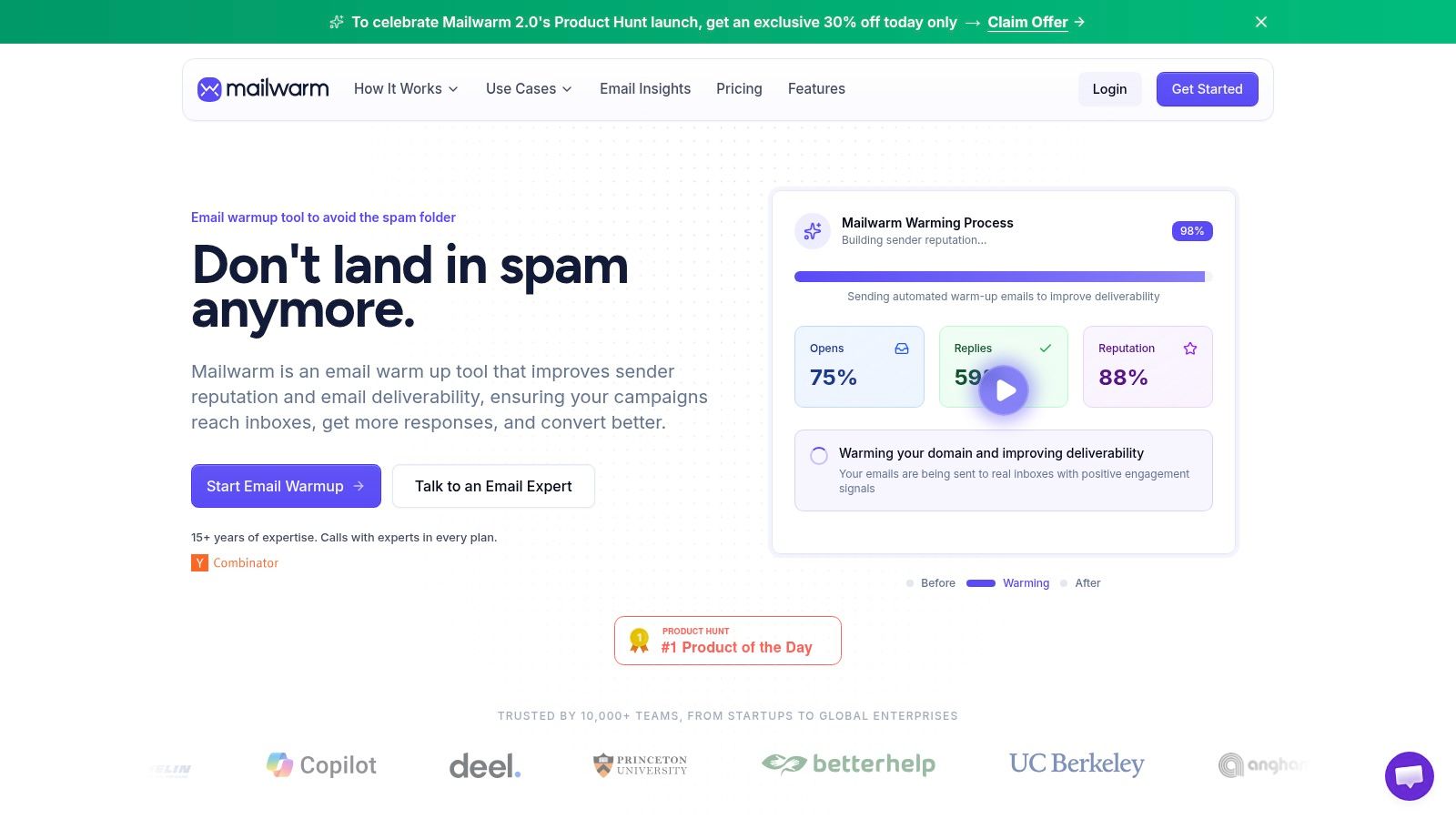
One option is Mailwarm's email warmup tool. Mailwarm is a premium email warm-up and deliverability platform built to improve inbox placement, protect sender reputation, and help emails avoid spam. It includes a network of 50,000+ aged real inboxes, real engagement signals such as opens, replies, threads, spam removal, and important marking, provider-level warmup, spam score monitoring, inbox placement insights, authentication fix tools, bounce prevention, deliverability analytics, no IMAP access, no access to the user's private inbox, and expert deliverability calls included in every plan.
Why teams choose more than basic warmup
Basic warmup tools often stop at automated activity. That may help at the margin, but it doesn't give teams much help when placement varies by provider, authentication is shaky, or campaigns need deeper review.
A more complete system is useful when the sender needs:
| Need | Basic tool approach | Full deliverability approach |
|---|---|---|
| Warmup activity | Generic automation | Real inbox engagement and provider-level controls |
| Visibility | Limited signals | Inbox placement insights and spam monitoring |
| Troubleshooting | Self-serve only | Expert guidance and authentication support |
| Security model | Often mailbox access dependent | Can operate without private inbox access |
For teams that rely on email for pipeline or revenue, testing is the diagnostic. The operating system behind it matters just as much.
Conclusion: Make Every Email Count
An inbox placement test is not just a technical checkbox. It's how serious teams confirm visibility, protect sender reputation, and avoid making campaign decisions from bad signals. If email drives growth, Mailwarm helps teams build reputation, monitor inbox placement, and reduce spam risk with expert-guided warmup.
Frequently Asked Questions About Inbox Placement
What is an inbox placement test?
An inbox placement test is a pre-send diagnostic that uses seed inboxes to show whether an email lands in the inbox, spam, promotions, or goes missing.
How is inbox placement different from email delivery?
Delivery means the receiving server accepted the email. Inbox placement shows where it landed after delivery.
When should a team run an inbox placement test?
Run it before launch, then keep testing during active sending. Weekly checks are a practical cadence for teams that send regularly.
What inbox placement score is considered healthy?
Industry guidance varies, but 90%+ is often treated as healthy, while below 85% needs immediate attention. Another common benchmark considers 80%+ good and below 70% poor.
Why can a campaign pass an inbox placement test and still perform badly?
Because placement only shows technical visibility. It doesn't prove recipients trust the sender, want the email, or will engage with it.
Which providers should be in a seed list?
The seed list should reflect the audience mix. For many teams, that includes Gmail, Outlook or Microsoft, Yahoo, and Apple-related mailbox environments.
Is an inbox placement test enough to fix deliverability?
No. It identifies symptoms. Fixing deliverability usually requires work on authentication, sender reputation, content, sending patterns, and engagement quality.
Why is Mailwarm more expensive than basic email warmup tools?
Mailwarm costs more because it combines real inbox engagement, up to 100% replies to warmup emails depending on the plan, spam score monitoring, provider-level warmup, authentication tools, no IMAP access required, and expert deliverability calls included in every plan.
If email is part of the growth strategy, Mailwarm helps teams build sender reputation, monitor inbox placement, and reduce spam risk with expert-guided warmup.