
Warming up an email address means gradually increasing sending volume while generating positive engagement signals over 2 to 4 weeks, starting with highly engaged recipients before expanding to colder lists. A practical ramp can begin at 10 to 50 emails per day in the first week and reach 200 to 500 per day by the fourth, provided bounce and complaint signals stay healthy.
A new mailbox can look suspicious when it suddenly sends a large campaign. The sender may have a strong offer and a clean list, yet mailbox providers still lack enough history to judge the address. That's the situation email warmup is designed to address.
What Email Warmup Actually Means
Email warmup is a controlled reputation-building process. A sender starts with modest volume, sends to recipients likely to engage, and increases activity only when mailbox providers see consistent behavior. Opens, replies, ongoing threads, spam removal, and important marking can all contribute useful engagement signals.
Warmup isn't a trick for bypassing spam filters. It gives providers time to observe a new or reactivated address before the sender expects it to handle normal outreach volume. Microsoft describes domain warming as the methodical addition of volume over several days or weeks, with maximum deliverability sometimes taking four to eight weeks, depending on volume and engagement. Its guidance recommends starting with recent openers and clickers, then expanding to less active segments later. Microsoft's domain-warming guidance provides the provider-specific sequencing.
The process applies beyond cold email. A new address, a reactivated mailbox, a new sending domain, or an address recovering from poor engagement can all benefit from a measured ramp.
Practical rule: Warmup should make normal sending look normal. It shouldn't create an artificial burst of activity that the sender can't maintain.
Authentication is part of that foundation. Research covering 5.5 million domains found that only 30.4% had adopted DMARC and just 12.8% enforced it, while another analysis of the top 10 million domains found 18.2% had a valid DMARC record and 7.6% enforced it. The remaining authentication gaps help explain why providers continue to weigh authentication, sending discipline, and engagement together. See these email warm-up best practices for additional deliverability context.
Manual Warmup Step by Step
Manual warmup works for a single mailbox when the sender has a small group of real, engaged contacts. It requires discipline, accurate tracking, and restraint. The schedule below follows the staged guidance from SMTP.com, which moves from 10 to 50 emails daily in the first week toward 200 to 500 daily in the fourth week. SMTP.com's domain warmup schedule supports the staged approach.
Set the foundation before sending
Before the first message, verify that SPF, DKIM, and DMARC are configured correctly. Remove invalid addresses from the list, use a recognizable sender name, and prepare short, relevant messages that invite genuine responses.
Start with recipients who opened or clicked recently. Microsoft recommends using recent openers and clickers from the last 30 days during the first two weeks, then expanding to contacts active within the last 60 days during weeks three and four. Less active recipients should wait until the sender has established a stable pattern.
Use a controlled weekly ramp
| Week | Daily Volume | Recipient Type |
|---|---|---|
| Week 1 | 10 to 50 emails | Highly engaged contacts, especially recent openers and clickers |
| Week 2 | 50 to 100 emails | Recent engagers, customers, colleagues, and responsive contacts |
| Week 3 | 100 to 200 emails | Contacts engaged within the last 60 days |
| Week 4 | 200 to 500 emails | Broader active segments, with colder outreach added cautiously |
Don't send the entire daily allowance in one burst. Spread messages across the normal working day, answer replies promptly, and keep the content natural. The point is to create a credible sending rhythm, not to maximize the counter in a dashboard.
Track these signals every day:
- Bounce rate: Pause expansion if invalid or rejected addresses begin increasing.
- Complaint rate: Treat spam complaints as an immediate warning, not a minor fluctuation.
- Open and click activity: Compare engagement by recipient segment and provider.
- Inbox placement: Check whether messages reach inboxes or begin appearing in spam.
AWS recommends starting with small volumes, increasing gradually, and monitoring open rate, click-through rate, bounce rate, and complaint rate so the ramp can be adjusted before reputation damage compounds. Manual warmup can work for one mailbox, but it becomes fragile when a team manages several addresses, domains, or client accounts.
How Automated Warmup Works at Scale
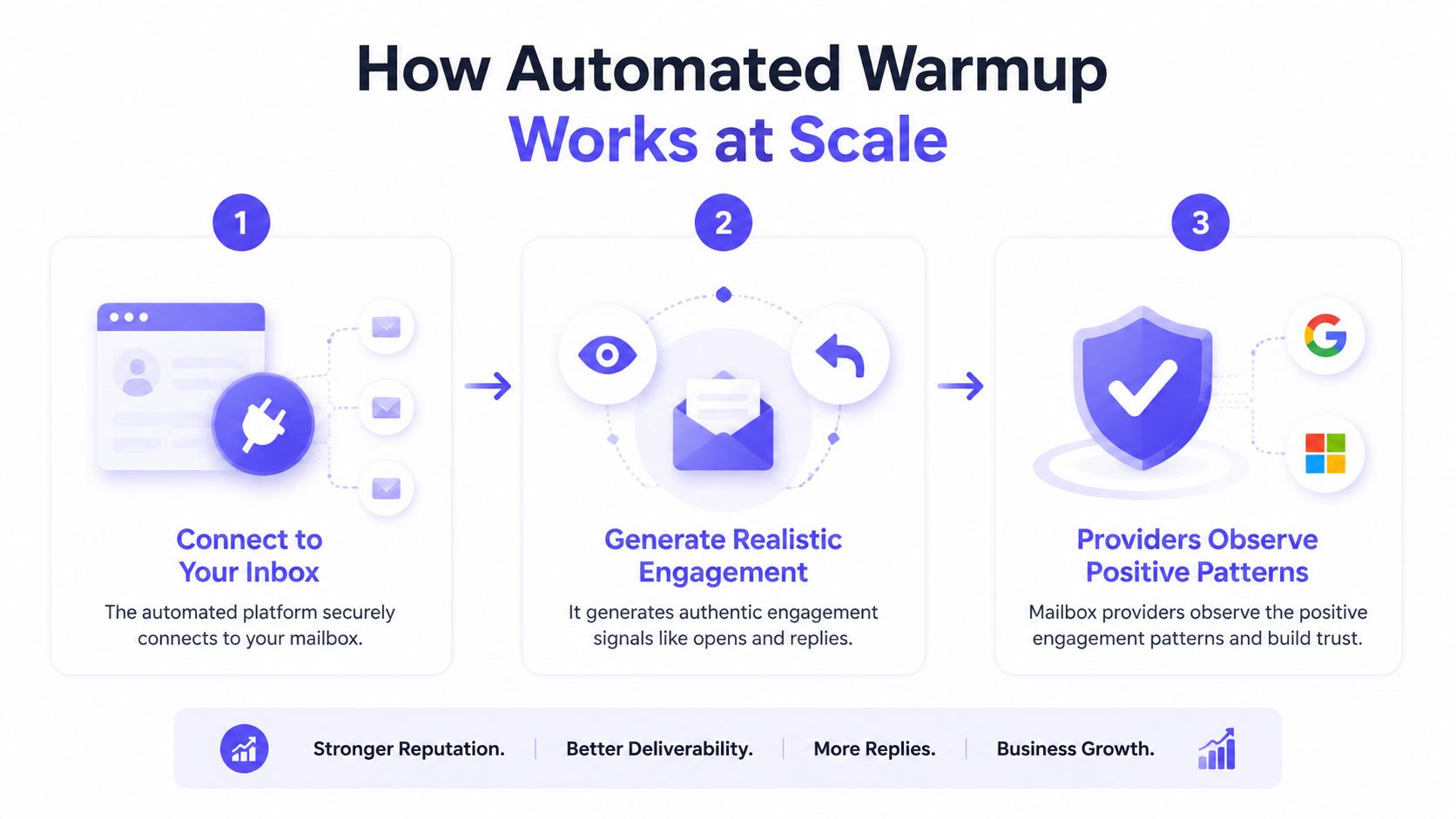
Manual warmup breaks down when several inboxes share one ramp. Someone must remember which contacts received messages, adjust the daily volume, and keep every reply moving. Automation replaces that spreadsheet with rules that coordinate activity across inboxes, while still requiring operators to control the ramp and review reputation signals.
A useful system creates varied interaction rather than counting opens alone. It may coordinate:
- Opens: Recipients access the message instead of ignoring it.
- Replies: Conversations provide stronger evidence of wanted mail than passive activity.
- Threads: Continued exchanges create a more ordinary correspondence pattern.
- Spam removal: Messages moved out of spam indicate that recipients treat them as wanted.
- Important marking: Recipient-side classification adds another positive interaction.
- Provider-level activity: Activity can be distributed across Gmail, Outlook, Microsoft 365, Yahoo, and SMTP environments.
Daily ramp math still matters. A tool that sends the same small batch every day can create an artificial pattern, while a sudden jump can erase progress through bounces or complaints. Set gradual volume changes, spread activity through the working day, vary message content, and slow the schedule when reputation signals worsen. Short, repetitive replies without a continuing exchange are activity, but they do not closely resemble normal correspondence.
Mailwarm combines automated engagement with provider-level warmup, spam monitoring, inbox placement insights, authentication checks, bounce prevention, and deliverability analytics, using 50,000+ aged real inboxes and supporting up to 100% replies depending on the plan; it does not require IMAP access or permission to read a private inbox, and expert deliverability calls are included in every plan.
Tool quality varies by network, provider coverage, access requirements, and monitoring depth. Reviewing the top email warmup tools helps teams compare those operating differences instead of judging platforms by daily activity totals.
Manual vs Automated Warmup
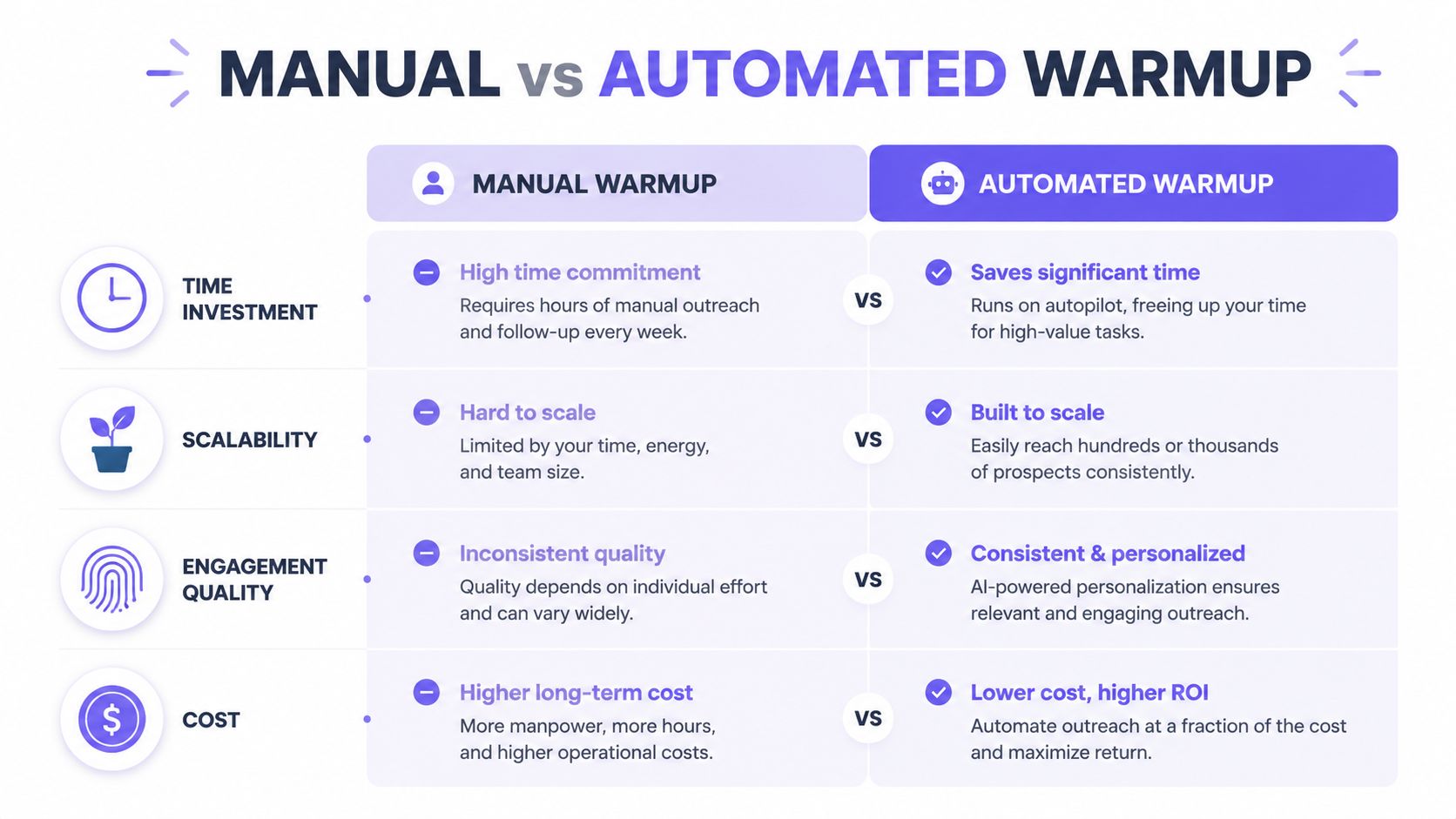
The right method depends on the number of senders and the consistency required. Manual warmup is free in direct software cost and gives a sender complete control over every message. Its weakness is operational: one person must maintain the schedule, choose recipients, reply to messages, and interpret provider-level changes.
Automated warmup costs more, but it reduces the repetitive work that becomes difficult across multiple inboxes. It also offers controls that are hard to reproduce manually, such as provider-level targeting, content variation, spam monitoring, and centralized analytics.
| Factor | Manual Warmup | Automated Warmup |
|---|---|---|
| Time investment | Requires daily planning, sending, and replies | Runs the activity according to configured controls |
| Scalability | Suitable for one mailbox or a very small setup | Designed for teams, agencies, and multiple senders |
| Engagement quality | Depends on real contacts and consistent follow-up | Can coordinate opens, replies, threads, spam removal, and important marking |
| Provider coverage | Usually limited to the sender's own contacts | Can target activity across supported mailbox providers |
| Cost | No dedicated platform cost, but significant staff time | Paid platform cost, offset by monitoring and operational control |
| Risk management | Relies on manual observation | Can combine ramp controls with spam, bounce, and placement monitoring |
A founder warming one address for ordinary correspondence may choose manual sending. A sales team launching outreach from several mailboxes usually needs automation, because inconsistent execution can undermine the whole program.
Automated warmup isn't a substitute for permission, list hygiene, or useful content. It handles the repetitive reputation-building layer, not the full deliverability problem.
Teams comparing automation with broader sales infrastructure may also find this guide to best email outbound tools useful. The comparison should focus on the sender's actual bottleneck, whether that's mailbox volume, provider coverage, authentication, or campaign quality.
Mistakes That Reset Your Progress
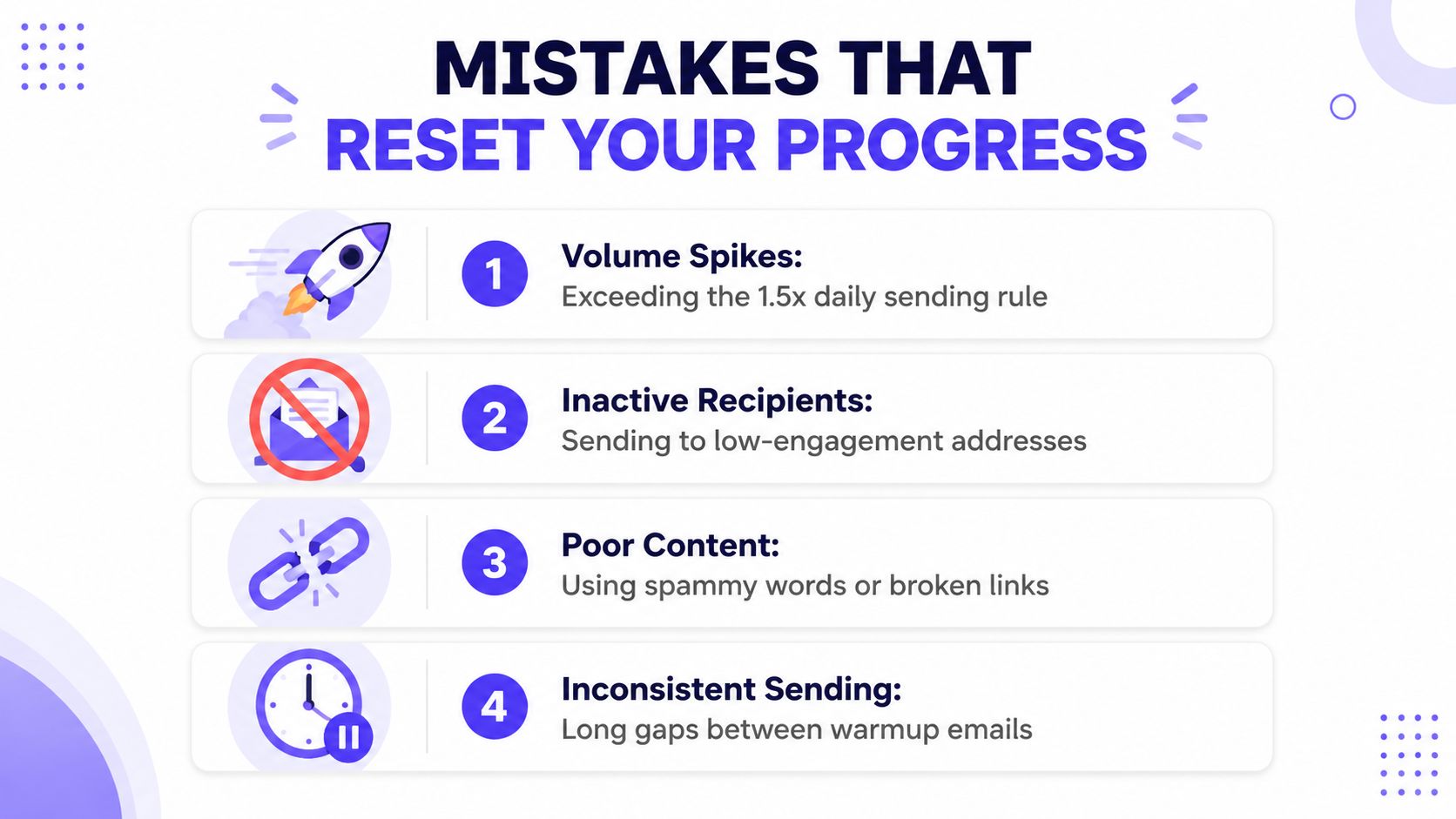
Warmup progress often disappears without an obvious failure message. The mailbox may continue sending, but providers can reduce inbox access after a sudden volume change, weak engagement, or repeated complaints.
Volume spikes
Customer.io guidance says volume increases shouldn't exceed 1.5 times the previous stage, and a future increase above 1.5 times the established daily average should be treated as a new warmup event. Doubling too aggressively can look unlike the sender's prior behavior.
Symptom: Inbox placement falls after a campaign launch.
Cause: The sender jumped from a stable daily pattern to a much larger volume.
Fix: Return to the last stable level, monitor engagement, and rebuild gradually.
Inactive recipients
Sending early warmup mail to inactive contacts creates low opens, weak replies, and more opportunities for complaints. Microsoft specifically advises avoiding the last 90-day inactive segment during the first six weeks.
Symptom: Messages receive little engagement even though delivery appears successful.
Cause: The audience wasn't active enough to provide positive signals.
Fix: Start with recent openers and clickers, then widen the segment only when engagement remains healthy.
Weak content and broken links
Warmup can't rescue messages that look careless or irrelevant. Excessive promotional language, misleading subjects, broken links, and poor personalization can generate negative recipient reactions even when authentication is correct.
Use a spam word checker before sending important sequences. Content checks won't guarantee inbox placement, but they can catch avoidable problems before recipients see them.
Long gaps and missing authentication
A sender that warms up for several days, stops, and then resumes at the previous high level has broken the pattern. AWS recommends continuous monitoring because the ramp needs to respond to bounce and complaint signals as they appear.
Authentication failures create a separate problem. SPF, DKIM, and DMARC help providers establish whether the sender is authorized and whether the message can be trusted. Warmup doesn't fix missing authentication, poor list hygiene, or unwanted content.
How to Warm Up an Email Domain
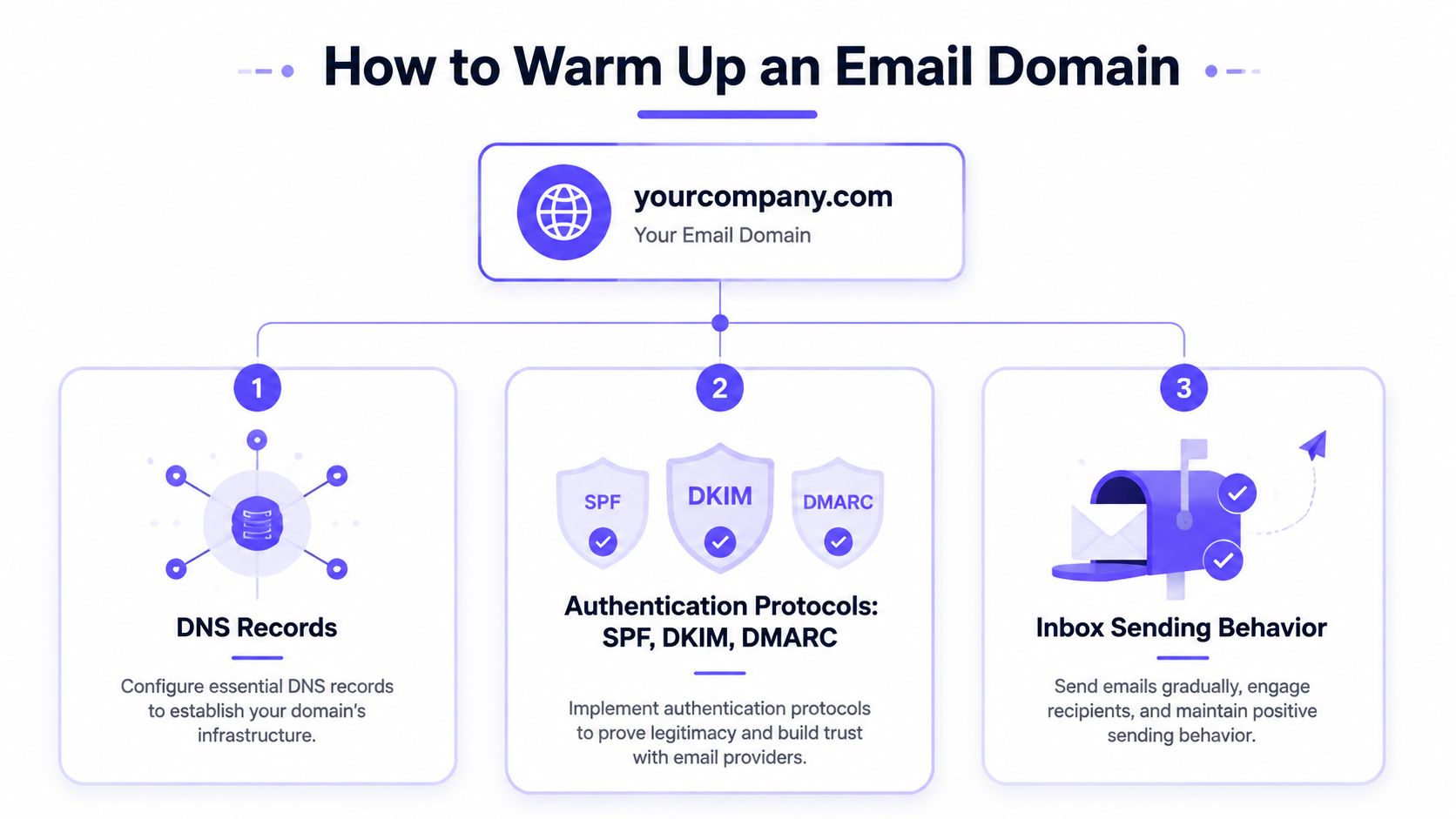
An address can have clean activity while the domain behind it remains untrusted. That distinction matters when a B2B team launches a company domain, adds a subdomain, or resumes sending after a long pause. Domain warmup builds a predictable history for the domain, but the schedule must match the volume the team can sustain every day.
Customer.io recommends that a new sending domain ideally be 30 days old before warmup starts. Its guidance also says to stop the ramp at the sender's normal recurring volume and avoid exceeding 1.5 times the established daily average without treating the increase as a new warmup event. Customer.io's domain-warming documentation explains the mechanics behind that limit.
Prepare authentication first
Configure and verify:
- SPF, so receiving providers can identify authorized sending sources.
- DKIM, so messages carry a cryptographic signature tied to the sending domain.
- DMARC, so the domain can publish a policy for authentication failures and receive reporting.
Authentication creates the identity providers use when they evaluate new mail. It does not replace gradual sending, clean lists, or positive engagement. Review alignment before the first ramp day, because fixing records after volume rises can interrupt the pattern you are trying to establish. The email authentication research provides broader context on adoption and enforcement.
Adjust for each provider
Gmail, Outlook, Yahoo, Microsoft 365, and SMTP infrastructure apply different filtering signals. A daily total can look healthy while one provider receives too much mail, sees weak engagement, or records a bounce spike. Track placement, bounces, complaints, and replies by provider, then hold or reduce the next day's volume when one segment deteriorates.
Warmup tools are not certified by major mailbox providers, and controlled evidence does not show that synthetic warmup networks alone improve placement. Mailwarm's email warmup approach includes provider-level controls. Teams using SMTP infrastructure should review its separate workflow when their setup requires it. For a single sender, these manual domain warmup steps provide a controlled schedule without automation. The practical constraint is consistency: a smaller daily ramp that continues is safer than a larger ramp followed by a gap.
Frequently Asked Questions
How long does email warmup take?
A common initial ramp takes 2 to 4 weeks, beginning with engaged recipients and expanding gradually. Microsoft notes that maximum deliverability can take four to eight weeks, depending on volume and engagement, so a fixed calendar shouldn't override provider signals.
Can an email address be warmed up manually?
Yes. Manual warmup works for one mailbox when the sender can maintain a gradual schedule, contact engaged recipients, answer replies, and monitor bounce and complaint rates. It becomes difficult to manage consistently across teams or agencies with multiple senders.
What happens if warmup is skipped?
A sudden increase from a new or inactive address can produce weak engagement, more complaints, or filtering into spam. Providers may also throttle or block mail when authentication and sending behavior fail to establish trust.
Does email warmup improve inbox placement?
Warmup can support sender reputation by creating a consistent pattern with positive engagement. It isn't sufficient on its own, because authentication, list hygiene, message quality, complaints, and ongoing sending behavior also influence placement.
Is email warmup enough to fix deliverability?
No. Warmup is a reputation ramp, not a complete repair program. A sender with authentication failures, poor list hygiene, high bounce rates, or unwanted content must fix those issues alongside the sending schedule.
How does Mailwarm help improve sender reputation?
Mailwarm combines warmup automation with real engagement signals, provider-level warmup, spam score monitoring, inbox placement insights, authentication fix tools, bounce prevention, and deliverability analytics. Its network includes 50,000+ aged real inboxes, and replies can reach up to 100% depending on the plan.
Why is Mailwarm more expensive than basic warmup tools?
Mailwarm costs more because it combines real inbox engagement, up to 100% replies to warmup emails depending on the plan, spam score monitoring, provider-level warmup, authentication tools, no IMAP access required, and expert deliverability calls included in every plan.
Your Next Steps for Better Inbox Placement
Start with authentication, engaged recipients, and a measured daily ramp. Monitor placement, bounces, complaints, and engagement throughout the process, then keep future volume changes within the same disciplined pattern. Teams evaluating automation alongside broader workflows can also review 2026 CRM agent platforms, but reputation protection should remain a core operating requirement.
Mailwarm helps teams build sender reputation, monitor inbox placement, and improve deliverability through real inbox engagement, advanced warmup controls, and expert guidance. Visit Mailwarm to configure provider-level warmup, review authentication and spam risks, and get expert support without granting IMAP access to a private inbox.