

Regenerating keys is the wrong first move for a DKIM fail. A DKIM fail means a signature was present but the receiver could not verify it, and the reason text in the Authentication-Results header usually names the cause. Read that reason first, because a missing selector, a modified body, a broken key, and a DMARC alignment problem need completely different fixes.
The Four Reasons DKIM Fails and How to Tell Them Apart
Most advice treats every DKIM fail as a DNS problem. That wastes hours. The header result is a family of failures, and the text in parentheses after dkim=fail points to the right bucket.
One message can also show dkim=pass and still fail DMARC. That is not a cryptographic failure at all. It means the signature verified, but the signing domain does not align with the visible From domain.
| Header reason | Most likely cause | First fix to try |
|---|---|---|
| no key for signature | Selector not published, deleted, or published under a different name than s= | Look up the exact selector._domainkey.domain from the header and republish under that name |
| body hash did not verify | Message modified after signing by a gateway, footer, link rewriter, or mailing list | Move signing after the modification, or stop the modification |
| signature verification failed | Key mismatch after rotation, truncated TXT record, or 2048-bit key split or quoted badly in DNS | Republish a clean key, keep old and new selectors live during rotation |
| dkim=pass but dmarc=fail | Provider signed with its own shared domain instead of the sender domain | Configure custom domain signing so d= aligns with From |
Why the reason text matters more than the verdict
A missing key cannot be fixed by changing content. A body hash failure cannot be fixed by republishing DNS that is already correct. Teams that skip the reason text often rotate a working key and create a second problem.
Practical rule: Copy the full Authentication-Results line and the DKIM-Signature header into a note before touching DNS. Every later check depends on the selector and domain in those lines.
Historical measurement also shows uneven deployment. A 2021 academic study found almost 13% as a lower bound for practical DKIM usage and only about 3% of domains deploying SPF, DKIM, and DMARC together, according to the 2021 measurement of DNS-based email authentication adoption and flaws. Gaps are common, so diagnosis beats assumption.
How to Read the Authentication-Results Header
The receiving server writes Authentication-Results after checking the message. Gmail, Outlook, and other verifiers use slightly different wording, but the fields that matter stay consistent.
Authentication-Results: mx.google.com; dkim=fail (body hash did not verify) header.d=example.com header.s=google header.b=abc12345; spf=pass smtp.mailfrom=example.com; dmarc=fail header.from=example.com
Start with four fields. Ignore the rest until those are clear.
- dkim= result: Shows pass, fail, none, or an error state, plus the reason in parentheses when verification fails.
- header.d= signing domain: Shows the domain in the DKIM d= tag, which must later be compared with the visible From domain.
- header.s= selector: Shows the exact selector to look up in DNS, not the selector a dashboard claims is active.
- dmarc= result: Shows whether aligned SPF or aligned DKIM satisfied DMARC for the From domain.
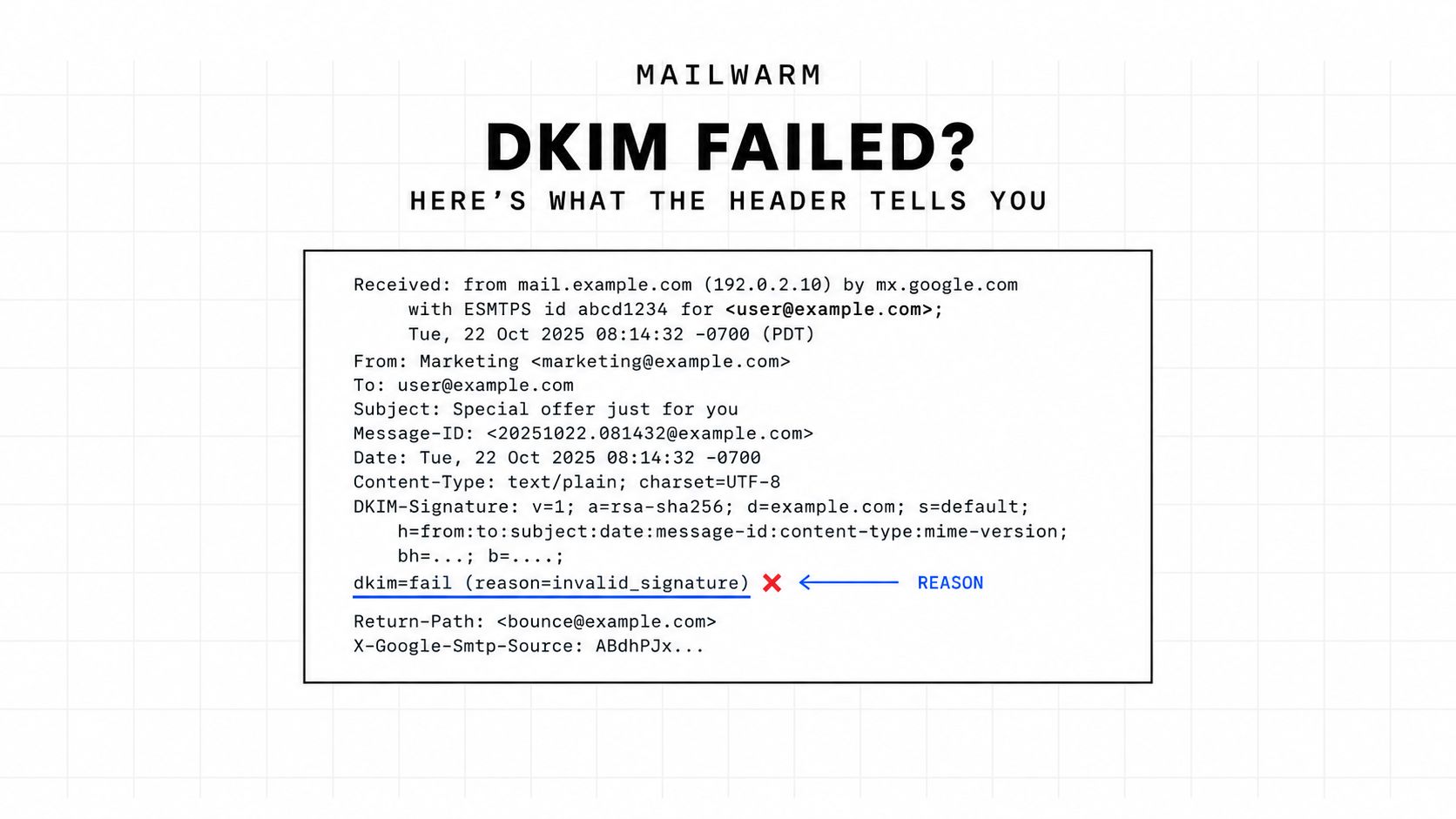
Fields that get confused
header.d= is the signing domain used for alignment. header.i=, when present, is an identity value and is not the field DMARC uses for DKIM alignment. Confusing the two sends teams chasing the wrong domain.
The bh= value in DKIM-Signature is the body hash. If the receiver computes a different hash from the body it received, the reason becomes body hash did not verify. An ARC seal nearby suggests a forwarder or list handled the message and tried to preserve earlier authentication results.
The selector in the received header is the only selector worth checking first. A correct record under a different selector does not help that message.
For readers who need the surrounding basics before raw headers, the guide to email basics for venues from Purple Engage covers deliverability fundamentals in plain language. For the header itself, the Mailwarm email header analyzer surfaces these fields without scrolling through raw text.
Cause One, Wrong or Missing Selector
This is the failure seen most often in practice. The signature points to one selector name, but DNS has the key under another name, or has no key there at all. Microsoft identifies a missing selector record and a public key that does not match the private signing key as the two highest-value checks, as set out in Microsoft guidance on troubleshooting email authentication.
The check is mechanical. Take s= from DKIM-Signature, take d= from the same header, then look up that exact selector under that exact domain.
- Copy s= exactly: Do not assume Google, selector1, or a platform default applies to the failing message.
- Query that name: Look for a TXT or CNAME answer at selector._domainkey.signing-domain.
- Read the empty answer plainly: No record means the receiver also found no key, regardless of what a setup checklist says.
google._domainkey.example.com. 300 IN TXTwith no returned value means the published key is not at the name the signature requested.
Why outside audits miss real DKIM
Mailwarm network study, October 2026, ran DNS checks on 12,936 custom domains that sent mail into monitored inboxes between July 18 and October 14, 2026, with legitimate senders and spammers both in the sample. Probing only common selectors found a DKIM key for 31% of domains. That 31% is a lower bound, because custom selectors cannot be guessed from outside.
The lesson is direct. A domain can look unsigned to a scanner and still sign correctly under a custom selector. The received DKIM-Signature header is the audit source that matters.
The fix is republishing under the correct selector name, then sending a fresh test through the same route. The background in DKIM selector explained helps when several platforms each claim a different selector. A DKIM record generator is useful when a clean key pair and record must be created from scratch.
Cause Two, Body Hash Did Not Verify
When the key exists but the body hash fails, the signed snapshot no longer matches the received body. Something edited the message after signing. Regenerating keys does not fix that.
dkim=fail (body hash did not verify) header.d=example.com header.s=selector1
Four culprits account for most cases. A security gateway adds a warning banner. A signature tool appends a footer after signing. A tracking system rewrites links. Mailing list software adds a footer, tags the subject, or rewraps content.
Independent measurement shows transit matters. In OpenDKIM collection data covering 21 mail servers and millions of messages, 92.3% of signatures verified overall, while mailing-list traffic verified at 90.5%, according to the USENIX Security study of end-to-end email spoofing and authentication. The drop fits the mechanism, since lists routinely modify signed content.
Fix the order, not the key
Signing must happen after the last system that edits headers or body. If a gateway must add a banner, the gateway output is what needs signing. If a footer tool cannot move before signing, that tool must stop editing signed mail or the mail must be signed downstream.
- Gateway banner: Sign after the gateway, or exempt outbound signed mail from banner insertion.
- Footer or disclaimer: Apply it before the signing server, never after.
- Link rewriting: Check whether rewriting happens on the sending path before delivery to the final receiver.
- Mailing list or forwarder: Look for ARC results, because the sender often cannot directly control the modifying hop.
A received DKIM fail does not prove sender misconfiguration. A correct signature can break at a later hop.
Testing must use the actual path. A platform test send that skips the gateway, footer tool, or list server can pass while production mail fails every time.
Cause Three, Signature Verification Failed
This bucket means a key was found, but the cryptographic check did not validate. Under RFC 6376, a signature that does not validate produces PERMFAIL and the verifier should ignore that signature, as stated in RFC 6376 on DKIM signatures. A temporary DNS lookup problem is different and is classed as TEMPFAIL.
Three configuration errors dominate. Rotation splits sending systems across old and new selectors. A DNS panel truncates the public key or inserts spaces and line breaks. A long 2048-bit key gets pasted as badly split strings or wrapped in quotes the panel mishandles.
Broken record:
v=DKIM1; k=rsa; p=MIIBIjANBgkqhkiG9w0BAQEFAAOCAQ8AMIIBCgKCAQEA...followed by a truncated ending and a stray quote
Clean record:
v=DKIM1; k=rsa; p=MIIBIjANBgkqhkiG9w0BAQEFAAOCAQ8AMIIBCgKCAQEA...full key...IDAQABwith the complete p= value intact
Rotation and key length checks
During rotation, both selectors must stay published until every sending system uses the new selector and older signed mail has aged out. Removing the old selector early turns valid in-flight mail into failures. Intermittent failures by route usually point to this split.
Key length is also a concrete check. Google requires a DKIM key of at least 1,024 bits for mail to personal Gmail accounts and recommends 2,048 bits when supported, as stated in Google sender requirements for DKIM key length. A shorter legacy key can be published correctly and still be too weak for current requirements.
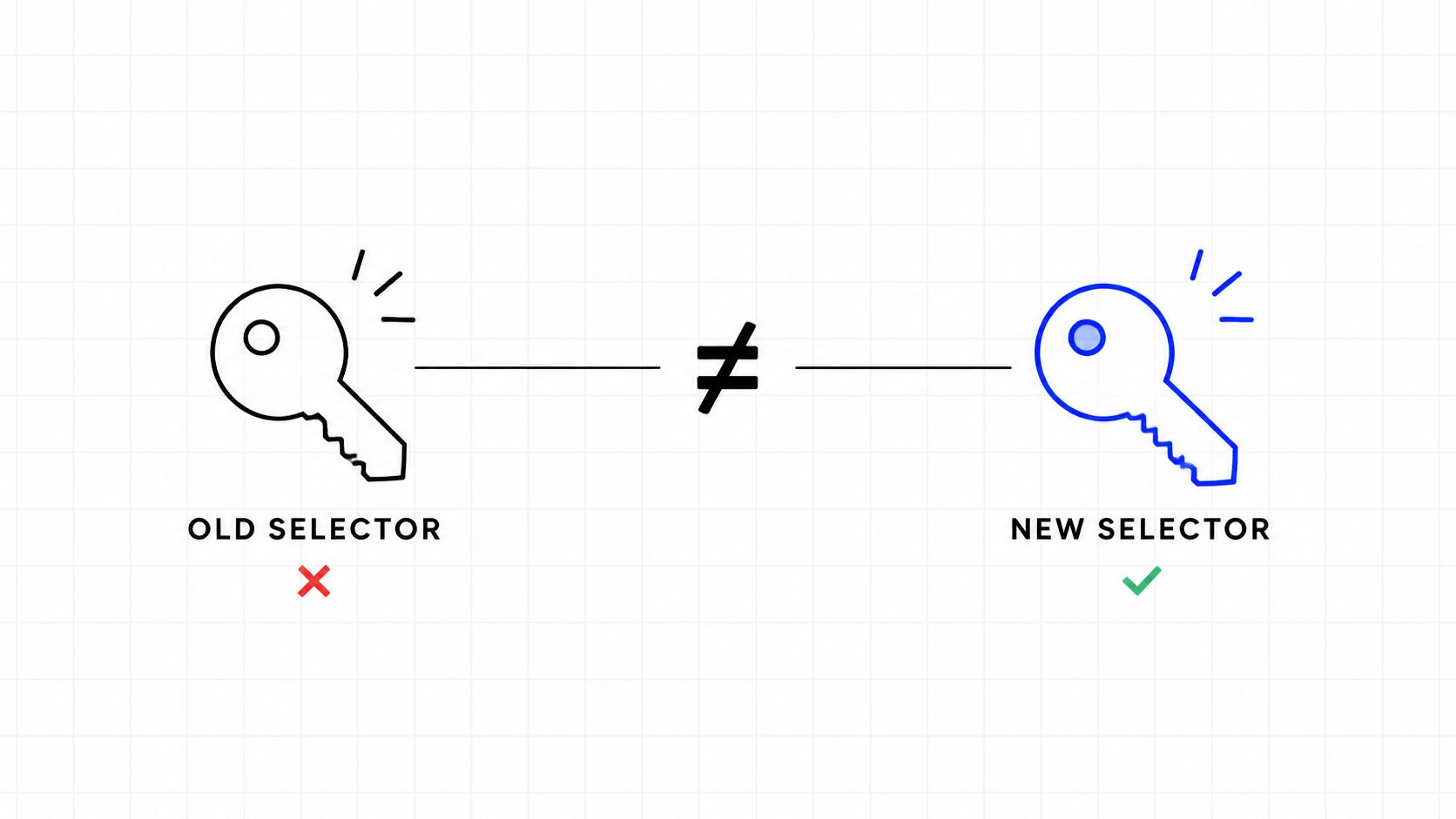
Republishing cleanly means pasting the full key exactly as the provider generated it. No manual line breaks, no missing final characters, and no extra spaces inside p=. After republication, a fresh message must be tested, because cached DNS can make an immediate retest misleading.
The separate case of DKIM pass with DMARC fail
A valid signature can still fail DMARC. DMARC checks whether the domain in d= aligns with the visible From domain. Google defines relaxed alignment as requiring the From domain to match or be a subdomain of d=, while strict alignment requires an exact match, as described in Google guidance on setting up DMARC alignment.
The common pattern is a third-party platform signing with its shared domain by default. The header shows dkim=pass, so basic checks look healthy. The From address uses the customer domain, header.d= shows the provider domain, and dmarc=fail follows when aligned SPF does not rescue the message.
From: news@example.comwithdkim=pass header.d=provider.example.netanddmarc=fail header.from=example.com
Diagnosis takes one comparison. Put header.d= beside the domain after the @ in From. If those domains do not align under the published DMARC mode, DNS key repair is the wrong project.
The fix sits in the sending platform. Custom domain authentication must be enabled so the platform signs with the customer domain and publishes the matching selector in customer DNS. DMARC aggregate reports then confirm whether aligned DKIM starts passing by source.
Fixing DKIM and fixing DMARC are related, but they aren't the same task. A pass on the first test does not settle the second.
This distinction matters more now because Gmail and Yahoo introduced bulk-sender authentication requirements in 2024, and Microsoft Outlook requirements followed in 2025, as summarized in the 2025 MAGY sender compliance guide. Alignment faults that once sat can now affect bulk delivery.
Platform Specific Fixes for Google Workspace and Microsoft 365
Platform defaults explain many selector mistakes. Google Workspace, Microsoft 365, and third-party senders publish keys differently, so copying a setup from one platform to another often breaks the record name or type.
| Platform | Default selector | Rotation model | Where to publish |
|---|---|---|---|
| Google Workspace | google._domainkey | Later rotations can add selectors such as google2 or google3 | TXT record generated in the Google Admin console, published in domain DNS |
| Microsoft 365 | selector1._domainkey and selector2._domainkey | Two selectors support rotation, and both must remain valid | CNAME records in domain DNS pointing to Microsoft infrastructure |
| Third-party ESP or tool | Platform-assigned selector | Varies by provider, often a new selector per domain setup | Exact TXT or CNAME shown in the provider domain authentication screen |
Google Workspace
The starting point is the Admin console value for google._domainkey. If mail routes through another service, that service needs its own selector. Reusing the Google selector for a different signer creates a mismatch that looks like a key failure.
Microsoft 365
Both selector1 and selector2 CNAMEs belong in DNS before DKIM is enabled for the domain. Publishing only one can work until rotation or a route change uses the other. Microsoft also states that DMARC passes when at least one method passes with alignment, and relaxed alignment is the default, as explained in Microsoft guidance on DMARC alignment.
For third-party tools, the provider screen is authoritative. Publish the record under the exact domain shown there, including any subdomain. The frequent error is publishing a subdomain key at the root domain, or the reverse.
How to Confirm the DKIM Fail Is Actually Fixed
A DNS change is not proof. Proof is a fresh message, sent through the affected route, arriving with dkim=pass and the right header.d=.
Send one test to a personal Gmail inbox and one to an Outlook inbox. Use the same From address, platform, gateway, and footer path as production mail. A clean internal test that bypasses the broken hop proves very little.
- Send fresh mail: Trigger a new message after DNS propagation, not a resend of an old signed message.
- Open full headers: Find Authentication-Results at the receiving mailbox.
- Confirm three fields: Look for dkim=pass, the expected header.s=, and header.d= matching the intended signing domain.
- Check DMARC separately: Confirm dmarc=pass only after alignment is verified, since DKIM pass alone is not enough.
dkim=pass header.d=example.com header.s=google; dmarc=pass header.from=example.com
Use aggregate reports for the real rate
One test inbox shows one route at one moment. DMARC aggregate reports show DKIM pass rates by source, selector, and sending system over time. That report is the reliable before-and-after measure after a fix.
A sudden provider-specific spike usually points to one route or platform change. Failures across every source point back to DNS, key, or signer configuration. A DKIM record lookup confirms the published record, and teams can also run a quick deliverability test to check the wider authentication picture.
Delivery symptoms can corroborate the timeline. Gmail documents SMTP response code 4.7.30 for rate limiting when DKIM did not pass, and states that unauthenticated bulk mail can receive temporary or permanent failures or spam placement, as set out in the Gmail sender guidelines FAQ on DKIM enforcement. Earlier throttling with that code strengthens the case that the same fault affected production mail.
If only one recipient still fails, suspect that recipient path. A forwarder, list, or recipient gateway may be modifying the body after the original receiver would have passed it. Compare headers from the direct inbox and the forwarded inbox side by side.
Frequently asked questions
How long does a DKIM fix take to show up
A corrected record shows up after DNS propagation for that record and after a newly signed message is sent. Old messages keep their old result, so confirmation always needs a fresh send. Aggregate reports lag further and should be read as trend data.
Does DKIM pass mean inbox placement
No. DKIM pass proves the signature verified for the signing domain. Placement also depends on alignment, reputation, complaints, content, list quality, and recipient engagement. Authentication removes one major trust problem, but it doesn't settle the rest.
Can a DKIM fail alone send mail to spam
It can contribute, especially for bulk mail. DKIM itself does not prescribe one receiver action, so outcomes depend on DMARC, SPF alignment, reputation, and local filtering. Some mail still delivers, while other mail is throttled, foldered, or rejected under stricter policy.
When does expert help make sense
Expert help makes sense when headers show mixed results across platforms, selectors, or subdomains and the failing hop cannot be isolated. Mailwarm is a premium email warmup and deliverability platform with authentication fix tools and expert deliverability calls included in every plan, which helps when authentication interacts with reputation and provider-level placement. That support fits teams that need the sending system reviewed as a whole, not only one DNS record.
If email drives pipeline, fixing the exact DKIM fail is only the first step, because reputation and inbox placement still need monitoring by provider and sending route. Mailwarm helps senders build reputation, monitor inbox placement, and improve deliverability through real inbox engagement, advanced warmup controls, and expert guidance.