

DKIM selector in 2026: definition and purpose within email authentication
DomainKeys Identified Mail, or DKIM, is a protocol that enables a domain to digitally sign outgoing messages with its private key. The signature covers selected headers and a hash of the body, and receivers validate it using the corresponding public key published in DNS. A DKIM selector is the label that tells mailbox providers which public key to fetch. It appears in the DKIM-Signature header as s=selector, allowing the receiver to look up the specific DNS TXT record that contains your public key. When verification succeeds, the message is authenticated as coming from (and authorized by) your domain.
Why care in 2026? Large inbox providers expect authenticated mail from any domain sending at scale. Selectors make this reliable by isolating keys per system or vendor, enabling safe key rotation without interrupting traffic, and containing blast radius during migrations or incidents. By swapping which selector your sender uses, while both the old and new keys remain publishable in DNS, you can rotate or replace keys with minimal risk of outages.
How a DKIM selector works during DNS lookup and signature verification
- Your server or email provider generates a signature over chosen headers and a body hash using your private key.
- The signature includes
d=yourdomain.com(the signing domain) ands=selector(the key label). - The receiver constructs a DNS name:
selector._domainkey.yourdomain.com. - It retrieves the TXT record that publishes your public key (the
p=value and tags). - The receiver verifies the signature with that key. If the cryptographic check succeeds, the message passes DKIM authentication.
Think of selectors as labeled key slots. One slot per system keeps operations clean, simplifies audits, and avoids cross-system key reuse that complicates incident response.
How to choose and name DKIM selectors for multiple senders and subdomains
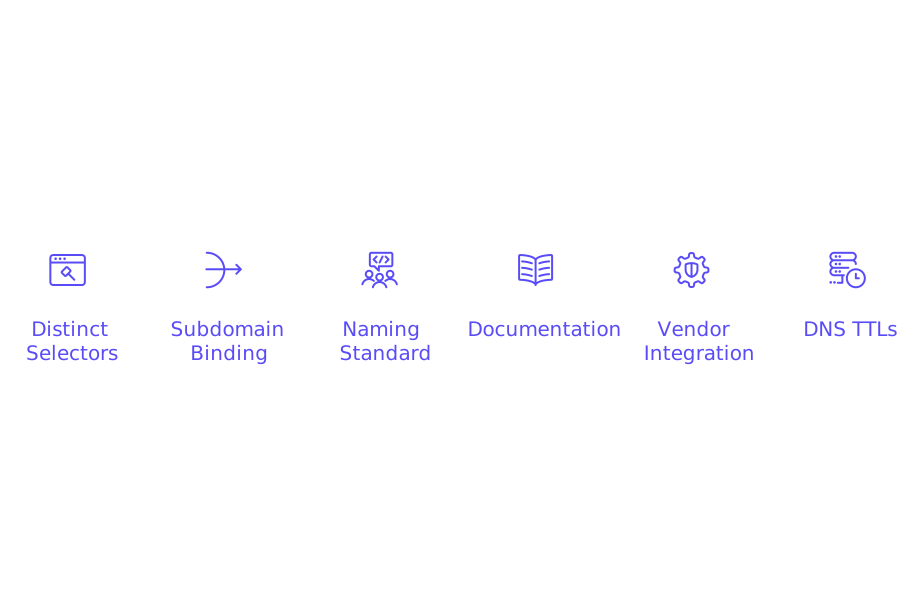
Use distinct selectors for each sending source, and give them readable, scoped names. Examples include s1, marketing, billing, or gw for gateway mail. For subdomain strategies, bind selectors to the exact domain you sign with. If you sign as d=mail.yourdomain.com, publish the TXT record at selector._domainkey.mail.yourdomain.com.
- Adopt a naming standard your team will still understand in six months.
- Document which IPs, apps, or vendors use each selector, and who owns them.
- Use one selector per vendor integration to minimize shared blast radius.
- Choose practical DNS TTLs so changes propagate quickly but predictably.
DKIM selector rotation in 2026 for security and incident response
Plan routine key rotation. Fresh keys limit exposure if a private key leaks. Many teams rotate every 90–180 days or during vendor transitions. Keep two selectors live during a changeover: begin signing new mail with the new selector while the old key remains published so previously sent messages continue to validate.
When retiring a key, stop signing with it first, wait out message lifecycles and DNS caches, then remove the TXT record. If a compromise occurs, publish the replacement key immediately, switch sending to the new selector, and rely on shorter TTLs to accelerate the swap.
DKIM DNS record format for selectors, key size, and TXT length constraints
A DKIM TXT record follows this pattern: selector._domainkey.example.com. The record stores your public key and tags. Common tags include v=DKIM1; k=rsa; and p= followed by the base64-encoded key. Use 2048‑bit RSA keys for modern security and broad provider support. Many DNS providers split long TXT values into quoted chunks, this is normal.
s1._domainkey.example.com. 3600 IN TXT v=DKIM1; k=rsa; p=MIIBIjANBgkqhkiG9w0BAQEFAAOCAQ8A...Be mindful of record size limits. While DKIM tolerates long values, misconfigured DNS can cause truncation. If you manage many domains, you may also be tuning SPF length. See our guide on avoiding SPF record length limits in multi‑domain setups for planning a clean DNS structure.
Troubleshooting DKIM selector failures that reduce deliverability
When DKIM fails, check the basics first. Confirm the selector in the message headers matches your DNS label. Ensure the TXT record is published on the exact domain used in d=. Verify that quotes, semicolons, and line breaks are correct, and remove any stray whitespace or smart quotes.
- Watch for DNS propagation gaps, lower TTLs help during changes.
- Confirm your sender signs headers that intermediaries won’t rewrite.
- Look out for mailing list footers or gateways that modify bodies without re‑signing.
- Check system time. A not‑yet‑valid or expired signature may fail.
Use a spam checker to run test sends and inspect header details for pass/fail. Pair it with a blacklist checker to uncover reputational blocks that can mask real DKIM issues. For policy-related non-delivery, review why emails get bounced in 2026 under new delivery rules to see how authentication gaps trigger rejections.
Where DKIM selectors intersect with SPF, DMARC, and sending methods
DMARC can pass when either SPF or DKIM passes in alignment. If DKIM aligns with the domain in your visible From address, DMARC can still pass even when SPF breaks on a forward, another reason to keep selectors tidy and domains consistent across tools.
Your sending approach also affects selector choices. If you sign inside your application stack, you control selector naming, rotation cadence, and publishing. If you rely on a third‑party provider or a relay, that platform may prescribe default selectors, automate rotation, or require specific DNS formatting. For Google Workspace routing decisions, see the comparison of Gmail API versus SMTP Relay for deliverability and setup, and keep alignment and naming consistent across all routes.
Email warm‑up in 2026: why DKIM selectors matter while you ramp volume
Warm‑up simulates natural engagement while you raise sending volume safely. Solid DKIM is foundational here: if DKIM fails, providers see risk signals during your earliest sends. Fix selectors and validation first, then scale.
Mailwarm interacts with a network of more than 50,000 active, carefully maintained mailboxes to create natural positive signals across providers. In February 2026, Mailwarm entered a new era as an advanced email warm‑up solution, offering multi‑account management, in‑depth deliverability and reputation monitoring, multi‑provider warm‑up, and provider‑level spam score tracking, built to support high‑volume operations at scale. This is not a traditional email marketing tool; messages exist only to create safe, technical activity that improves mailbox trust during warm‑up.
DKIM selector checklist for 2026 you can apply today
- Use 2048‑bit RSA keys unless your provider specifies otherwise.
- Publish one selector per system, vendor, or application.
- Document selector ownership, last rotation date, and emergency contacts.
- Rotate keys on a set schedule, with overlap during transitions.
- Keep DNS TTLs practical for quick, controlled changes.
- Align
d=with the From domain to satisfy DMARC alignment. - Test new selectors with a spam checker before exposing live traffic.
- Scan your domains with a blacklist checker during incidents.
- Audit DNS formatting for long TXT records and split strings.
- Review your sending architecture; see the Workspace API vs Relay guide linked above.
If you want broader context on reputation and protocol handshakes, read our overview of HELO/EHLO and its impact on sender reputation. Combine that knowledge with disciplined DKIM selector hygiene for a durable foundation.
Ready to validate your DKIM selectors? Run a test send, confirm alignment, and schedule your next rotation today.
FAQ
Why is using a DKIM selector important in 2026?
Using DKIM selectors prevents disruptions during key rotations and minimizes the impact of potential security incidents. Large inbox providers demand authenticated mail, and selectors help maintain this without affecting traffic.
How does a DKIM selector enhance email security?
DKIM selectors allow the use of distinct keys for different systems, preventing key misuse across platforms. This isolation is crucial for secure key rotation and quick incident response.
What happens if a DKIM selector is misconfigured?
Misconfigured DKIM selectors can lead to message authentication failures, severely impacting email deliverability. Incorrect configuration could also expose you to unauthorized email spoofing.
How should I manage DKIM selectors when using multiple vendors?
Assign unique selectors to each vendor to avoid cross-system risks and simplify key rotation. This approach contains the impact of any incidents to the affected vendor only.
What key size is recommended for DKIM selectors?
Use 2048-bit RSA keys for DKIM selectors to ensure robust security and compatibility with major providers. Smaller key sizes may be easier to compromise.
How often should DKIM keys be rotated?
Rotate DKIM keys every 90-180 days or during vendor changes to limit exposure from potential key leaks. Maintaining two selectors during rotations ensures continued validation of previously sent emails.
Why might DKIM authentication fail despite correct DNS settings?
Failures can occur due to intermediary modifications in email headers or bodies. Ensure alignments with DMARC configurations and minimize changes in email content during transit.
Why is it critical to test DKIM selectors before using them commercially?
Testing DKIM selectors with a spam checker identifies misconfigurations that could reduce deliverability. This proactive step prevents costly impacts on sender reputation before scale-up.