
Google Workspace Sending Methods Explained: Gmail API vs SMTP Relay
Google Workspace provides two main methods for sending programmatic email: the Gmail API and the SMTP relay service. Both routes deliver emails through Google’s infrastructure, but they differ in their authentication mechanisms, throughput patterns, logging capabilities, and the implementation effort required.
The Gmail API is based on HTTPS requests and OAuth authentication, making it ideal for applications that already use Google Cloud and require fine-grained control via granular OAuth scopes. By contrast, SMTP relay uses standard SMTP over TLS. This approach is a better fit for existing email libraries, older applications, or on-premises servers that typically authenticate by IP address.
How Gmail API and SMTP Relay Affect Deliverability and Message Headers
Email deliverability is closely tied to your technical signals and sending behavior. Requests made via the Gmail API do not show a typical SMTP handshake, whereas messages sent through SMTP relay do. An SMTP handshake includes details like your HELO/EHLO hostname. If your hostname is mismatched with DNS records or appears generic, spam filters may penalize your messages.
If you want to understand the importance of the HELO hostname and its effect on sender reputation, see this in-depth guide to HELO and sender reputation. Aligning your HELO hostname with your email domain is a proven way to improve deliverability and reduce subtle spam issues.
Regardless of which method you use, Google signs your messages with your domain’s DKIM (DomainKeys Identified Mail) as long as DKIM is properly configured. In practice, DMARC alignment matters more than the protocol. Consistent use of envelope sender domains and steady positive sending behavior are essential to building long-term trust and inbox success.
Understanding Google Workspace Sending Limits and Throughput for API and SMTP Relay
To prevent abuse, Google enforces daily sending limits and rate controls that vary based on your Workspace license, reputation, and sending method. Limits are applied per user, per domain, and over specific time intervals. The Gmail API has additional API-specific quotas, including requests per second.
SMTP relay also enforces session-level constraints, such as the maximum number of recipients per message and the permissible message size. Factors like how you manage connections, concurrency, and your retry strategy significantly affect real-world throughput. Be sure to design your solution for smooth backoff and expect temporary delivery deferrals while your reputation is still being built.
It is recommended to avoid pushing your send rate to the maximum on new domains. Instead, ramp up gradually, monitor inbox placement, and allow time for your sender reputation to strengthen.
Required Authentication: SPF, DKIM, and DMARC Alignment in Google Workspace
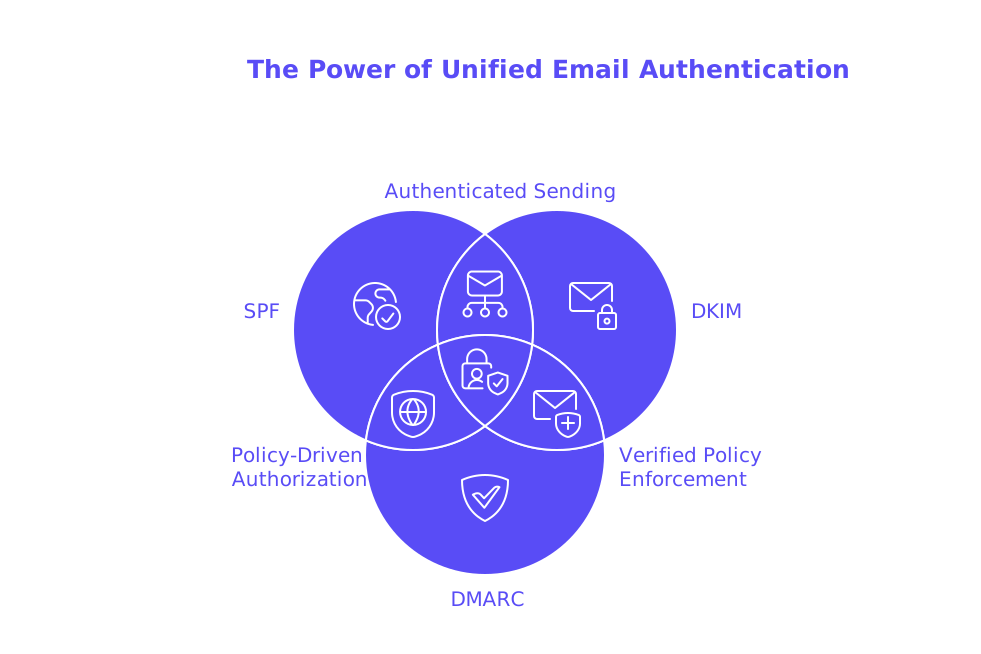
Authentication is a critical component for inbox placement. Set up SPF to authorize Google to send emails for your domain. Activate DKIM in the Admin console and publish the corresponding selector DNS record. Implement a DMARC policy that supports your routing plan and enforces strict alignment.
- Always use a single envelope sender domain that aligns with your From address domain.
- Set up a DMARC rua address to collect aggregate reports and monitor for issues.
- Be cautious with SPF include mechanisms to avoid excessively long records.
If you manage a large portfolio of domains, keep SPF records below DNS limits by using subdomain delegation and pruning your SPF include chains. For advanced strategies, read this guide to managing SPF record length across multiple domains.
Secure Configuration Patterns for Gmail API and SMTP Relay in Production
When using the Gmail API, authenticate with OAuth scopes and follow the principle of least privilege by requesting only what’s necessary. Use short-lived tokens and enable domain-wide delegation only if necessary for server-to-server applications.
SMTP relay should be restricted to specific static IPs and must require TLS encryption. Regularly rotate credentials in line with your security policies. Assign unique SMTP credentials to each application (never use shared mailboxes), separate production and staging traffic, and use custom headers for tracking and traceability.
Step-by-Step Setup for Sending with the Gmail API in Google Workspace
- Create a Google Cloud project and enable the Gmail API.
- Configure the OAuth consent screen and publish it for your domain’s users.
- Generate OAuth client credentials suited to your app type.
- Request the proper OAuth scopes for sending email, commonly
gmail.sendorgmail.modify. - Obtain OAuth tokens securely, storing only refresh tokens where necessary.
- Send mail by posting a
users.messages.sendrequest containing your MIME message encoded in base64url format. - Inspect API responses for a returned
idand apply labels or automation as needed.
In larger organizations, consider using a service account with domain-wide delegation to impersonate specific user mailboxes, and be sure to audit logs for every token access and impersonation event.
Step-by-Step Setup for Google Workspace SMTP Relay Configuration
- Sign in to the Google Admin console as an administrator.
- Navigate to Gmail settings, then access the SMTP relay service settings.
- Specify allowed senders, limiting to addresses within your domain if possible.
- Add only your outbound static IP addresses to the allowlist.
- Require TLS encryption and authentication where feasible.
- Save the configuration and wait for DNS and policy propagation to complete.
- Configure your application to send through
smtp-relay.gmail.comusing TLS.
Always start with test sends to a single mailbox. Check that headers, DKIM signatures, and Return-Path domains are aligned before scaling up your sends.
Monitoring, Bounces, and Preflight Testing Before Scale
Monitor your send traffic using the Email Log Search tool in the Google Admin console. The Gmail API provides explicit error codes for issues such as quota breaches or policy violations, while SMTP relay surfaces SMTP status codes for bounces and temporary deferrals.
Prior to a large send, run tests to seed inboxes and use spam-checking tools. Analyze headers and spam scores, correcting the weakest points first. To evaluate deliverability trends over time, refer to this resource on inbox placement benchmarks and best practices.
Remember, strong deliverability is a continuous process. Monitor your metrics, make iterative adjustments, and allow time for the effects to be seen in your sender reputation.
Choosing Between Gmail API and SMTP Relay Based on Your Stack and Goals
- Select the Gmail API if you need close integration with Google Cloud or want fine-tuned OAuth control.
- Choose SMTP relay if you require compatibility with standard SMTP libraries or appliances.
- Use the API for advanced features such as detailed error handling and easy retrieval of message IDs.
- Use SMTP relay when static IP allowlists and straightforward credential management are key concerns for your operations.
- For hybrid environments, consistently use a single envelope sender domain for all methods to ensure authentication alignment.
With proper configuration, both Gmail API and SMTP relay can ensure high deliverability, meaning your emails reliably reach recipients’ primary inboxes, not their spam or promotions folders. Let your operational needs and infrastructure dictate the best choice, rather than focusing solely on speed or convenience.
Warm-Up and Reputation Building for New or Cold Domains on Google Workspace
New domains require a gradual introduction of legitimate email activity. One approach to warming up a new domain is to execute a technical warm-up, which means gradually increasing the volume of emails sent to a large network of real, actively maintained mailboxes, with the aim of generating consistent opens and responses to your messages.
Mailwarm is an example of a next-generation email warm-up service that introduces powerful new features such as multi-account management, advanced deliverability monitoring, domain reputation tracking, multi-provider warm-up options, and provider-specific spam score analysis. These capabilities are designed to work effectively with both SMTP relay and Gmail API sending methods.
This warm-up process is not about sending marketing emails, but rather about establishing positive, regular patterns of email exchange that enhance your sender reputation before you begin regular production traffic.
Troubleshooting Deliverability Issues With Gmail API and SMTP Relay in 2026
Stay vigilant for sudden shifts in spam folder placement after making DNS changes or deploying new sending IPs. Double-check SPF includes after switching vendors or SaaS connectors. Always audit DMARC alignment when adding forwarding rules or mail gateways to your sending flow.
If your SMTP relay experiences issues such as unrecognised HELO/EHLO commands or inconsistent exchange of SMTP greeting messages, also known as uneven handshakes, it might signal a need to revisit your hostname configuration. For a comprehensive review of this process, see this guide to optimizing your HELO hostname strategy. If your DNS records are approaching their maximum length, apply the tactics outlined in this SPF record length management guide to restore and maintain reliability.
Final Thoughts and Next Steps for Reliable Google Workspace Sending
Opt for the Gmail API if your requirements demand precise control and modern authentication, or choose SMTP relay for straightforward compatibility and ease of integration with legacy stacks. Regardless of method, ensure your authentication is solid, test early with spam analysis tools, and scale sending only after seeing consistent inbox placement. For new domains, begin with a structured technical warm-up plan to build reputation safely. If you need guidance shaping your sending strategy, we’re here to help with each step along the way.
FAQ
What is the main difference between the Gmail API and SMTP relay in Google Workspace?
The Gmail API is tailored for applications using Google Cloud, offering more granular control through OAuth, while SMTP relay is designed for compatibility with existing SMTP libraries or on-premises servers. Choose the API for detailed error handling, and SMTP relay for static IP allowlisting.
How does the Gmail API affect email deliverability compared to SMTP relay?
Gmail API requests lack an SMTP handshake, which can impact deliverability if not accounted for. SMTP relay's HELO/EHLO requirements demand alignment with DNS, failing which spam filters may flag emails.
How can Mailwarm help with email deliverability for new domains?
Mailwarm offers email warm-up services that gradually introduce legitimate email traffic, building a positive sender reputation before scaling. This structured warm-up is crucial for avoiding spam folder placement.
What are the risks of not properly aligning SPF, DKIM, and DMARC in Google Workspace?
Ignoring authentication practices invites spam issues and undermines email deliverability. Misalignment can mistakenly label legitimate emails as spam, damaging sender reputation long-term.
Why should OAuth scopes be limited when using the Gmail API?
Over-permissioning with OAuth scopes contravenes the principle of least privilege, creating unnecessary security risks. Request only necessary permissions to reduce attack vectors and protect sensitive data.
Is there any advantage to using both Gmail API and SMTP relay simultaneously?
While both can be used concurrently, maintaining a single envelope sender domain for authentication alignment is crucial. Mixing methods often complicates setup and risks inconsistent message delivery without careful coordination.
What is a critical mistake to avoid with SPF records?
Excessively long SPF records through improper use of include mechanisms can lead to DNS query failures, seriously hampering email delivery. Trim down records using subdomain delegation and cautious include chaining.
How important is monitoring with Mailwarm for maintaining deliverability?
Consistent monitoring through Mailwarm's tools is vital for preemptively addressing deliverability issues. Without proactive tracking, problems can fester unseen, gradually dragging down sender reputation.
How should one approach warming up a new domain?
A phased approach using services like Mailwarm is essential, slowly ramping up email volumes to known mailboxes. Hasty scaling without reputation building can lead to immediate blocking and spam listing.