

Amazon SES warmup requires both exiting the sandbox and building domain reputation. SES automatic IP warmup applies only to dedicated IPs, and it does nothing for shared IP reputation or domain trust.
That distinction challenges the most popular advice about SES. Increasing volume gradually is necessary, but volume alone doesn't create the recipient engagement signals that mailbox providers use to assess trust. Developers migrating high-volume sending need to manage AWS sending access, IP reputation, and domain reputation as separate systems.
The Two Realities of Amazon SES Warmup
Amazon SES warmup is not a single AWS setting. It combines account access, infrastructure capacity, and recipient trust, and each layer has a different owner.
The first reality is operational. A new SES account enters the sandbox, where sending is restricted and recipients must be verified. Production approval confirms that AWS accepts the account's sending use case and basic controls for bounces and complaints. It does not make a new domain familiar to Gmail, Outlook, Yahoo, or other mailbox providers.
The second reality is reputational. Inbox providers evaluate whether a domain sends consistently to valid recipients, avoids negative signals, and receives engagement. AWS describes sender reputation as a core deliverability control. Excessive bounces or complaints can reduce quotas or lead to account termination. Its AWS SES deliverability documentation explains how reputation monitoring and dedicated IP warmup fit into that process.
Sandbox access isn't reputation
Production access removes SES infrastructure restrictions. It does not guarantee inbox placement or establish domain trust.
An approved sender can still reach spam after scaling too quickly, targeting inactive contacts, generating complaints, or sending content recipients ignore. Treat higher quotas as permission to increase volume under observation. They are not approval to release a full campaign immediately.
Dedicated IP trust isn't domain trust
SES automatic IP warmup applies to dedicated IPs. It does not warm the sending domain, and it cannot create engagement history for traffic sent through shared IP pools. Domain reputation comes from recipient behavior, including opens, replies, clicks, deletes, and complaints.
That gap is why SES infrastructure often needs an external engagement network. IP ramping controls how mailbox providers see the sending infrastructure, while controlled engagement gives the domain additional behavioral signals. Neither replaces permission-based acquisition, suppression of invalid addresses, or relevant content.
Practical rule: Treat sandbox exit, IP warmup, and domain warmup as separate release gates.
AWS determines whether the account and API can send. Mailbox providers determine whether accepted messages reach the inbox. A successful API response confirms server acceptance only, not inbox placement.
SES Sandbox Rules and How to Exit
The SES sandbox imposes two hard operational limits. Accounts can send 200 messages per 24-hour period, with a maximum rate of one message per second, as documented in the AWS SES sending quotas.
Sandbox sending is also restricted to verified recipients. That makes the environment suitable for integration tests, bounce handling, template validation, and event processing, but not for production campaigns or realistic list-scale warmup.
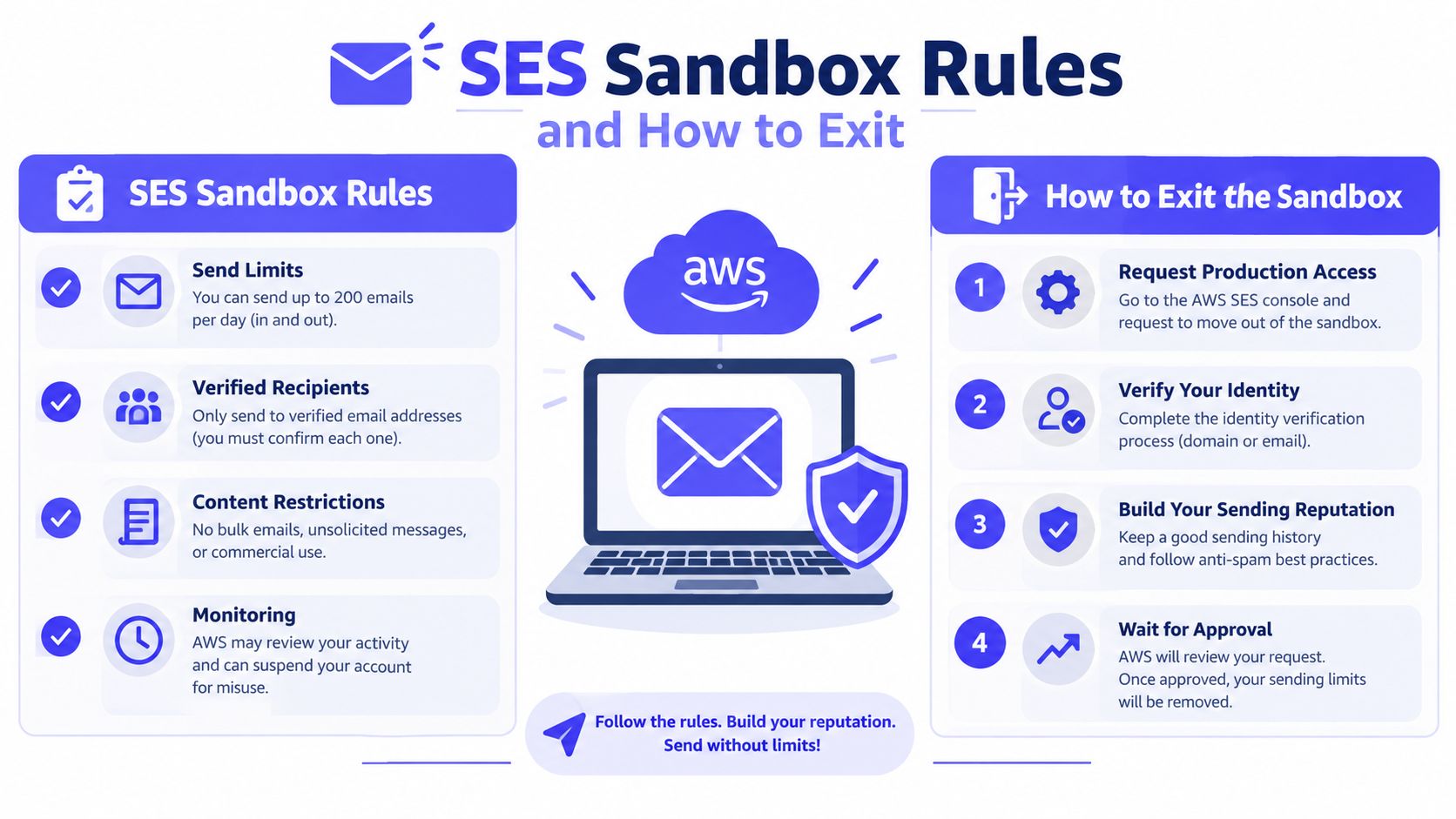
What AWS needs to see
The production access request should describe the actual sending operation rather than use generic language. AWS needs enough context to assess whether the account can protect recipient experience and manage unwanted mail.
A strong request explains:
- Sending purpose: Identify whether the traffic is transactional, marketing, outreach, or a mix of use cases.
- Recipient acquisition: Describe how recipients opt in or otherwise become eligible to receive messages.
- Bounce handling: Explain how hard-bounced addresses are suppressed before future sends.
- Complaint handling: Document how feedback notifications are processed and how complainants are removed.
- Sending controls: Describe the planned cadence, segmentation, and volume ramp.
- Content separation: Keep operational messages, such as password resets, separate from promotional traffic where possible.
The AWS guidance on email reputation frames sending limits as safeguards against reputational damage, application bugs, and abusive activity. That makes the production access request part of the deliverability design, not a formality.
Before requesting access, the sending application should already process bounce and complaint events, suppress invalid recipients, and throttle campaigns. A quota increase without those controls creates a larger failure surface.
Automatic IP Warmup Scope and Limits
SES automatic IP warmup is useful, but its scope is narrower than many implementation guides suggest. AWS recommends gradually warming a new dedicated IP instead of moving immediately to full capacity, with some providers taking around two weeks and others taking up to six weeks to establish a positive reputation. AWS also publishes a 45-day dedicated IP progression and recommends maintaining roughly 1,000 emails per day to each major provider after warmup to preserve reputation. These details appear in the AWS dedicated IP warmup guidance.
The feature applies to dedicated IP infrastructure. It doesn't warm shared IPs, and it doesn't create domain trust. A team using the shared SES pool still needs a domain-level sending plan, while a team leasing a dedicated IP needs both the AWS ramp and a domain reputation strategy.
What automatic warmup does
Automatic warmup controls how SES increases traffic from a new dedicated IP. That reduces the risk of exposing an unfamiliar IP to a sudden peak and gives mailbox providers time to observe traffic patterns.
It can help with:
- Gradual dedicated IP exposure
- Provider-specific pacing
- Avoiding an immediate full-capacity launch
- Establishing an initial IP sending history
What it doesn't do
Automatic IP warmup doesn't manufacture recipient engagement. It doesn't make recipients open messages, reply, move messages from spam, or mark them as important. It also doesn't repair poor list quality, irrelevant content, authentication failures, or an already damaged domain reputation.
A useful implementation separates the controls:
| Control | Managed by SES automatic IP warmup | Still owned by the sender |
|---|---|---|
| Dedicated IP ramp | Yes | Monitoring and escalation |
| Shared IP warmup | No | Sending cadence and segmentation |
| Domain reputation | No | Engagement and complaint reduction |
| Recipient quality | No | List hygiene and suppression |
| Content relevance | No | Message design and testing |
Teams that need a controlled IP warmup process should still evaluate domain reputation independently. The AWS feature protects one layer of the sending stack. It isn't a substitute for a complete email deliverability program.
Manual Warmup Schedule for SES Senders
Manual warmup remains necessary for shared IP traffic, a new domain, or any launch where domain reputation must develop alongside a dedicated IP ramp. The schedule below begins with 50 emails per day and doubles at set intervals. Treat it as an operating framework, not an AWS guarantee. Pause or reduce the queue when engagement, bounce, or complaint signals worsen.
Send the first batches to recipients most likely to engage. Recent purchasers, active subscribers, engaged users, and contacts who have replied before provide a safer starting segment than an old, unfiltered database.
SES Manual Domain Warmup Schedule
| Day Range | Daily Volume | Target Audience Segment | Max Bounce Rate |
|---|---|---|---|
| Days 1 to 3 | 50 | Most active recipients and recent opt-ins | Below 2% |
| Days 4 to 6 | 100 | Highly engaged recipients | Below 2% |
| Days 7 to 9 | 200 | Active recipients with recent interaction | Below 2% |
| Days 10 to 12 | 400 | Engaged contacts with valid activity history | Below 2% |
| Days 13 to 15 | 800 | Broader active segment | Below 2% |
| Days 16 to 18 | 1,600 | Active and moderately engaged recipients | Below 2% |
| Days 19 to 21 | 3,200 | Broader permission-based audience | Below 2% |
| Days 22 to 24 | 6,400 | Segmented production audience | Below 2% |
| Days 25 onward | Increase cautiously | Expand only after stable monitoring | Below 2% |
Keep the below 2% bounce target as a practical operating ceiling, alongside the commonly recommended 0.1% complaint rate. The AWS deliverability documentation describes these limits, so enforce them in the sending service instead of relying on manual review.
How to run the schedule
- Start with the cleanest segment. Suppress hard bounces, role addresses where appropriate, old contacts, and recipients who previously complained.
- Measure each release window. Record delivery, bounce, complaint, reply, and provider-level placement signals before raising the next batch.
- Hold volume when signals weaken. A stable day is safer than forced doubling when complaints increase or inbox placement declines.
- Separate use cases. Password resets and other transactional messages need a different reputation strategy from marketing traffic. AWS recommends separating these use cases in its dedicated IP warmup guidance.
- Keep cadence stable. Sudden bursts followed by long gaps make the domain harder for mailbox providers to classify.
The schedule also needs a written response plan. Define who pauses the queue, which segment is removed, and what evidence permits the next volume increase. A dedicated IP ramp can control infrastructure exposure while recipients still determine whether the domain earns positive signals.
Teams sending through SMTP should document provider-specific pacing and suppression rules before launch. A controlled warm up an SMTP server workflow can complement SES queue controls when several applications share one sending identity.
Monitoring CloudWatch Metrics and Postmaster Tools
An SES acceptance confirms that AWS received the message. It does not confirm inbox placement. During warmup, monitor account health, delivery events, and mailbox-provider feedback together, or a sender can miss reputation problems until volume is already high.
AWS defines bounce rate as the percentage of emails that hard-bounce and complaint rate as the percentage marked as spam. The SES Reputation Dashboard documentation states that accounts with a bounce rate at or above 5% are automatically placed under review, while rates at or above 10% can trigger a sending pause.
AWS also advises staying below about 2% bounces and 0.1% complaints. Rates near 10% bounces or 0.5% complaints can trigger sending pauses. Treat these figures as application controls, not as targets. Set internal warnings below them so the queue can slow before AWS intervenes.
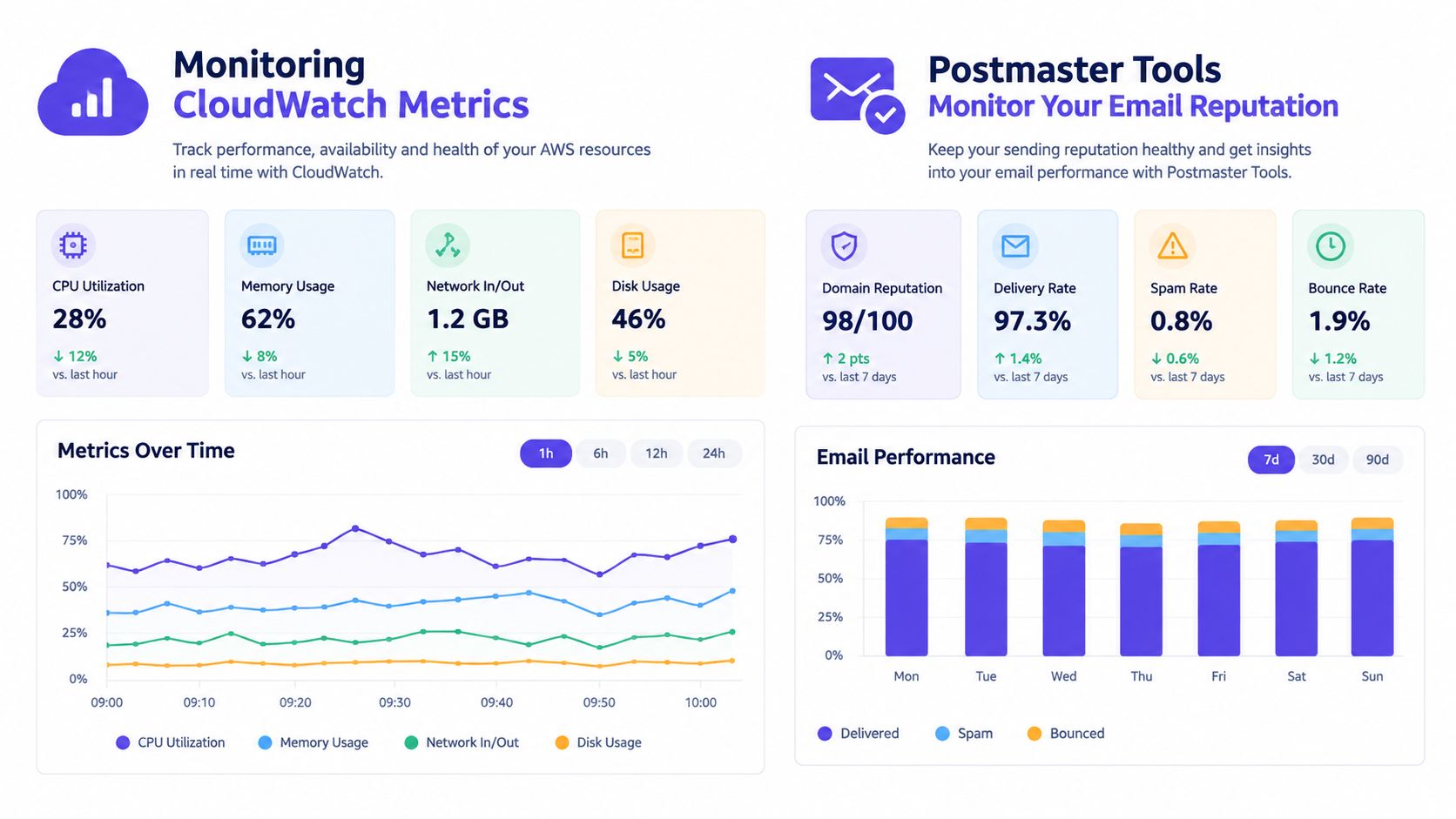
Metrics that should throttle the queue
- Hard bounce rate: Stop volume expansion as the rate approaches the sender's operating ceiling.
- Complaint rate: Pause the ramp after a sustained increase, then inspect acquisition, content, and targeting.
- Delivery and rejection events: Distinguish temporary delivery failures from permanent rejections.
- Sending consistency: Compare actual cadence with the planned schedule.
- Provider placement: Review inbox and spam outcomes wherever provider-level data is available.
Google Postmaster Tools provides a domain-level view of Gmail traffic. It can expose reputation and delivery patterns that an SES dashboard cannot show. Teams should read Google Postmaster Tools data correctly before treating one provider's result as a verdict for every mailbox.
Alerting should isolate the affected provider, campaign, or recipient segment when bounce or complaint rates rise. Resume expansion only after the cause is understood and the relevant signal has stabilized.
Amazon SES added inbox placement metrics and blocklist monitoring across commercial regions where SES is available in May 2026, making provider-level reputation management more measurable at scale. The added visibility still requires an application team to review the signals, connect them to recipient behavior, and pause or adjust sending when performance deteriorates.
Why SES Infrastructure Needs External Engagement
SES supplies delivery infrastructure. It doesn't supply the recipient behavior that helps a new domain build trust.
Mailbox providers evaluate how recipients interact with messages. Opens, replies, threads, spam removal, and important marking provide different forms of engagement context. A gradual volume ramp without those signals can leave a technically correct SES setup with weak domain reputation.
The infrastructure gap
A sender can configure SES correctly, authenticate its messages, suppress hard bounces, and follow a cautious schedule. If recipients consistently ignore the mail, the domain still lacks strong positive evidence.
That gap becomes more visible when a team migrates an established program to a new domain or SMTP path. The old system may have historical engagement, while the new SES identity starts with little provider-specific trust. Automatic IP warmup helps the dedicated IP layer, but it can't recreate the missing interaction history.
A premium external network can add a controlled engagement layer. Mailwarm helps senders build reputation, monitor inbox placement, and improve deliverability through real inbox engagement, advanced warmup controls, and expert guidance. Its network includes 50,000+ aged real inboxes, with engagement signals such as opens, replies, threads, spam removal, and important marking.
What pairing can add
Mailwarm can connect with SES through SMTP and doesn't require IMAP access or permission to read a user's private inbox. Depending on the plan, it can generate up to 100% replies to warmup emails, while provider-level controls help teams focus activity across relevant mailbox providers.
This approach doesn't replace list hygiene, consent, authentication, content quality, or SES monitoring. It adds engagement activity that SES infrastructure alone doesn't generate. For teams that care about actual inbox placement rather than automated warmup activity, the combination can close a specific gap between sending capacity and recipient interaction.
Common SES Deliverability Mistakes to Avoid
Most failures happen after sandbox approval, when teams mistake a higher quota for a healthy sending reputation. AWS can reduce sending quotas when reputation deteriorates, so the operational model must remain conservative after production access.
The recurring errors
- Jumping to full volume: Production approval removes a limit, not a reputation requirement. Continue with a staged ramp and expand through engaged segments.
- Ignoring complaint metrics: Complaints carry more reputational weight than simple non-opens. Monitor them separately and suppress complainants immediately.
- Treating soft bounces as harmless: Temporary failures can become persistent delivery problems. Track repeated failures and prevent them from remaining in every queue.
- Mixing traffic without controls: Transactional and marketing messages have different engagement expectations. Separate their sending logic and reputation analysis.
- Stopping after the first warmup period: Warmup is ongoing reputation maintenance. AWS's migration and warming guidance emphasizes continuous monitoring of bounces, complaints, consistency, and sender reputation.
A quiet week followed by a large campaign can undo the value of a careful initial ramp.
The sending application should preserve a stable cadence, prioritize active recipients, and keep content patterns predictable. AWS recommends sending to the most active recipients first and maintaining consistent volume, cadence, and content.
The practical correction is simple: define warmup as a permanent operating policy. Every campaign should pass the same checks for recipient quality, complaint risk, authentication, and provider placement, whether the domain is new or established.
Frequently Asked Questions About SES Warmup
Does Amazon SES warm up automatically?
SES automatic warmup applies to new dedicated IPs. It doesn't warm shared IPs, build domain reputation, or generate recipient engagement.
How long does SES warmup take?
AWS says some providers can be warmed in around two weeks, while others may take up to six weeks. AWS also publishes a 45-day dedicated IP progression, while domain warmup depends on engagement, consistency, and recipient quality.
Why are my SES emails going to spam?
A gradual schedule can't overcome poor list quality, complaints, weak engagement, authentication problems, or unsuitable content. Check SES reputation signals and provider-level placement data before increasing volume.
Is SES warmup enough to fix deliverability?
No. Warmup is one part of deliverability maintenance. Senders also need suppression controls, relevant content, authentication, complaint monitoring, and ongoing engagement.
Does Mailwarm need access to my inbox?
No. Mailwarm doesn't require IMAP access or permission to read a private inbox. It works with SMTP while providing warmup controls and engagement signals.
Mailwarm is a premium email warmup and deliverability platform for SES teams that need real inbox engagement, provider-level warmup, spam score monitoring, inbox placement insights, authentication fix tools, and bounce prevention without IMAP access. Visit Mailwarm to connect the engagement layer to the SES infrastructure and get expert deliverability calls included with every plan.