
Email threading is the process email clients use to group replies with the original message into a single conversation. For a business that relies on email, that grouping matters because threaded replies can signal real engagement, which helps shape sender reputation and affects whether future emails reach the inbox or get filtered away.
Threading is often perceived as merely an inbox convenience. It isn't. Founders, sales teams, recruiters, and marketers should understand it because a reply inside a thread tells mailbox providers something important: a real conversation is happening.
What Is Email Threading
What is email threading? It's the way email clients like Gmail and Outlook connect an original email and its replies into one visible conversation.
Instead of showing every reply as a separate, unrelated message, the inbox groups them together. That makes the history easier to read, but its fundamental business value goes further than organization.
A threaded conversation shows continuity. Someone received the message, opened it, and replied in context. For teams sending outbound email, account updates, follow-ups, or client communication, that kind of interaction is more meaningful than a standalone send.
Practical rule: A reply inside the same conversation is stronger than a disconnected message because it preserves context and shows genuine back-and-forth.
That's why what is email threading is also a deliverability question. If mailbox providers see natural conversations around a sender's emails, that can support a healthier reputation over time. If they mostly see one-way traffic, the sender has fewer positive signals working in their favor.
How Email Threading Works Technically
Email threading feels simple from the inbox view. Under the surface, it depends on hidden email instructions called headers.
These headers travel with each message. They tell email clients how one message relates to another. When those header values line up properly, the client can reconstruct the conversation.
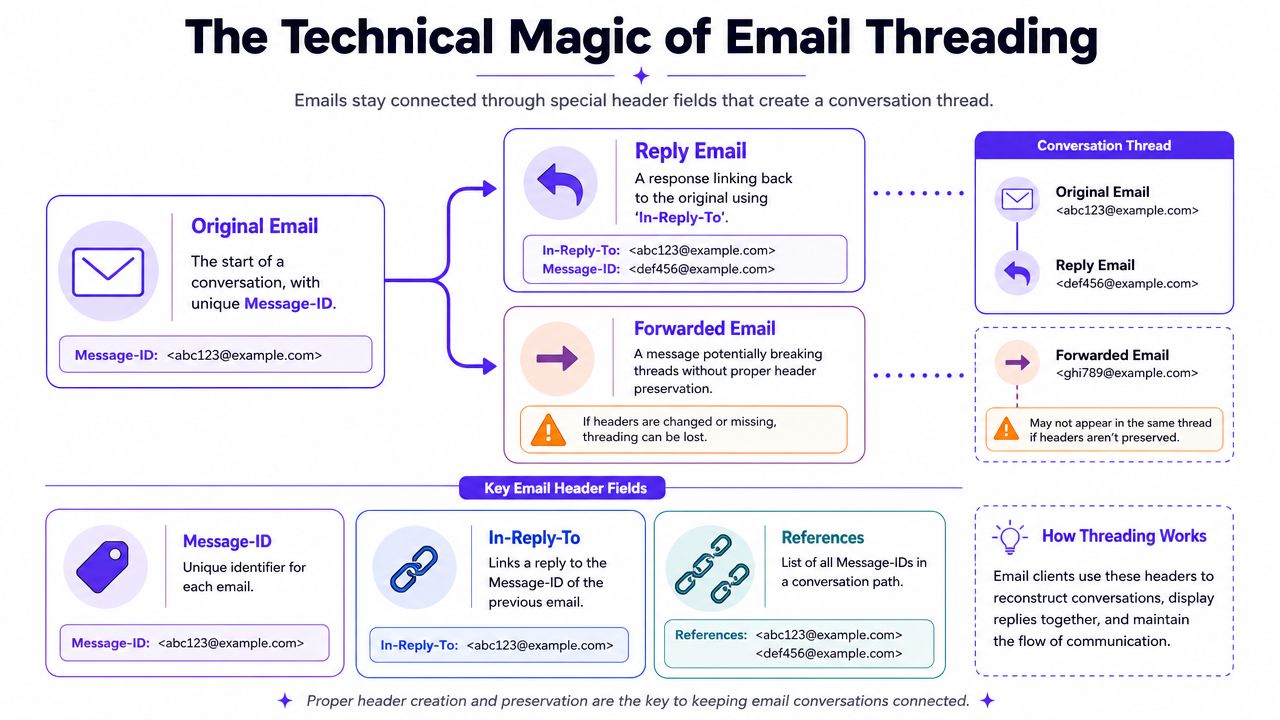
Alt text suggestion: Email threading diagram showing Message-ID, In-Reply-To, References, and how replies connect into one conversation.
The three headers that matter most
The key fields are usually these:
Message-ID
Every email gets a unique identifier. It works like a fingerprint for that specific message.In-Reply-To
A reply points back to the Message-ID of the email it answers.References
This header can carry the chain of related Message-IDs, which helps the client understand the broader conversation path.
A simple way to picture it is a family tree.
The original email is the parent. Each reply is a child that points back to the parent or to the message just before it. The References field acts like a family record that shows where each new message belongs.
Why some emails thread cleanly and others don't
Threading isn't random. It usually breaks when the relationship between messages gets lost.
Common reasons include:
- A reply is sent without the proper reply headers
- A tool creates a new outgoing message instead of a real reply
- A forward starts a separate branch that the client treats differently
- The subject line changes enough to confuse the client
This is also why technical email details matter for deliverability work. If sending systems mishandle headers, the inbox view gets messy and engagement signals become weaker or less consistent.
For a related look at how message-level email data affects trust and routing, Mailwarm's guide to ARC headers and why they matter in email adds useful context.
Email providers don't see threading as a cosmetic feature alone. They use the underlying message relationships to interpret conversation behavior.
Email Threading in Gmail vs Outlook
Gmail and Outlook both support threaded conversations, but they don't always group messages the same way. That difference matters when a sender tests outreach in one inbox and assumes every recipient sees the same thing.
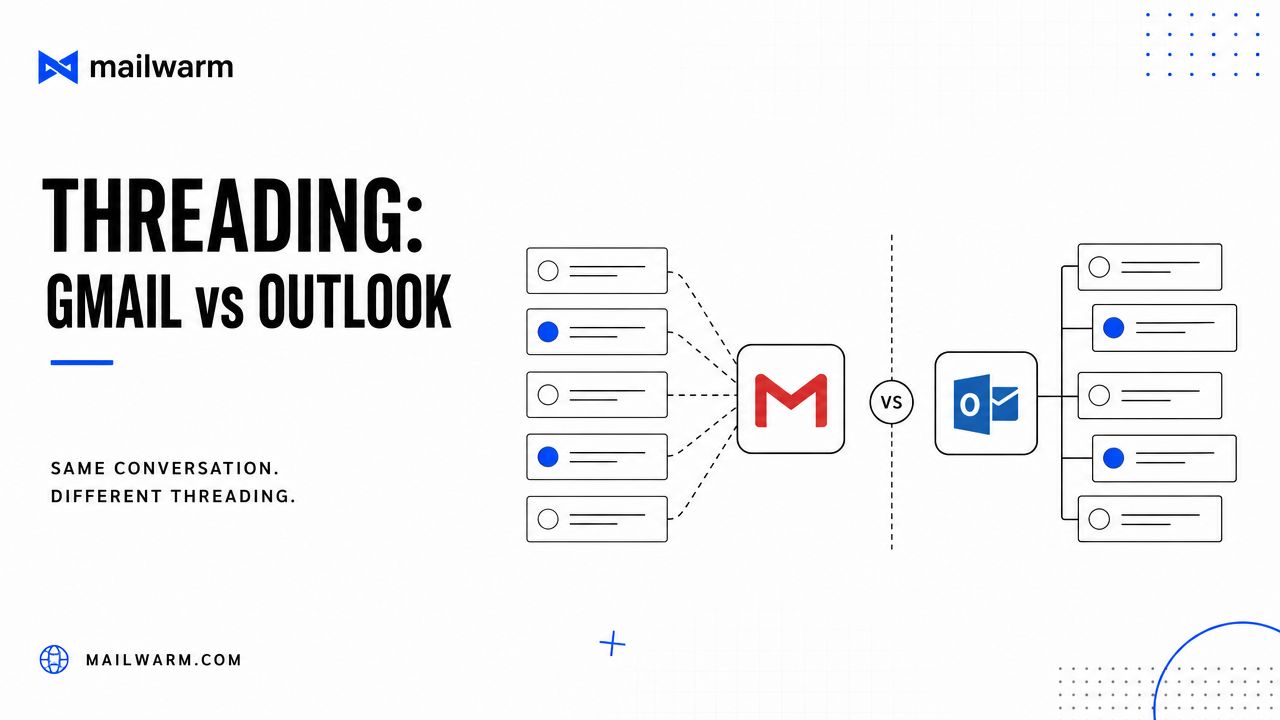
Alt text suggestion: Gmail vs Outlook email threading comparison showing how the same conversation may appear differently in each inbox.
Gmail tends to group more aggressively
Gmail often does a strong job of reconstructing conversations when the reply relationship is clear. It can be more flexible about grouping related messages when other signals suggest they belong together.
That can be helpful for recipients because the conversation feels cleaner. It can also create confusion for senders who change parts of the message and expect a fresh thread.
Outlook is often stricter
Outlook usually handles threading with a more conservative approach. If the subject line shifts, if the reply markers aren't preserved, or if the sending tool behaves more like campaign software than person-to-person email, Outlook may split the conversation.
For business teams using Microsoft 365, that stricter behavior is worth watching. A message that looks like a proper continuation in Gmail might appear as a separate item in Outlook.
Email Threading Logic in Major Providers
| Factor | Gmail | Outlook |
|---|---|---|
| Header use | Strong reliance on reply-related headers | Strong reliance on reply-related headers |
| Subject line tolerance | Often more flexible | Often more strict |
| Conversation grouping | May group related messages more readily | More likely to separate messages when structure changes |
| User experience | Usually presents one smooth conversation view | Often clearer when message structure is consistent |
| Risk of split threads | Lower when reply context is preserved | Higher when subject or headers are altered |
A practical takeaway sits behind that table. If a business wants reliable threading across providers, it should keep the conversation structure steady instead of relying on one inbox client to "figure it out."
Teams that send heavily into Microsoft environments often benefit from understanding Outlook-specific warmup and deliverability patterns. Mailwarm covers that in its guide to email warmup tools for Outlook and Microsoft 365.
When a thread looks broken to the recipient, the problem is often the sending workflow, not the inbox itself.
Why Threading Matters for Email Deliverability
Email threading becomes more than an interface feature.
Mailbox providers want evidence that recipients welcome a sender's messages. A threaded reply is one of the clearest forms of that evidence because it shows a human continued the conversation.
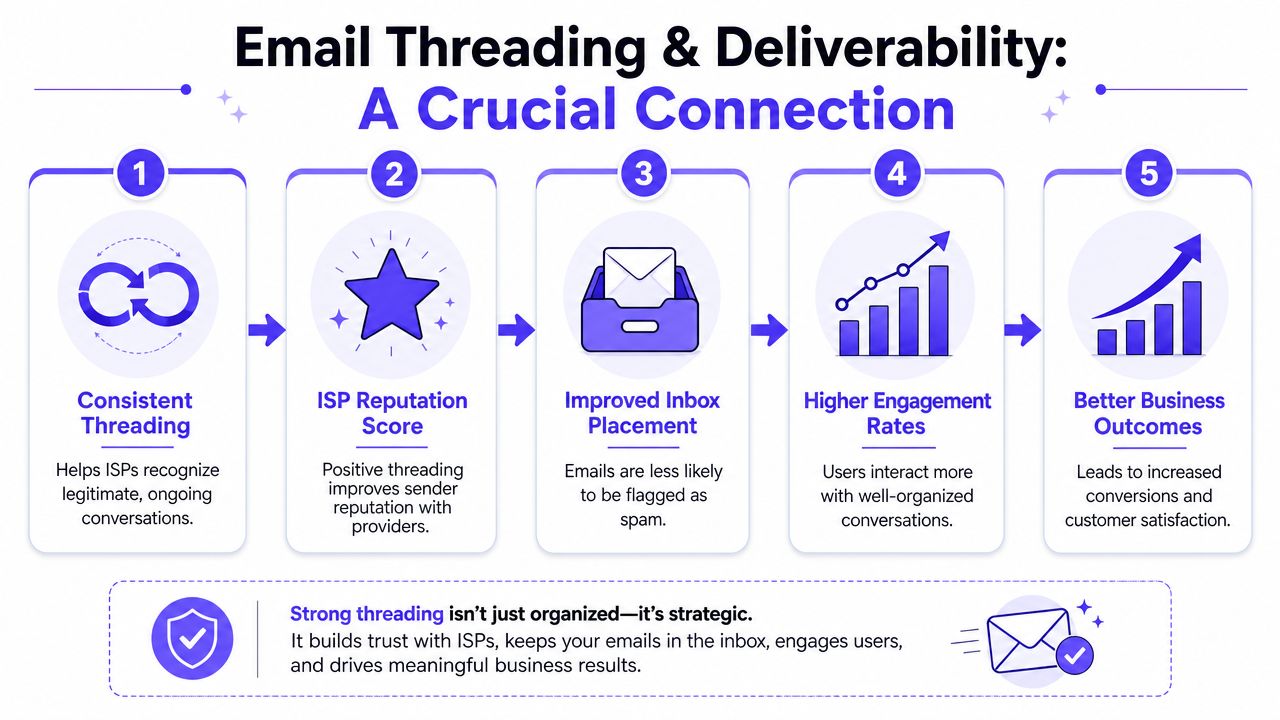
Alt text suggestion: Infographic showing how consistent email threading supports sender reputation, inbox placement, engagement, and business outcomes.
A threaded reply is a high-value engagement signal
Not every email interaction means the same thing.
An unopened email says very little. An open gives some signal, but it's limited. A reply in the same thread shows much more. It suggests the email was relevant enough to answer, and that the exchange looks like normal person-to-person communication.
That matters for sender reputation. Reputation is one of the core ways mailbox providers judge whether future messages deserve inbox placement.
One-way sending creates a weaker profile
Many businesses focus only on output. They write sequences, send campaigns, and watch for clicks. But if inbox providers mostly observe one-direction traffic, the sender may look less trustworthy than a sender with natural two-way conversations.
That doesn't mean every email needs a reply. It means healthy sending patterns usually include real engagement, not just volume.
A strong reputation often grows from signals like these:
- Replies in context that continue a legitimate conversation
- Messages kept out of spam by recipients
- Ongoing inbox interactions that suggest trust
- Consistent behavior across providers and campaigns
For businesses trying to avoid the spam folder, threading deserves more attention than it usually gets. It supports the kind of engagement profile mailbox providers are more likely to treat as legitimate.
Why this matters for sales and growth teams
A founder sending investor updates, an SDR running outbound, or a recruiter contacting candidates all face the same basic problem. If too many emails stop landing in the inbox, the pipeline suffers long before the team notices.
Threaded replies help reduce that risk because they create a stronger pattern of normal communication. They don't guarantee placement, but they can support the reputation that inbox placement depends on.
Inbox placement isn't only about technical setup. It's also about whether providers see healthy conversation behavior around a sender's mail.
Best Practices for Leveraging Email Threads
Good threading usually comes from process, not luck. A few small habits make a noticeable difference.
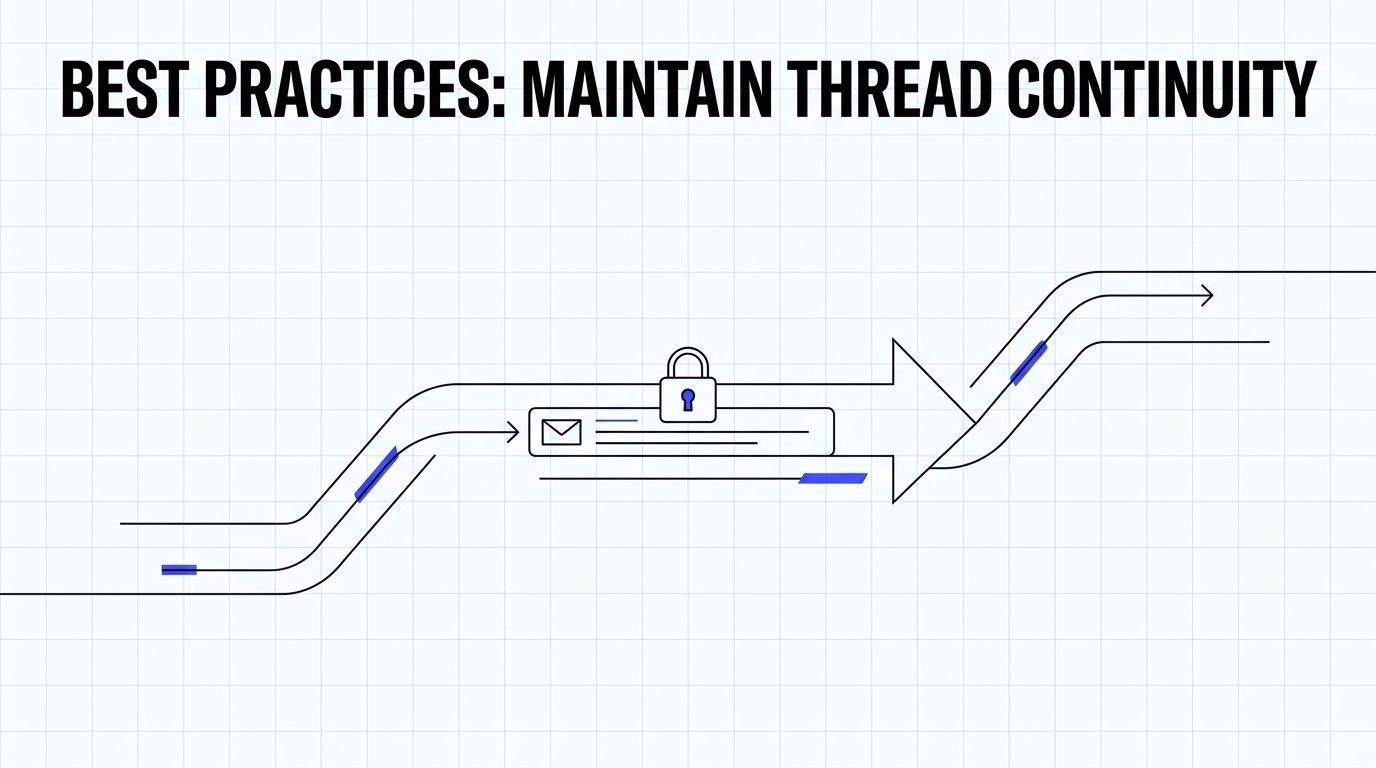
Alt text suggestion: Visual showing secure message flow and email thread continuity across replies.
Keep the conversation structure stable
The fastest way to break a thread is to treat a follow-up like a fresh campaign.
A business should keep these basics in place:
- Leave the subject line alone when the topic hasn't changed. A mid-thread rewrite can split the conversation.
- Use actual reply actions instead of creating a brand-new message that only looks like a reply.
- Check sending tool behavior before launching outreach. Some tools mimic replies poorly.
- Preserve context when a human follows up manually from Gmail or Outlook.
Ask for the kind of reply that starts a conversation
Threading gets stronger when the original email invites a real answer.
That usually means avoiding dead-end copy like "just checking in" or "bumping this." Better prompts include open-ended questions, simple decision requests, or a direct ask that gives the recipient a reason to respond naturally.
Examples:
Instead of a vague nudge
Ask whether the problem is still a priority this quarter.Instead of a generic follow-up
Ask which option fits better, a quick call or a short written overview.Instead of asking for too much
Ask one clear question the recipient can answer quickly.
A short walkthrough can help teams spot whether their workflow supports real threading:
Make sure the email client or tool sends proper reply headers
This part is easy to miss because the sender rarely sees it directly. If the email platform strips reply relationships or sends each message as a fresh object, thread continuity suffers.
A simple check helps:
- Send a message to a test inbox in Gmail.
- Reply from that inbox.
- Reply again from the original sending tool.
- See whether the conversation stays intact in both Gmail and Outlook.
If the thread falls apart, the sending workflow likely needs adjustment.
Troubleshooting Common Threading Issues
When threading fails, the problem is usually easier to isolate than it seems.
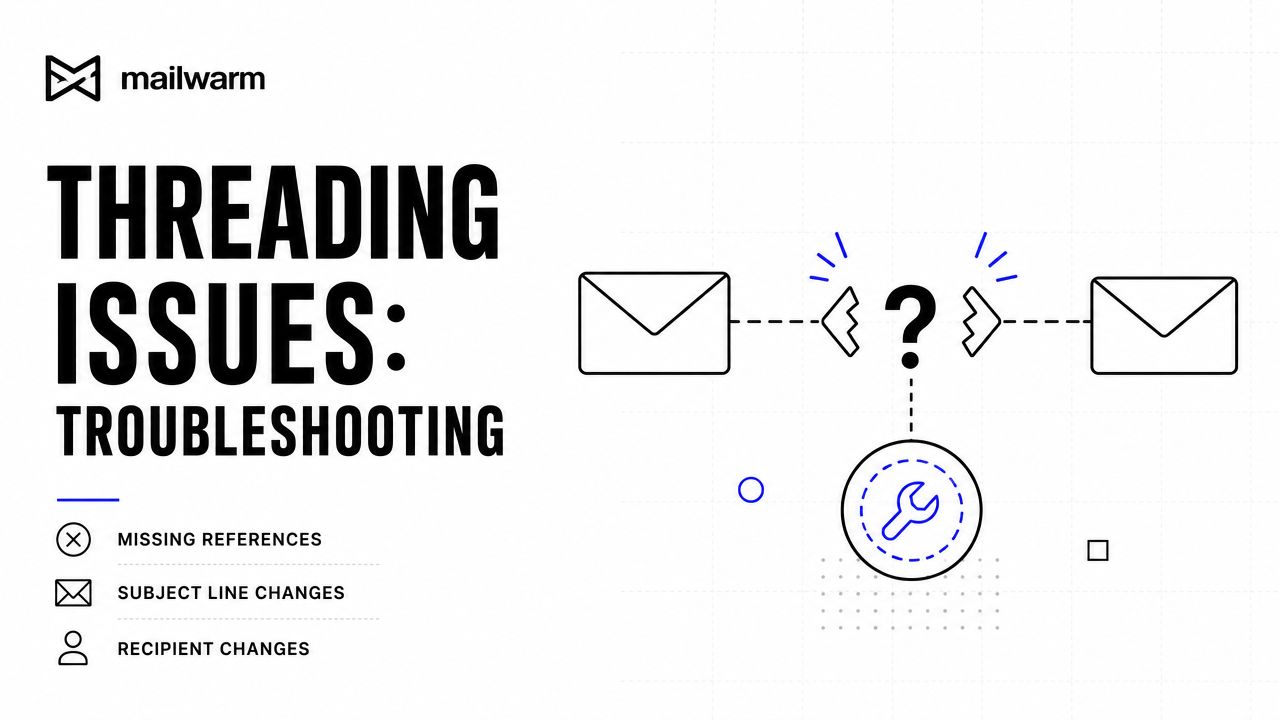
Alt text suggestion: Troubleshooting infographic for broken email threads caused by missing headers, subject changes, or altered recipients.
Common causes and fixes
| Problem | What happens | What to do |
|---|---|---|
| Subject line changed | The inbox treats the message like a new conversation | Keep the original subject when the topic is the same |
| Campaign tool sent a fresh email | It looks like a follow-up but lacks proper reply linkage | Use a tool or workflow that sends true replies |
| Headers were stripped or altered | Gmail or Outlook can't connect the messages correctly | Test the workflow in live inboxes and review client settings |
| Recipients changed too much | The conversation may split or behave unpredictably | Keep reply participants consistent when possible |
One extra check helps when auto-responders or routing tools are involved. If an email passes through multiple systems before delivery, one of them may be rewriting the message in a way that breaks the thread.
A broken thread often points to a workflow issue upstream. The inbox is just where the break becomes visible.
Frequently Asked Questions About Email Threading
Is email threading the same as conversation view
Almost. Email threading is the underlying grouping logic, and conversation view is how the inbox displays that grouping. The terms are often used interchangeably due to the same result appearing on screen.
Can changing the subject line break a thread
Yes, it can. Some inboxes still connect messages if other reply signals are preserved, but changing the subject increases the chance that the conversation gets split.
Why do emails thread in Gmail but not in Outlook
Gmail and Outlook don't always apply the same grouping logic. If a sender changes the structure of a reply, Gmail may still connect it while Outlook may separate it.
Do forwards stay in the same thread
Not always. A forward can preserve some context for the recipient, but it often behaves differently from a real reply and may start a separate branch.
Does email threading affect deliverability
It can. Threaded replies create stronger engagement context than isolated outgoing messages, which can support sender reputation and healthier inbox placement over time.
Is email threading enough to fix deliverability problems
No. Threading helps, but deliverability also depends on authentication, sending behavior, list quality, content, and reputation signals across providers.
Conclusion
Email threading is simple on the surface and important underneath. It keeps conversations organized, but its greater impact lies in helping mailbox providers recognize real engagement. For any business that depends on email, understanding how threads form, break, and support sender reputation is part of protecting deliverability.
If email is part of a growth strategy, Mailwarm helps senders build reputation, monitor inbox placement, and improve deliverability through real inbox engagement, advanced warmup controls, and expert guidance. As a premium email warmup and deliverability platform, Mailwarm is built for teams that care about real inbox placement, not just automated warmup activity.