

A tracking pixel is a tiny invisible asset, usually a 1x1 transparent image, used to record when an email or webpage loads. For years, that made it one of the simplest ways to measure opens, visits, and basic engagement.
In 2026, the concept is still important, but the signal is much less clean.
Teams still look at open rates because they are fast, familiar, and easy to compare. Sales reps check them after a cold sequence. Marketers review them after a newsletter send. Founders glance at them for a quick read on campaign performance. The problem is that a logged pixel load no longer maps neatly to real human attention.
Privacy protections, image caching, browser limits, and consent requirements have all changed what pixel tracking can actually confirm. So the useful question is not just what a tracking pixel is. It is what it still measures reliably, and where it can lead teams to the wrong conclusion.
What Is a Tracking Pixel and How Does It Work
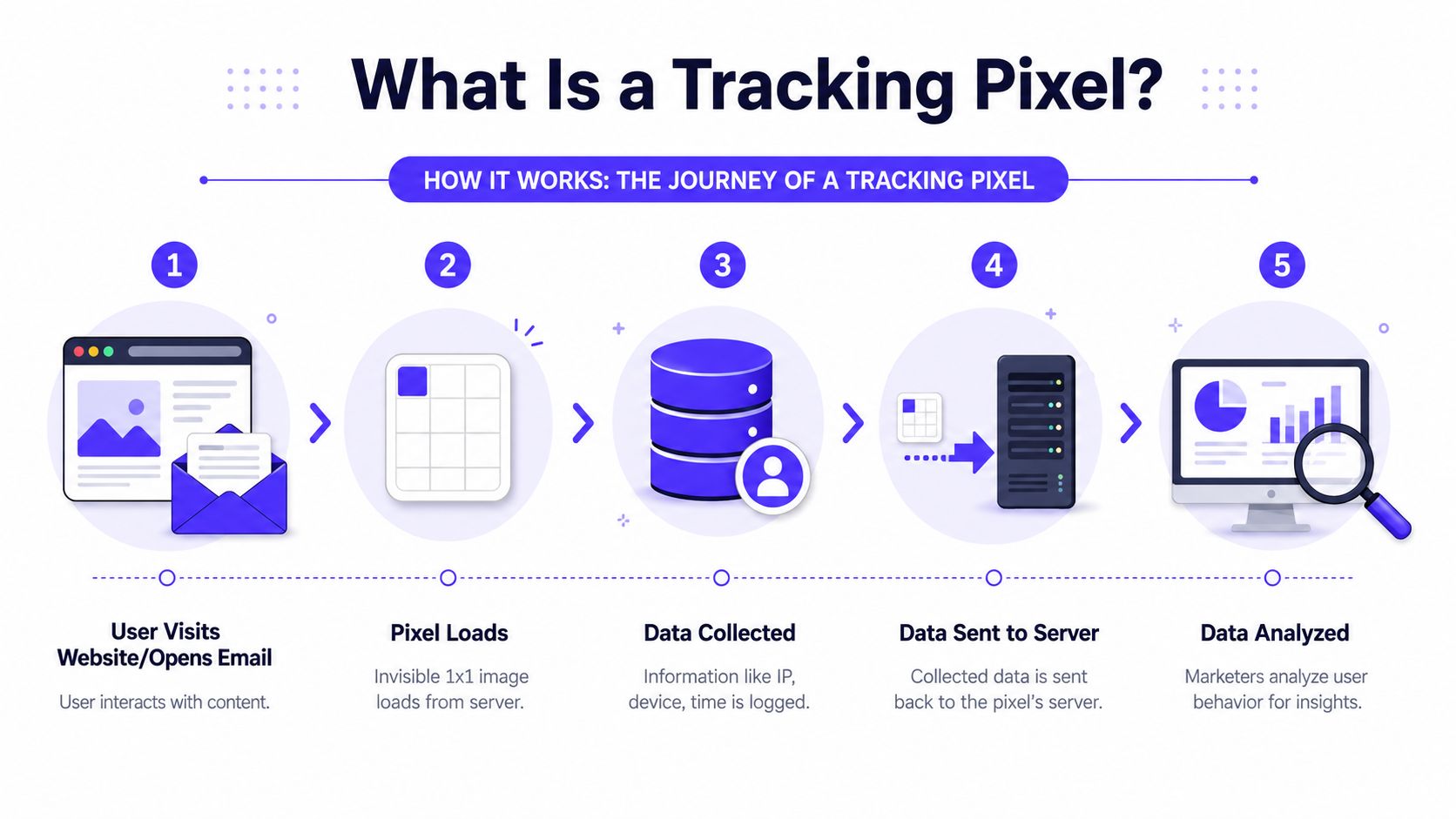
What is a tracking pixel? A tracking pixel is a tiny invisible file, often a 1x1 transparent image or a lightweight HTML or JavaScript snippet, embedded in an email or webpage so a server can record when that content loads. Prescient AI notes that when the asset is requested, the server may capture the timestamp, IP address, device type, browser or email client, screen resolution, and referrer data tied to that interaction, which is why pixels became a core part of digital measurement (Prescient AI on tracking pixel mechanics).
The idea is simpler than it sounds. The pixel itself does not analyze behavior. It only triggers a request. The useful data comes from the server receiving that request.
The basic mechanism
A tracking pixel works like this:
A webpage or email contains hidden code. That code points to a remote file.
The page or email loads. The browser or email client requests the hidden asset.
A server receives the request. That request becomes a recorded event.
The system stores the event. The platform connects it to a campaign, message, or user record.
Why marketers relied on it for so long
The appeal is obvious. A user doesn't need to click anything. The system still gets a logged event.
That made pixels useful for:
Email opens
Website visits
Page views
Campaign attribution
Basic conversion tracking
A simple analogy helps. A tracking pixel is less like a camera and more like a motion sensor. It doesn't understand intent. It only knows that something triggered a request.
Practical rule: A tracking pixel records a load event, not guaranteed human attention.
That's where many readers get confused. If an email platform says “opened,” that usually means the hidden image loaded. It doesn't necessarily mean the recipient read the message, cared about it, or even saw it in the way the sender imagines.
For readers who want a more visual explanation of the broader concept, Trackingplan has a useful guide to understand digital analytics with pixel tracking.
What data a pixel can pass back
When the request reaches the server, the system may log details such as:
Time of the event
IP-related network information
Device and client type
Browser or email client
Screen resolution
Referrer information
That's powerful, but it also explains the privacy concern. Pixels aren't just open counters. They're logging triggers that can be connected to broader profiles if identifiers are attached.
Common Use Cases and Metrics for Tracking Pixels
Tracking pixels are often first encountered in email, but the same technical pattern appears across websites and advertising.
Email opens in outreach and newsletters
A sales team sends outbound emails. A newsletter team sends a campaign to subscribers. In both cases, the email includes a hidden image. If the recipient's email client loads remote content, the platform records an open.
That's why open rate became such a standard metric. Teams used it as an early signal for subject line performance, send timing, and list engagement. Readers comparing campaign performance can also use context from cold email open rate benchmarks by industry, but those benchmarks need to be interpreted carefully because pixel-based opens are no longer clean evidence of attention.
Website traffic measurement
A marketer installs pixel code on key pages. When visitors load those pages, the server logs the visit.
That can support reporting such as:
Page views
Landing page activity
Traffic source clues
Basic visit timing
On a website, pixels often support analytics and ad measurement together. One page load can contribute to internal reporting and ad platform attribution.
Conversion and retargeting workflows
An ecommerce brand or SaaS company places a tracking pixel on a signup confirmation page or purchase confirmation page. When someone reaches that page, the system logs a conversion event.
This also feeds audience building. If someone visits a product page but doesn't convert, the platform may place that visitor into a retargeting audience, assuming consent and setup allow it.
What pixels usually help measure
| Use case | Typical metric | What it actually reflects |
|---|---|---|
| Email campaign | Open | Hidden image load in the email client |
| Sales outreach | Open trend | Relative movement across campaigns |
| Website analytics | Visit or page view | Browser request for the tracked asset |
| Ad attribution | Conversion event | Logged completion tied to tracked interaction |
| Retargeting | Audience membership | Recorded visit to a tracked page |
A high open count can coexist with weak campaign performance. A low open count can also hide real engagement if privacy controls block or distort the signal.
Why Tracking Pixel Accuracy Is Declining
This is the part many basic explainers skip.
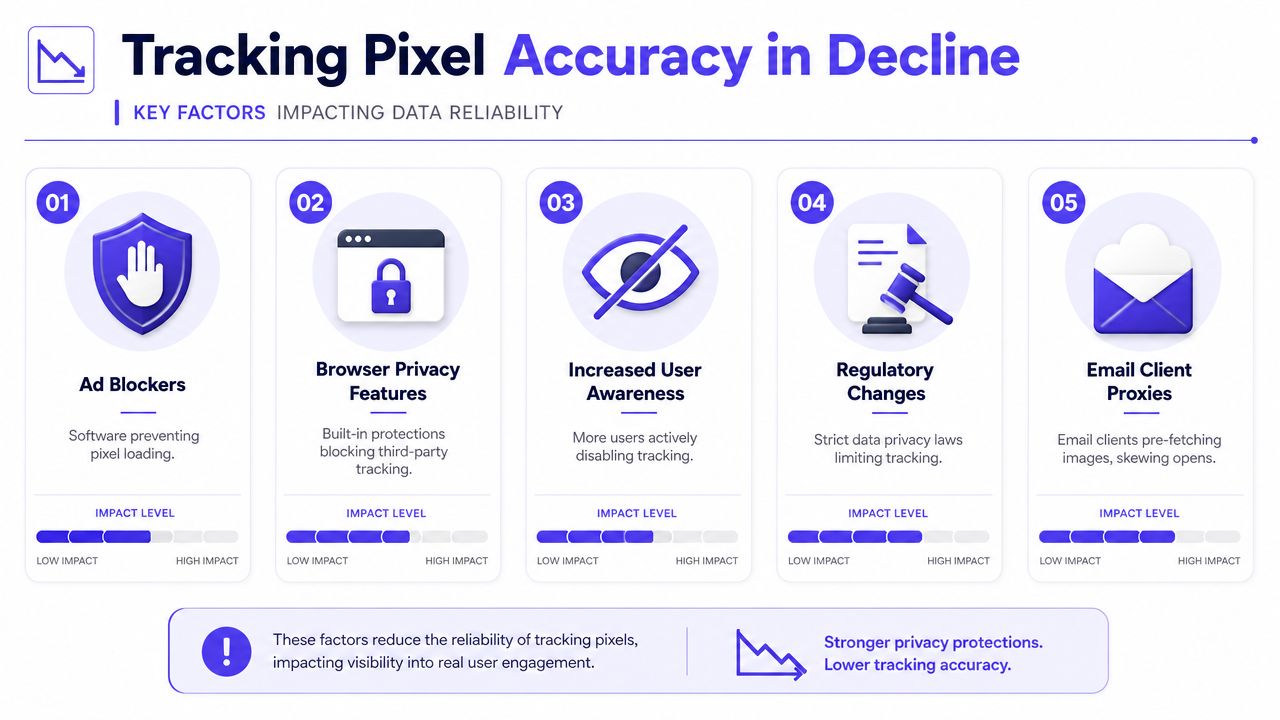
A tracking pixel still works technically. The problem is that many environments no longer let that technical event map cleanly to real user behavior. By 2026, Improvado reported that pixel-based conversion measurement is undercounted by 20-40% because of ad blockers and browser privacy controls, while GDPR consent requirements can exclude 30-60% of EU traffic from individual-level tracking (Improvado on tracking pixel accuracy in 2026).
Apple Mail Privacy Protection changed open tracking
Apple's Mail Privacy Protection loads remote content through proxy servers. That matters because email open tracking depends on remote content loading.
As a result, the reported open may reflect Apple's system behavior rather than a real person reading at that exact time. The same source notes that this can hide the recipient's true open time and IP address, making pixel-based open data materially less trustworthy.
For email teams, this means a familiar problem. A campaign can look healthy on paper because opens appear strong, while replies and conversions stay flat.
Browser privacy features shrink visibility
The privacy shift isn't limited to email. FTC commentary noted in 2023 that pixels had evolved from tiny web images into broader HTML and JavaScript tracking tools, which reflects how widely they're embedded in modern measurement systems (FTC discussion of hidden impacts of pixel tracking).
The same broader privacy trend now limits their usefulness. The verified data states that Safari's Intelligent Tracking Prevention limits some tracking-link cookies to 24 hours and other script-set cookies to 7 days. That shortens attribution windows and weakens the connection between an initial touch and a later conversion.
Consent requirements reduce trackable traffic
Consent is now part of measurement quality, not just legal review. If a user doesn't consent, individual-level pixel tracking may not be available.
That means the missing data isn't random. It can be concentrated in specific regions, devices, or audience types. When a report looks incomplete, that may be because the measurement itself has lost access to part of the journey.
Gmail and image handling add more noise
Some email clients and mailbox environments have long made remote image loading less straightforward. When external images don't load in the expected way, the open event becomes noisy. The result is the same practical takeaway. Pixel opens are directional, not definitive.
Teams that still treat open rate as proof of human engagement are making decisions on a weakened signal.
What this means in practice
A tracking pixel is still useful. It just isn't a clean truth source anymore.
That matters most when teams use pixel events to answer questions like:
Did a prospect read the email?
Did a person open at that exact time?
Which campaign definitely caused the conversion?
Which audience segment is most engaged?
In 2026, those questions usually need more than one tracking method.
Best Practices for Using Tracking Pixels in 2026
The smartest teams haven't stopped using pixels. They've stopped worshipping them.
Treat pixel data as directional
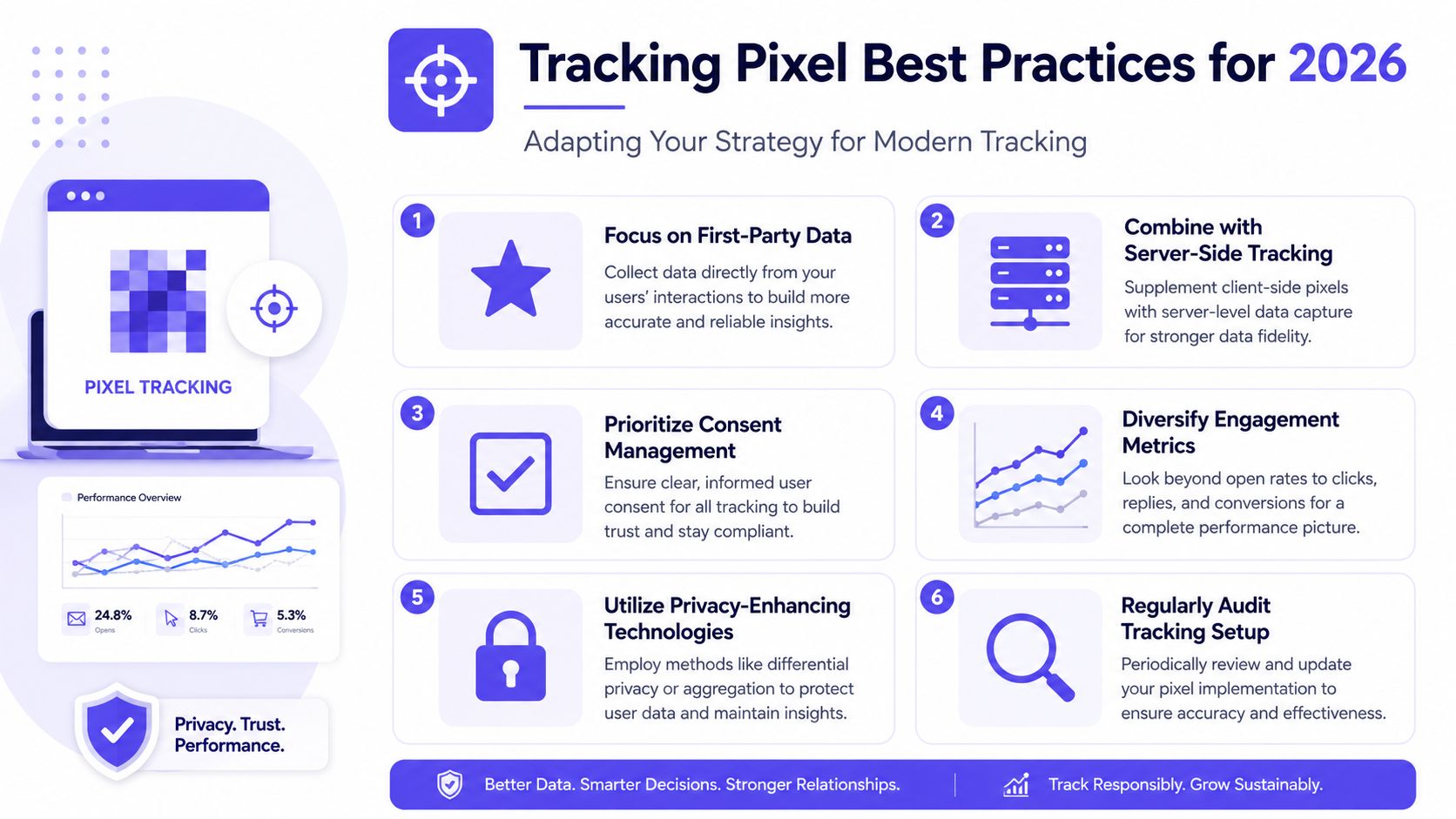
A pixel can still help compare one campaign against another. It can still show relative movement. It can still flag whether something changed after a new subject line, send time, or landing page update.
But it shouldn't be treated as courtroom evidence.
A reported open can be machine-assisted. A missing open can reflect blocked images or privacy controls. So the right use is trend analysis, not certainty.
Shift attention toward stronger signals
When a team wants to know whether people engaged, stronger signals matter more:
Clicks show that someone took an action.
Replies show direct human response.
Conversions show movement toward business outcomes.
Inbox placement patterns show whether messages are reaching the right folder.
List quality signals show whether the audience itself is healthy.
For senders focused on outreach, this is also where deliverability starts to matter more than reporting. If messages land in spam, open tracking becomes less useful from the start. Practical inboxing guidance matters, and this guide on how to avoid the spam folder is more valuable operationally than obsessing over raw open numbers.
Build with privacy in mind
Usercentrics describes tracking pixels as server-side logging triggers that can join event data to broader user profiles, and notes that because requests can transmit personal information, privacy regulators recommend data minimization, configuration controls, and express consent when sensitive information could be disclosed (Usercentrics on tracking pixels and consent).
That creates a simple rule set for professionals:
Collect less by default
Disclose clearly
Ask for consent where required
Avoid sending unnecessary identifiers
Review what each pixel is capturing
Better measurement starts with fewer assumptions and cleaner consent, not with adding more scripts.
Combine methods instead of relying on one signal
A modern stack is usually more resilient when client-side pixels are only one input. Teams often supplement them with server-side tracking, CRM events, and modeled attribution.
That doesn't make the old pixel obsolete. It puts it in the right place. Useful, but incomplete.
How to Measure Engagement Beyond Basic Open Rates
Open rates still get attention because they're easy to find. The harder question is what mailbox providers and revenue teams care about.
The metrics that matter more
When teams want a better picture of message quality, these signals tend to be more useful than raw opens:
| Better signal | Why it matters |
|---|---|
| Replies | They indicate real human interaction |
| Threads | They suggest an ongoing conversation, not a passive glance |
| Spam removal | They reflect recovery from negative placement |
| Important marking | They can support stronger mailbox trust signals |
| Inbox placement | They show whether messages are reaching the inbox at all |
That's especially relevant in outbound and lead generation. A mailbox provider doesn't care that a dashboard says an image loaded. It cares whether the sending behavior looks wanted, trustworthy, and consistent.
Why basic warmup logic is often too shallow
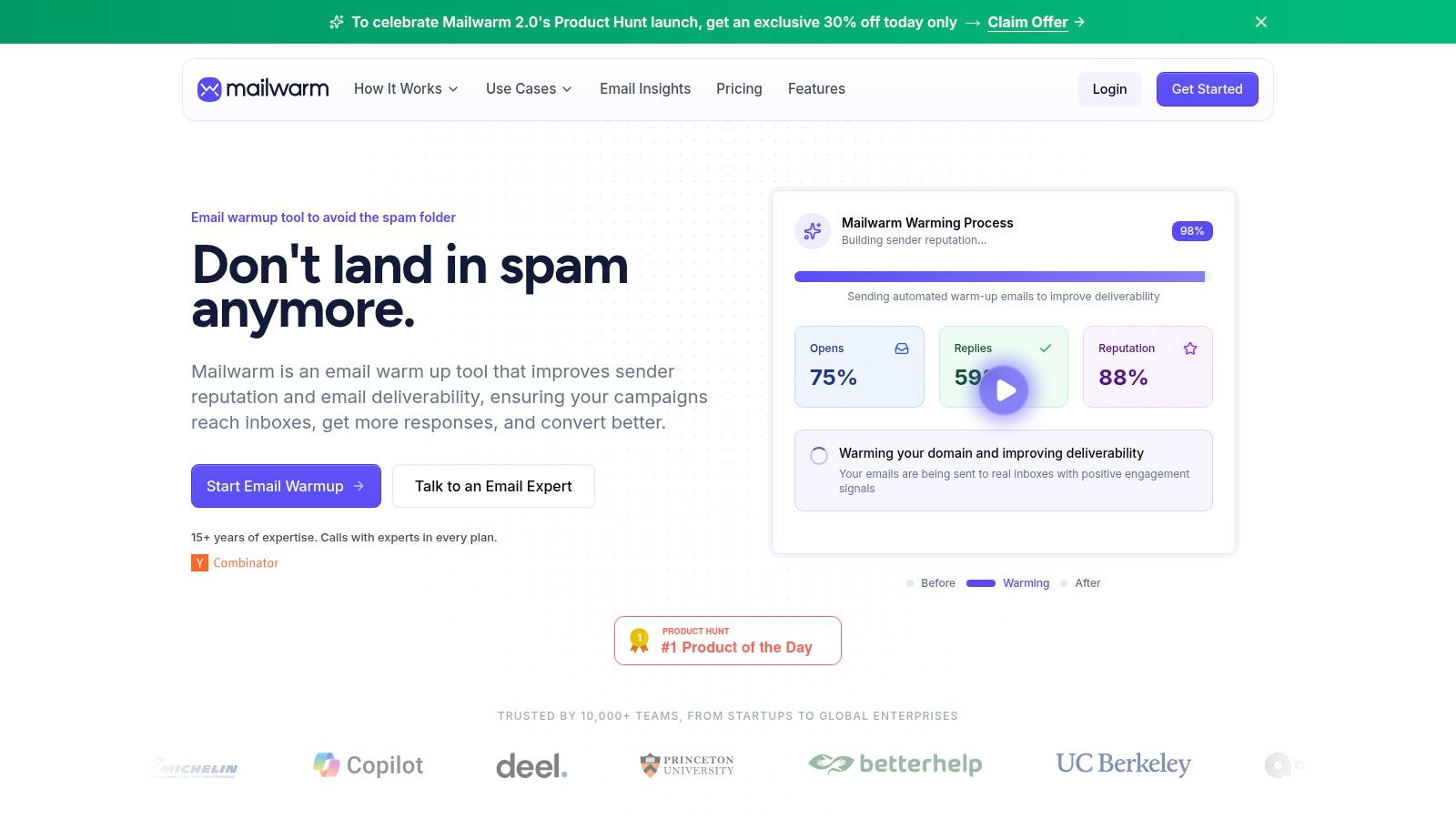
Some warmup tools lean heavily on automated opens or superficial activity. That approach made more sense when open tracking looked cleaner.
Today, that's too narrow. A team trying to improve sender reputation needs more than a vanity metric. It needs positive engagement patterns that align more closely with how mailbox providers evaluate email.
The broader idea is similar to what customer analytics teams pursue when they focus on enhancing customer loyalty and growth. Better decisions come from richer signals, not just easier ones.
What professionals should watch instead
A practical measurement approach usually includes:
Reply quality
Conversation depth
Inbox placement trends
Spam folder movement
Authentication health
Bounce risk
Provider-level behavior
Teams running outbound should also watch the relationship between engagement and deliverability. This guide to positive cold email interactions is useful because it focuses on the types of activity that support stronger sender reputation, not just reporting optics.
A short walkthrough helps make the difference clearer.
The modern standard
A tracking pixel still belongs in the toolkit. It just shouldn't sit at the center of the strategy.
For email teams in particular, the more durable approach is to optimize for real engagement and inbox placement, then use opens as a secondary signal. That mindset leads to better reporting and usually better sending behavior too.
An “open” is a light signal. A reply, a thread, and solid inbox placement are heavier signals.
Frequently Asked Questions About Tracking Pixels
| Question | Answer |
|---|---|
| What is a tracking pixel? | A tracking pixel is a tiny invisible image or snippet that triggers a server request when an email or webpage loads. |
| What does a tracking pixel measure? | It can log events such as email opens, page visits, and some conversion actions, depending on setup. |
| Are tracking pixels accurate? | They're useful, but modern privacy controls make them less reliable than they used to be. |
| Are tracking pixels legal? | They can be legal, but use depends on disclosure, consent, and what data is transmitted. |
| What should teams trust more than opens? | Clicks, replies, conversions, inbox placement, and other stronger engagement signals. |
Are tracking pixels just for email
No. Tracking pixels are used in both email and websites. In email, they're commonly used for open tracking. On websites, they support analytics, ad attribution, and conversion logging.
The underlying mechanism is the same. A hidden asset loads, and the server records the request.
Are tracking pixels still useful in 2026
Yes, but mostly as a directional signal.
They can still help compare performance across campaigns and identify relative changes. They're less useful when a team wants definitive proof that a person read an email, viewed a page in a certain way, or should be credited to a specific touchpoint with certainty.
Can tracking pixels collect personal information
They can. Usercentrics notes that tracking pixels are server-side logging triggers that can join event data to broader user profiles, and because they can transmit personal information, privacy regulators recommend data minimization and express consent in relevant cases.
That's why technical setup and compliance setup can't be separated.
Are tracking pixels legal under GDPR
They can be legal, but they aren't automatically compliant. The practical issue is disclosure, consent, and scope.
If a pixel transmits personal or sensitive data, teams need to pay attention to what's being collected, how it's configured, and whether the user gave the required permission. A privacy policy alone usually isn't enough if the implementation itself ignores consent requirements.
Why do open rates no longer tell the full story
Because a reported open often reflects a system event, not a confirmed human reading event.
Apple's Mail Privacy Protection can mask the true open time and IP address. Other environments can block or alter image loading. That means open rate is often better used as a rough trend line than as a final verdict on campaign quality.
What metrics should teams focus on instead
For email, the strongest practical metrics are usually:
Replies
Clicks
Conversation depth
Conversions
Inbox placement
Spam complaint patterns
Bounce behavior
Those metrics are closer to business outcomes and sender reputation than a raw image-load count.
What's the difference between a tracking pixel and a cookie
A tracking pixel is a trigger that sends data to a server when content loads. A cookie is typically used to store information in the browser or client environment.
They often work together, but they aren't the same thing. A pixel logs an event. A cookie helps maintain continuity across sessions or interactions, when policies and browser controls allow it.
How can users block tracking pixels
Users can block or weaken pixel tracking through privacy-focused browsers, ad blockers, image-blocking settings, proxy-based email protections, and consent choices.
From the marketer's side, that means some gaps in reporting aren't implementation bugs. They're the result of modern user and platform controls working as designed.
Why is Mailwarm more expensive than basic email warmup tools
Mailwarm costs more because it combines real inbox engagement, up to 100% replies to warmup emails depending on the plan, spam score monitoring, provider-level warmup, authentication tools, no IMAP access required, and expert deliverability calls included in every plan.
It's built as a premium deliverability platform, not a basic warmup script.
If email is part of a company's growth strategy, Mailwarm helps teams build sender reputation, monitor inbox placement, and reduce spam risk with expert-guided warmup. It goes beyond basic warmup by combining real inbox engagement, deliverability monitoring, authentication support, and expert guidance designed for teams that care about real inbox placement.