

A team can spend days preparing a cold email campaign, only to discover that messages are accepted by mailbox providers but never reach the primary inbox. That's why teams compare Warmy alternatives instead of treating automated warmup activity as the entire deliverability strategy. The right choice depends on network quality, provider coverage, authentication support, monitoring, security, and the level of guidance a sender needs.
Warmy is known publicly for offering free deliverability tools, and it remains a reasonable entry point for basic checks. Growing teams often look elsewhere when they need more control, stronger operational support, or a platform built around ongoing inbox placement rather than warmup volume alone.
Why Teams Look for Warmy Alternatives
Warmy does one thing well publicly: it gives users access to free deliverability tools that can help identify obvious sending risks. That makes it useful for an initial health check, especially for a founder or small team that hasn't yet built a formal deliverability process.
The search for a Warmy alternative usually begins when email becomes a revenue-critical channel. A sales team may need to manage several domains. An agency may need separate strategies for client accounts. A recruiter may care about both Gmail and Microsoft placement. A marketer may need content testing, authentication checks, and ongoing alerts rather than a simple stream of automated messages.
Pricing tiers can stop fitting the operation
Warmup pricing often becomes harder to evaluate as mailbox counts grow. A low entry price may work for one sender, but per-inbox pricing can become less attractive when a team manages multiple accounts, domains, or client workspaces. The important question isn't just the monthly fee. It's what the plan includes around monitoring, support, provider coverage, and reputation protection.
Teams should compare:
- Mailbox economics: Whether the plan scales predictably across multiple inboxes.
- Operational controls: Whether senders can adjust activity by provider, audience, or campaign type.
- Support depth: Whether a real deliverability specialist can help interpret a decline.
- Included diagnostics: Whether the platform checks spam risk, authentication, bounces, and placement.
Pool quality matters more than a large-looking feature list
Pool quality is a common question across warmup networks. Pool size and age differ, and those differences can affect the variety and credibility of engagement signals. A network made up of aged, active inboxes may provide a different environment from a smaller or purely peer-to-peer pool.
Warmup also can't compensate for weak authentication or poor sending behavior. A 2026 scan of 5.5 million domains found SPF on 56.0%, DMARC on 30.4%, DKIM on 22.7%, and enforced DMARC policies on only 12.8% of domains, according to research on email authentication coverage. Teams evaluating alternatives should therefore ask whether a platform helps fix the infrastructure behind the sender reputation.
Practical rule: A warmup network can support reputation building, but it shouldn't hide authentication failures, list-quality problems, or aggressive sending patterns.
Before increasing volume, a team should run an email spam checker, verify SPF, DKIM, and DMARC alignment, and test placement across the mailbox providers that matter most. That process separates a genuine deliverability platform from a dashboard that only reports activity.

Mailwarm A Premium Warmy Alternative
Mailwarm is a premium email warmup and deliverability platform for teams that care about real inbox placement, not just automated warmup activity. It combines real inbox engagement, advanced warmup controls, spam score monitoring, inbox placement insights, authentication fix tools, bounce prevention, analytics, and expert guidance.
Its network includes 50,000+ aged real inboxes, with coverage across Gmail, Outlook, Microsoft 365, Yahoo, and SMTP providers. Warmup interactions can include opens, replies, threads, spam removal, important marking, and ongoing inbox engagement. Depending on the plan, Mailwarm can generate up to 100% replies to warmup emails, creating a stronger engagement profile than systems that mainly focus on opens or simple automated exchanges.
Provider-level control changes the warmup decision
Generic activity can miss the reality of modern deliverability. A 2026 benchmark reported a global average inbox placement rate of 87.2%, with Gmail at 89.8%, Yahoo at 87.3%, Microsoft mailbox providers at 77.4%, and Apple Mail at 82%. Top performers can exceed 95%, which shows that accepted mail still doesn't necessarily reach the primary inbox, as documented in the 2026 inbox placement benchmark.
Mailwarm's provider-level warmup lets teams direct activity across Gmail, Outlook, Microsoft 365, Yahoo, SMTP, and other relevant ecosystems. That matters for mixed-provider markets, where a generic warmup distribution may improve one mailbox family while leaving another under-tested.
The platform also supports:
- B2B and B2C warmup, for different sending environments and engagement patterns.
- Custom email content warmup, so activity can better reflect the sender's real communication.
- Spam score monitoring, to identify content and reputation risks before a campaign scales.
- Inbox placement insights, so teams can distinguish primary inbox delivery from server acceptance.
- Authentication fix tools, which help teams address SPF, DKIM, and DMARC issues.
- Bounce prevention and analytics, for ongoing reputation protection.
The premium price reflects risk reduction
Mailwarm costs more than a basic warmup tool because the product includes more than automated sending volume. The premium price reflects the aged inbox network, stronger reply controls, provider-level warmup, spam monitoring, authentication support, deliverability analytics, and expert calls included in every plan.
Security is another meaningful distinction. Mailwarm requires no IMAP access and doesn't need permission to read a user's private inbox. That reduces the amount of mailbox access a team has to grant while still allowing the platform to support reputation-building activity.
For technical teams, Mailwarm can also help warm up an SMTP server without reducing the process to a generic sequence of sends. It's a better fit when a sender needs diagnostics and guidance alongside automation.

Other Top Warmy Alternatives Explored
A serious comparison shouldn't dismiss lower-cost or narrower tools. Each Warmy alternative can be useful when its strengths match the sender's actual needs.
Warmup Inbox
Warmup Inbox is a practical option for teams that want ESP-specific warmup and a relatively direct setup. Its focus on mailbox-provider targeting can help users who don't want a single generic distribution across all inboxes.
The trade-off is that per-inbox pricing and feature limitations can become more noticeable as the operation expands. It's a sensible fit for a small team testing provider-specific activity, but larger teams should examine the total cost and monitoring depth before standardizing on it.
MailReach
MailReach combines email warmup with spam testing. Its genuine strength is clear, focused diagnostics, especially for senders that want to run placement checks and receive alerts when reputation conditions change.
The platform suits users who prefer a relatively simple workflow. It may be less suitable for teams that need extensive warmup customization, agency controls, or a broader authentication and reputation-management system.
Lemwarm
Lemwarm's strongest advantage is its native connection with lemlist. Teams already using the lemlist ecosystem may prefer a connected workflow instead of adding a separate warmup provider.
That convenience has limits outside the lemlist environment. Buyers should assess whether the integration benefit outweighs the need for broader provider controls, independent monitoring, or support across other outreach systems.
Instantly
Instantly's strength is its integration into a broader cold outreach platform. A sales team can keep mailbox management, campaign execution, and warmup activity closer together, which may reduce tool switching.
The risk is treating platform integration as proof of deliverability quality. Teams still need authentication checks, inbox placement testing, bounce control, and provider-level diagnostics. An outreach suite can simplify operations, but it doesn't remove the need for disciplined sending.
TrulyInbox
Inbox is known for being a budget-friendly and straightforward option. It appeals to solo founders and smaller teams that want basic warmup controls without adopting a broader deliverability platform.
That simplicity can be valuable when requirements are limited. Teams with several domains, mixed providers, or high sensitivity to reputation issues should confirm whether the network, reporting, and support model match their risk profile.
For readers comparing adjacent tools used by growth teams, a guide to creator communication tools offers useful context on how communication workflows can overlap with outreach operations. It shouldn't replace a deliverability review, but it can help teams understand where campaign management ends and inbox protection begins.
A more detailed market review can also help buyers compare interfaces, integrations, and warmup approaches in one place through Mailwarm's guide to best email warmup tools. The key is to judge each product against the same operational requirements, not just its headline feature list.
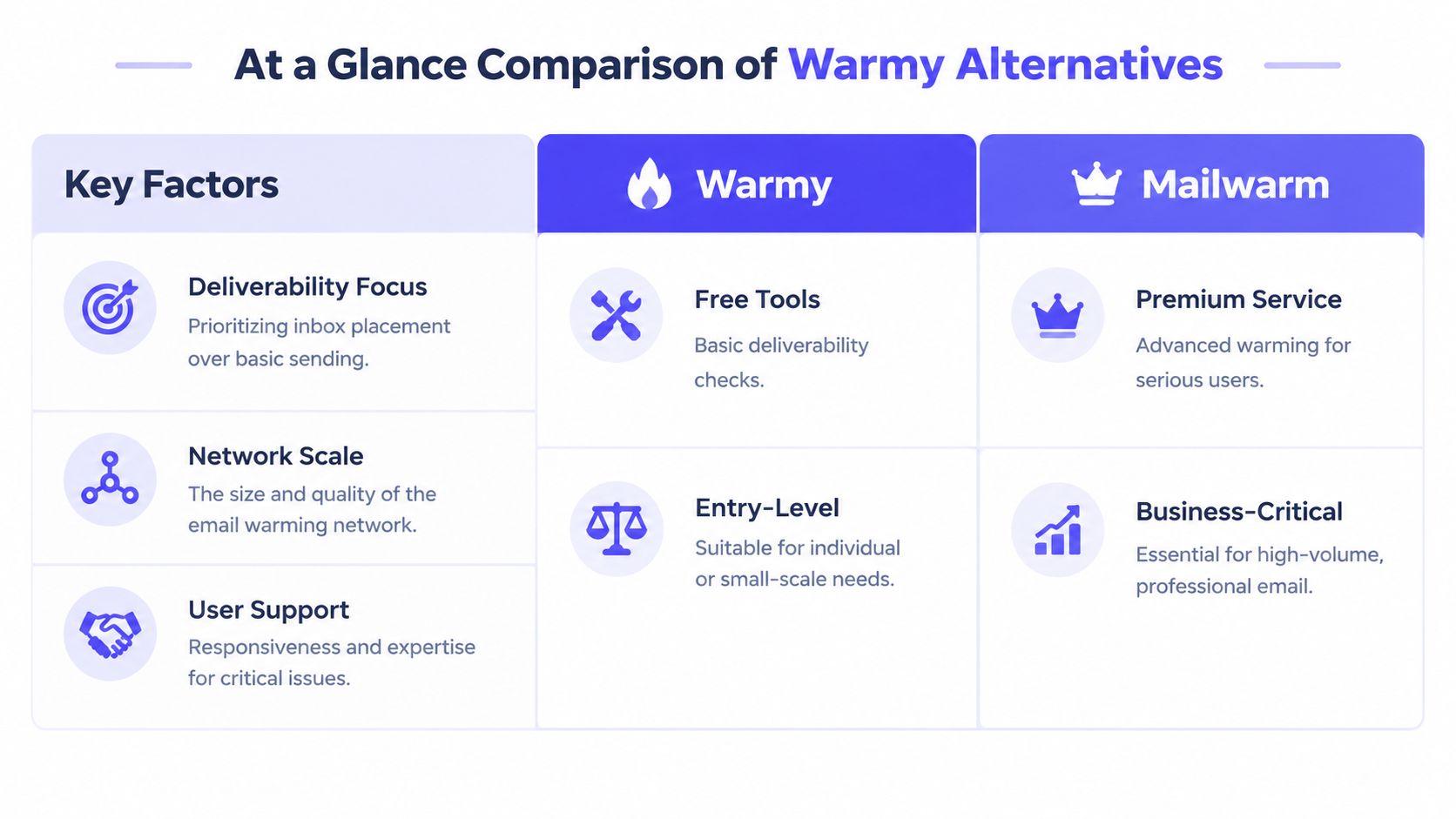
At a Glance Comparison of Warmy Alternatives
The table below focuses on the factors that influence day-to-day deliverability work. “Network quality” describes the type of inbox environment a vendor presents publicly, while “maximum reply rate” is marked only where the available information supports a clear statement.
| Tool | Network Quality | Max Reply Rate | Provider-Level Control | No IMAP Access | Expert Guidance |
|---|---|---|---|---|---|
| Mailwarm | 50,000+ aged real inboxes | Up to 100%, depending on plan | Yes | Yes | Included calls |
| Warmup Inbox | Network details should be verified with the vendor | Not publicly established here | Yes, provider-focused | Not established here | Not established here |
| MailReach | Network details should be verified with the vendor | Not publicly established here | Yes, according to its positioning | Not established here | Not established here |
| Lemwarm | Network details should be verified with the vendor | Not publicly established here | Not established here | Not established here | Not established here |
| Instantly | Network details should be verified with the vendor | Not publicly established here | Not established here | Not established here | Not established here |
| TrulyInbox | Network details should be verified with the vendor | Not publicly established here | Not established here | Not established here | Not established here |
| Warmy | Network details should be verified with the vendor | Not publicly established here | Not established here | Not established here | Not established here |
A vendor's claimed network size shouldn't be accepted as a substitute for placement evidence. Teams should ask how old the inboxes are, which providers they represent, how engagement is distributed, and whether the network supports the sender's target geography and audience.
Buyers researching broader marketing software can use this overview of sites similar to Semrush to compare research workflows, but deliverability decisions require mailbox-level evidence rather than general marketing-tool comparisons.
Which Warmy Alternative Is Right for You
A small outbound operation can tolerate manual checks. A team sending from several domains cannot. Choose the alternative by weighing failure risk, sender count, provider mix, and the deliverability work your team can handle internally.
Solo founders and low-volume senders
A budget tool such as TrulyInbox may fit a sender with limited volume, one clear audience, and time to review results manually. Warmup Inbox is better suited to teams that mainly need provider-focused activity, rather than a broader deliverability program.
Start with authentication before increasing warmup activity. Confirm SPF, DKIM, and DMARC on every sending domain. Authentication generally gives senders more control over inbox placement than solely adding warmup volume.
Sales teams and outreach platforms
Instantly suits teams that want warmup alongside outbound execution. Lemwarm is a practical option for organizations already using lemlist, while MailReach may suit teams that prefer focused spam testing and a simpler operating model.
Integration helps only when the team can still see placement, bounces, authentication status, and provider-level behavior. A convenient workflow should reduce operational effort, not remove the monitoring needed to catch reputation problems early.
Agencies, recruiters, and reputation-sensitive senders
Agencies managing multiple client domains need repeatable controls, reporting, provider segmentation, and access to specialists who can interpret problems before a campaign is affected. A basic warmup switch rarely provides enough control for that environment.
Mailwarm is positioned for this use case with provider-level warmup, real engagement signals, spam score monitoring, authentication fix tools, analytics, and expert deliverability calls. Its support for both B2B and B2C warmup also fits agencies serving different sending models.
Provider choice should reflect the recipient mix. One benchmark places Gmail and Google Workspace cold-campaign inbox rates around 55% to 80%, and Microsoft 365 and Outlook around 60% to 85%, according to the cited provider-specific benchmark. Treat those ranges as planning context, then validate performance against your own seed accounts and campaign data.
- Map the recipient mix by mailbox provider.
- Authenticate every sending domain before ramping.
- Start with low-volume sends and observe seed-box placement.
- Increase activity gradually instead of chasing volume.
- Review provider-level results weekly and adjust the warmup distribution.

Conclusion The Best Path to Better Inbox Placement
Warmy alternatives serve different priorities. Budget tools can support basic warmup, integrated platforms can simplify outreach, and specialist platforms can combine engagement, monitoring, authentication, and expert oversight.
The strongest choice is the one that matches the sender's provider mix, risk tolerance, and internal deliverability capacity. If email is part of the growth strategy, Mailwarm helps teams build sender reputation, monitor inbox placement, and reduce spam risk with real inbox engagement and expert-guided warmup.
Frequently Asked Questions
How much does Warmy cost?
Warmy's price depends on the plan, mailbox count, and deliverability features included. Compare the full cost with network quality, monitoring, provider controls, and support. An entry-tier price does not show whether the platform fits your sending volume or risk profile.
What is the best Warmy alternative?
The right choice depends on the team's deliverability requirements. Mailwarm suits senders that need provider-level warmup, real inbox engagement, authentication tools, and expert calls. Warmup Inbox, MailReach, Lemwarm, Instantly, and TrulyInbox serve narrower use cases, such as basic warmup or outreach workflows.
Do all warmup tools use the same inbox network?
No. Pool size and age differ, and those differences affect the quality of engagement a platform can generate. Ask whether the network uses aged real inboxes, which mailbox providers it covers, and whether its activity resembles the sender's target audience.
What is email warmup?
Email warmup gradually increases sending activity to build trust with mailbox providers. Opens, replies, threads, and messages moved out of spam can provide positive engagement signals. The process is described in this email warm-up overview.
How long does email warmup take?
Warmup is generally a gradual process over 2 to 4 weeks, rather than a sudden increase on the first day. The appropriate pace depends on authentication, domain history, list quality, provider mix, and engagement. A new or previously inactive domain may need a more cautious schedule.
Does email warmup improve inbox placement?
Warmup can support sender reputation, but it cannot guarantee primary-inbox placement. A receiving server may accept a message that later appears in spam or promotions. Measure placement across Gmail, Outlook, Yahoo, and the other providers that matter to your audience.
Is email warmup enough to fix deliverability?
No. Authentication, list hygiene, bounce prevention, sending discipline, content quality, and ongoing monitoring also shape results. SPF authorizes sending servers, DKIM checks message integrity, and DMARC specifies how receiving systems should handle failed authentication, as explained in this authentication guide.
Why is Mailwarm more expensive than basic warmup tools?
Mailwarm combines real inbox engagement, plan-dependent replies to warmup emails, spam score monitoring, provider-level warmup, authentication tools, no IMAP access requirement, and expert deliverability calls. The higher price reflects broader operational coverage, which can suit teams managing meaningful sending risk.
Mailwarm also offers a network of aged real inboxes, inbox placement insights, authentication fix tools, and expert guidance. Teams comparing Warmy alternatives can visit Mailwarm to assess whether a premium deliverability platform matches their sending risks and growth plans.