
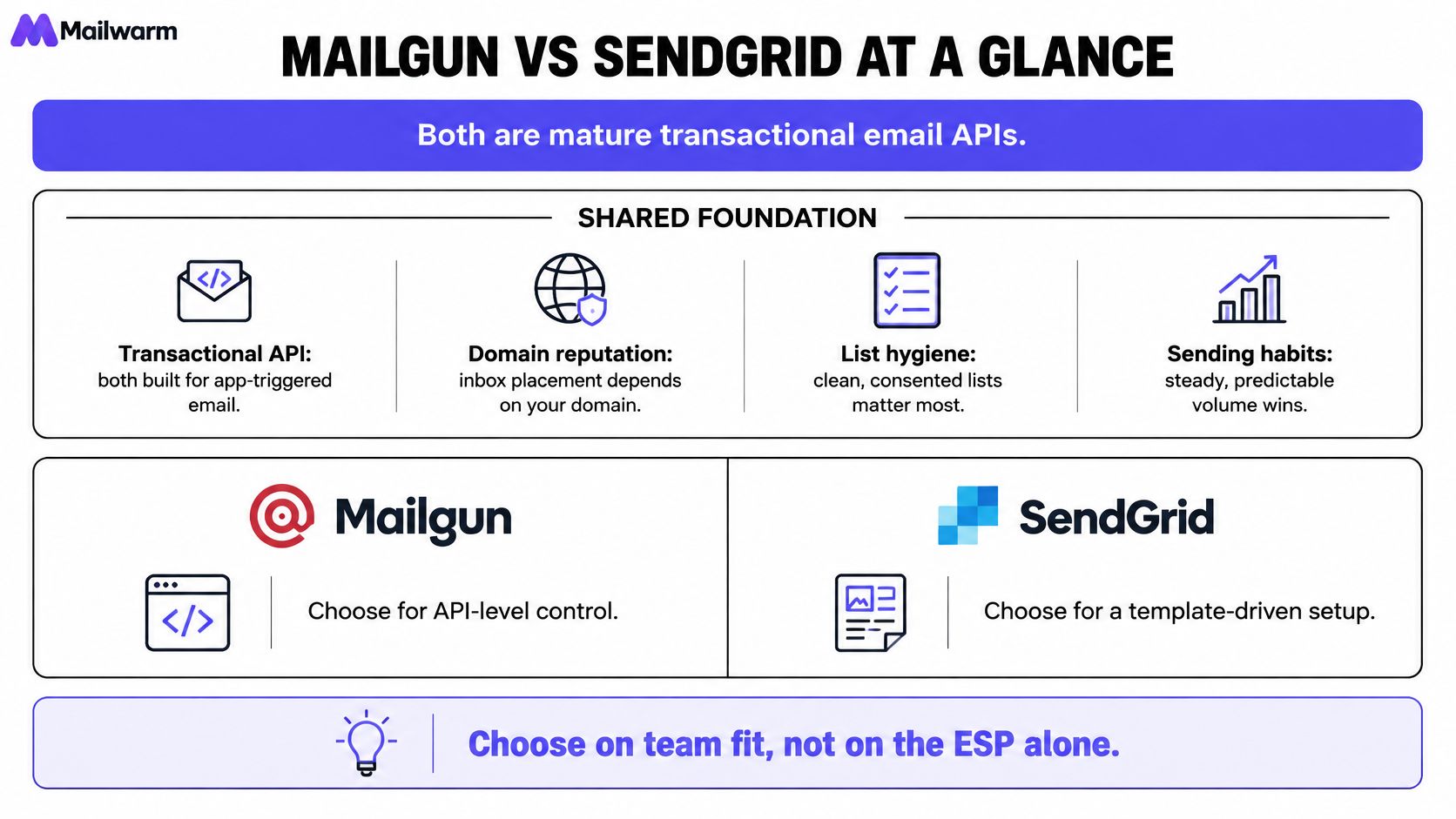
Switching providers won't fix inbox placement. For Mailgun vs SendGrid, both are mature transactional email APIs, and placement depends far more on domain reputation, list quality, and sending habits than on the ESP. The practical choice comes down to developer experience, cost at real volume, IP options, and how easily a team can debug delivery.
Mailgun vs SendGrid at a Glance
Both platforms send application triggered email well. Neither one can repair a damaged domain, clean a weak list, or make erratic volume look trustworthy. A team should shortlist on workflow fit first, then test placement with its own domains and recipient mix.
Ownership explains part of the product direction. SendGrid has belonged to Twilio since 2018 and Mailgun to Sinch since 2021, so both now sit inside larger communications platforms rather than operating as standalone email vendors, according to Spyglass coverage of the developer email market. That history matters for roadmap and account strategy, not for day to day deliverability.
Mailgun and SendGrid side by side
| Criterion | Mailgun | SendGrid |
|---|---|---|
| Owner | Sinch (acquired 2021) | Twilio (acquired 2018) |
| Free tier | 100 emails per day, no stated expiration | 100 emails per day for 60 days |
| Shared vs dedicated IPs | Shared pools and dedicated IPs, tier dependent | Shared pools and dedicated IPs, tier dependent |
| Automated IP warmup on dedicated IPs | Yes, on dedicated IP plans | Yes, on dedicated IP plans |
| Deliverability tooling | Inbox placement testing and reputation monitoring, often separate from base plan | Deliverability tools, plan dependent |
| API rate limit | 500 requests per 10 seconds (documented) | Higher burst limit on v3 Mail Send, other endpoints lower |
| Median API response (p50, third-party benchmark) | 122 ms | 14 ms |
| Webhooks and event logs | Webhooks supported, retention rises by tier | Webhooks supported, retention rises by tier or add-on |
| Support | Ticket first, chat and phone on higher tiers | Ticket and chat first, phone on higher tiers |
The free tiers differ in length, not size. Mailgun's comparison page lists Mailgun at 100 emails per day with no stated expiration and SendGrid at 100 emails per day for 60 days. That difference suits a long prototype, but it says little about production sending.
Start with the rows tied to a real send, especially IP options, event logs, and support access during an incident.
The latency row comes from one third-party benchmark, so it should be treated as a snapshot, not a promise. Plan details also change. Every tier value, retention window, and dedicated IP rule needs checking on each vendor's pricing and documentation pages before buying.
Developer Experience, Latency and Event Logs
Speed is the clearest measured gap, and it's narrower than headlines suggest. The Knock email API benchmark comparing Mailgun and SendGrid recorded SendGrid at a median (p50) of 14 ms, p90 of 34 ms, p95 of 44 ms, and p99 of 103 ms, compared with Mailgun at 122 ms, 171 ms, 191 ms, and 223 ms respectively. Both providers showed a reported daily error rate of 0.00% during the measured period.
Those figures measure API acknowledgement. They don't measure inbox arrival time, spam filtering, or placement at Gmail, Outlook, or Yahoo. A fast acknowledgement helps when an application waits before showing the next screen, for example during password reset, account verification, or checkout confirmation. It doesn't prove better deliverability.
Tail latency matters more than the median for user facing flows. The same benchmark reports a highest daily p99 of 148 ms for SendGrid versus 506 ms for Mailgun during observed spikes. A team with synchronous sends should load test its own region, payload size, retry logic, and batching pattern before treating that gap as decisive.
Limits shape the sending architecture
Rate limits decide whether sending can stay simple or needs a queue. A Rework comparison of SendGrid and Mailgun notes Mailgun's documented API quota at 500 requests per 10 seconds, equivalent to an average of 50 requests per second, and SendGrid's v3 Mail Send API at up to 10,000 requests per second, with some other SendGrid endpoints reported at 600 requests per minute. Those are endpoint limits, not promised throughput.
Mailgun offsets part of that constraint with batch design. The same comparison notes batch sending of up to 1,000 personalized messages per API call, which reduces request overhead when recipients naturally group together. That works well for campaign like transactional workloads, provided per recipient variables and partial failures get handled cleanly.
- Queue by default: Smooth bursts before they hit the API, especially during launches, billing runs, and incident notifications.
- Back off properly: Use exponential backoff with jitter, and stop retrying hard failures that won't succeed.
- Make sends idempotent: Retries shouldn't create duplicate receipts, verification codes, or password reset emails.
- Watch limit responses: Alert on rate limit errors separately from bounces, since the fix is architectural, not editorial.
Attachments, message size, account reputation, regional routing, and mailbox provider throttling can cut real throughput well below a headline limit. Sizing from a rate card alone usually disappoints. A staging load test with production shaped traffic gives a safer answer.
Event data beats SDK size
Both providers cover REST sending, SMTP relay, webhooks, templates, and inbound parsing. The useful difference sits in event detail. When a customer says a reset email never arrived, a dashboard label of delivered isn't enough.
A practical evaluation checks whether delivered, deferred, bounced, dropped, and spam report events arrive quickly and consistently. It also checks whether the webhook payload includes the receiving server's bounce reason, the message ID, the stream, and enough context to match an internal user record. Without that detail, support teams guess and engineers can't separate a bad address from a provider block.
Debugging rule: If a bounce reason can't be read from the webhook payload and searched later in logs, the integration isn't production ready.
Log retention deserves the same scrutiny as price. Short retention can erase the evidence before a weekly complaint review or a delayed customer report. Teams should confirm retention on the exact tier under consideration, then export events to internal storage if delivery history matters for billing, compliance, or dispute handling.
SDK coverage helps initial setup, but webhook quality affects every incident after launch. Templates also need a realistic test. Marketing friendly editing, version control, test data, and rollback matter more than a long feature checklist once non-engineers start changing copy.
A short trial should include failure cases, not only a successful hello world send. Send to an invalid domain, a full mailbox pattern where possible, and addresses controlled at major mailbox providers. Then trace each event from API response to webhook to log search. That exercise reveals more than a week of reading feature pages.
What the ESP Cannot Do for You
A new ESP doesn't transfer or repair domain reputation. A new IP starts with no sending history, while the domain carries its reputation to whichever provider sends next. Teams that expect a migration to erase complaints, stale lists, or weak engagement usually recreate the same result on a new invoice.
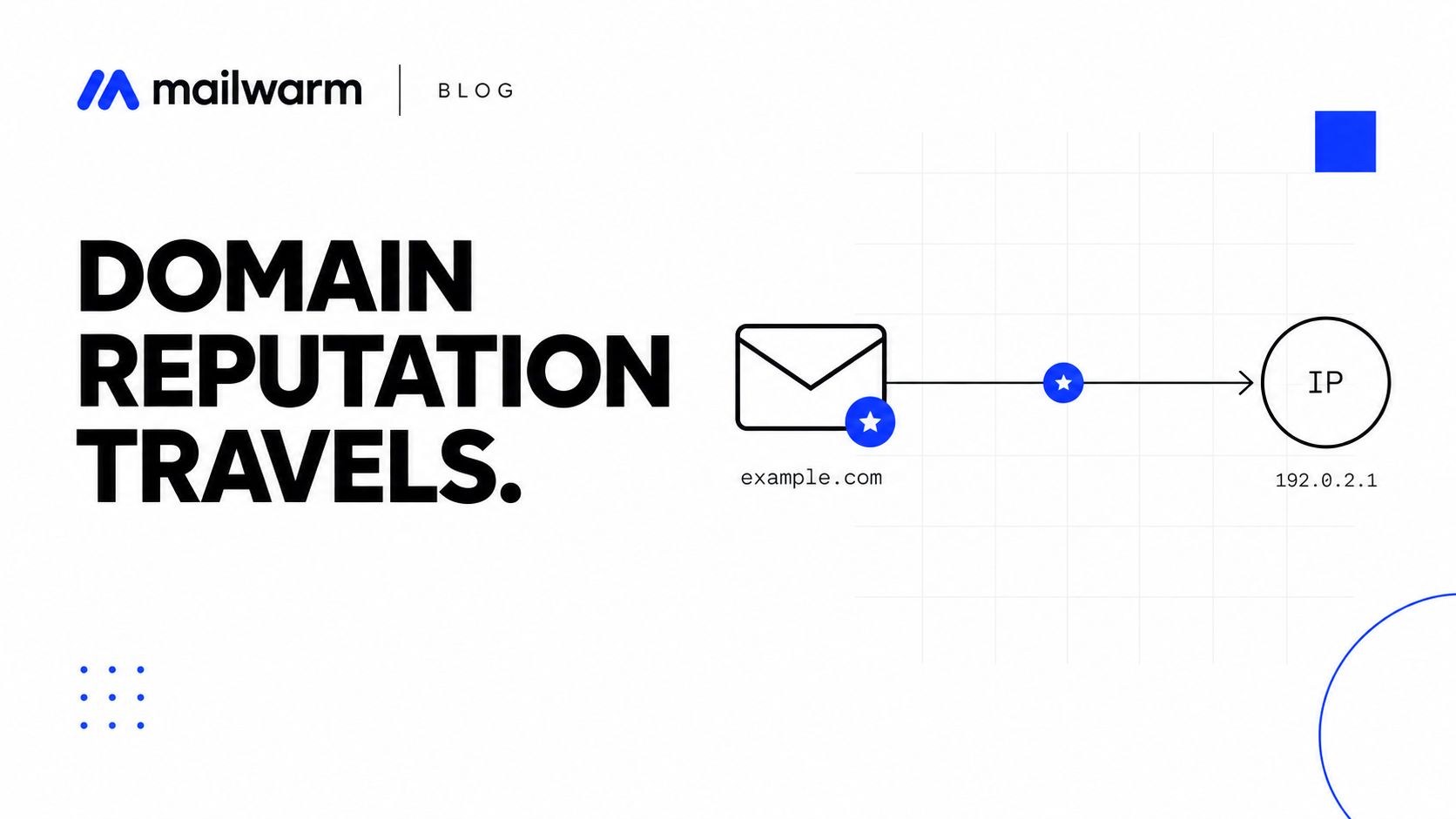
IP warmup fixes a different problem. Automated warmup on a dedicated IP can pace volume from a new address, but it can't prove that recipients want the mail. Mailbox providers also judge the signing domain, From domain, links, complaint history, and engagement pattern. A dedicated IP with poor list practices only isolates the damage.
That distinction explains why ESP switches disappoint so often. The work that moves inbox placement during a migration is list cleanup, DKIM alignment with the From domain, and a slow volume ramp, and the sender does all of it. The provider supplies the pipe.
Authentication stays the sender's job
Domain verification and DNS based authentication are required setup steps, not optional tuning. Integration guidance for both services describes SPF and DKIM setup, with SendGrid examples using an SPF record that includes sendgrid.net and DKIM or verification records supplied through CNAME entries, according to an email service setup guide for SendGrid and Mailgun. Mailgun also documents SPF, DKIM, and DMARC as supported authentication practices.
A typical SendGrid SPF value looks like this:
v=spf1 include:sendgrid.net ~allThe exact records must come from the provider setup screen for the domain in use. DKIM should sign with the sender's own domain so the d= value matches the From domain, and DMARC should align with that identity. Sending through a well known API doesn't create alignment by itself.
Weak DMARC policies remain common across custom sending domains. Many senders publish a monitoring-only policy or none at all, which leaves spoofing and alignment failures invisible until placement drops.
- SPF: Authorize every legitimate sending service for the domain, and remove services no longer used.
- DKIM: Confirm signing uses the sender's domain, not only a provider domain.
- DMARC: Publish a policy, read aggregate reports, and fix alignment failures before increasing volume.
- Subdomains: Separate transactional, lifecycle, and bulk streams so one weak stream doesn't define the rest.
Placement tests need context
One Mailtrap test of SendGrid versus Mailgun reported Mailgun reaching the inbox 71.4% of the time versus SendGrid at 61.0%, while SendGrid had a lower spam rate at 17.1% versus 23.8%, and Mailgun had fewer missing messages at 1.0% versus 20.9%. Those results reflect one test design, shared IP conditions, one message mix, selected recipient providers, and one testing period, so no universal inbox winner follows from them.
Volume discipline matters more than which logo sits on the relay. Google's sender guidelines set a low ceiling on spam complaint rates, and crossing it triggers filtering no matter which provider carries the mail. A gradual ramp gives mailbox providers a readable pattern and gives the sender time to react when complaints rise. Sudden spikes from a new IP or newly authenticated domain invite deferrals and filtering.
Neither provider can guarantee inbox placement. Mailwarm's free deliverability test sends one email and returns a score out of 100 with a ranked fix list, which surfaces setup issues before a launch or migration. Mailwarm plans also include expert deliverability sessions, spam score monitoring, inbox placement insights, bounce prevention, and access to a 50,000+ real inbox network, which supports diagnosis after the ESP choice is made.
Pricing at Your Real Volume
Headline prices look tidy until entitlements enter the bill. An SMTP.com comparison of SendGrid and Mailgun lists Mailgun at $15 per month for 10,000 emails, $35 for 50,000, and $90 for 100,000, while SendGrid's commonly cited entry point is $19.95 for 50,000 emails. Those are secondhand comparison figures, so every price and allowance needs verification on each vendor's pricing page before publication or purchase.
The same comparison notes that plan entitlements differ across log retention, dedicated IP availability, validation, support, and advanced deliverability features. It also states that Mailgun's inbox placement testing and reputation monitoring are separate from base sending plans. A buyer who needs those capabilities should compare total operating cost, not SMTP or API price alone.
Build a twelve month model
- Count volume by stream: Separate transactional, lifecycle, and marketing sends, since growth and risk differ by stream.
- Count sending domains: Multiple brands, environments, and subdomains can change plan fit.
- Decide on IP timing: Establish whether a dedicated IP is needed now, later, or not at all, informed by how IP choice affects inbox placement.
- Set a retention requirement: Match event history to support, billing, and compliance needs.
- Add diagnostics: Include inbox placement testing, monitoring, validation, and authentication work.
- Add staff time: Budget hours for bounce handling, complaint reviews, migration, and incident response.
Free usage can distort the decision. A short trial helps engineers test an API, but it rarely predicts cost at production volume. Overage rules, add-on logs, extra dedicated IPs, validation credits, and support upgrades often decide the second year bill.
The cheapest sending plan becomes expensive when missing logs, weak diagnostics, or slow support turn a one day delivery problem into a week of lost signups.
At small volume, the monthly gap between credible providers is often smaller than the revenue effect of one broken password reset flow. Price still matters. It just shouldn't outrank event visibility, support access, and the operational work needed to keep complaints low.
A sensible spreadsheet uses current vendor pages, records the date checked, and models the next volume step rather than only the present month. That prevents a plan that looks efficient today from forcing a rushed tier change during a product launch.
Do Not Use Either for Cold Outreach
Both acceptable use policies prohibit unsolicited mail and purchased lists. Cold outreach doesn't belong on a transactional API built for receipts, alerts, verification messages, and other mail triggered by a recipient's action.
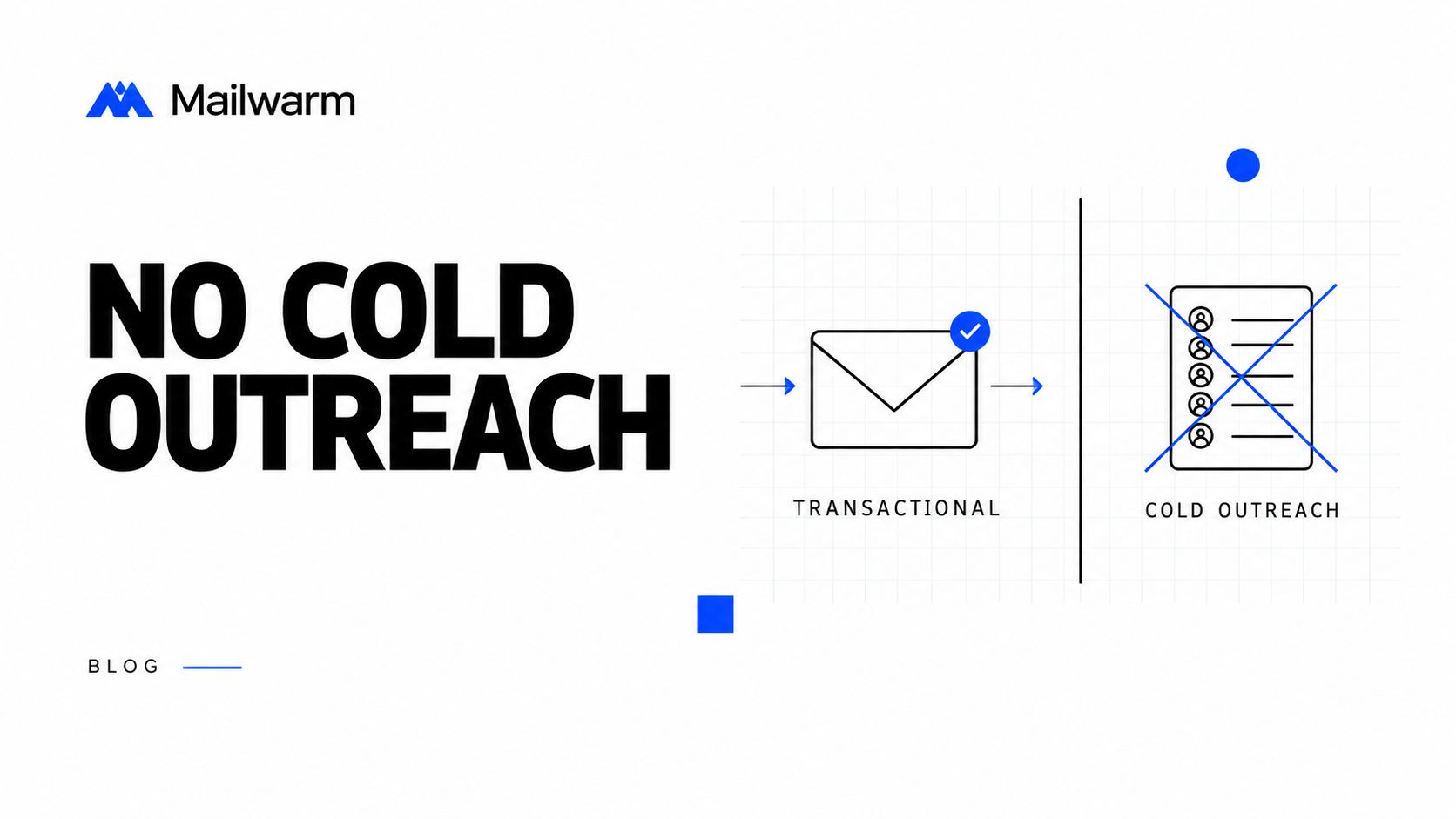
The operational risk is blunt. An account suspension can stop password resets and receipts along with outreach. Even without suspension, complaints from people who never requested contact can damage shared infrastructure standing and the sending domain used for product mail.
Cold outreach belongs on separate mailboxes, on a separate subdomain, with warmup before campaigns begin. Setup details for that route sit under SMTP warmup, not inside a transactional ESP account. Separation protects product email and makes reputation problems easier to isolate.
Mailwarm generates positive interactions between a user's email accounts and Mailwarm's email accounts by sending emails from the user's SMTP to Mailwarm accounts and sending replies to the user. Mailwarm also applies positive actions such as marking messages as important or getting them out of the spam folder. That process supports mailbox warmup. It doesn't make purchased lists acceptable to an ESP.
- Separate subdomain: Keep outreach identity apart from product and billing mail.
- Aligned authentication: Publish SPF, DKIM, and DMARC for the outreach subdomain.
- Low starting volume: Ramp over weeks rather than beginning at campaign volume.
- Honest targeting: Contact people with a plausible reason to care, and suppress objectors fast.
- Working unsubscribe path: Make opting out easier than reporting spam.
A warmed mailbox with careful targeting beats a large API blast every time. Volume can't compensate for weak consent, poor fit, or a domain that mailbox providers already distrust.
Which One Fits Your Team
Constraint should decide the shortlist, not brand familiarity. A checkout heavy product, a developer led internal platform, and a small team mixing lifecycle with transactional mail don't need the same trade-offs.
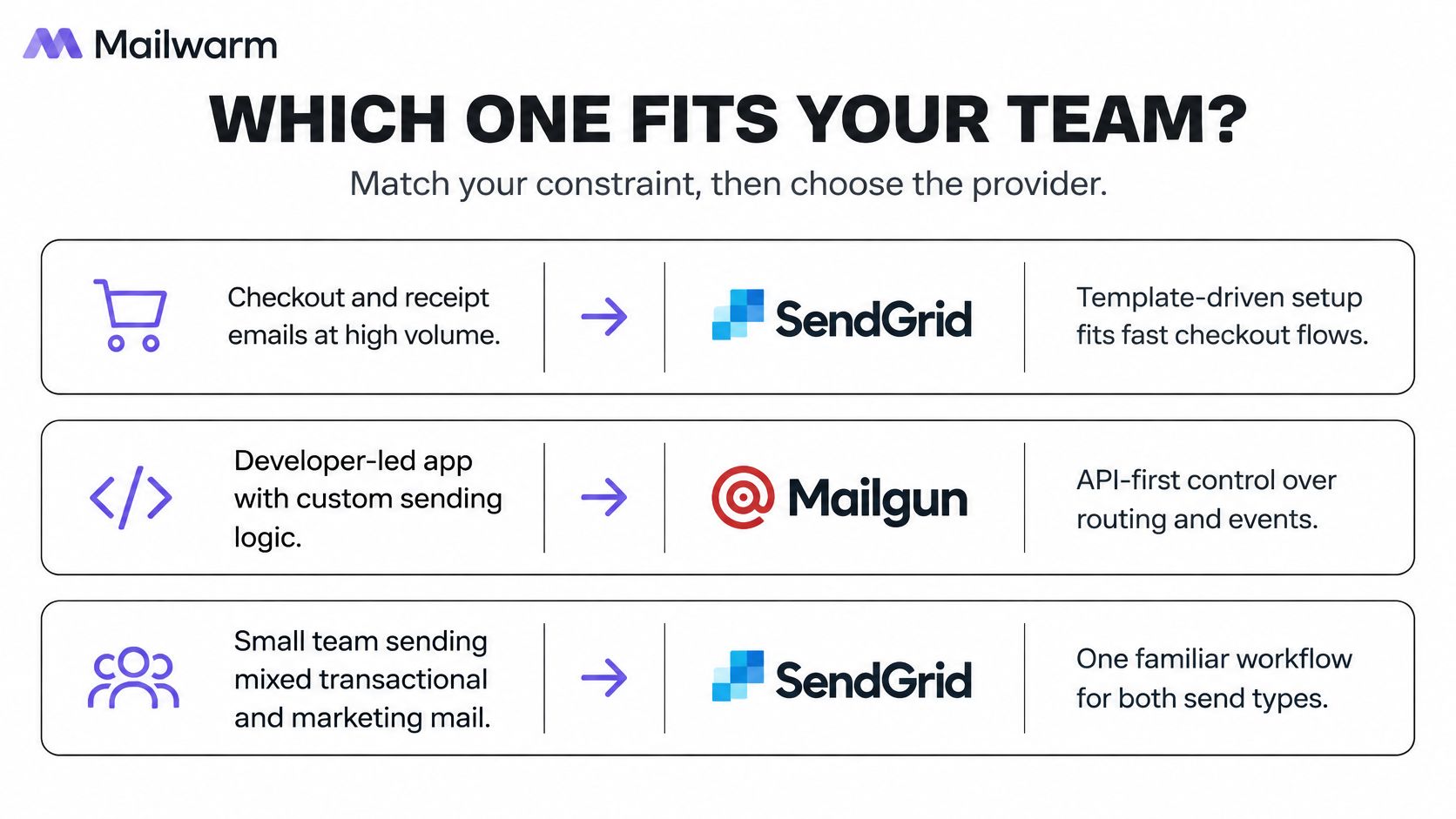
Which provider fits which constraint
| Situation | Lean toward | Why |
|---|---|---|
| Checkout and password reset flows that wait on the API | SendGrid | Lower p50 and p99 response in one benchmark, so load test the actual flow |
| Large batches of personalized transactional messages | Mailgun | Batch endpoint accepts up to 1,000 personalized messages per call |
| Many workers submitting in short bursts | Test both | Confirm per second endpoint limits in each vendor's current docs |
| Marketing and transactional mail in one tool | SendGrid | Broader marketing campaign tooling in independent comparisons |
| Prototype under 100 emails per day for months | Mailgun | Free tier has no stated expiration, while SendGrid's runs 60 days |
| Already sending through Amazon SES | Compare before switching | Set up and test SES first, using an Amazon SES setup guide |
Ecosystem is the other practical split. A Mailercloud comparison of SendGrid and Mailgun identifies shared support for REST sending, SMTP relay, webhooks, templates, and inbound email parsing. It positions SendGrid as having a larger SDK ecosystem and broader transactional plus marketing campaign tools, while Mailgun centers more on developer oriented transactional delivery and email operations.
That positioning gives a clean starting rule. Mailgun fits a team that mainly sends transactional mail and values API level control and batch sending. SendGrid fits a team that wants transactional and marketing workflows under one account, or already works inside Twilio's platform.
Neither starting rule replaces a trial with real templates and real event handling. A provider can look ideal in documentation and still frustrate a team through log search, template workflow, user permissions, or support response. Those frictions appear only when engineers and operators perform ordinary tasks.
Run this test this week
- Confirm daily volume by stream: Use recent production counts, not a forecast built for procurement.
- Check IP options: Record whether shared sending is enough and what warmup a dedicated IP would require.
- Send one real bounce: Push it through the webhook and read the full payload, not only the dashboard label.
- Open a technical support ticket: Ask a specific authentication or event question and time the useful reply.
- Test controlled inboxes: Send production shaped messages to Gmail, Outlook, and Yahoo addresses controlled by the team.
- Record placement and events by stream: Compare results for receipts, resets, and lifecycle mail separately.
The SendGrid row for checkout flows rests on one benchmark. Load testing remains essential because payload design, region, queue behavior, and retry settings can erase a vendor level difference. A slower API behind a proper queue can feel faster to users than a fast API called synchronously with poor timeout handling.
Inbound parsing also deserves a scenario test if replies drive support or product workflows. Send attachments, threaded replies, auto replies, and malformed messages. Then verify routing rules, payload completeness, and failure alerts. Basic sending parity doesn't mean inbound parity.
The best fit is the provider that makes ordinary operations boring. Authentication stays visible, events arrive complete, logs remain searchable, and support answers with usable detail. Those traits protect delivery after the initial integration excitement ends.
Moving Between Them Without Losing Inbox Placement
A move changes the sending path, not domain reputation. The migration job is to keep authentication aligned, carry suppression data across, and ramp the new path slowly enough to spot trouble early.
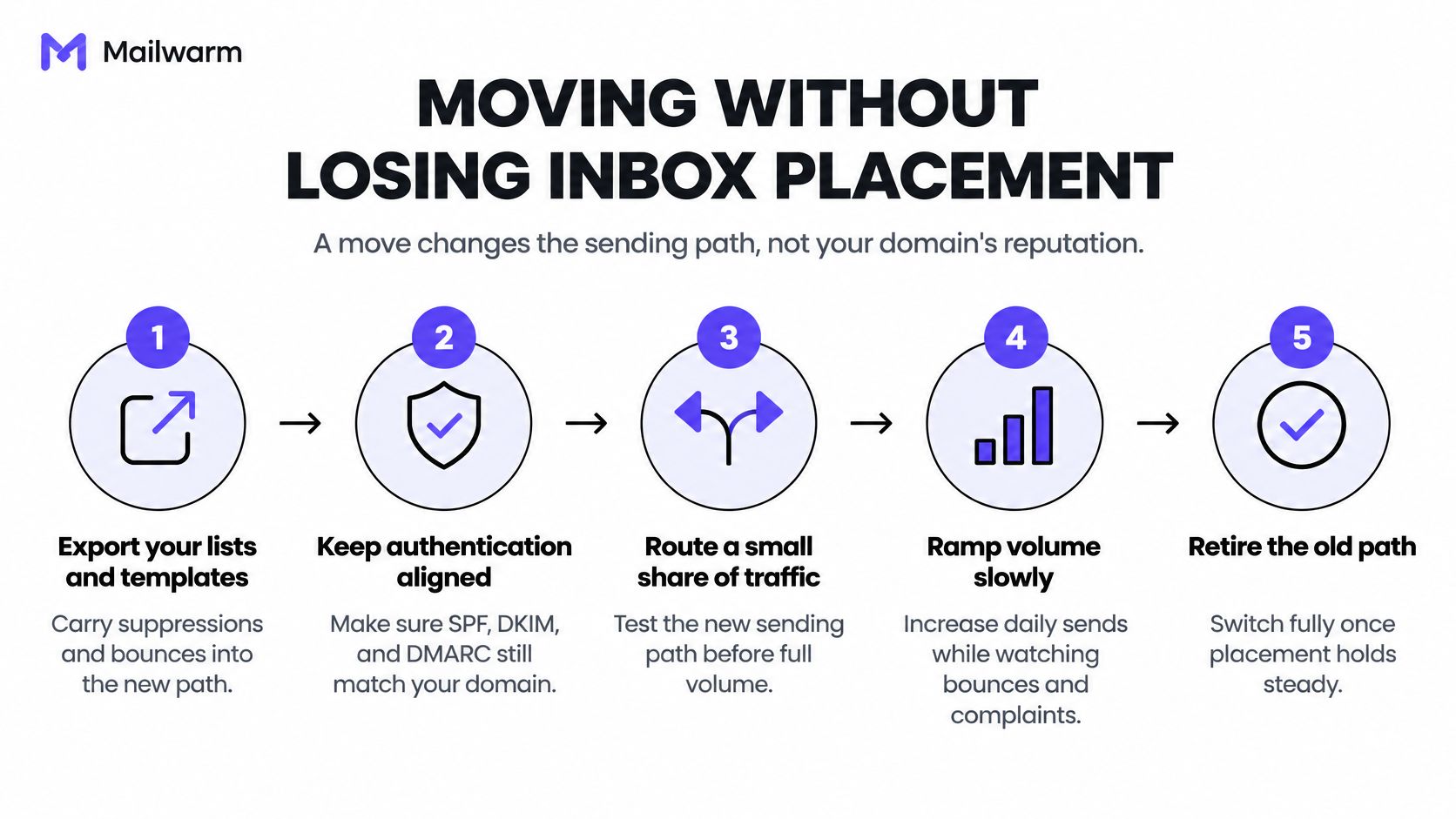
- Export suppressions first: Move unsubscribes, hard bounces, spam complaints, and internal do not send records before any live send.
- Overlap SPF authorization: Add the new provider's SPF include beside the old one during transition, while keeping total DNS lookups under the 10 lookup limit in RFC 7208 to avoid a permerror.
- Publish DKIM records: Confirm the d= value matches the From domain, and check a delivered header line such as "DKIM-Signature: v=1; a=rsa-sha256; d=yourdomain.com; s=selector1".
- Route a small share first: Start with the most engaged recipients and the least risky transactional stream.
- Ramp over several weeks: Increase share only while bounce and complaint rates stay stable by stream.
- Retire the old path last: Close it after the new route holds steady through normal peaks, not after one quiet day.
Teams often report better results after a move because the migration forced useful work. Lists got cleaned, DKIM alignment got fixed, suppressions got respected, and volume rose slowly. The improvement usually came from that cleanup, not from the new vendor logo.
Detailed sequencing help appears in SendGrid account warm-up tips from Mailwarm. For teams reviewing the domain side before cutover, Lead Printer's guide to authentication setup for domain warmup offers a useful companion checklist alongside provider documentation.
If email is part of a growth strategy, Mailwarm helps senders build sender reputation, monitor inbox placement, and reduce spam risk with expert guided warmup. That support matters most during a provider change, when small alignment errors can look like a sudden ESP problem.
Frequently Asked Questions
Is Mailgun or SendGrid better for inbox placement
Neither provider wins across the board. Placement depends mainly on domain reputation, list quality, authentication alignment, and volume pattern. A controlled test using a sender's own streams and recipient mix gives a more useful answer than a public ranking.
Does switching ESPs fix deliverability problems
Usually not. A move changes IPs and sending infrastructure, but the domain reputation and list history travel with the sender. Gains after migration usually follow list cleanup, corrected DKIM alignment, suppression hygiene, and a slower ramp.
Which free tier lasts longer
Mailgun allows 100 emails per day with no stated expiration. SendGrid allows 100 emails per day for 60 days, based on the comparison sources cited in the opening section. SendGrid therefore suits a short prototype, while Mailgun suits a longer low volume test.
Is a dedicated IP necessary
Usually not at low or inconsistent volume. A dedicated IP needs steady daily sending and its own warmup, and it receives no shelter from a shared pool's established history. Volume per stream and complaint control should come before an IP upgrade.
Can either provider be used for cold outreach
No. Unsolicited mail and purchased lists conflict with acceptable use expectations for transactional ESPs. Cold outreach needs separate mailboxes, a separate subdomain, warmup, and careful targeting.
Does Mailwarm need access to a private inbox
No. Mailwarm doesn't require IMAP access or permission to read a private inbox. Expert deliverability calls are included in every plan, alongside tools for monitoring reputation and placement.
How should bounce and complaint performance be compared
Rates should be compared by stream, mailbox provider, and recipient source, not as one ESP score. Bounces follow address quality, while complaints follow consent, relevance, frequency, and targeting. A provider change can't correct either input on its own.
Before switching ESPs or warming a new IP, visit Mailwarm to test the current setup, find authentication and placement issues, and get expert guidance on the fixes that matter first. Mailwarm helps senders build reputation, monitor inbox placement, and improve deliverability through real inbox engagement, advanced warmup controls, and expert guidance.