
You've written a thoughtful email, chosen a clear subject line, and still see an inbox snippet that says “View this email in your browser” or exposes the first sentence of the body. Email preview text, also called preheader text, is the short snippet displayed beside or beneath the subject line before a recipient opens the message. It gives the sender one more controlled space to explain the value of the email, but it also creates a technical rendering and measurement problem.
The strongest results come from treating the subject line, sender name, preview text, and sender reputation as one system. Good copy helps a recipient choose to open. Good implementation ensures the inbox shows the intended copy. Good deliverability gives that message a fair chance of reaching the inbox at all.
What Email Preview Text Actually Is
Email preview text is the inbox snippet that appears next to or below the subject line before the email is opened. The terms preview text and preheader text are commonly used for the same hidden inbox copy, although a visible preheader can also appear at the top of the email itself.
A recipient may see it in Gmail, Outlook, Apple Mail, Yahoo, and mobile inbox apps. The exact position depends on the client and layout. On a desktop screen, it often continues on the same line as the subject. On a phone, it may appear beneath the subject as a separate line.
That distinction matters because preview text isn't "the first line of the email." If no hidden preheader is supplied, major inboxes can pull a fallback snippet from the beginning of the email body. The result may be a useful sentence, but it may also be a greeting, an unsubscribe instruction, image alt text, or a browser-view link.
Why senders control it separately
The subject line creates the initial promise. The preview text can add the missing context.
For example:
Subject: A simpler way to manage campaign reporting
Preview: See the three views commonly used firstSubject: Following up on your hiring plan
Preview: A practical option for your next open role
The second line shouldn't repeat the first. It should answer the likely next question, clarify the benefit, or offer a small reason to continue.
Practical rule: Treat the subject line as the headline and the preview text as its supporting sentence.
Preview text also helps control the sender's visible inbox presence. Without it, the email client makes the editorial choice. That choice may expose boilerplate instead of the message's main point.
| Email Client | Approx. Characters, Desktop | Approx. Characters, Mobile |
|---|---|---|
| Gmail | About 97 on web | About 90 on iOS |
| Outlook 2013 and later | About 35 on Windows | About 55 on Mac |
| Apple Mail | Varies by device and layout | Varies by device and layout |
The Gmail and Outlook figures come from industry guidance on email preview text display. Apple Mail and other clients can vary with screen size, font settings, sender details, and subject length.
A sender should therefore be able to describe preview text in one sentence: it's a controlled inbox-only continuation of the subject line, designed to influence the recipient before the email is opened.
How Preview Text Renders Across Inboxes
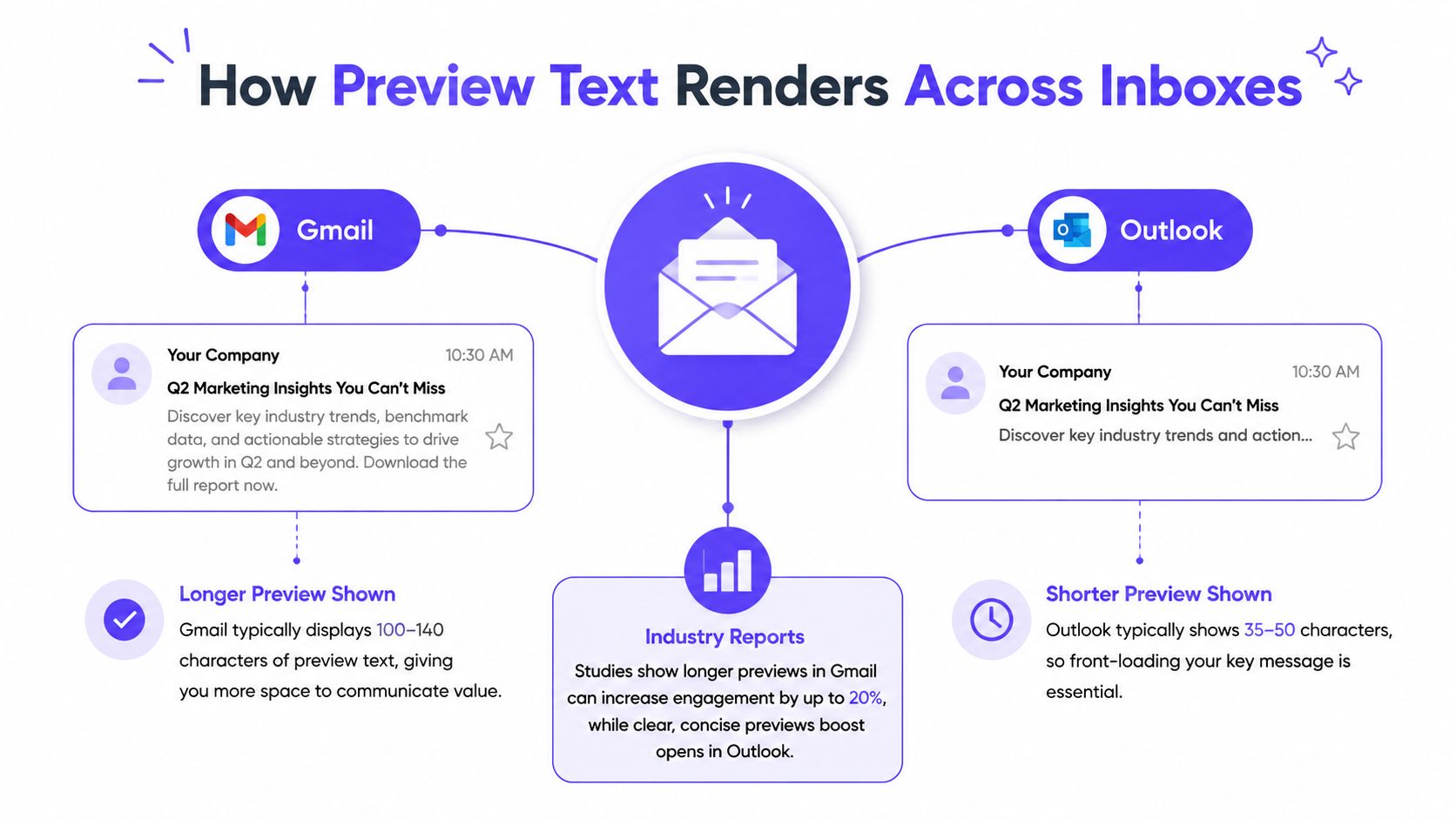
Preview text doesn't occupy a fixed space across every inbox. Gmail and Outlook expose materially different amounts, and the available space can change when the subject line becomes longer.
One industry guide reports Gmail showing about 97 characters on the web and 90 on iOS, while Outlook 2013 and later shows about 35 characters on Windows and about 55 on Mac. These are approximate rendering windows, not guarantees. A sender can write one preheader, but each client decides how much of it remains visible.
Subject length changes the available space
Gmail-style layouts share horizontal space between the subject and the snippet. A longer subject can leave less room for preview text, as explained in this guide to Gmail preview text behavior. Readers may also disable snippets, so the message still needs to make sense without the preview line.
Outlook Windows is more restrictive in the cited guidance. A phrase that looks complete in Gmail may end after a few words in Outlook. That's why the most important meaning belongs at the beginning, not at the end.
A practical cross-client approach is:
- Write the core benefit first. Put the reason to open in the first words.
- Keep the sentence compact. Guidance clusters around a broad range of 40 to 130 characters, but shorter copy is safer when consistency matters, according to cross-client preheader guidance.
- Read the first 40 to 90 characters alone. The value proposition should still be understandable if later words disappear.
- Test the subject and preheader together. A long subject can compress the visible preview.
Prevent body-copy leakage
When no hidden preheader is set, the client typically reaches into the start of the body and pulls whatever text appears there. This can produce snippets such as:
- “View this email in your browser”
- “Hi Sarah”
- “Unsubscribe from these emails”
- An image description or alt-text phrase
- A navigation label or legal notice
The implementation order matters. A hidden preheader should sit immediately after the opening body tag and before visible content, so inboxes encounter the intended snippet first. Litmus explains the implementation and support considerations behind hidden preheaders.
The hidden text should remain accessible to inbox parsers while being visually hidden from the email body. The exact HTML method depends on the email service provider, so marketers should use the provider's native preheader field where available and then inspect the rendered source or preview.
Inbox check: Send a test to Gmail web, Gmail on iOS, Outlook Windows, Outlook Mac, and at least one Apple Mail environment. Look for leaked body copy, awkward truncation, and repetition with the subject.
Writing Preview Text That Actually Works
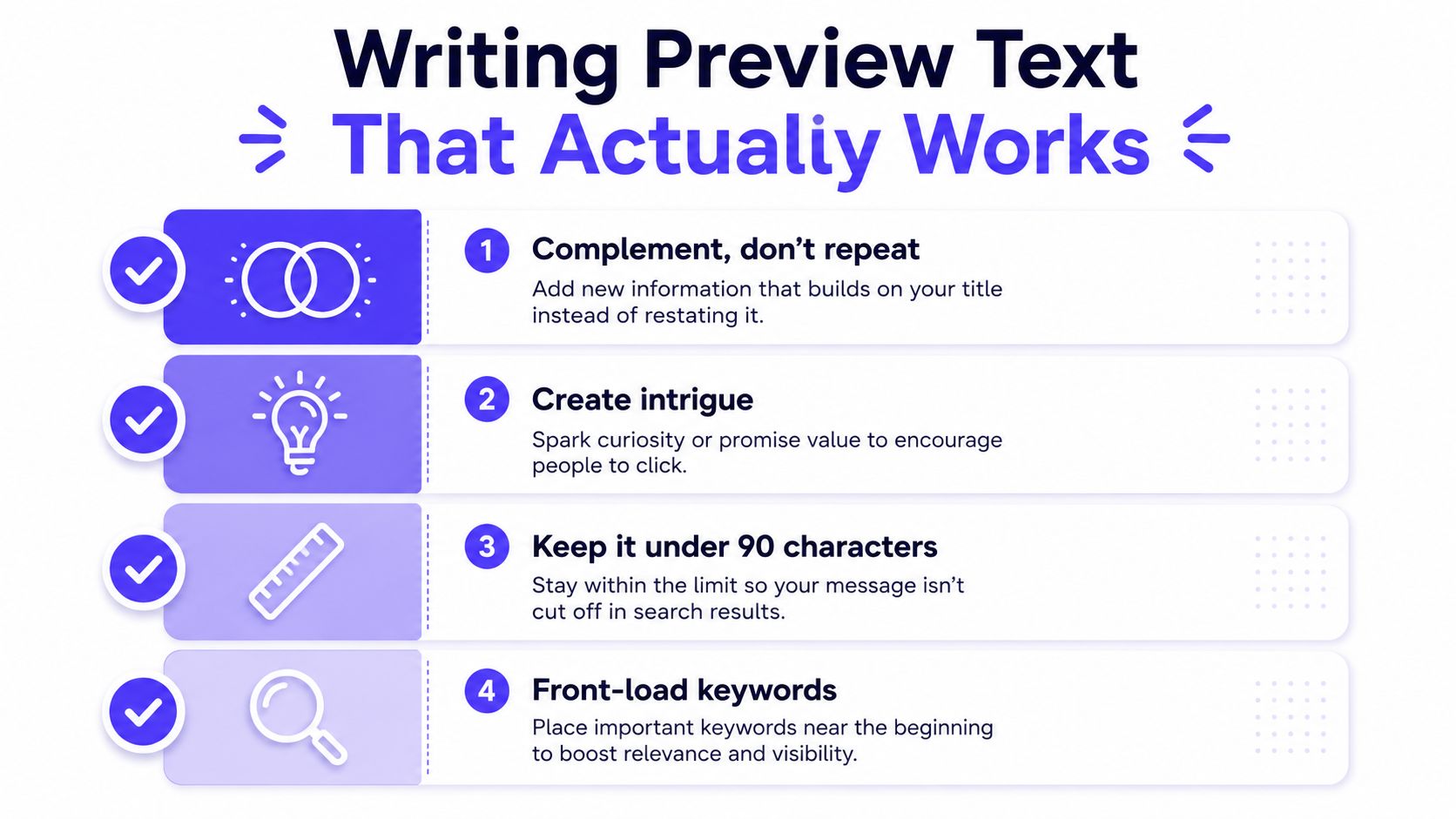
Good preview text does one job clearly: it makes the subject line more useful. It can add a benefit, introduce a reason to act, or create curiosity with enough context to avoid confusion.
The first 40 to 90 characters deserve the most attention because truncation can remove everything after them. The opening words should carry the central promise, a micro-CTA, or a distinctive detail.
Five practical writing moves
1. Complement, don't repeat.
If the subject says “A new way to plan quarterly campaigns,” the preheader shouldn't say “Learn about our new campaign planning method.” A stronger pairing is:
- Subject: A new way to plan quarterly campaigns
- Preview: Start with the view that exposes gaps first
The second line adds direction instead of restating the topic.
2. Lead with the payoff.
Weak copy often starts with setup:
- “In this email, the team shares some useful advice...”
A tighter version makes the benefit visible immediately:
- “Find the reporting view that saves review time”
The reader doesn't need to process an introduction before seeing the reason to open.
3. Use a small action when appropriate.
A micro-CTA can work well when the email has one clear next step:
- “Review the shortlist before tomorrow's call”
- “See the new template in action”
- “Compare the options in one minute”
The action should match the body. Preview text shouldn't promise a resource, offer, or deadline that the email doesn't contain.
4. Personalize with restraint.
A first name or company token can make the line more relevant:
- “Sarah, the hiring checklist is ready”
- “For Acme, the next reporting step is simpler”
Personalization isn't automatically persuasive. A malformed token or awkward company name can damage trust, so every merge field needs testing with real sample records.
5. Match the sender's tone.
A formal subject paired with slang feels disjointed. A warm newsletter paired with stiff product language creates the same problem. The two lines should sound like one person or brand continuing one thought.
The email phrasing mistakes guide can help teams review wording that may create spam or trust concerns. Preview text should remain calm, specific, and relevant rather than packed with urgency language.
Remove filler before it gets truncated
“View in browser” and “Having trouble viewing this email” may be useful accessibility or fallback links, but they rarely deserve the first visible snippet. Place them after the hidden preheader or use the email platform's supported structure so the inbox sees the intended message first.
A simple editing test helps:
- Can the first five to eight words stand alone?
- Does the preview add information to the subject?
- Is the benefit clear without opening the email?
- Could the line be mistaken for boilerplate?
- Does the copy still sound natural after truncation?
The safest preheader isn't always the cleverest. It's the one that remains clear when the inbox shows only part of it.
Preview Text Examples for Sales, Marketing, and Recruitment
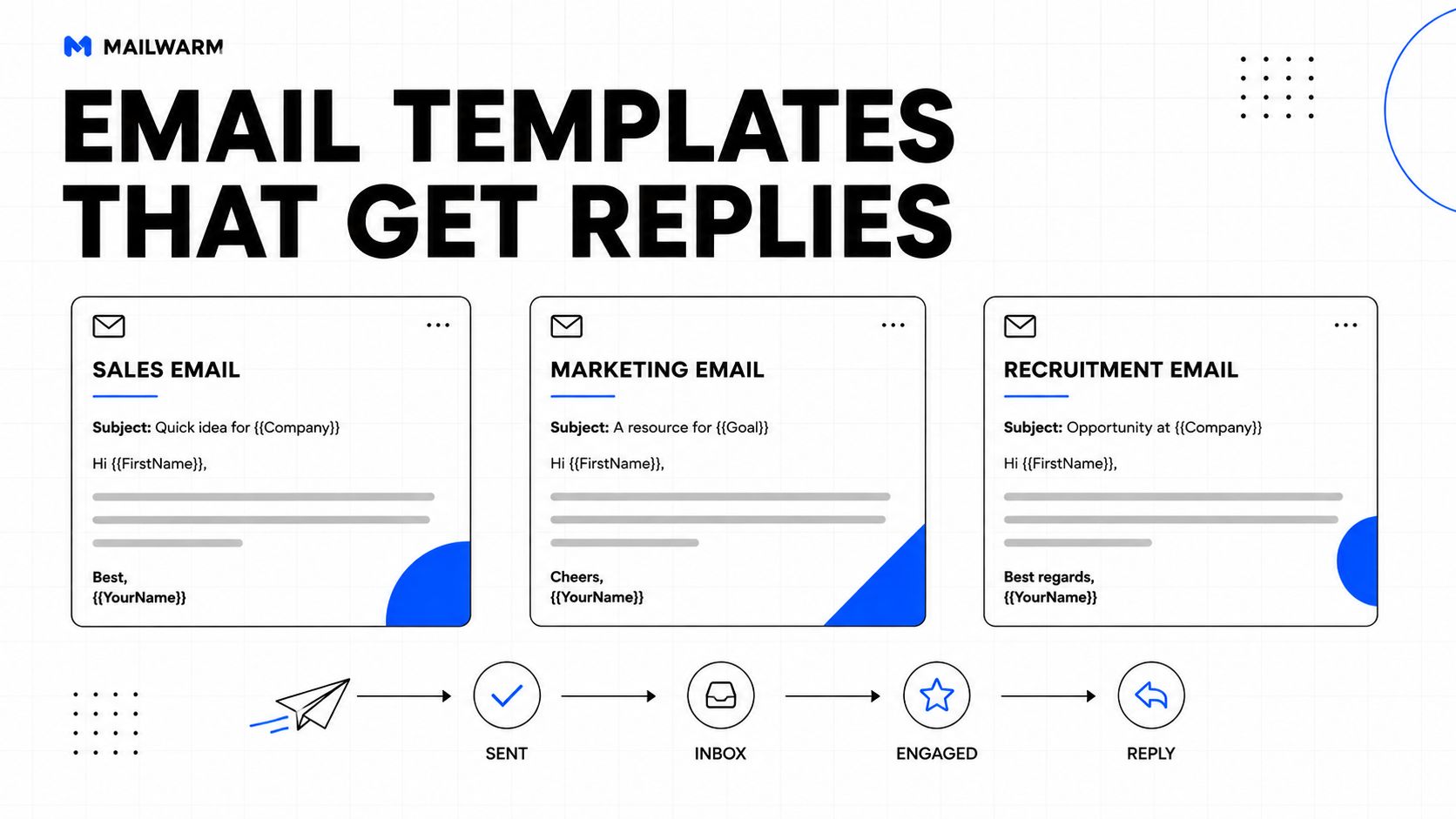
The right preheader depends on the email's relationship with the recipient. A newsletter can be openly editorial. A sales message often needs to feel more personal. A recruitment follow-up should provide context without sounding like an automated reminder.
| Use case | Subject line | Preview text | Why it works |
|---|---|---|---|
| Sales outreach | A practical idea for Acme's reporting process | One place to spot the gaps before review day | The company token adds relevance, while the benefit gives the recipient a reason to continue. |
| Marketing newsletter | The reporting habit worth dropping | A clearer way to find what needs attention | The preheader develops the editorial angle instead of repeating the subject. |
| Recruitment follow-up | Following up on the product marketing role | The team can answer the questions raised in the call | The line supplies useful context and keeps the tone human. |
Account for truncation by client
For Gmail web, the longer available window may show most of the benefit-led sentence. Outlook Windows may expose only its opening fragment, so the first words need to work independently.
For the sales example, “One place to spot the gaps” still communicates a useful idea if the rest disappears. For the recruitment example, “The team can answer the questions” remains understandable even when the final context is cut.
Vary a sequence without losing continuity
Repeated preview text makes a multi-step campaign feel mechanical. Each step should have a distinct job:
- Initial message: Identify the relevant problem or opportunity.
- First follow-up: Add a useful detail or clarify the proposed next step.
- Later follow-up: Make the close-out action easy, such as confirming whether the topic is still relevant.
For example:
Subject: A practical idea for Acme's reporting process
Preview: One place to spot the gaps before review daySubject: A detail worth adding to the reporting plan
Preview: The handoff is where teams often lose contextSubject: Should this stay on the list?
Preview: A quick yes or no helps close the loop
Personalization should support the message, not appear in every field. A recipient should recognize continuity across the sequence without seeing the same sentence repeated.
Why Open Rates Are No Longer the Right Scoreboard
Preview text can influence open behavior, but open rate alone is a weak basis for judging its value in a privacy-shifted inbox environment. A 2026 report notes that B2B open-rate estimates range from 15.1% to 55.71%, illustrating how widely the metric can vary by source and audience. The report is available through B2B email benchmark research for 2026.
Privacy features and client behavior can register opens that don't represent a deliberate human read, while other activity may go unrecorded. That makes a small open-rate movement difficult to interpret, especially when list quality, sender reputation, device mix, and delivery conditions also change.
The practical answer isn't to ignore preview text. It's to measure what happens after the open.
- Click-to-open rate: Did recipients who engaged with the message take the intended action?
- Reply rate: Did a sales, recruitment, or relationship email generate a response?
- Meetings booked: Did the campaign create a qualified conversation?
- Downstream conversion: Did the recipient complete the business action that matters?
One benchmark cited in industry coverage found that custom preview text was associated with an average open rate of 44.67%, compared with 39.28% without it. The same benchmark reported click-through rate moving from 3.67% to 4.54% and click-to-open rate from 9.33% to 10.16%, according to industry coverage of custom preview text performance.
Those figures show why preview text can be a measurable lever across opens and clicks. They don't prove that every audience will see the same result, and they don't remove the need for a stronger KPI framework.
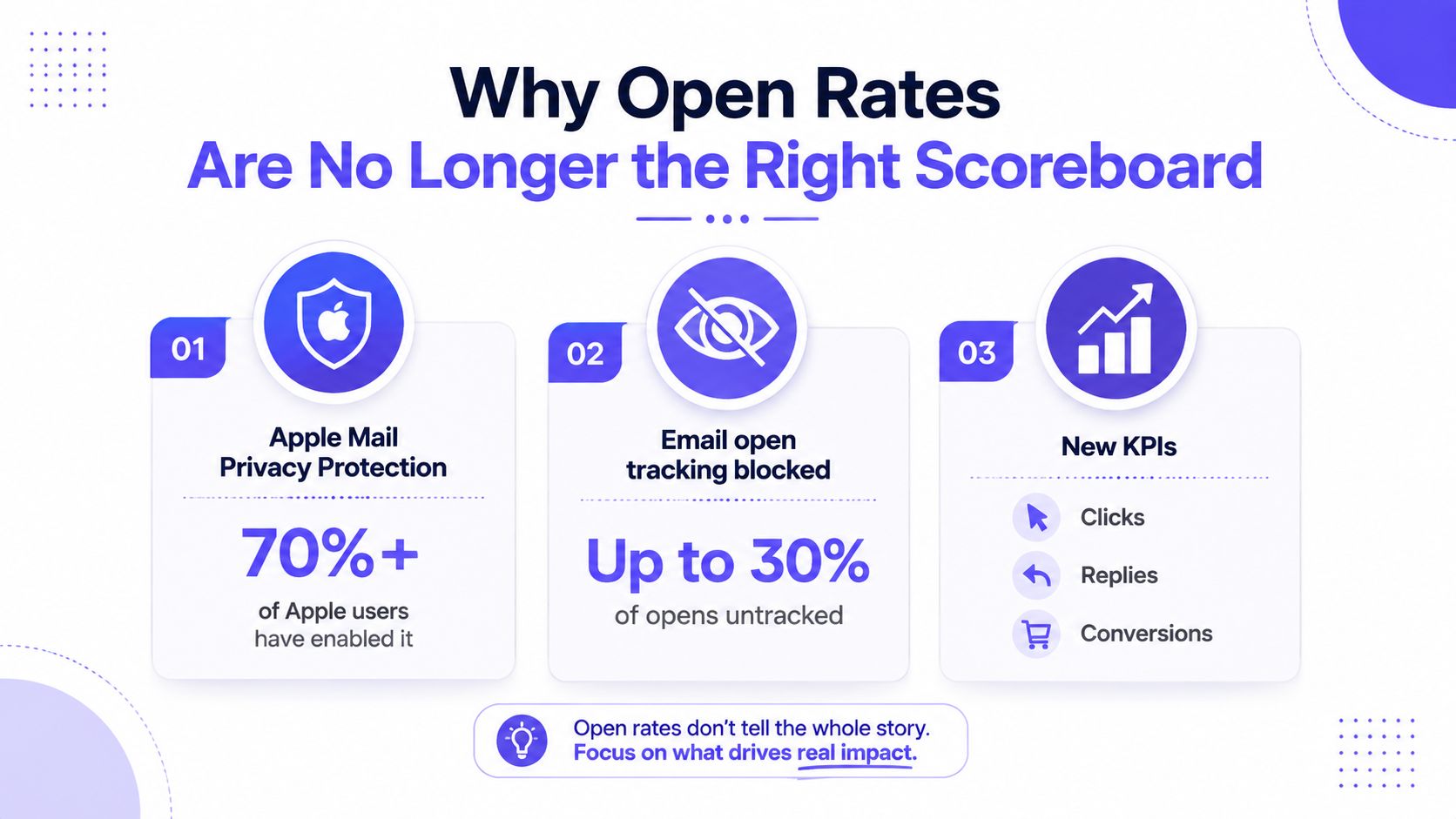
The cold email open-rate benchmarks guide can provide additional context, but teams should still compare campaigns within the same audience, provider mix, content type, and measurement setup.
A useful reporting view separates rendering performance from business performance. Rendering checks whether the intended preheader appeared across clients. Business reporting checks whether the message produced clicks, replies, meetings, or conversions after delivery.
A/B Testing Preview Text Without Breaking Deliverability
Preview text testing works best when the test isolates one variable. If the subject line, sender name, offer, audience, and preheader all change at once, the team won't know which element influenced the result.
A clean testing loop looks like this:
- Keep the campaign constant. Use the same audience, subject line, body, sender, timing, and offer. Change only the preview text.
- Split the audience evenly. Use the email service provider's native experiment feature when available, and keep the groups comparable.
- Define the decision metric first. For a newsletter, that may be click-to-open rate. For outreach, it may be replies or qualified meetings rather than opens.
- Record the result by client. Note Gmail, Outlook, Apple Mail, desktop, and mobile performance where the platform provides that view.
A test winner should not be declared from a noisy early signal. The campaign needs enough activity for the chosen KPI to support a reasonable decision, and the team should document the audience, copy variants, client mix, and outcome.
Resolve conflicting results
A preheader can perform differently when Gmail shows a long snippet and Outlook shows only the first few words. If client-level results conflict, inspect the words that remain visible in the shorter rendering window. The issue may be copy order rather than audience preference.
Preview text testing also needs a deliverability guardrail. Teams should avoid changing sending volume, list quality, or authentication while testing copy. Otherwise, a delivery change can look like a copy improvement.
Warmup tools such as Mailwarm can be evaluated separately from a preheader experiment. The test should measure whether the message is delivered and engages with the intended audience, while the sender's reputation work remains a controlled part of the broader program.
Preview Text and the Broader Deliverability System
A well-written preheader can't compensate for poor authentication, weak list hygiene, excessive volume, or low-quality engagement. It influences the inbox decision only after mailbox providers accept the message for delivery and display it to the recipient.
A practical foundation includes:
- Authentication: SPF, DKIM, and DMARC should be correctly configured and monitored.
- List hygiene: Remove invalid, inactive, and risky addresses according to the sender's program.
- Volume control: Increase sending carefully and keep campaign behavior consistent.
- Positive engagement: Encourage genuine replies, clicks, and useful conversations.
- Monitoring: Review spam signals, bounce patterns, and inbox placement by provider.
Teams building a broader program can also review this resource on how to boost email deliverability for founders. The important connection is simple: preview text improves the message's presentation, while reputation determines whether the message gets a useful presentation at all.
Mailwarm is a premium email warmup and deliverability platform that combines real inbox engagement, advanced warmup controls, inbox placement insights, spam score monitoring, authentication fix tools, bounce prevention, and expert deliverability guidance. Its network includes 50,000+ aged real inboxes, with engagement signals such as opens, replies, threads, spam removal, and important marking. Depending on the plan, it can provide up to 100% replies to warmup emails, while provider-level warmup supports B2B and B2C sending across relevant mailbox providers.
Unlike basic warmup tools, Mailwarm doesn't require IMAP access or permission to read a private inbox. The platform also includes custom content warmup, deliverability analytics, and expert deliverability calls in every plan. It fits teams that want to build sender reputation and monitor inbox placement as part of a complete email program, rather than treating warmup activity as the entire solution.
For practical guidance on reducing unwanted filtering, marketers can also use this guide to avoiding the spam folder. Preview text is the finishing layer. The foundation remains authentication, responsible sending, clean data, and consistent positive engagement.
Frequently Asked Questions
What is email preview text?
Email preview text is the snippet shown beside or beneath an email's subject line in the inbox. It gives recipients additional context before they open the message and is also called preheader text.
How long should email preview text be?
There isn't one universal limit because inboxes render different amounts. Guidance clusters around 40 to 130 characters, but shorter copy is safer for cross-client consistency, with the strongest meaning placed in the opening words.
Why does unwanted body copy appear in the preview?
When no hidden preheader is provided, the inbox may pull text from the beginning of the email body. That can expose greetings, browser links, image alt text, navigation, or legal copy instead of the intended message.
Should preview text repeat the subject line?
No. The subject and preview should work as a two-part message, with the preheader adding context, a benefit, or a relevant next step instead of repeating the same wording.
Is open rate enough to measure preview text?
Open rate is increasingly unreliable because privacy features and client behavior can distort tracking. Click-to-open rate, replies, meetings booked, and downstream conversions provide more useful context for many campaigns.
Can preview text improve deliverability?
Preview text can improve the inbox presentation and influence recipient behavior, but it can't repair poor sender reputation or weak authentication. Deliverability also depends on list quality, sending practices, positive engagement, and provider-specific signals.
How does Mailwarm help with preview-text campaigns?
Mailwarm helps senders build reputation, monitor inbox placement, and improve deliverability through real inbox engagement, advanced warmup controls, and expert guidance. Its monitoring and provider-level controls can help teams evaluate whether copy improvements are reaching a healthy inbox environment.
Before the next send, set a hidden preheader, place the strongest value in the first words, test Gmail and Outlook rendering, and judge the campaign with clicks, replies, or conversions rather than opens alone.
Mailwarm helps teams build sender reputation, monitor inbox placement, and reduce spam risk through real inbox engagement, provider-level warmup, and expert deliverability guidance. Visit Mailwarm to review a deliverability program that supports the foundation behind every effective email preview text strategy.