
Roughly 21% of legitimate emails fail to reach the inbox, and email domain reputation is the provider-specific trust score assigned to a sending domain that helps decide inbox placement versus spam, separately from IP reputation. The score follows the domain across ESP and IP changes, so switching infrastructure won't erase a damaged history.
A sales team can spend days refining a sequence, launch it, and then discover that Gmail places the messages in spam while Outlook performs normally. That result doesn't necessarily mean the copy is poor. It often means mailbox providers are evaluating different versions of the same sender.
Email domain reputation isn't one universal number. It must be triangulated across Gmail, Microsoft, Outlook, Yahoo, authentication systems, engagement signals, and blacklist monitoring. The practical job is to find where trust is weakening, stop the behavior causing it, and decide whether the domain deserves a controlled rebuild.
What Email Domain Reputation Really Means
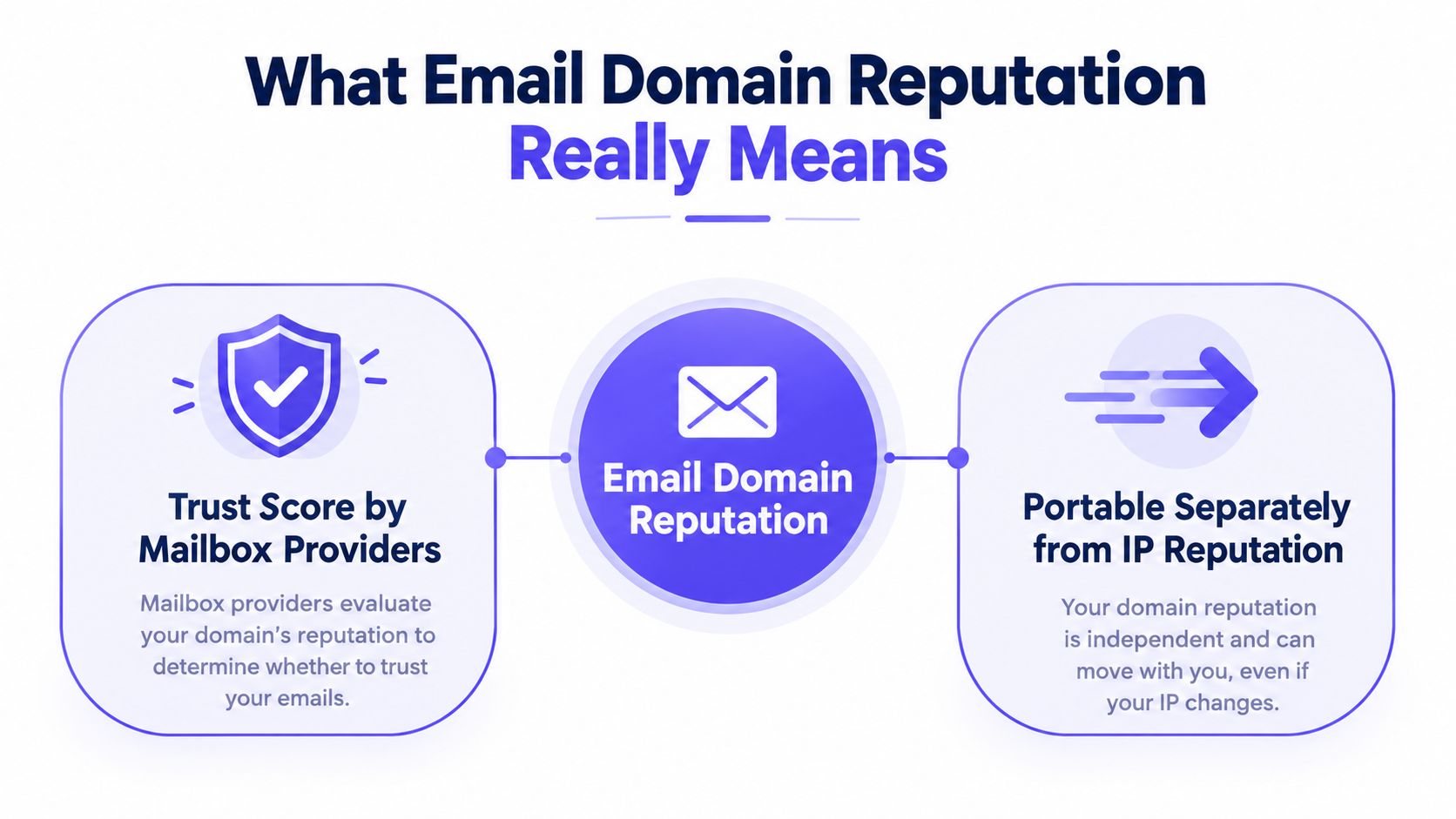
Email domain reputation is the trust score mailbox providers assign to your sending domain. It reflects how the domain has behaved over time, including authentication, complaints, bounces, spam-trap activity, and recipient engagement. Gmail defines domain reputation as the quality rating for domains used to send email, and states that higher reputation makes messages more likely to reach the Inbox rather than Spam in its domain reputation guidance.
That reputation is separate from IP reputation. An IP describes the sending infrastructure, while the domain identifies the sender that recipients and mailbox providers associate with the message. Because domain signals follow the sender, the reputation can remain relevant after an ESP change or an IP migration. Infobip's email reputation documentation describes domain reputation as a provider-specific trust signal exposed through tools such as Google Postmaster Tools and Microsoft SNDS.
Why the domain carries lasting risk
Mailbox providers need signals that are harder for abusive senders to replace. Sending infrastructure can be shared, rotated, or changed. A sending domain is more persistent, which makes it a stronger record of how a business communicates.
This is why reputation management can't stop at checking an IP or moving to another sending platform. A domain that has generated complaints or poor engagement can carry that history into the next infrastructure environment.
Common reputation inputs include:
- Authentication: SPF, DKIM, and DMARC help prove that the message is authorized by the claimed domain. Industry guidance treats these records as core components of sender trust, as explained in Google's authentication guidance.
- Recipient feedback: Complaints, replies, spam removal, and other interactions help providers judge whether recipients welcome the mail.
- List quality: Bounces and spam-trap hits suggest that the sender lacks control over its audience data.
- Sending behavior: Consistent volume is easier to interpret than erratic bursts.
A provider can therefore place the same campaign differently across ecosystems. The useful question isn't, “What is the domain score?” It's, “How does Gmail view this domain, how does Microsoft view it, and what do blacklist and authentication signals say?”
Domain vs IP Reputation and Why Domain Matters More Now
Domain reputation and IP reputation influence deliverability, but they answer different questions. IP reputation evaluates the sending address and its surrounding infrastructure. Domain reputation evaluates the identity and behavioral history attached to the sender.
| Signal | Domain Reputation | IP Reputation |
|---|---|---|
| Primary identity | The sending domain | The mail server or sending IP |
| What it affects | Trust in the sender across infrastructure | Trust in the traffic source |
| Main inputs | Authentication alignment, complaints, bounces, engagement, sending patterns | Traffic behavior, complaint activity, bounce patterns, reverse DNS, and neighboring senders |
| Portability | Usually follows the domain when ESPs or IPs change | Changes with the IP and infrastructure |
| Shared risk | Less dependent on unrelated senders using another IP | Can be affected by other senders on shared infrastructure |
| Best use | Long-term sender and brand protection | Infrastructure diagnosis and isolated sending control |
The domain matters more for many commercial senders because IPs are often shared or rotated, while the domain remains connected to the business. Apollo's sender reputation guide also emphasizes that providers combine complaints, bounces, engagement, and authentication rather than relying on one universal sender score.
That doesn't make IP reputation irrelevant. A poor IP can create delivery problems even when the domain is healthy. Microsoft SNDS, for example, is useful for examining IP-related reputation and complaint signals. Teams sending through dedicated infrastructure should monitor both layers, especially when a new IP, SMTP provider, or shared environment is introduced.
Architecture changes the risk boundary
Marketing, transactional, customer support, and outbound sales traffic don't carry the same recipient expectations. Separating those streams with appropriate subdomains can limit the blast radius when one program produces complaints or weak engagement.
The trade-off is operational complexity. Separate streams require separate authentication alignment, reporting, monitoring, and ownership. That effort is justified when a core business domain carries important customer or transactional mail that shouldn't depend on the performance of a riskier outbound program.
Practical rule: Treat the domain as the long-term asset and the IP as one part of the delivery path. Changing the path won't automatically repair the asset.
What Builds Strong Domain Reputation Over Time
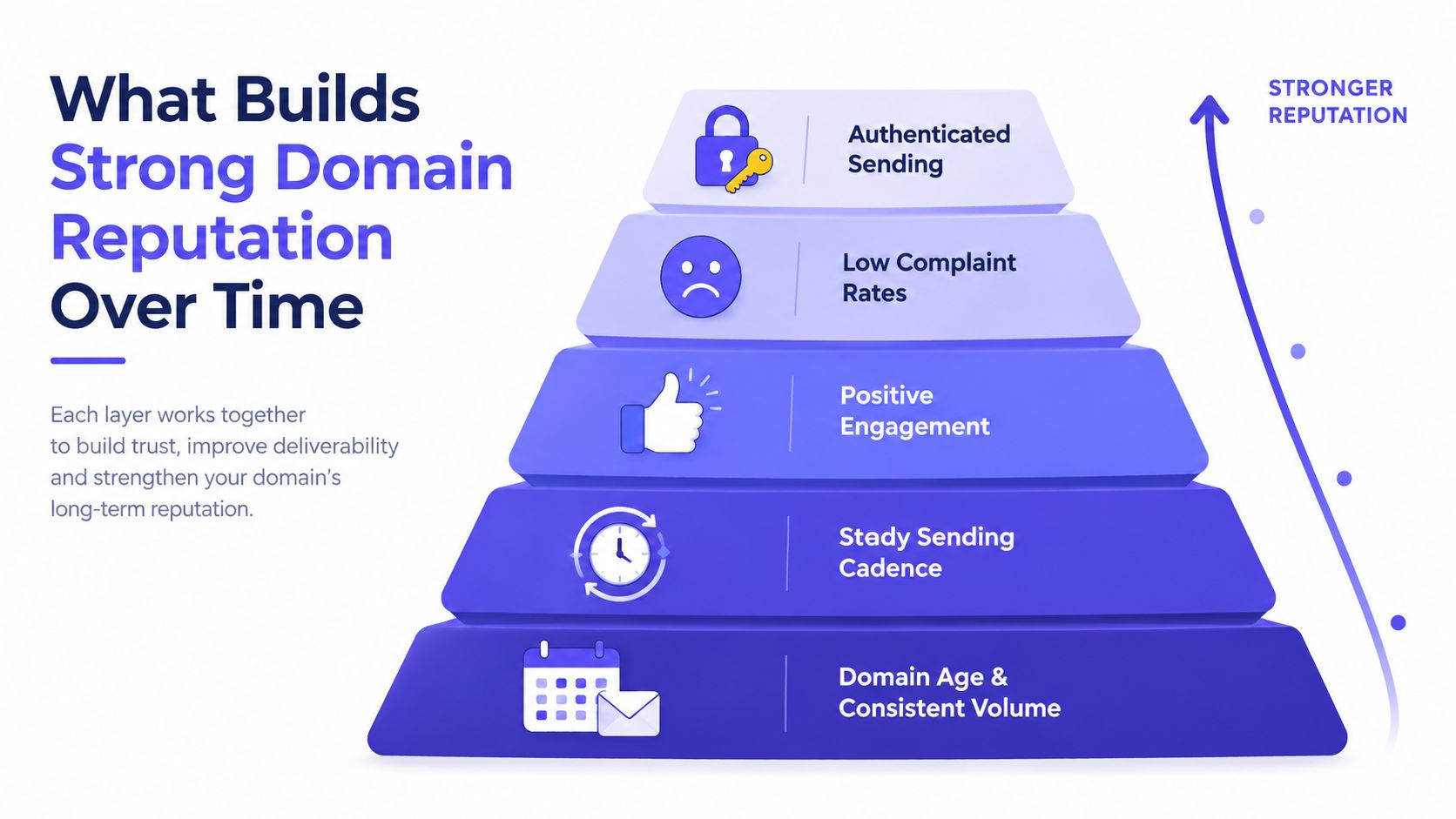
A strong domain reputation is earned through repeated evidence that a domain sends authorized mail to recipients who recognize and value it. Providers assess technical identity, sending behavior, and recipient feedback together. There is no universal reputation score, so compare trends across Gmail, Microsoft, and relevant blacklists rather than trusting one dashboard.
Domain age and consistent volume
Age provides sending history, but an old domain is not automatically trusted. Years of erratic or unwanted traffic can leave it weaker than a newer domain with disciplined practices. The stronger combination is a stable history and a volume pattern recipients can reasonably expect.
A new domain should not imitate a mature newsletter program. Build activity gradually, keep the audience focused, and avoid a large burst because the infrastructure is ready.
A steady sending cadence
Mailbox providers can interpret predictable activity more easily than long silence followed by a sudden campaign. A steady cadence does not require identical daily volume. It requires controlled changes with a clear business reason.
Use a practical operating rhythm:
- Plan volume changes: Increase sending in measured stages instead of scaling before an untested launch.
- Separate audiences: Keep highly engaged recipients distinct from untested or colder segments.
- Watch provider drift: A stable average can conceal worsening placement or engagement at Gmail or Microsoft.
- Pause before scaling: Investigate complaints, bounces, and spam placement before adding volume.
Positive engagement
Replies, continued threads, spam removal, and important marking offer stronger context than opens alone. Privacy features can inflate open data, so opens should not serve as the main proof that recipients value a message.
Review engagement by provider and campaign type. A single attractive dashboard average can hide weak signals from one mailbox provider or audience segment.
Low complaints and bounces
Operational guidance commonly places complaint rates well under 0.1%, with rates above about 0.3% often severe enough to harm reputation. Bounce rates above 2% to 5% are warning signs, according to EmailWarmup's domain reputation guidance.
Treat these figures as intervention points, not targets. Investigate list acquisition, targeting, consent expectations, and sending configuration before poor results become a persistent pattern.
Authenticated sending
SPF, DKIM, and DMARC should align with the domain recipients see. Authentication does not make unwanted mail welcome, but missing or misaligned authentication gives providers less reason to trust legitimate traffic.
For teams rebuilding engagement signals, comparing the best email warmup tools is a useful first step alongside fixing authentication and list hygiene. Use provider-level monitoring as well, because a warmup process cannot show whether Gmail, Microsoft, or blacklists are treating the domain consistently.
What Destroys Domain Reputation Fast
A sales team can damage a healthy domain in one afternoon by sending a large campaign to an untested list. Providers evaluate the pattern, not the team's intent. Sudden changes, poor recipient quality, authentication gaps, and blacklist activity can make the domain look unwanted or unstable.
Sudden volume spikes
A campaign that jumps from a familiar cadence to a much larger burst differs from the domain's established behavior. Guidance from SenderReputation.org identifies sharp increases, including 10x volume jumps, as events that can lead to filtering or blacklisting.
A typical case is a sales team importing a new list before an event. The campaign may be a one-time business priority, but Gmail, Microsoft, and other providers see an abrupt traffic change, unfamiliar recipients, and possibly weak engagement. Ramp new audiences gradually, and separate them from established sending streams when possible.
Purchased lists and spam traps
Purchased or scraped lists can contain invalid, abandoned, or hostile addresses. Spam traps are particularly damaging because they indicate weak control over list acquisition and maintenance. The same source notes that even one spam-trap hit can lead to filtering or blacklisting.
List size is not a deliverability asset by itself. A smaller, relevant audience that recognizes the sender is safer than a larger audience that generates complaints, bounces, or trap hits. Stop sending to a source that produces those signals instead of trying to offset it with more volume.
Spoofing without DMARC
SPF and DKIM verify authorized sending paths and message signatures. DMARC connects those checks to the visible domain and sets a policy for authentication failures. Without aligned authentication, attackers can impersonate the domain, while mailbox providers have less evidence that legitimate messages represent the claimed sender.
Complaints, bounces, and blacklists
The complaint and bounce thresholds covered earlier are intervention points, not targets. A sudden deterioration deserves investigation across list source, consent expectations, targeting, and sending configuration before it becomes a persistent provider signal.
Blacklist status is one diagnostic, not a complete reputation score. Check whether the listing affects the sending IP, the domain, or a specific provider, then pause the traffic creating fresh negative signals while the cause is addressed. Gmail, Microsoft, and blacklist operators may disagree, so treat the results as provider-specific evidence rather than a single verdict.
Failure pattern: A volume spike sent to a weak list from a domain with incomplete authentication creates several risks at once. Each signal gives providers more reason to filter the traffic, and recovery becomes harder if the team keeps sending unchanged.
How to Check Your Domain Reputation Across Providers
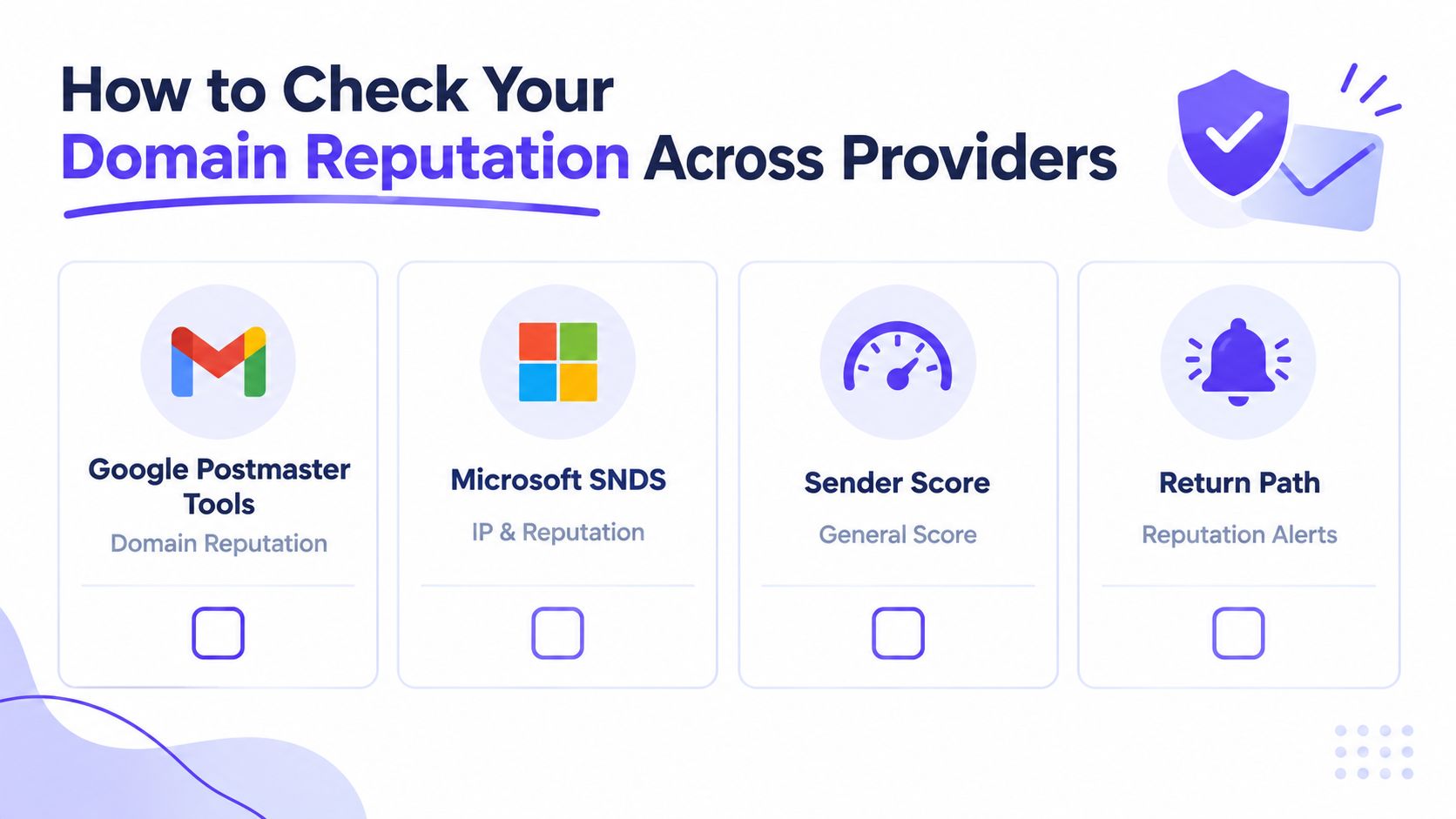
A useful reputation check produces a provider-by-provider diagnosis, not a single label. Gmail, Microsoft, and blacklist services expose different evidence. Gmail may show stable performance while Microsoft filters the same stream, or a blacklist may flag infrastructure that neither dashboard reflects immediately.
Check Gmail with Google Postmaster Tools
Google Postmaster Tools provides Gmail-specific visibility into domain reputation and related sender signals. Use it to see how Google evaluates traffic associated with the domain, then compare the direction of those signals with campaign changes.
Review trends instead of treating one reading as a verdict. If reputation declines after a list import, targeting change, or volume increase, start the investigation there. A steady decline across several observations deserves more attention than an isolated fluctuation.
Check Microsoft traffic with SNDS
Microsoft SNDS centers on sending IP information and complaint-related signals. It does not replace Gmail monitoring because each provider uses its own internal models. It can, however, expose problems affecting Outlook, Hotmail, and Microsoft 365 recipients.
Segment the results by IP, mailbox provider, campaign, and sending stream. If Microsoft performance weakens while Gmail remains stable, focus the diagnosis on Microsoft-facing traffic, infrastructure, list quality, or engagement. Do not treat the domain as having one universal score.
Run blacklist and authentication checks
Blacklist monitoring shows whether the domain or related infrastructure appears on reputation lists. Teams can check if your domain is blacklisted, identify whether the listing concerns the domain or an IP, and investigate the cause before resuming or scaling outbound activity.
Authentication checks should confirm that SPF, DKIM, and DMARC are present and aligned. A clean blacklist result does not prove strong inbox placement. Correct authentication also does not prove that recipients want the mail.
Compare placement and engagement signals
Industry benchmarks in Digital Applied's 2026 email deliverability report describe roughly 89% median inbox placement, 6.1% median spam-folder placement, and 4.9% missing or blocked across industries. The report also describes healthy programs as commonly reaching 95% or higher inbox placement, while another benchmark summary places total inbox misses around 15%.
Treat these figures as comparison points, not a domain-level diagnosis. Privacy features can inflate open rates, so replies, complaints, spam removal, move-to-inbox behavior, and placement tests provide stronger evidence of reputation drift.
A repeatable monitoring routine should include:
- Provider views: Review Google Postmaster Tools and Microsoft SNDS separately.
- Blacklist status: Check domain and infrastructure listings on a regular schedule.
- Authentication health: Confirm SPF, DKIM, and DMARC alignment after provider or ESP changes.
- Engagement direction: Track declining replies, rising complaints, and weaker placement.
- Segment comparison: Identify the provider or sending stream showing the most friction first.
A monitoring workflow that combines placement tests, spam-score tracking, and authentication checks in one place reduces the chance of missing a provider-specific decline. The priority is consistent comparison across Gmail, Microsoft, blacklists, and recipient behavior, not collecting another single reputation score.
How to Rebuild a Damaged Domain and When to Start Fresh
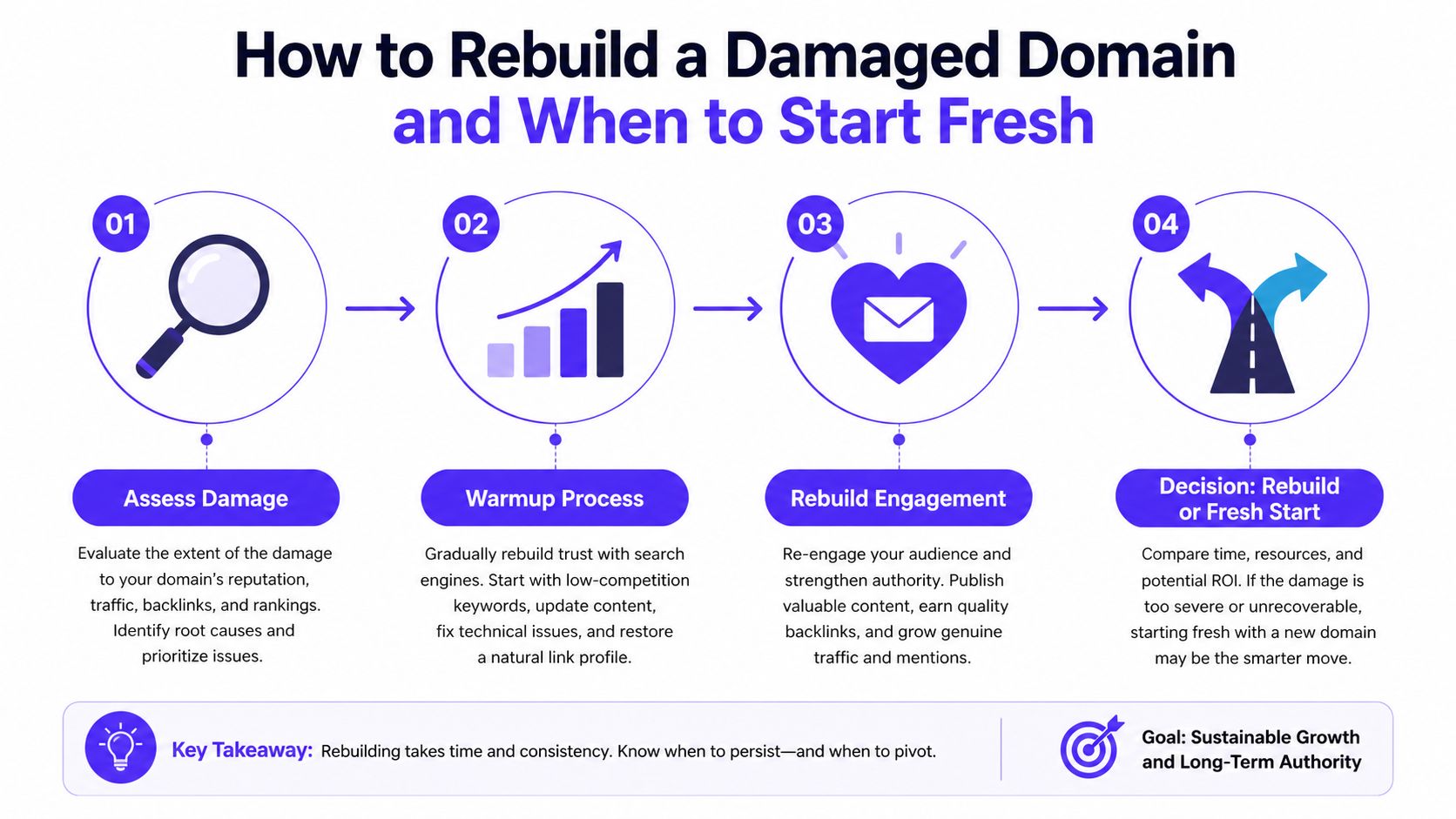
A sales team can fix authentication, reduce volume, and clean its list, yet still see Gmail accept messages while Microsoft sends them to junk. That pattern is common during recovery because domain reputation is provider-specific trust, not a single score. Rebuilding requires evidence from each major provider, recipient behavior, and blacklist monitoring.
Assess the damage before changing infrastructure
Pause the campaigns generating complaints, bounces, or poor placement. Review Gmail and Microsoft signals separately, then check authentication alignment, blacklist status, list sources, and recent volume changes. A recent, identifiable problem may be recoverable. Persistent abuse signals, repeated blacklist listings, or consistently poor recipient feedback can make the domain a poor candidate for recovery.
Avoid changing domains before identifying the cause. A new domain does not solve unwanted mail, weak list hygiene, or broken authentication. It can also create a second domain that providers must evaluate from the beginning.
Recovery has no guaranteed timetable. Treat it as a controlled process measured in weeks rather than an instant reset. Judge progress through improving provider signals, placement, complaints, bounces, and recipient engagement, not sending volume alone.
Rebuild with controlled engagement
After addressing the cause, restore sending in a sequence that limits new risk:
- Correct authentication: Fix SPF, DKIM, and DMARC alignment before increasing traffic.
- Remove risky recipients: Exclude invalid addresses, complainers, questionable list sources, and spam-trap risks.
- Use positive interactions: Send to relevant recipients who are likely to engage naturally, with genuine replies carrying more weight than artificial activity.
- Increase gradually: Keep cadence predictable and stop scaling if provider signals deteriorate.
- Watch each provider: Gmail recovery does not prove Microsoft recovery, and the reverse is also true.
Tools like Mailwarm combine warmup controls with placement monitoring during recovery. Teams with SMTP infrastructure can also warm up an SMTP server while monitoring the domain and the provider signals tied to that infrastructure.
Keep recovery streams separate where possible. A transactional stream, outbound sales stream, and marketing stream can produce different engagement and complaint patterns. Mixing them makes it harder to determine which behavior is driving the decline.
Decide whether the domain is worth saving
A fresh domain may be appropriate when the existing domain has a sustained history of severe complaints, repeated blacklist problems, or poor reputation that remains after the root cause has been removed. Starting fresh does not remove the sending obligations. The new domain still needs correct authentication, a clean audience, controlled volume, and independent monitoring.
A damaged domain can be worth rebuilding when the cause is specific, recent, and fixable. Consider the business value of the domain, the importance of its historical identity, the severity of filtering at each provider, and whether the team can change the behavior that caused the damage.
The decision should follow evidence across Gmail, Microsoft, and blacklist status. A domain that recovers with one provider but remains blocked or filtered by another may need a narrower sending strategy rather than an immediate replacement.
Frequently asked questions
How long does it take to build domain reputation?
There is no universal recovery timetable because providers use separate models and weigh different signals. Develop a new or damaged domain through consistent, controlled sending. Assess progress through provider-level placement, complaints, bounces, authentication, and engagement.
Should a new domain be used after being blacklisted?
Not automatically. A blacklist entry should trigger a cause investigation and remediation, while persistent severe problems may justify starting fresh. A new domain makes sense only when it is supported by clean data, correct authentication, controlled volume, and a plan that prevents the original behavior from returning.
Does domain age matter for deliverability?
Domain age can provide a longer sending history, but age alone does not create trust. Providers also evaluate authentication, complaints, bounces, engagement, and sending consistency, so an older domain with poor behavior can still perform badly.
Is domain reputation the same for Gmail and Microsoft?
No. Mailbox providers maintain separate internal models, so a domain can perform well with Gmail and struggle with Microsoft or Outlook. Monitor each provider independently instead of relying on a single reputation label.
Does warmup fix every deliverability problem?
No. Warmup can support consistent engagement and controlled sending, but it cannot compensate for purchased lists, high complaints, broken authentication, spam traps, or campaigns recipients do not want. Recovery requires fixing the underlying cause and validating results by provider.
When is a damaged domain not worth saving?
A domain is usually a poor recovery candidate when severe complaints, blacklist problems, or harmful sending practices continue after remediation. It is also difficult to justify the effort when the domain has little business value and the team cannot change the behavior that caused the decline. Starting fresh still requires clean data, authentication, controlled volume, and monitoring from the first message.