
Why can the same well-written email reach Gmail's inbox but disappear into Yahoo's spam folder? AI email filtering uses machine-learning models to help decide whether an incoming message reaches the inbox, goes to spam, or gets rejected. Providers make those decisions using combinations of sender identity, reputation, message content, and recipient behavior, not a universal spam score.
For founders, recruiters, sales teams, and marketers, the useful question isn't which words fool the filter. It's which signals make a message look wanted, trustworthy, and consistent to each receiving provider.
What AI Email Filtering Actually Does
A building doorman does more than read the invitation. He checks the guest list, remembers prior trouble, and watches whether residents greet the visitor or call the front desk.
Email providers screen messages in a similar way. Wording matters, but so do the sender's credentials, sending infrastructure, and history with the people receiving the message. A clean AI-drafted email can still be routed badly if it arrives from new infrastructure, goes to poorly matched recipients, or appears in a sudden burst.
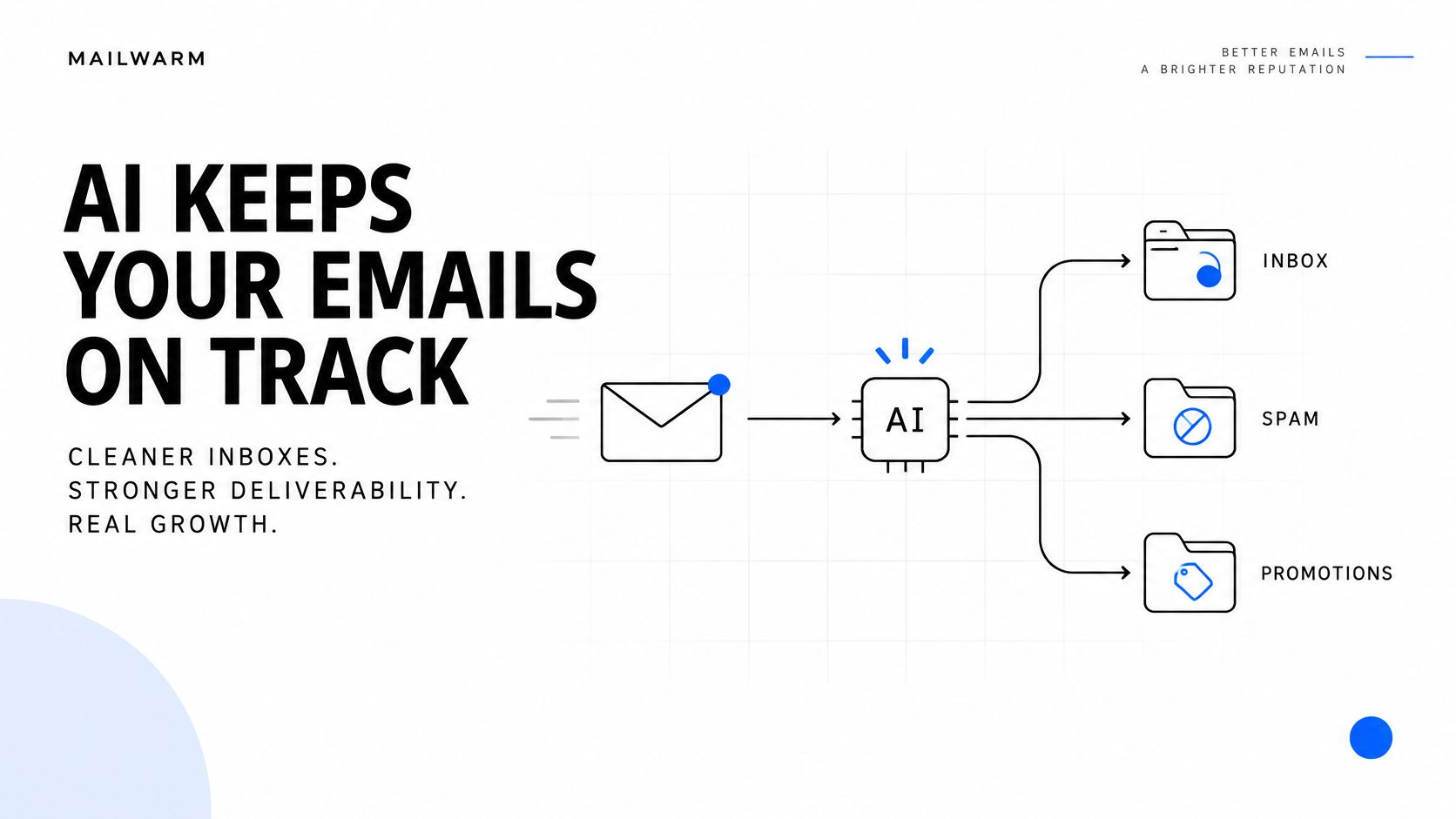
The diagram shows the broad routing choices, although Promotions is an inbox category rather than a spam folder.
The different jobs behind filtering
Mailbox providers use related systems for different purposes:
- Threat protection: Identify phishing, malicious attachments, dangerous links, and other unwanted messages.
- Relevance sorting: Organize accepted mail into categories or prioritized views, such as Gmail tabs and Outlook Focused Inbox.
- Borderline routing: Place questionable messages in spam when the available signals don't justify normal inbox delivery.
These outcomes aren't interchangeable. A marketing newsletter in Promotions has reached the inbox, while a rejected message hasn't been accepted for delivery. A spam-folder message is accepted, then separated from ordinary inbox reading.
Why aggregate spam rates need context
Aggregate spam rates blend wanted mail and abusive mail into one number. They describe the whole mail stream, not the placement any individual sender should expect.
Measure your own messages instead. A recruiter contacting suitable candidates and a spammer distributing malicious links can sit inside the same aggregate while having entirely different sending histories.
Practical rule: Inbox placement reflects the sender's identity and behavior as well as the words inside the message.
Providers don't disclose every model, weighting, or decision threshold. Senders can still control the evidence available to those systems: accurate authentication, stable infrastructure, relevant targeting, and predictable sending habits.
How AI Filters Score Each Message and Learn From Feedback
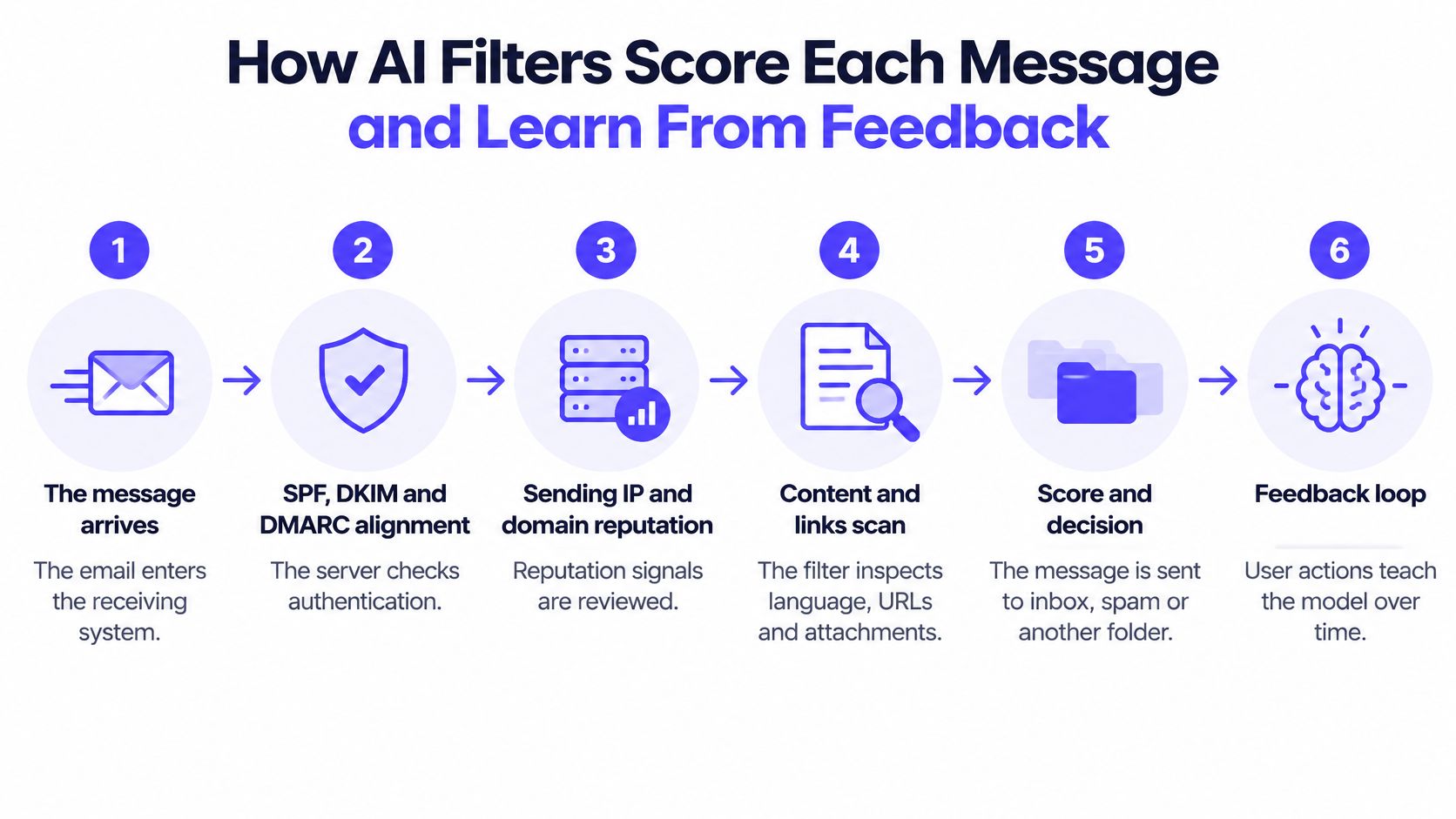
The receiving system evaluates a message through several connected checks. The following sequence is a useful working model, not a claim that every provider runs identical checks in an identical order.
- The message arrives. The receiving server evaluates the connection and determines whether to accept further processing.
- Authentication is checked. SPF identifies authorized sending infrastructure, DKIM verifies a cryptographic signature, and DMARC evaluates alignment with the visible From domain.
- Reputation is reviewed. The system considers the sending IP address, domain history, and associated patterns.
- Content and links are inspected. Language, destinations, attachments, and similarities to known campaigns contribute evidence.
- Context shapes the decision. Recipient history and broader message patterns help determine inbox placement, spam routing, or rejection.
- Feedback informs later decisions. Recipient actions can contribute to future classifications.
The process illustration connects initial screening with the feedback that follows delivery.
Signals AI filters weigh when scoring an email
| Signal | What the filter checks | What senders should do |
|---|---|---|
| Sender authentication | Whether SPF, DKIM, and DMARC pass and align | Publish valid records and check them with an SPF, DKIM, or DMARC checker |
| Domain and IP reputation | History of the sending domain and server | Warm up new domains and avoid sudden volume jumps |
| Content and links | Language patterns, links, attachments, and known spam templates | Keep copy specific, relevant, and free of unnecessary links |
| Sending pattern | Volume changes, timing, and bursts from one sender | Ramp volume gradually and keep a steady cadence |
| Recipient engagement | Opens, replies, spam reports, and mail moved out of spam | Target people who want the message and suppress persistent non-responders |
| List quality | Bounces, invalid addresses, and spam-trap hits | Verify addresses and remove known bounces before each campaign |
These are operational categories, not a published formula. Providers don't disclose how heavily each signal contributes, and senders shouldn't assume that an open carries the same meaning as a reply or spam complaint.
Authentication is especially easy to misunderstand. Passing it establishes that the message meets identity-verification checks, not that the recipient wants the message.
Google's explanation of Gmail filtering describes algorithms combining hundreds of factors and states that all senders remain subject to rigorous checks. A familiar From address therefore isn't a permanent pass through inspection.
How filtering moved beyond keyword rules
Early filtering relied heavily on manually written rules, blocked senders, and suspicious-word lists. Those methods remain useful, but spammers can evade a narrow rule by changing wording or switching infrastructure.
Machine learning lets providers identify combinations of characteristics from labeled examples. A message can resemble an unwanted campaign without repeating its exact subject line.
In its 2022 explanation of Gmail's spam defenses, Google reported that machine-learning systems helped block more than 99.9% of spam, phishing, and malware before those messages reached inboxes. Even a small remainder matters across a large mail service.
Feedback helps providers adjust to changing behavior:
- A recipient reports unwanted mail or moves a wanted message out of spam.
- The provider records that action alongside relevant message and sender context.
- Filtering systems incorporate feedback into evaluations and model-development processes.
- Similar future messages may receive different treatment.
This isn't necessarily an immediate retraining event after every click. Providers don't publish a universal correction schedule, and a recipient's correction doesn't establish global trust for every future message.
For operational context, how email feedback loops work explains the relationship between recipient complaints and sender-side handling. Outbound Consulting's anti-spam standards for sales outreach also provides a useful reference when defining outreach practices rather than merely editing copy.
The accompanying video offers another format for reviewing the topic.
Consider a sales team launching a fresh template from a new domain. The message may contain no obviously suspicious wording, yet the provider has little history connecting that sender with wanted conversations.
The appropriate response is controlled sending and careful measurement, not endless synonym swapping. A new sender needs credible operating history, not just polished sentences.
How Major Providers Differ in Practice
Gmail, Yahoo, and Microsoft operate separate filtering systems. Their models, published sender requirements, recipient populations, and administrative controls aren't identical.
That explains an otherwise confusing result: a campaign can perform acceptably with one provider and poorly with another. A blended placement average hides the provider where the problem occurs.
Published filtering requirements and signals by provider
| Provider | Published requirement or signal | What senders should do |
|---|---|---|
| Gmail | A published spam-rate requirement in Postmaster Tools | Track complaints per domain and suppress people who mark mail as spam |
| Yahoo | Yahoo's sender guidance requires DKIM keys of at least 1,024 bits and recommends 2,048 bits | Use the recommended key strength and align DKIM with the From domain |
| Outlook and Microsoft 365 | Microsoft Defender for Office 365 describes language models, sentiment and attacker-intent analysis, sandboxing, and post-delivery removal | Monitor mail after delivery, not just acceptance at send time |
| Gmail and Yahoo, shared | Authentication inputs alongside content and infrastructure signals | Keep authentication, content, and volume consistent together |
| Smaller or regional providers | Provider-specific sender policies, with no common published scoring formula | Test placement directly and check each provider's sender guidance |
Yahoo's guidance also connects DKIM results and DMARC alignment with reputation evaluation. Authentication therefore serves both an identity-checking function and a broader operational role in assessing senders.
Microsoft's post-delivery controls introduce another distinction. A message that initially arrives can later be removed when new evidence identifies a threat, so an acceptance event doesn't establish that a message remained available to the recipient.
Mailwarm's guide to Outlook spam filtering provides additional context for teams troubleshooting Microsoft destinations.
What senders can reasonably expect
No public provider comparison supplies a universal inbox-placement promise. A published authentication requirement describes a condition to meet, not a prediction of where every compliant message will land.
A useful reporting view separates:
- Gmail results: Inbox categories, spam placement, and available domain-level complaint information.
- Microsoft results: Placement, rejection responses, and any available evidence of subsequent removal.
- Yahoo results: Authentication outcomes, placement, and provider-specific delivery errors.
- Other destinations: Separate results for important regional or enterprise systems.
A healthy overall average can conceal a serious problem at the provider hosting the most valuable prospects.
Relevance ranking deserves separate attention. Gmail organizes accepted messages into Primary, Promotions, and other categories, while Outlook Focused Inbox prioritizes messages likely to matter to the recipient.
Recipient reading and moving behavior can influence those personalized views over time. However, Promotions isn't a punishment, and a business shouldn't treat every message outside the main view as a spam-filter failure.
How to Improve Inbox Placement Before Your Next Send
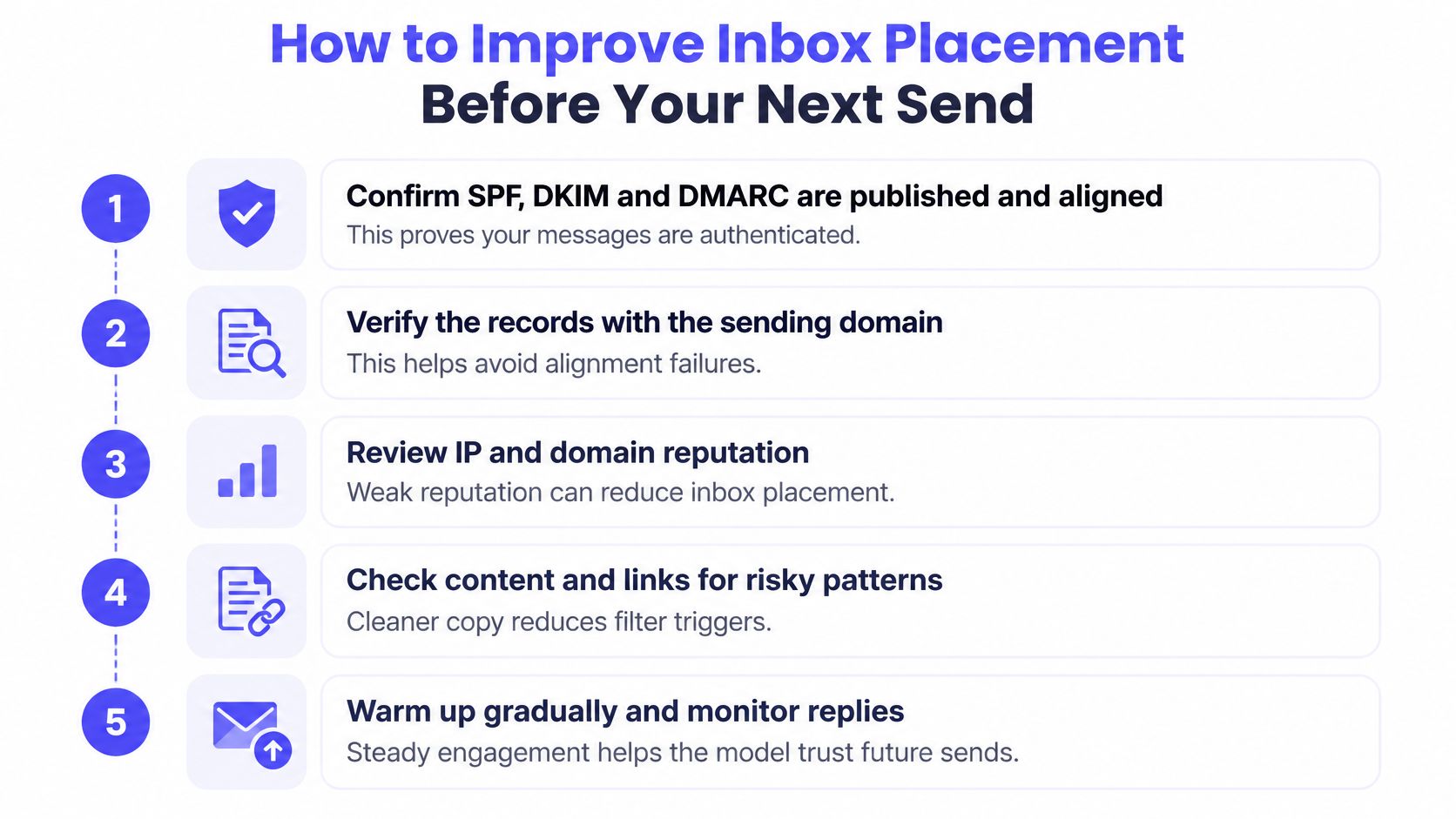
A useful pre-send review starts with identity and ends with controlled testing. Changing everything at once makes diagnosis harder, so the sender should fix clear failures before increasing volume.
A practical pre-send sequence
Confirm authentication on the actual sending path. Check that SPF, DKIM, and DMARC are published correctly and that the relevant identifiers align with the visible From domain. An SPF checker, DKIM checker, or DMARC checker can help validate records, but a delivered message's authentication results reveal what happened during a real send.
Set a gradual ramp for new sending activity. A new domain or mailbox shouldn't begin with a large campaign because the sending platform permits it. Start with a limited, relevant audience and increase activity only while delivery errors, complaints, and placement remain acceptable.
Clean the list and build engagement history alongside it. Remove invalid addresses, known hard bounces, unsubscribed contacts, and recipients whose continued targeting no longer makes sense. Mailwarm's email warmup process builds engagement history alongside proper DNS setup, list hygiene, and smart sending patterns, rather than replacing them.
Control complaints before expanding reach. Google's sender guidelines state that senders should keep the spam rate reported in Postmaster Tools below 0.3%. Send wanted mail, suppress complainers promptly, and make unsubscribe easy instead of forcing recipients to use the spam button.
Match the message to a clear recipient need. Explain why that particular person is receiving the email, keep the request understandable, and remove unnecessary links or attachments. A recruiter describing a relevant role gives the recipient a clearer reason to respond than a generic invitation to discuss opportunities.
Measure placement by destination provider. Separate Gmail, Microsoft, Yahoo, and other meaningful groups rather than relying on a campaign-wide average. Compare those results with bounces, complaints, and genuine replies before authorizing more volume.
The checklist illustration provides a compact technical review to accompany that sending process.
Test a representative message before scaling
A test should use the same sending account, template, links, and configuration intended for the campaign. Testing a plain message without the campaign's tracking or attachments can miss the condition causing trouble.
Teams can test your email deliverability before expanding the send. The result should lead to a ranked fix list, not merely a score stored in a dashboard.
For domains with recent complaints or unusual bounce patterns, a blacklist checker can help investigate infrastructure concerns. A listing needs context, however: the sender should identify the affected domain or IP and assess the listing's relevance rather than assuming every entry has identical consequences.
Fypion Marketing's technical setup for cold email deliverability offers a complementary reference for reviewing the sending foundation.
Before scaling: Fix the clearest failing condition, send a small representative wave, and inspect the provider-specific result.
Keep responsibility attached to the signals
Someone on the sending team should own each operational response. List management should remove invalid or unwilling recipients, the domain administrator should resolve authentication problems, and the campaign owner should review audience fit.
Mailwarm is a premium email warmup and deliverability platform that combines real inbox engagement with advanced warmup controls and expert guidance. Every plan includes expert deliverability sessions, spam score monitoring, inbox placement insights, bounce prevention, and access to the 50,000+ real inbox network.
Its authentication fix tools and provider-level controls support that review without requiring IMAP access or permission to read the user's private inbox. These capabilities help teams act on placement problems, but they don't make poor targeting or excessive sending harmless.
Misconceptions That Hurt Legitimate Senders
Misconception one: AI filters only catch machine-written scams.
Legitimate AI-assisted business mail can also be diverted. A 2025 evaluation across Gmail, Outlook, and Yahoo found that Yahoo classified 58–66% of legitimate AI-generated emails as spam, while Outlook allowed them through but showed greater permissiveness toward phishing attempts.
Those findings describe the evaluated messages, not a universal rate for every campaign. They reveal a trade-off that a single accuracy headline can hide.
False positives and false negatives
- False positive: The system treats a legitimate message as unwanted or dangerous.
- False negative: The system allows an unwanted or dangerous message through.
Tighter filtering may reduce missed attacks while diverting more legitimate mail. More permissive filtering may preserve business conversations while allowing additional threats.
The illustration highlights why ordinary business messages also need placement monitoring.
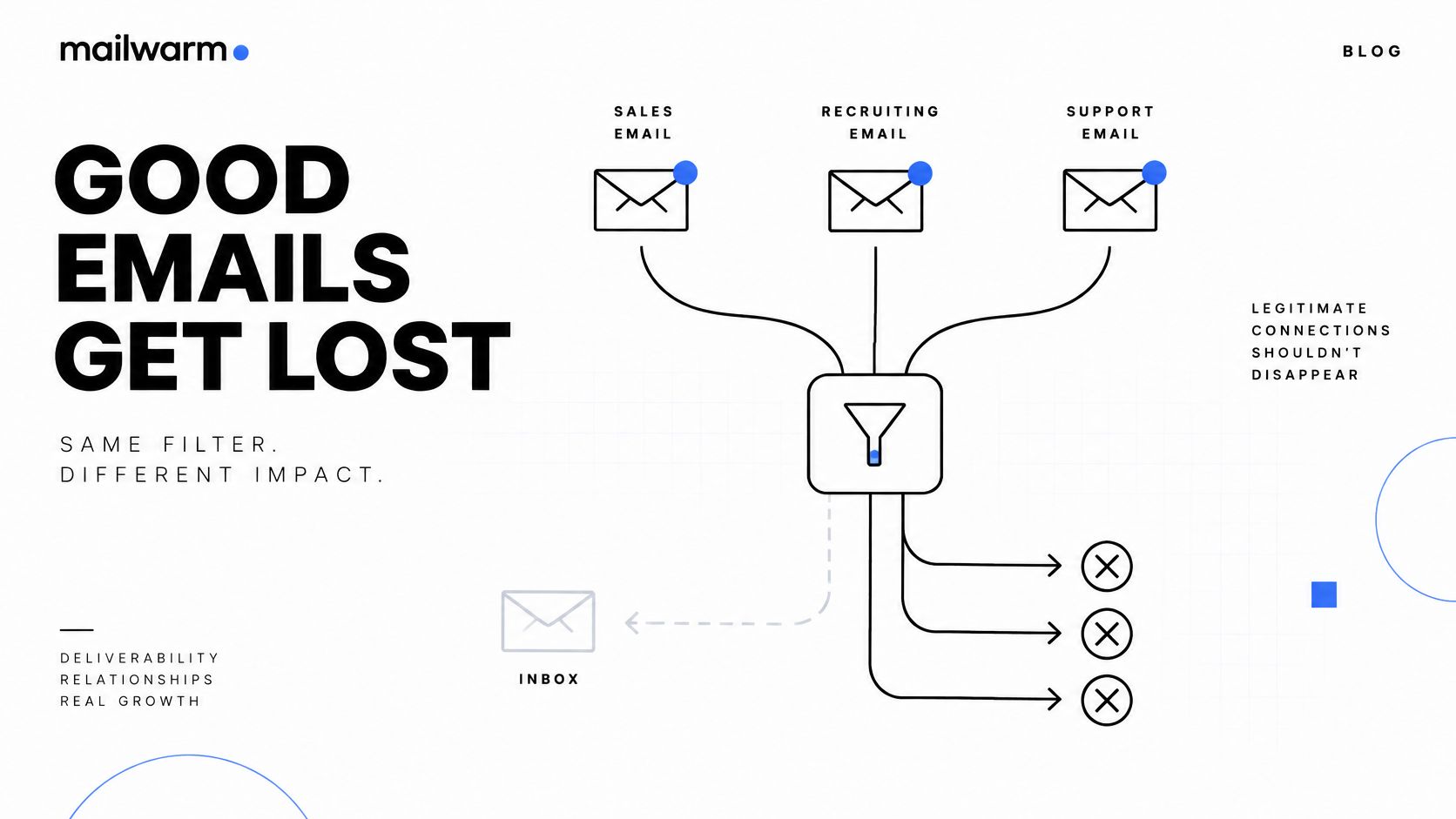
Misconception two: Clean authentication guarantees the inbox.
A recruiter can use correctly configured sending infrastructure and still contact people who don't welcome the outreach. Repeatedly sending irrelevant roles creates a recipient-expectation problem that a DNS change can't solve.
The trade-off is operational. Expanding the audience may increase reach, but weaker relevance can create more negative reactions and poorer placement.
Why more human wording isn't a complete fix
Misconception three: Making email sound human automatically makes it safer.
Polished wording can appear in a genuine business message or an optimized phishing attempt. An authorship detector therefore shouldn't become the deciding test for whether a campaign is trustworthy.
Say a recruiter uses AI to draft courteous outreach for a newly purchased list. Replacing formal phrases with casual language won't establish that the recipients match the role or recognize the sender.
A stronger correction is to narrow the audience, maintain a stable sender identity, review high-risk claims, and monitor legitimate messages that land in spam. Human review should check accuracy and recipient fit, not merely whether the draft sounds conversational.
Common Questions About AI Email Filtering
Does AI email filtering always block spam?
No. AI email filtering makes probabilistic decisions, so unwanted messages can slip through and legitimate messages can be misclassified. Providers combine automated checks with recipient reporting and other security controls because initial classification isn't infallible.
Why do emails go to spam if authentication passes?
Authentication establishes whether a message meets sender-verification requirements, not whether it deserves inbox placement. Providers also consider reputation, message characteristics, sending behavior, and recipient reactions. A technically valid sender can still distribute unwanted mail.
How long does it take for engagement to change placement?
There's no fixed timeline that applies to every mailbox or provider. Sending volume, existing history, recipient behavior, and the underlying problem all affect the outcome. Teams should judge progress through repeated provider-specific observations rather than a promised recovery date.
How does Mailwarm help improve sender reputation?
Mailwarm uses real inbox engagement, including opens, replies, conversation threads, spam removal, and important marking, alongside spam score monitoring and inbox placement insights. Expert guidance helps teams interpret those observations and adjust sending practices. Warmup supports reputation development but doesn't replace relevant targeting or sound authentication.
Does Mailwarm need access to a user's inbox?
No. Mailwarm doesn't require IMAP access or permission to read the user's private inbox. Its warmup process uses interactions between the sender's account and Mailwarm's real inbox network.
Why is Mailwarm more expensive than basic warmup tools?
Mailwarm costs more because it combines real inbox engagement, up to 100% replies to warmup emails depending on the plan, spam score monitoring, provider-level warmup, authentication tools, no IMAP access required, and expert deliverability calls included in every plan. The higher price reflects monitoring and hands-on guidance alongside warmup activity.
Putting AI Email Filtering to Work
AI email filtering evaluates combinations of authentication, reputation, content, sending patterns, and recipient engagement. No single setting establishes inbox placement across every provider.
The practical priority is to identify the weakest signal at the destination that matters most, fix it, and increase volume gradually. Legitimate AI-assisted mail also needs monitoring because good intentions don't prevent false positives.
The next action is concrete: run a deliverability test on the sending domain, address the top failure, and send a small representative wave before scaling. Expert-guided warmup can support that process when email contributes directly to business growth.
Mailwarm helps teams build sender reputation, monitor inbox placement, and reduce spam risk through real inbox engagement, advanced warmup controls, and expert guidance. Teams seeking provider-level insight into AI filtering outcomes can visit Mailwarm to explore a premium email warmup and deliverability platform built around real inbox placement, not just automated activity.