

Microsoft's 550 5.7.509 bounce means the visible From domain publishes a DMARC policy of p=reject, and the message failed DMARC verification. It's a permanent rejection, not a temporary block, so retrying the same message won't fix it.
The practical fix is to trace the sending service through the message headers, identify why SPF or DKIM didn't align with the From domain, then correct that sending path before resending.
Read the Microsoft Bounce
The bounce in the mailbox may look like this:
550 5.7.509 Access denied, sending domain [example.com] does not pass DMARC verification and has a DMARC policy of rejectMicrosoft is enforcing the sender domain's DMARC policy. Two conditions are present at once: the domain publishes p=reject, and this message failed DMARC. Microsoft describes this response as a rejection when the visible From domain fails DMARC verification under a reject policy. (Microsoft's explanation of the 550 5.7.509 response)
An SMTP 550 response is permanent. Sending the same message again without changing its authentication path will usually produce another bounce. Slowing down, changing the subject line, or warming the mailbox doesn't repair the domain-alignment failure.
Start with the service that sent the message, not with reputation or content. A common situation is that a company tightens DMARC to p=reject, then invoices or support replies sent through a third-party tool begin bouncing at Outlook addresses. The tool is using the company's From address but hasn't been configured to authenticate as that domain.
This can surface in connected sales workflows, too. Teams reviewing Outlook contact sync for sales teams should also check whether each connected sending service has its own authentication setup.
Understand DMARC Alignment
The visible From address is the identity presented to the recipient. SPF and DKIM provide authenticated identities for the message, and DMARC checks whether at least one of those authenticated identities aligns with the domain in the visible From header. A valid SPF or DKIM result alone isn't enough if it authenticates an unrelated provider domain. (DMARC alignment requirements for SMTP error 550 5.7.509)
SPF checks the sending server against the envelope sender domain, often shown as Return-Path. DKIM checks the domain in the signature's d= value. For DMARC to pass, either SPF must pass and align with the visible From domain, or DKIM must pass and align with it.
A simplified DMARC record can look like this:
_dmarc.example.com. TXT "v=DMARC1; p=reject"A message signed by DKIM might contain a selector and signing domain like this:
DKIM-Signature: ... d=example.com; s=selectorThe selector identifies the provider's DKIM key record. The domain in d= is the important identity to compare with the visible From domain.
| What DMARC checks | Where it appears | Requirement | Common failure |
|---|---|---|---|
| Visible From domain | Message header | Identifies the domain DMARC evaluates | The sender assumes another domain is the one being evaluated |
| SPF identity | Envelope sender or Return-Path | SPF passes and its domain aligns with From | SPF passes for a provider domain that doesn't align |
| DKIM identity | d= value in the DKIM signature | DKIM passes and its signing domain aligns with From | Provider signs with its own domain |
The Mailwarm's DMARC checker can help confirm the published policy. The message headers are still needed to establish whether the specific message had an aligned authentication pass.
Identify the Usual Causes
The failure is usually visible in the header evidence. Compare the message's authentication results with the service that sent it, then apply the fix for that specific path. (Common triggers for 550 5.7.509)
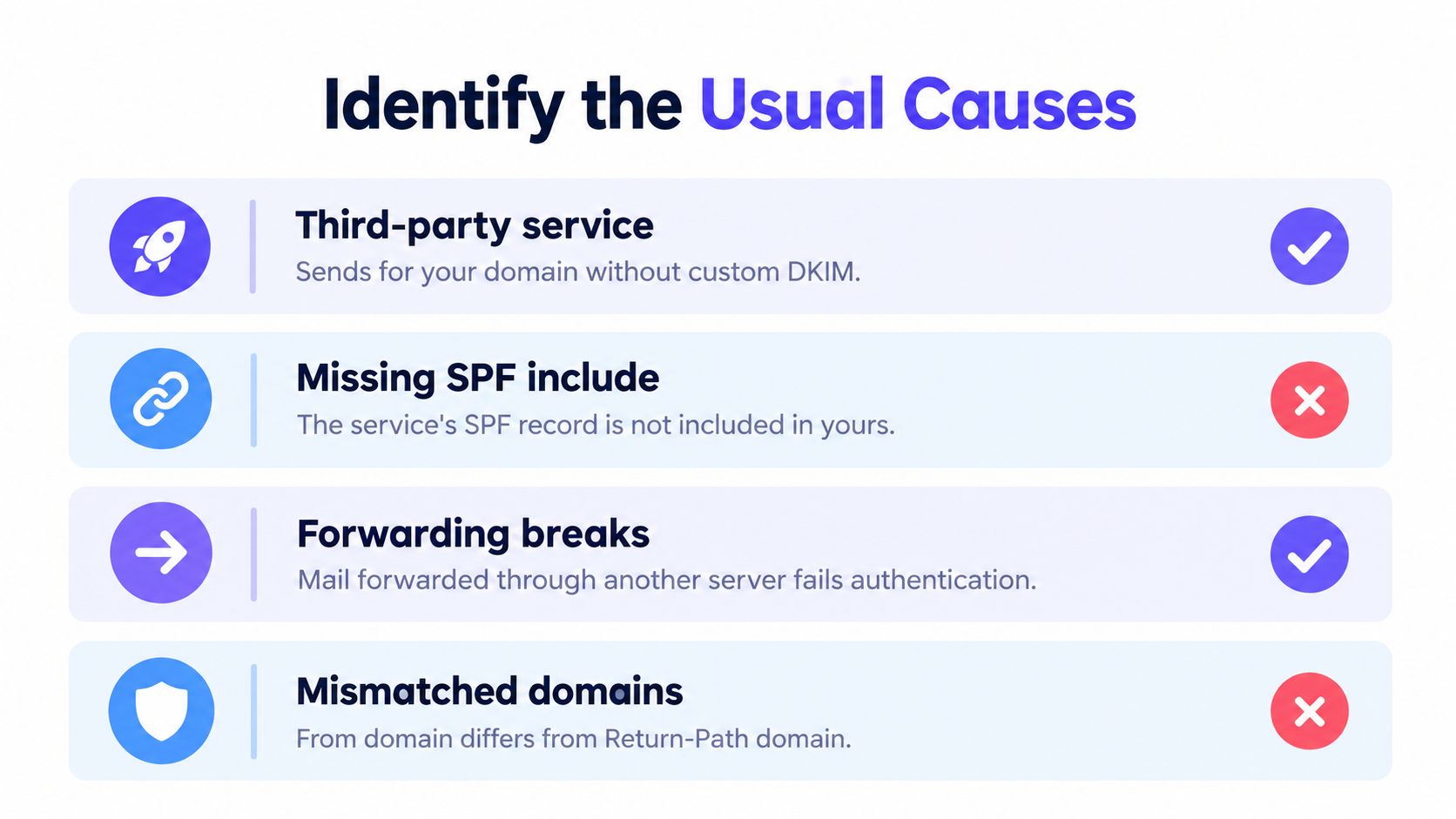
| Header symptom | Likely cause | Corrective action |
|---|---|---|
DKIM passes, but d= shows the provider's domain | A third-party service is sending as the company without custom-domain DKIM | Configure the provider to sign with the company domain, then check the resulting d= value |
| SPF fails for the service's envelope domain | The active sender's SPF include is missing | Add the provider's specified SPF authorization to the existing SPF record |
| SPF fails after a message was forwarded | Forwarding changed the sending path, so SPF may no longer authorize the forwarding server | Prefer aligned DKIM, which can remain valid through forwarding when the message isn't altered |
The visible From domain differs from DKIM d= | The provider's signature is valid but misaligned | Set up custom-domain DKIM or use another aligned authentication path |
SPF reports permerror | The SPF record has an evaluation error, which can occur when it exceeds the DNS-lookup limit | Review the full record, remove unused mechanisms, and reassess its lookup structure |
For agencies and teams using several tools, check every CRM, transactional mail service, marketing platform, and SMTP relay that can send with the domain. Fixing one provider doesn't authenticate the others.
Forwarding deserves a close look. SPF checks the sending server, so a forwarder can disrupt its result. DKIM often offers a more durable path through forwarding, provided the signature remains intact and its signing domain aligns.
Diagnose the Message Headers
Use the original message headers, not only the non-delivery report. The NDR tells the sender that DMARC failed; the original message shows which identity failed and which service sent it. The diagnostic comparison is the envelope sender and SPF result, the DKIM signing domain and result, and their alignment with the visible From domain. (Header checks for 550 5.7.509)
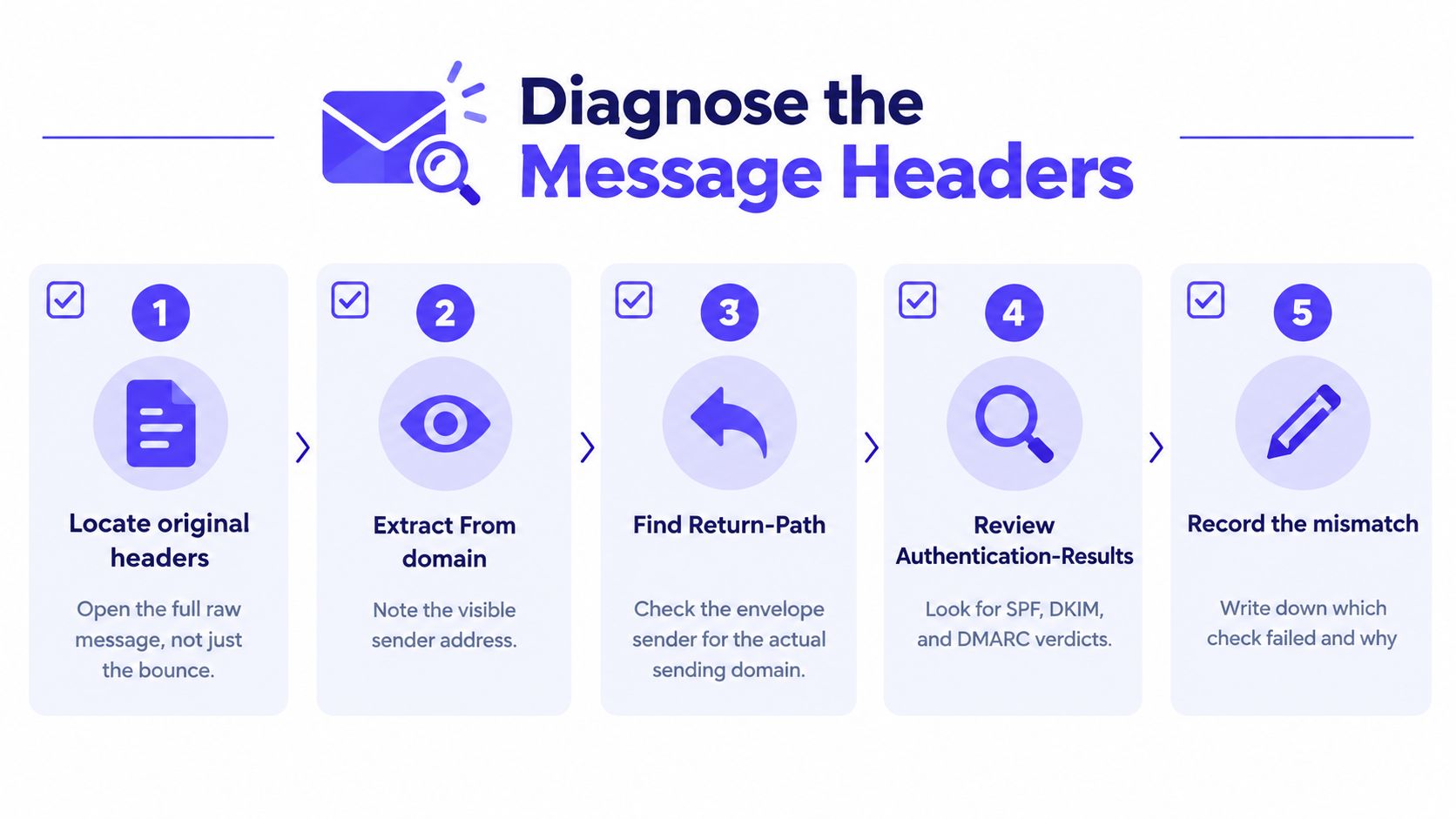
Follow this sequence:
- Open the original message's full raw headers. If the sender can't access them, send a controlled test through the same service to a mailbox where the full message can be inspected.
- Record the visible From domain. This is the identity against which DMARC alignment is evaluated.
- Find the
Return-Path. Compare its domain with the SPF result and visible From domain. - Read
Authentication-Results. Note the SPF and DKIM verdicts and the domains each result identifies. - Identify the sending service. Look at the sending infrastructure and provider-specific headers, then match them to the CRM, relay, or mail platform that sent the message.
An abbreviated example might look like this:
From: billing@example.comReturn-Path: bounce@provider.exampleAuthentication-Results: spf=pass smtp.mailfrom=provider.example;dkim=pass header.d=provider.example;dmarc=fail header.from=example.comHere, SPF and DKIM pass for the provider's domain, but neither identity aligns with example.com. That's why their individual passes don't produce a DMARC pass for the visible From domain.
A visual email header analyzer can make those fields easier to review. The manual test remains the same: record the From domain, envelope sender, SPF result, DKIM d= value, and DMARC outcome. For a signature-specific check, verify your DKIM signature.
Success means a fresh test from the affected sending service reports dmarc=pass, with at least one passing SPF or DKIM identity aligned to the visible From domain.
Repair SPF and DKIM
Make the DNS or provider change that matches the failed authentication path. Don't replace an existing SPF record with a new one just because a provider supplied an include. Combine authorized services in the existing SPF record, using the exact value supplied by the sending provider.
A simplified pattern looks like this:
v=spf1 include:<provider-supplied-domain> ~allThat placeholder isn't a publish-ready value. Preserve the domain's current authorized senders, and use the provider's actual SPF instructions. Adding an include authorizes a service for SPF, but it doesn't guarantee DMARC alignment. The envelope sender still needs to align with the visible From domain, or DKIM must provide an aligned pass.
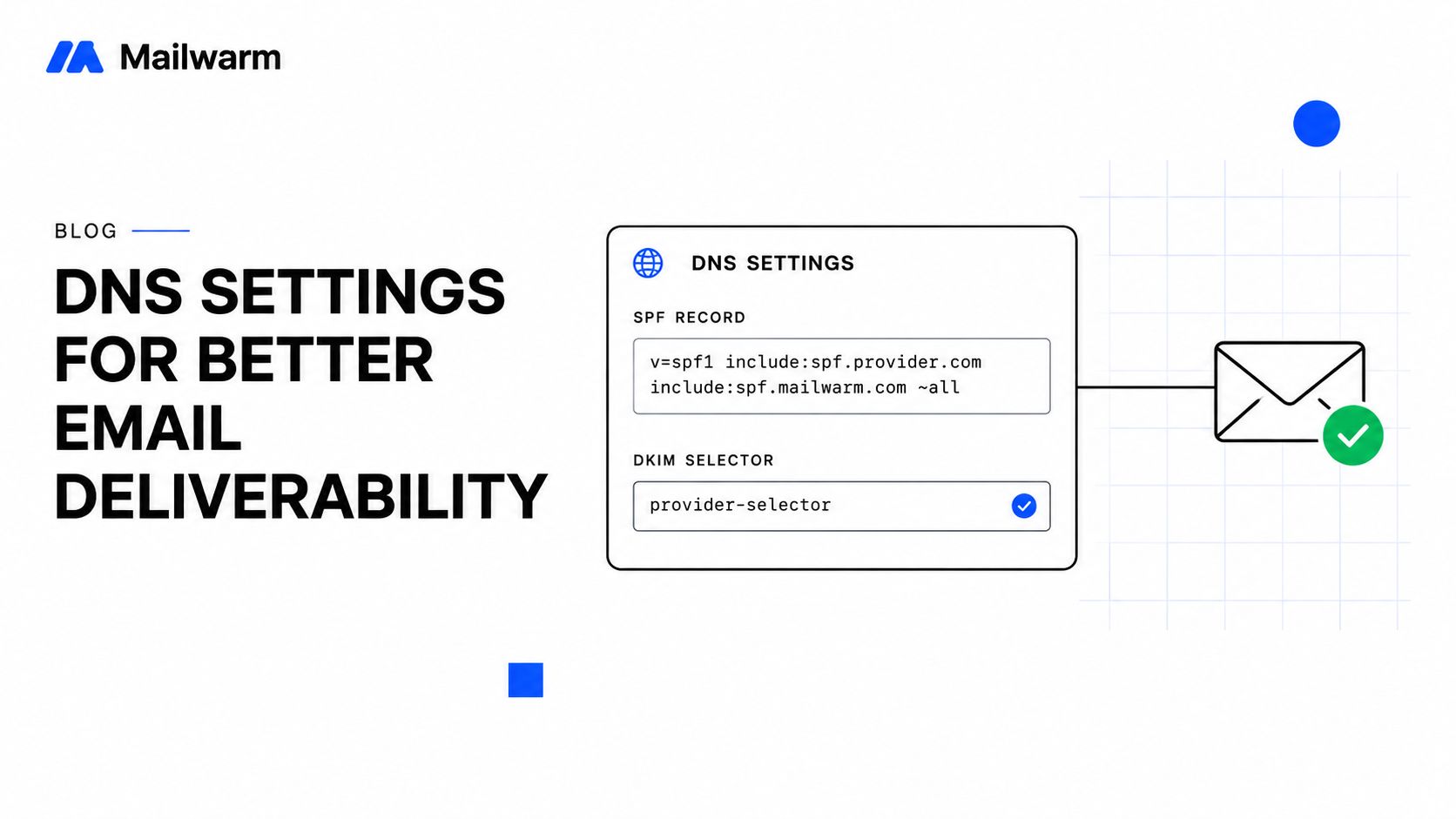
For DKIM, enable custom-domain signing in the sending provider and publish the selector records it generates. Don't guess the selector or record value. After setup, inspect a test message and confirm that the DKIM signature's d= domain aligns with the visible From domain.
Practical rule: When forwarding is part of the sending path, prioritize aligned DKIM. SPF can fail after forwarding because the receiving server sees the forwarder as the sender.
If SPF shows permerror, review the entire record before editing it. Remove mechanisms for services that no longer send mail, and consider an appropriate record structure that stays within SPF's lookup limit. For help checking the published record, use the SPF checker. Teams that send invoices or customer updates through external platforms can also consult this email deliverability advice from BEDHEAD when reviewing their wider sending practices.
The sender-side repair is to authorize the active sending service in SPF and configure DKIM with the organization's domain. At least one authenticated mechanism must pass with alignment before the rejected message is sent again. (Microsoft Q&A guidance on 550 5.7.509)
Compare Related Provider Errors
Similar-looking SMTP codes can point to different conditions. Use the complete response and the Authentication-Results line instead of choosing a fix based only on the numeric code.
| Error | What it signals | Practical response |
|---|---|---|
Microsoft 550 5.7.509 | DMARC failed for a visible From domain publishing p=reject | Inspect From, SPF, DKIM, and alignment for the sending path |
Microsoft 5.7.515 | The sending domain isn't verified for the tenant, or the sender is unauthenticated at the tenant level | Read the full NDR text and confirm the sender's authentication status before changing DNS |
Gmail 5.7.26 | A Gmail-specific authentication rejection | Use Gmail's complete response and message authentication results to determine the relevant fix |
Each of these codes carries its own condition, and none should be assumed to share a remedy with 5.7.509. We've seen senders apply a DMARC fix to a 5.7.515 rejection and lose a day to the wrong repair. Check the domain's policy and alignment using the DMARC checker introduced earlier, then interpret the provider's exact response.
Verify and Resend Safely
Send a fresh test through every affected service, including any third-party tool sending with your From domain. Open the delivered copy and read its Authentication-Results header: you want dmarc=pass alongside an aligned spf=pass or dkim=pass identity. Test the exact path that triggered the 550 5.7.509; a pass on a different mailbox proves nothing.
Microsoft does not retry permanent rejections. Resend the bounced invoices, replies, and campaigns manually once the test confirms dmarc=pass. Resending sooner produces a second wave of rejections on the same broken path.
Passing DMARC clears the rejection condition. Inbox placement still depends on reputation and recipient quality.
Mailwarm is an email warmup and deliverability platform; its authentication fix tools and inbox placement insights let you check both the DMARC result and where the test message lands. In the Mailwarm network study from October 2026, covering custom domains that emailed monitored inboxes between July and October 2026, the largest group of domains published p=none while a minority enforced p=quarantine or p=reject. Enforcement remains the exception, which is why one misaligned path can produce rejections a team has never encountered before.
Frequently Asked Questions
Does retrying a 550 5.7.509 bounce help?
No. It's a permanent rejection, so retrying the same message without correcting authentication won't resolve it. Fix alignment, send a new test, then manually resend the rejected message.
Can SPF pass while DMARC fails?
Yes. SPF can pass for an envelope-sender domain that doesn't align with the visible From domain. DMARC needs at least one passing SPF or DKIM identity that aligns with From.
Why can a third-party service trigger this bounce?
A provider may send using the company's visible From address while authenticating with its own domain. Configure aligned custom-domain DKIM or an aligned SPF path for that service.
Does fixing DMARC guarantee inbox placement?
No. DMARC alignment is an authentication requirement, not a guarantee of delivery to the inbox. Recipient quality, sending behavior, and other deliverability signals still matter.
For help checking the sending path behind a 550 5.7.509 bounce, Mailwarm offers authentication guidance, inbox placement insights, and expert deliverability calls alongside warmup. Use it to review authentication and reputation together before restarting affected sending.