

IP reputation is a trust score mailbox providers assign to a sending IP address, usually on a 0 to 100 scale. Providers use historical behavior, including complaints, bounces, authentication, and engagement, to decide whether emails reach the inbox, go to spam, or get blocked.
That definition challenges the most popular advice about email deliverability. A healthy IP reputation matters, but it no longer acts as a guaranteed inbox pass. Domain reputation, recipient behavior, message content, authentication, and provider-specific filtering now influence the final decision too.
For a founder whose open rates suddenly collapsed, the useful question isn't only, “What's the IP score?” It's, “Which reputation signals changed, where did they change, and what should the sending team do next?”
Understanding IP Reputation and Why It Matters
IP reputation is the history of trust attached to the IP address that sends an email. Mailbox providers examine behavior linked to that address and estimate whether future messages are legitimate, unwanted, or abusive. The result can affect inbox delivery, spam placement, throttling, or blocking.
The familiar credit-score analogy helps, with one important limit. A lender reviews payment patterns rather than one purchase. Mailbox providers similarly evaluate sending patterns, including bounce rates, spam complaints, trap hits, authentication alignment, blocklist presence, consistency, and recipient engagement. Sender Score describes IP reputation as a credit-score-like measure.
Many tools display reputation on a 0 to 100 scale, but providers do not share one dashboard or one formula. Industry guidance often treats scores above about 80 as strong and scores below about 70 as a warning sign. Use those ranges to spot change, not to promise inbox placement. A high score is one favorable signal among several.
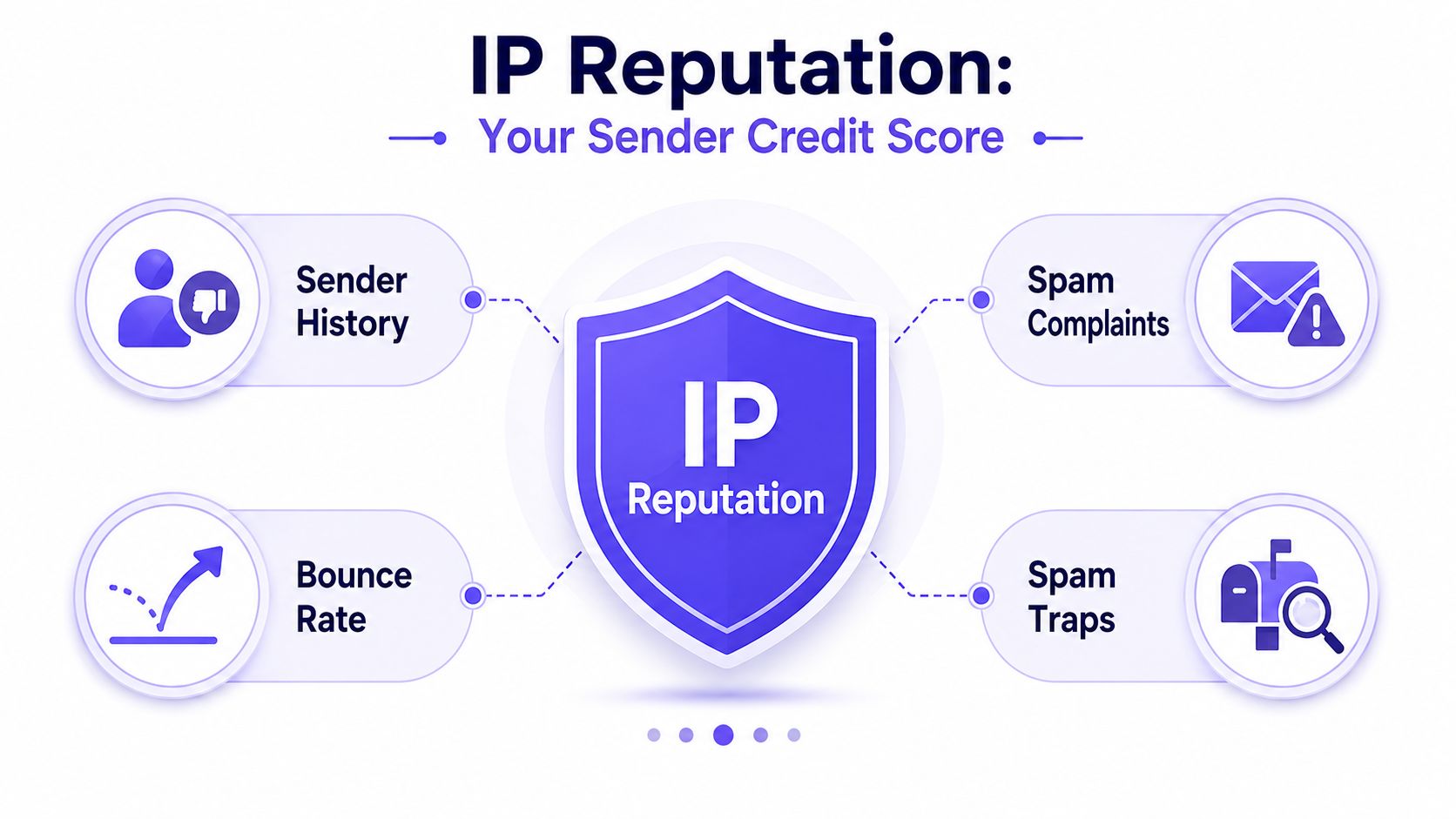
Why the score changes
IP reputation shifts because providers continually observe sending behavior. A trusted sender can become risky after a sudden volume increase, a poorly targeted campaign, more hard bounces, or repeated complaints. Warmup therefore means controlled, consistent sending while monitoring several signals, not just reaching a target score.
IP reputation became important as filtering moved beyond simple word matching. Providers began evaluating the sender behind a message, making the sending IP a useful anti-abuse signal for high-volume programs. That role still matters, although domain reputation, authentication, content, and recipient behavior also influence placement.
Research presented at CEAS in 2008 illustrated how sender identity could support filtering. The RepuScore system classified 72% of received emails while knowing only 42% of sender identities. The authors also reported that about 11% of sender identities were good while 32% were spammers. The CEAS study documents those findings.
Practical rule: Treat a strong score as evidence of recent trustworthy behavior, not a permanent pass for every campaign.
For founders investigating a sudden open-rate drop, compare reputation changes with volume, audience quality, authentication, and engagement by provider. Teams reviewing consent, targeting, and sending consistency can also browse email campaign guides.
Signals That Shape Your IP Reputation Score
Mailbox providers don't rely on one event. They combine several observable signals to estimate whether an IP is trustworthy. Each signal has a different meaning, and providers don't publish one universal threshold that applies across Gmail, Outlook, Yahoo, and Microsoft 365.
Complaints and recipient reactions
A spam complaint is a direct negative signal. It tells the mailbox provider that a recipient considered the message unwanted or misleading. Complaints can increase when a list contains old contacts, when targeting is too broad, or when the email's promise doesn't match its content.
Recipient engagement also matters. Opens, replies, deletions, and continued interaction can provide useful context, although mailbox providers interpret these signals through their own systems. A campaign that produces little positive interaction and frequent complaints creates a weaker trust pattern than one sent to an interested audience.
Bounces and traps
Hard bounces usually mean the address doesn't exist or can't accept mail. Continuing to send to those addresses signals weak list hygiene and can damage reputation. Suppressing hard bounces quickly is one of the clearest operational protections available to a sending team.
Spam traps are addresses used by anti-abuse organizations or providers to identify questionable acquisition and list-management practices. A hit can indicate scraped contacts, purchased lists, recycled addresses, or poor suppression processes. It deserves urgent investigation because it can affect filtering beyond one campaign.
Volume, consistency, and blocklists
Sending volume matters because abrupt changes make behavior harder for providers to classify. A new IP that moves from minimal activity to heavy traffic without a controlled ramp can attract scrutiny. Consistent volume gives providers a clearer history and gives the sender time to identify problems before they spread.
Blocklist presence is another visible signal. A single DNSBL listing can degrade delivery across multiple providers, while an IP in a reputable email provider network may be treated differently from an IP in a generic cloud datacenter range. The IP API explains how behavior, blocklists, infrastructure, and authentication contribute to IP reputation.
Authentication alignment
SPF, DKIM, and DMARC help providers verify that the sender is authorized and that the visible identity aligns with the technical identity. Authentication doesn't erase poor engagement or complaints, but missing or misaligned authentication can add doubt to an already weak sending pattern.
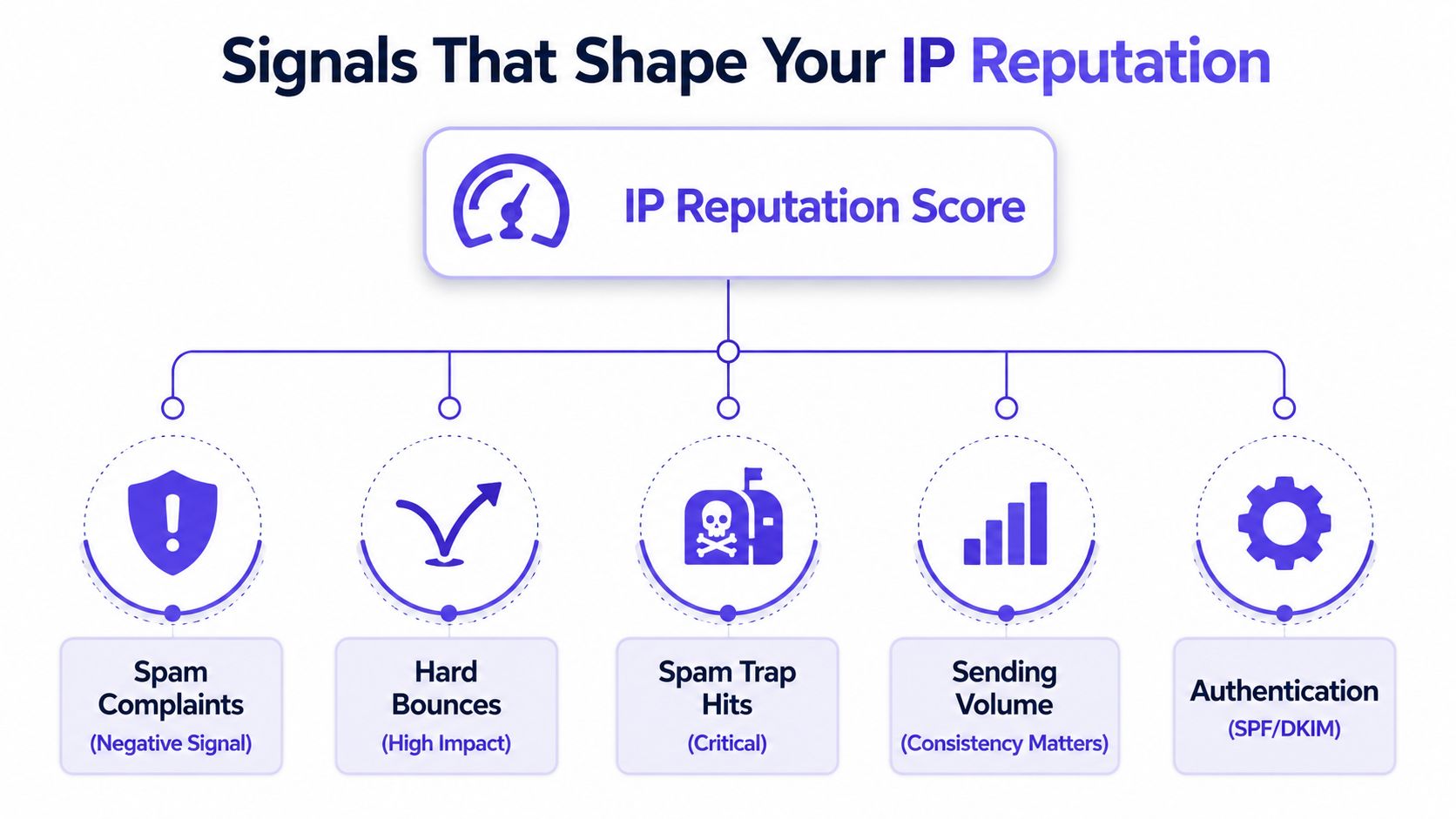
A useful diagnostic order is:
- Check complaints. Identify the campaigns, audiences, and providers associated with the increase.
- Review hard bounces. Suppress invalid recipients before any further recovery send.
- Investigate traps and blocklists. Look for list-source or acquisition problems.
- Compare volume patterns. Match reputation changes against launches, migrations, and automation.
- Audit authentication. Confirm that SPF, DKIM, and DMARC remain aligned across sending streams.
IP Reputation vs Domain Reputation
IP reputation tracks the sending infrastructure. Domain reputation tracks the sender identity, including the domain shown in the From address and connected to authenticated mail.
The distinction becomes clear after a provider change. A new email service can assign a different IP while the domain retains its earlier history. The reverse is also possible: an IP may have a stable record, while one domain on it shows weak engagement or frequent complaints. IP reputation works like a road's record, while domain reputation follows the vehicle using that road.
| Attribute | IP Reputation | Domain Reputation |
|---|---|---|
| What it follows | The sending IP address | The sending domain and identity |
| Main signals | Connection behavior, bounces, complaints, traps, blocklists, volume | Engagement, complaints, authentication alignment, message identity, sending history |
| Most relevant when | A sender controls volume, warmup, and infrastructure | A provider evaluates brand identity across changing infrastructure |
| Shared infrastructure impact | Other senders can influence the surrounding IP environment | A sender's domain history remains tied to its identity |
| Practical response | Stabilize volume, monitor IPs, manage infrastructure | Protect the domain, segment streams, maintain authentication and engagement |
Providers evaluate both signals, but domain history often has greater influence at major mailbox providers. IP reputation still affects the connection itself, high-volume programs, warmup, and shared infrastructure. Mailjet discusses the continuing role of IP reputation and the importance of gradual volume increases.
A dedicated IP gives a sender more control over its history, along with responsibility for every volume change and recovery decision. Shared IPs can perform well when the provider manages the pool carefully, although another sender's behavior can affect the surrounding environment.
Treat these reputations as separate diagnostic layers, not competing explanations. If delivery drops after an infrastructure change, inspect the IP. If performance stays weak across different providers or IPs, examine the domain's sending history, identity, and engagement. Mailwarm's guide to domain reputation explains the domain-focused side of that assessment.
How to Monitor Your IP Reputation
IP reputation is no longer a single gate that decides inbox placement. Providers combine it with domain history, authentication, engagement, and message-level signals. Monitoring therefore needs more than one dashboard. Use provider data to see filtering behavior, independent checks to identify infrastructure problems, and campaign metrics to connect changes with specific sends.
Start with provider visibility
Google Postmaster Tools provides Gmail-specific information about sender reputation, spam rates, authentication results, and delivery errors. Verify domain ownership, add the relevant sending domains, and review the available reputation and authentication views. Limited observable traffic can leave gaps in the reports, so missing data does not automatically indicate a sending failure.
Microsoft's Smart Network Data Services, known as SNDS, lets senders review the reputation of IPs used to deliver mail to Outlook.com and Microsoft 365. Its dashboard can show complaint rates, spam-trap hits, traffic volume, and filtering status. Microsoft SNDS is described as a source of IP-level reputation and filtering information.
Add independent checks
Sender Score offers a numerical reference for a sending IP. A blacklist check can show whether an IP or domain appears on DNS-based blocklists. Use Mailwarm's blacklist checker as an investigation aid, not as a substitute for provider-level evidence.
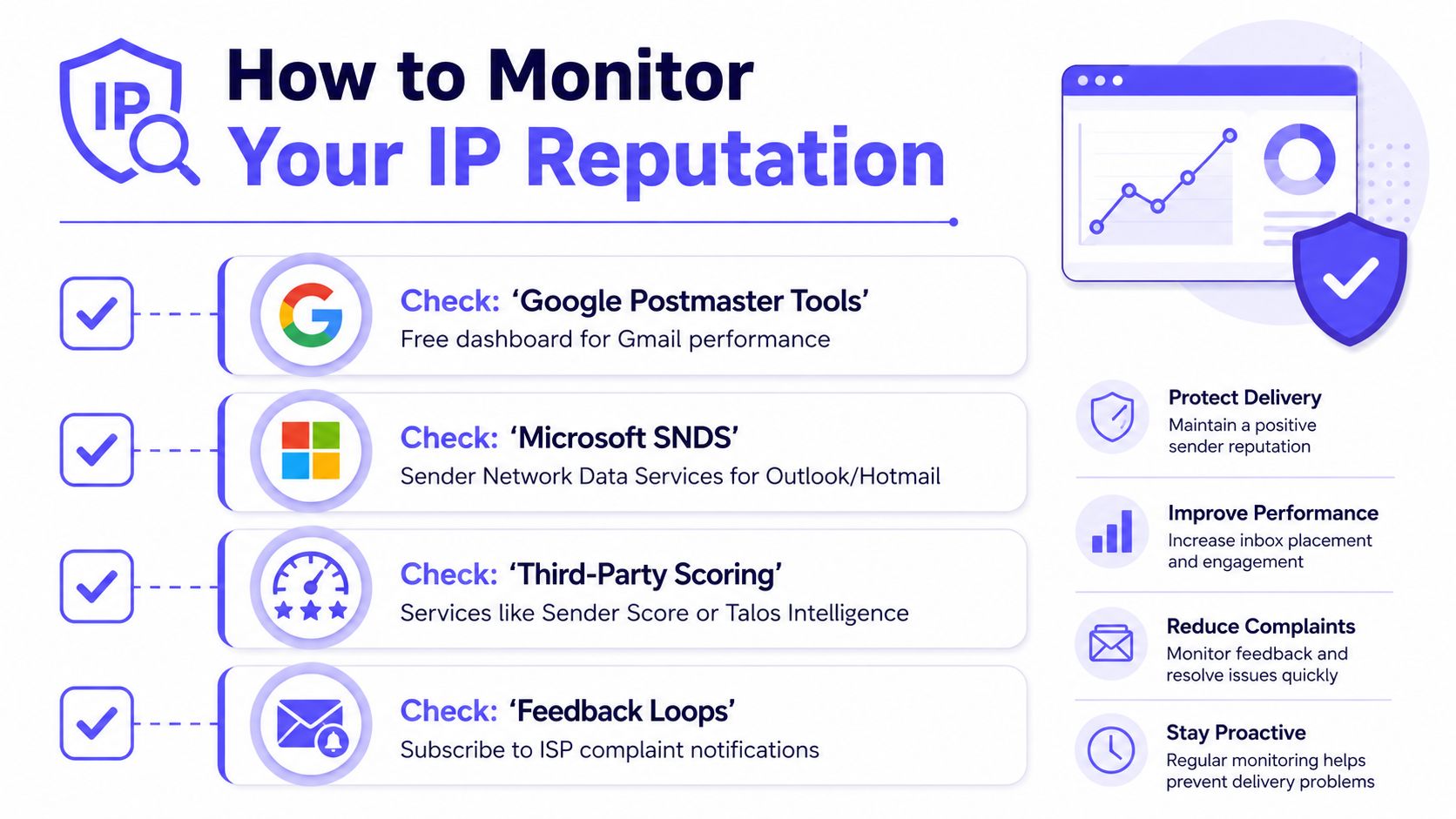
Track trends instead of snapshots
A useful monitoring routine includes:
- Daily checks during launches. Review bounces, complaint signals, authentication failures, and provider-specific delivery changes.
- Weekly reputation reviews. Compare IP and domain trends with campaign volume, list sources, and audience segments.
- Event-based investigations. Examine infrastructure changes, provider migrations, sudden volume increases, and new campaign types as they occur.
- Documented baselines. Record normal performance so the team can separate a temporary fluctuation from a sustained decline.
Provider visibility can change. Gmail's Postmaster Tools reputation views have changed, with older IP and domain dashboard information being retired or becoming less available according to recent deliverability reporting. Proofpoint discusses changing reputation visibility and evolving provider scrutiny. Keep internal campaign logs and provider-level delivery data alongside dashboard readings. That record helps teams adjust monitoring and warmup when IP reputation becomes one signal among several, rather than treating it as the sole inbox decision.
Steps to Repair and Improve IP Reputation
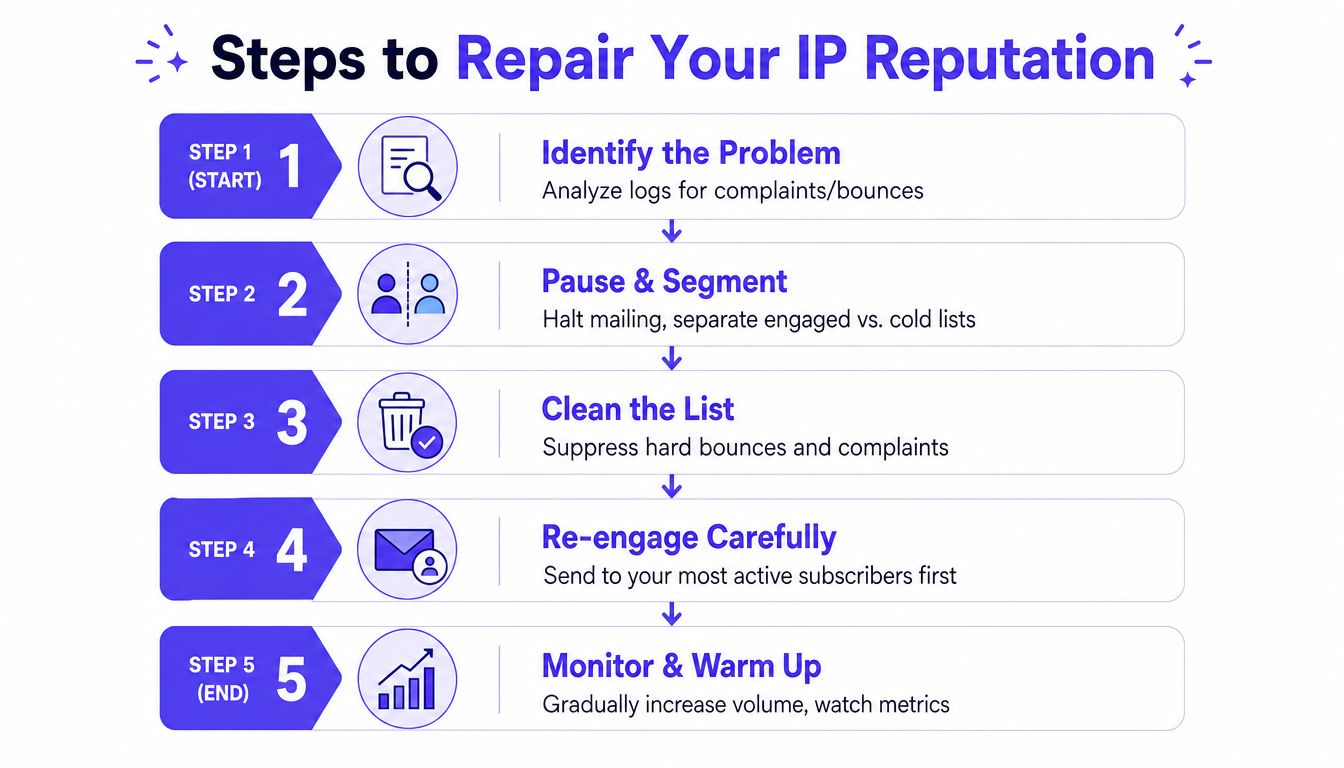
Recovery starts with containment. Continuing to send during an investigation can add complaints, bounces, and filtering signals to the same sending history. Treat the IP like a shared delivery lane: reduce traffic first, then identify which behavior caused providers to restrict it.
1. Identify the damaged signal
Compare the reputation drop with recent campaigns, volume changes, list imports, authentication updates, and provider-specific failures. Break the review down by IP, domain, mailbox provider, campaign, and audience segment. This prevents a domain problem from being mistaken for an IP problem.
2. Pause risky traffic and segment the audience
Pause broad or cold sends while the team checks the evidence. Separate recently engaged recipients from inactive contacts, new acquisitions, and addresses with previous delivery problems. A smaller, responsive audience gives providers a cleaner view of your current sending behavior.
3. Clean the list and fix authentication
Suppress hard bounces, spam complainers, known traps, and addresses that repeatedly fail delivery. Review SPF, DKIM, and DMARC alignment as well. Authentication does not repair poor engagement by itself, but misalignment can add technical uncertainty to an already weak reputation.
4. Re-engage carefully
Resume with the most engaged recipients and the clearest, most relevant content. Keep volume controlled and consistent rather than trying to restore the entire program in one campaign. Monitor provider responses as each audience segment returns.
5. Warm the infrastructure gradually
Warmup builds sending history through gradual volume increases and positive inbox interactions. It cannot compensate for an unhealthy list or unwanted content. Used correctly, it provides a controlled path to consistent behavior while the team watches delivery by provider.
Check recovery separately at each major provider. Outlook and Microsoft 365 may respond differently from Gmail, so improvement at one provider does not confirm that filtering has eased elsewhere. IP reputation remains useful, but it is now one signal in a wider assessment that also reflects domain behavior, authentication, recipients, and message patterns.
Mailwarm is a premium email warmup and deliverability platform with inbox engagement, warmup controls, spam score monitoring, inbox placement insights, authentication tools, bounce prevention, analytics, and expert guidance. Its network includes 50,000+ aged real inboxes, and its engagement signals can include opens, replies, threads, spam removal, and important marking. Depending on the plan, it can generate up to 100% replies to warmup emails. The practical guide to improving email sender reputation presents warmup as one part of a broader recovery process.
Unlike basic warmup tools, Mailwarm does not require IMAP access or permission to read a user's private inbox. Its provider-level warmup supports Gmail, Outlook, Microsoft 365, Yahoo, SMTP, and other sending environments, with B2B and B2C warmup options.
Why IP Reputation Alone No Longer Determines Inbox Placement
A strong IP reputation no longer guarantees inbox placement. Mailbox providers treat it as one signal within a broader decision that can include domain history, authentication alignment, recipient engagement, message content, sending consistency, and provider-specific rules.
That shift explains a common founder experience: the IP dashboard looks healthy while open rates decline. The domain may have lost trust, recipients may be ignoring messages, or a campaign may differ enough from established patterns to trigger filtering. The IP is only one part of the sender's identity.
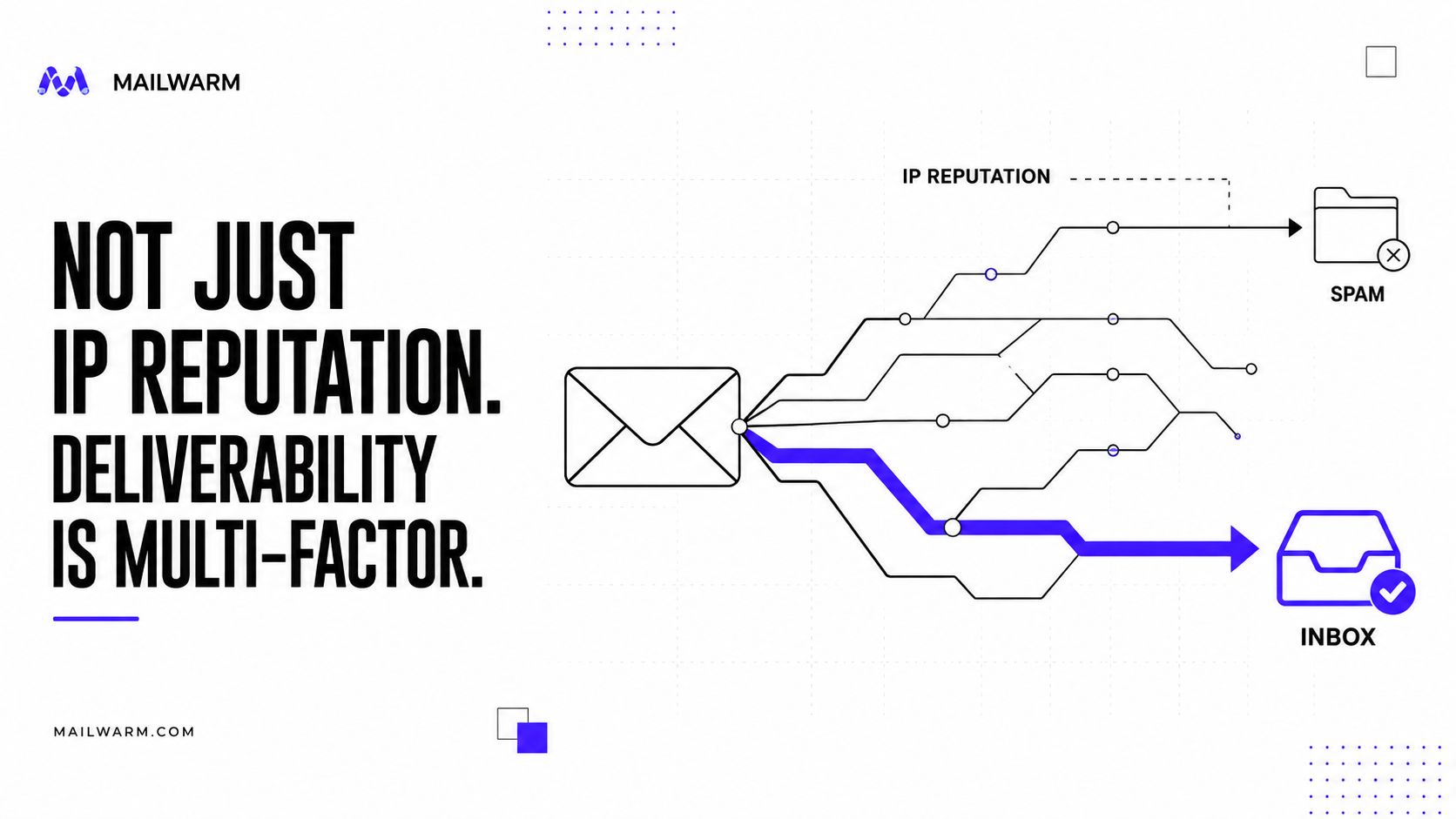
The filtering model has changed
Earlier filtering systems placed greater emphasis on visible content rules and the sending IP. That made IP reputation a central gatekeeper, particularly for high-volume mail. Providers still evaluate the IP, but current systems can connect it with domain behavior, authentication, recipient responses, and message patterns.
A shared or dedicated IP therefore cannot explain every placement result. Gmail, Outlook, Microsoft 365, Yahoo, and other providers may interpret the same sending behavior differently. A recovery at one provider does not prove that filtering has eased everywhere.
Measure the change at the provider and campaign level. Compare inbox placement, spam placement, bounces, complaints, replies, and engagement by domain, IP, audience, and message type. Warmup should also follow those results, with volume increases paused when recipient signals weaken.
IP reputation remains useful as an early warning signal. It should guide investigation, not replace it.
A reputation dashboard can show that trust changed. Provider and campaign data help identify which behavior needs attention.
Building a Complete Deliverability Workflow
IP monitoring belongs inside a repeatable deliverability workflow. The workflow should connect infrastructure, identity, audience quality, message relevance, and engagement rather than treating each problem as an isolated technical issue.
A founder or small sales team can begin with a simple operating rhythm:
- Before sending: Review authentication, recipient sources, suppression lists, and planned volume.
- During sending: Watch bounces, complaints, provider responses, and engagement by campaign.
- After sending: Compare inbox placement, spam placement, replies, and negative signals by provider.
- Before scaling: Confirm that the audience and infrastructure handled the previous volume without deterioration.
Agencies and larger teams need stronger separation. Different clients, domains, IPs, and campaign types should be tracked independently so one sender's results don't hide another's problems. Shared infrastructure deserves particular attention because the surrounding IP environment can affect delivery conditions.
Content quality also belongs in the workflow. A technically authenticated email can still generate complaints if the recipient doesn't recognize the sender, understand the offer, or want the message. List hygiene, clear relevance, predictable volume, and easy opt-out handling protect the behavioral history that providers observe.
The most useful scorecard combines:
- IP health, including reputation, blocklist status, bounces, and volume stability.
- Domain health, including engagement, complaints, identity consistency, and authentication.
- Inbox placement, measured by provider rather than inferred from opens alone.
- Recovery readiness, including documented pause rules, segmentation, suppression, and warmup controls.
The answer to “what is IP reputation” is therefore only the starting point. It is a trust signal attached to sending infrastructure, but modern deliverability requires teams to manage the entire sender system.
Mailwarm helps senders build reputation, monitor inbox placement, and improve deliverability through real inbox engagement, advanced warmup controls, and expert guidance. Visit Mailwarm to evaluate provider-level warmup, authentication tools, spam monitoring, and deliverability support for the team's sending infrastructure.