
Email encryption scrambles email content so only intended parties can read it. TLS protects messages while they move between mail servers, while end-to-end methods such as PGP and S/MIME keep the message encrypted until the recipient decrypts it.
So, what is email encryption really protecting when a message still passes through providers, appears in search results, and carries visible sender information? The answer depends on which layer a team uses. Encryption is not one switch. It's a set of controls that protect different parts of an email journey.
What Is Email Encryption in Simple Terms
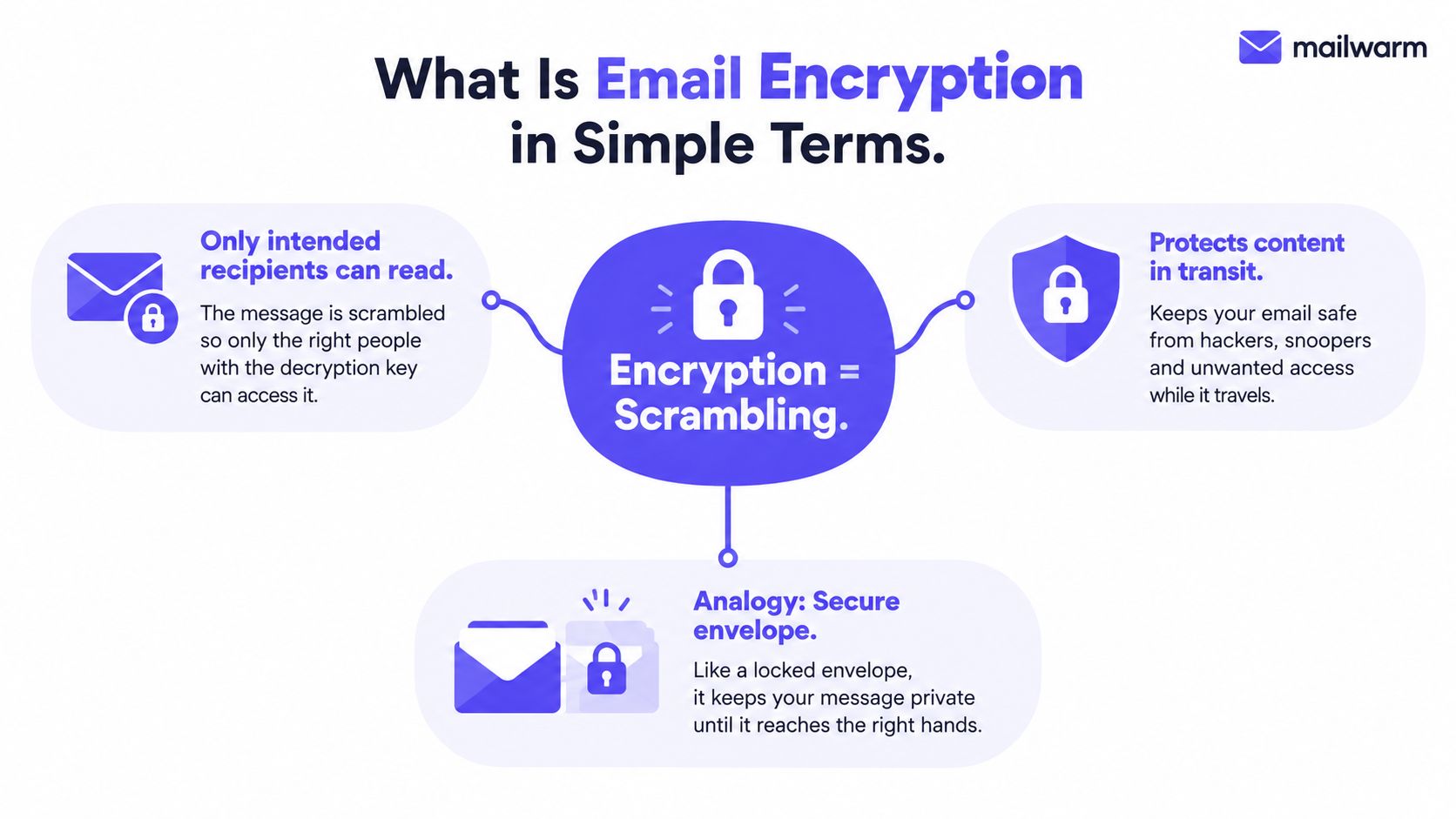
Email encryption changes readable text into scrambled data, often called ciphertext. A recipient with the right key can turn that ciphertext back into a readable message. Without the key, an intercepted copy should be unusable.
A sealed letter is a useful analogy. A postcard exposes its message to every person handling it. A sealed letter hides the content during delivery, although the envelope can still reveal the sender, recipient, and other routing details. Plaintext email is closer to a postcard, because systems handling the message may be able to read it.
Email usually relies on two broad protection layers:
- TLS transport encryption protects the connection while a message moves between mail servers.
- End-to-end encryption through PGP or S/MIME protects the message content so it stays scrambled until the intended recipient decrypts it.
TLS is already part of everyday email delivery. However, it protects a journey between systems rather than creating a permanent encrypted container around the message. Cloudflare's explanation of email encryption distinguishes transit protection from end-to-end protection, where the recipient's private key decrypts the content.
A message can still expose sender and recipient addresses, timestamps, subject lines, headers, and stored copies even when its body is encrypted. Those details matter for sales teams sending contracts, marketers handling customer information, and recruiters exchanging personal data.
Email encryption also has a long standards history. PGP appeared in 1991, OpenPGP was proposed to the IETF in 1997, and S/MIME was introduced in 1998 through RFC 2311. Yet adoption remains limited. A university-scale study found that 5.46% of users ever used S/MIME or PGP, producing 0.06% encrypted emails and 2.8% signed emails as reported in this overview of email privacy and encryption.
TLS Transport Encryption vs End-to-End Encryption
The simplest distinction is the location of the lock. TLS locks the connection between systems. End-to-end encryption locks the message for the people at each end.
When a sending server connects to a receiving server over TLS, the message travels through an encrypted tunnel. A network observer generally can't read the bytes moving across that connection. The receiving mail server still has to process the message, so the provider can usually access the message after delivery unless another layer protects the content.
End-to-end encryption works differently. The sender encrypts the content with the recipient's public key, and only the matching private key can decrypt it. A provider, relay, or administrator may see encrypted ciphertext instead of readable text.
| Criteria | TLS Transport Encryption | End-to-End Encryption (PGP/S/MIME) |
|---|---|---|
| Main protection | Data moving between mail servers | Message content from sender to recipient |
| Where it operates | During a server-to-server connection | Inside the message and its attachments |
| Provider access | The receiving provider may process readable content | The provider may be unable to read the protected body |
| Stored mail | Doesn't automatically encrypt mailbox copies | Keeps protected content encrypted until decryption |
| Metadata | Sender, recipient, timestamps, and subject can remain visible | Metadata generally remains visible |
| Recipient experience | Usually seamless | Requires compatible keys, certificates, or a managed workflow |
| Best fit | Routine outreach and ordinary business communication | Sensitive contracts, personal data, and restricted documents |
The difference matters in practical situations. A cold outreach email sent through authenticated SMTP benefits from TLS during delivery, but the provider may still store and scan the readable content. A contract protected with S/MIME or PGP offers stronger content confidentiality, but search, archiving, reply handling, and automation may become more difficult.
Practical rule: TLS protects the route. End-to-end encryption protects the message itself.
A common misconception is that encrypted transport hides everything. It doesn't hide subject lines, routing information, timestamps, or the existence of communication. It also doesn't automatically protect local mail files, archived copies, or provider systems. NIST guidance on email security identifies TLS for integrity in transit and S/MIME or OpenPGP for end-to-end email content protection.
PGP and S/MIME Compared
Which encryption method fits a sales or marketing team better, PGP or S/MIME? Both protect message content with public-key encryption, but they establish trust and manage keys in different ways.
PGP and OpenPGP use a decentralized model. A user creates a key pair, shares the public key, and keeps the private key protected. The recipient can verify identity through a web-of-trust approach or another agreed method. This arrangement suits privacy-focused professionals, journalists, technical communities, and partner relationships where both sides are prepared to exchange keys and manage them carefully.
S/MIME uses X.509 certificates issued by a certificate authority. The certificate connects a public key with an identity, while an organization can issue, renew, and revoke certificates through central IT policies. S/MIME is built into enterprise mail clients such as Outlook and Apple Mail, making it a practical choice for corporate and regulated environments.
| Dimension | PGP | S/MIME |
|---|---|---|
| Trust model | Decentralized validation and web-of-trust approaches | Certificate authority and centrally managed identity |
| Key management | Users or communities often manage keys directly | IT teams commonly issue, renew, and revoke certificates |
| Enterprise fit | Strong where recipients actively opt in | Strong inside managed corporate mail environments |
| Cross-organization use | Works when both parties exchange compatible public keys | Works when certificates and client support align |
| Usability | Can require more user education | Often smoother in supported enterprise clients |
| Identity signal | Depends on key verification | Certificate binds identity to a trusted certificate |
| Main risk | Lost or mishandled private keys can block access | Expired, revoked, or unavailable certificates can disrupt use |
The choice should follow the workflow. S/MIME often fits internal corporate communication because IT can administer certificates centrally. PGP may suit vendors, partners, or specialist contacts who already use compatible keys and treat encryption as an explicit requirement. Both systems can also create digital signatures, allowing recipients to check that the message came from the expected sender and was not altered.
Neither method conceals the entire email. Subject lines and metadata can remain exposed, including routing details and communication timing. Teams evaluating Outlook workflows can use these mail encryption tips from Mailwarm to understand the difference between built-in message protection and end-to-end methods.
Key loss can stop access to protected mail. If a recipient loses a private key, an encrypted message may remain unreadable even when the sender still has a copy. Key backup, recovery, rotation, and revocation therefore belong in the operating process. For marketing and sales teams, that process should also preserve approved sending identities and predictable workflows, since security changes that disrupt authentication or message handling can affect sender reputation, warmup, and inbox placement.
How Transport Security Actually Works
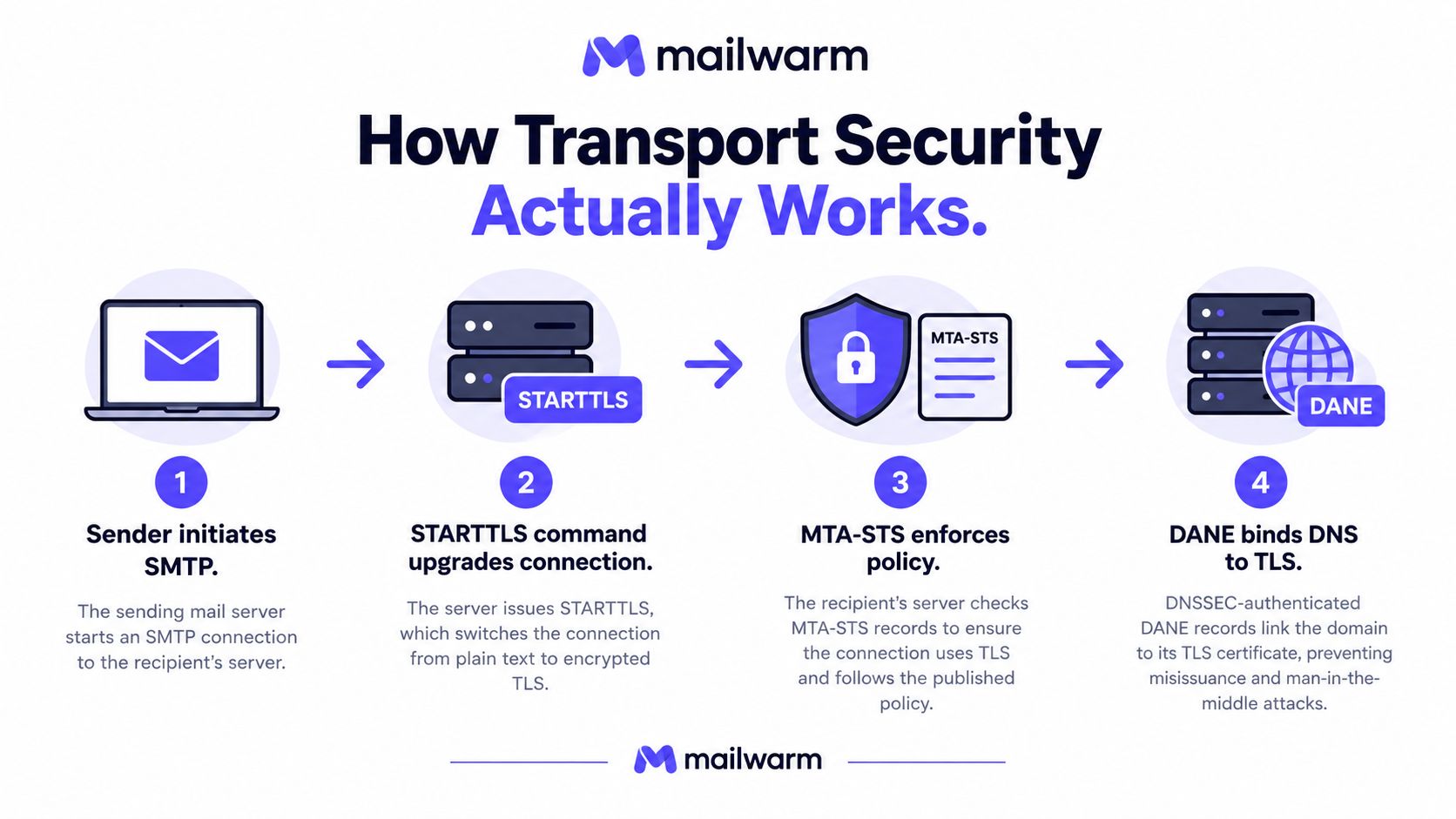
STARTTLS is not a separate encryption system. It's an SMTP command that asks an existing mail connection to upgrade from plaintext to TLS. If the receiving system doesn't support the upgrade, or if enforcement is absent, the connection may continue without encryption. Adaptive Security's explanation of email encryption types describes STARTTLS as opportunistic unless stronger policy controls reinforce it.
A typical handoff works like this:
- SMTP begins the conversation. The sending server connects to the receiving server and announces its capabilities.
- STARTTLS requests an upgrade. The servers negotiate TLS instead of continuing in plaintext.
- Certificates establish server identity. The receiving side presents a certificate, and the systems negotiate session keys.
- The message travels through the tunnel. The connection is protected for that server-to-server hop.
MTA-STS adds policy enforcement. It tells a sending system which TLS behavior a domain expects and helps prevent an attacker from downgrading a connection undetected. DANE uses DNSSEC-backed records to associate a domain with expected TLS certificates, creating another trust mechanism.
A practical domain review should check:
- TLS version support, with current configurations favoring TLS 1.2 or higher.
- Certificate validity, including expiration and hostname matching.
- MTA-STS policy availability, published at the expected policy location.
- DANE and DNSSEC readiness, where the organization's providers support it.
- TLS reporting, so failed or downgraded connections can be investigated.
The distinction between widespread adoption and strong configuration matters. A 2026 industry report found that 91.79% of emails traveled encrypted in transit, but 50.12% of that encrypted traffic used TLS 1.0 or TLS 1.1, protocols deprecated by the IETF in March 2021. Only 32.99% used TLS 1.3, which was defined in 2018, according to this email security adoption analysis. Encryption in transit is common, but the quality of that protection varies.
For a deeper implementation walkthrough, the MTA STS TLS guide can help teams connect transport policy with reporting and domain protection.
Real Use Cases for Sales and Marketing Teams
Routine outreach usually benefits from TLS without requiring end-to-end encryption. A sales platform can submit mail through authenticated SMTP, and the message can travel through encrypted connections while normal campaign operations continue. Tracking pixels, links, and reply detection can function as designed, although those tools have separate privacy and deliverability implications.
Sensitive documents require a different decision. A pricing deck may contain confidential terms. A signed contract may include personal or financial information. PGP or S/MIME can protect the message body and attachments so only the intended recipient can open them, but those protections can interfere with provider-side indexing, automation, and shared inbox workflows.
| Scenario | Recommended Layer | Trade-off |
|---|---|---|
| Routine cold outreach | TLS transport encryption | Preserves ordinary sending and tracking workflows, but doesn't protect stored content from provider access |
| Pricing proposal with restricted terms | TLS plus protected attachment, or end-to-end encryption | Stronger confidentiality, with more recipient friction |
| Signed contract | S/MIME or PGP for the document and message | Protects content and can support signing, but key compatibility matters |
| CRM sequence | TLS with strong authentication | Keeps automation practical, while end-to-end encryption can limit indexing and tracking |
| Sensitive reply in a shared inbox | Enforced TLS plus an approved end-to-end workflow | Improves transport protection, but shared access and key ownership need documentation |
A team sending encrypted content should tell recipients how to open it before the first urgent message arrives. Otherwise, a prospect may treat an encrypted notification as suspicious, delay the response, or forward it to someone without the necessary key.
Operational choice: Use TLS by default for ordinary outreach. Reserve end-to-end protection for personal data, payment information, legal documents, and healthcare-related communication.
Encryption also doesn't replace SPF, DKIM, or DMARC. Those controls help receiving providers evaluate sending identity, while encryption protects communication during transport or at the content layer. Sales and marketing teams need both security hygiene and deliverability hygiene.
How Encryption Affects Deliverability and Warmup
Encryption doesn't act as a magic inbox signal, but poor transport security can undermine a sender's technical credibility. Receiving systems can evaluate whether a sending domain supports TLS, presents valid certificates, and publishes useful transport policies alongside authentication controls such as SPF, DKIM, and DMARC.
This is especially relevant during warmup. Warmup activity depends on consistent, authenticated exchanges that resemble legitimate conversations. If a domain lacks STARTTLS support or presents an expired certificate, a receiving provider may treat the connection as a delivery problem, regardless of the sender's intended content.
A useful distinction separates two effects:
- Transport encryption supports the delivery path. TLS keeps server-to-server communication protected and helps establish a predictable technical baseline.
- End-to-end encryption changes message behavior. PGP and S/MIME can prevent open-tracking pixels from loading and can limit the visibility of message content to warmup systems.
- Authentication remains separate. SPF, DKIM, and DMARC identify and authorize sending behavior, but they don't replace encryption.
- Consistency reduces surprises. Teams should avoid changing encryption modes unpredictably inside the same sending pattern.
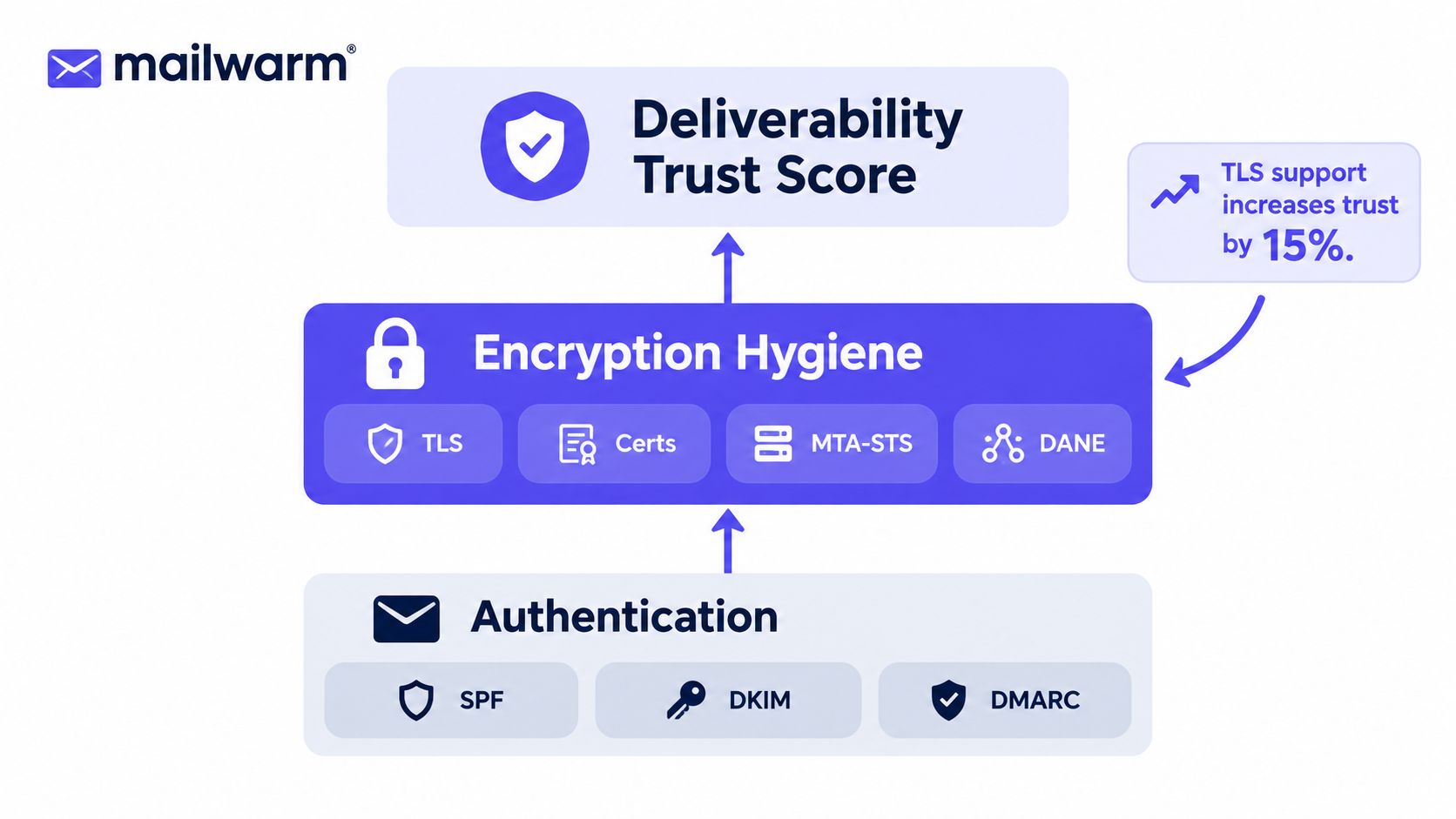
A warmup program should therefore keep routine warmup messages on properly configured TLS, monitor authentication, and check certificate status regularly. End-to-end encryption itself isn't harmful to inbox placement, but it can reduce the engagement data that some warmup and campaign systems use to identify opens or content interactions.
Teams can connect these checks with an smtp warmup process that treats authentication, provider behavior, and inbox placement as one operational system. Mailwarm is a premium email warmup and deliverability platform that combines real inbox engagement, provider-level controls, spam score monitoring, inbox placement insights, authentication fix tools, bounce prevention, and expert guidance. It doesn't require IMAP access or permission to read a user's private inbox.
The practical conclusion is simple: encryption configuration belongs in the sender-reputation stack. It sits beside authentication and bounce control, not in a separate IT-only category.
Compliance, Privacy, and Practical Next Steps
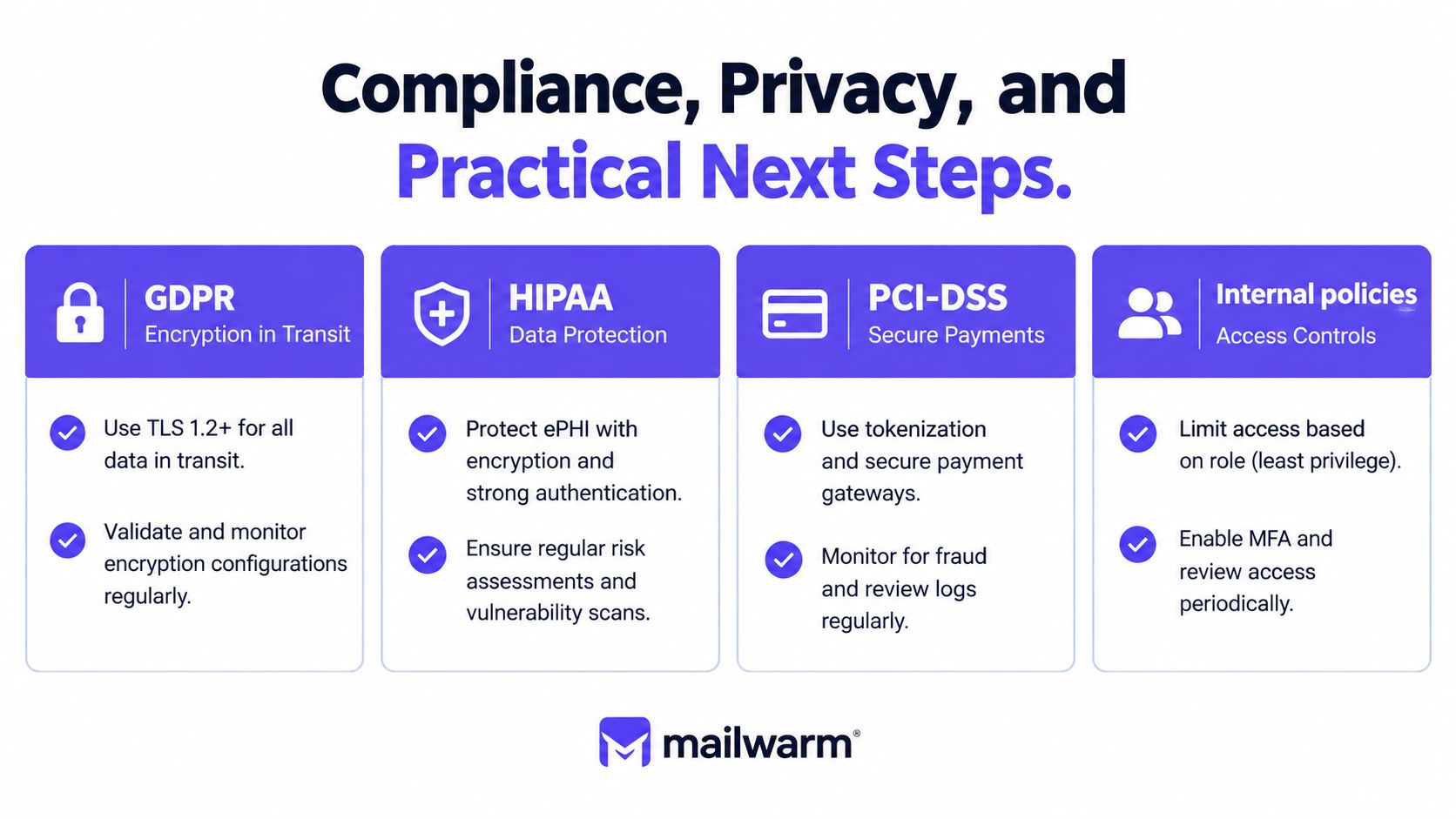
Encryption supports compliance, but the right control depends on the data and the policy. TLS can protect information in transit. S/MIME, PGP, or encrypted attachments may be necessary when an organization must limit access to the message content itself.
Teams should map requirements to workflows rather than treating a compliance label as a configuration. GDPR-related personal data, HIPAA-related health information, PCI-DSS-related payment information, and internal confidential material can have different handling rules. Legal, security, and IT teams should define when transport encryption is enough and when end-to-end protection is required.
A privacy review should also account for what encryption leaves visible:
- Metadata: Sender, recipient, subject, timestamps, and routing information can remain exposed.
- Stored copies: Provider mailboxes, local mail files, archives, and backups may need separate protection.
- Access rights: Encryption doesn't stop an authorized mailbox user or administrator from accessing content.
- Key lifecycle: Lost, expired, or compromised keys can block legitimate access or weaken confidentiality.
- Forwarding: A protected message may become unreadable or lose its protection when sent outside the approved recipient set.
For broader security planning, teams can review these practical data breach prevention steps alongside their email controls. The resource is useful because encryption works best as one part of access management, retention, incident response, and staff training.
A focused one-week action plan
- Audit the sending domain. Review SPF, DKIM, DMARC, TLS support, MTA-STS, and DANE with the responsible IT team.
- Enforce transport protection. Define the organization's TLS policy and investigate failed or downgraded connections.
- Choose an end-to-end standard. Standardize PGP or S/MIME for sensitive threads instead of letting each employee improvise.
- Document retention and recovery. Set rules for archives, backups, private-key recovery, rotation, and revocation.
- Run a deliverability review after changes. Check authentication, bounce behavior, spam placement, and provider-specific results.
Compliance work and reputation work reinforce each other when teams document the controls, test them, and monitor their effect on real sending.
Frequently Asked Questions About Email Encryption
Do Gmail and Outlook encrypt email by default?
Gmail and Outlook commonly use opportunistic TLS for transport, but that doesn't automatically create enforced TLS or end-to-end protection. Sensitive content may still need S/MIME, PGP, client-side encryption, or a protected attachment workflow.
Can encrypted emails still be tracked for opens and clicks?
PGP and S/MIME can prevent tracking pixels from working because the protected message body may not be readable until the recipient decrypts it. Link-level tracking is usually preserved if the recipient can access the link, and reply detection can still work when a reply reaches the sending system.
What happens when an encrypted email is forwarded?
End-to-end encryption is designed to restrict access to the intended key holders. A third party without the relevant private key may receive an unreadable message, while TLS only protects the connection used for each delivery hop and doesn't control what happens after the message reaches an endpoint.
Does encryption improve or hurt inbox placement?
Encryption itself is generally neutral to spam filtering. Misconfigured DNS, failed enforced-TLS connections, expired certificates, and unauthenticated sending can create technical or reputation problems that affect delivery.
Is TLS enough for sensitive business email?
TLS protects the route between mail systems, not necessarily the message at rest or on intermediate servers. Teams handling personal, financial, legal, or healthcare information should assess whether end-to-end encryption is required by policy or contract.
How does encryption affect sender reputation?
Reliable TLS and sound authentication contribute to a predictable sending environment, while encryption changes that disrupt delivery or engagement tracking can create operational issues. Sender reputation still depends on broader factors, including authentication, bounces, complaint signals, recipient behavior, and content.
Mailwarm helps senders build reputation, monitor inbox placement, and reduce spam risk through real inbox engagement, advanced warmup controls, authentication fix tools, and expert deliverability guidance. Teams can review encryption and authentication alongside provider-level warmup, spam score monitoring, and bounce prevention by visiting Mailwarm.