

Filing a removal request first is the popular advice, and it's usually wrong. Sender Score reputation network removal only sticks after the sending that caused the listing stops. Sender Score is Validity's 0 to 100 reputation score for a sending IP, built from complaints, unknown users, spam traps, volume and filtering, and a cleared listing doesn't restore inbox placement by itself.
Check What Is Actually Listed
Sender Score quantifies how mailbox providers and filtering systems view a sending IP. Higher is stronger, and the score is generally calculated over a rolling 30-day period rather than from one campaign, according to Salesforce guidance on Sender Score. Its inputs include spam complaints, sending volume, public blocklist presence, rejections, infrastructure quality, spam trap activity, unknown users and the share of mail filtered or accepted.
A reputation network listing means an IP is currently associated with activity resembling spam. It isn't a permanent score of zero. The lookup also shows only active listings. If an IP was listed and later removed, the tool doesn't display that past listing, so an empty result can mean never listed or already delisted.
Five Situations That Look Alike
| Situation | What It Usually Means | First Check |
|---|---|---|
| Shared IP from your ESP | Listing affects many senders on the same IP, so your share may be small | Confirm the IP in the lookup and ask the provider for its status and your share |
| Dedicated IP you control | Listing reflects your own sending history over the last 30 days | Review complaints, spam trap hits and volume changes |
| Domain filtering, no IP listing | The problem follows the domain or content, not the IP | Test placement by provider and check authentication, since a delisting request won't fix it |
| Listing already cleared | Current lookups may show nothing, but mailbox filters keep their own history | Track complaints and placement weekly instead of relying on the lookup |
| Low score, no active listing | The score combines several signals, so no blocklist entry is needed to pull it down | Work the complaint, bounce and trap signals first |
Shared infrastructure needs extra care in interpretation. The same pooling logic behind hosting on shared servers applies to shared sending IPs, where neighbors contribute to the reputation attached to the address.
Listings also aren't rare or proof of intentional spam. In the Mailwarm network study, October 2026, 8.4% of 12,936 custom domains (1,088 domains) were listed on at least one DNS blocklist at their last check, with legitimate senders and spammers both in the sample.
An empty lookup result answers one narrow question, whether a listing is active now. It says nothing about provider level placement.
Run the IP through a blacklist checker, use the sender score check guide for score detail, then test your email deliverability to separate IP status from actual placement.
Stop the Cause Before You Request Removal
The rule that decides everything is simple. A removal request fails when the cause is still running. Validity allows temporary removal while a sender investigates, but states an IP is likely to be listed again if the underlying issue remains unresolved, per the Validity Return Path Blocklist FAQ.
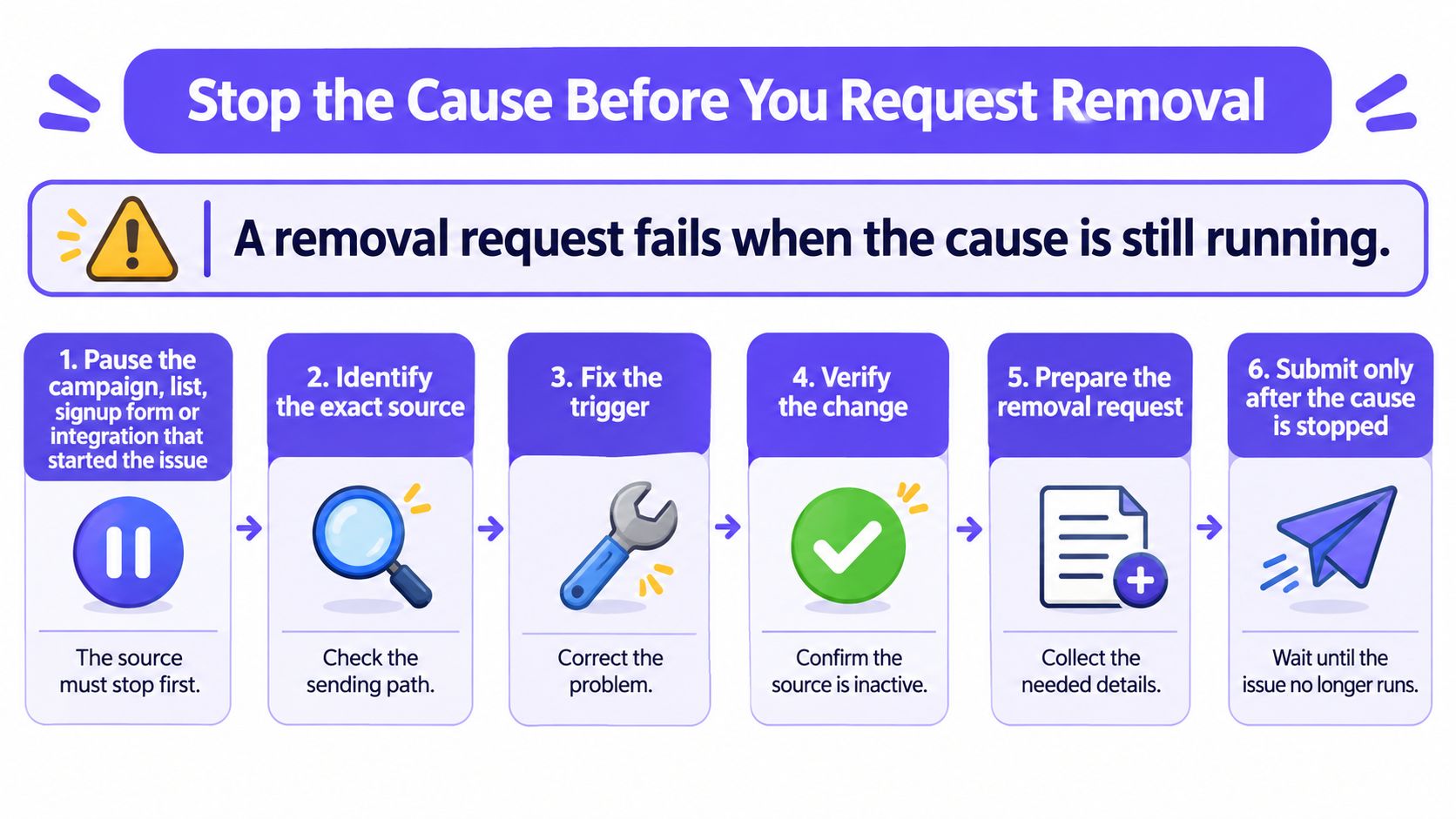
Six Containment Steps
- Pause the source. Stop the campaign, list, signup form or integration that started the drop. An old list carrying spam traps is the usual suspect, followed by a form that bots are filling. Pausing one campaign while imports continue from the same source changes nothing.
- Keep clean mail moving. Retain tightly controlled transactional mail and highly engaged recipients. Total silence removes the bad signals but also removes evidence that wanted mail still flows from the setup.
- Preserve evidence before changing anything. Export SMTP rejection text, bounce classifications, complaint counts, authentication results and volume for the last 30 days. Split everything by campaign, source and mailbox provider, because aggregates hide the one segment doing the damage.
- Match the spike to a date. Line the bad days up against a list import, a new form, a sudden volume jump, a compromised account or a misconfigured relay. The trigger almost always has a start date.
- Confirm the source is closed. Verify the list is suppressed everywhere, the form is protected or the account is secured. Write down the date, because the removal request later needs a concrete corrective action, not a vague assurance.
- Hold volume steady. Don't raise, cut or reshuffle volume until one stable week of sends has passed. Changing three variables at once makes the root cause statement guesswork.
Practical rule: Complaints and unknown user bounces react first once a bad list stops, because both are tied directly to who receives the mail. Track both weekly during containment.
Old lists deserve the closest look. Addresses that went quiet years ago get recycled, purchased data arrives with traps already in it, and a single send to a dormant segment can produce the complaint, bounce and trap pattern behind a listing.
Containment is proven one way. Complaints and bounces stay steady across several sends rather than resetting after a quiet day.
Fix Authentication, Bounces and Content
Authentication problems contribute to listings often, but fixing DNS rarely lifts one alone. Authentication proves identity. It doesn't prove recipients wanted the mail, and filters weigh both.
Records to Verify
Check three records and confirm each one passes on live mail, not just that it exists:
- SPF record:
v=spf1 include:_spf.google.com ~all - DKIM record: published at
selector._domainkey.yourdomain.com, starting withv=DKIM1; k=rsa; p=followed by the public key. A DKIM checker confirms the record resolves and parses correctly. - DMARC record: published at
_dmarc.yourdomain.com, for examplev=DMARC1; p=none; rua=mailto:dmarc@yourdomain.com
A p=none policy only monitors. It tells receivers to report, not to act. Move to quarantine or reject only after aggregate reports show legitimate mail passing alignment, since enforcing early can block real sending systems nobody inventoried.
Reverse DNS gets skipped in many audits. The sending IP's reverse record should resolve to a hostname that resolves back to the same IP, and that hostname should match what the server announces. A mismatch reads as sloppy infrastructure, which is one of the signals reputation systems track.
Reading Unknown User Bounces
Two strings show up constantly in post listing log reviews:
- Gmail wording:
550 5.1.1 The email account that you tried to reach does not exist - Microsoft wording:
550 5.1.10 RESOLVER.ADR.RecipientNotFound
Both point at list quality, not DNS. The addresses don't exist, so the fix is suppression and a hard look at where the addresses came from. Sending again to confirm is the mistake that turns a hygiene problem into a reputation problem. Practical guidance on how to keep marketing emails out of spam reaches the same conclusion, list sourcing before cosmetic fixes.
Spam trigger words are overrated. Complaint rate and list quality move reputation far more than any single phrase, so rewriting every email before the list is fixed wastes the recovery window.
Work in this order. List source first, with bad segments suppressed and imports stopped. Complaint sources second, targeting and consent reviewed. Authentication third, passing and aligned. Good looks like zero mail to suppressed addresses, complaints tied to no single segment, and SPF, DKIM and DMARC passing together.
How Removal Requests Work
A removal request clears a blocklist entry. It doesn't restore inbox placement and doesn't guarantee anything at Gmail, Microsoft or Yahoo, because Sender Score itself doesn't reject mail or decide placement. Receiving networks make the final call and may use the score as only one input, as Sender Score's mission statement explains.
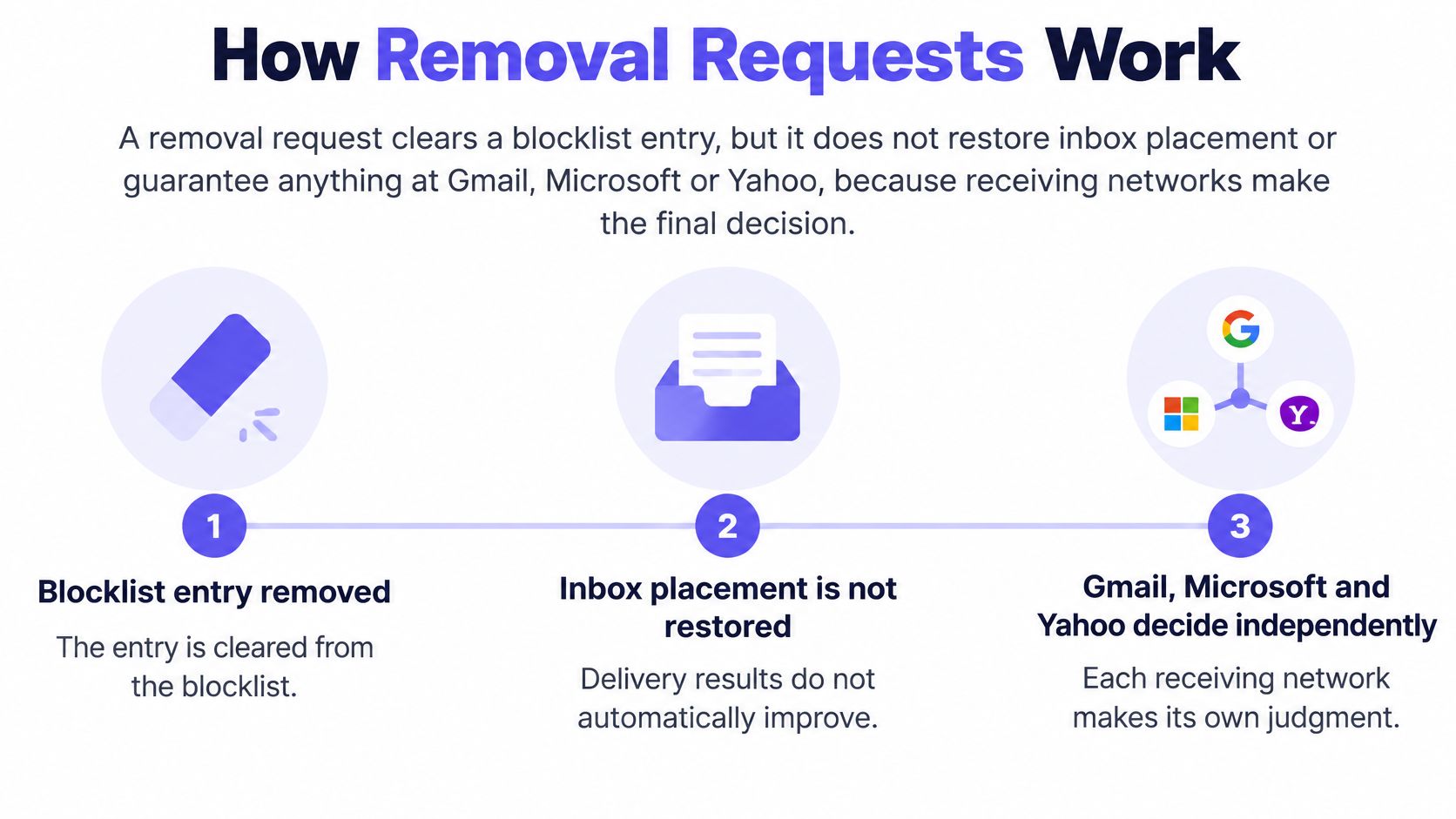
Five Steps From Confirmation to Recheck
- Confirm the listing is active. Run the lookup, note the listing date and the exact IP. Requests about inactive listings go nowhere.
- Assemble the evidence pack. Rejection logs, bounce classes, complaint data, volume history and authentication status, all from the containment work.
- Write two short statements. One sentence on root cause, one on corrective action, in plain language. Specifics beat apologies.
- Submit through Validity's official removal route. Follow the fields shown on its site rather than any third party form description.
- Recheck and hold the reduced list. Verify the lookup after submission and keep sending only to the contained audience while monitoring for relisting.
No fixed delisting timeline appears in Validity's published material, so plan around observed results, not a promised date. Any source quoting an exact turnaround for this network is guessing.
Two missteps undo otherwise solid remediation. The first is requesting removal while still sending to the same list. The listing returns, and each relisting makes recovery slower. The second is switching to a fresh IP or domain instead of fixing the list, which burns the new asset with the same behavior.
Shared IP senders face a different constraint. The ESP owns the address, so the provider files the request. Send the evidence pack to the provider, and ask for the IP status and the sender's share of the listing before changing anything, so the root cause statement filed matches what was fixed.
Rebuild Volume and Decide When to Raise It
Removal and recovery are two separate milestones. The blocklist is a list of IP addresses showing activity resembling spam, and delisting changes current status while other signals, complaints, rejections, unknown users, filtering, keep their own weight in the score, as the MXToolbox Sender Score Reputation Network entry describes. Because the calculation typically uses a 30-day rolling window, recent behavior stays influential after a listing disappears.
Restart Small and Engaged
Restart at roughly 20% of the previous volume, sent only to the most engaged recipients. That figure, along with the guardrails below, comes from deliverability practitioner benchmarks summarized in guidance on how Sender Score is calculated, not from network thresholds. Treat them as operating limits for decision making.
| Metric | Warning Level | Action |
|---|---|---|
| Unknown user bounce rate | Above 2% | Treat the list source as suspect and stop that source (deliverability practitioner benchmark) |
| Spam complaint rate | Above 0.10% | Pause the segment and review targeting and consent (Google bulk sender guidance) |
| Spam complaint ceiling | 0.30% | Stop sending to the segment, since Google advises never reaching this level and Yahoo sets its complaint threshold at 0.3% |
| Restart volume | About 20% of previous volume | Send only to the most engaged recipients, then step up in small increments every 2 to 3 days |
Step volume up in small increments every 2 to 3 days only while complaints and bounces stay under those lines. One provider misbehaving is enough to hold. Aggregate numbers that pool Gmail, Microsoft and Yahoo together will hide a single failing destination until it becomes the next listing.
What Recovery Timelines Actually Look Like
Expect months, not days, in serious cases. In the Mailwarm network study, October 2026, one sender went from 63.1% to 12.2% spam over 21 weeks while volume grew from 203 to 6,139 emails. Spam rate here means the share of a sender's emails landing in spam, first test compared with the average of the last four weeks. That's a strong recovery, not an average, and it still took five months. Other senders recover faster, so pace varies, but nobody should budget for a one week turnaround after a listing.
A delisted IP with rising complaints isn't recovering. It's queuing for the next listing.
Track three things weekly, in this order:
- Complaints and unknown user bounces: the earliest signals, split by segment and source
- Inbox placement by provider: Gmail, Microsoft and Yahoo reported separately, never pooled
- Listing persistence: the lookup rechecked on a schedule, not only when something breaks
Document the listing date, remediation steps, removal date, complaint and bounce trends, authentication status and provider level placement in one running record. That record is what turns a future incident from archaeology into a lookup.
Raise volume only when every provider has stayed stable across several sends at the current step. If complaints climb past a guardrail, drop back to the last stable step and pause the offending segment rather than trimming volume evenly across healthy audiences. Even cuts punish engaged recipients and keep the bad segment alive at lower volume.
Controlled positive activity supports this phase. Structured email warmup and the discipline behind how to warm up a domain both serve the same purpose here, steady engaged volume that gives filters fresh evidence after the cause is fixed. Warmup can't substitute for that fix. Simulated engagement layered over unwanted mail just produces cleaner looking data on top of the same complaint pattern.
The finish line isn't an empty lookup. It's several weeks of stable complaints, clean bounces and consistent placement at restored volume.
If email is part of your growth strategy, Mailwarm helps senders rebuild reputation after a listing through real inbox engagement, provider level warmup, spam score monitoring and expert deliverability calls on every plan, with no IMAP access required. Fix the cause, request removal, then let controlled volume and monitored placement prove the recovery.