

Passing authentication doesn't guarantee an inbox delivery. Mailbox placement rules combine sender identity, reputation, recipient responses, and message characteristics, so an authenticated message can still land in spam.
For teams sending through Gmail, Outlook, or Yahoo, the practical fix order is authentication, audience quality, sending patterns, and then campaign content. Changing a subject line won't repair a broken signature or remove recipients who consistently report unwanted mail.
Mailbox Placement Rules at a Glance
Mailbox providers such as Gmail, Outlook, and Yahoo evaluate sender identity, sending reputation, recipient engagement, and message content when deciding whether a message belongs in the inbox, spam, or another category. Their complete scoring systems aren't public, and a passing technical check isn't a promise of delivery.
The useful distinction is between a technical pass, which can be inspected, and a behavioral target, which needs ongoing monitoring. Treating both as permanent green lights leads to poor decisions.
Core mailbox placement rules and passing levels
| Rule | What providers check | Level that passes |
|---|---|---|
| SPF | Whether the sending server is authorized by the envelope sender's domain | A valid SPF evaluation returning pass |
| DKIM | Whether the message carries a valid signature using a published key | A valid signature, with From-domain alignment when used for DMARC |
| DMARC | Whether SPF or DKIM passes with alignment to the visible From domain | At least one aligned authentication method passes |
| Spam complaint rate | Recipients reporting messages as spam | Below the provider's current published limit, with complaints kept as low as possible |
| Hard bounce rate | Permanent delivery failures, including nonexistent addresses | Invalid addresses removed and permanent failures investigated |
| One-click unsubscribe | Whether eligible subscription or marketing mail supports the required unsubscribe mechanism | Working headers wherever the receiving provider requires them |
| Engagement | Recipient actions such as replies and moving messages out of spam | Consistent wanted-mail behavior without rising complaints |
| Content | Message structure, destinations, attachments, and misleading presentation | Working links, readable text, and an accurate sender identity |
No universal passing score covers every row. A hard bounce isn't always a nonexistent address, an open isn't proof of interest, and a message with images isn't automatically spam.
Use the table as a triage order
Authentication deserves the first check because it establishes whether a sender's identity is verifiable. Audience quality and sending behavior come next because technically valid mail can still be unwanted.
Practical rule: Repair an observable failure before experimenting with an unproven content theory.
A useful domain review records the sending platform, visible From domain, authentication results, recipient provider, and final folder. That makes the table actionable rather than decorative.
Before a copy rewrite, the sending team should identify which row fails. If no technical failure appears, the investigation should move to complaints, audience selection, and provider-specific placement rather than repeatedly changing wording.
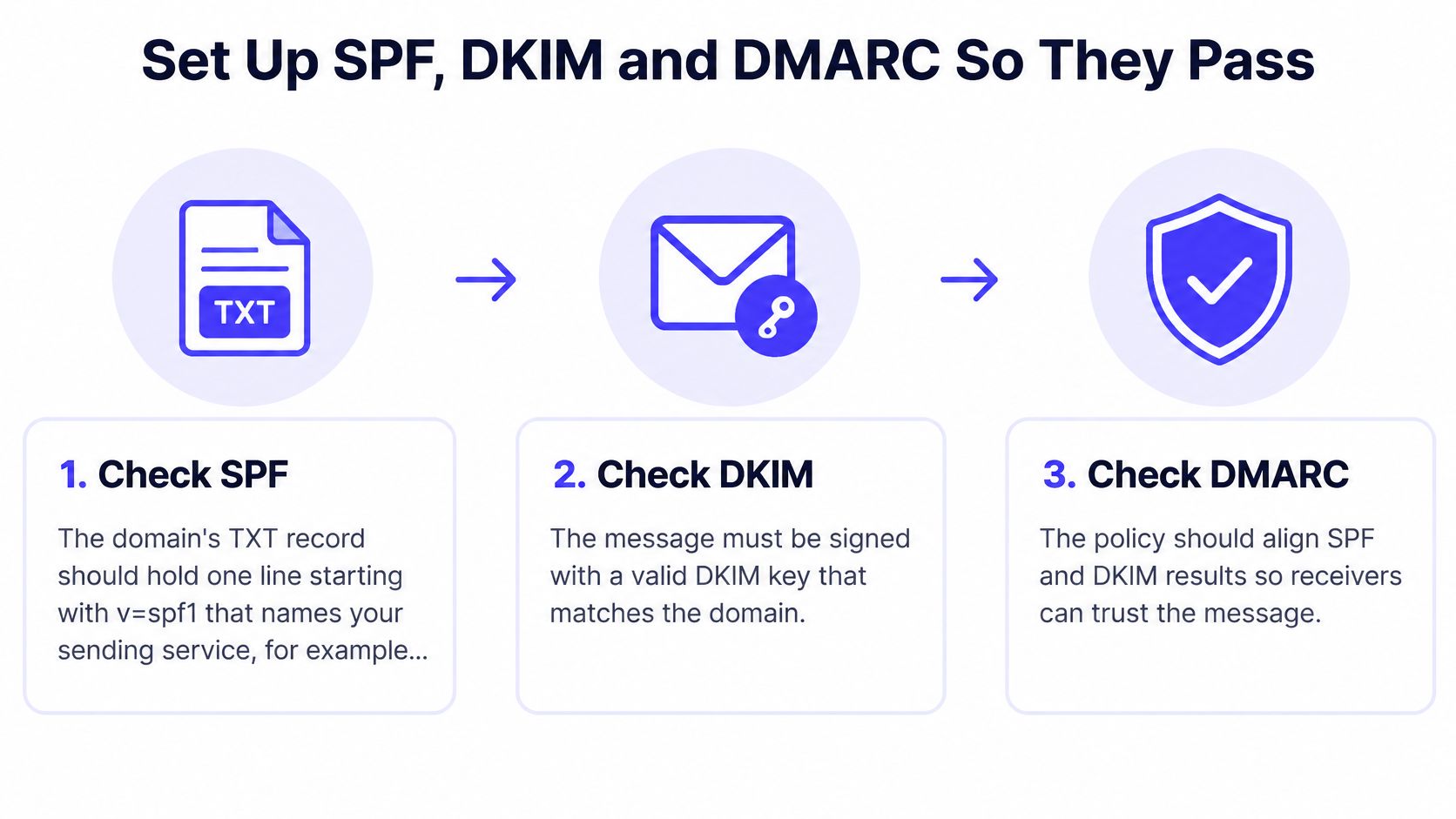
Set Up SPF, DKIM and DMARC So They Pass
Authentication should be checked on a message sent through the actual campaign platform. A DNS checker can confirm that records exist, but only a delivered message shows whether that sending path used them correctly.
The setup sequence below separates publication from verification.
Verify each sending path
Check SPF authorization. The domain administrator should identify every service that sends using the relevant envelope domain. Duplicate SPF records, missing services, and overly complicated authorization chains deserve investigation before another campaign launches.
Enable DKIM in the sending platform. Publish the platform's supplied selector and verify that signing is active. Mailwarm's DKIM checker provides a focused check, but a received message should also show a valid signature.
Configure DMARC reporting. The administrator should establish reporting and confirm alignment with the visible From domain. DMARC doesn't require both SPF and DKIM to pass, but it does require a passing, aligned authentication method.
Inventory legitimate senders before enforcement. Marketing platforms, billing systems, recruiting tools, and support applications can use different sending paths. Enforcement should follow evidence that those legitimate paths authenticate correctly, not an arbitrary calendar deadline.
DMARC policy stages and when to use each
| DMARC policy | What providers do with failing mail | When to use it |
|---|---|---|
| Monitoring | Requests reporting without requesting a DMARC-based delivery restriction | During sender discovery and alignment repair |
| Quarantine | Requests suspicious treatment of DMARC-failing mail | After legitimate sending paths have been verified |
| Reject | Requests rejection of DMARC-failing mail | After enforcement readiness has been established |
These are requested receiver policies, not guarantees about every receiving system's final action. Monitoring doesn't force inbox delivery, and quarantine doesn't dictate identical behavior across all providers.
Authentication testing should answer whether legitimate mail passes, not merely whether a record exists.
Mailwarm helps prioritize high-impact actions for long-term inbox placement, but proper DNS setup still needs list hygiene and controlled sending patterns. Authentication establishes identity. It doesn't establish permission, relevance, or recipient interest.
How Reputation and Engagement Decide the Folder
A complaint rate needs a denominator before it means anything. A provider dashboard, campaign report, and feedback loop can describe different populations, so percentages shouldn't be compared until the sending team confirms what each measurement includes.
Domain and sending-IP reputation also need separate attention. A shared delivery service may control the infrastructure, while the business still controls its audience, cadence, and message relevance.
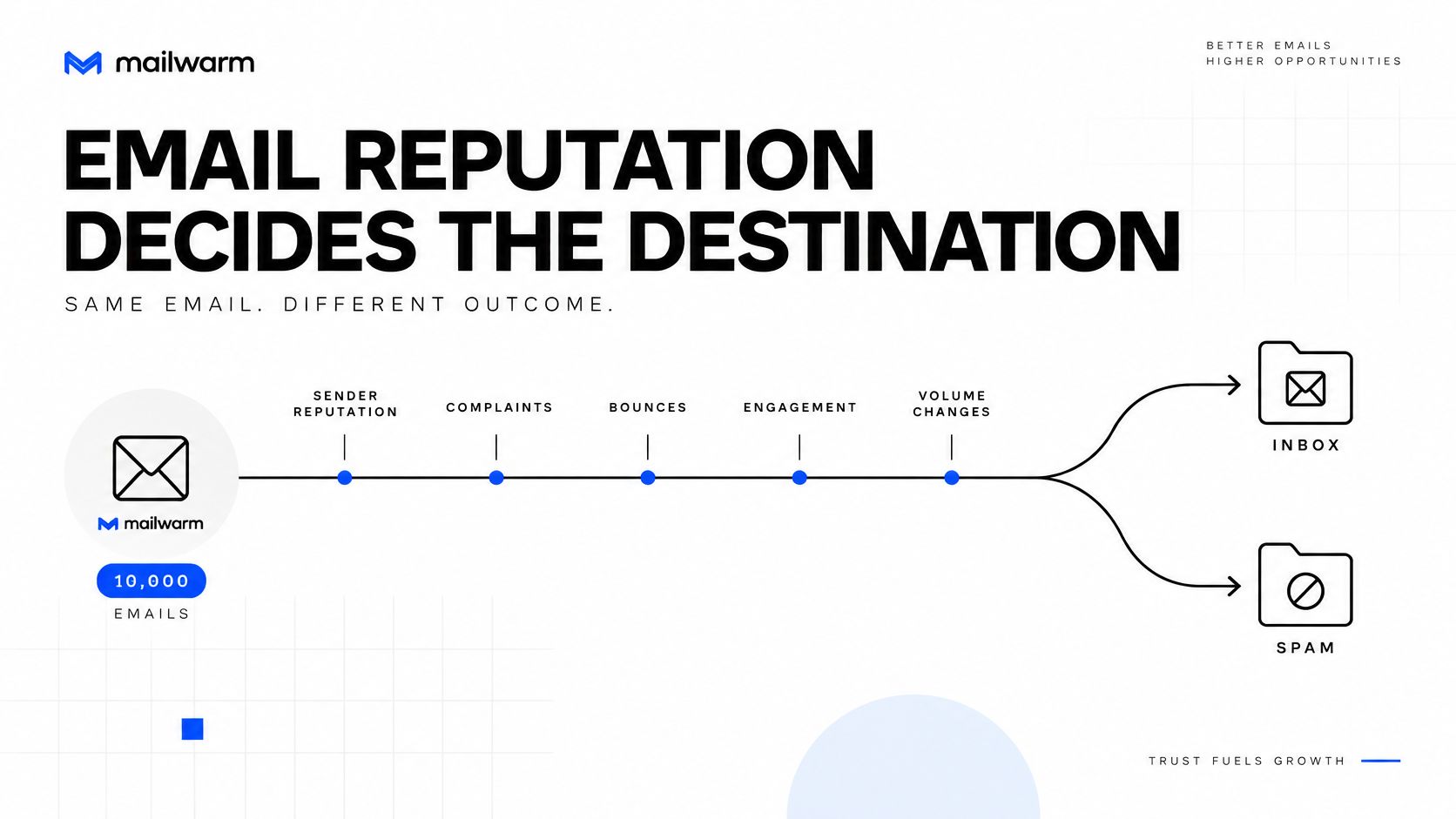
The diagram below shows the main signals worth investigating together.
Read behavior in context
Replies and deliberate moves from spam to inbox can indicate that recipients want a conversation. Opens are less dependable as a standalone measure because loading behavior and privacy features can distort what the sender sees.
A list with weak responses shouldn't automatically receive more follow-ups. The operator should inspect acquisition source, recipient expectations, and whether the campaign still matches the reason the address entered the database.
- Complaint concentration: Break results down by receiving provider and audience source.
- Volume changes: Compare a placement decline with campaign launches, imports, and automation changes.
- Recipient intent: Separate requested updates from prospecting and reactivation mail.
- Infrastructure changes: Check whether the sending service, domain, or signing configuration changed.
Avoid a false recovery signal
Suppose a sender removes an unresponsive segment and placement improves. That result doesn't establish that a warmup setting, subject line, or template caused the improvement if those changed at the same time.
A cleaner test changes the suspected cause while holding the audience and sending path as steady as practical. That creates a result the team can act on.
The accompanying video offers additional context for the reputation review.
Google Postmaster Tools can help investigate Gmail reputation and complaint signals. Microsoft's Smart Network Data Services, or SNDS, provides infrastructure-level information, while its Junk Mail Reporting Program, or JMRP, supports complaint feedback.
No platform can promise guaranteed inbox placement or instant results. Mailwarm doesn't make that promise, and a sound recovery plan should distinguish measured improvement from assumptions about its cause.
How to Warm a Mailbox Without Triggering Filters
A warmup schedule should respond to evidence rather than run independently of campaign behavior. Increasing warmup activity while launching an aggressive outbound campaign doesn't make the campaign's risk disappear.
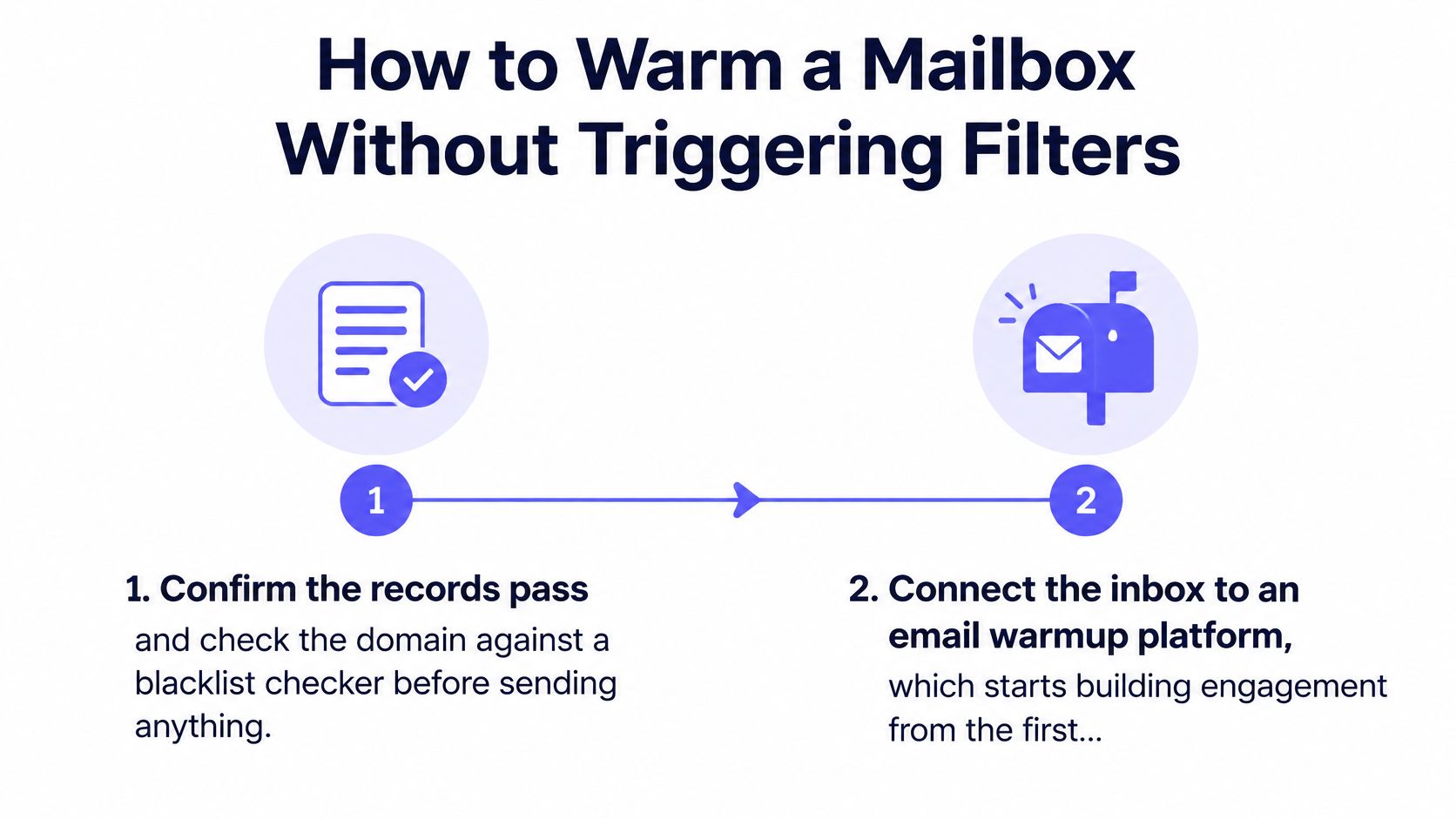
The initial checks should establish that the sender is technically ready and that monitoring can detect deterioration.
Use a controlled ramp
Verify the sending path and blocklist status. Test a message from the actual platform. Investigate a relevant listing before adding volume, rather than assuming an automated ramp can overcome it.
Connect the mailbox after the checks pass. Mailwarm's email warmup process starts building sender reputation and inbox-placement signals when an inbox is connected, and it runs the warmup ramp automatically.
Start conservatively. Mailwarm recommends 10 to 20 emails per day per mailbox, increasing by roughly 10 to 20 percent every few days. Those are operating recommendations, not provider-approved safe limits.
Keep total sending visible. The operator should account for warmup, campaigns, automated follow-ups, and ordinary business messages together. A modest warmup setting doesn't describe the mailbox's full activity.
Hold or reduce volume when quality deteriorates. Rising complaints, new permanent failures, or worsening provider-level placement justify investigation. Continuing an increase because a schedule permits it is the wrong trade-off.
Introduce campaigns to a suitable audience. Start with recipients whose expectations match the message, then evaluate delivery and responses before expanding.
Separate tool selection from sending readiness
A sending application can organize sequences without establishing that an audience wants them. Teams comparing sequencing features can use TopToolAdvisor's best cold email software shortlist, but software selection shouldn't replace authentication and recipient-quality checks.
Scaling judgment: The next increase should follow stable results, not a date on the calendar.
An established mailbox with normal conversations and a newly created outreach mailbox shouldn't receive identical treatment. The useful question is whether the intended campaign represents a sharp change from that mailbox's existing behavior.
Gradual changes make diagnosis easier because fewer variables move together. They reduce avoidable risk, but they don't create immunity from filtering or excuse unwanted mail.
Why Mail Still Lands in Spam and How to Fix It
A placement decline isolated to a receiving provider calls for a different investigation from a decline across the whole audience. The first diagnostic split should therefore be provider-specific versus widespread, not good copy versus bad copy.
The table identifies starting hypotheses. Each cause still needs confirmation from delivery errors, authentication headers, feedback tools, or a controlled test.
Spam placement symptoms, causes and fixes
| Symptom | Likely cause to investigate | First fix |
|---|---|---|
| Placement drops at one provider only | Provider-specific complaints or reputation deterioration | Review that provider's feedback and pause the affected segment |
| Placement drops after a volume jump | A sending pattern that changed too sharply | Return to the last stable sending pattern |
| Spam at Outlook while Gmail is fine | Microsoft-specific reputation or an authentication difference | Inspect Microsoft feedback and the affected message's alignment |
| Bounces rise across providers | Invalid recipients or a shared sending problem | Classify the failures before another import |
| Spam follows a link or domain change | Destination reputation or a changed sender identity | Check the changed domain and its redirect chain |
| Spam affects only certain campaigns | Audience mismatch, misleading content, or template problems | Test a plain, accurate version against the same eligible audience |
Confirm the suspected cause
A provider-specific drop doesn't prove that complaints increased. It tells the operator where to look first.
For Microsoft delivery, SNDS and JMRP answer different questions. Infrastructure observations shouldn't be mistaken for a complete domain-level inbox-placement report, and missing dashboard data shouldn't be interpreted as a clean bill of health.
For rising bounces, the SMTP response matters. A nonexistent recipient, temporary deferral, policy rejection, and authentication failure need different fixes, even when a campaign dashboard groups them under delivery failures.
- Permanent invalid-address failures: Suppress those recipients rather than repeatedly retrying them.
- Policy rejections: Inspect the rejection text and sending identity before blaming list age.
- Temporary deferrals: Review timing and infrastructure instead of deleting every affected address.
- Changed links: Inspect the final destination, not just the visible link text.
A blocklist check belongs early when the symptoms point to reputation trouble, but an empty result doesn't prove inbox readiness. Providers can filter mail using their own signals without a public listing.
Retest without creating another variable
A spam word checker can flag suspicious phrasing, but it can't certify that a campaign is wanted. Removing a word won't fix misleading offers, unrelated recipients, or a compromised destination.
Fix the confirmed cause, then retest a limited segment. Keep the sending identity and audience selection consistent enough that the result can support the next decision.
How Gmail, Outlook and Yahoo Differ
Gmail, Outlook, and Yahoo don't expose identical diagnostics or apply a single shared reputation score. A campaign can reach Gmail's inbox while landing in Outlook's junk folder, so an aggregate delivery percentage can hide the problem that matters.
Provider requirements also distinguish sender categories and message types. Numeric bulk thresholds shouldn't be treated as permanent permissions to send below them without consequences.
Use the right feedback system
- Gmail: Google Postmaster Tools provides Gmail-specific information about qualifying sending activity, including reputation and spam-related signals. Bulk-sender requirements include authentication and unsubscribe obligations, but operators should verify Google's current definitions before using a threshold as an operating rule.
- Outlook and Microsoft: SNDS supports investigation of sending-IP activity, and JMRP supplies complaint feedback. For businesses using shared infrastructure, access to the relevant IP-level information may sit with the sending service rather than the campaign operator.
- Yahoo: Yahoo Sender Hub supports sender information and feedback workflows. Yahoo's requirements should be checked independently rather than assumed to match every Gmail policy detail.
Compare like with like
A useful provider comparison holds the campaign, audience source, and sending period constant. Comparing a Gmail customer-update campaign with an Outlook prospecting sequence confuses recipient intent with provider behavior.
| Observation | Useful interpretation |
|---|---|
| Gmail improves while Outlook worsens | Investigate provider-level differences before changing the whole program |
| Every provider worsens after an import | Inspect the imported audience and shared sending changes |
| Mail is accepted but placed in spam | Separate SMTP acceptance from folder placement |
| Only a dashboard score improves | Confirm that actual test placement and recipient outcomes also improve |
Accepted mail isn't necessarily inbox mail.
A sender below a provider's bulk category still needs valid authentication and a credible sending pattern. Being outside a bulk threshold isn't an exemption from reputation-based filtering.
The practical decision is to segment monitoring by provider and investigate the weakest relevant destination. Averaging away a Microsoft problem doesn't help a sales team whose prospects primarily use Microsoft 365.
Confirm Your Setup Before You Send More Email
The sending team should establish a baseline before raising volume. Without that baseline, a later improvement or decline can't be tied confidently to a specific change.
Use a release checklist
- Capture initial placement. Mailwarm offers a free test that sends a message and returns a score out of 100 with a ranked fix list. Teams can test your email deliverability before changing the setup.
- Verify identity and infrastructure. Inspect SPF, DKIM, DMARC, and relevant blocklist results for the actual sending path.
- Review audience failures. Separate complaints, invalid addresses, deferrals, and policy rejections by receiving provider.
- Stabilize before expansion. A new domain or a recently disrupted sender needs controlled activity rather than an immediate campaign increase.
- Assign the next action. Give the highest-impact issue an owner and a retest condition.
Make the fix measurable
Mailwarm's free deliverability audit covers the sending setup and identifies the top three fixes. That review is most useful when the operator brings message headers, sending history, and examples of affected campaigns.
For mailbox placement rules, the next action is straightforward: run the test, fix the highest-priority confirmed issue, and retest before scaling. Expert-guided warmup can support that process, but it shouldn't replace the technical and audience work.
Mailbox Placement Questions Answered
What is email warmup?
Email warmup is a controlled process of sending and receiving messages to establish activity and engagement around a mailbox. It doesn't create recipient permission or make an unsuitable prospecting list safe to use.
How long does email warmup take?
There's no universal completion date that establishes inbox readiness. The decision to increase campaign activity should follow stable authentication, acceptable recipient feedback, and provider-level placement rather than elapsed time alone.
Does email warmup improve inbox placement?
Warmup can support engagement and reputation-building, but it doesn't repair broken authentication or poor audience selection. Its contribution should be evaluated alongside actual campaign results, not just completed warmup activity.
Why do emails go to spam?
Providers can classify messages as spam because of authentication problems, complaints, reputation signals, unexpected sending changes, or suspicious message characteristics. A useful diagnosis starts with evidence from the affected provider rather than a list of supposedly forbidden words.
Does Mailwarm need access to a private inbox?
Mailwarm doesn't require IMAP access or permission to read a user's private inbox. That distinction matters for teams assessing the access a warmup connection requires.
What's the best first mailbox placement check?
The first check is a message sent through the campaign path, with its authentication results and final folder inspected. A valid DNS record alone doesn't establish that the campaign platform used the correct identity.
Mailwarm is a premium email warmup and deliverability platform that combines real inbox engagement, advanced warmup controls, inbox-placement insights, and expert guidance. Teams investigating mailbox placement rules can visit Mailwarm to assess their sending setup, prioritize the next fix, and build a controlled plan for increasing volume.