

SEO title: How to Warm Up Email Domain and Build Sender Reputation
Meta description: Learn how to warm up an email domain with the right DNS setup, sending schedule, engagement tactics, and monitoring process to improve inbox placement.
Suggested URL slug: how-to-warm-up-email-domain
Primary keyword: how to warm up email domain
Secondary keywords: email domain warmup, sender reputation, inbox placement, email deliverability, avoid spam folder, cold email deliverability, inbox warmup
A founder sets up a new sending domain, connects a mailbox, writes a strong outbound sequence, and launches. Then the replies don't come. Opens look weak, messages drift into spam, and the new domain starts with the wrong kind of reputation.
That usually happens because domain warmup was treated as a sending task instead of a reputation-building process.
Learning how to warm up email domain the right way means doing four things in the right order. Authenticate the domain, ramp volume slowly, generate positive engagement, and monitor what mailbox providers are doing with the mail. Skip any one of those, and the schedule alone won't save deliverability.
Quick Answers and Core Definitions
The short answer is simple. To warm up an email domain, start with proper authentication, send a very small number of emails first, target only engaged recipients, keep content natural, and increase volume gradually while watching reputation signals.
That summary is useful, but it leaves out the part that causes most failures. Mailbox providers don't judge a domain by volume alone. They judge whether the sending pattern looks stable, whether recipients interact positively, and whether the technical setup proves the sender is legitimate.
What email teams should do first
A practical warmup process looks like this:
- Authenticate the domain with SPF, DKIM, and DMARC before any meaningful sending starts.
- Begin with low daily volume and increase it in phases instead of jumping into campaigns.
- Send to trusted recipients first so early engagement signals are strong.
- Use simple, human email content that earns opens and replies.
- Watch inbox placement and reputation trends so problems are caught early.
Practical rule: A warm domain isn't a domain that sends a lot. It's a domain that sends predictably and gets treated like a wanted sender.
Core definitions
Email domain warmup is the process of gradually increasing email activity from a domain to build trust with mailbox providers and improve deliverability.
Sender reputation is the trust score mailbox providers infer from a sender's behavior, authentication, list quality, and recipient engagement.
Inbox placement is whether an email lands in the primary inbox, another tab, spam, or gets blocked before delivery.
SPF is a DNS record that tells mailbox providers which systems are allowed to send email for the domain.
DKIM is a cryptographic signature that helps prove the message wasn't altered and is associated with the sending domain.
DMARC is a policy layer that tells providers how to handle messages that fail authentication checks and helps align domain identity.
Why this matters
A weak start can follow a domain for a long time. Warmup isn't just for brand-new domains either. Any major change in sending behavior, mailbox setup, or campaign volume can trigger closer scrutiny.
The practical goal isn't only to send more mail. The goal is to make the domain look safe, consistent, and wanted from the start.
Step 1 Technical Setup and Authentication
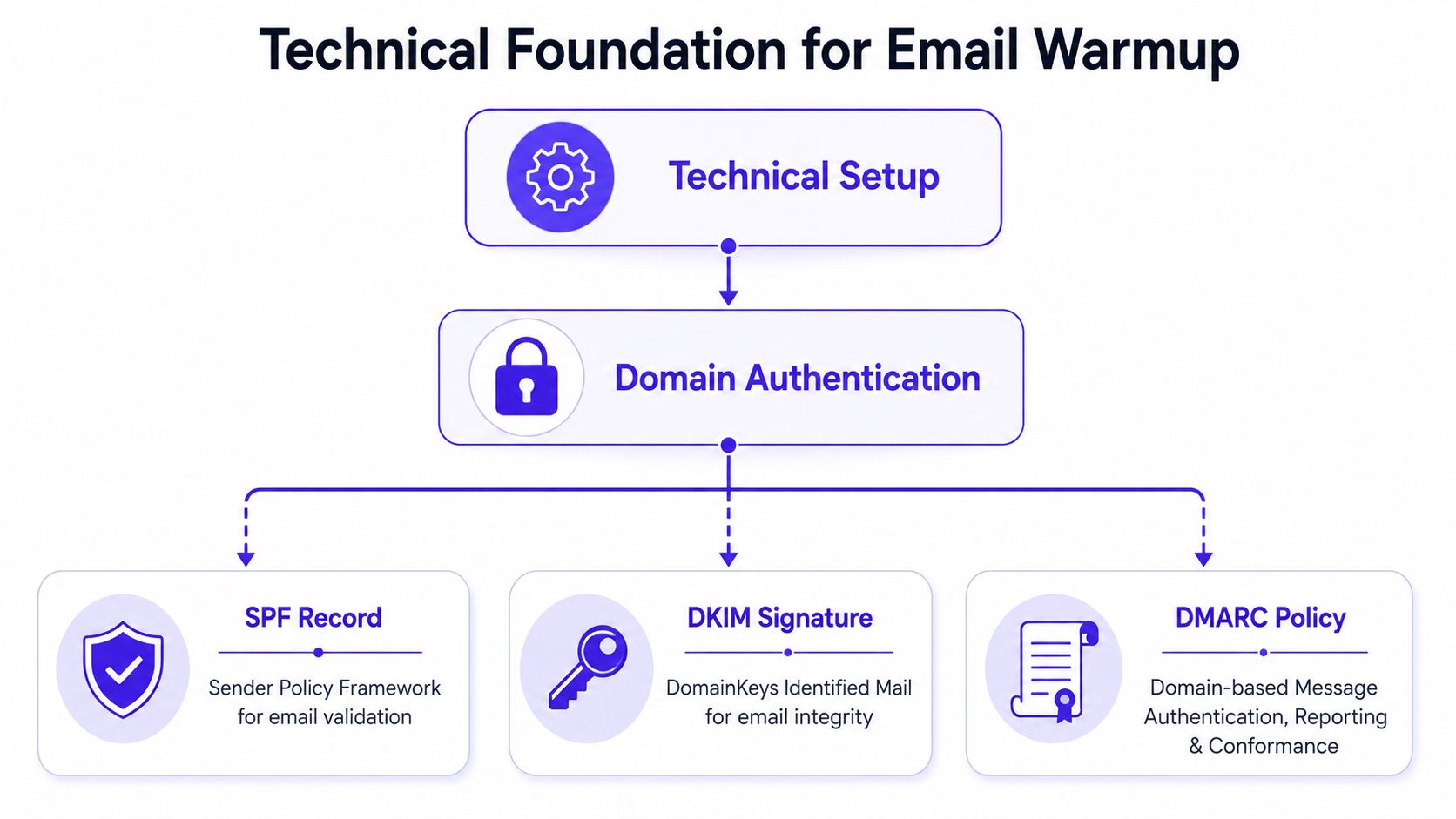
No domain should start warming before the technical foundation is clean. If authentication is missing or misaligned, mailbox providers have no reason to trust the sender, even if the sending volume is low and the content is good.
What SPF, DKIM, and DMARC each do
Think of these records as identity checks.
- SPF verifies sender permission. It helps providers confirm that the service sending the email is allowed to do so for the domain.
- DKIM verifies message integrity. It adds a signature that shows the message is associated with the domain and hasn't been tampered with in transit.
- DMARC ties identity together. It tells providers how to evaluate failed authentication and helps align the visible sender identity with the technical sending identity.
Without these records, a domain can still technically send mail. It just won't send with much credibility.
Where to set them up
These records are usually added in the DNS panel at the domain registrar or hosting provider. The exact interface changes by provider, but the workflow is consistent.
- Find the DNS management area for the sending domain.
- Copy the authentication values provided by the mailbox or sending platform.
- Publish the records exactly as instructed and wait for them to propagate.
- Verify status inside the sending platform before warming begins.
For teams that need a deeper walkthrough of alignment and setup, this email authentication guide is a useful reference.
Authentication is the first filter. If that layer is weak, warmup traffic teaches providers to distrust the domain faster.
What a clean setup looks like in practice
A good setup is boring. The domain sends from a consistent identity. The visible from-address matches the authenticated domain closely enough to make sense. There aren't multiple overlapping tools sending from the same domain without coordination.
Many teams create problems for themselves when Sales sends from one platform, marketing from another, and a support tool sends automated messages from the same root domain. The result is mixed reputation signals and unclear ownership.
A safer approach is to decide which domain or subdomain handles which mail stream, then keep that structure stable during warmup. Technical discipline matters because mailbox providers care about pattern recognition, not just single-message legitimacy.
Step 2 Your Phased Sending Schedule and Volume
A new domain gets into trouble when a founder connects the inbox on Monday and pushes 200 cold emails on Tuesday. The DNS can be perfect and the copy can be clean, but mailbox providers still see a brand-new sender behaving like a mature one. That mismatch creates risk.
Warmup is volume control with intent. You are not just filling a calendar with small sends. You are teaching providers what normal looks like for this domain, this mailbox, and this type of traffic. That only works if sending patterns stay predictable and the domain is monitored like a reputation asset, not treated as a one-time setup task.
A practical ramp that gives providers time to learn
Use a phased schedule that starts small, increases in measured steps, and pauses when the signals say pause. For a first warmup, this template is a safe starting point:
| Week | Daily Sending Volume | Key Focus |
|---|---|---|
| Week 1 | 5 to 10 per day | Build a consistent pattern with low-risk one-to-one style emails |
| Week 2 | 15 to 25 per day, then 30 to 50 per day | Increase carefully while watching replies, bounces, and placement |
| Week 3 | 50 to 100 per day | Keep timing stable and avoid any campaign-style jump |
| Week 4 | Increase only if metrics stay healthy | Scale based on reputation signals, not internal targets |
Teams that want more examples by use case can review these email warmup schedules.
The numbers matter less than the pattern. Daily activity should look steady, human, and boring. If bounce rate rises, replies drop off, or messages start landing in spam, hold volume where it is. Pushing through a bad signal teaches providers the wrong lesson.
Match the ramp to the type of mail you plan to send
A sales team warming inboxes for cold outreach should stay conservative longer than a company sending to an engaged customer base. Cold outbound creates more scrutiny because replies, deletes, and spam complaints arrive faster and with less margin for error.
That trade-off matters. A schedule that works for support follow-ups or account notifications can still be too aggressive for prospecting.
Keep these boundaries in place during warmup:
- Send every business day instead of sending in bursts.
- Increase in small steps so volume changes look natural.
- Use the same mailbox identity so reputation signals stay clear.
- Separate mail streams if possible. Do not mix outreach, marketing campaigns, and automated alerts on the same new domain.
- Pause increases after negative signals instead of trying to catch up to quota.
The last point is where many first-time warmups fail. Sales leaders often treat the ramp as a promise to hit a certain number by a certain date. Providers do not care about that date. They care whether the domain behaves like a sender people want mail from.
What healthy warmup behavior looks like
Healthy warmup volume rises gradually, but it also stays consistent by day and by mailbox. Ten reps each sending a small amount from separate inboxes is safer than one inbox doing all the work. Distribution reduces concentration risk and creates a more believable sending pattern.
Timing matters too. Send during normal working hours for the audience you are targeting. A brand-new domain sending large batches at odd hours can look automated before the content is even evaluated.
If your team needs broader email campaign deliverability tips, apply them after the warmup plan is stable. Do not change volume, templates, targeting, and sending windows all at once. Too many moving parts make it hard to tell what caused a reputation drop.
How long to keep warming before you scale
Warmup usually takes several weeks, and some domains need longer. The right endpoint is not a date on the calendar. It is a period of stable delivery, low bounce rates, normal engagement, and controlled increases without placement issues.
That is why I treat warmup as the first phase of reputation management, not a short prelaunch task. The sending schedule starts the process. Ongoing control over volume, mailbox behavior, and response to warning signs is what keeps the domain usable once real campaigns begin.
Step 3 Content and Engagement Tactics That Build Trust
Warmup mail that gets ignored doesn't help much. Warmup mail that gets negative reactions can hurt fast. The content matters because engagement is part of the reputation model.
Mailbox providers reward early engagement and punish poor list quality, so warmup should start with highly engaged recipients. Microsoft's guidance, cited in Mailchimp's domain warm-up strategy, advises using the most active subscribers during weeks 1 and 2 and avoiding people inactive for 90 days during the first 6 weeks.
The best warmup emails don't look like warmup emails
The safest early emails are plain, personal, and easy to reply to. They don't need visual polish. They need to feel normal.
Good warmup content usually has these traits:
- Short body copy that gets to the point quickly.
- Natural language instead of heavy marketing phrasing.
- One clear ask when a reply makes sense.
- Clean formatting without clutter, large image blocks, or aggressive links.
This is also the wrong moment to test clever subject lines or promotional copy. Warmup is about trust signals, not campaign creativity.
Replies matter more than sending volume alone
A sent email says the domain is active. A replied-to email says the domain is wanted.
That distinction matters because threaded conversations and genuine back-and-forth activity create stronger trust signals than one-way sends. Teams warming domains for outreach should favor conversations that can realistically earn a response. Teams warming for marketing should send first to subscribers who regularly interact.
For teams reviewing language choices that can hurt spam filtering, these email campaign deliverability tips offer a useful content-level checklist. If your team also wants a broader primer on improving cold outreach performance, this cold email deliverability guide is another useful reference.
Who should receive early warmup emails
Early recipients should be the least risky people on the list.
- Recent engagers are the safest starting point.
- Known internal contacts can help if they reply naturally and consistently.
- Old or cold records should wait until reputation is stronger.
- Purchased or scraped contacts shouldn't be part of warmup at all.
The best warmup content in the world can't compensate for a weak recipient list. If the wrong people receive the first wave of mail, the domain teaches providers the wrong lesson.
Step 4 Monitoring Reputation and Deliverability Metrics
Warmup shouldn't run on hope. It needs feedback.
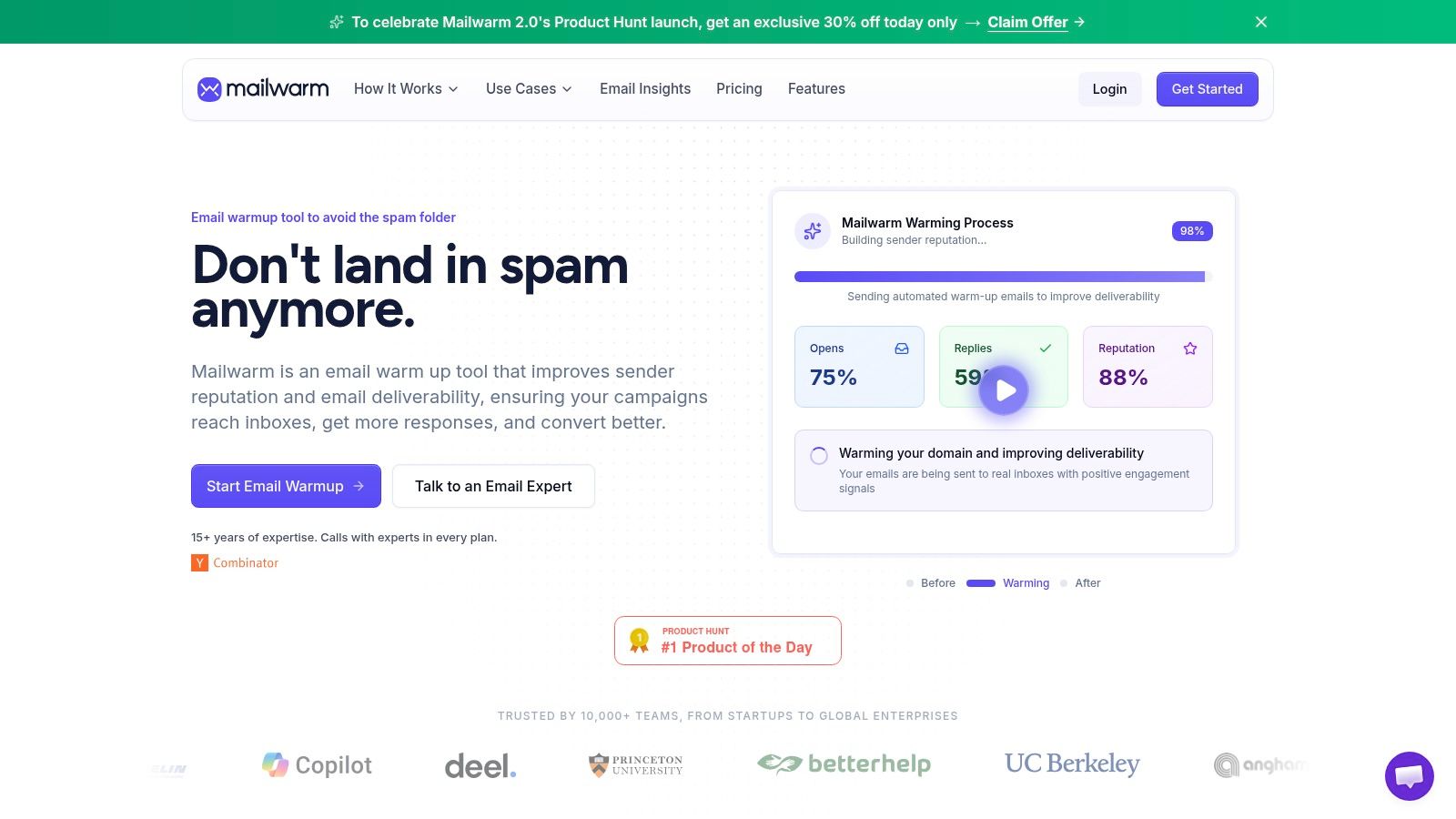
A domain can appear active while slipping into spam placement. That is why monitoring matters. The goal isn't just to see sends completed. The goal is to understand whether mailbox providers are rewarding the behavior.
What to watch closely
A few signals tell most of the story:
- Inbox placement shows whether messages land where recipients can see them.
- Replies and other positive engagement indicate whether recipients value the mail.
- Bounces can reveal list quality or configuration issues.
- Spam placement patterns by provider help isolate whether a problem is broad or specific.
For a quick external review of domain risk, a domain reputation check can be a useful supplementary diagnostic.
A more detailed read on provider trust signals is available in this guide to domain reputation and mailbox behavior.
How to react when metrics drift
If inbox placement weakens, don't answer by increasing volume. Slow down first. Review recent changes in content, recipients, or sending pattern.
If one provider starts filtering harder than others, that usually points to a provider-specific reputation issue rather than a universal problem. That is why segmented monitoring is more useful than one blended dashboard number.
The video below gives a useful visual overview of warmup and deliverability mechanics.
Watch for direction, not vanity. A domain that sends more but reaches spam more often isn't warming up. It's digging a hole.
Common Warmup Pitfalls and How to Fix Them
Most warmup failures come from impatience or bad inputs. The fixes are usually straightforward if caught early.
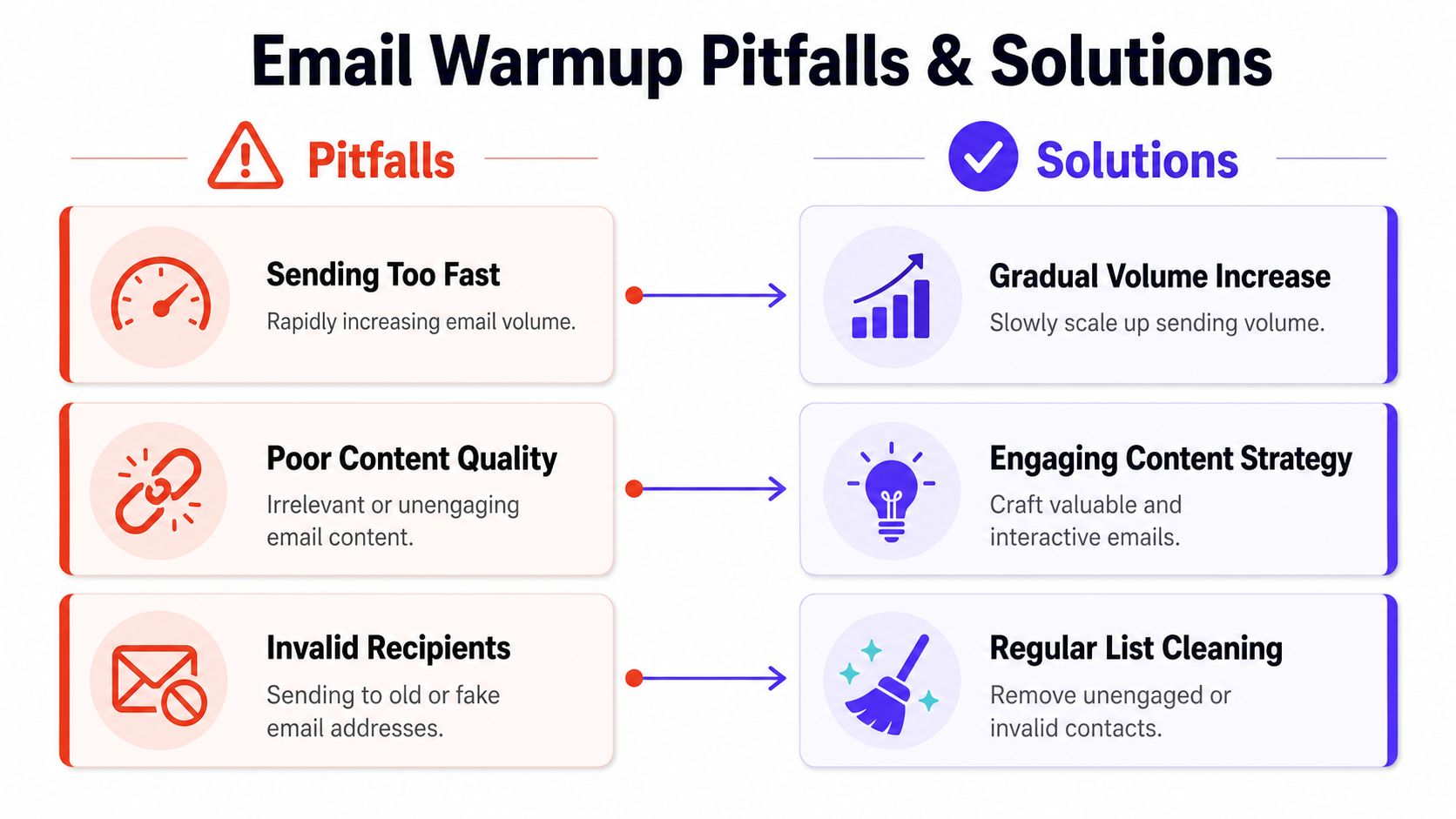
Sending too fast
Problem: The domain starts low, then volume jumps sharply because the team wants results faster.
Fix: Hold volume steady until engagement and placement look stable. A slower ramp protects reputation better than a dramatic launch.
Using weak content
Problem: Early emails look templated, promotional, or spammy.
Fix: Keep the copy plain, useful, and human. Remove unnecessary links, image-heavy formatting, and aggressive calls to action during the early phase.
Sending to the wrong recipients
Problem: The domain warms against stale, risky, or low-interest contacts.
Fix: Start with the safest part of the audience. Old records and unproven outbound lists shouldn't be in the opening phase.
Ignoring negative signals
Problem: Bounces, low engagement, or spam placement appear, but the team follows the original schedule anyway.
Fix: Pause increases. Review list quality, authentication, and message content before resuming.
Stopping as soon as things look better
Problem: The team treats warmup like a short onboarding task, then immediately changes volume, content style, or list mix.
Fix: Keep behavior steady after the initial ramp. Reputation needs maintenance, not a one-time burst of caution.
When to Use a Premium Deliverability Platform
Manual warmup is viable when one person owns the setup, the sending volume is low, and the team can review performance mailbox by mailbox. That setup breaks down fast once email starts driving pipeline, hiring, or customer communication.
The hard part is not sending a few messages each day. The hard part is managing the full reputation system behind them. DNS alignment, mailbox-level behavior, recipient quality, provider-specific placement, bounce patterns, and recovery after a bad signal all need attention at the same time. A platform built for deliverability, not just automated warmup, covers those gaps.
Mailwarm is a premium email warm-up and deliverability platform that helps teams build sender reputation with aged real inboxes, real engagement signals, opens, replies, threads, spam removal, important marking, spam score monitoring, inbox placement insights, provider-level warmup, custom email content warmup, authentication fix tools, bounce prevention, deliverability analytics, and expert deliverability calls included in every plan. It also does not require IMAP access or permission to read the user's private inbox.
When the manual approach usually breaks
A premium platform is the logical choice when:
- Email is a revenue or operations channel, so inbox placement problems carry a real business cost.
- Multiple mailboxes, domains, or providers are in play, which makes manual tracking inconsistent.
- The team needs placement and reputation visibility, not just scheduled sending activity.
- Authentication or sender reputation issues have already shown up, and the team needs diagnosis, not guesswork.
- The cost of a mistake is high, whether that means missed pipeline, delayed hiring outreach, or a damaged primary domain.
The trade-off is straightforward. Paying for a platform costs more than doing it by hand, but trial-and-error on a live sending domain often costs more. I usually recommend premium tooling once warmup stops being a task on a checklist and becomes an ongoing part of reputation management.
Conclusion Your Path to the Inbox
Learning how to warm up email domain properly means treating warmup as reputation management, not a one-time checklist. Strong authentication, a slow volume ramp, trusted recipients, natural engagement, and active monitoring create the kind of sending history mailbox providers trust.
Teams that rush usually pay for it later in spam placement and damaged sender reputation. Teams that stay disciplined give the domain time to prove itself. If email drives pipeline, hiring, or customer communication, protecting that domain is part of the job.
Frequently Asked Questions
What is email domain warmup?
A new domain has no sending history. Warmup is the process of building that history in a controlled way so mailbox providers can see consistent, legitimate behavior over time.
How long does domain warmup take?
Plan for several weeks, not several days. A brand-new domain usually needs a slower ramp, and the timeline gets longer if you are setting up a new inbox provider, sending from a fresh subdomain, or targeting strict providers like Gmail and Outlook at the same time.
How many emails should a new domain send at first?
Start small and increase only if the signals stay clean. For many teams, that means beginning with a low daily volume, sending to trusted recipients first, then adding volume in stages as replies, opens, and spam placement checks stay healthy.
Is email warmup enough to fix deliverability?
Warmup is only one part of the system. If SPF, DKIM, or DMARC are misconfigured, if the list is weak, or if the copy looks like bulk outreach, the domain can still struggle even with a careful ramp.
Should warmup emails go to cold leads?
Use your safest audience first. Early sends should go to colleagues, friendly customers, partners, or highly engaged contacts who are likely to open, reply, and move messages out of Promotions or spam if needed.
Why do emails still go to spam after warmup?
Spam placement after warmup usually points to a specific failure point. Common causes include authentication errors, sudden jumps in volume, poor list quality, low reply rates, link-heavy copy, or one mailbox provider distrusting your traffic more than others.
This is why I treat warmup as ongoing reputation management, not a short setup task. DNS, sending behavior, content quality, and monitoring all affect the same outcome.
Does a domain need ongoing warmup after the first ramp?
It needs ongoing consistency. If a team warms up carefully, then jumps from a controlled flow to aggressive outbound, reputation can drop fast. The domain does not need a formal restart every week, but it does need stable patterns, clean data, and gradual changes.
Why is Mailwarm more expensive than basic email warmup tools?
The price difference usually comes down to scope. Basic tools focus on automated warmup activity. Mailwarm also includes inbox engagement, spam score monitoring, provider-specific warmup support, authentication help, and access to deliverability guidance, which matters for teams that want active oversight instead of a simple sending tool.
If email is part of the growth strategy, Mailwarm helps teams build sender reputation, monitor inbox placement, and reduce spam risk with expert-guided warmup.