

To get emails out of spam, the fastest fix is to mark the message as not spam in the recipient mailbox, move it to the inbox, and create a filter so trusted mail stays out of spam. Then the sender has to fix SPF, DKIM, and DMARC, reduce volume to engaged recipients, and rebuild reputation with controlled sending.
That order matters because inbox providers use complaint rate, engagement, and authentication as reputation signals, and Gmail warns when complaints rise above 0.1%, with active penalization starting above 0.3% Sender guidance on spam complaints and recovery. Much advice skips straight to subject lines and content tweaks, but that's usually noise when the problem is mailbox classification, a broken technical setup, or reputation decay.
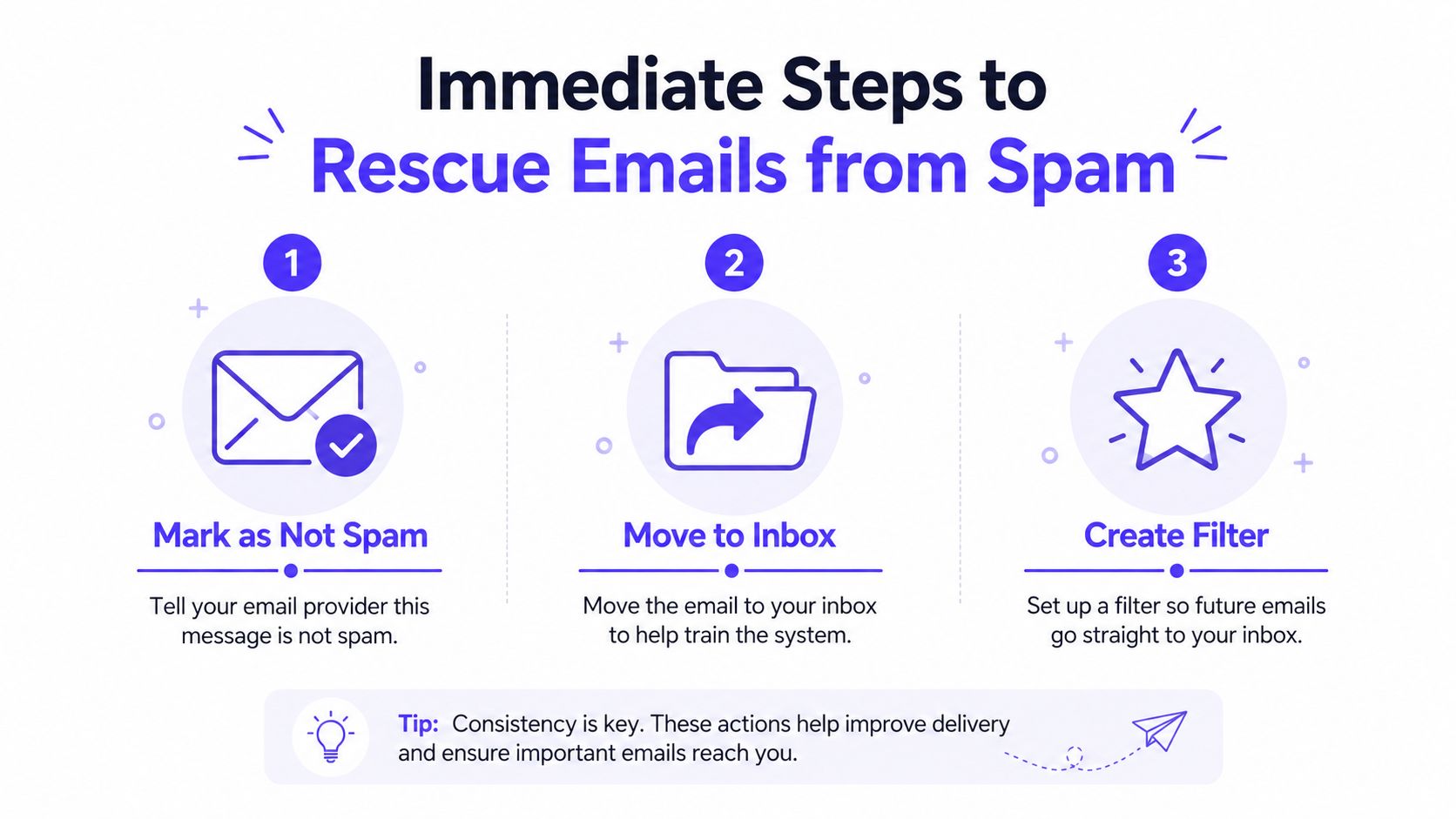
Immediate Steps to Rescue Emails from Spam
The first move is to correct the mailbox's classification. In Gmail, open the message in Spam, choose Not spam, then move it to the inbox and create a filter that applies Never send it to spam for that sender or thread Gmail spam recovery steps. That action does more than rescue one message, it gives the provider a direct signal that the mail is wanted.
What recipients should do right away
The same principle applies across major providers, even if the button labels change. In Outlook and Yahoo, the practical goal is the same, move the message out of junk, mark it as safe or not junk, and let the mailbox learn from the correction.
The mailbox is part of the fix. If the user keeps clicking spam, the provider keeps learning the wrong thing.
For senders, this is the right support script to share with customers or prospects who say they are missing messages:
- Open the spam or junk folder: Find the missing email thread first, then act on that exact message.
- Mark it as not spam: This retrains the mailbox model for that sender and thread.
- Move it to the inbox: That reinforces the classification change.
- Create a filter or safe-sender rule: This gives trusted mail a durable path forward.
A one-time rescue helps only that thread. A filter is the durable fix because it prevents the same sender from being misfiled again. That said, whitelisting alone won't solve a sender problem if the domain identity, authentication, or engagement pattern still looks weak. The inbox can be retrained, but the sender still has to earn trust.
Diagnosing Why Your Emails Land in Spam
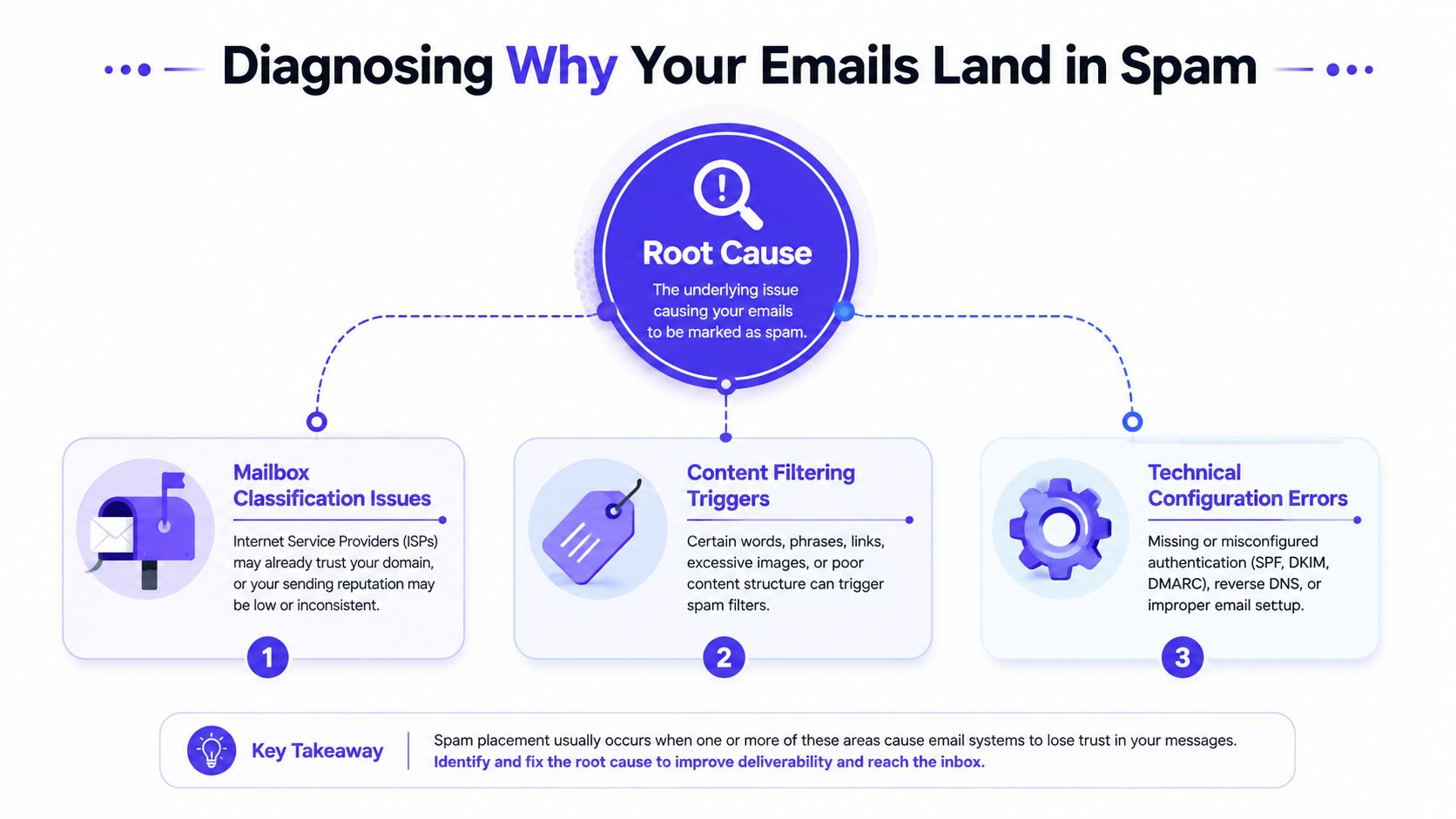
The quickest way to waste time is to treat every spam issue like a content problem. In practice, the failure usually sits in one of three places, mailbox classification, authentication gaps, or reputation decay. Each one calls for a different fix, and using the wrong fix usually leaves the underlying issue in place.
The three-way triage
Mailbox classification issues are the easiest to recognize when a message lands in spam even though the recipient wanted it. The rescue step above often works here, because the problem sits partly with the user and partly with the provider's filtering model.
Authentication gaps are different. If the domain sends without a clean SPF, DKIM, and DMARC setup, providers have less reason to trust the message Twilio deliverability guidance and DMARC rollout guidance. That is a sender-side issue, not a content issue.
Reputation decay shows up when the mail is technically valid and still gets filtered. That usually means too many complaints, too much sending to inactive recipients, or sending patterns that look abrupt or careless.
| Symptom | What it usually suggests | First move |
|---|---|---|
| Message is misfiled for an engaged recipient | Mailbox classification issue | Ask the user to mark it not spam |
| Authentication checks are incomplete | Technical configuration gap | Fix SPF, DKIM, DMARC |
| Opens, replies, and engagement are fading | Reputation decay | Reduce volume and send only to engaged contacts |
Mailbox providers reward sustained positive engagement and punish repetitive low-response sends. Outreach guidance says to keep complaint rates low, cap follow-ups, and stop sending to non-responders because negative engagement accumulates over time Outreach best practices. That is the key diagnostic clue. If the audience stopped engaging, the inbox will notice.
Practical rule: If the message is wanted but misfiled, fix the mailbox. If the sender identity is weak, fix authentication. If engagement is falling, fix the audience and the sending pattern.
How to read the signals
Bounce messages help separate deliverability issues from spam placement issues. A hard bounce means the address is bad and should be removed. A soft bounce, repeated complaints, or a drop in engagement points to a broader reputation problem.
Google Postmaster Tools, Sender Score, and Talos are useful because they show whether the sender is losing trust before inbox placement collapses metrics and reputation monitoring guidance. The goal is not to watch every metric. The goal is to identify which lever to pull first.
Fixing Email Authentication for SPF DKIM and DMARC
Authentication is the first thing I check when a sender keeps landing in spam despite clean content and a decent list. Mailbox providers want proof that a message really comes from the domain it claims to use, and SPF, DKIM, and DMARC are treated as baseline setup, not optional extras. If those signals are missing or broken, every other fix has less room to work.
What each record does
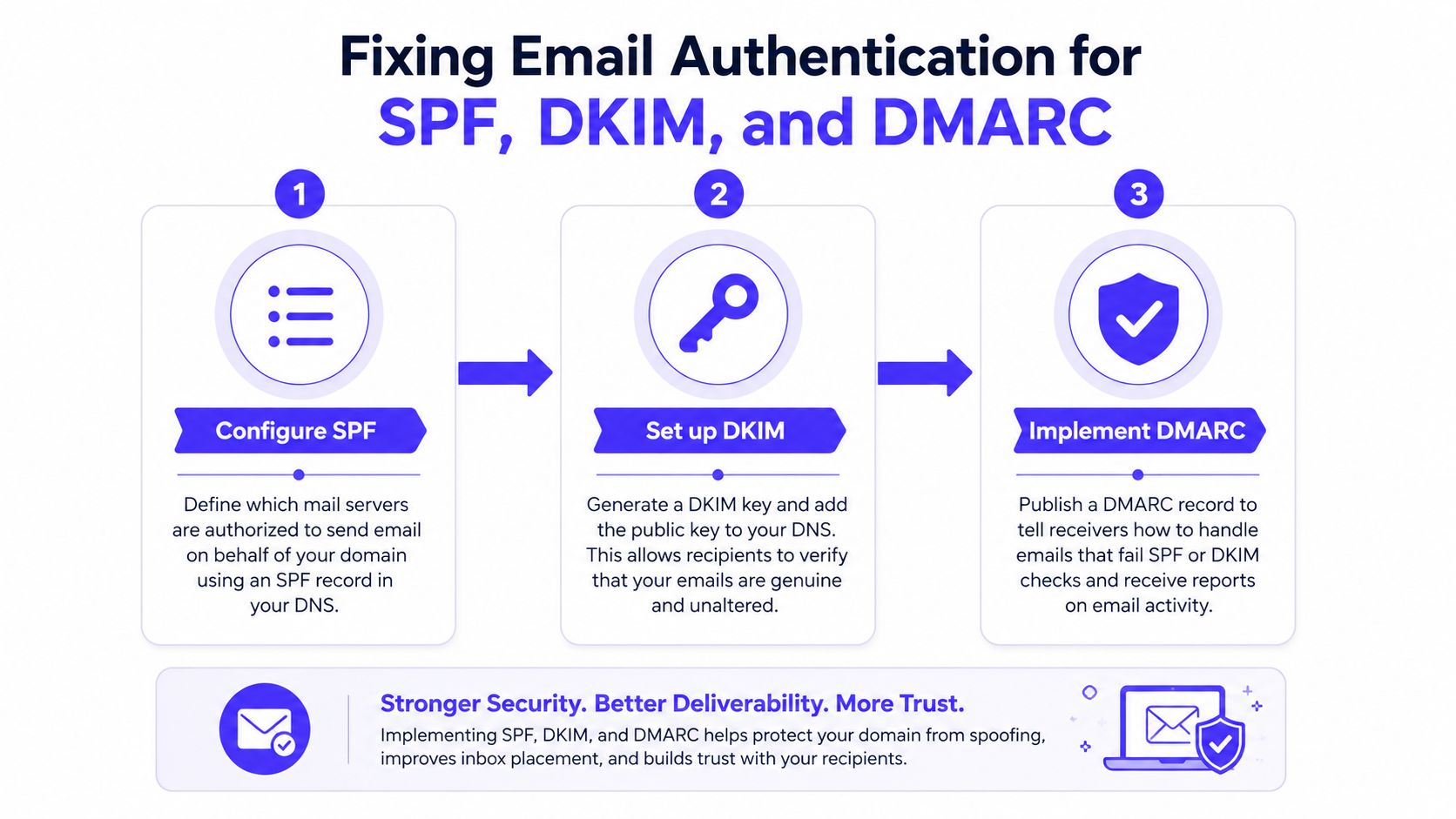
SPF tells providers which servers are allowed to send on behalf of the domain. DKIM adds a digital signature so the message can be checked for tampering. DMARC connects those signals and tells providers how to handle a failure.
A clean setup matters more than a polished campaign. One broken record can make a legitimate sender look unreliable, even when the content is sound and the list is healthy.
Common mistakes that break trust
Authentication problems usually come from sloppy setup, not technical mystery. Multiple SPF records, misaligned DKIM selectors, and rushed DMARC enforcement can all confuse mailbox providers.
The safer path is gradual rollout. Start with a monitoring policy such as p=none, confirm that legitimate traffic is passing, then tighten enforcement only after you know what is being authenticated. That staged approach is boring, and boring is good in deliverability.
Here's the practical order:
- SPF first: Confirm only approved senders are using the domain.
- DKIM second: Make sure messages are signed correctly.
- DMARC third: Monitor before enforcing, then tighten carefully.
A clean technical setup does not rescue a dead list, but without it, everything else is harder. That is why a deliverability audit should start with authentication before touching subject lines or templates.
For teams setting up the full stack, this DKIM, SPF, DMARC, and BIMI setup guide is a useful reference for checking the basic plumbing.
Rebuilding Sender Reputation Through Warmup and Engagement
Authentication gets the door open. Reputation decides whether the mail gets invited in. Inbox providers watch how recipients react over time, and the signals that matter most are opens, replies, spam removals, thread continuity, and consistent sending behavior engagement and complaint guidance.
Why warmup still matters
New domains and new IPs are treated cautiously because they have no sending history. Recovery from spam placement follows the same pattern, mailbox providers want to see a steadier stream of positive engagement before trust returns. Recovery guidance from Sender.net recommends starting with the most engaged 5 to 10% of recipients and sending at about 20% of normal daily volume before ramping back up recovery guidance.
That is the part many teams skip. They blast the full list, then act surprised when inbox placement stays unstable.
Slow volume growth is not a delay tactic, it is the repair process.
Mailwarm is a premium email warmup and deliverability platform that helps build sender reputation through real inbox engagement, not just automated activity. It uses 50,000+ aged real inboxes to create realistic signals such as opens, replies, threads, spam removal, and important marking, and it includes provider-level warmup for Gmail, Outlook, Microsoft 365, Yahoo, SMTP, and more. It also offers spam score monitoring, inbox placement insights, bounce prevention, authentication fix tools, and expert deliverability calls, without requiring IMAP access to a private inbox.
What actually helps reputation recover
Reputation repair is mostly about showing mailbox providers that real people still want the mail. Send only to engaged segments, reduce follow-ups to non-responders, and keep volume changes gradual. Stop blaming the subject line for a list problem when the pattern of engagement is what needs attention.
For teams that need a controlled warmup system, the email warmup tool can support that recovery work without leaning on fake engagement or risky mailbox access.
The hard truth is that content fixes alone rarely reverse spam placement. A sender can rewrite every message and still stay in trouble if the engagement pattern remains flat. Reputation is earned by behavior, not by copy edits.
Monitoring Inbox Placement and Catching Problems Early
Deliverability needs monitoring, not just cleanup after things break. The most useful signals are inbox placement, spam complaints, unsubscribe rates, opens, clicks, and read behavior, plus reputation checks through tools like Google Postmaster Tools, Sender Score, and Talos. If those signals start drifting, adjust the next send before the problem turns systemic.
What to watch every week
The goal is not to track everything forever. The goal is to watch the few signals that tell the truth about inbox health.
- Inbox placement: Confirms whether the mail is landing where it should.
- Spam complaints: Shows when recipients are rejecting the message.
- Unsubscribes: Reveals when the audience is losing interest.
- Engagement: Opens, clicks, and read time show whether the audience still wants the mail.
A sender who sees complaints rise or engagement flatten should not keep pushing the same segment. Reduce volume, tighten segmentation, or pause that audience entirely until the signals improve. That decision rule matters more than any dashboard score.
A practical screen can also help teams inspect campaign quality before sending. A spam checker is useful when the issue might be content or structure, but it should be paired with reputation review, not used as a substitute for it.
Why good content still lands in spam
Clean, professional copy can still run into trouble because mailbox providers care about audience behavior, not just writing quality. A polished email sent to the wrong segment still looks unwanted if people ignore it.
That is why segmentation matters so much in practice. Advisor Momentum email marketing is a useful reference for teams that need to think through audience fit and list quality, especially when the message itself is not the core problem.
What helps reputation recover
Reputation repair is mostly about showing mailbox providers that real people still want the mail. Send only to engaged segments, reduce follow-ups to non-responders, and keep volume changes gradual. Stop blaming the subject line for a list problem when the pattern of engagement is what needs attention.
For teams that need a controlled warmup system, the email warmup tool can support that recovery work without leaning on fake engagement or risky mailbox access.
The hard truth is that content fixes alone rarely reverse spam placement. A sender can rewrite every message and still stay in trouble if the engagement pattern remains flat. Reputation is earned by behavior, not by copy edits.
Frequently Asked Questions About Spam Placement
Why do emails go to spam even when they look fine?
A clean design and careful copy do not guarantee inbox placement. Mailbox providers also weigh authentication, complaints, engagement, and sending patterns, so an email can look polished and still be filtered if the sender appears risky or the audience keeps ignoring it.
That is the triage point many guides skip. If the message itself is solid, the problem may be mailbox classification, a missing authentication signal, or reputation that has already started to decay.
Is email warmup enough to fix deliverability?
No. Warmup helps rebuild reputation, but it does not fix broken authentication, weak list hygiene, or a segment that consistently ignores your mail. It works best as one piece of a wider recovery plan that also corrects the underlying cause.
How long does warmup take?
Warmup is a gradual process, not a one-send fix. A sensible recovery path starts with the most engaged recipients and a low sending volume, then increases slowly as the sender shows consistent behavior. That pacing matters more than trying to rush volume back up.
How does Mailwarm help improve sender reputation?
Mailwarm builds reputation through real inbox engagement, provider-level warmup, spam score monitoring, inbox placement insights, and expert deliverability guidance. It is built for senders that need more than basic automated activity, especially when the issue is reputation decay rather than a single bad campaign.
Does Mailwarm need access to my inbox?
No. Mailwarm does not require IMAP access, and it does not need permission to read a private inbox. That keeps the setup less intrusive than tools that depend on mailbox-level access.
Why is Mailwarm more expensive than basic warmup tools?
Mailwarm costs more because it combines real inbox engagement, up to 100% replies to warmup emails depending on the plan, spam score monitoring, provider-level warmup, authentication tools, no IMAP access required, and expert deliverability calls included in every plan. Those parts replace a thinner automation-only setup with a broader recovery toolkit.
Mailwarm helps teams get serious about how to get emails out of spam by combining warmup, inbox placement insights, and deliverability guidance in one platform. If sender reputation, authentication, or recovery from spam placement is slowing growth, visit Mailwarm to see how a premium warmup and deliverability setup can support cleaner inbox placement.