

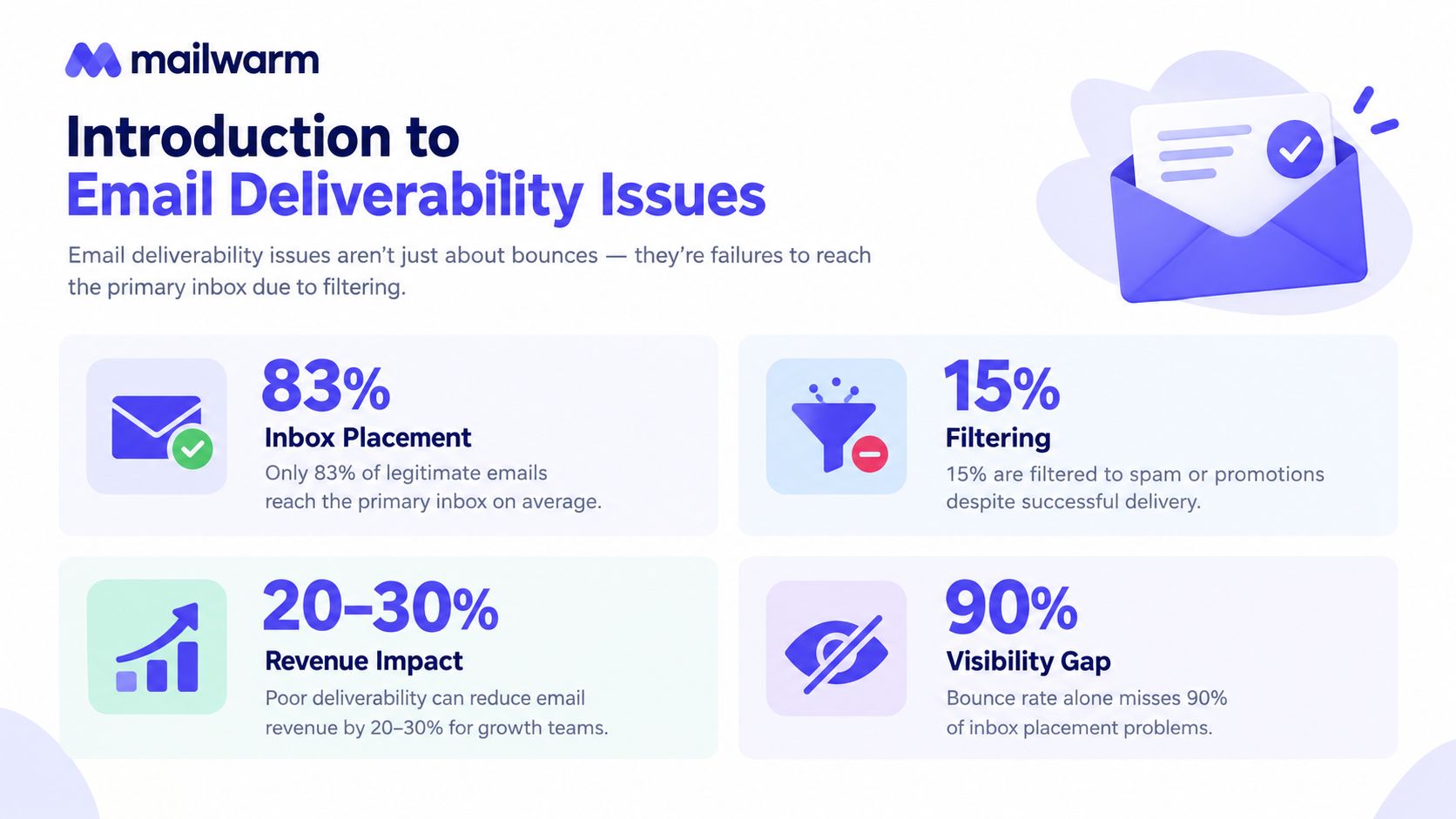
An average of 84.8% of emails reached the inbox worldwide, while 6.1% of delivered messages went to spam and 9.1% went missing entirely, according to Validity's 2025 worldwide deliverability benchmark. Email deliverability issues aren't limited to bounced messages. They also include filtering, poor sender reputation, authentication failures, complaints, and messages that technically arrive but never reach the primary inbox.
That distinction matters for founders, sales teams, recruiters, agencies, and marketers. A campaign can show successful delivery while prospects never see the message. The practical question isn't only whether an email left the sending system. It's whether mailbox providers trusted it enough to place it where recipients were likely to notice it.
Introduction to Email Deliverability Issues
Email deliverability issues begin with a mailbox provider's placement decision. The provider may filter, divert, delay, or reject a message. A bounce is only the clearest symptom. An accepted email can still go to spam, promotions, quarantine, or another filtered folder instead of the primary inbox.
The 84.8% inbox placement benchmark shows why acceptance alone is an incomplete measure. Roughly one in six delivered emails didn't reach the inbox, so deliverability reflects an ongoing system of trust signals, not a rare technical mistake. Validity's benchmark discussion focuses on inbox placement because it shows where messages appear, rather than only whether a receiving server accepted them.
Practical rule: Delivery confirms acceptance by the receiving system. Inbox placement shows the message's actual destination.
A sales sequence makes the distinction concrete. A hard bounce usually means the address is invalid or unavailable, so the message cannot reach the recipient. A message marked delivered but placed in spam reached the provider and failed its filtering decision. A message in the primary inbox passed that decision in the most useful location.
Providers reach these decisions by combining authentication, sender history, recipient behavior, complaint levels, list quality, content, and sending patterns. A subject-line change may affect one signal, but it rarely repairs a persistent reputation or list problem.
Use the provider's decision lens to diagnose the issue in order:
- Understand the decision: Learn how providers assess sender trust.
- Read the signals: Distinguish bounces, spam placement, complaints, and engagement changes.
- Find the cause: Link symptoms to authentication, list, content, volume, or reputation issues.
- Apply the fix: Improve the underlying signals instead of testing isolated tricks.
- Maintain inbox placement: Compare performance by provider and respond before a local problem spreads.
Mailwarm belongs in the remediation layer as a premium email warmup and deliverability platform. It helps senders build reputation, monitor inbox placement, and improve deliverability through real inbox engagement, warmup controls, and expert guidance.
How Mailbox Providers Decide Where Your Email Lands
Mailbox providers treat sender reputation like a financial trust profile. A bank doesn't approve a loan because a person filled in an application. It reviews identity, past behavior, repayment patterns, and signs of risk. Gmail, Yahoo, Outlook, Microsoft 365, and other providers follow a similar logic with email.
Authentication answers the identity question. SPF, DKIM, and DMARC help providers determine whether a sender is authorized to use a domain and whether the visible sender identity aligns with the technical signals. But authentication only establishes that a sender can be verified. It doesn't prove recipients want the messages.
Engagement answers that second question. Opens, replies, ongoing threads, inbox movement, deletes, and spam complaints help providers interpret recipient reactions. A message that consistently receives useful engagement looks different from a message that recipients ignore, delete, or report.
Reputation is built from several signals
A provider generally weighs signals together rather than relying on one record or one campaign:
- Authentication: SPF, DKIM, and DMARC alignment support sender identity.
- Engagement history: Opens, replies, and positive inbox actions indicate recipient interest.
- Complaint behavior: Spam reports signal that recipients consider the messages unwanted.
- Sending patterns: Stable volume and frequency look more predictable than abrupt changes.
- List quality: Valid recipients and limited bounces reinforce responsible sending.
Full authentication still doesn't guarantee inbox placement. A 2026 deliverability report found that spam placement exceeded 30% even when SPF, DKIM, and DMARC were all present. Authentication is necessary, but weak engagement, poor reputation, and aggressive filtering can still outweigh it.
Authentication does make a measurable difference. A 2026 benchmark from TrulyInbox reported that fully authenticated domains achieved about 2.7 times higher inbox placement than unauthenticated domains, with warmup results around 85% to 95% for authenticated domains compared with below 50% for unauthenticated senders.
Why volume changes the decision
Mailbox providers scrutinize scale because sudden or sustained high-volume sending can magnify both good and bad signals. In a 2025 benchmark update, Outlook and Hotmail inbox placement fell from 49.33% in Q1 2024 to 26.77% in Q1 2025, while Exchange, also known as Office 365, fell from 77.43% to 50.70% over the same period.
The same dataset reported that senders sending 1,000,000 or more emails per month fell from 49.98% to 27.63% inbox placement between those quarters, a decline of 22.35 percentage points. The lesson isn't that large programs are automatically harmful. It's that scale leaves less room for weak list quality, low engagement, complaints, or inconsistent sending.
For teams researching online safety and DNS filtering, the broader principle is similar: systems make access decisions from multiple trust and risk signals. Email providers apply that logic continuously, message by message and sender by sender.

Key Signals and Metrics That Reveal Deliverability Problems
A deliverability dashboard becomes useful when teams interpret several signals together. A bounce rate can reveal list problems, but it won't show whether accepted messages reached the primary inbox. Engagement can fall because of weak content, but a provider-specific inbox placement decline may point to filtering instead.
Deliverability Health Signals at a Glance
| Signal | Healthy Range | What It Tells You |
|---|---|---|
| Hard bounces | Low and stable | The list contains valid, reachable addresses |
| Soft bounces | Limited and temporary | The provider may be applying capacity, reputation, or technical limits |
| Inbox placement | Stable across key providers | Messages are reaching the intended folder, not just being accepted |
| Spam complaints | Below provider ceilings | Recipients aren't actively reporting the messages as unwanted |
| Authentication alignment | SPF, DKIM, and DMARC aligned | The sender identity is technically consistent |
| Opens and replies | Consistent for the audience | Recipients are showing positive interest |
| Unsubscribes | Controlled and monitored | Content and frequency remain acceptable to recipients |
Gmail and Yahoo enforce a spam-complaint ceiling of 0.3%, or about three complaints per 1,000 delivered messages. Google recommends staying below 0.1% for better inbox placement and fewer filtering problems, as explained in Litmus's guide to the Gmail and Yahoo sender rules.
Yahoo's sender guidance defines bulk senders as those sending 5,000 or more emails per day to Yahoo addresses. Those senders must use SPF and DKIM, publish DMARC with at least a p=none policy, provide a working one-click unsubscribe, and keep complaint rates below 0.3%, according to Yahoo's sender FAQs.
How to read the warning signs
Hard bounces usually indicate invalid, closed, or nonexistent addresses. Continued hard bounces tell providers that the sender isn't maintaining list quality.
Soft bounces are temporary failures. They can occur when a recipient mailbox is full, a provider is temporarily unavailable, or a sender is facing a rate or reputation limitation. A single soft bounce isn't conclusive. A repeated pattern across one provider deserves investigation.
Spam placement is different from non-delivery. A message can be accepted and filtered, so teams need inbox placement testing or provider-level reporting rather than relying only on delivery logs.
Engagement changes need context. A drop in replies across Gmail but not Outlook suggests a provider-specific issue. A drop across every provider may point to audience fatigue, content relevance, list quality, or a broader reputation problem.
Authentication failures often involve alignment, not just the presence of records. A domain can have SPF, DKIM, and DMARC published while legitimate sending services still fail to align with the visible From address.
The strongest diagnosis comes from combining the signals. High bounces plus poor engagement suggests list quality. Stable bounces with rising complaints suggests relevance or consent problems. Good authentication with worsening inbox placement suggests that reputation and recipient behavior need attention.
Common Causes Behind Poor Inbox Placement
Poor inbox placement rarely has one universal cause. Providers evaluate the full sending pattern, so a technical setup can look correct while recipient behavior, volume, or content continues to create risk.
Weak or incomplete authentication
SPF, DKIM, and DMARC records can exist without working correctly at scale. New CRM systems, sales platforms, marketing services, or transactional tools may send on behalf of a domain without being properly authorized or aligned.
The enforcement gap matters. Recent 2026 benchmark data puts DMARC enforcement adoption at 38%, up from 18% in 2023, while roughly 30% of senders remained partially non-compliant with at least one Gmail or Yahoo requirement. Publishing a record is not the same as enforcing and monitoring it.
Poor list hygiene
Old lead databases, purchased contacts, role-based addresses, and unverified signups can create hard bounces and weak engagement. A sales team may continue sending to contacts who never requested outreach, while a marketing team may keep inactive subscribers in every campaign.
Providers interpret those patterns as evidence about sending discipline. A clean list isn't just a compliance preference. It gives positive engagement signals more room to influence the decision.
Content that resembles unwanted mail
Filters can react to more than individual trigger words. Dense formatting, misleading subject lines, excessive images, unclear sender identity, and content that doesn't match recipient expectations can all reduce trust.
A team can review campaign copy with a spam trigger words checker, but content review should also ask whether the recipient understands why the message arrived and what action the sender wants.
Abrupt volume changes
A new domain or mailbox that suddenly sends a large sequence creates a different risk profile from one that builds a consistent history. Volume spikes can also happen when a team imports a new database, launches a promotion, or turns on an automation without suppressing unengaged contacts.
The provider may see the spike before the sender notices a clear bounce increase. That's why volume should be reviewed alongside provider-level placement and complaint data.
Low engagement and high complaints
Recipients train filters through their behavior. Low opens, few replies, frequent deletions, unsubscribes, and spam reports can weaken the sender's position even when the technical setup passes.
Microsoft's sender guidance emphasizes authenticated mail, low complaint rates, and proper unsubscribe handling because inbox placement depends heavily on reputation signals, not only configuration. Teams should therefore identify whether poor engagement comes from irrelevant targeting, excessive frequency, weak consent, or a damaged sending identity.
Diagnostic Checklist to Find the Real Problem
Teams should diagnose before changing several variables at once. If a sender changes the content, volume, audience, authentication, and infrastructure together, the next result won't reveal which change helped or caused further damage.
A five-step investigation
Check authentication first. Confirm that SPF, DKIM, and DMARC pass and align with the visible From address. Verify that unsubscribe handling meets the requirements of the providers receiving the most messages.
Review bounces and blocklists. Separate hard bounces from temporary failures, then check if your domain is blacklisted. A blocklist result doesn't explain every inbox problem, but it can identify a serious reputation signal that needs attention.
Segment engagement and complaints. Compare opens, replies, deletions, unsubscribes, and spam complaints by provider, mailbox, campaign, audience source, and sending identity. Averages can hide the fact that one provider or segment is creating most of the damage.
Audit content and volume. Review subject lines, links, formatting, sender names, message relevance, and recent sending changes. Look for a volume spike, a new automation, or a campaign sent to inactive recipients.
Test actual placement. Use seed addresses and inbox placement insights to see whether messages reach the primary inbox, spam, promotions, or another filtered location. Delivery logs alone can't answer that question.
Isolate one variable at a time
If the evidence points to list quality, pause the questionable segment rather than rewriting every campaign. If the evidence points to authentication, repair alignment before increasing volume. If one provider performs poorly, provider-level testing can prevent a team from making broad changes that disrupt healthy traffic elsewhere.
A useful investigation habit: Record the provider, sending identity, audience, content version, volume pattern, and recipient response for each test. Without that context, teams tend to mistake coincidence for a fix.
The diagnostic sequence should produce a short working theory. For example, “Outlook placement declined after a volume increase, while bounces stayed stable and Gmail remained healthy” points toward provider-specific reputation or filtering. “All providers show rising complaints from a new list source” points toward targeting or consent.

How to Fix Email Deliverability Issues Strategically
A remediation plan should repair the highest-impact trust signals first, then restore sending consistency. The sequence matters because adding more volume to a damaged sender identity can create more negative engagement before the underlying problem is understood.
Start with identity and recipient expectations
The first action is to make SPF, DKIM, and DMARC alignment reliable across every legitimate sending service. Teams should also provide a clear one-click unsubscribe for applicable messages and make the sender identity recognizable.
Next, remove invalid addresses, suppress repeated hard bounces, and separate active recipients from people who no longer engage. For cold outreach, targeting quality and message relevance matter as much as technical setup. For newsletters and promotions, consent, frequency, and audience segmentation should guide who receives each send.
Control volume instead of forcing scale
A sales team launching a new mailbox shouldn't begin with the same sending pattern used by an established identity. A marketing team returning from a long pause shouldn't send its entire inactive database in one campaign.
A controlled warmup creates a more stable path. SMTP warmup can be relevant when a team needs to establish trust for an SMTP sending setup, but the broader principle applies to any mailbox or sending identity: build activity gradually, keep patterns consistent, and watch recipient reactions.
Use engagement as a recovery signal
Mailwarm is a premium email warmup and deliverability platform that uses 50,000+ aged real inboxes across Gmail, Outlook, Microsoft 365, Yahoo, and SMTP providers. Its stated capabilities include opens, replies, threads, spam removal, important marking, provider-level warmup, spam score monitoring, inbox placement insights, bounce prevention, authentication fix tools, custom content warmup, deliverability analytics, and expert deliverability calls included in every plan.
Depending on the plan, Mailwarm can generate up to 100% replies to warmup emails, creating a stronger engagement pattern than systems focused only on opens. It doesn't require IMAP access or permission to read a user's private inbox, which is relevant for teams that need warmup without granting access to private mailbox content.
Monitor the recovery rather than declaring victory
A sender should watch provider-level placement, complaints, bounces, replies, and authentication status after each change. If engagement improves but one provider continues filtering, the team should investigate that provider's specific traffic, volume, and reputation signals instead of assuming the entire program is healthy.
Recovery is behavioral: Providers respond to consistent sending and recipient actions, not to a sender's intention to improve.
Building Long Term Inbox Placement and Monitoring
Inbox placement isn't a one-time configuration task. Authentication can weaken when a team adds a new sending platform, list quality can decline as a database ages, and a previously healthy campaign can generate complaints after a targeting or frequency change.
A durable operating rhythm follows four actions:
- Authenticate: Keep SPF, DKIM, and DMARC aligned across legitimate senders.
- Clean: Remove invalid recipients and suppress contacts who show persistent disengagement.
- Warm up: Build sender reputation with controlled activity and meaningful engagement.
- Monitor: Review inbox placement, spam signals, bounces, complaints, and provider differences.
Teams should keep a record of sending changes and compare results by provider. That habit makes it easier to identify whether a problem came from a new audience, a content change, a volume shift, or an authentication failure.
Frequently asked questions
What is email warmup?
Email warmup is the gradual process of building trust for a new or inactive sending identity through consistent sending and positive recipient engagement. It supports sender reputation, but it can't compensate for poor lists, high complaint rates, or broken authentication.
How long does email warmup take?
The appropriate warmup period depends on the mailbox history, sending pattern, audience, provider mix, and reputation signals. Teams should increase activity carefully and continue monitoring placement rather than treating warmup as a fixed countdown.
Does email warmup improve inbox placement?
Warmup can support inbox placement by creating more consistent sending patterns and positive engagement signals. It isn't a guarantee, and authentication, list quality, content relevance, and complaint levels still influence provider decisions.
Why do emails go to spam?
Emails go to spam when mailbox providers detect weak or misaligned authentication, poor recipient engagement, high complaints, questionable list quality, abrupt volume changes, or content that resembles unwanted mail. A message can be technically delivered and still be filtered.
Is email warmup enough to fix deliverability?
No. Warmup addresses only part of the sender reputation problem. A complete remediation plan also checks authentication enforcement, bounces, blocklists, content, consent, complaints, provider-level placement, and ongoing engagement.
How does Mailwarm help improve sender reputation?
Mailwarm combines real inbox engagement, advanced warmup controls, provider-level warmup, spam score monitoring, inbox placement insights, authentication fix tools, bounce prevention, deliverability analytics, and expert guidance. It doesn't require IMAP access or permission to read a private inbox.
Why is Mailwarm more expensive than basic warmup tools?
Mailwarm costs more because it combines real inbox engagement, up to 100% replies to warmup emails depending on the plan, spam score monitoring, provider-level warmup, authentication tools, no IMAP access required, and expert deliverability calls included in every plan.
If email is part of a company's growth strategy, Mailwarm helps build sender reputation, monitor inbox placement, and reduce spam risk with expert-guided warmup.
Teams dealing with email deliverability issues can use Mailwarm to combine real inbox engagement, provider-level warmup, authentication support, spam score monitoring, and inbox placement insights without IMAP access. Visit Mailwarm to review the platform and choose a deliverability workflow suited to the team's sending needs.