
Most outbound advice tells founders to connect a handful of mailboxes, load a scraped list, switch on an AI writer, and let cold email automation fill the calendar. In reality, automation scales mistakes just as fast as it scales replies. Safe cold email automation requires verified data, authenticated secondary domains, active mailbox warmup, provider-specific volume caps, and human oversight before a single sequence goes live.
Cold outreach still works when it lands in the primary inbox. In a 2025 survey of 217 decision-makers alongside an analysis of 11 million cold emails sent in 2024, Hunter's State of Cold Email report found that 61% of surveyed decision-makers preferred receiving cold emails. Reaching those buyers consistently means judging every piece of your outreach stack by its effect on inbox placement and spam complaints, not raw send volume.
The Five-Layer Cold Email Automation Stack
A cold email automation stack is the sequence of five operational layers that prospect data passes through before an email sends. Each layer must pass its own verification checks before the next layer activates, because downstream software can't repair an upstream error. A verified list sent through an unauthenticated domain still lands in spam, and a warmed inbox loaded with bad data still generates complaints.
| Layer | Job | Verify before launch |
|---|---|---|
| Data and verification | Build a verified, deduplicated list with a suppression list | Hard bounce rate under 2% on the first batch |
| Sequencing tool | Schedule steps, delays and mailbox assignment | Daily cap set below the mailbox's current limit |
| Sending infrastructure | Send from separate domains and mailboxes | SPF, DKIM and DMARC all pass and align |
| Warmup and placement monitoring | Build sender reputation and track inbox vs spam by provider | Placement tracked separately for Gmail, Outlook and Yahoo |
| Reply handling and CRM sync | Route replies, log outcomes and stop the sequence on reply | Replies stop the sequence automatically and sync to the CRM |
Data, Sequencing, and Sending Foundations
Data and verification sit at the front of the pipeline because a sequencing platform can't fix invalid addresses. Uploading an unverified spreadsheet spikes hard bounces in the opening batch, which tells mailbox providers your list was scraped without care. Every campaign needs address validation, duplicate removal, and a global suppression list loaded before contacts enter a sequence. The suppression list matters as much as the verification: it stops existing customers, past opt-outs, and competitors from re-entering a sequence through a fresh list purchase.
The sequencing tool controls step delays, follow-up cadence, and mailbox rotation, yet misconfigured defaults ruin good domains quickly. If a campaign pushes volume faster than a mailbox's established sending history, filters throttle the entire domain. One common setup clash happens when a sequencing platform includes built-in warmup alongside a standalone warmup service. When the same inbox runs both, the combined daily volume doubles without the team noticing, so the sequencer's native warmup should be switched off before connecting a dedicated tool.
Sending infrastructure separates outbound risk from primary business email by routing sequences through secondary domains and dedicated mailboxes. Skipping authentication here causes even well-written messages to miss the inbox. Since its February 2024 sender-policy changes, Google's bulk sender FAQ requires bulk senders to authenticate with SPF, DKIM, and DMARC, and enforcement has tightened since. Authentication gaps remain widespread across live outbound traffic: plenty of sending domains go live with a missing SPF record, no DMARC record at all, or a DMARC policy stuck at p=none that monitors nothing. Check each sending domain's records before launch rather than assuming the registrar or sequencer configured them. Teams configuring secondary domains from scratch can follow this cold email infrastructure guide before linking any mailboxes.
Warmup and Reply Operations
Warmup and placement monitoring build positive sending history and reveal where messages land across Gmail, Outlook, and Yahoo. Without provider-level tracking, a team looking only at campaign open rates won't notice that Outlook delivers to the inbox while Gmail routes half the domain to spam. Mailwarm works alongside sending software such as Instantly, lemlist, Smartlead, or a customer's own SMTP setup, with the same inbox connected to both so reputation building runs in parallel with campaigns.
Reply handling and CRM sync close the loop once prospects answer. When a sequencer fails to pause automatically after a reply, prospects receive an awkward follow-up two days after booking a call or asking to opt out. That single workflow bug turns warm leads cold and generates avoidable spam complaints.
Before activating a sequence, map your current setup against all five layers and assign one named owner to any layer that currently has none.
What to Automate and What Stays Human
Teams lose domain reputation when they hand judgment over to software built for scheduling. Cold email automation excels at repeatable rules and breaks down the moment context, accuracy, or nuance enters the picture. Separating mechanical execution from human decisions keeps sequences scalable without making outreach sound careless.
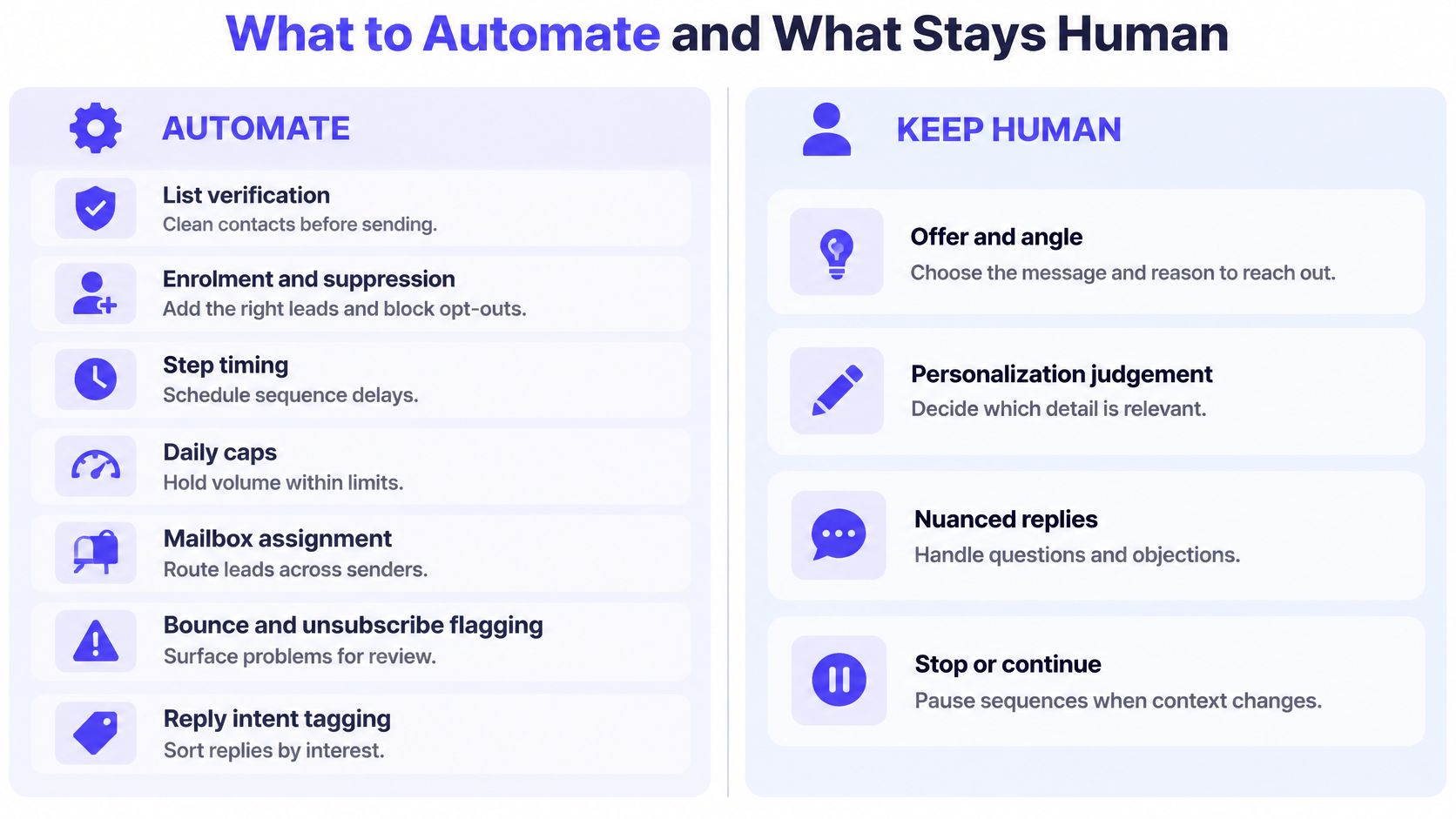
Tasks Built for Automation vs Human Judgment
Software handles high-frequency operational controls far more reliably than a busy sales rep. The following tasks belong inside your automated workflow:
- List verification: Run every prospect email through automated syntax, domain, and mailbox checks before enrollment so invalid contacts never queue.
- Enrollment and suppression: Add qualified accounts to sequences automatically while blocking existing customers, competitors, and prior opt-outs at the database level.
- Step timing: Schedule multi-day follow-up intervals and business-hour sending windows consistently across time zones.
- Daily caps: Enforce hard per-mailbox ceilings so no single sender spikes past its warmed volume.
- Mailbox assignment: Distribute leads evenly across connected inboxes to balance domain load.
- Bounce and unsubscribe flagging: Surface delivery failures and opt-out triggers immediately so ops teams can isolate bad list segments.
- Reply intent tagging: Categorize incoming responses into interested, objection, referral, and out-of-office buckets to speed up rep follow-up.
Strategic choices still require a person who understands the buyer and the offer. Keep these four responsibilities human:
- Account-offer fit: Decide which segments have the problem your product solves rather than blasting broad industry lists.
- High-value first lines: Write or verify opening sentences for priority accounts where an inaccurate detail ends the conversation instantly.
- Reply triage: Read positive, skeptical, and negative responses carefully before sending a personalized answer or removing the contact.
- Unconfirmed prospect claims: Verify any inferred buying trigger, hiring note, or tech-stack guess that structured data can't prove.
Defining a Human-Approval Threshold
Every outreach operation needs explicit rules specifying when automation must stop and wait for a person. Pause the send and route the record for review whenever one of these conditions appears:
- Unsupported claims: An enrichment tool or AI prompt references a recent announcement, metric, or executive quote without a verified source URL.
- Sensitive personal attributes: Copy touches personal history, location details, or inferred traits that feel intrusive in a business message.
- Stricter regional rules: A prospect sits in a jurisdiction where recipient type changes legal consent requirements. For example, UK ICO guidance on B2B marketing under PECR clarifies that while electronic-mail consent isn't required for corporate subscribers (provided identity isn't disguised and a valid opt-out address is included), the consent rules still apply to sole traders and some partnerships.
- Negative replies: A prospect pushes back, questions how their data was sourced, or asks to stop receiving emails.
Consider a 500-contact campaign where an enrichment field populates a "saw your recent funding" opener across the batch. If that funding column pulled stale announcements from two years ago, automation sends 500 prospects an obviously fake observation in a single morning. One ten-minute human audit of that custom variable column catches the stale dates before launch and saves the entire batch from spam flags.
Automate the follow-up, not the judgment, because a wrong claim scales faster than a right one.
Write a two-column split listing your automated tasks and your human-owned decisions before turning on any new sequence.
Personalizing at Scale Without Triggering Spam Signals
Conventional outreach wisdom insists that adding more personalized lines automatically lifts replies. In practice, automated over-personalization often backfires by pairing generic AI phrasing with template footprints that spam filters recognize immediately. Secondary industry reporting from Smartlead's cold email trends analysis cites Lavender's 2025 analysis of 100 million emails, which reported a 5.1% reply rate for AI-assisted emails versus 3.8% for fully human emails and just 2.4% for fully AI-generated messages.
Those figures point to a clear operational split: AI performs well as a research and drafting assistant, not an autonomous sender. A reliable workflow separates personalized variables from personalized claims. Verified variables like first name, company name, or job title pull cleanly from structured fields, whereas claims about a recent hire, funding round, or product launch require a real source a person can confirm before launch.
Template Patterns That Trigger Spam Filters
Mailbox providers evaluate content structure alongside domain reputation, and automation introduces predictable technical patterns that look unnatural to filtering algorithms. Four habits push cold sequences into spam folders fast:
- Identical copy across dozens of mailboxes: Sending the exact same word-for-word template from ten accounts creates a fingerprint that providers cluster and filter together.
- Uniform link structures: Placing the same booking link, UTM string, or landing page URL inside every initial touch signals bulk promotional traffic.
- Heavy first-touch tracking: Loading open-tracking pixels, click-tracking redirects, images, and multiple hyperlinks into email one adds HTML weight that rarely appears in normal one-to-one business messages.
- Broken merge fields: Letting empty spreadsheet cells print raw brackets or awkward blanks ("Hi, saw your role at ") immediately signals automated blasts to recipients, who hit the spam button.
Practical Rules for Clean Cold Copy
Keeping templates lean protects deliverability while leaving room for sharp, relevant messaging. Apply these four copy standards before scheduling any campaign:
- Send plain text on touch one: Strip HTML styling, logos, and open or click tracking from initial outreach so messages match ordinary workplace email.
- Limit links to zero or one: Ask a direct question instead of inserting calendar links and case-study URLs in the first email, saving links for prospects who reply.
- Vary sentence structure across mailboxes: Write distinct message variants across sending accounts so no single text pattern dominates your domain footprint.
- Enforce merge-field fallbacks: Configure every custom variable with either a tested fallback phrase or a hard send-block rule so missing data stops delivery instead of sending broken text.
Teams looking to refine how dynamic fields support real relevance without bloating templates can explore personalization tactics for sales teams from HarvestMyData. Before enrolling contacts, run each sequence variant through an email spam checker to catch risky phrasing, excess links, and structural red flags.
Audit your first-touch template right now for hidden tracking links, unnecessary URLs, and unguarded merge fields before adding a single lead.
How Warmup Supports Cold Outreach and When to Keep It On
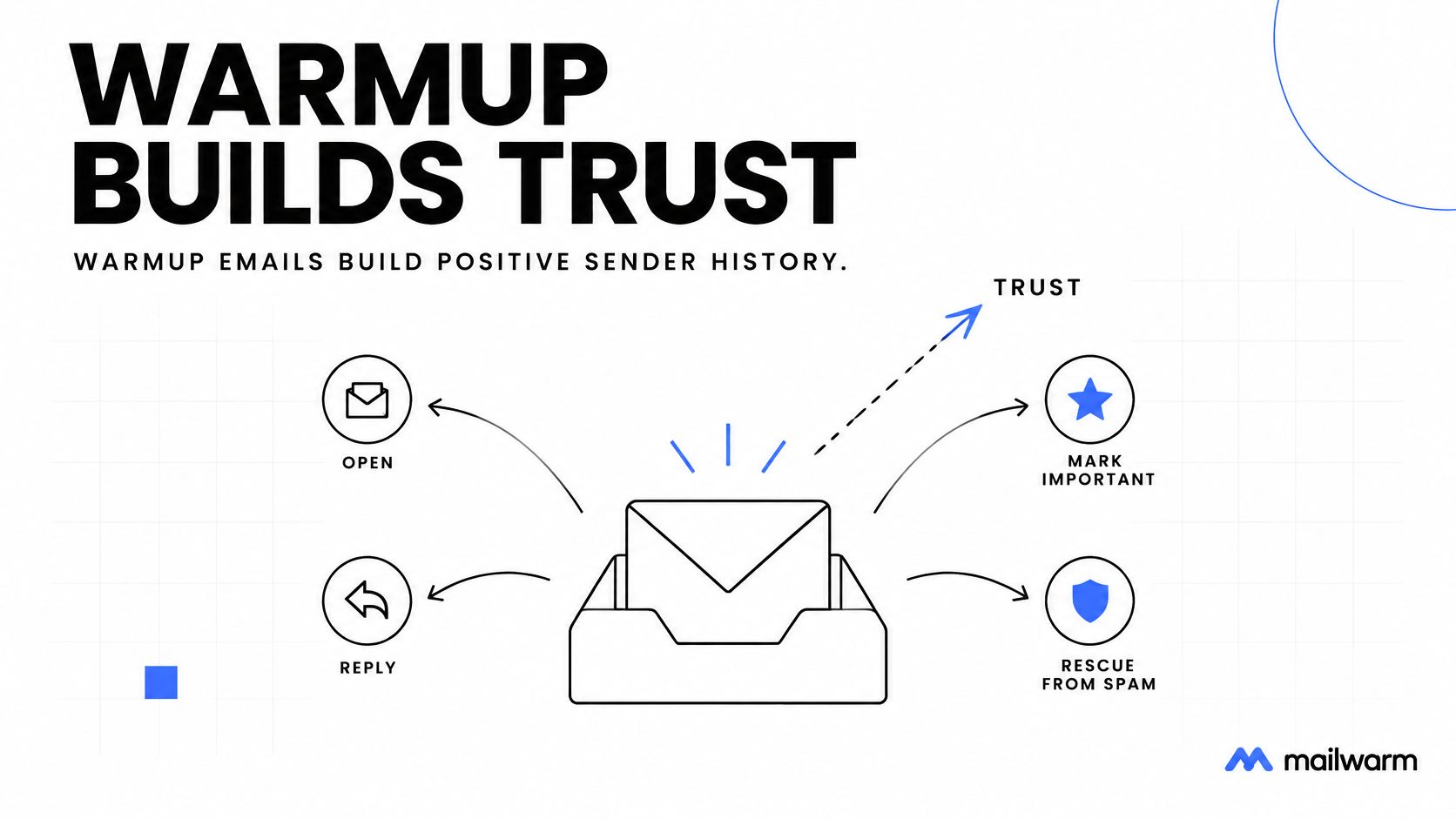
A brand-new mailbox has no sending history, so mailbox providers treat sudden bursts of unsolicited email as suspicious behavior. Email warmup builds trust gradually by sending automated messages to real inboxes that open, reply, mark emails as important, and rescue messages from spam. Through progressive volume increases and human-like scheduling, warmup creates a steady stream of positive engagement signals before and during live campaigns.
Basic warmup utilities trade low-effort automated messages between user pools without showing what happens at individual providers. Mailwarm is a premium email warmup and deliverability platform built for teams that care about real inbox placement, not just automated warmup activity. It helps senders build reputation, monitor inbox placement, and improve deliverability through a network of 50,000+ aged real inboxes, up to 100% replies to warmup emails depending on the plan, provider-level warmup across Gmail, Outlook, Microsoft 365, Yahoo, and SMTP providers, spam score monitoring, authentication tools, and expert deliverability calls included in every plan. Unlike basic warmup tools, Mailwarm doesn't require IMAP access or permission to read your private inbox.
Two Warmup Mistakes That Break Campaigns
Even teams that buy warmup software frequently undermine its impact through two avoidable configuration errors.
First, many operators leave a sequencing tool's built-in warmup switched on after connecting a dedicated warmup platform. Running both systems on the same mailbox doubles daily sending volume unexpectedly, creating the exact spike that triggers throttling. Whenever a sequencing tool includes native warmup, switch it off before starting standalone warmup.
Second, founders often pause warmup the day cold outreach goes live, treating warmup like a one-time setup chore. Once cold sequences start, unsolicited messages generate lower reply rates and occasional spam marks. Turning off positive engagement signals at that exact moment allows domain reputation to drift downward over the following weeks. For outbound teams running continuous prospecting, dedicated email warmup for cold outbound keeps healthy interaction ratios active alongside live sequences.
What Warmup Can and Cannot Fix
Warmup supports a sound outbound system, but it isn't a cure-all. No amount of positive warmup engagement can rescue an unverified list full of dead addresses, missing authentication records, or copy that reads like an untargeted mass blast.
Picture a warmed mailbox that lands cleanly in primary inboxes across Outlook while its placement slides into spam at Gmail. Rather than halting the entire campaign or ignoring the divergence, the operator reduces only Gmail-bound cold volume and leaves warmup running to stabilize Gmail reputation while Outlook outreach continues smoothly.
Operating rule: Keep warmup running for the entire life of an outbound campaign and review inbox placement by provider every week.
Safe Daily Limits, Ramp Steps and Mailbox Rotation
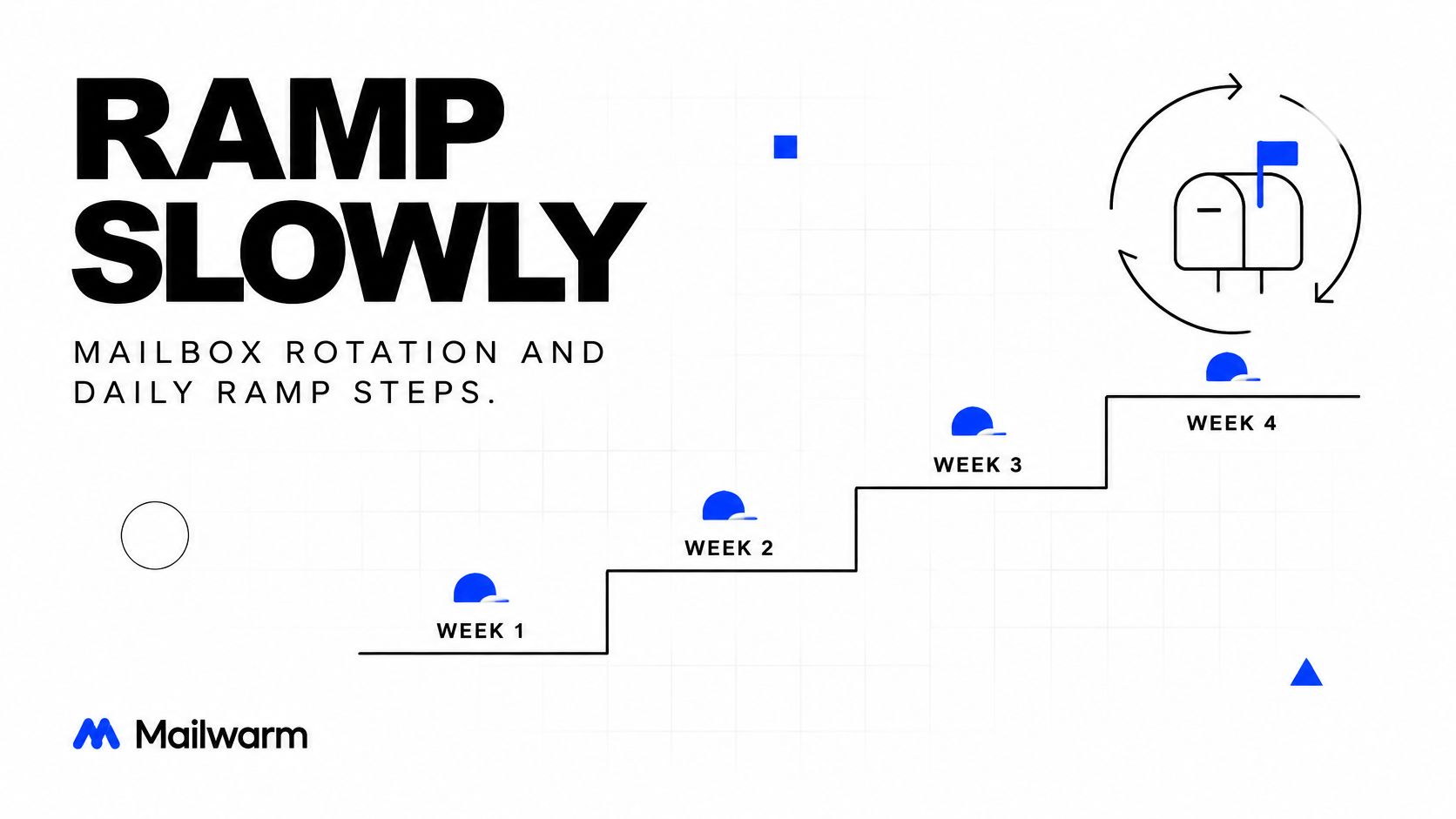
No universal daily send limit protects every mailbox. Safe volume depends on domain age, provider caps, list quality, and live placement data, so every ramp schedule serves as a starting baseline to adjust as real signals come back. Mailwarm recommends starting with 10 to 20 emails per day per mailbox and increasing by roughly 10 to 20 percent every few days, handling that progressive ramp automatically during warmup.
| Stage | Daily volume guideline | Move up or hold |
|---|---|---|
| Week 1 | 10 to 20 warmup emails per day, no cold sends | Hold until placement is stable |
| Weeks 2 to 3 | Raise volume by roughly 10 to 20 percent every few days | Hold if spam placement or bounces rise |
| Week 4 | Cold sends start at a low level on the strongest mailbox only | Hold if any provider shows a rising spam share |
| Week 5 | Add cold volume to other mailboxes only after placement holds | Step back one level if spam placement or bounces rise |
Track warmup volume and cold send volume as two separate numbers. Combining them hides whether an inbox's total daily traffic is climbing too aggressively for a young domain.
How Mailbox Rotation Protects Sender Reputation
Once a single mailbox reaches a comfortable steady state, scaling volume means adding warmed senders rather than pushing one account harder. Apply rotation in three disciplined steps:
- Spread daily volume across multiple mailboxes: Distribute prospect sends evenly so no individual account exceeds its current proven ramp level. Say a team wants to send 90 cold emails per day. Splitting that volume across three warmed mailboxes at 30 cold sends per day each hits the daily target while keeping every inbox safely inside its ramp ceiling.
- Rotate the sending order: Alternate which mailbox sends first across days and campaigns so one inbox doesn't repeatedly absorb the opening wave of untested segments or early-morning filtering spikes.
- Separate domains by campaign or risk profile: Isolate experimental offers, new geographies, or broader prospecting lists on separate secondary domains so one underperforming sequence never contaminates core pipeline domains.
The Step-Back Rule When Signals Dip
Ramp schedules aren't one-way escalators. Whenever spam placement rises at a specific provider or bounce rates creep upward on a mailbox, drop that inbox back one ramp level right away. Hold at the lower ceiling until placement and delivery metrics stabilize across several consecutive days before attempting another increase.
Weekly Metrics and the Thresholds That Matter
Open rates stopped being a reliable health gauge years ago because privacy proxies and security scanners inflate opens automatically. Automation scales mistakes as fast as it scales replies, so weekly reviews should judge every layer by its effect on inbox placement, complaints, and list quality. Track five concrete operational signals and tie each threshold to a specific corrective action.
| Signal | Threshold | Action when crossed |
|---|---|---|
| Hard bounce rate | Keep under 2% | Pause the list and re-verify contacts |
| Spam complaint rate | Keep under 0.1%, never reach 0.3% | Cut volume for the affected provider and review copy |
| Inbox vs spam placement | Track separately for each provider | Hold volume at a provider when its spam share rises |
| Reply rate | Track per sequence step | Review the copy of the step where replies drop while placement holds |
| Spam score of templates | Check each template before launch | Rewrite any template that the check flags |
Provider Thresholds and What Spam Data Shows
Major mailbox ecosystems enforce firm limits on complaint behavior and authentication. According to Google's email sender guidelines, senders delivering more than 5,000 messages per day to Gmail accounts fall under bulk-sender rules. Google advises keeping Postmaster Tools spam rates below 0.3%, while its stricter guidance directs senders to stay under 0.10% and avoid ever reaching 0.30% or higher.
Yahoo sets equally firm guardrails. Under Yahoo's sender best practices, all senders must authenticate with at least SPF or DKIM and hold spam complaint rates below 0.3%. Bulk senders must use both SPF and DKIM, publish a valid DMARC policy, support one-click unsubscribe, and honor opt-out requests within two days.
Spam filtering happens across real inbox traffic, not only in obviously reckless campaigns. A technically delivered send can still sit in spam, so placement checks belong in the weekly review, especially when a provider shows a rise in filtered mail. Reply and bounce data then help separate a targeting problem from a mailbox reputation problem.
Turning Weekly Triggers Into Fast Fixes
Metrics only protect domains when crossing a threshold triggers an immediate adjustment instead of another week of sending into a worsening segment.
- Bounce spikes: Pause the active list immediately, strip catch-all or risky records, and re-verify contacts before resuming sends.
- Complaint creep: Cut daily send volume specifically for the affected mailbox provider, inspect targeting fit, and simplify the unsubscribe link.
- Flagged templates: Rewrite any sequence step that trips spam checks before queuing new prospects, and run a routine check to test your email deliverability whenever placement dips.
Block a recurring 15-minute review every week. Use the five table rows above as the complete agenda, and make each decision in the same meeting: pause the list, hold provider volume, fix the step, or keep sending only if placement and replies remain stable.
Confirm the Launch Checklist Before the First Sequence Runs
Switching on a campaign without pre-flight verification turns minor setup gaps into domain-wide reputation problems within hours. Run through these checks in order before enrolling the first batch of leads.
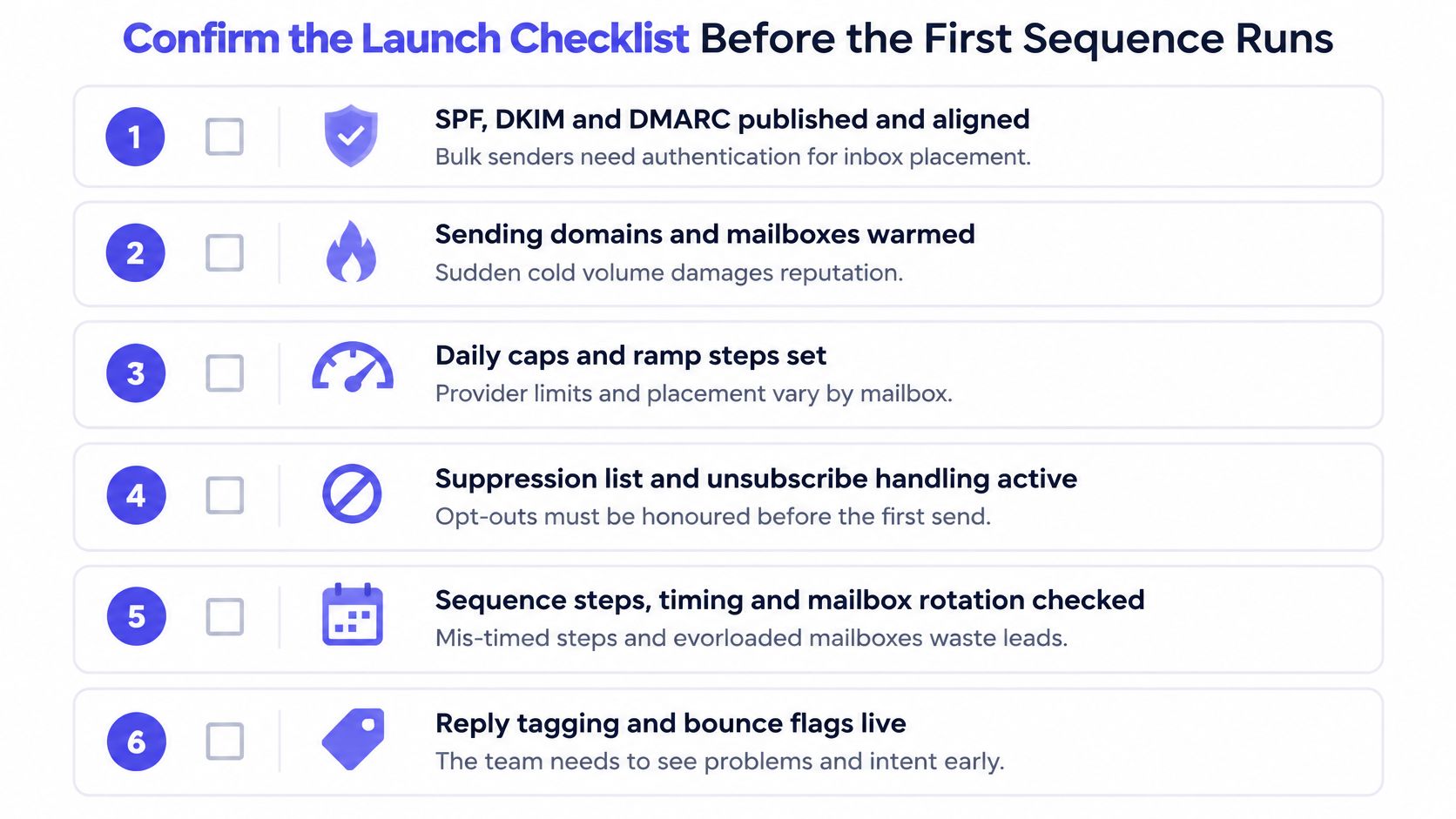
Nine Pre-Launch Checks to Pass
- Confirm SPF, DKIM, and DMARC pass and align on every sending domain, since Gmail and Yahoo require verified authentication for bulk traffic and penalize misaligned headers.
- Verify sequences send from separate secondary domains rather than your main corporate domain, keeping customer support, billing, and internal email safe if outbound complaints rise.
- Upload a verified list alongside your global suppression list so hard bounces stay under 2% and previously opted-out contacts can't re-enter a new campaign.
- Check active warmup history and stable inbox placement on each mailbox at its current ramp ceiling before scheduling cold touches.
- Set daily send caps per mailbox, not only per campaign, ensuring one inbox never absorbs excessive volume if another sender disconnects.
- Switch off built-in warmup inside your sequencing tool whenever a standalone warmup platform is connected to the same inbox.
- Test one-click unsubscribe on a live draft to verify the link works cleanly and adds the address to suppression automatically.
- Enable automated alerts for placement drops, bounces, and complaints so your team catches provider-level throttling before a full week passes.
- Confirm your opt-out workflow meets statutory and provider timelines, honoring every unsubscribe request well inside both U.S. legal windows and stricter mailbox-provider deadlines like Yahoo's fast opt-out rule.
Legal Accountability Does Not Outsource to Software
Compliance isn't optional boilerplate tacked onto the bottom of an email. Under the FTC's CAN-SPAM Act compliance guide (effective January 1, 2004), commercial outreach requires accurate sender identity, non-deceptive subject lines, a valid physical postal address, and an opt-out mechanism that remains functional for at least 30 days after sending and is honored within 10 business days. Each separate violating email can carry a civil penalty of up to $53,088, and businesses stay legally responsible even when external software or agencies send on their behalf.
Run a full deliverability check on every sending domain before enrolling the first prospect. Fixing a misconfigured record takes minutes before launch and weeks to recover from afterward.
If every item on the checklist passes, turn on your first low-volume batch and monitor placement daily through the opening week. If email is part of your growth strategy, Mailwarm helps you build sender reputation, monitor inbox placement, and reduce spam risk with expert-guided warmup.
Cold Email Automation FAQ
What should a team fix before turning on cold email automation?
Fix four fundamentals before activating any sequence: aligned SPF, DKIM, and DMARC authentication, a separate secondary sending domain, a verified prospect list with suppression rules active, and warmed mailboxes showing stable inbox placement. Automation multiplies whatever domain reputation already exists, so launching before those foundations pass scales spam placement faster.
How fast can a new domain ramp cold email volume?
Start slow with warmup traffic only, then raise daily volume gradually only while inbox placement and replies stay stable. Hold steady or drop back one ramp level whenever spam placement, bounces, or complaints rise. No universal schedule fits every sender, so always validate daily caps against provider limits and live placement metrics.
Which automation mistakes most often land cold emails in spam?
Five operational errors trigger most cold email spam placement: sudden daily volume spikes, unverified prospect lists, identical templates blasted across multiple mailboxes, excessive links or tracking pixels in first-touch messages, and switching off warmup once live campaigns start. Fixing these mechanics usually improves inbox placement faster than rewriting subject lines.
Which metrics should senders watch weekly once automation is live?
Review five core metrics every week: inbox versus spam placement tracked separately by provider, reply rate per sequence step, hard bounce rate held under 2%, spam complaint rate kept under 0.1% and never reaching 0.3% or higher, and template spam scores checked before new copy launches.
Cold email automation only generates predictable pipeline when your domains stay trusted across Gmail, Outlook, and Yahoo. Mailwarm pairs real inbox engagement from 50,000+ aged inboxes with provider-level warmup controls, inbox placement insights, spam score monitoring, and expert deliverability calls included in every plan. Protect your sender reputation before your next sequence launches by visiting Mailwarm.