

If SPF records GoDaddy users keep hearing about are still sitting half-finished in DNS, the problem is usually not the idea. It's the setup. A valid SPF record tells mailbox providers which servers can send mail for a domain, and on GoDaddy that usually means one clean TXT record at the root of the domain, not a pile of duplicate attempts.
That matters because senders who skip SPF, or publish it badly, leave mailbox providers guessing. In practice, that means more spam placement, more rejected mail, and more time spent untangling DNS than sending campaigns. The good news is that GoDaddy's DNS interface is simple once the common traps are out of the way.
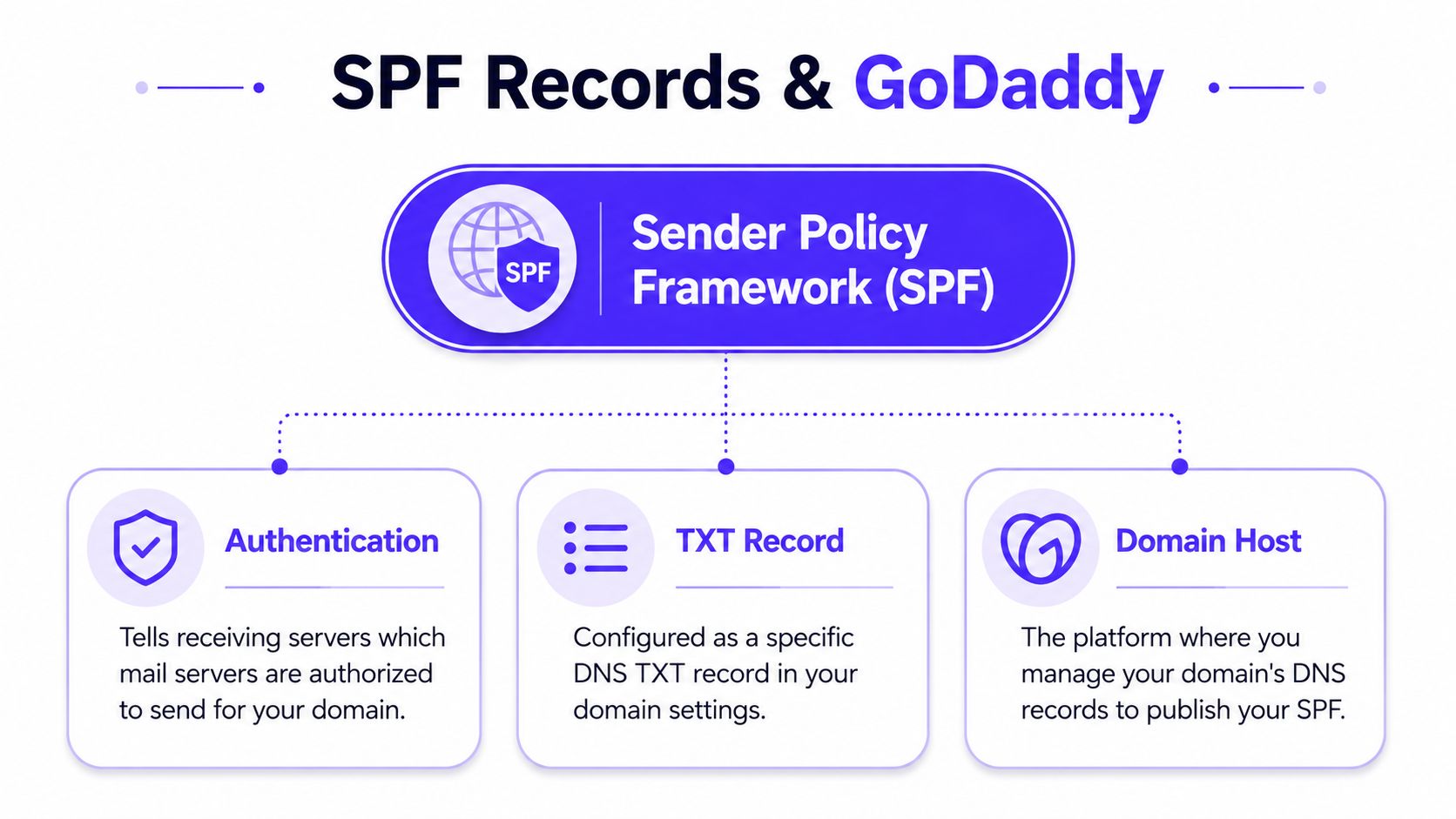
What SPF Records Do and Why GoDaddy Senders Need Them
SPF, or Sender Policy Framework, is a DNS check that tells receiving mail servers which hosts are allowed to send email for a domain. In plain English, it helps prove that a message claiming to come from your domain is permitted to send from it.
If a domain sends email at all, it needs SPF. That includes sales teams, founders, recruiters, ecommerce brands, agencies, and anyone running newsletters or transactional mail. A receiving-only domain can skip it, but most business domains send something somewhere, even if the main inbox lives in Google Workspace or Microsoft 365.
Practical rule: if a tool, platform, or hosted mailbox sends mail for the domain, SPF has to account for it.
GoDaddy users also need to keep in mind that SPF is published as a TXT record, not a legacy SPF record type. GoDaddy's own help center uses the value v=spf1 include:secureserver.net -all for hosting email, and that is the shape of a valid policy for a single sender path on its platform GoDaddy SPF setup guidance. For a broader walkthrough of the same basics, Robotomail's SPF for GoDaddy guide is a useful companion resource.
The broader context shows why this still matters. A large-scale SPF study found adoption rose from 37% of Alexa's top 1 million domains in 2014 to 60.2% of Tranco's top 1 million domains in 2023, with 56.5% adoption across all 12 million domains studied, and 2.9% of SPF records were misconfigured study summary. That means SPF is common, but it's still easy to break.
Adding Your First SPF Record in GoDaddy DNS
A clean GoDaddy SPF setup starts with one record, one host name, and one sender path. Log in, open My Products, choose Domains, click DNS next to the domain, scroll to Records, click Add, choose TXT, then paste the SPF value into the TXT field and save.
The Host field trips up a lot of setups. For the root domain, use @, because that applies the policy to mail sent as example.com. GoDaddy's DNS flow is built around that pattern, and it is the right choice for most business mail GoDaddy DNS instructions.
If the sending address is the main domain, publish SPF at the root. If mail comes from a subdomain, publish the policy on that subdomain instead.
For a single sender, copy and paste the provider's value exactly. GoDaddy-hosted email uses v=spf1 include:secureserver.net -all. Google Workspace and Microsoft 365 use their own provider includes, and the domain still needs one TXT policy, not separate SPF records for each service.
| Sender | SPF Value to Paste | Notes |
|---|---|---|
| GoDaddy hosting email | v=spf1 include:secureserver.net -all | Use for GoDaddy-hosted mail sent from the domain root. |
| Google Workspace | v=spf1 include:_spf.google.com -all | Use when Google Workspace sends as the root domain. |
| Microsoft 365 | v=spf1 include:spf.protection.outlook.com -all | Use when Microsoft 365 sends as the root domain. |
GoDaddy's own hosting-email guidance uses v=spf1 include:secureserver.net -all as the standard value for that sender path GoDaddy hosting email SPF.
TTL is the last setting worth handling carefully. Use 600 seconds during rollout so edits propagate quickly, then move it back toward 3600 seconds once the record is stable. That keeps troubleshooting fast without leaving DNS more volatile than it needs to be GoDaddy best practices summary.
When a domain later adds more sender services, the first SPF record often needs rework. Mailwarm's guide to avoiding SPF record limits is useful if you expect that rollout to expand.
Combining Multiple Senders in One SPF Record
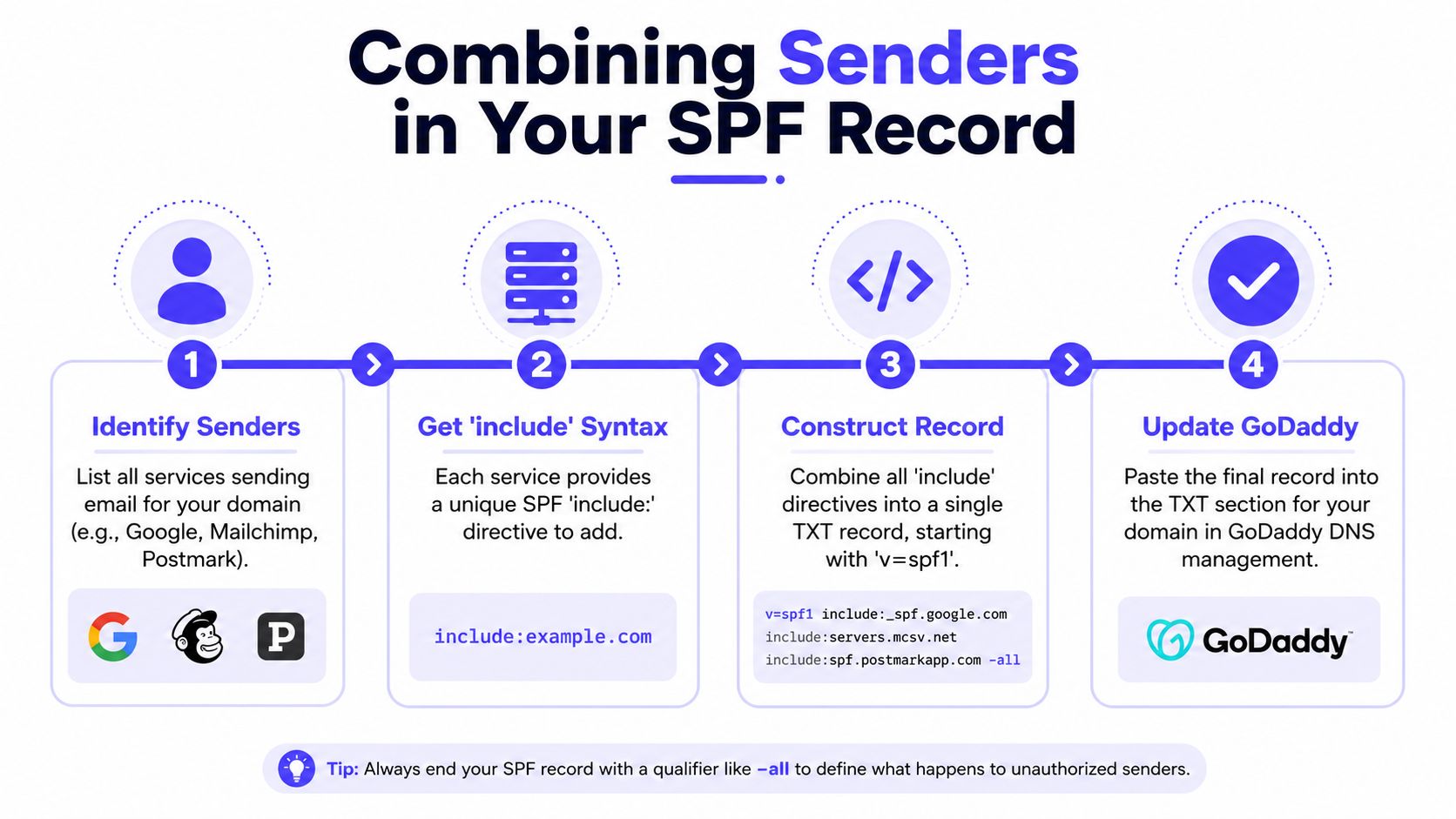
Most domains don't live on one sender. A business might use Google Workspace for day-to-day mail, Mailchimp for newsletters, and a transactional platform for receipts or product emails. SPF can cover all of them, but they have to live inside one TXT record at the same name.
The mechanism to use is include:. Each platform publishes an SPF target, and that target gets added into the same policy string. The logic is simple, but the record grows fast, which is where GoDaddy setups start to fail.
Count the lookups before you save
SPF has a hard 10-DNS-lookup limit. That includes common mechanisms like include, a, and mx, and it becomes a problem when multiple vendors are stacked into one record best-practices summary.
A safe workflow looks like this:
- List every platform that sends mail for the domain.
- Add only the include strings each vendor requires.
- Count the DNS lookups before publishing.
- Trim unused senders before they become a failure point.
A quick reference like the earlier single-sender table helps here, because many teams start with one core sender and then bolt on more services later. That's when lookup budgets disappear.
When the count gets tight, the safest next step is to simplify before publishing. The article on avoiding SPF record limits is a useful reference for teams that are juggling multiple vendors and need to keep the policy lean.
Choosing Between Hardfail and Softfail for Your SPF Policy
The ending of an SPF record changes how strict receivers should be. -all is hardfail, which tells receiving servers to reject mail that doesn't match the policy. ~all is softfail, which tells them the mail is suspicious but not necessarily invalid.
For rollout, ~all is usually the safer choice. New tools, overlooked subdomains, and delayed admin updates are common, and softfail gives a team room to catch those sends without breaking them outright. Once the sending stack is verified and stable, switching to -all tightens the policy.
| Qualifier | What it does | Operational trade-off |
|---|---|---|
~all | Marks non-matching mail as suspicious | Safer during setup and testing |
-all | Rejects non-matching mail | Stronger enforcement after validation |
+all or ?all | Permissive or neutral behavior | Poor choice for production |
The risky option is +all, or a loose ?all during real sending. Those choices weaken the point of SPF and make spoofing easier, which is why they're generally fine only in narrow testing contexts, not in live production. In most GoDaddy environments, the practical answer is start soft, verify everything, then tighten.
How to Verify Your GoDaddy SPF Record
Verification should be quick. If the record is right, the domain should return a single clean SPF policy, and test mail should show an SPF result that matches the expected sender.
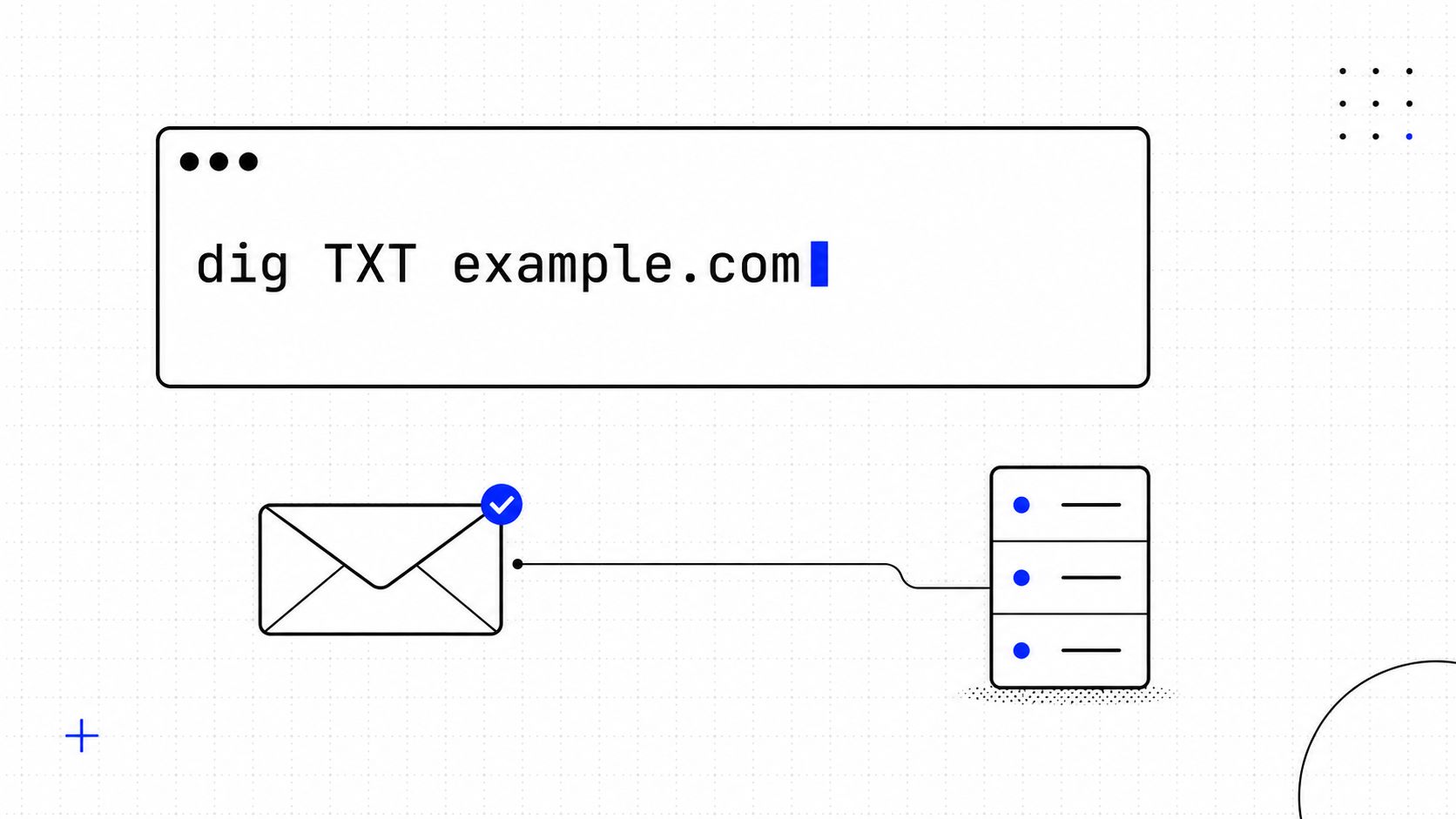
The first check is direct DNS lookup from a terminal. Use dig or nslookup to query the TXT record for the domain and confirm the published value matches the intended SPF string. A parsed lookup also helps catch duplicate records before a campaign goes out.
For a non-terminal check, use an SPF lookup tool like Mailwarm's SPF checker. It can show the parsed record and the lookup count, which is useful when a policy is getting close to the SPF limit.
The last check is the one most operators trust. Send a test message to Gmail or Outlook, open the message, choose Show original, and inspect the Authentication-Results line. pass means the sender matched the policy, softfail means it was suspicious but not rejected, fail means it did not match, none means no SPF policy was found, and permerror usually points to a broken record.
Fixing the Most Common GoDaddy SPF Errors
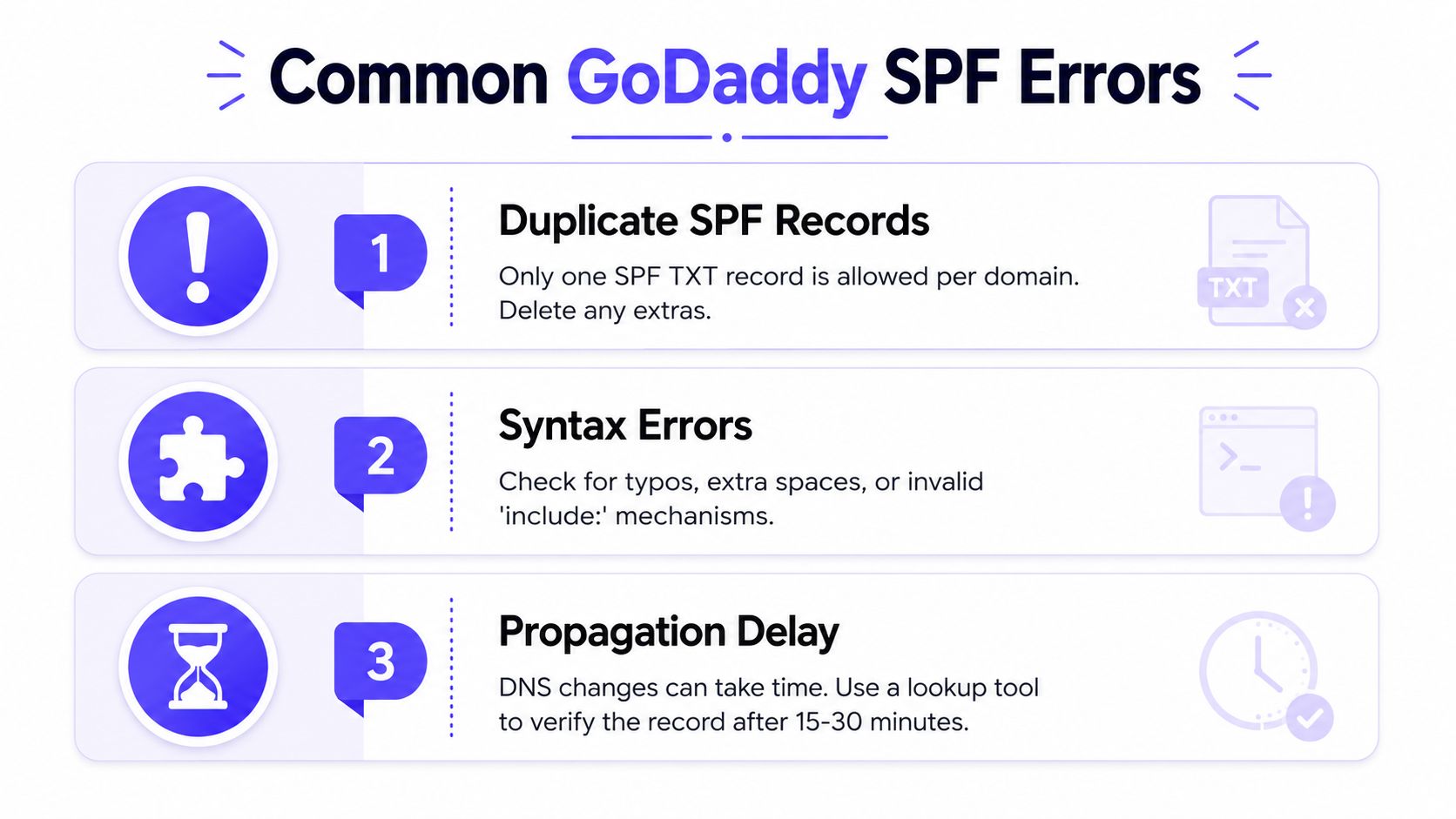
The same three errors keep showing up in GoDaddy DNS. They look small at setup time, then turn into failed authentication, wasted troubleshooting, and messages that land in the wrong place.
Duplicate SPF records
A common GoDaddy mistake is creating a second TXT record that starts with v=spf1 instead of editing the one that is already there. GoDaddy can store both, but receivers only need one SPF policy for the domain, so duplicate records often trigger a permerror or make a record fail even when the text looks right.
The fix is straightforward. Open the existing TXT record, keep a single SPF string at the root, and merge any senders into that one record. GoDaddy's interface defaults the host field to root, so it is easy to add a new TXT record without realizing you have created a duplicate.
Lookup overflow
Another common failure shows up after a rollout adds one more sender and mail suddenly starts breaking. The SPF record has crossed the 10-DNS-lookup limit, and the domain starts returning permerror because the policy asks DNS to do too much work.
The practical fix is to trim unused vendors, remove unnecessary includes, move separate sending platforms to subdomains where that fits the setup, and simplify the policy before it gets too large. A quick best-practices summary is useful here because GoDaddy users often hit the limit while trying to keep every sender in one line.
Syntax mistakes
GoDaddy will save a record even when the SPF string is not valid. The problem usually starts with a typo in v=spf1, a broken include, a missing mechanism, or punctuation placed where the parser does not expect it. One bad character is enough to make the whole policy unreliable.
Validate the record before publishing and keep the policy as one clean TXT string. A record that is almost right can be worse than no record at all, because the team assumes it is fixed and stops checking the result.
For a second check, a dedicated spf record validator can surface formatting problems before mail bounces or slips into spam. That saves time when you are cleaning up a GoDaddy zone and trying to separate a real syntax issue from a duplicate TXT record.
If the domain is already sending through multiple tools, Mailwarm's email warmup tool can help you keep authentication work separate from delivery testing while you clean up the record.
Beyond SPF and How Mailwarm Fits In
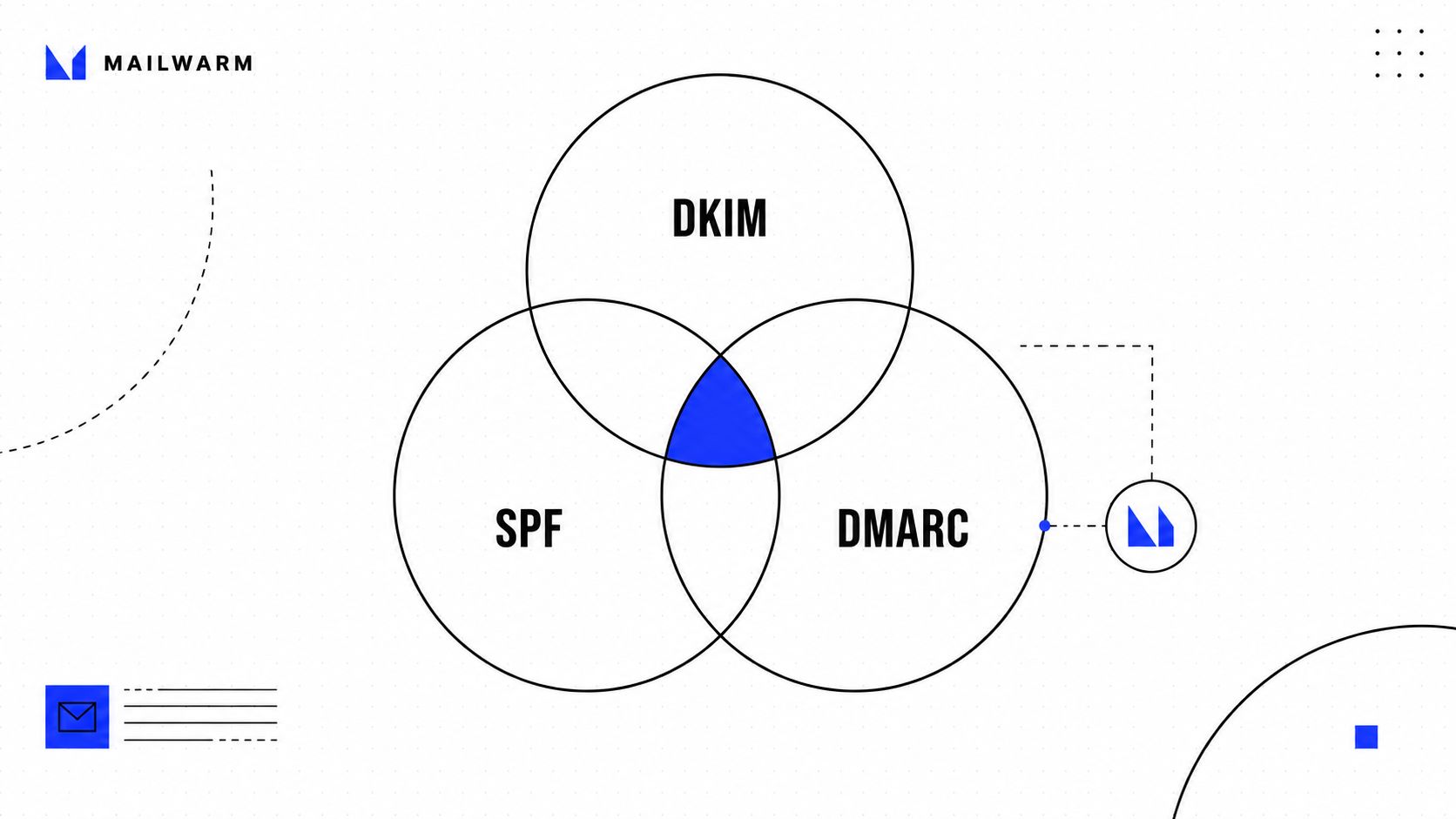
SPF is only one layer. The next two are DKIM and DMARC, and a domain that sends serious email needs all three working together. SPF helps prove who may send, DKIM helps prove the message wasn't altered, and DMARC helps tie the results into a policy.
Even with clean authentication, inbox placement still depends on sender reputation. Mailbox providers look at engagement, consistency, and trust signals, not just DNS. That's why SPF is necessary but not sufficient for cold outreach, newsletters, or any campaign that needs to avoid the spam folder.
Mailwarm is a premium email warmup and deliverability platform built for teams that care about real inbox placement, not just automated warmup activity. It uses 50,000+ aged real inboxes, real engagement signals, spam score monitoring, inbox placement insights, provider-level warmup, and authentication fix tools, and it does so without IMAP access to private inboxes. It also includes expert deliverability calls, which matters when SPF is only one piece of the setup Mailwarm email warmup tool.
If email is part of the growth plan, SPF should be clean before volume rises. Then deliverability work can focus on the part DNS can't solve by itself, reputation.
FAQ
What is an SPF record on GoDaddy?
An SPF record on GoDaddy is a TXT record in the domain's DNS that lists which mail servers are allowed to send email for that domain. It helps mailbox providers verify whether a message is legitimate. On GoDaddy, the record is usually added at the root with @.
Can a GoDaddy domain have more than one SPF record?
No, it should not. A domain needs one SPF policy per name, and adding a second TXT record that starts with v=spf1 can cause authentication failures. The right fix is to edit the existing record and combine all authorized senders there.
Should GoDaddy SPF end with -all or ~all?
Use ~all during rollout if the sender list is still changing, then switch to -all once the record is confirmed. Softfail is more forgiving, while hardfail is stricter and better for stable production setups. The wrong choice is usually not the qualifier itself, it's publishing one before all senders are known.
How do you check whether an SPF record works?
Use a DNS lookup, an SPF checker, or a test email. The easiest check for non-technical users is to send mail to Gmail or Outlook, open the message, and inspect Authentication-Results. A clean pass means the sender matched the published policy.
Why do GoDaddy SPF records fail so often?
The usual causes are duplicate records, too many DNS lookups, and syntax errors. GoDaddy's interface makes it easy to add a TXT record, but it also makes it easy to create an extra one by mistake. That's why the record should be checked before and after saving.
Does Mailwarm help with SPF setup?
Mailwarm is a premium email warmup and deliverability platform, so it sits around the authentication work rather than replacing DNS. It can help teams monitor inbox placement, score risk, and catch authentication issues during warmup. That makes it useful once SPF is published and the sender needs stronger reputation signals.
Conclusion
A GoDaddy SPF setup works best when it stays simple, single, and verified. Publish one TXT record, keep the host at the right domain level, watch the lookup count, and choose the right ending for the rollout stage.
The payoff comes when SPF is treated as one piece of a wider deliverability stack. Clean authentication gives the sender a fair shot, and good reputation keeps campaigns out of spam. If email is central to growth, the next move is to tighten authentication, verify the record, and then protect the domain with consistent warmup and deliverability monitoring.
Mailwarm helps teams build sender reputation, monitor inbox placement, and reduce spam risk with real inbox engagement and expert-guided deliverability controls. If GoDaddy SPF setup is one of the pieces you're fixing right now, visit Mailwarm to see how it fits into a cleaner sending stack.