
SpamCop removes a listing automatically about 24 hours after the last report, so SpamCop blacklist removal means stopping the reports, not filing a request. Advice that starts with finding a removal form sends teams toward the wrong task.
The useful work starts with the rejected message, the actual sending IP, and the activity behind the reports. An appeal letter won't stop a compromised account, an abused web form, or a campaign that recipients don't want.
Check Your IP on spamcop.net First
A rejection containing 550 5.7.1 Service unavailable and blocked using bl.spamcop.net is a typical signal to investigate SpamCop. The exact wording belongs to the receiving server, so preserve the complete bounce rather than searching for an identical sentence.
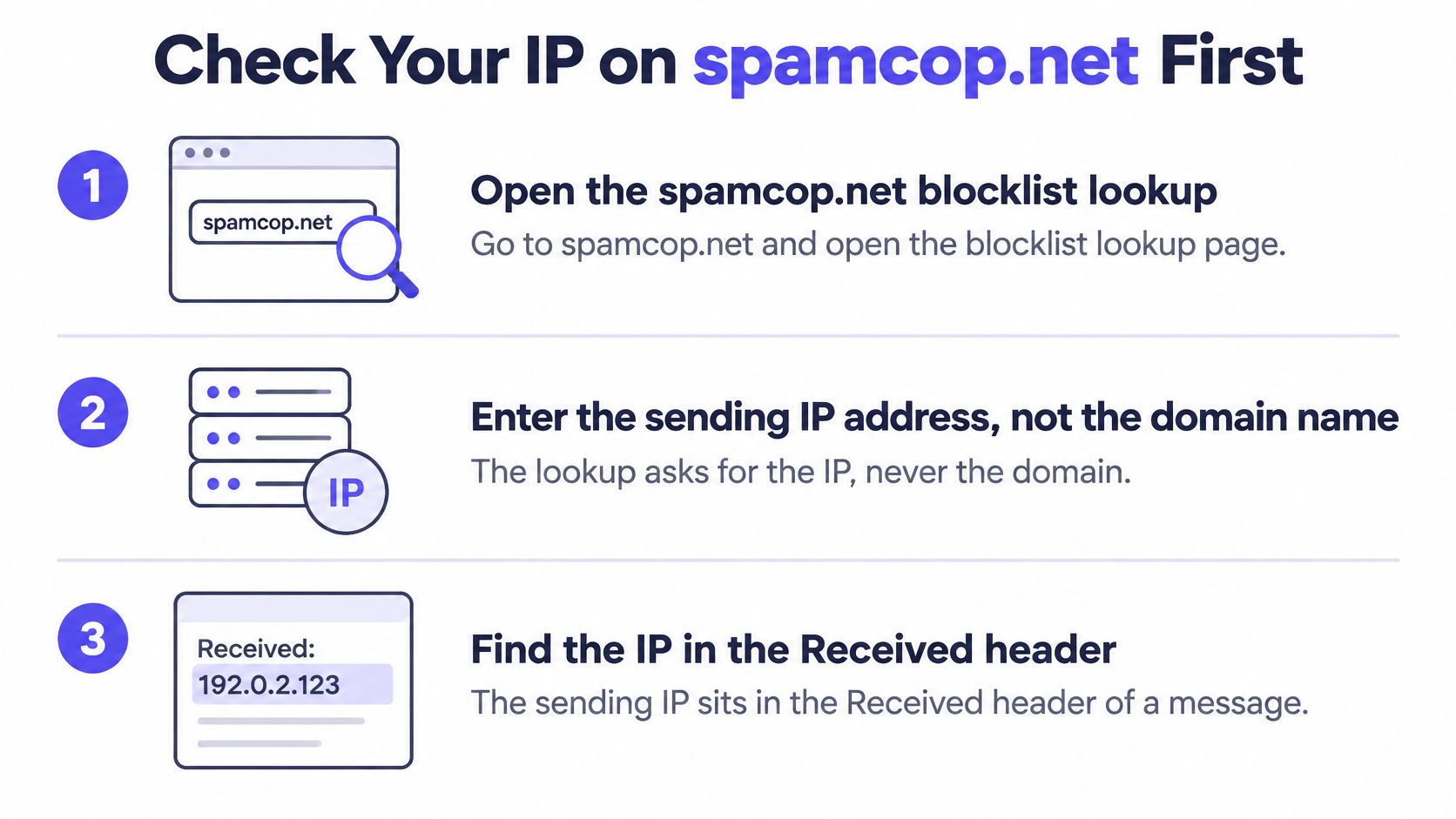
The important identifier is bl.spamcop.net. Record the bounce time and the sending IP it names before changing settings or restarting campaigns.
Run the lookup against the sending IP
- Find the outbound address. Check the bounce, the relevant
Receivedheader, or the outbound server details in the email service provider's dashboard. Headers contain several servers, so match the address to the outbound connection the recipient rejected. - Open SpamCop's blocklist lookup. Visit spamcop.net and select its blocking-list lookup. Enter the sending IP, not the website address or email domain.
- Save the result. Record whether the address is listed, the lookup timestamp, and any report or expiry information the page displays. Don't assume every result exposes a complete report history.
- Cross-check other lists. Run the same address through a blacklist checker. Keep the results alongside the original bounce.
Interpret the result before taking action
A listed result confirms an SCBL entry, not a universal delivery ban. Receiving administrators decide whether to reject, tag, or route messages to spam, as explained in Suped's overview of SpamCop filtering.
A clean result alongside a rejection needs closer comparison. Confirm that the bounce names the same outbound address, rather than another relay, a different pool member, or an address used by an earlier send.
Practical rule: Compare the IP and timestamp before treating a clean lookup as a contradiction.
Recent report activity should shift attention toward ongoing sending. SpamCop's listing-duration FAQ states that an address won't remain listed if no reports arrive against it during a 24-hour period.
A screenshot alone isn't enough for an incident record. Preserve the address checked, the result, and the time so subsequent checks can distinguish genuine clearance from checking the wrong server.
Shared IPs and Your Hosting Provider
A clean domain doesn't protect mail sent through a listed shared IP. SpamCop's entry concerns the outbound address, so another customer's traffic can affect mail sent through the same infrastructure.
Consider a marketing team whose own campaign has no visible complaints. Its messages can still receive SpamCop-related rejections if another customer using the pool generates the reporting activity.
Give the provider an actionable incident report
- Match the infrastructure. Confirm that the listed address belongs to the pool used by the affected messages.
- Collect evidence. Include the complete bounce, lookup timestamp, message identifiers, and recent campaign or transactional sending details.
- Request containment confirmation. Ask the hosting company or email service provider whether it identified and stopped the source.
- Ask about prevention. Request its process for monitoring abuse reports and isolating customers whose traffic causes listings.
- Evaluate routing changes carefully. Use an alternative address only after the provider confirms it's clean and the underlying abuse has been contained.
The operational distinction between shared IP vs dedicated IP sending is responsibility. A shared-pool customer needs the provider to investigate activity outside that customer's account; a dedicated-IP sender must account for its own infrastructure.
Changing domains is the wrong first fix because it leaves the listed outbound infrastructure unchanged.
Moving traffic without containment can reproduce the incident on another address. If the investigation also identifies other listings, follow the separate Spamhaus blacklist removal or Barracuda blacklist removal process rather than assuming SpamCop's automatic expiry applies everywhere.
What Triggers a SpamCop Listing
Old and purchased contact lists deserve an early inspection because they can expose a sender to both unwanted-mail complaints and trap addresses. That's a diagnostic priority, not proof that every listing started with list acquisition.
SpamCop uses user reports and spamtrap observations to assess sending IPs. Authentication settings deserve attention during recovery, but changing a DNS record won't stop an account or application that continues sending unwanted messages.
Common SpamCop listing triggers and where to spot them
| Trigger | Where it comes from | Signal in your logs |
|---|---|---|
| Spam complaints from recipients | Recipients mark mail as spam | Complaints clustered on one campaign or segment |
| Spamtrap hits | Addresses used to catch spam | Sends to old, purchased, or never-verified contacts |
| Compromised account | A stolen login sends unauthorized mail | Unrecognized sent items or forwarding rules |
| Abused web form | A form emails any address a visitor enters | Bursts of suspicious submissions and unrelated recipient addresses |
| Open relay | Outside senders route mail through the server | Relayed messages to recipients unrelated to the organization |
These signals guide investigation; they don't independently prove a trap hit or identify the person who complained. A foreign address, unfamiliar language, or unusual recipient domain alone isn't evidence of abuse.
There's no published safe complaint count. IBM's SpamCop documentation describes a dynamically managed threshold, so five reports neither guarantees a listing nor establishes a safe boundary.
In DNS checks of 12,936 custom domains that emailed monitored inboxes, 8.4% appeared on at least one DNS blocklist, according to the Mailwarm network study, October 2026. The sample included legitimate senders and spammers; it doesn't establish a SpamCop-specific rate or explain what caused those listings.
The SpamCop historical overview also acknowledges fallible human reporting. Legitimate senders can be listed mistakenly, but declaring a false positive isn't a substitute for checking outbound logs.
A useful investigation connects the report window to an account, campaign, application, or relay. Without that connection, a team can pause the visible campaign while leaving the actual source running.
Stop the Source and Let the Listing Expire
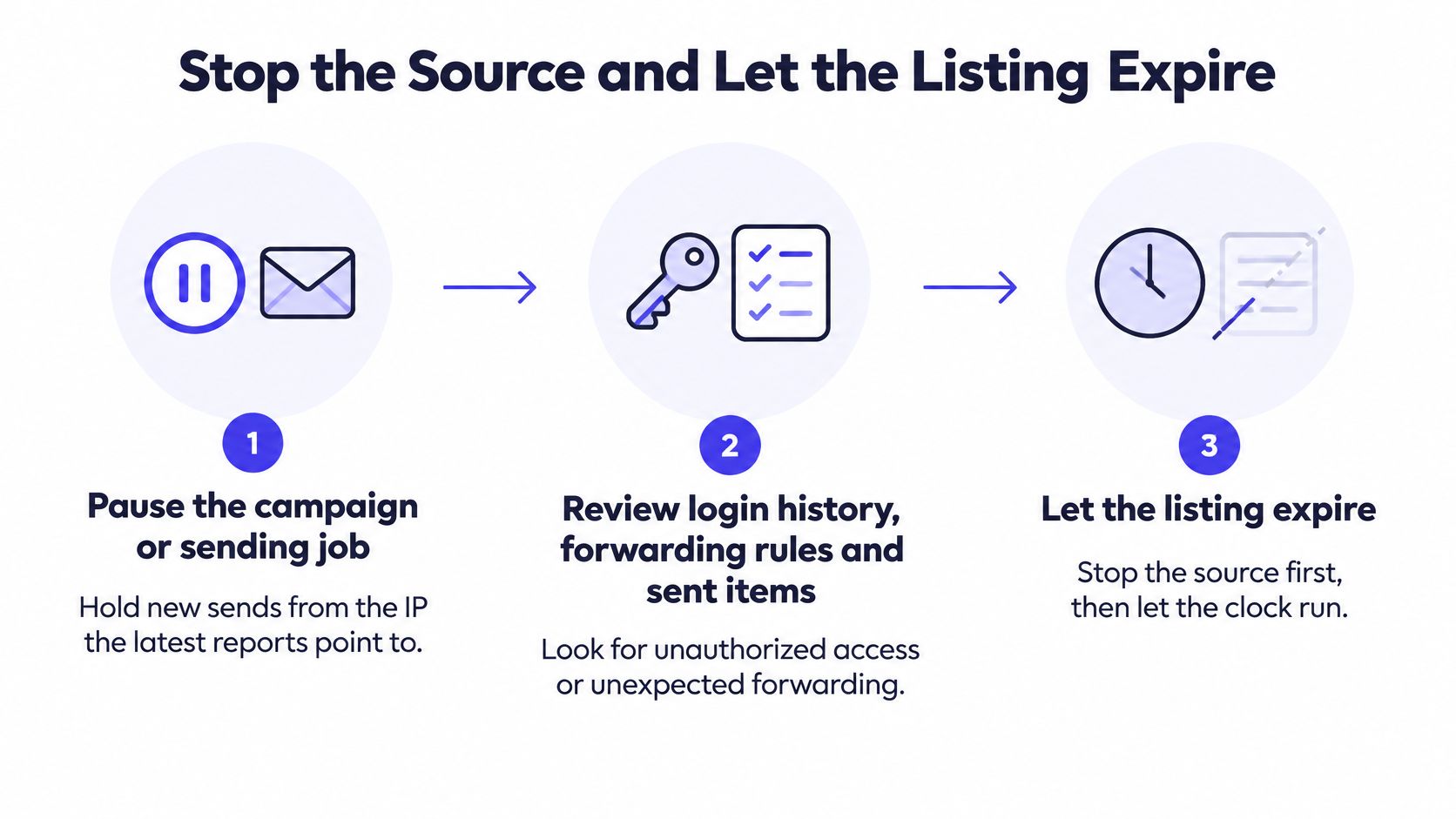
Containment comes before the countdown. Pausing a marketing platform won't help if a compromised mailbox or website script is still sending through the affected address.
Follow the containment order
- Pause the implicated sending job. Stop the campaign, automation, or queue associated with the reporting window. Hold new nonessential sends from the affected IP while identifying the source.
- Inspect account access. Review login history, sent items, forwarding rules, connected applications, and SMTP credentials. Revoke suspicious sessions and replace exposed credentials rather than only changing the mailbox password.
- Test outbound web forms. Check contact forms, referral tools, signup confirmations, and autoresponders that email visitor-entered addresses. Add input validation, rate limiting, and an appropriate challenge such as CAPTCHA where abuse is possible.
- Check relay permissions. Confirm that unauthenticated external users can't relay messages to unrelated recipients. Review SMTP authentication logs and investigate unfamiliar access rather than assuming every successful login is legitimate.
- Suppress unsafe recipients. Remove purchased contacts, hard bounces, unsubscribed addresses, and contacts with no defensible reason to expect the message. Email validation doesn't establish consent.
- Keep volume constrained. Don't empty the queued campaign immediately after fixing the account. Confirm that unauthorized activity has stopped and that the remaining audience expects the mail.
Containment should include queued mail. Disabling a compromised login doesn't necessarily remove messages that an application already submitted to the server.
For a web-form incident, inspect what the application sends. A form that lets visitors supply both a recipient and unrestricted message content can remain an abuse channel even after mailbox credentials change.
Operational checkpoint: Record both when sending stopped and the latest report time. They aren't necessarily the same event.
Calculate the window from the latest report
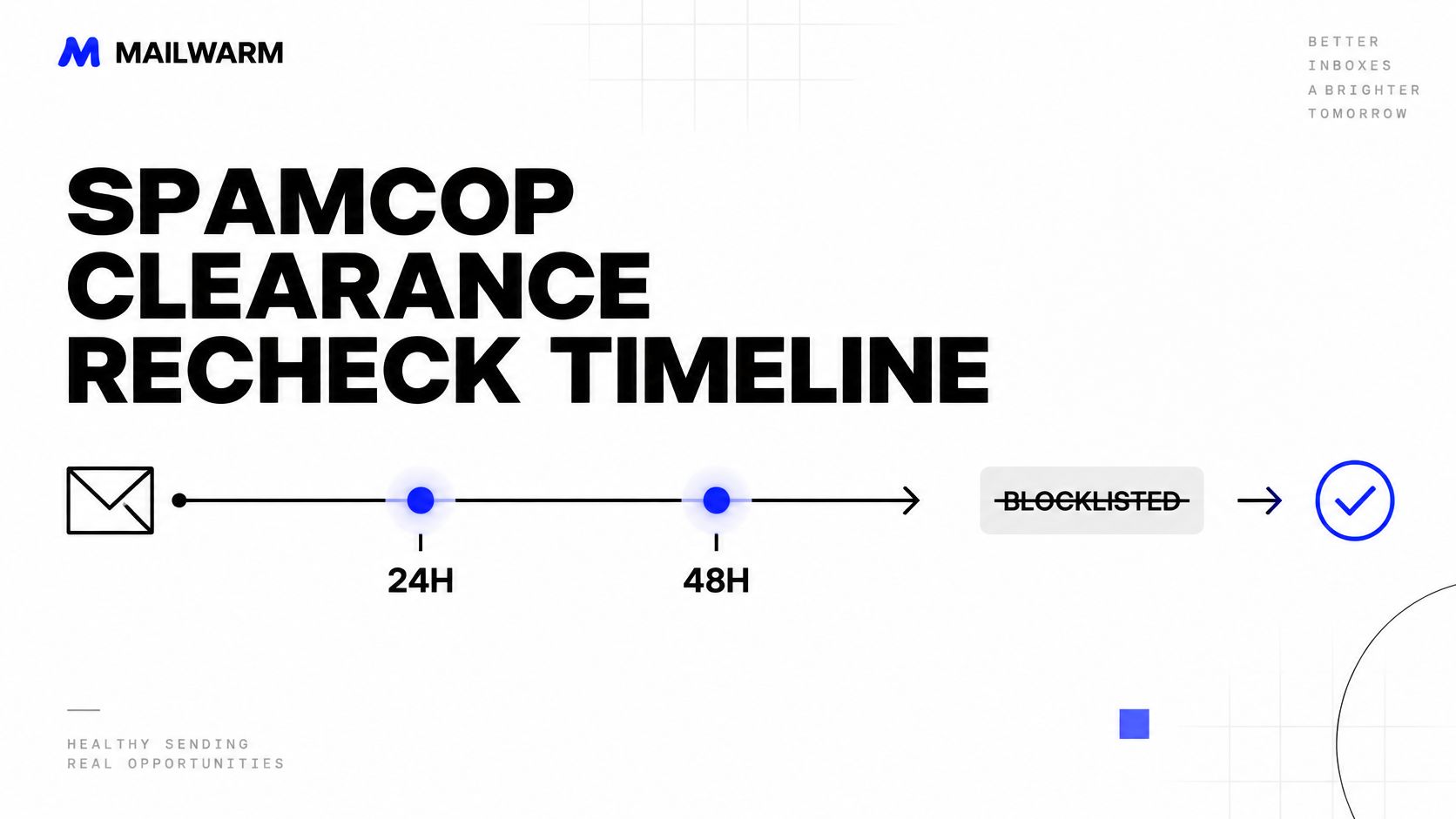
SpamCop's administrator FAQ describes automatic delisting after 24 hours without new reports, with no routine manual-removal request or paid expedited procedure.
For a hypothetical timeline, a last report at Friday afternoon starts the clean window there. If another qualifying report arrives overnight, the expected expiry moves forward from that newer event, not from the original listing notification.
How each situation changes the listing clock
| Situation | What happens to the listing | What to do |
|---|---|---|
| Source stopped, no new reports | Listing expires after the clean reporting window | Recheck when the window ends |
| One new report during the window | The reporting window starts again from the newer event | Investigate whether another source remains |
| Sending continues unchanged | Continuing reports can keep the listing active | Contain the source before expecting clearance |
There's no evidence file to assemble for a routine appeal. SpamCop's process depends on report activity, not on a sender's explanation of why the campaign was legitimate.
If a lookup page presents an account-specific option or instruction, read it carefully and use it only after containment. It doesn't replace stopping the traffic responsible for reports.
A continuing listing calls for another investigation, not repeated submissions. Check overlooked applications, shared infrastructure, scheduled jobs, and credentials that remained active.
Finally, distinguish list removal from mailbox-provider reputation. A clean SCBL result doesn't establish that Gmail or Outlook will place the next campaign in the inbox.
Confirm Clearance and Prevent Relisting
Recovery needs two checks: the outbound IP is no longer listed, and controlled sending no longer produces the same rejection. Full campaign volume should wait until both checks pass.
Use a follow-up schedule rather than a single clean screenshot. Re-run the official lookup after the expected expiry and repeat it the following day to catch renewed activity.
Verify delivery without recreating the problem
Cross-check the address against other major blocklist databases, then send a small amount of expected mail to engaged recipients. Compare fresh delivery logs with the original incident record, including the outbound address.
Watch subsequent bounce logs for bl.spamcop.net. A fresh rejection should restart the investigation, but first confirm its timestamp and IP so an old queued notification isn't mistaken for a new listing.
Keep the original cause from returning
- Process unsubscribes promptly. Suppress opted-out recipients across campaigns and connected systems, not just one list.
- Review campaign-level complaints. Separate results by audience source and sending job so one problematic segment doesn't disappear inside account-wide totals.
- Check authentication. Confirm SPF authorizes the actual outbound service, DKIM signatures validate, and DMARC alignment works. Authentication supports identity verification; it doesn't make unwanted mail acceptable.
- Retain security controls. Keep relay restrictions, form protections, credential reviews, and application monitoring in place after clearance.
- Increase volume conditionally. Add sending only while fresh logs remain clean and the remaining audience is appropriate.
For a broader operating checklist, follow how to avoid spam blacklists rather than treating removal as the end of maintenance.
The practical endpoint of SpamCop blacklist removal isn't a green lookup alone. It's a contained source, a clean current result, and a cautious restart without renewed rejection. Don't return to full volume until both the listing and delivery checks pass.
Frequently Asked Questions About SpamCop Removal
Does SpamCop have a removal form?
There's no routine removal form to chase. The useful action is stopping the traffic that generates reports, then checking the automatic result.
How long does a SpamCop listing last?
The listing expires after a clean period following the latest report, rather than a fixed period following notification. A new qualifying report moves the expected clearance forward.
Does a SpamCop listing block every email?
No. Each receiving administrator decides how to use the SCBL, so an entry can lead to rejection, tagging, or spam-folder placement rather than identical treatment everywhere.
Can a sender pay to get delisted faster?
No routine paid fast-track procedure exists. A third party can help investigate infrastructure, but payment doesn't replace SpamCop's report-based expiry process.
Can Mailwarm check placement after clearance?
Yes. Its spam score monitoring and inbox placement insights distinguish inbox from spam placement by provider, while the Blacklist Checker checks domains or IPs across major databases. It doesn't require IMAP access or permission to read private inbox messages, and it can't override SpamCop's listing process.
Mailwarm is a premium email warmup and deliverability platform that combines real inbox engagement, advanced warmup controls, and expert guidance. After the reporting source is contained, visit Mailwarm to monitor inbox placement, review the sending setup, and plan a measured reputation-recovery strategy rather than restarting at full volume.