

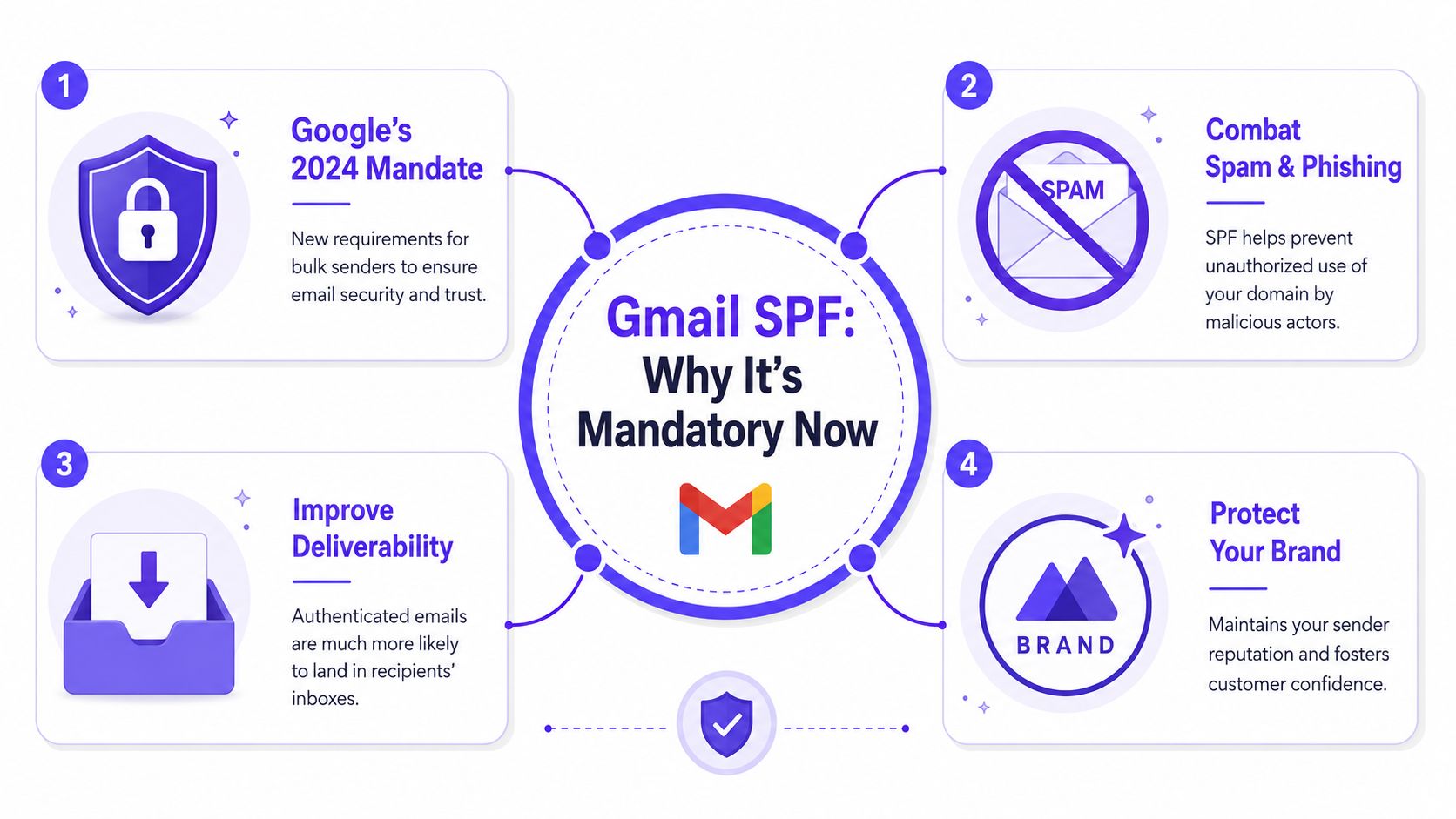
A Sender Policy Framework (SPF) record is a DNS entry that lists the servers authorized to send email for a domain, and for Gmail or Google Workspace, it's now a mandatory step to keep legitimate mail out of spam under Google's 2024 enforcement rules. If a business sends email to Gmail accounts without the right authentication in place, delivery problems are no longer a minor technical issue. They directly affect sales outreach, recruiting, lifecycle email, and customer communication.
That's the situation many teams are in right now. The domain is live, campaigns are ready, and emails are sending, but Gmail still treats some of that traffic with suspicion. In most cases, the missing piece isn't the copy or the sending schedule. It's the authentication layer, and SPF is the first record that needs to be correct.
Why Your Gmail SPF Record Is Now Mandatory
SPF is simple in concept. It tells receiving mail servers which systems are allowed to send on behalf of a domain. When Gmail receives a message, it checks whether the sending server matches what the domain owner published in DNS.
That used to be treated like a recommended setup. It isn't anymore.
From February 1, 2024, Google requires all domains sending emails to Gmail accounts to implement either Sender Policy Framework (SPF) or DKIM authentication. For bulk senders, defined as those transmitting 5,000 or more emails per day, Google mandates SPF, DKIM, and DMARC, with non-compliant traffic beginning to be rejected in April 2024 (Sender Policy Framework requirements summary).
What SPF actually does
A founder doesn't need to memorize protocol details to understand the point. SPF is a permission list.
If Google sees a message claiming to come from a domain, SPF helps answer one question: should this server be allowed to send that message?
That matters for two reasons:
- Spoofing protection: It makes it harder for someone else to send mail that looks like it came from the business.
- Deliverability trust: It gives Gmail a basic signal that the sender has done the minimum authentication work.
Practical rule: If a company sends any meaningful volume to Gmail, SPF should be treated like SSL on a website. It's basic infrastructure, not an optional enhancement.
For teams that already think about web trust, it helps to look at how companies secure your website and apply the same mindset to email. The audience never sees the DNS record, but they feel the result when messages land in spam or don't arrive.
Why this matters beyond compliance
Many businesses hear “sender policy framework Gmail” and assume this is just a checkbox for IT. It's not. This record affects whether Gmail treats outbound mail as expected business communication or suspicious traffic.
A valid SPF record won't solve every inbox problem. It also won't rescue poor targeting or weak list quality. But without it, the domain starts from a position of distrust.
For teams already troubleshooting placement issues, Mailwarm's guide on how to avoid the spam folder is useful because it connects authentication with the broader reputation factors that Gmail evaluates.
How to Create Your Basic Gmail SPF Record
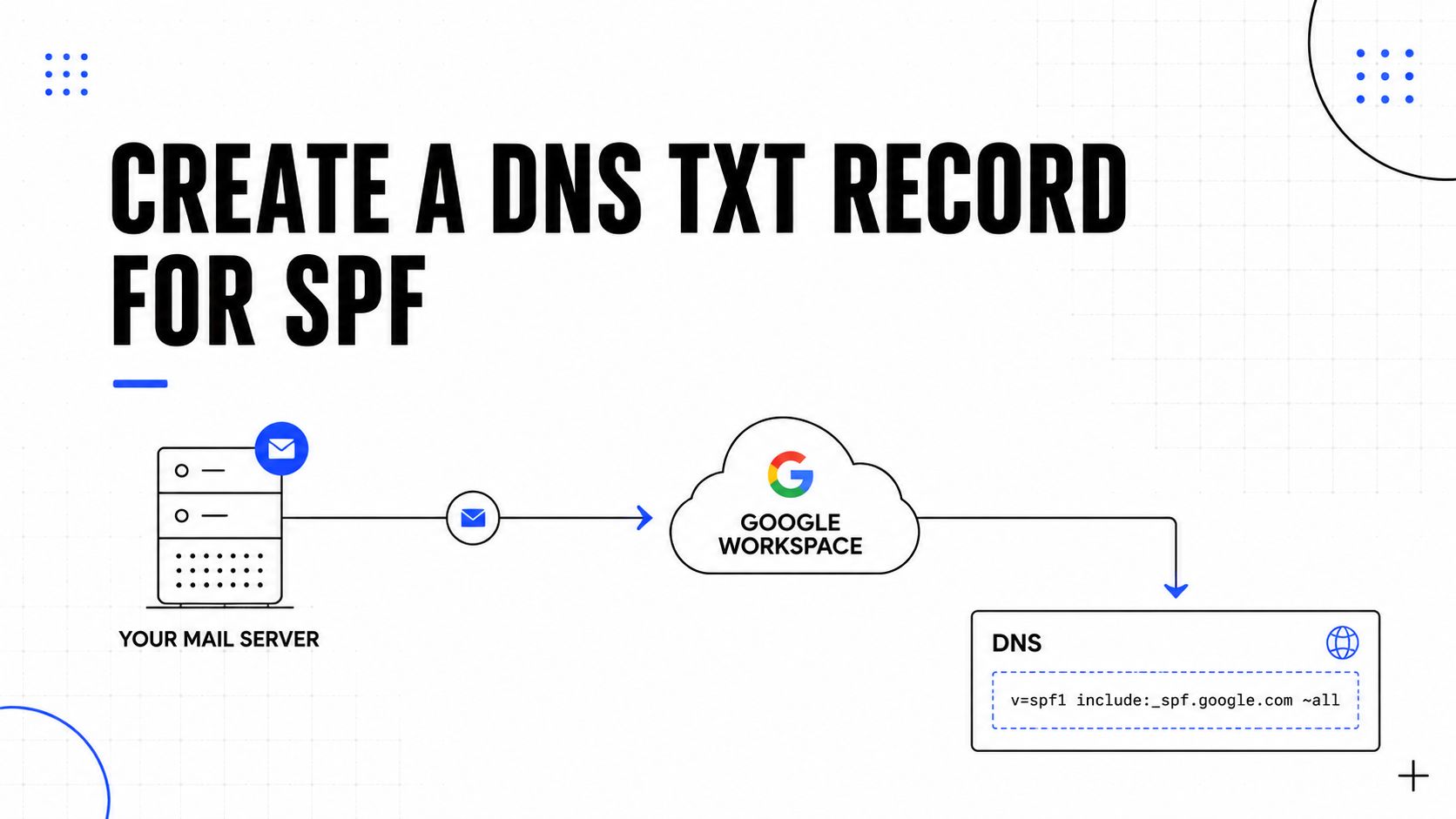
For a company that only sends through Google Workspace, the basic setup is usually straightforward. The SPF record is added as a TXT record in the domain's DNS settings, usually inside GoDaddy, Namecheap, Cloudflare, or whichever provider manages DNS.
This is the standard record most Google Workspace-only senders start with:
v=spf1 include:_spf.google.com ~all
Where to add it
The SPF record doesn't get created inside Gmail. It lives in the DNS zone for the domain.
The path usually looks like this:
- Log in to the domain provider.
- Open the DNS management area.
- Look for existing TXT records.
- Check whether a record starting with
v=spf1already exists. - If none exists, add a new TXT record.
- If one already exists, edit it instead of creating a second SPF record.
That last point matters. SPF allows one record per domain, not one record per sending tool.
What each part means
The string looks cryptic, but each piece is doing one clear job:
v=spf1means this is an SPF record.include:_spf.google.comtells receivers to trust Google Workspace's authorized sending infrastructure.~allmeans any server not listed should be treated as suspicious rather than explicitly allowed.
That's why the record works for basic Google Workspace mail. It delegates authorization to Google's published sending sources.
A clean SPF record is short on purpose. The more services a domain adds later, the more fragile that record becomes.
For a deeper Google Workspace walkthrough, Mailwarm's article on how to add SPF records in Google Workspace is a practical companion.
A simple setup checklist
Before saving the record, check these points:
- Use TXT only: Most DNS providers publish SPF through TXT records.
- Check for duplicates: There should only be one SPF entry beginning with
v=spf1. - Keep formatting exact: Small syntax mistakes can break the whole record.
- Start simple: If Google Workspace is the only sender, don't add extra services preemptively.
A visual walkthrough helps non-technical teams see the record in context:
What doesn't work
Several common moves create problems fast:
- Adding a second SPF record for another tool
- Copying random include values from old support docs
- Using a permissive ending that effectively authorizes everything
- Assuming Google Workspace covers all senders when marketing, CRM, or helpdesk tools also send mail
The basic record solves the basic case. As soon as another platform sends on behalf of the domain, the record needs to be updated carefully.
Adding Third-Party Senders to Your SPF Record
Most SPF problems often begin under these circumstances: The business uses Google Workspace for employee email, Mailchimp for campaigns, SendGrid for product mail, and HubSpot for sequences. Each provider asks for SPF authorization, and someone adds separate records.
That breaks SPF.
A domain can publish one SPF record, so the correct approach is to merge all approved senders into a single record. Creating multiple v=spf1 TXT records causes authentication confusion and often leads to failure.
Wrong setup versus correct setup
A broken setup looks like this in practice:
| Setup | Result |
|---|---|
| One SPF record for Google, another for Mailchimp | Invalid SPF behavior |
| One SPF record for Google, another for SendGrid | Invalid SPF behavior |
| One merged SPF record containing all approved senders | Correct approach |
The right structure combines all services into one line, with each sender added through its own include mechanism when the provider requires it.
Common SPF Include Values for Popular Services
| Service | SPF Include Value |
|---|---|
| Google Workspace | include:_spf.google.com |
| Mailchimp | include:servers.mcsv.net |
| SendGrid | include:sendgrid.net |
| HubSpot | provider documentation should be checked before publishing |
The important point isn't memorizing strings. It's understanding the rule: one domain, one SPF record, many authorized senders if needed.
How to merge senders without making a mess
A practical process looks like this:
- List every sender: Include sales tools, marketing platforms, CRMs, support systems, and any outbound software that sends from the domain.
- Remove old vendors: If a tool no longer sends mail, its include should come out.
- Edit the existing SPF record: Don't publish a fresh one beside the old one.
- Recheck after every new platform: SPF is a living record, not a one-time setup.
Most SPF issues aren't caused by Google Workspace itself. They come from forgotten tools that still send mail, or new tools added without updating DNS.
This is also where teams hit scale-related trade-offs. Every additional include makes the record harder to maintain. That's why Mailwarm's guide on how to avoid SPF record limits is useful once a company uses several sending platforms.
The real-world trade-off
Adding every sender sounds safe, but there's a downside. A bloated SPF record becomes harder to validate, harder to troubleshoot, and easier to break when vendors change their own infrastructure.
A better pattern is disciplined authorization:
- Keep only active senders
- Separate sending by subdomain when appropriate
- Audit DNS whenever a new email platform is introduced
That last step is where non-technical teams often struggle. Marketing adds a platform. Sales starts using a sequencer. Support enables a ticketing tool. Nobody updates SPF until Gmail starts pushing mail to spam.
The record itself is small. The process around it is what needs control.
How to Verify Your SPF Record Is Working Correctly
Publishing an SPF record isn't the finish line. Verification matters because a record can exist and still be wrong.
There are two practical ways to check it. One is automated. The other uses Gmail itself.
Use an online checker
The fastest option is an SPF lookup tool such as MXToolbox or Dmarcian. These tools inspect the published TXT record and show whether the syntax is valid, whether the record is visible publicly, and whether obvious issues exist.
A simple workflow works well:
- Enter the domain name into the checker.
- Review whether the SPF record is found.
- Look for a clean validation result.
- Check whether the record appears to include the expected senders.
- Fix errors before testing live campaigns.

Check a real message in Gmail
The manual method is slower, but it confirms what Gmail sees.
Send a test message from the domain to a Gmail inbox, then open the message and inspect the original message details. The authentication results should show SPF passing rather than failing or softfailing.
If Gmail shows a problem in the message details, the issue is no longer theoretical. The receiving mailbox is already signaling mistrust.
What a good verification process includes
A proper check should answer these questions:
- Is the SPF record published at all
- Is there only one record
- Does the syntax look valid
- Does Gmail return a passing result on a real message
- Are all legitimate senders represented
A lot of teams stop after the first lookup tool says the record exists. That's not enough. The better habit is to test from the operational systems that send email, especially after onboarding a new platform or changing domains.
What verification won't tell you on its own
SPF validation only confirms one layer. It doesn't reveal whether the domain has poor engagement history, whether users are marking mail as spam, or whether message content is triggering distrust.
That's why authentication checks should always be paired with actual inbox observation. A record can pass and mail can still underperform.
Fixing the Most Common SPF Errors and Failures
A domain can have an SPF record and still fail Gmail delivery. The biggest problems usually come from record structure, not from the idea of SPF itself.
The most damaging issue is lookup overload.
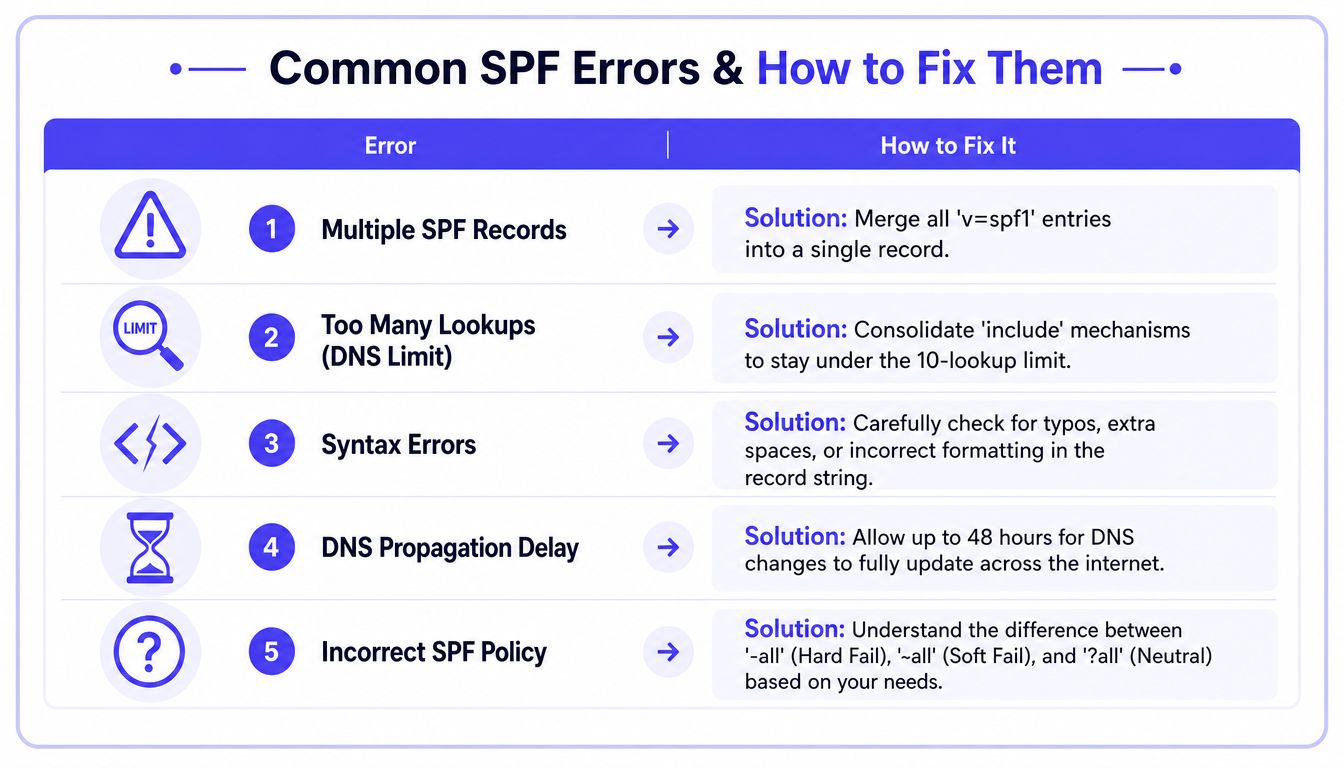
A dominant pitfall is the 10-DNS-lookup limit. Records exceeding 10 include or a mechanisms trigger a permanent SPF error, causing rejection by Gmail. This occurs in approximately 25% of enterprise misconfigurations involving multiple vendors (Valimail on Gmail sender requirements).
Too many lookups
This happens when the SPF record pulls in too many external checks through include, a, or similar mechanisms. It often shows up in larger setups where several vendors all want authorization.
What works:
- Consolidate providers: Remove tools that no longer send mail.
- Prefer cleaner vendor structures: Some providers publish more efficient includes than others.
- Audit nested includes: A short record can still trigger too many lookups if vendors reference other records internally.
What doesn't work:
- Keep adding includes blindly
- Assume a short-looking record is safe
- Ignore warning results because mail is “still sending”
Multiple SPF records
This is one of the most common admin mistakes. Someone adds one record for Google Workspace, then another for a marketing platform.
The fix is straightforward. Merge all authorized senders into one SPF record and delete the extras.
Softfail problems
Softfail is often treated like a mild warning, but it can hurt placement. Gmail may not reject every softfailed message, yet it can still downgrade trust. That's especially common when a company uses third-party platforms, forwarding setups, or custom sending environments that aren't fully aligned.
A softfail usually points to one of these problems:
- Missing sender authorization
- An outdated include value
- A hidden infrastructure mismatch
- A sender using the domain without being listed in SPF
A softfail isn't harmless just because the message arrives. If Gmail sees uncertainty, recipients often see lower trust signals too.
DNS propagation and syntax issues
Sometimes the record is correct but hasn't fully updated yet. Other times, one stray character breaks the result.
A useful troubleshooting order is:
- Confirm there is only one SPF record.
- Validate syntax in a checker.
- Wait for DNS changes to propagate.
- Re-test from the actual sending platform.
- Review whether every sender is still active and listed.
Forwarding and hidden complexity
Some SPF failures aren't caused by the visible email platform. They come from forwarding, routing, or older systems that send mail from the same domain without anyone documenting it.
That's why SPF should be managed like infrastructure. When teams treat it as a one-time copy-paste task, issues come back.
Beyond SPF The Path to Full Email Authentication
SPF is the starting layer, not the complete system. It authorizes sending servers, but Gmail evaluates trust more broadly than that.
For bulk senders delivering more than 5,000 messages daily, Gmail requires SPF and DKIM, and the domain must implement a DMARC policy with at least p=none, with alignment tied to the visible From domain (Google Workspace SPF setup guidance).
What DKIM and DMARC add
A simple way to think about the stack:
- SPF checks whether the sending server is allowed.
- DKIM adds a cryptographic signature that helps prove the message wasn't altered.
- DMARC tells receivers how to evaluate alignment and what policy the domain wants applied.
That matters because Gmail also tracks behavior after authentication. Senders are expected to keep spam complaint rates in Postmaster Tools below 0.10% and avoid reaching 0.30% or higher (Gmail sender guidelines).
So even a valid SPF record isn't enough if recipients keep reporting messages as spam.
Why reputation matters after setup
Authentication gives the domain legitimacy. Reputation determines whether that legitimacy turns into inbox placement.
That's why deliverability work usually includes:
- List quality controls
- Clear targeting
- Reasonable sending patterns
- Complaint monitoring
- Alignment across SPF, DKIM, and DMARC
For teams that want a broader operational checklist, Machine Marketing's email deliverability advice is a helpful outside reference because it frames deliverability as an ongoing discipline, not a one-time DNS project.
Where a platform can help
This is the point where tooling starts to matter. Basic warmup software may simulate volume, but it often doesn't help with the actual causes of deliverability instability.
Mailwarm is a premium email warmup and deliverability platform built for teams that care about real inbox placement, not just automated warmup activity. It helps senders build reputation, monitor inbox placement, and improve deliverability through real inbox engagement, advanced warmup controls, and expert guidance. It also offers authentication fix tools, spam score monitoring, inbox placement insights, provider-level warmup, bounce prevention, deliverability analytics, and expert deliverability calls included in every plan. Unlike basic warmup tools, it doesn't require IMAP access or permission to read a user's private inbox.
The practical takeaway
SPF should be seen as the first line of trust. DKIM and DMARC complete the authentication framework. Reputation management keeps that framework useful in real inboxes.
A domain with correct records and weak sending habits still struggles. A domain with strong intent and broken authentication also struggles. Gmail expects both pieces to work together.
SPF for Gmail FAQ
What is sender policy framework Gmail
Sender Policy Framework for Gmail means publishing a DNS TXT record that tells Gmail which servers are authorized to send email for a domain. Gmail uses that information as part of its authentication checks before deciding how much to trust incoming mail.
Do Gmail senders need SPF in 2026
Yes. Google's 2024 sender rules made authentication mandatory for mail sent to Gmail, and SPF remains one of the core records businesses use to meet that requirement. For higher-volume senders, SPF alone isn't enough because DKIM and DMARC are also required.
Can a domain have more than one SPF record
No. A domain should have one SPF record. If different tools need authorization, they must be merged into a single record rather than published as separate SPF entries.
Why do emails still go to spam after SPF passes
Because SPF only checks whether the sending server is authorized. Gmail also considers complaint rates, engagement, alignment, sending behavior, and the overall reputation of the domain.
What does SPF softfail mean in Gmail
Softfail usually means the sending source isn't fully authorized by the published SPF record, but the policy isn't set to the strictest rejection mode. Even when Gmail accepts the message, softfail can still weaken trust and hurt inbox placement.
How long does SPF take to work
DNS changes often appear fairly quickly, but full propagation can take time depending on the DNS provider and caching behavior across networks. Verification should be done after the record is visible publicly and after a real test message has been checked in Gmail.
Is email warmup enough to fix deliverability
No. Warmup helps support sender reputation, but it doesn't replace SPF, DKIM, DMARC, list hygiene, or complaint control. Deliverability problems usually come from a combination of technical setup and sending behavior.
Why is Mailwarm more expensive than basic warmup tools
Mailwarm costs more because it combines real inbox engagement, up to 100% replies to warmup emails depending on the plan, spam score monitoring, provider-level warmup, authentication tools, no IMAP access required, and expert deliverability calls included in every plan.
If email is part of growth strategy, Mailwarm helps senders build reputation, monitor inbox placement, and reduce spam risk with expert-guided warmup.