

How to test email deliverability starts with a technical audit, followed by a realistic email deliverability test using production-like content, authentication checks, and an inbox placement test across providers like Gmail, Outlook, and Yahoo. The goal is to learn whether emails reach the inbox, spam folder, or promotions tab, then identify whether the cause is content, setup, sender reputation, or provider-specific filtering.
Important emails are getting accepted by recipient servers, but replies are weak, opens look uneven, and nobody can tell whether the problem is content, setup, or reputation. That is where the diagnostic effort often falters.
The issue is simple. They measure sends and delivery, but they do not test inbox placement in a structured way. If the message lands in spam, promotions, or gets filtered differently by Gmail and Outlook, a “delivered” status does not help.
Individuals looking to understand how to test email deliverability usually want one thing: a repeatable process that shows what is broken and what to fix first. That process exists, but it has to combine technical checks, realistic sending tests, and provider-level interpretation.
Quick answer
Start with SPF, DKIM, and DMARC, plus provider dashboards and list quality checks.
Run a realistic email deliverability test using the same domain, headers, links, and tracking used in live sends.
Use an inbox placement test across Gmail, Outlook, and Yahoo to see whether messages hit the inbox or spam folder.
Compare results by provider to separate setup issues from sender reputation or content problems.
Repeat testing regularly as part of deliverability monitoring, especially for cold email deliverability and new sending domains.
What is email deliverability testing?
Email deliverability is the ability to reach the inbox, not just the recipient's mail server.
Inbox placement is where the email lands, such as the inbox, spam folder, or promotions tab.
Sender reputation is the trust mailbox providers assign to a sender based on signals like authentication, complaints, engagement, and sending behavior.
That distinction matters more than many realize. A message can be accepted by the receiving server and still never be seen by the person it was meant for. According to EmailToolTester, an average deliverability rate of 83.1% across 15 ESPs, which means 16.9% of emails did not reach the intended inbox. The same source notes that Validity considers 85% a good deliverability rate, with 98% to 99% considered ideal.
Why is delivery different from inbox placement?
A lot of teams still check whether an email was sent, accepted, and maybe opened. That is not enough.
Mailbox providers make a second decision after acceptance. They decide whether the message belongs in the inbox, promotions, spam, or somewhere less visible. That is why inbox placement testing matters more than simple send confirmation.
Practical rule: If a team only checks whether the email was accepted, it is not testing deliverability. It is testing transmission.
This is also why stripped-down test emails often create false confidence. A plain “test message” can land fine while the actual campaign gets filtered because the real content, headers, and sending pattern look different.
Why does email deliverability testing matter for revenue teams?
Founders, recruiters, agencies, SDR teams, and marketers all rely on email to start conversations. If inbox placement drops, pipeline suffers before anyone notices the technical cause.
That problem connects directly to conversion. Better list targeting and messaging matter, but they only work if the email is seen. Teams working on outreach performance should think about deliverability alongside broader resources on how to increase B2B conversion rates, because visibility always comes before conversion.
A useful starting point is this: deliverability testing is not a one-time setup task. It is an operational discipline built around realistic sends, provider feedback, and pattern recognition over time.
What should you check before running an email deliverability test?
Before running any live deliverability test, the sending setup needs to be audited. Otherwise, the result is noisy. A weak configuration can make a content problem look like a reputation issue, or make a provider-specific issue look global.
Modern deliverability work is provider-specific. Mailtrap's overview of email deliverability notes that senders can use Google Postmaster, Yahoo Feedback, and Microsoft SNDS to inspect sender reputation directly with major inbox providers, reflecting the shift toward infrastructure-aware testing built around SPF, DKIM, and DMARC.
What belongs on the pre-test checklist?
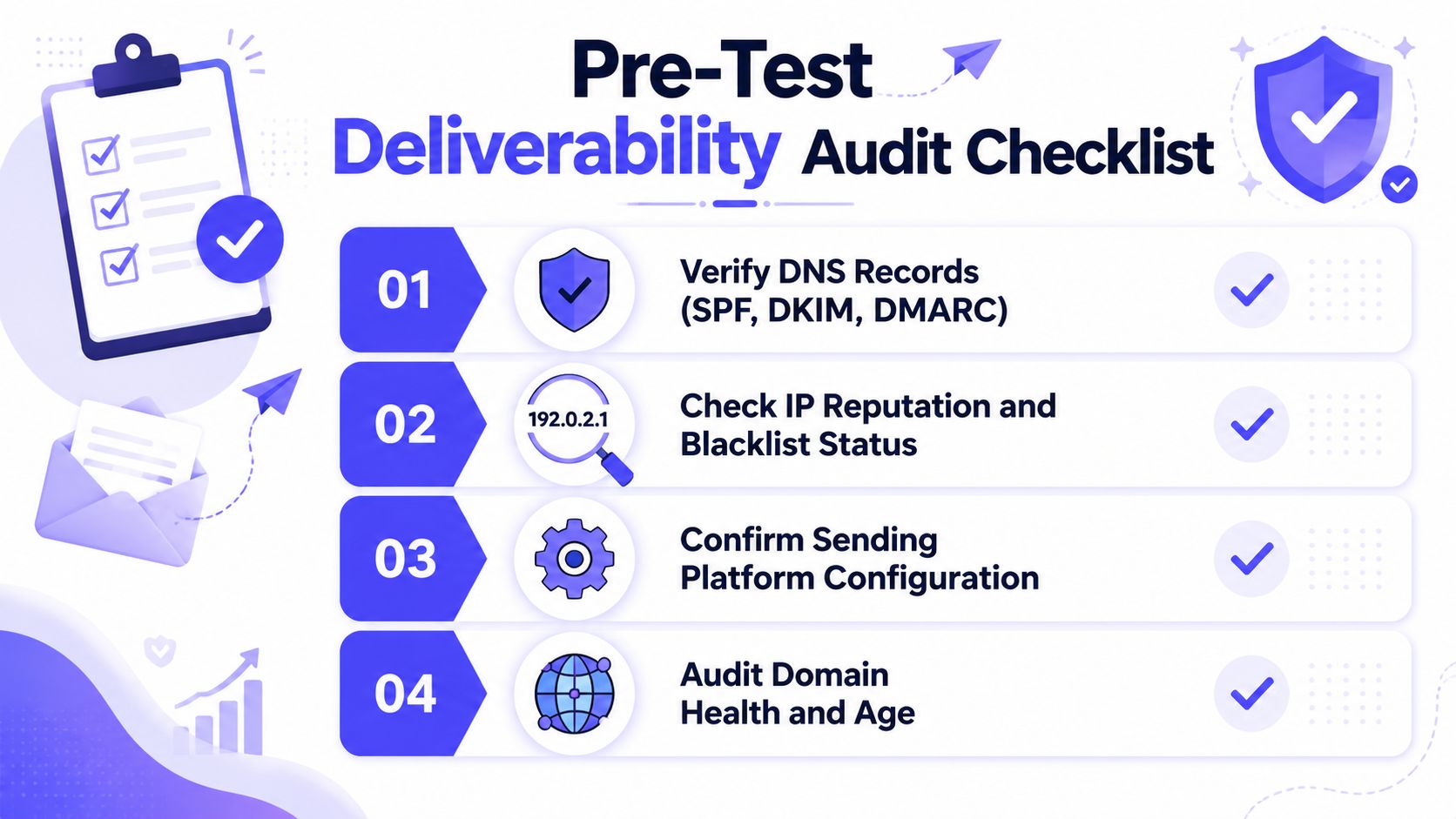
A practical audit should cover these checks before any campaign-like send test:
Authentication alignment: Confirm SPF, DKIM, and DMARC are present and working for the sending domain. If authentication is shaky, test results will not mean much.
Provider reputation visibility: Review provider-side dashboards where available. Gmail, Yahoo, and Microsoft each expose different signals.
Sending platform consistency: Make sure the platform, domain, tracking setup, and sending identity match what will be used in production.
Domain health: Look for obvious risk signals such as recent changes, suspicious routing, or signs that the domain has a poor reputation history.
List quality basics: Suppression rules, old addresses, and low-intent contacts distort testing because bad list quality can trigger negative signals even when infrastructure is fine.
What should you verify before sending anything?
Authentication is not just a compliance box. It is the baseline proof that the message is allowed to come from the domain it claims to represent. If SPF or DKIM is broken, mailbox providers have less reason to trust the message.
If DMARC is missing or poorly configured, troubleshooting gets harder because reporting and alignment are weaker. Teams that need a technical refresher should review this guide to email authentication, especially if multiple tools or sending services touch the same domain.
A pre-test audit should also check whether the same domain is being used across sales outreach, marketing automation, support, and transactional mail. Mixed traffic can create confusing reputation patterns.
One team may think a campaign caused the problem when another stream created it.
A clean test starts with a controlled environment. If the domain, sending source, and authentication are inconsistent, the result cannot be trusted.
This audit does not need to be overcomplicated. The standard is simple. If the technical foundation is unstable, fix that first.
Do not jump to subject lines, spam words, or email warm-up tactics until the sending identity is credible.
How do you run a proper email deliverability test?
Once the setup is clean, the next job is to test the message the way mailbox providers will evaluate it. The most reliable workflow is not one tool or one score. It is a sequence.
According to WP Mail SMTP's deliverability testing guide, a practical test combines four checks in sequence: a spam or content score, authentication validation, a real-message send test, and an inbox-placement or seed-list test across providers like Gmail, Outlook, and Yahoo.
What is the four-part testing sequence?
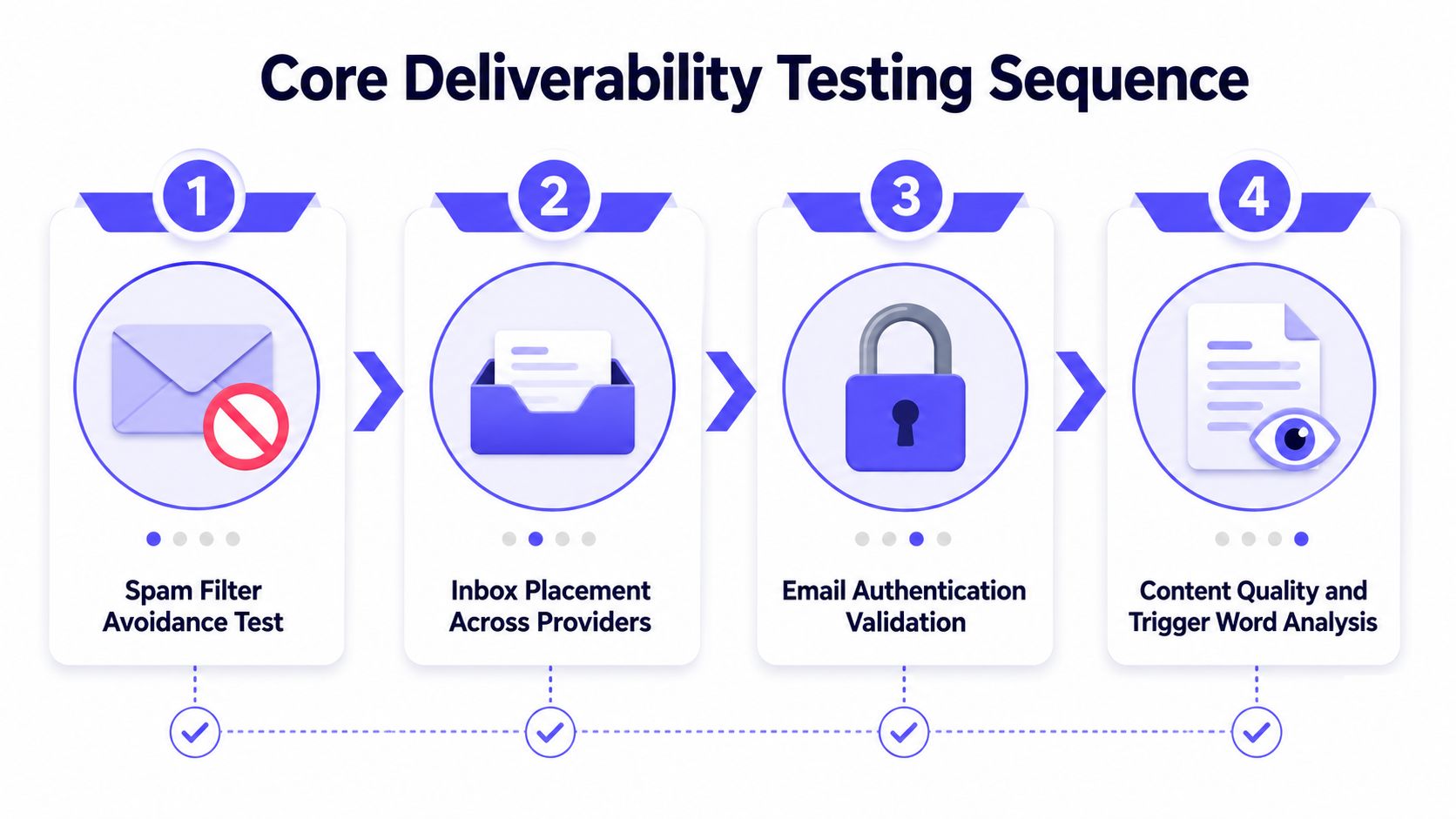
Use this order because it isolates causes faster:
Run a spam and content review
Look for formatting issues, suspicious structure, broken links, overloaded HTML, or messaging patterns that can trigger filtering.Validate authentication again on the actual message
A domain can look fine in DNS and still fail in practice if the sending path or signer is wrong.Send a real-message test
Use the actual sender identity, real signature block, normal headers, tracking behavior, and content that resembles the campaign.Run inbox placement testing across major providers
Seed-list testing shows whether each provider places the message in inbox, spam, or promotions.
For teams that want a utility set before buying anything larger, these free email deliverability tools can help validate core issues.
Why should you use production-like emails instead of fake tests?
Most bad testing comes from unrealistic sends. Teams strip links, shorten copy, remove personalization, and send a clean “hello world” email. That can tell them almost nothing about campaign deliverability.
A valid test should use the same:
Sender domain: The domain must match production.
Infrastructure: Same mailbox, platform, or sending route.
Headers and tracking: Use the same mechanics the live email will use.
Campaign-style content: Similar structure, links, length, and call to action.
This matters because different providers react to the total message fingerprint, not just the words in the body. That is especially important for cold email deliverability, where new domains and low engagement can make filters more sensitive.
A short walkthrough can help visualize how these checks fit together:
What does a useful test result look like?
A useful test does not just say pass or fail. It shows patterns.
| Signal | What it usually points to |
|---|---|
| Poor results everywhere | Global issue, often content, setup, or sending reputation |
| Gmail inbox, Outlook spam | Provider-specific reputation or engagement issue |
| Authentication passes, placement weak | Trust or engagement problem beyond technical setup |
| Plain test works, real campaign fails | Content or campaign structure is the likely trigger |
The fastest way to waste time is to test a simplified message and assume the result applies to the real campaign.
When teams ask how to test email deliverability correctly, this is the answer. Test the actual thing, in actual conditions, across the providers that matter.
How should you interpret conflicting inbox placement test results?
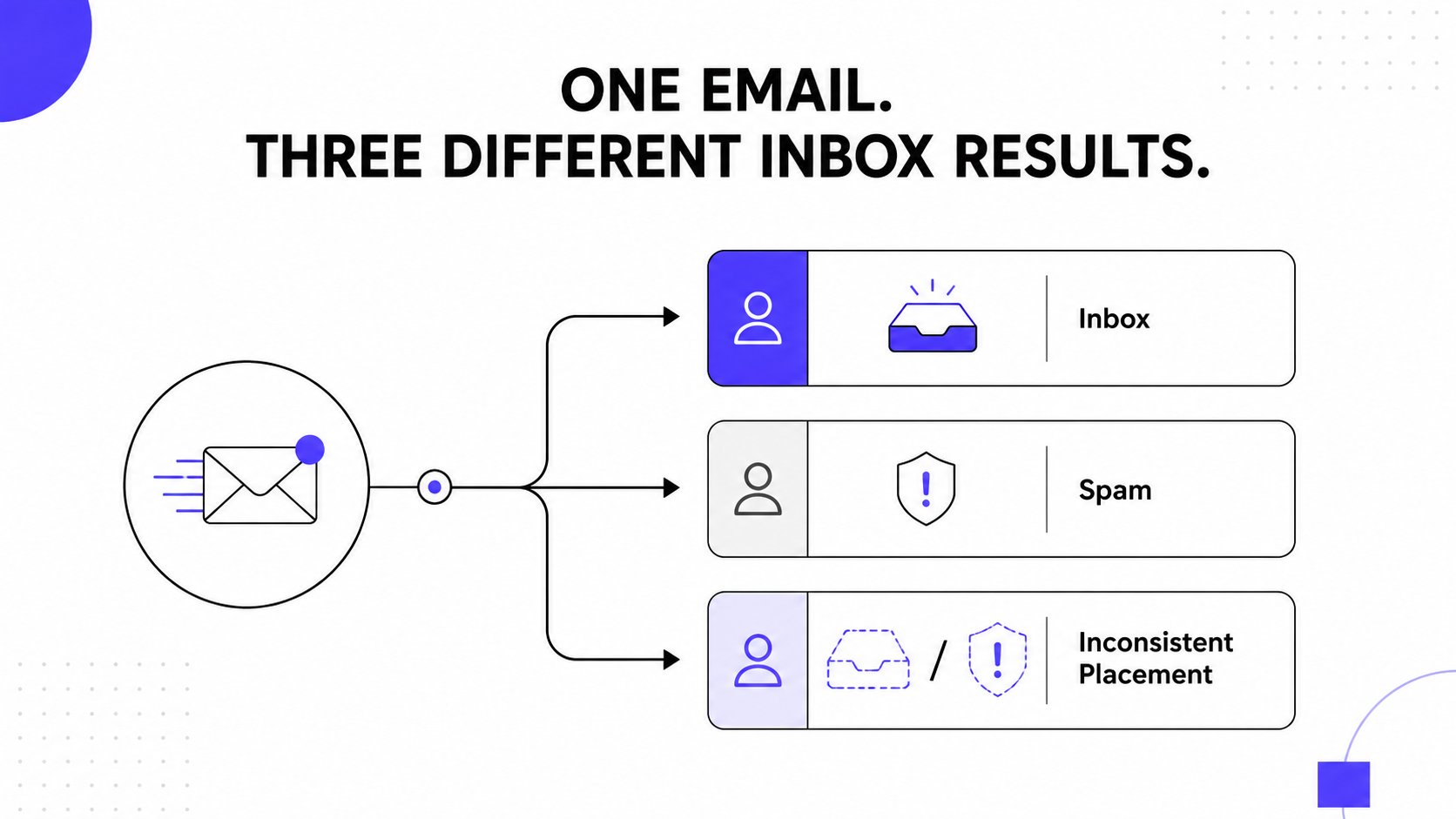
This is the part that trips up almost everyone. Gmail places the message in the inbox. Outlook pushes it to spam. Yahoo accepts it, but placement is inconsistent.
The team sees valid SPF, DKIM, and DMARC and assumes the setup cannot be the problem.
That assumption is often wrong, but not for the obvious reason. As Mailgun's guide on testing email deliverability points out, a major gap in most guides is distinguishing a configuration problem from a provider-level reputation problem when results conflict across Gmail, Outlook, and Yahoo. Passing SPF, DKIM, and DMARC is not enough to predict inbox placement.
How do you start diagnosing the scope of the problem?
The first question is not “Did the test pass?” It is “How broad is the failure?”
Use this framework:
Global failure across providers: Suspect content, infrastructure, or a broadly damaged reputation.
One provider degrades placement: Suspect provider-specific reputation or engagement history.
One mailbox type fails while another passes inside the same provider: Suspect inconsistency in content, user-level history, or mailbox-specific filtering behavior.
A global issue usually shows up in broad patterns. Spam placement is common across Gmail, Outlook, and Yahoo. That points to something fundamental.
How do you separate setup problems from sender reputation issues?
Use a simple diagnostic table.
| If this is true | The likely issue |
|---|---|
| Authentication fails or behaves inconsistently | Configuration or sending-path problem |
| Authentication passes, but one provider filters harder | Provider-level reputation problem |
| Plain content works, sales sequence fails | Content structure, links, or engagement risk |
| New domain behaves worse than established domain on same content | Reputation maturity or trust issue |
Mailbox providers do not score senders in the same way. A domain can have enough trust at Gmail and still struggle at Outlook. That is why mixed results are normal, and why they need interpretation rather than guesswork.
If one provider is suppressing mail while another is not, the problem often is not whether the message is valid. It is whether that provider trusts the sender enough to surface it.
What should you fix first when results conflict?
When results conflict, fix the narrowest clear problem before changing everything.
If one provider is weak: Focus on provider-specific reputation signals and traffic quality there.
If content seems to trigger filtering: Reduce unnecessary links, overly promotional phrasing, and templated patterns.
If the domain has inconsistent history: Separate traffic types and stop mixing unrelated sending behavior through the same identity.
If the list is questionable: Tighten targeting before changing infrastructure.
Many organizations overreact by rewriting the whole sequence, changing domains, and swapping tools at the same time. That destroys the signal. Controlled changes are what make testing useful.
How does Mailwarm support deliverability testing and sender reputation?
A full deliverability process has a lot of moving parts. There is warmup, inbox placement testing, spam scoring, authentication review, provider differences, and the harder question of what the result means.
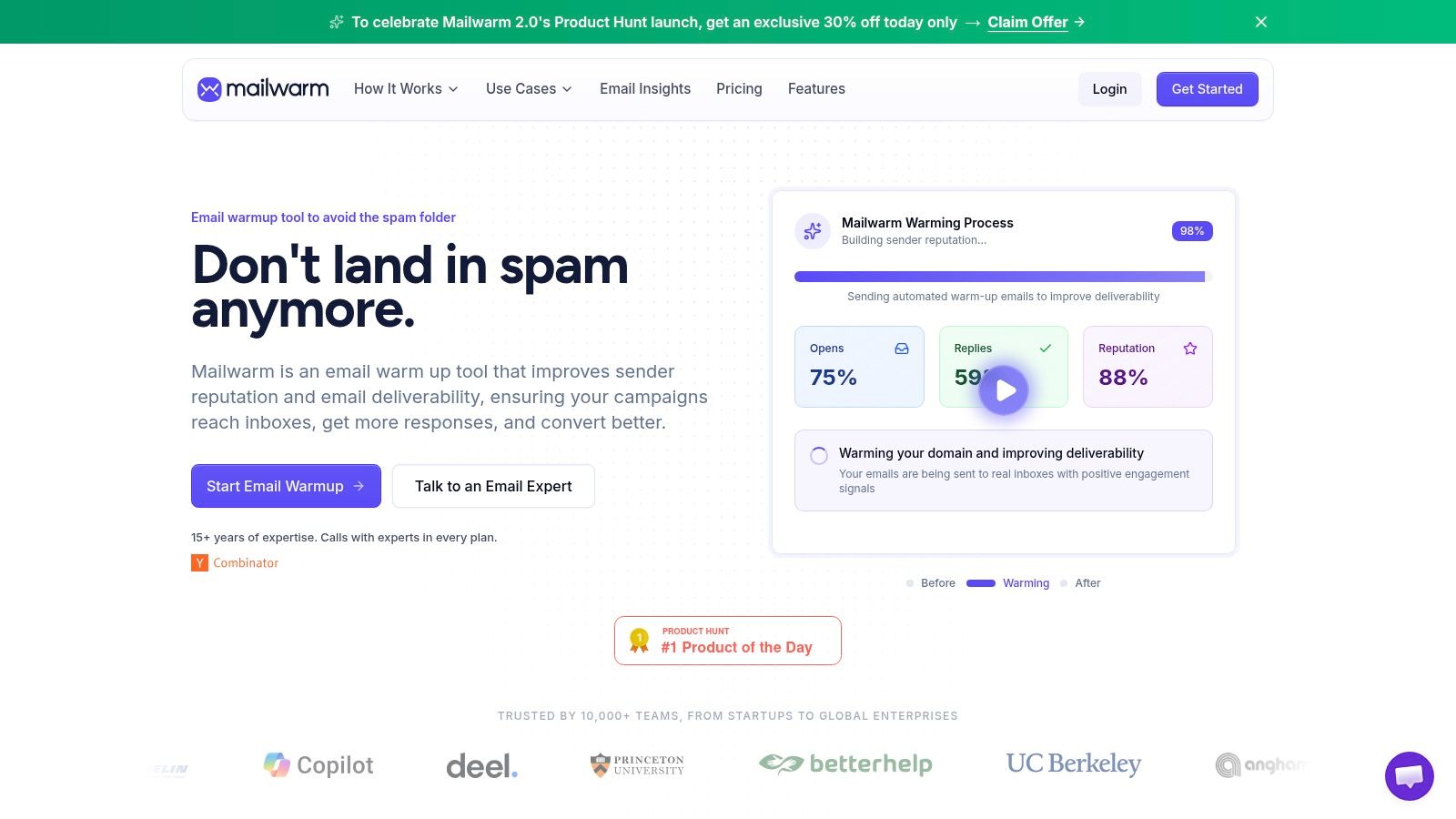
That is where a platform can help, if it does more than cycle automated warmup messages. Mailwarm is a premium email warm-up and deliverability platform built to improve inbox placement, protect sender reputation, and help emails avoid spam.
Mailwarm helps senders build reputation, monitor inbox placement, and improve deliverability through real inbox engagement, advanced warmup controls, and expert guidance.
It includes a network of 50,000+ aged real inboxes, real engagement signals such as opens, replies, threads, spam removal, and important marking, plus provider-level warmup, spam score monitoring, inbox placement insights, authentication fix tools, bounce prevention, deliverability analytics, and expert calls included in every plan.
Where does a platform add the most value?
The biggest gap for teams is not access to another dashboard. It is interpretation.
A useful platform should help with three things:
Ongoing reputation building: Warmup activity should generate realistic positive engagement, not just basic message exchange.
Cross-provider visibility: Teams need to see whether Gmail, Outlook, Microsoft 365, Yahoo, and SMTP environments behave differently.
Expert diagnostics: When tests conflict, someone has to connect the result to a remediation plan.
Mailwarm also does not require IMAP access or permission to read the user's private inbox, which matters for teams that care about security and access boundaries.
When does expert help matter most?
Some deliverability problems are obvious. Broken authentication is obvious. A bad list is often obvious too.
The difficult cases are the partial failures. One provider degrades placement. Another seems stable. Spam score looks clean, but inbox placement slips after a sending pattern changes.
Those are the moments where expert review saves time, because the fix is rarely “just warm up more.”
For teams that rely on email as a revenue channel, the right strategy is not a one-time warmup tool or a one-time test. It is a system that improves trust, supports deliverability monitoring, and helps explain what changed when performance drops.
What should your ongoing deliverability monitoring plan include?
Deliverability is not static. Mailbox providers change their filtering behavior, and placement can shift based on recipient ecosystem and sending pattern. Mailforge's discussion of spam filter testing makes that point clearly: deliverability testing has to include ongoing monitoring, not one-off validation, especially under stricter Gmail and Yahoo enforcement.
What is a practical deliverability monitoring rhythm?
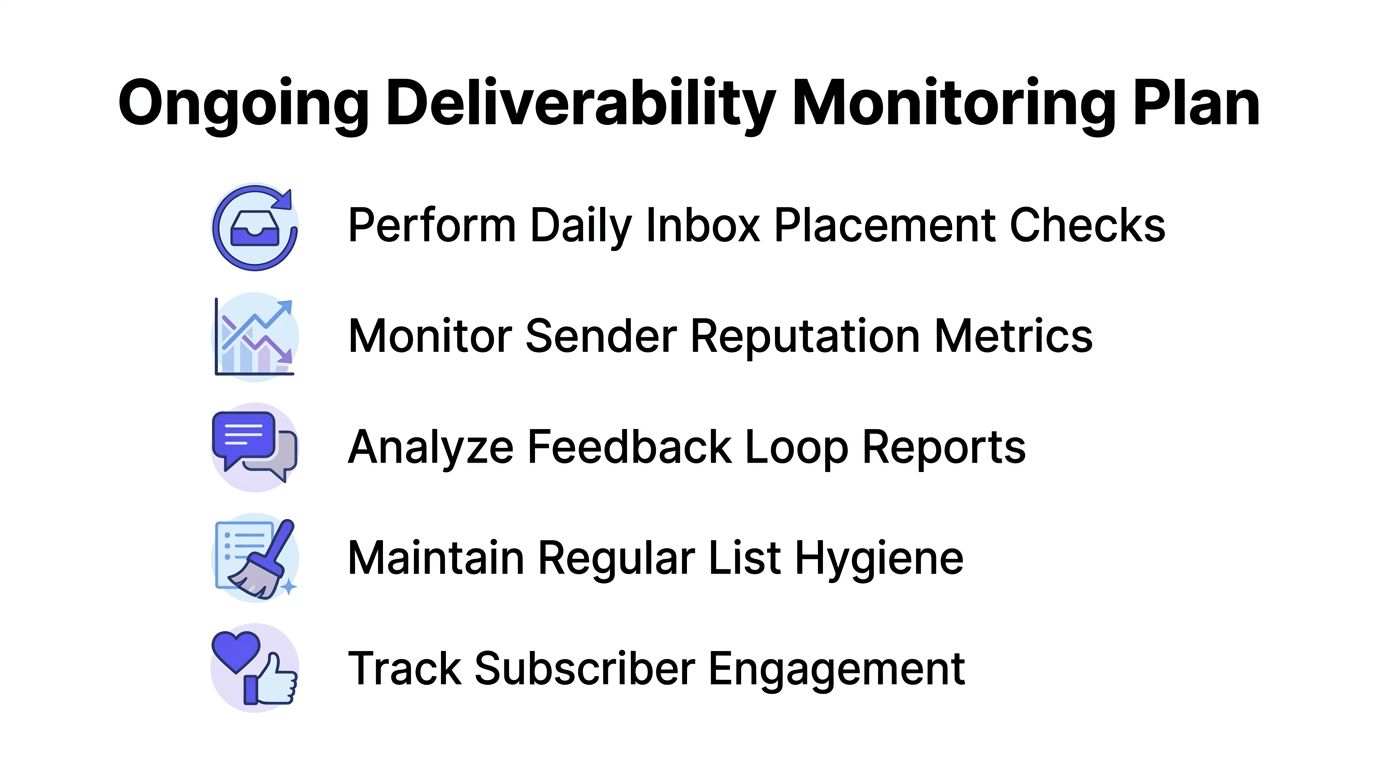
A workable plan looks like this:
Before major campaigns: Run a realistic inbox placement test using production-like content.
Weekly: Check provider-level placement trends and compare Gmail, Outlook, and Yahoo behavior.
Monthly: Audit authentication, sender setup, and recent sending changes.
After any drop in engagement: Review whether the issue is list quality, reputation, or filtering drift.
Teams that want another signal beyond inbox placement often track opens and response behavior by mailbox environment. For lightweight visibility, a Gmail email tracking Chrome extension can help spot whether user-level engagement patterns changed, though it should not replace proper deliverability testing.
What should stay on the checklist long term?
A durable monitoring plan should include:
Inbox placement by provider: Track where messages land, not just whether they were accepted.
Complaint and bounce patterns: Rising negative signals often show up before a major placement drop.
Authentication status: Recheck after any platform or DNS change.
Blocklist reviews: A periodic domain blacklist check helps catch reputation issues early.
List hygiene and engagement: Remove bad-fit traffic before it poisons the sender profile.
Ongoing monitoring matters because a campaign can fail even when nothing in the copy changed. Sometimes the environment changed around the sender.
The strongest teams treat deliverability like a recurring operating process. They do not wait for a failed launch to ask what happened.
If email is part of your growth strategy, Mailwarm helps you build sender reputation, monitor inbox placement, and reduce spam risk with expert-guided warmup.
Frequently Asked Questions About Email Deliverability
What is email deliverability
Email deliverability is the ability of an email to reach the recipient's inbox instead of being filtered to spam, promotions, or another folder. It is different from simple delivery because server acceptance does not mean the message was actually seen.
How is deliverability different from delivery rate
Delivery rate measures whether the receiving server accepted the message. Deliverability measures whether the message reached the inbox rather than the spam folder or promotions tab.
What is the best way to test email deliverability
The most reliable method is a realistic inbox placement test that uses the same sender domain, infrastructure, headers, and campaign-like content as production mail. It should be sent across major providers such as Gmail, Outlook, and Yahoo.
Is passing SPF, DKIM, and DMARC enough
No. Authentication is required, but it does not guarantee inbox placement. A sender can pass technical checks and still have weak placement because of sender reputation, engagement, content, or provider-specific trust issues.
Why do emails land in spam on one provider but not another
Mailbox providers evaluate senders differently. Mixed results usually point to provider-specific reputation, engagement history, or filtering behavior rather than a universal failure.
How often should deliverability be tested
It should be tested on an ongoing basis. Teams should test before important campaigns and monitor provider-level placement regularly instead of relying on one-time validation.
Is email warmup the same as deliverability testing
No. Email warm-up helps build sender reputation over time. Deliverability testing shows where messages land and helps diagnose why placement is strong or weak.
Why is Mailwarm more expensive than basic email warmup tools
Mailwarm costs more because it combines real inbox engagement, up to 100% replies to warmup emails depending on the plan, spam score monitoring, provider-level warmup, authentication tools, no IMAP access required, and expert deliverability calls included in every plan.
If email is part of your growth strategy, Mailwarm helps teams build sender reputation, monitor inbox placement, and reduce spam risk with expert-guided warmup and deliverability support.