

A high bounce rate is a major red flag, but it’s crucial to know which one you’re dealing with. Email bounces and website bounces are two different issues with separate solutions. An email bounce means your message failed to reach the inbox, while a website bounce means a visitor left your site after viewing only one page.
For businesses that rely on email, one of these is far more damaging than the other. Understanding the difference is the first step to fixing the problem.
What's the Difference Between Email and Website Bounce Rates?
It's easy to mix up these two metrics, but they measure completely different things. One tells you about your email list quality and sender reputation, while the other gives you clues about your website's user experience and content relevance.
Here’s a simple table to keep them straight:
Table: Email Bounce Rate vs. Website Bounce Rate
| Metric | What It Measures | Primary Impact |
|---|---|---|
| Email Bounce Rate | The percentage of emails that failed to be delivered to the recipient's inbox. | Sender reputation, email deliverability, and potential account suspension. |
| Website Bounce Rate | The percentage of single-page sessions on your website (visits where the user left without interacting further). | SEO rankings, user engagement, and conversion funnel effectiveness. |
While both metrics are worth tracking, their acceptable thresholds and consequences couldn't be more different. A high website bounce rate is a problem for your marketing funnel, but a high email bounce rate can get you cut off from your audience entirely.
Why Your Email Bounce Rate Is So Important
Your email bounce rate is the percentage of your sent emails rejected by the recipient's mail server. Think of it as a direct grade from mailbox providers like Gmail and Outlook. They monitor this metric closely because a high bounce rate is a classic sign of spam.
You might be used to seeing much higher numbers for website bounce rates. The global average for websites sits somewhere between 26% and 70%. A "good" rate is often in the 26% to 40% range. In fact, slow mobile load times can cause website bounce rates to jump 15% higher than on desktop, a separate challenge you can tackle by understanding website visitor behavior.
Email is a different world. A 40% website bounce rate might be acceptable, but a 5% email bounce rate is a critical issue.
A healthy email bounce rate must stay under 2%. Anything higher is a major red flag for mailbox providers and will damage your sender reputation.
This isn't just a number on a report. The damage is real and compounds quickly:
- Damaged Sender Reputation: High bounces signal that you aren't a trustworthy sender, making providers less likely to deliver your mail.
- Emails Sent to Spam: As your reputation drops, your emails will start landing in the spam folder where they won’t be seen.
- Domain Blacklisting: In severe cases, providers can block your domain entirely, either temporarily or permanently.
Ignoring a rising bounce rate is not an option if you depend on email for growth. It's the earliest warning sign that your entire email strategy is at risk.
How to Find the Cause of High Bounces
Before you can fix a high bounce rate, you need to find out what’s causing it. The first step is to distinguish between the two types of delivery failures.
Hard bounces are permanent delivery failures. This happens when you send an email to an invalid address, a misspelled one, or a deleted account. These are the most dangerous for your sender reputation because they signal a low-quality list.
Soft bounces are temporary setbacks. They are usually caused by a full inbox, a server that’s down for maintenance, or an email that’s too large. While not as damaging as hard bounces, a consistent pattern of soft bounces will also harm your reputation over time.
How to Read Your Bounce Reports
Your email sending platform’s bounce reports contain valuable clues. Look for bounce codes and messages that explain why an email failed. For example, a “550” error code often means the email address does not exist. The key is to spot patterns.
This infographic shows the chain reaction a high bounce rate triggers, leading from bounces to a damaged reputation and emails landing in spam.
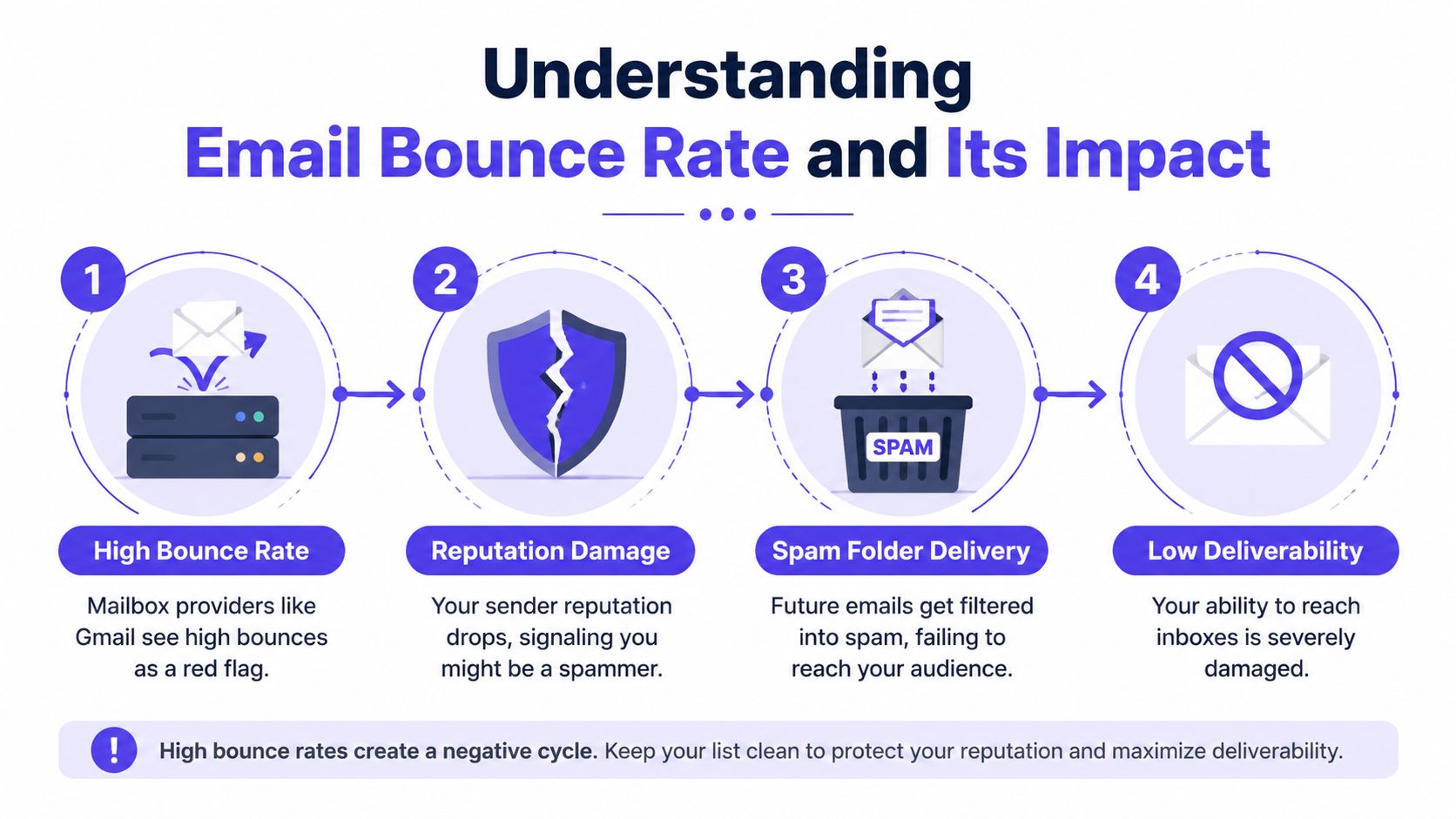
Image alt text: A four-step infographic illustrating how high email bounce rates negatively impact sender reputation and email deliverability.
A high bounce rate is a massive red flag for providers. It signals you might be a risk, giving them a reason to junk your future emails.
Are most bounces from a single domain like aol.com? That could mean the provider has blocked you. Are you seeing typos like joesmith@gnail.com? That points to a data collection problem. For more details, see our guide on the top reasons emails bounce.
And while our focus is email, remember that the term "bounce rate" also applies to web traffic. If you need to understand why visitors leave your site quickly, this guide from Mr. Green Marketing on website engagement is a great resource.
How to Master Email List Hygiene to Prevent Bounces
Preventing bounces starts with your email list. The single best way to reduce your bounce rate is to maintain a clean, healthy, and engaged list of contacts. Sending emails to a huge, unverified list is ineffective. A smaller, engaged list will always outperform a massive, unkempt one.
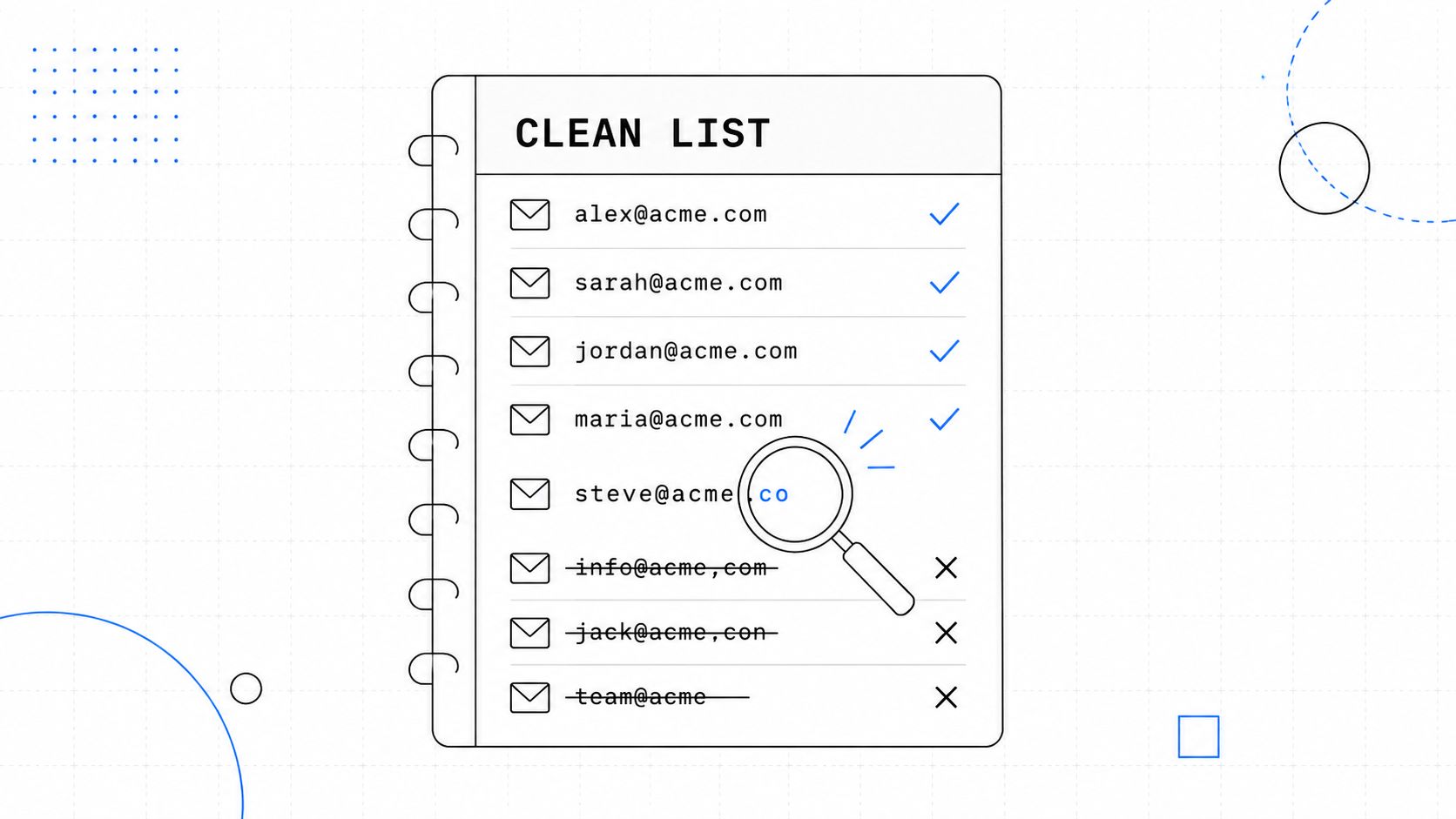
Image alt text: A clean list of email addresses on a notepad with some valid entries checked and invalid ones crossed out.
A Practical Playbook for Cleaning Your List
Your list is a living database that needs regular attention. A simple quarterly cleaning can make a huge difference. I once worked with a sales team that cut its bounce rate from 8% to under 2% just by cleaning their list every three months.
Here are the habits that get you there:
- Always Use Double Opt-In: When someone subscribes, send a confirmation email they have to click. This proves their address is real and they want your emails.
- Validate Your Existing List: Before a big campaign, run your list through a validation service. These tools spot and flag risky addresses, like typos and fakes. Check out the top email verifier tools if you're unsure where to start.
- Create a Sunset Policy: Make a plan to remove unengaged subscribers. If someone hasn't opened an email in 90 days, try one last re-engagement campaign or simply remove them.
A smaller, engaged list delivers far more value than a large, unverified one. Proactive hygiene is about focusing your efforts on contacts who matter.
This proactive work stops bounces before they happen. By validating new contacts and regularly removing inactive ones, you protect your sender reputation and ensure your messages are seen by people who are actually listening.
What Are the Essential Technical Fixes to Protect Sender Reputation?
If you only focus on your email list, you’re missing a big piece of the puzzle. Your sending infrastructure has its own technical reputation. If you don’t get it right, mail servers will reject your emails on sight.
When you send an email, the receiving server acts like a bouncer at a club. It needs to see your ID to prove you belong. Email authentication records like SPF, DKIM, and DMARC are your technical ID. They work together to build trust and tell servers you are who you say you are.
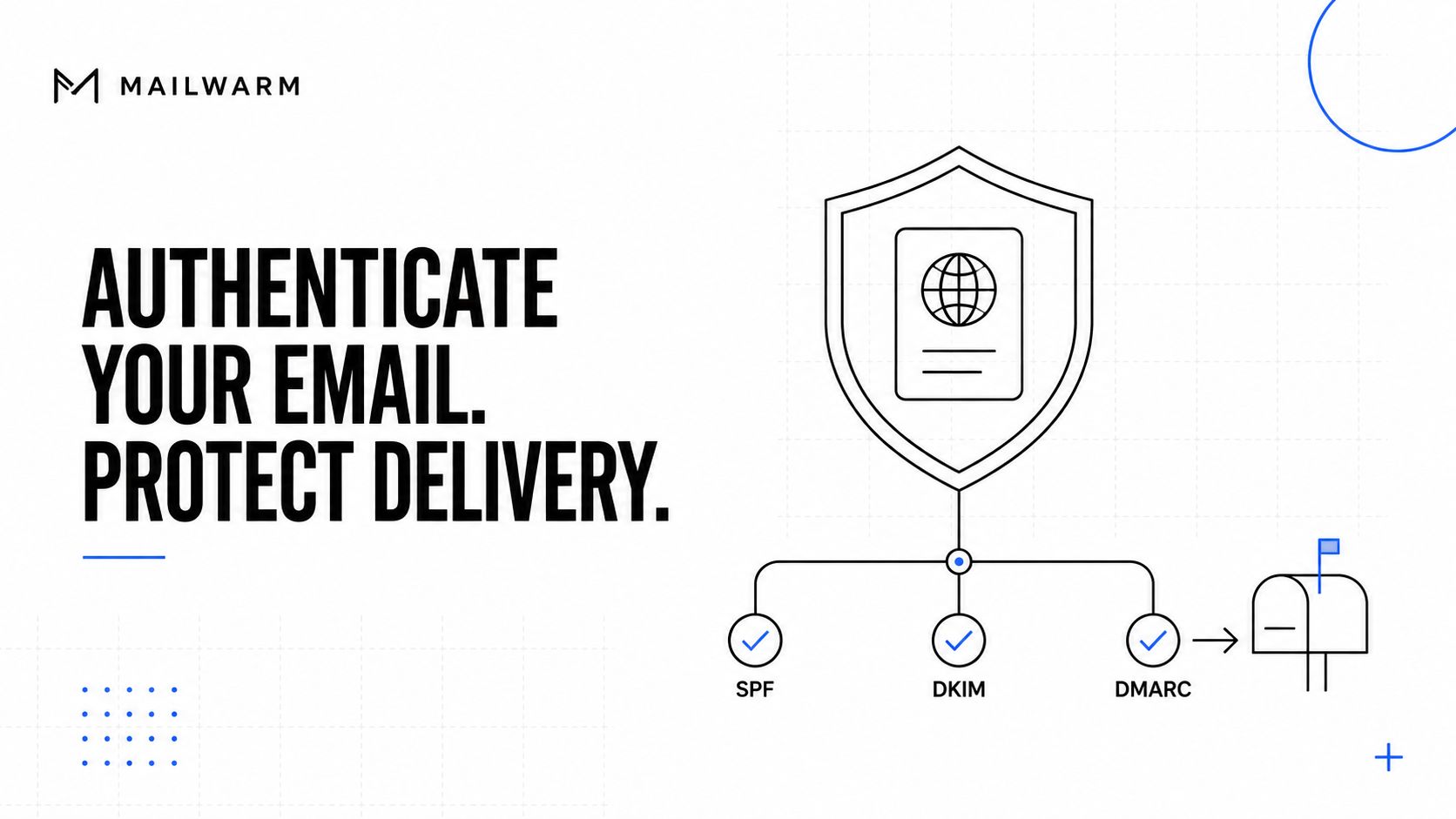
Image alt text: A diagram illustrating email authentication methods SPF, DKIM, and DMARC to help protect email delivery success.
Why Is Email Authentication Non-Negotiable?
These technical records are not just "nice to have." They are absolutely essential for deliverability in 2026. They stop spoofers from hijacking your domain to send spam, which protects your sender reputation.
Here’s a quick breakdown of what each one does:
- SPF (Sender Policy Framework): A public list of all the servers you've approved to send email for your domain. It’s like a guest list for your emails.
- DKIM (DomainKeys Identified Mail): Adds a digital signature to your emails. Receiving servers check this signature to make sure the message wasn't altered after you sent it.
- DMARC (Domain-based Message Authentication, Reporting & Conformance): Tells servers what to do if an email fails the SPF or DKIM check, like sending it to spam or rejecting it.
Setting up these records correctly is one of the most powerful technical moves you can make to reduce your bounce rate. When servers can instantly verify your identity, they are far more likely to accept and deliver your emails.
Navigating DNS settings can be a headache. That's why Mailwarm includes Authentication Fix Tools in its platform. They diagnose your setup and guide you through the fixes without you needing to become a DNS expert.
For a deeper dive, check out our guide on mastering email authentication.
How to Craft Content That Gets Opened, Not Bounced
A clean list and a solid technical setup get your email to the inbox. But great content is what keeps you there. When your content is poorly structured or irrelevant, recipients are more likely to mark it as spam. This negative feedback hurts your sender reputation and can cause bounces.
The goal is to create emails that are both easy to read and genuinely valuable.
Image alt text: A professional graphic featuring the title Email Deliverability Best Practices with icons representing email, security, and engagement.
How Do You Make Your Emails More Engaging?
Mailbox providers like Gmail and Outlook watch for engagement signals like opens, clicks, and replies. When they see real people interacting with your emails, they learn to trust you.
Here’s how you earn that trust:
- Avoid Walls of Text: Use short paragraphs (2-3 sentences max), bullet points, and subheadings to make your content scannable.
- Use Descriptive Links: Instead of generic "click here" links, use anchor text that tells the reader what to expect. This builds trust.
- Place CTAs Logically: Your call-to-action should appear where it makes the most sense, right after you’ve explained a key benefit.
These are not minor tweaks. I’ve seen teams reduce bounces by up to 20% just by breaking up text with images and using clear anchor text. Placing CTAs logically can lower bounces by another 15%. You can discover more insights from Mailchimp's research on this topic.
By personalizing your content and making it highly relevant, you give recipients a reason to interact. This positive engagement is precisely what premium deliverability platforms like Mailwarm help you build.
Mailwarm helps improve sender reputation and reduce spam risk through real inbox engagement and deliverability insights, proving to mailbox providers that you’re a sender worth keeping in the primary tab.
How to Build a Long-Term Bounce Prevention Strategy
Reducing your bounce rate is an ongoing effort, not a one-time fix. You must consistently prove to mailbox providers that you're a trustworthy sender. Email warmup is a huge part of this trust-building process. By starting slow, gradually increasing your sending volume, and getting real engagement, you show providers you're legitimate.
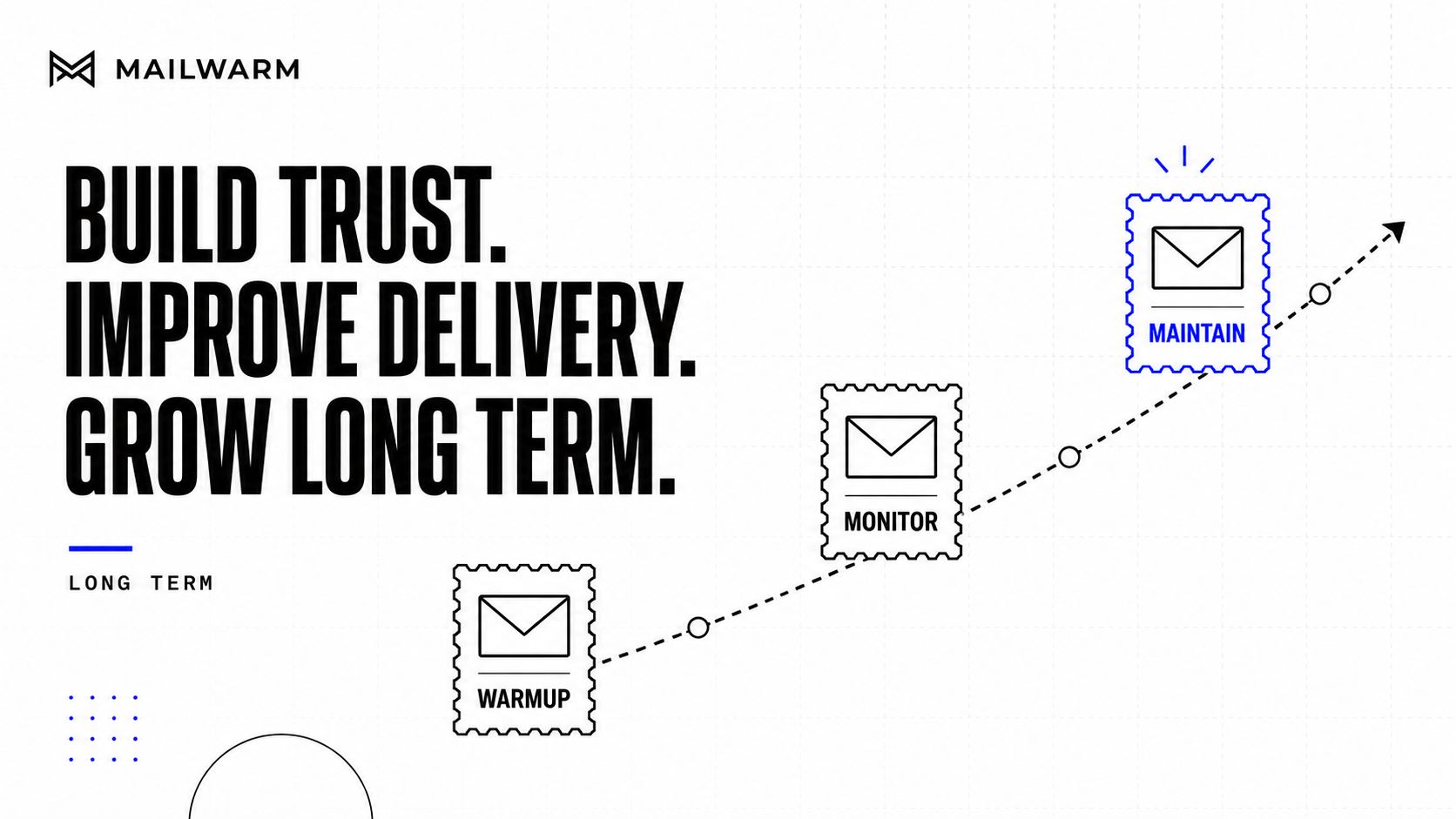
Image alt text: A graphic showing a growth chart with three stages: WARMUP, MONITOR, and MAINTAIN, for improving email delivery.
How to Combine Warmup with Proactive Monitoring
Warmup alone is not enough for the long term. You need a complete feedback loop. This is where a premium deliverability platform becomes essential for anyone who wants to reduce their bounce rate.
A long-term bounce prevention strategy integrates proactive monitoring with continuous reputation management to keep your deliverability healthy.
For instance, Mailwarm goes beyond basic warmup. It combines warmup automation, spam score monitoring, inbox placement insights, and expert deliverability guidance. Our Spam Score Monitoring and Bounce Prevention features give you a real-time pulse on your sender health, so you can fix problems before they damage your reputation. This combination creates a powerful, sustainable strategy.
A Holistic View on Bounces
While our focus here is on email, remember that the principles of bounce reduction often apply to your website, too. It’s all connected.
For example, sites that load in 2.5 seconds or less enjoy bounce rates nearly 15% lower than sites that take 5 seconds. Even using descriptive anchor text can drop bounce rates by an average of 18%. To dig deeper into these parallels, you can read the full research on website performance from Semrush.
If email is part of your growth strategy, Mailwarm helps you build sender reputation, monitor inbox placement, and reduce spam risk with expert-guided warmup.
Frequently Asked Questions
What is a good email bounce rate?
A healthy email bounce rate should always stay below 2%. Anything higher is a major red flag for mailbox providers, signaling a problem with your list, technical setup, or content. This can seriously damage your sender reputation.
How do you fix a high bounce rate?
Start by cleaning your email list to remove invalid, old, or risky addresses. Next, check your technical authentication to ensure your SPF, DKIM, and DMARC records are set up correctly. Finally, focus on sending engaging content that people want to open and read.
How does Mailwarm help reduce my bounce rate?
Mailwarm helps improve sender reputation and reduce spam risk through real inbox engagement and deliverability insights. Mailwarm's platform combines warmup, spam score monitoring, inbox placement insights, and bounce prevention tools to help you identify and fix the root causes of bounces before they hurt your deliverability.
Is email warmup enough to fix deliverability?
No, email warmup is not enough on its own. While it is essential for building a strong sender reputation, it cannot fix a list full of invalid email addresses or poor sending practices. A complete deliverability strategy combines warmup, consistent list hygiene, and proper technical authentication.
Why is Mailwarm more expensive than basic warmup tools?
Mailwarm costs more because it combines real inbox engagement, up to 100% replies to warmup emails depending on the plan, spam score monitoring, provider-level warmup, authentication tools, no IMAP access required, and expert deliverability calls included in every plan. It's a premium platform for senders who need reliable inbox placement.