
Only 18.1% of global domains had DMARC enforcement in place in the 2026 industry analysis cited here, which means most domains are still exposed to direct spoofing even before an attacker gets clever with lookalike names or compromised accounts (industry analysis). How to prevent email spoofing comes down to separating the attack types, then enforcing the right control for each one instead of treating SPF, DKIM, and DMARC like a checkbox list.
Email spoofing is the act of forging the visible sender so a message looks like it came from a trusted domain or person. That can be a fake domain, a forged display name, or an internal-looking message sent from a compromised mailbox, and each one breaks trust in a different way.
What Email Spoofing Is and Why It Still Works
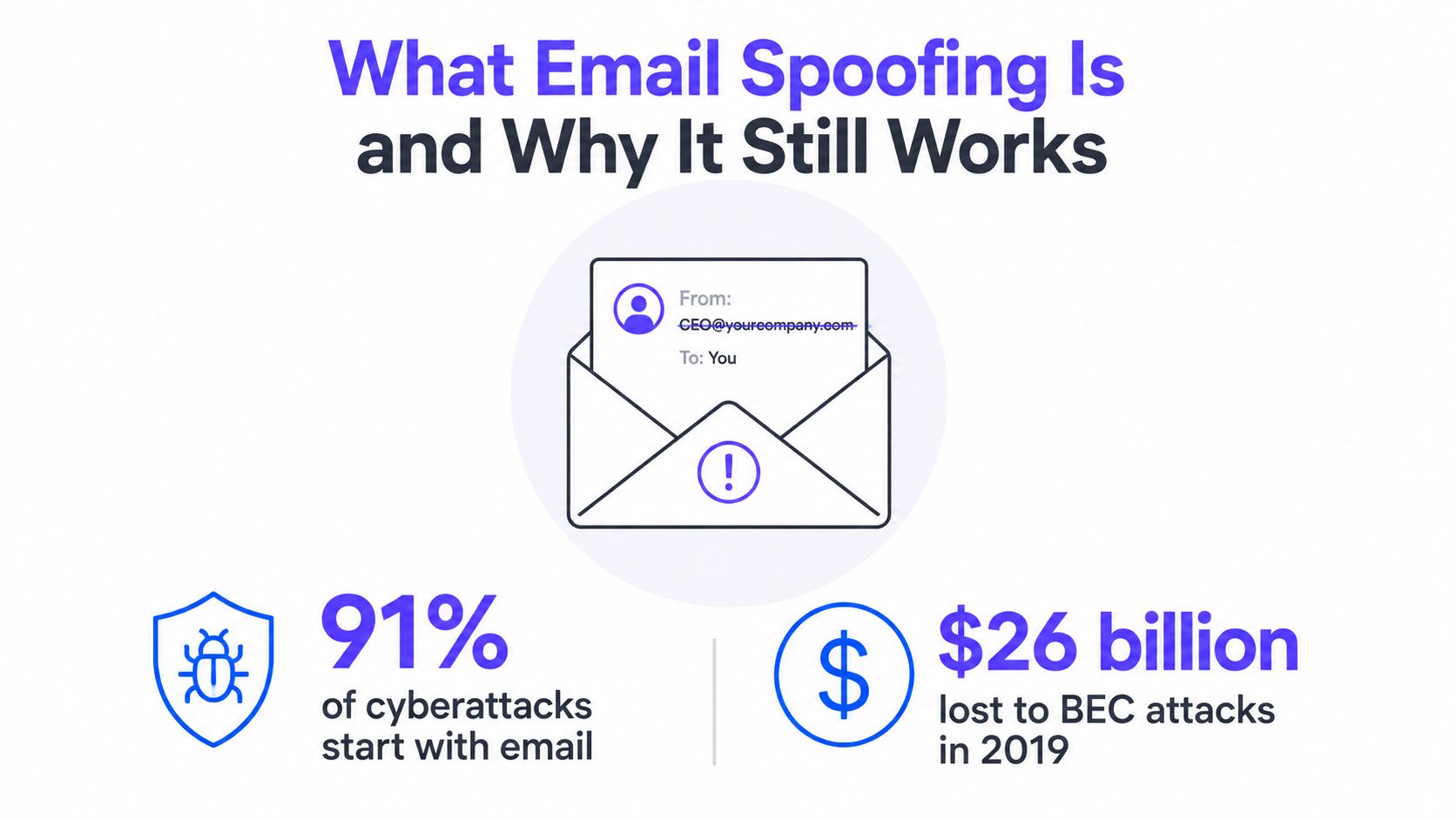
Email spoofing is when an attacker forges sender details so a message appears to come from a real person or brand. It still works because mailbox providers have to score a message before they can fully trust the sender, and attackers keep using that gap between appearance and authentication.
The scale is not theoretical. Proofpoint cites 3.1 billion domain spoofing emails per day, and estimates spoofing and phishing have cost the world about $26 billion since 2016 (arXiv paper and cited market data). Brand impersonation also shows up in roughly 45% of phishing attacks, which is why mailbox providers and security teams keep tightening expectations around authenticated mail (industry analysis).
Domain spoofing, display-name spoofing, and account takeover are different problems
Domain spoofing is the direct version. The attacker forges the domain in the sender identity and relies on the recipient not checking closely.
Display-name spoofing is quieter. The visible name says “CEO” or “Accounts Payable,” while the actual address belongs to someone else entirely. Account takeover is a different failure mode, because the mailbox is real, the login is compromised, and the attacker sends from inside the trusted environment.
Practical rule: If the domain is forged, authentication should catch it. If the name is forged, filtering and user inspection matter more. If the account is compromised, only a layered response can help.
That layered response matters because spoofed mail still gets through real providers. A peer-reviewed study of 35 email services found that 33 out of 35 allowed at least one forged email into the inbox, and 30 services allowed at least one phishing email into the inbox (revisiting email spoofing attacks). That is why spam filters alone are not enough.
Start with the three core controls
Microsoft and the UK NCSC both treat SPF, DKIM, and DMARC as the core authentication stack for validating messages that claim to come from your domain (Microsoft spoofing guidance, UK NCSC anti-spoofing guidance).
- SPF says which servers are allowed to send for the domain.
- DKIM signs the message so recipients can verify it was not altered.
- DMARC ties those results to the visible From domain and tells receivers what to do if a message fails.
The first mistake is treating those controls as a security-team-only project. They matter for any business that sends invoices, nurture emails, recruiting messages, support updates, or anything else that can be impersonated.
The second mistake is assuming publication equals protection. A domain can publish SPF and DKIM and still be exposed if DMARC stays in monitoring, or if third-party senders were never brought into the authentication setup.
Adding DKIM to Sign and Verify Your Messages
DKIM is the signature that proves a message was signed by a domain key and wasn't altered in transit. It does not identify the person behind the mailbox, but it gives receivers a cryptographic way to confirm that the message content still matches what the sender signed.
In production, the setup usually starts in an ESP or admin console, where a selector and key pair are generated. The public key is then published in DNS at the selector record, and the d= value in the signature needs to align with the visible From domain for DMARC to work properly.
What to check after enabling DKIM
A lot of teams assume DKIM is on because a vendor says it's on. That assumption fails fast once mail starts moving through real mailbox providers.
- Confirm the selector exists: The DNS record has to be published at the selector path for the sending domain.
- Confirm the message is signed: In Gmail or Outlook headers, look for a dkim=pass result.
- Confirm alignment: The signing domain should match the brand domain used in the From line.
If SPF proves where the mail came from, DKIM proves the message itself stayed intact. DMARC needs both signals because either one can be insufficient on its own.
DKIM matters because it covers a gap SPF cannot. SPF validates the sending IP, but it does not protect message integrity. If a trusted system is abused, SPF can still look clean while the message content is malicious. That is why authentication guidance keeps DKIM in the same control set as SPF and DMARC, especially for domain spoofing and mail that is altered after it leaves your system.
A quick header check is worth doing
The fastest sanity check is the raw header. In a legitimate message, the receiving side should show a DKIM pass, and the signing domain should make sense for the message source.
When that does not happen, the failure is usually one of three things:
- The selector wasn't published.
- The key rotated without a DNS update.
- The signer used a different domain than the visible From identity.
That is the point where DKIM stops being a theory and becomes a practical troubleshooting exercise.
Use Mailwarm's DKIM checker when a sender is supposed to sign but keeps failing in production.
Rolling Out DMARC from Monitoring to Enforcement
DMARC is the policy layer that tells receivers what to do when SPF or DKIM does not line up with the visible From domain. It turns authentication from passive reporting into enforcement, which is what stops direct domain spoofing once you are ready to apply it.
The safest rollout starts with p=none, then moves to quarantine, then reject after every legitimate sender is accounted for. That staged path reduces the chance of breaking payroll, support, or marketing mail while you tighten policy, and it fits domains that send from multiple systems without forcing a hard cutover on day one.
Why monitoring first matters
Start with a monitoring record and collect RUA reports before you change enforcement. The report stream shows which systems are already sending as the domain, which ones fail alignment, and where third-party tools are still outside policy.
That matters because domain spoofing, display-name spoofing, and account takeover do not fail in the same way. DMARC is the control that helps with the first case, but it does nothing if a real mailbox is stolen or if the attacker only changes the display name. That is why mailbox providers now expect authentication to be in place, yet still rely on other anti-phishing controls to catch the rest of the attack path.
How to move through the rollout
- Publish monitoring mode first. Let the domain report what it sees without blocking legitimate traffic.
- Review aggregate reports. Find every real sender, including tools nobody remembered.
- Fix alignment gaps. Update SPF, DKIM, or vendor settings before policy changes.
- Move to quarantine. Start catching failures without fully rejecting them.
- Move to reject. Enforce once the allowed senders are fully mapped.
Strict alignment gives tighter control over spoofing, especially for high-risk domains that should never tolerate lookalike traffic. Relaxed alignment is easier to run in messy environments with many vendors, but it leaves a little more room for edge cases. In production, the right choice is usually the one your team can keep accurate, because a policy that blocks legitimate mail gets rolled back fast.
Mailwarm's DMARC checker helps when the record looks correct but a sender still fails alignment in the wild.
A short video walkthrough can help security and operations teams agree on the rollout sequence.
Handling Third-Party Senders Without Breaking Email
A lot of DMARC rollouts fail for a dull reason, the brand forgot about one sender that still speaks for the domain. Marketing may be covered, while payroll, support, scanners, or a SaaS workflow keeps sending mail without proper authentication.
That is why sender inventory comes before policy changes. Every domain owner needs a current map of who sends mail, from which system, and under which domain or subdomain. In practice, this is the difference between stopping domain spoofing and accidentally breaking legitimate traffic from a vendor you only discover after users complain.
The sender list that usually gets missed
- Marketing platforms: Campaign tools usually need DKIM alignment and SPF coverage.
- CRMs and sales tools: These send follow-ups, sequences, and automated updates.
- Support ticketing: Helpdesk mail can break quickly if it is not authenticated.
- Payroll and HR systems: These are business-critical and often overlooked.
- eCommerce transactional systems: Receipts, shipping notices, and account alerts need coverage.
What to ask each vendor
Each vendor should answer three questions clearly.
- Can it sign DKIM with the brand's domain?
- Does it need SPF inclusion or IP authorization?
- Does it support subdomain delegation if the root domain will not align cleanly?
Subdomain delegation is often the cleanest workaround when a vendor cannot align with the main domain. A brand might keep transactional mail on one identity and route marketing through a dedicated subdomain so enforcement does not interrupt the rest of the sending stack.
If you are building outbound programs and need the email infrastructure to match the workflow, build your real estate email list is a useful reference point for how sender planning and audience building tend to overlap.
Before you move DMARC from monitoring to quarantine or reject, run one last check.
- Confirm every vendor is listed: No hidden sender should be left out.
- Verify DKIM signing: Third-party systems should sign where possible.
- Check SPF coverage: Authorized sources need to be represented accurately.
- Test edge cases: Scanners, payroll alerts, and alerts from SaaS tools are common misses.
Monitoring Aggregate and Forensic Reports
DMARC gives two report streams, and they serve different jobs. Aggregate reports summarize authentication results by source and receiver, while forensic reports provide message-level detail when a specific failure needs investigation.
Aggregate data is the workhorse. It shows which IPs sent mail, how SPF and DKIM behaved, and where alignment failed, which makes it the best tool for spotting an unauthorized sender or a forgotten vendor stream.
What to look for first
A useful review sequence is simple.
- New source IPs: Anything unfamiliar deserves a look.
- Unexpected volumes: A small sender suddenly generating lots of mail is a red flag.
- Alignment failures: These often expose third-party misconfigurations.
- Receiver patterns: Some mailbox providers surface issues more clearly than others.
Forensic reports can be powerful, but they also carry privacy concerns, which is why many organizations disable them or sample them instead of collecting everything. Aggregate reporting is usually enough to reveal the operational problem without exposing unnecessary message content.
Operational insight: The fastest way to find a spoofing problem is not to search for every bad message. It's to find every sender you didn't know existed.
Teams often use Postmark DMARC, MXToolbox, Google Admin Toolbox, or vendor dashboards to parse the XML into something usable. That's also where deliverability tooling becomes useful, because authenticated mail still needs to land in the inbox instead of getting filtered later in the path.
Mailwarm's authentication checks and inbox placement insights fit here because they help confirm that legitimate mail from the domain is not only passing authentication, but reaching the inbox.
How to interpret a suspicious report
If a report shows mail coming from an unfamiliar source, the next step is not just blocking. The source has to be classified first.
- If it's a legitimate third party, it needs to be added correctly.
- If it's a display-name spoof, authentication alone won't catch it.
- If it's an account takeover, the mailbox itself needs investigation.
That classification matters because the fix depends on the attack type, not just the failed record.
Beyond Authentication, Layers That Close the Gaps
A spoofed message only needs one weak point to reach a user. SPF, DKIM, and DMARC shut down a large share of domain spoofing, but they do not cover display-name impersonation or a mailbox that has already been taken over.
Display-name spoofing is the gap that catches busy teams. The message can come from an unrelated address and still look internal enough to pass a quick glance, especially when the sender name resembles finance, leadership, or recruiting.
Add controls that inspect the message, not just the domain
Gateway and mailbox rules should compare the visible name against the underlying address, then flag the combinations that do not belong together. Executive impersonation policies should catch messages that push urgency, such as payment requests, password resets, or sensitive document shares, because those are the patterns attackers rely on most.
Lookalike domain monitoring still matters. A protected brand can be copied with a near-match spelling, and that fake domain can be used in phishing campaigns even when the primary domain is fully authenticated.
Defend against webhook attacks is a useful adjacent read for teams that already work in layers, because the same habit applies here. Trust the source, verify the route, and do not assume one control covers every path.
Train users to verify, not just click
The FTC recommends verifying suspicious requests through a separate channel, such as a known phone number or a known website, instead of using contact details inside the email (FTC phishing guidance). That advice matters because spoofed email usually depends on urgency more than technical sophistication.
- Inspect the sender: Misspellings, swapped characters, and lookalike domains should stand out.
- Trust second-channel verification: Payment and credential requests need independent confirmation.
- Use reporting buttons: Outlook and Gmail both give users a way to mark suspicious messages.
Cisco and the UK NCSC both frame anti-spoofing as a layered problem rather than a single-record fix (Cisco anti-spoofing guidance, UK NCSC anti-spoofing guidance). That is the right model because attackers rotate between forged domains, forged names, and compromised accounts depending on what the target has already locked down.
Mailwarm's BIMI setup guide is useful once authentication is stable, because brand indicators only help when the underlying authentication story is already clean. At that point, mailbox providers are more willing to trust the brand signals they surface to users.
Troubleshooting and Maintenance Best Practices
The most common production failures are predictable. SPF breaks because a sender was missed, DKIM fails because the selector or key is wrong, and DMARC gets pushed too fast before the report data is clean.
Common failures and the one-line fix
| Issue | Symptom | Fix |
|---|---|---|
| Multiple SPF records | Authentication breaks or becomes unreliable | Collapse to one SPF record and include every legitimate sender in that single record |
| Too many SPF lookups | Legitimate mail starts failing SPF | Reduce nested includes, remove unused vendors, or flatten the record carefully |
| Missing authorized sender | A real system gets rejected or quarantined | Add the vendor's include, IP, or DKIM signing path before enforcement |
| DKIM selector not published | Headers show DKIM failure | Publish the correct selector record in DNS and confirm the signer uses it |
| DKIM key rotated without DNS update | DKIM used to pass, then suddenly fails | Update the public key in DNS whenever the signing key changes |
| d= mismatch | DKIM signs, but DMARC still fails alignment | Make the signing domain match the visible From domain or use an aligned subdomain |
| Jumping straight to reject | Legitimate mail disappears | Stay in monitoring, fix sender coverage, then move through quarantine first |
| Ignoring RUA reports | Spoofing or vendor failures go unnoticed | Review aggregate reports regularly and act on new sources quickly |
| Alignment mode mismatch | Authentication passes but DMARC fails | Match strict or relaxed alignment to the real sending architecture |
A maintenance rhythm that actually holds up
Monthly review is the minimum for aggregate reports. That's where new senders, drift, and broken vendor integrations usually show up before they turn into a deliverability problem.
Quarterly, every active sender should be checked again. That includes marketing, support, HR, payroll, and any SaaS platform that can send on behalf of the brand.
DNS TTL and key rotation also need a calendar reminder. A clean authentication setup can drift over time if nobody owns it after launch.
Maintenance rule: If a sender wasn't reviewed this quarter, treat it like an unknown until proven otherwise.
Short answers to the questions people ask after rollout
What does each control do on its own? SPF validates sending sources, DKIM signs messages, and DMARC applies policy based on alignment. Each one helps, but none of them should be treated as complete on its own.
Is SPF alone enough? No. SPF can validate the sending IP, but it doesn't protect message integrity and it doesn't solve display-name spoofing or compromised accounts.
How long should DMARC enforcement take? It should take as long as needed to inventory real senders and clear the report backlog. Teams that rush to reject usually learn about the missed vendor from angry users.
Why do spoofed emails still appear when records are in place? Because authentication isn't the same as layered prevention. Lookalike domains, display-name spoofing, routing edge cases, and account takeover all sit outside a simple record-only setup.
What should a user do if their address is spoofed? They should report it, check DMARC reports for the source, and make sure internal and external contacts know how to verify suspicious requests through a second channel.
If email is part of your growth strategy, Mailwarm helps teams build sender reputation, monitor inbox placement, and reduce spam risk with expert-guided warmup. It's a premium email warmup and deliverability platform for senders that care about real inbox placement, authentication checks, and ongoing protection, not just automated activity. Visit Mailwarm to see how it supports deliverability work that keeps authenticated mail in the inbox.