
A strong email can still fail for two simple reasons. The wrong people see it, or nobody sees it at all.
That's why most advice on how to increase email open rates feels incomplete. One camp focuses on copy. Another focuses on infrastructure. In practice, both matter. Founders, sales teams, recruiters, and marketers usually need to fix the message and the delivery system at the same time.
Open rate also needs context now. Privacy changes, especially in Apple Mail, made opens less precise as a standalone metric. Even so, opens still matter. They're useful as a directional signal when paired with inbox placement, clicks, replies, and conversions.
How to Increase Email Open Rates
Why Your Email Open Rates Are Low (and How to Fix It)
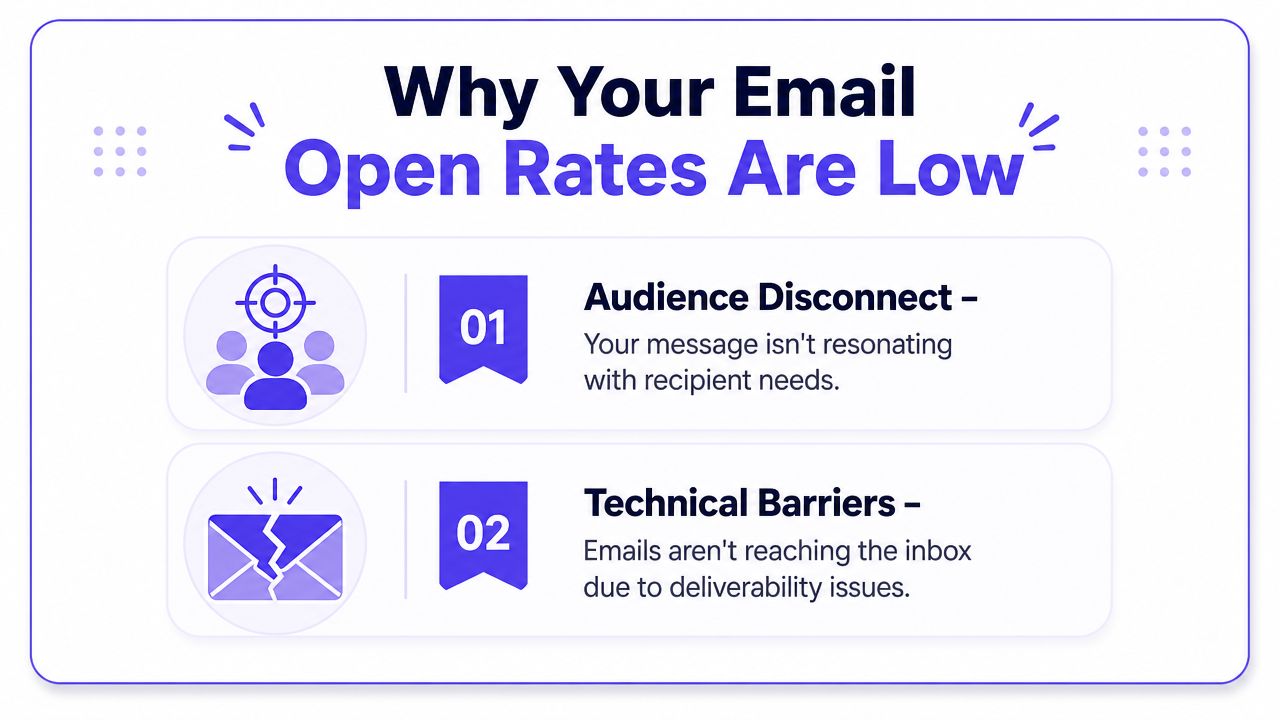
Low open rates usually come from two buckets.
The first is audience disconnect. The subject line is vague, the sender name looks unfamiliar, the preview text wastes space, or the email isn't relevant enough for the segment receiving it.
The second is technical friction. The domain isn't properly authenticated, reputation is weak, the list contains too many stale contacts, or mailbox providers have started routing mail away from the inbox.
The quick answer
Teams that want better open rates should focus on five areas:
Message clarity. Tight subject lines, useful preview text, and a sender identity people recognize.
Audience fit. Smaller, more relevant segments usually beat broad sends.
List health. Invalid, dormant, and low-intent contacts drag performance down.
Deliverability setup. Authentication, reputation, and warmup determine whether mail reaches the inbox.
Measurement discipline. Open rate still helps, but it can't be the only KPI.
Open rate optimization fails when teams treat inbox placement and audience relevance as separate problems.
Why open rate is harder to read now
Privacy protections changed how opens are recorded. Industry guidance warns that open rates are less reliable because privacy proxies can inflate or distort opens, especially when teams compare behavior across Apple Mail, Gmail, and Outlook, as noted by iContact's guidance on improving email open rates.
That doesn't make open rate useless. It means a reported open is no longer the same thing as a human showing real interest. If open rate rises while clicks, replies, and downstream actions stay flat, the metric may be overstating engagement. If open rate drops sharply while inbox placement also weakens, the problem may be technical rather than creative.
Craft Subject Lines and Preview Text That Earn Opens
A recipient scans three things before opening. Sender name, subject line, and preview text. If those signals feel unclear, generic, or risky, the message gets skipped even if the offer inside is strong.
This is the creative side of open rate optimization, but it only works when your mail is already reaching the inbox. A smart subject line cannot rescue messages that are landing in spam or promotions because of weak authentication or a cold domain. Still, once inbox placement is stable, these top-line elements shape the open decision.
What works in subject lines
Skip rigid formulas. Useful subject lines are usually brief, specific, and easy to understand on a phone screen. Personalization can help when it reflects real context, such as a recent demo, renewal date, or product behavior. It hurts when it looks pasted in.
The practical rule is simple. Clear and relevant beats clever.
Good subject lines usually have these traits:
Specific. They signal the topic instead of hiding it.
Easy to scan. Shorter lines usually survive mobile truncation better.
Matched to the recipient. The wording should fit the segment and the relationship.
Trustworthy. No fake urgency, no bait-and-switch phrasing, no spammy punctuation.
Better formulas than “be more creative”
Subject lines improve when they carry real context. These patterns tend to work because they reduce ambiguity fast:
Benefit-first. “Your Q3 hiring pipeline fix”
Context-first. “Notes from yesterday's demo”
Resource-first. “New onboarding checklist for SDRs”
Personalized and concrete. “Sarah, your renewal plan”
Weak subject lines usually fail for predictable reasons. “Big update!!!” says almost nothing. “Quick question” can work in one-to-one sales outreach with existing context, but in a broader campaign it often reads like generic prospecting. The trade-off is straightforward. Curiosity can lift opens in the short term, but clarity builds trust and holds up better over time.
Preview text deserves the same attention as the subject line. It should add information, not repeat the same phrase with slightly different wording. If the subject line creates interest, the preview text should answer the next question: what is this email about, and why should I care now?
Practical rule: Write the subject line and preview text together. If they do not become stronger as a pair, one of them is wasting inbox space.
A short walkthrough helps:
What to avoid
Some patterns lower opens before the body copy has any chance to do its job:
Overhyped language. It sounds promotional before it sounds useful.
All caps and heavy punctuation. These hurt trust and can increase filtering risk.
False familiarity. “Following up” only works when there was an actual prior interaction.
Empty curiosity. If the point is hidden, busy recipients move on.
One more caution matters here. Open rates are noisier than they used to be because privacy protections can inflate reported opens. That changes how these tests should be judged. If a new subject line raises reported opens but clicks, replies, or conversions stay flat, the win may be overstated. Evaluate subject line tests against downstream engagement, not opens alone.
The best subject lines make the message easy to place. The best preview text removes the last bit of hesitation.
Use Segmentation and Timing to Reach the Right People
Sending to your entire list is inefficient and it lowers open rates.
A message gets opened when two conditions are true. It reaches someone who actually cares, and it arrives at a time when that person is likely to notice it. Segmentation and timing improve both. They also protect deliverability, because smaller, more relevant sends tend to generate stronger engagement signals and fewer negative ones.
Segment based on behavior, not assumptions
Useful segments come from observed intent, not internal guesswork. I look for signals that answer one practical question: why does this group deserve this email right now?
A founder update to active customers should not be written or scheduled like a reactivation email to cold leads. The audience, the expectation, and the inbox context are different. If you ignore that, open rates fall before copy has a chance to help.
Segments that usually produce better open-rate data include:
Recent engagement. Contacts who opened, clicked, or replied recently.
Customer stage. Prospect, trial, active customer, former customer.
Known interest. Topic preference, category interest, or product line.
Commercial intent. Contacts who requested pricing, booked a demo, or visited high-intent pages.
Segmentation also makes testing cleaner. If a campaign underperforms, you can tell whether the problem is the message, the audience, or the send time. On a mixed list, those signals get blurred fast.
If your database quality is uneven, fix that before building complex segments. Bad addresses and stale contacts distort engagement patterns and make timing analysis less useful. A good starting point is a review of email verification tools for cleaning and qualifying addresses.
Timing should come from your own engagement patterns
Generic advice about the best day or hour to send is weak. A B2B founder audience may open early on weekdays. Ecommerce subscribers may engage at night or over the weekend. The right send time depends on the segment, the offer, and how often that audience already hears from you.
Braze recommends using historical engagement data by day and hour to guide send-time decisions. Braze also cites a practical testing approach from Campaign Monitor: test two subject lines on 30% of the list, with 15% receiving each version, then send the winner to the remaining audience once you have enough confidence in the result, as summarized in Braze's resource on email open rates.
That method is useful because it forces discipline.
A practical process looks like this:
Review engagement by segment. Check opens, clicks, and replies by day and hour for each audience.
Change one variable per test. Keep the audience stable if you are testing timing. Keep timing stable if you are testing subject lines.
Use a holdout structure you can repeat. The 15/15/remaining split is easy to run and easy to compare across campaigns.
Keep segment-specific schedules. Warm customers and cold prospects often respond to different timing windows.
One caution matters here. Open-rate timing data is less reliable than it used to be because Apple Mail Privacy Protection can inflate opens and mask human behavior. Use opens as a directional signal, not as the only decision-maker. If a send-time test shows higher opens but clicks and replies stay flat, the improvement may be more apparent than real.
The goal is not to find one universal send time. The goal is to build a sending pattern each segment responds to consistently. When that happens, open rates usually improve, and inbox placement often improves with them.
Improve Open Rates with Smart List Hygiene
A bloated list is not an asset if most of it is stale.
Many teams keep sending to old contacts because list size looks comforting. In reality, poor list hygiene lowers engagement, weakens deliverability, and makes it harder to tell whether campaign changes are working. A smaller list of active readers is usually far more valuable than a larger list padded with dormant contacts.
Start with your engaged segment
One expert workflow is especially useful when open rates are already weak. If opens are below 30%, start by sending only to a 14-day engaged segment for 2 weeks. If open rates reach 50% or higher, expand to a 30-day segment, then continue expanding every 2 weeks until reaching a 90-day engaged segment, based on the workflow described in this deliverability-focused YouTube guide.
That approach does two things at once. It protects reputation, and it gives cleaner feedback. When a list is crowded with inactive recipients, almost any optimization result gets blurred.
What list hygiene should include
A practical hygiene routine should cover:
Hard bounce removal. Invalid addresses should leave the list quickly.
Repeated soft bounce review. Temporary issues can become recurring risk.
Inactive contact suppression. If subscribers haven't shown interest for a long time, stop mailing them by default.
Permission quality checks. Weak acquisition sources create weak engagement later.
For teams evaluating cleanup tools, this guide to email verifier tools is a useful starting point.
The fastest way to depress open rates is to keep mailing people who stopped wanting the email months ago.
Re-engagement campaigns still have a role, but they should be deliberate. Send a clear message, give the recipient an easy choice to stay subscribed, and remove non-responders. Repeatedly pushing dormant contacts back into normal campaigns usually hurts more than it helps.
Build Your Technical Foundation for Better Deliverability
If your emails land in spam, even the best subject line is useless.
Mailbox providers decide whether you deserve inbox placement before a recipient ever sees your copy. They look at identity, consistency, complaint risk, bounce patterns, and engagement history. Open rates improve faster when you fix those inputs first.
What sender reputation actually means
Sender reputation is the trust mailbox providers assign to your domain, IP, and sending behavior. It is shaped by authentication, complaint rates, bounce quality, sending consistency, and whether recipients engage with or ignore your emails.
That trust affects everything downstream. A healthy reputation gives your campaigns a real chance to reach the inbox. A weak one buries good emails before subject line testing or timing changes can do much.
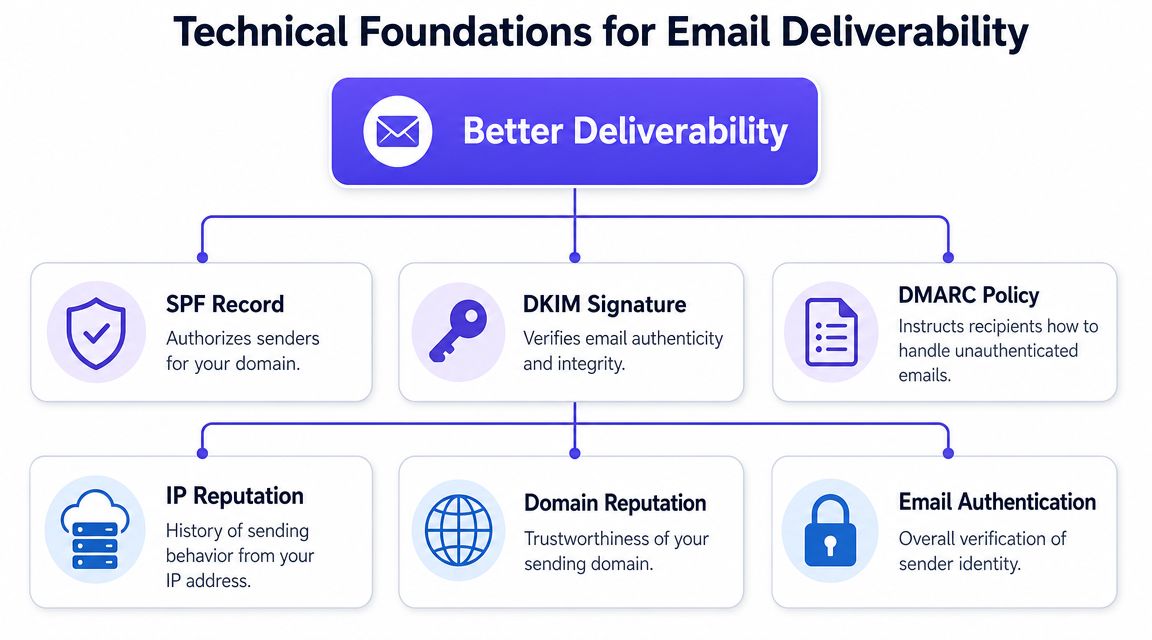
Three technical areas carry the most weight:
Authentication. SPF, DKIM, and DMARC verify that your mail is allowed to come from your domain.
Reputation monitoring. Domain and IP history influence whether providers treat your mail as routine or risky.
Controlled ramp-up. New domains and IPs need gradual volume increases so sending patterns look legitimate.
The deliverability stack that supports opens
Pushwoosh's overview of open rate and deliverability highlights the same core stack experienced senders rely on: configure SPF, DKIM, and DMARC, watch domain and IP reputation, warm up new sending infrastructure gradually, remove bounces, and suppress disengaged contacts. It also warns against purchased lists and aggressive formatting that can raise spam risk, as explained in Pushwoosh's overview of open rate and deliverability.
For founders, the practical version is straightforward.
SPF tells receiving servers which platforms can send on behalf of your domain.
DKIM adds a cryptographic signature so providers can verify the message was not altered.
DMARC sets the policy for emails that fail those checks and gives you reporting visibility.
These records do not make an email more interesting. They make it more credible.
They also make troubleshooting easier. If authentication is misconfigured, you can fix a defined technical problem. If it is missing entirely, inbox placement becomes guesswork.
Warmup matters when reputation is new or damaged
Warmup is a controlled process for building positive sending history. It matters when you launch a new domain, start using a new mailbox, or try to recover after poor placement.
Sudden volume spikes create risk. Gradual sending, steady engagement, and low complaint signals give providers better evidence that your mail belongs in the inbox.
The trade-off is speed. Founders often want to send at full volume on day one, especially after setting up new outreach infrastructure. That shortcut can cost weeks of recovery if the domain gets flagged early.
Mailwarm is one example of a tool built for that process. It supports inbox engagement, provider-level warmup, inbox placement insights, spam score monitoring, authentication checks, and human guidance. The product matters less than the method. Warmup only works when the domain setup, sending pace, and list quality are aligned.
One more caution. Open rate reporting is less reliable than it used to be because Apple Mail Privacy Protection can inflate or obscure opens. That is why teams should pair deliverability work with a better measurement model, especially if they send cold email. This breakdown of how Apple MPP affects cold email metrics explains what to watch instead.
A subject line can improve opens only after the email reaches the inbox. Deliverability comes first.
Test and Measure What Actually Matters
Testing is useful only when the result can be trusted.
Many teams say they A/B test, but the setup is messy. They change the subject line, send time, audience, and content at once, then treat the result as insight. That's not testing. That's noise.
How to run cleaner tests
A useful open-rate test isolates a single variable. If the goal is to evaluate subject line performance, keep the audience, send window, sender name, and body content stable.
Good tests usually follow a few rules:
One change only. Subject line or preview text, not both at once.
Stable audience. Don't compare segments with different behavior.
Consistent timing. Timing changes can overpower copy effects.
Clear success criteria. Know whether the test is about opens, clicks, replies, or conversions.
A subject line that lifts reported opens but doesn't improve any downstream action may not be the true winner. It may just create curiosity without value, or it may be benefiting from noisy measurement.
Build a metric hierarchy
Open rate still belongs in the dashboard. It just shouldn't sit there alone.
A stronger measurement order looks like this:
| Metric | What it tells you | Why it matters |
|---|---|---|
| Inbox placement | Whether mail reaches the inbox instead of spam | No visibility, no opens |
| Open rate | Directional signal of attention | Useful, but imperfect |
| Clicks or replies | Active engagement | Better sign of real interest |
| Conversions | Business outcome | The metric that proves value |
For teams dealing with Apple Mail distortion, this breakdown of cold email metrics after Apple MPP is worth reviewing.
The goal isn't to abandon opens. It's to interpret them correctly. If inbox placement weakens, fix deliverability first. If inbox placement is healthy but opens lag, tighten the subject line, sender identity, segment, or offer.
How Mailwarm Improves Your Inbox Placement
Automated warmup activity alone is not a complete deliverability strategy. A mailbox can show opens and replies during warmup and still struggle in real campaigns if authentication is misconfigured, provider reputation is weak, or spam placement starts creeping up.
That gap matters because open rate improvements only count when messages reach the inbox first. Warmup helps establish a sending pattern, but it works best when paired with monitoring and technical fixes that keep reputation stable as volume grows.
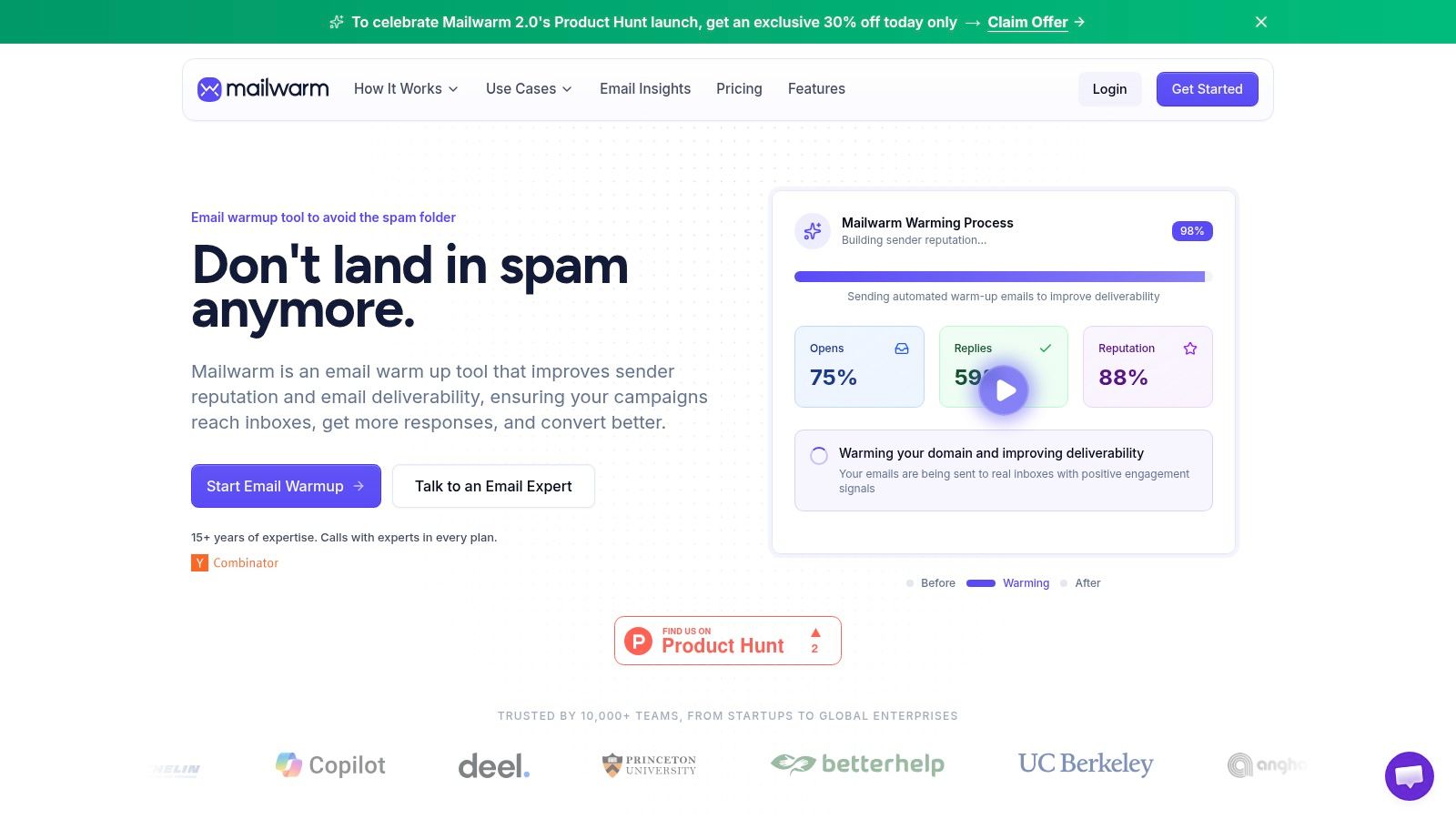
Mailwarm fits that broader job. Its email warmup tool is built around real inbox interactions, including replies, threads, spam removal, and important marking, but the useful part is the layer around the warmup itself. The platform also helps teams monitor spam risk, review inbox placement patterns, warm up by provider, support B2B and B2C sending setups, use custom content in warmup flows, address authentication problems, reduce bounce risk, and review deliverability data with specialist support available on every plan.
A few details stand out in practice:
No IMAP access required. That lowers privacy and security concerns for teams that do not want a tool reading mailbox contents.
Provider-level warmup. Gmail and Microsoft do not always react the same way, so provider-specific reputation work can be useful.
Expert guidance included. Dashboards can show a drop in placement. They usually do not tell you whether the underlying cause is DNS, sending pace, list quality, or mailbox-specific filtering.
For founders and operators, the trade-off is straightforward. A basic warmup tool can simulate engagement. A stronger platform helps connect warmup, reputation monitoring, and technical remediation, which is what gives subject line and targeting work a fair chance to improve real open rates.
Your Checklist for Higher Email Open Rates
The fastest way to improve open rates is to tighten execution across message, audience, list quality, deliverability, and measurement. This checklist keeps that work practical.
| Area | Action Item | Why It Matters |
|---|---|---|
| Subject line | Write several options and keep the final version concise | Clear, scannable subjects earn more attention |
| Preview text | Use preview text to add context, not repeat the subject | It gives the recipient a second reason to open |
| Sender identity | Use a recognizable sender name | Familiarity improves trust |
| Segmentation | Send to behavior-based segments instead of the full list | Relevance improves engagement |
| Timing | Review past engagement by day and hour for each segment | The best send time depends on the audience |
| A/B testing | Test one variable at a time | Clean tests produce usable insight |
| List hygiene | Remove invalid addresses and suppress chronically inactive contacts | Cleaner lists protect reputation |
| Re-engagement | Run a last-chance opt-in flow before removing stale subscribers | It preserves intent without harming future sends |
| Authentication | Verify SPF, DKIM, and DMARC | Mailbox providers need proof that the sender is legitimate |
| Reputation | Monitor domain and IP health, especially after changes | Reputation determines inbox access |
| Warmup | Ramp up new mailboxes or domains gradually | Sudden sending spikes create risk |
| Measurement | Read open rate alongside inbox placement, clicks, replies, and conversions | Opens alone can mislead |
Strong open rates come from disciplined systems, not isolated tricks.
Conclusion: Think Holistically About Open Rates
Those looking for how to increase email open rates usually start with subject lines. That's reasonable, but it's incomplete.
Open rates improve when the message is relevant, the list is healthy, the domain is trusted, and the team reads performance data with the right level of skepticism. Fixing just one layer rarely solves the whole problem. If email drives pipeline, revenue, recruiting, or customer retention, a deliverability-first process matters. Mailwarm helps teams build sender reputation, monitor inbox placement, and reduce spam risk with expert-guided warmup.
Frequently Asked Questions
What is email open rate?
Email open rate is the share of delivered emails that register an open. It's a directional engagement metric, but it's less precise than it used to be because privacy features can distort tracking.
How to increase email open rates quickly?
The fastest wins usually come from better subject lines, better segmentation, and sending only to engaged contacts first. If deliverability is weak, technical fixes matter more than copy changes.
Are open rates still reliable?
They're useful, but not fully reliable on their own. Apple Mail Privacy Protection and similar privacy behavior can inflate opens, so teams should compare opens with inbox placement, clicks, replies, and conversions.
What subject line length works best?
A Retention Science analysis cited by SuperOffice found that subject lines with 6 to 10 words performed best, with 8 words identified as ideal in that analysis.
Does personalization improve open rates?
It can. The same SuperOffice-cited analysis reports that adding the recipient's first name to the subject line can increase open rates by as much as 20%.
Should every campaign be sent to the full list?
Usually not. Broad sends often reduce relevance and can hurt deliverability. Engaged segments are safer and often outperform larger, less active audiences.
Is email warmup enough to fix open rates?
No. Warmup helps build sender reputation, but it won't fix weak targeting, poor list hygiene, irrelevant messaging, or broken measurement. It works best as part of a complete deliverability process.
Why is Mailwarm more expensive than basic email warmup tools?
Mailwarm costs more because it combines real inbox engagement, up to 100% replies to warmup emails depending on the plan, spam score monitoring, provider-level warmup, authentication tools, no IMAP access required, and expert deliverability calls included in every plan.
If email is part of the growth engine, Mailwarm helps teams build sender reputation, monitor inbox placement, and reduce spam risk through real inbox engagement, advanced warmup controls, and expert deliverability guidance.
Authored using the Outrank tool