

A campaign is ready to launch, the prospect list looks full, and then delivery reports start filling with failed messages. The practical answer to how to bounce is not to retry every error. It's to capture the delivery response, classify the failure, suppress permanent problems, and retry only temporary failures under controlled conditions.
An email bounce means a message didn't reach its intended recipient. The cause may be temporary, such as a full mailbox or unavailable server, or permanent, such as an invalid address. Treating every bounce alike wastes sends and can weaken sender reputation.
Why Emails Bounce and What Is at Stake
You launch a campaign, volume looks normal, and then delivery failures start stacking up. That pattern is not just a reporting issue. It usually means something in the workflow is breaking, list hygiene, authentication, infrastructure, or recipient trust, and if you keep mailing through it, mailbox providers may treat future traffic more aggressively. Salesforce's email benchmark guidance describes bouncing as a foundational operational metric, not merely a campaign result.
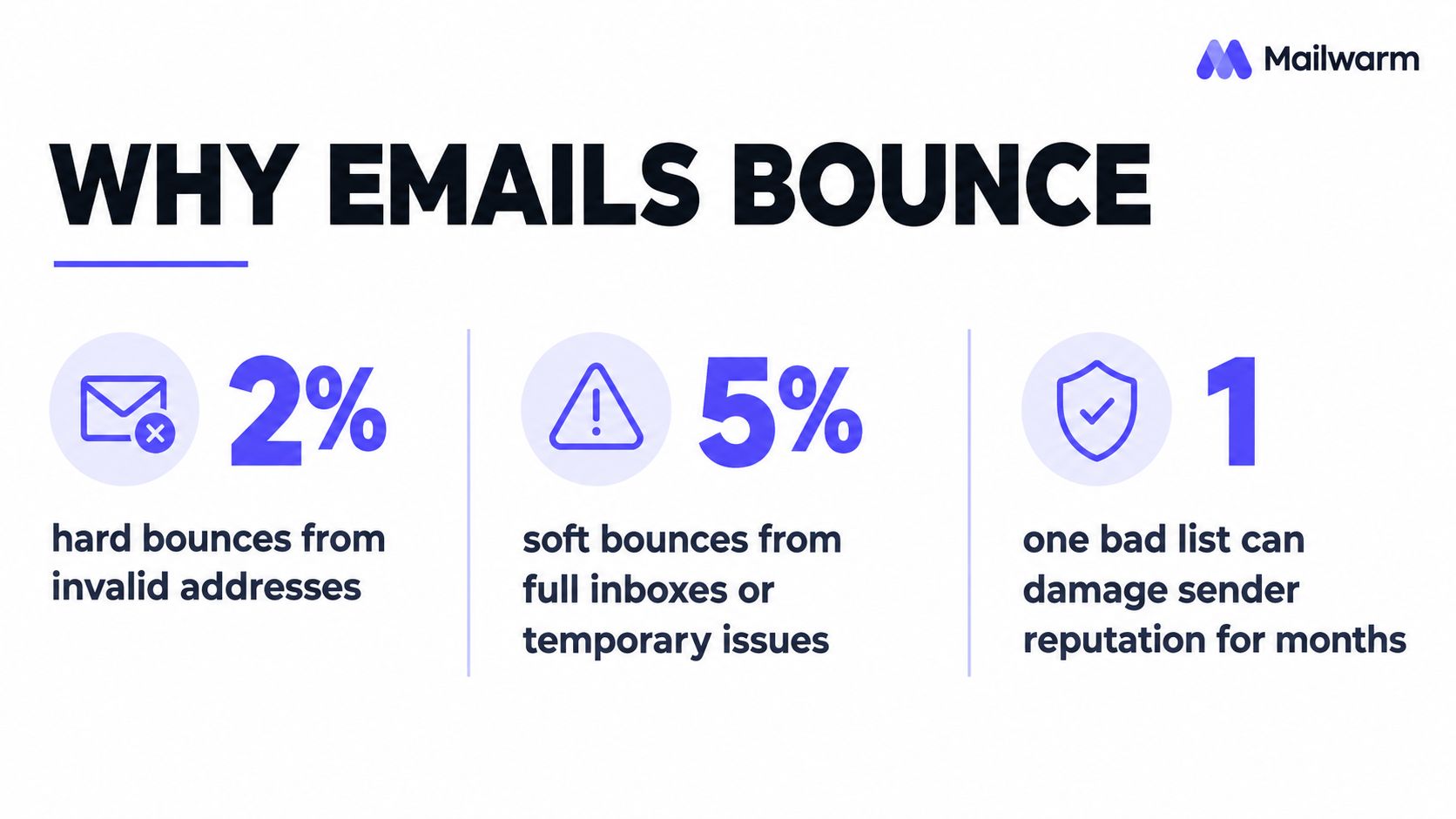
A bounce works like an early warning system for sender reputation. One isolated failure will not usually change much. Repeated failures, especially if they come from invalid addresses or avoidable policy problems, tell providers that your sending program is poorly controlled.
The calculation is simple:
Bounce rate = bounced emails ÷ total emails sent × 100
For example, 100 bounces from 5,000 messages equals a 2% bounce rate. Benchmarks treat below 2% as normal, 2% to 5% as a warning range, and above 5% as critical. Once a program moves into that warning range, the right response is operational. Stop treating bounces as cleanup work after the send. Identify which failures should be suppressed immediately, which ones deserve a controlled retry, and which ones point to a larger authentication or reputation issue.
Why aggregate reporting can mislead
A low overall bounce rate can hide a real deliverability problem. I see this often when one provider or one recipient domain is rejecting traffic while the rest of the campaign looks stable. If you only watch the blended total, you miss the pattern until reputation drops further.
Break reporting down by:
- Provider: Separate Gmail, Microsoft 365, Yahoo, and other mailbox systems.
- Campaign: Compare outbound sequences, newsletters, transactional messages, and reactivation campaigns.
- Domain: Identify whether one customer domain or recipient segment is driving failures.
- Time period: Distinguish a single incident from a worsening pattern.
When bounce activity rises unexpectedly, run an email blacklist check. It will not explain every rejection, but it can confirm whether blocklist or reputation issues should be investigated alongside list quality, authentication, and sending pace.
Decoding Bounce Types and Status Codes
The first digit of an SMTP response determines the initial action. A 4xx response means temporary failure, so the address may remain valid and can be retried later. A 5xx response means permanent failure, so the address should be removed from active sending and placed on a suppression list, as explained in Microsoft's sender reputation guidance.
Hard and soft bounce labels are useful, but the SMTP response provides more operational detail. A full mailbox, rate limit, authentication rejection, and nonexistent recipient shouldn't enter the same queue.
| Bounce Category | Common Reason | SMTP Code Class | Your Action |
|---|---|---|---|
| Hard bounce | Invalid or nonexistent address | 5xx | Suppress immediately |
| Soft bounce | Full mailbox or temporary server issue | 4xx | Monitor and retry carefully |
| Policy rejection | Recipient server refuses the message based on policy | Often 5xx | Investigate policy and authentication before retrying |
| Rate limiting | Provider temporarily defers traffic | Often 4xx | Reduce pace and retry with backoff |
| Authentication failure | SPF, DKIM, or DMARC issue | Often 5xx | Fix authentication before resuming |
Enhanced status codes add another layer of diagnosis. RFC 3463 defines the three-part X.Y.Z format, where the first digit shows the broad result, the second identifies the problem category, and the third supplies a more specific explanation. For example, 550 5.1.1 identifies an unknown recipient rather than a generic delivery problem.
The action rule for common responses
A permanent response such as 550 mailbox unavailable should be suppressed immediately and never retried. Repeated attempts don't revive a nonexistent mailbox. They add unnecessary traffic and can contribute to provider throttling or reputation damage.
Transient responses need more judgment. A mailbox may be full today and available later, while a rate-limit response may indicate that the sender is moving too quickly rather than that the recipient address is bad.
Practical rule: Read the complete SMTP response before changing the contact record. The label “bounce” isn't specific enough to determine the next action.
For a deeper explanation of response categories and handling logic, see Mailwarm's guide to email bounces.
Building a Practical Bounce Handling Workflow
A reliable workflow turns delivery failures into structured decisions. It should preserve the original event, prevent permanent failures from returning through a CRM sync, and give temporary failures a controlled path back to delivery.
Capture the event before changing the list
The sending system should record the complete SMTP response, enhanced status code, recipient, timestamp, sending IP, and provider. A dashboard that stores only “failed” removes the detail needed to separate an invalid address from throttling or an authentication problem.
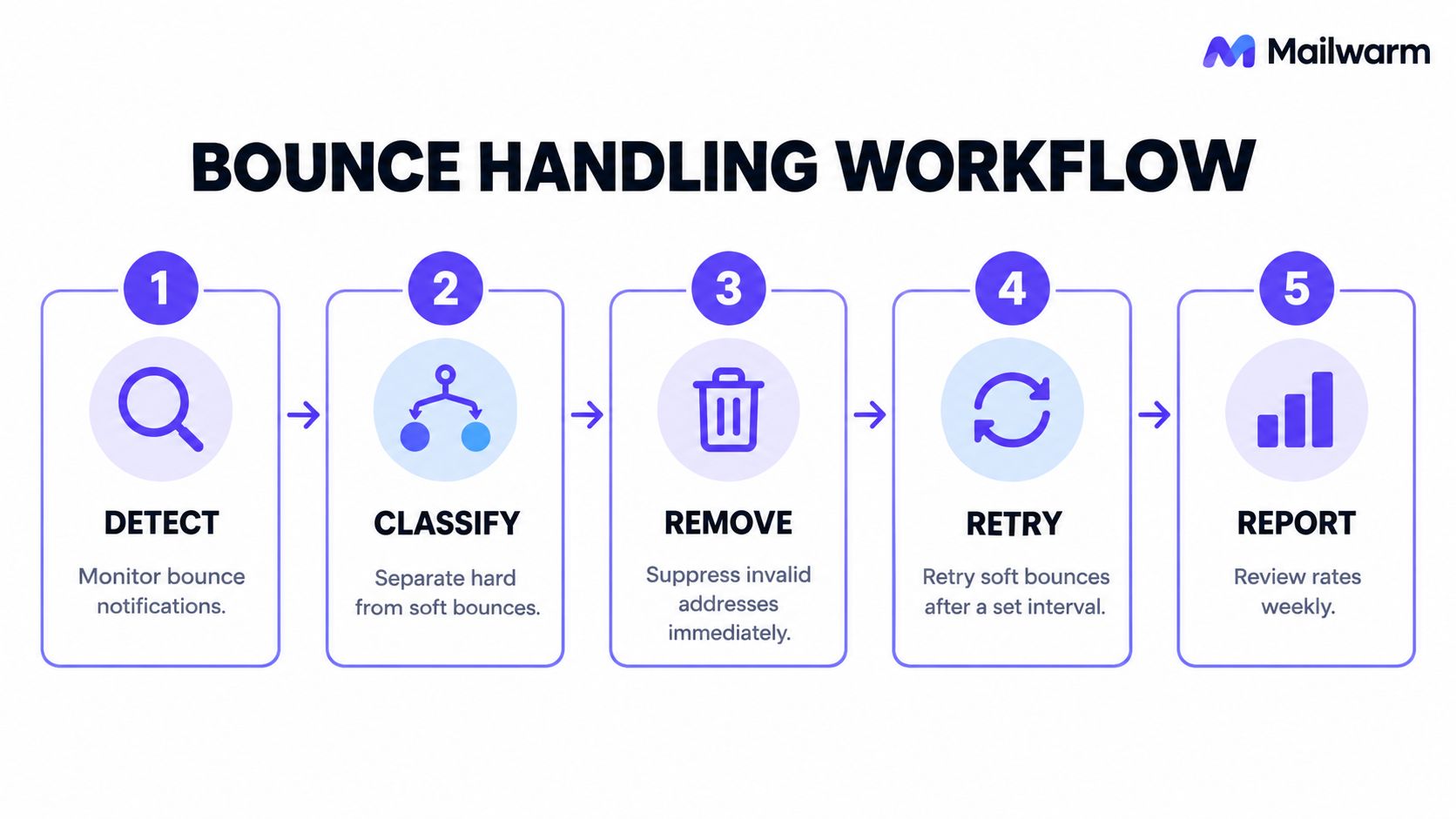
A useful operating sequence is:
- Detect the failure. Collect bounce notifications from the ESP, SMTP service, CRM, and campaign system in one reporting layer.
- Classify the response. Use the first digit, enhanced status code, and provider message to identify permanent, transient, policy, authentication, or rate-limit failures.
- Suppress permanent addresses. Remove hard bounces from active campaigns and write them to a central suppression ledger.
- Queue selected transient failures. Retry temporary mailbox and infrastructure problems after progressively longer intervals. Cap attempts, then stop if the provider continues deferring delivery.
- Review patterns. Calculate bounce rates by provider, campaign, domain, and time window instead of relying only on a global figure.
Suppression must survive system changes
A suppression ledger is essential when several systems can update contact data. If a CRM synchronization reactivates an address after a hard bounce, the same invalid recipient can be contacted again by another sequence.
The suppression record should retain:
- The recipient address
- The original SMTP response
- The source campaign or system
- The date of suppression
- The reason for suppression
- Any approved process for manual review
Transient failures belong in a separate retry queue. An exponential-backoff approach waits progressively longer between attempts and stops after a defined limit. Blindly retrying every soft bounce at a fixed interval can turn a temporary provider issue into sustained unwanted traffic.
A retry queue should be selective, capped, and reversible. If the provider keeps deferring delivery, slowing or pausing the affected segment is safer than insisting on another attempt.
Proactive Strategies to Prevent Bounces
Bounce prevention starts before a message enters the sending queue. Marketing teams should use permission-based collection and verify prospect data before outreach. For B2B teams, the practical reasoning behind why B2B marketers use double opt in is especially relevant when a clean, confirmed address matters more than list size.
Different tools solve different parts of the problem:
| Approach | Useful for | Limitation |
|---|---|---|
| ESP suppression | Removing known failures during campaigns | May not cover contacts added by other systems |
| Email verification | Checking addresses before a send | Can't fix provider throttling or authentication |
| DNS and authentication review | Resolving SPF, DKIM, and DMARC problems | Doesn't validate whether every contact is active |
| Provider-level monitoring | Finding selective Gmail, Outlook, or Microsoft 365 issues | Requires segmented reporting |
| Sending controls and warmup | Managing reputation while volume changes | Doesn't replace list governance |
Before scaling volume, authenticate the domain with SPF and DKIM, publish DMARC, and confirm that DNS is correct. Google defines spam rate as the share of messages delivered to an engaged recipient's inbox that the recipient later marks as spam. Google also says bulk senders with spam rates above 0.30% can lose access to delivery mitigations, as documented in Google's sender requirements.
Prevention requires reputation controls
A sender restoring or increasing volume should begin with engaged, permissioned recipients and increase traffic only while delivery, complaint, and deferral signals remain stable. If one provider segment deteriorates, the safer response is to pause or reduce that segment rather than continue at the same pace.
Mailwarm is a premium email warmup and deliverability platform that combines real inbox engagement, provider-level warmup, inbox placement insights, spam score monitoring, authentication fix tools, bounce prevention, and expert guidance. Its network includes 50,000+ aged real inboxes, and its controls support B2B and B2C warmup without requiring IMAP access or permission to read a private inbox.
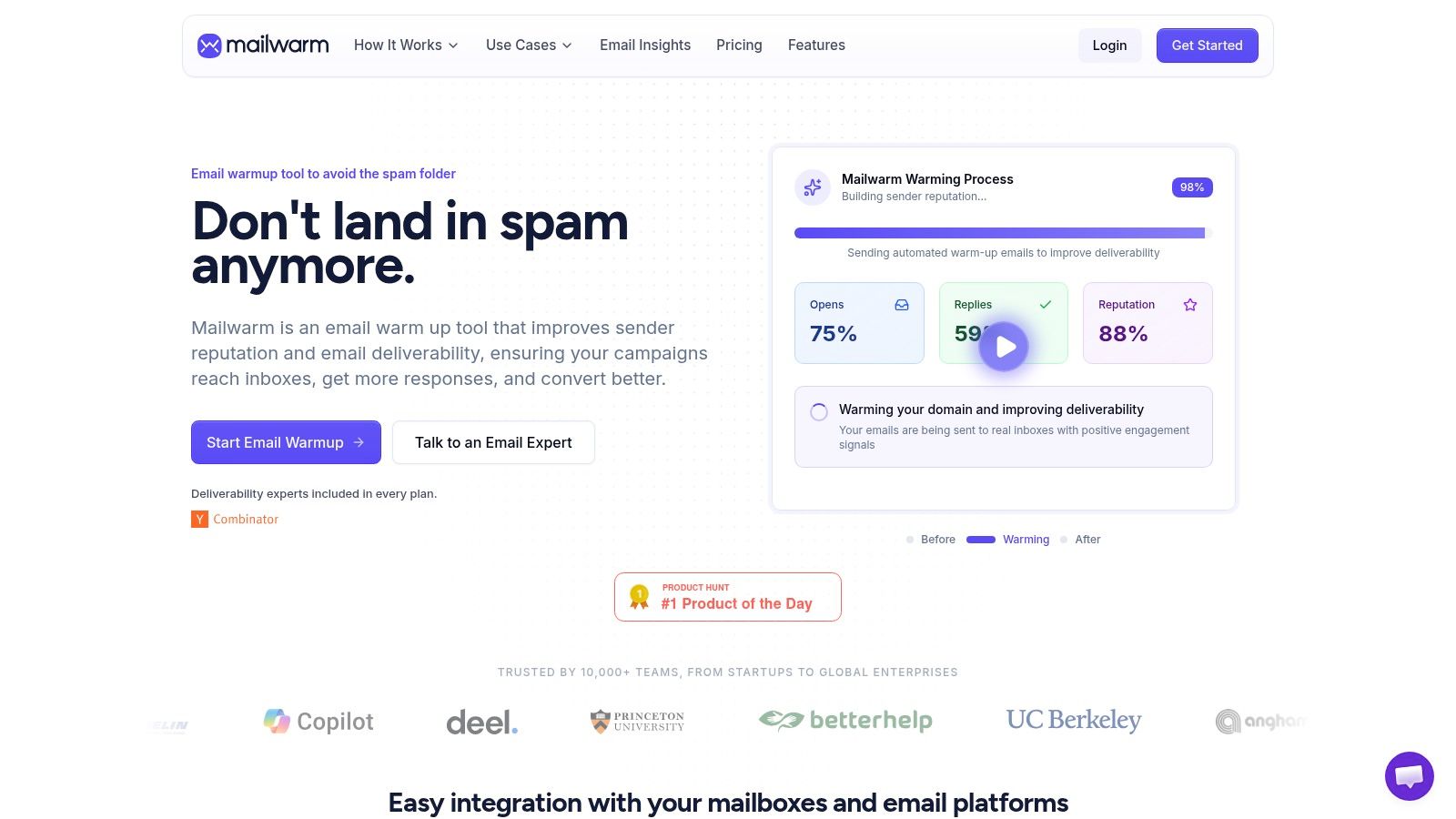
Teams can also use smtp warmup when the sending infrastructure itself needs a controlled reputation-building process. Warmup isn't a substitute for valid-address acquisition or suppression. It works alongside those controls by helping teams manage sending behavior and observe provider-specific outcomes.
Frequently Asked Questions About Email Bounces
What is the difference between a hard and soft bounce?
A hard bounce is a permanent delivery failure, usually caused by an invalid or nonexistent address, and should be suppressed. A soft bounce is temporary, such as a full mailbox or unavailable server, and may be retried under a capped backoff policy.
Can a high bounce rate cause emails to go to spam?
Repeated delivery failures can damage sender reputation, and weakened reputation can contribute to broader deliverability problems. A sender should investigate bounces alongside complaints, authentication, provider deferrals, and inbox placement rather than treating spam placement as a list issue alone.
Is email warmup enough to fix bounce problems?
No. Warmup can support reputation management, but it can't repair invalid addresses, incorrect authentication, or a CRM that keeps reintroducing suppressed contacts. List validation, hard-bounce suppression, provider-level monitoring, and controlled volume changes remain necessary.
How should teams investigate a sudden bounce spike?
Segment the spike by provider, campaign, domain, and time window. Then inspect the SMTP responses for patterns involving invalid recipients, throttling, policy rejection, authentication, or infrastructure failure.
How can lead-generation teams reduce avoidable bounces?
They should verify contact data before outreach, use clear permission practices, and prevent suppressed addresses from returning through data imports. Teams evaluating broader acquisition workflows may find the 100Signals lead generation tools resource useful when designing a process that connects prospect research with data quality.
Does Mailwarm need access to a private inbox?
Mailwarm doesn't require IMAP access or permission to read a user's private inbox. Its deliverability approach uses real inbox engagement, provider-level controls, placement insights, authentication tools, and expert guidance instead.
Mailwarm helps teams build sender reputation, monitor inbox placement, and reduce bounce risk through real inbox engagement, advanced warmup controls, authentication support, and expert deliverability guidance. Visit Mailwarm to review a premium approach to protecting email delivery before the next campaign sends.