
BCC is a way to send a hidden email copy, and its proper job is privacy for small, non-commercial groups, not mass marketing or sales outreach. If a team uses BCC for campaigns, inbox placement can drop by 15 to 20% because providers like Gmail and Outlook may read large BCC usage as list-hiding behavior.
That usually becomes a problem at the exact moment someone is trying to “save time” by emailing a batch of clients, prospects, or candidates all at once. The feature is easy to use. The strategic cost is where teams get into trouble.
Those searching for how to BCC only need the button location in Gmail or Outlook. That part is simple. The challenge is knowing when BCC protects privacy and when it harms deliverability, trust, and reporting.
What Is BCC and How Does It Really Work
A common business use case looks harmless. Someone needs to send an update to several clients without exposing everyone's email address to the rest of the group. BCC exists for exactly that reason.
BCC stands for Blind Carbon Copy. It comes from the old paper-based “carbon copy” method, and its hidden-recipient function was formally documented in email standards as early as 1982 in RFC 822, which is why it has always been treated as a built-in privacy mechanism in email systems (historical background on Blind Carbon Copy).

What recipients can and can't see
The difference between the three fields is simple:
- To means the named primary recipient is visible to everyone on the email.
- CC means copied recipients are also visible to everyone.
- BCC means hidden recipients receive the message, but their addresses aren't shown to people in the To or CC fields.
That matters when privacy is the goal. A sender can include hidden recipients, and the visible recipients won't see that list. BCC recipients also can't see who else was included in BCC.
Practical rule: Use BCC when the message is informational, privacy matters, and no group conversation is expected.
What actually happens behind the scenes
The content of the email is usually the same for BCC recipients. The key difference is in the header information delivered to visible recipients. Their version omits the hidden addresses.
That doesn't make BCC a universal safety tool for business sending. It only means the field is designed to hide addresses from normal recipient view. Teams still need solid sending hygiene, domain setup, and authentication. For readers reviewing the broader setup behind trusted email, this guide on email authentication basics is useful background.
What BCC is for
BCC is a privacy feature, not an outreach system.
It fits situations like:
- Small update groups: sending a notice to a handful of contacts who shouldn't see each other's addresses
- Quiet internal visibility: keeping a manager informed without adding them to the visible thread
- Administrative archiving: preserving a copy without changing the visible conversation
It doesn't turn a bulk message into a one-to-one email. That's the mistake that causes problems later.
How to BCC in Gmail Outlook and Apple Mail
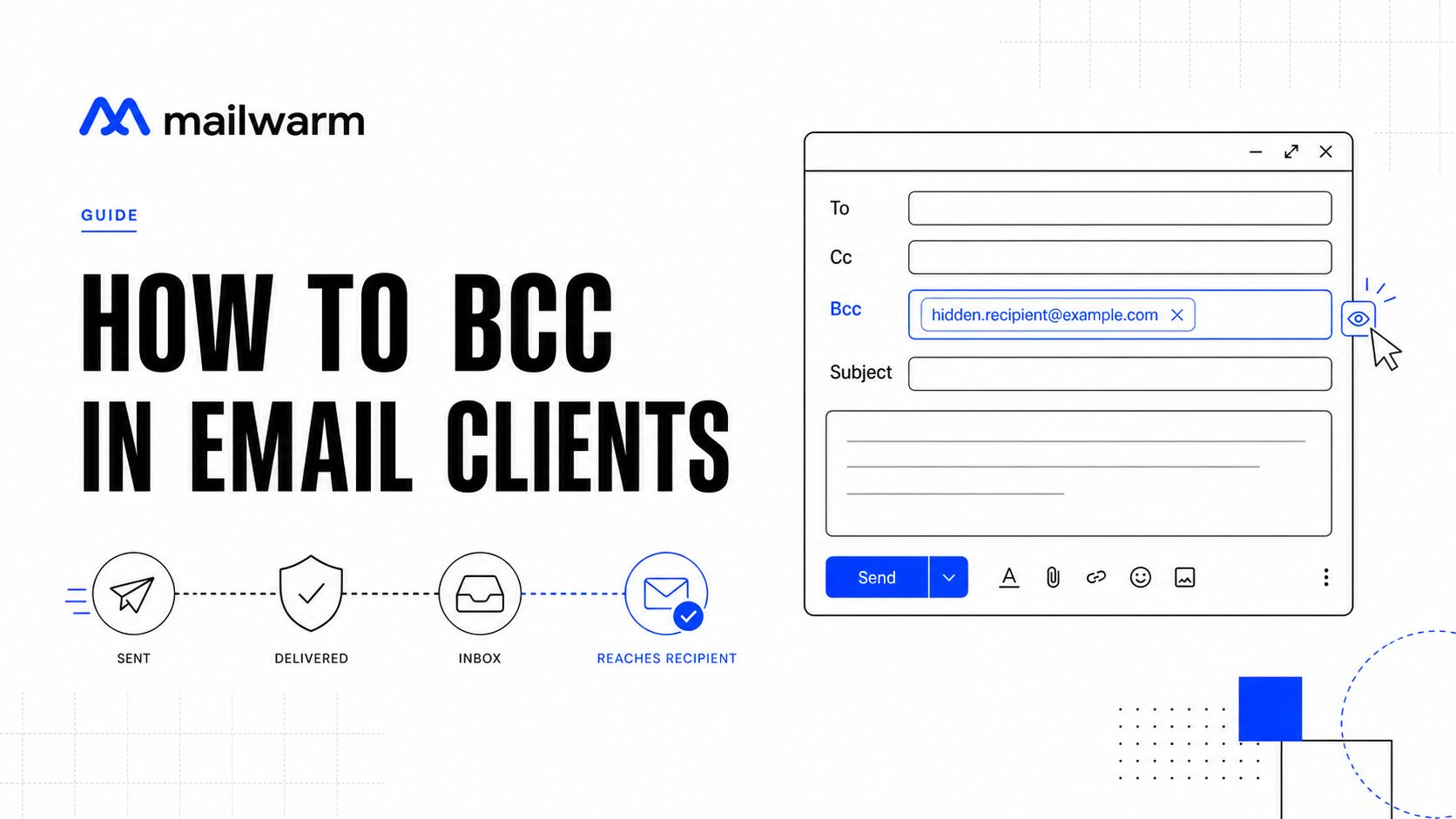
The mechanics are easy once the BCC field is visible. Each mail app hides it slightly differently, but the workflow is nearly identical.
Gmail
In Gmail on the web:
- Click Compose.
- In the new message window, click Bcc on the right side of the To line.
- Add the visible recipient in To if needed.
- Add hidden recipients in the Bcc field.
- Write the message and send it.
On Gmail mobile, the steps are similar:
- Tap Compose.
- Tap the dropdown or recipient options area.
- Show the Bcc field.
- Enter the hidden addresses.
- Send the email as usual.
A lot of Gmail users also ask whether the visible To field should be left empty. For professional sending, that's a bad habit. Even for simple BCC usage, a visible recipient helps the message look more normal and avoids some trust issues. This practical walkthrough on using Blind CC in Outlook and related workflows is helpful if the team works across clients.
Outlook
In Outlook desktop:
- Open a New Email.
- In the compose window, enable the Bcc field from the options or ribbon if it isn't already visible.
- Add the main visible recipient in To.
- Add hidden recipients in Bcc.
- Send the message.
In Outlook on the web:
- Click New mail.
- Select Bcc from the recipient line controls.
- Fill in the addresses.
- Review the visible and hidden fields before sending.
One good habit is to pause before clicking send. Outlook makes it easy to keep using the same pattern repeatedly. That's fine for internal notices. It's risky if the sender starts treating BCC as a campaign shortcut.
Keep one rule in place. If replies, personalization, tracking, or consent matter, BCC is usually the wrong method.
A quick visual walkthrough can help if the field still feels buried:
Apple Mail
In Apple Mail on macOS:
- Open a new message.
- Click the recipient field options if BCC isn't shown.
- Enable Bcc Address Field.
- Add hidden recipients.
- Send.
On iPhone or iPad:
- Tap New Message.
- Tap Cc/Bcc, From.
- Enter addresses in Bcc.
- Finish and send.
Apple Mail makes BCC easy once the field is exposed, but the same business rule applies. Just because the feature is available doesn't mean it's the right sending strategy.
The Right Way to Use BCC in Business
There are legitimate business uses for BCC. They all have one thing in common. The email is mostly one-way information, not a conversation or a campaign.
Good use cases
A few examples work well:
- Internal announcements: A small company sends a scheduling update to a group of contractors who shouldn't see each other's addresses.
- Manager visibility: A team lead keeps a supervisor informed on a sensitive client update without pulling them into the visible thread.
- Introductions: A colleague asks for an intro, and the sender BCCs that colleague to confirm the introduction happened without cluttering the thread.
These are low-risk because the message is simple, the audience is limited, and the goal isn't engagement.
What good BCC usage looks like
Safe usage usually follows a short checklist:
- Keep the audience small: BCC works best for limited groups, not scaled sending.
- Set expectations clearly: Write the message so people know it isn't a discussion thread.
- Use a visible To recipient: A sender-controlled address or the primary recipient keeps the message structure cleaner.
- Avoid promotional language: BCC isn't a substitute for a newsletter or outbound campaign.
BCC works when privacy is the requirement. It fails when the sender expects the behavior of a proper outreach tool.
What to avoid even in normal business use
BCC starts breaking down fast when teams use it to do jobs that belong to other systems.
Avoid it for:
- Prospecting
- Recruitment outreach at scale
- Recurring promotional sends
- Anything that needs clean analytics or unsubscribe handling
Those jobs need individualized delivery or a proper email platform. BCC should stay in its lane.
The Hidden Risks of Using BCC for Outreach
A growth team sends one announcement to 80 prospects through BCC, sees weak replies, then assumes the offer missed the mark. In practice, the sending pattern often did the damage before the copy had a fair chance.
BCC hides addresses from recipients. It does not make bulk outreach look normal to mailbox providers, and it does not give sales or marketing teams the controls they need once volume goes up.
Deliverability gets weaker
Mailbox providers evaluate patterns, not just wording. A message sent to a large hidden group can look like list-based mail pushed through a personal inbox, which is exactly the kind of behavior filters treat cautiously. That can mean lower inbox placement, more spam-folder placement, and a harder time recovering domain reputation after repeated sends.
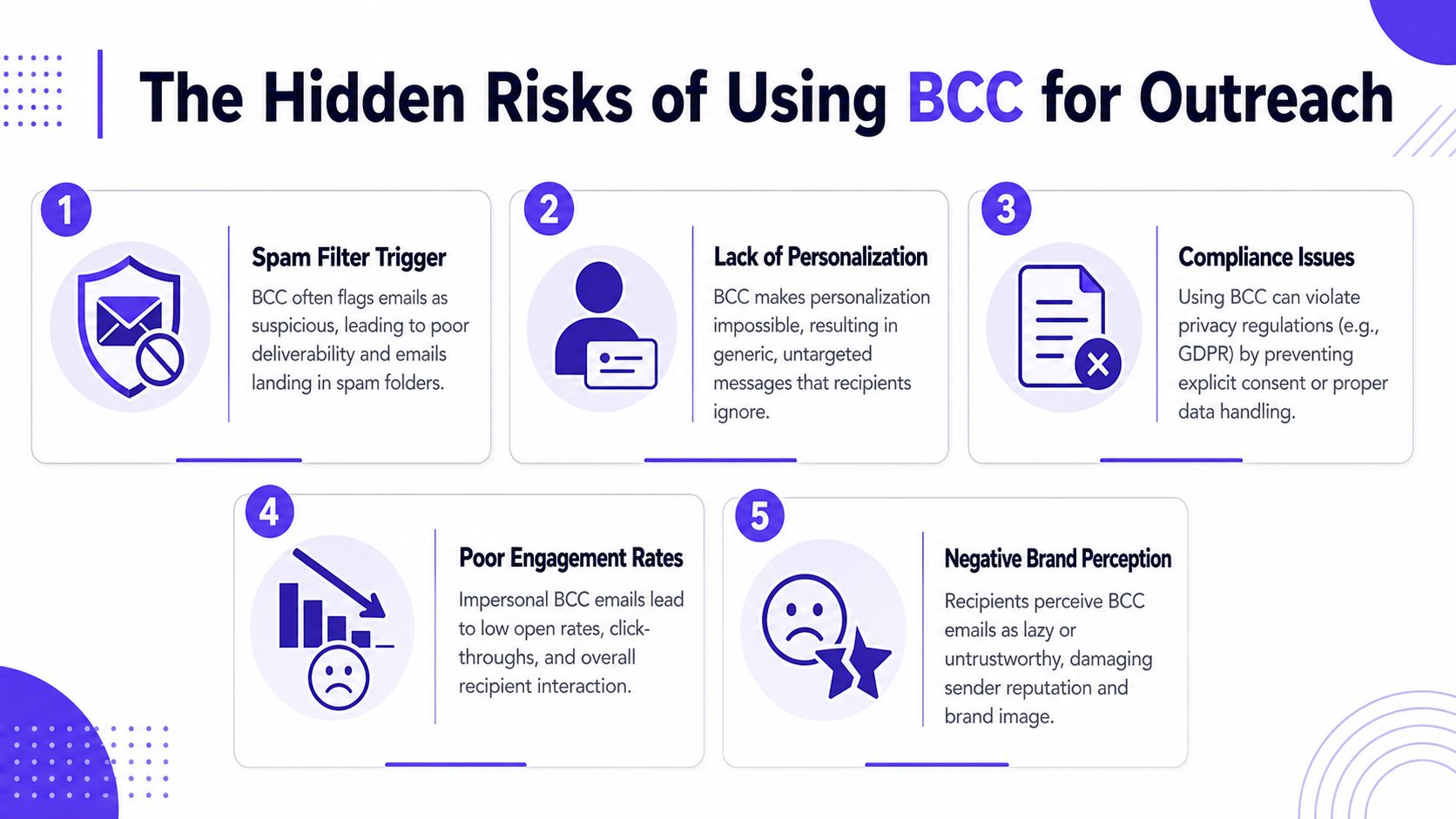
I see this mistake in early outbound programs all the time. The team wants a fast shortcut, so they batch recipients into BCC from Gmail or Outlook. The email goes out, but engagement signals get flattened, complaints are harder to interpret, and the sender starts training providers to distrust future mail from the same inbox or domain.
For a broader prevention framework, keep this guide on how to avoid the spam folder close.
Tracking gets messy fast
BCC also breaks the measurement model that outreach teams rely on. If multiple recipients receive what is effectively the same hidden-recipient send, attribution becomes less dependable than it would be in a one-recipient-per-email workflow. Opens, clicks, and replies are harder to connect cleanly to an individual contact, especially when the send came from a standard mailbox instead of a system built for campaign-level reporting.
That creates a management problem, not just a reporting problem.
Teams lose confidence in basic questions such as:
- who engaged
- which audience responded
- whether the subject line worked
- whether poor results came from copy, targeting, or inbox placement
Once those signals get blurry, optimization turns into guesswork.
Recipients can feel the shortcut
Cold outreach depends on relevance and credibility. BCC protects recipient privacy, but it does nothing to make a message feel personal. In fact, bundled sending often produces the opposite effect. The email reads like a blast sent from a regular inbox, which can lower reply quality even when the offer itself is solid.
That is why professional outbound teams use per-recipient sending with controlled personalization instead of trying to stretch BCC into a prospecting tool. The better approach is closer to the framework in the Coreties personalization playbook, where scale comes from process and tooling, not from hiding a large recipient list.
Operational risk shows up after the send
The last problem is operational. BCC gives teams very little control over unsubscribe handling, bounce management, thread ownership, and follow-up logic. If someone replies all to a poorly structured message, or if an internal stakeholder gets pulled into the wrong thread, the brand looks sloppy. If hard bounces or spam complaints come back, there is no clean campaign layer to isolate the problem and adjust safely.
Salesforce notes in its explanation of BCC behavior and email headers that BCC relies on proper mail handling by servers along the way. That is another reason to treat BCC as a narrow privacy feature, not as outreach infrastructure.
Used sparingly, BCC is fine. Used for prospecting or promotional sending, it trades short-term convenience for weaker deliverability, poor analytics, and avoidable reputation damage.
Smarter Alternatives to BCC for Sales and Marketing
BCC is a privacy tool. Sales and marketing need delivery methods built for consent, personalization, tracking, and sender reputation.
For high-value cold outreach, sending individual emails generates distinct engagement signals per recipient, which often leads to better reply quality and inbox placement than BCC, because BCC creates a hidden-recipient pattern that modern providers penalize (guidance on BCC versus individual sending).
BCC vs CC vs Email Automation
| Method | Best For | Privacy | Deliverability Impact | Tracking |
|---|---|---|---|---|
| BCC | Small private updates, quiet internal visibility | High for recipient hiding | Risky for outreach and bulk sending | Weak to inconsistent |
| CC | Transparent multi-party threads | Low | Poor fit for outreach | Limited |
| Email automation | Sales sequences, newsletters, recruiting, lifecycle messaging | Controlled through per-recipient sends | Stronger when configured well | Strong |
How to choose the right method
A simple decision framework works better than habit.
Use BCC when:
- Privacy is the main goal
- The group is small
- Replies aren't expected
- The email is administrative or informational
Use email automation when:
- Each recipient should get an individualized message
- Tracking matters
- The team needs unsubscribe and bounce handling
- The sender cares about long-term domain health
CC has a place too, but only when everyone should know who is included. That is common in active internal threads and external project coordination. It is not a cold outreach tactic.
Personalization beats list hiding
An effective replacement for bad BCC habits is not “more careful BCC.” It's better segmentation and better one-to-one delivery.
For teams improving outreach quality, Coreties personalization playbook is a useful resource on scaling personalization without falling into generic bulk-email behavior.
The more valuable the conversation, the less sense BCC makes.
If the message is a newsletter, use an email marketing platform. If it's outbound sales, use software that sends one message per recipient. If it's an internal update to a few people who don't know each other, BCC is still fine.
Frequently Asked Questions About BCC
Can BCC recipients see each other
No. People in BCC receive the email without seeing anyone else in the BCC field. Recipients in the To and CC fields cannot see that hidden list either.
What happens if a BCC recipient replies
A normal Reply goes back to the sender only. A Reply All usually does not expose the hidden list, because those addresses were never visible in the thread to begin with.
The risk starts when someone forwards the message, copies others in manually, or references the hidden send in a reply. That is one reason BCC works best for low-stakes informational email, not conversations where context and trust matter.
Should the To field be empty when using BCC
Leave a visible address in the To field. An empty To line looks unusual, and unusual mail gets more scrutiny from recipients and mailbox providers.
For business use, send the message to yourself, a monitored team inbox, or the primary recipient if there is one. It is a small formatting choice, but it helps the email look like normal human communication.
Is BCC okay for newsletters or cold outreach
BCC is a poor fit for either one.
Newsletters need unsubscribe handling, consent management, and bounce control. Cold outreach needs one-to-one delivery, personalization, and reply routing that makes sense to the recipient. Hiding a list in BCC may feel quick, but it creates the wrong sending pattern for professional outreach and can hurt domain reputation if the team repeats it at scale.
How many people should be in BCC
Keep the group small.
There is no universal safe number that applies across every mailbox provider, domain, and sending history. A practical rule is to use BCC only for limited administrative sends where privacy matters more than engagement. If the list is large enough that you are asking about thresholds, a mailing platform or sales engagement tool is usually the better choice.
How does Mailwarm help improve deliverability
Mailwarm helps teams strengthen sender reputation, monitor inbox placement, and reduce spam risk through warmup activity built around real inbox engagement. It uses a network of aged inboxes across major providers to generate signals such as opens, replies, and spam removal, and it pairs that with deliverability guidance and monitoring tools (Mailwarm platform overview).
Why is Mailwarm more expensive than basic warmup tools
The price reflects the scope of the product. Mailwarm combines warmup, inbox placement support, spam score monitoring, authentication support, provider-level controls, and deliverability guidance in one service.
Cheap warmup tools often stop at automated sending and basic reply simulation. Teams protecting a revenue domain usually need more than that.
Does Mailwarm need access to my inbox
No. Mailwarm does not require IMAP access or permission to read a user's private inbox. That matters for security reviews, internal IT approval, and teams that do not want third-party tools connected directly to live mailboxes.
If email is part of a growth strategy, Mailwarm helps senders build reputation, monitor inbox placement, and reduce spam risk with expert-guided warmup. It is a premium email warmup and deliverability platform built for teams that care about real inbox placement, not just automated warmup activity.