
You've just sent a campaign, and the messages never leave the queue. The bounce says 554 5.7.1 relay access denied. That response means a mail server has permanently refused the message because the sending host, account, sender, or delivery route isn't authorized to relay through it. It's not a temporary transport problem, so changing settings at random rarely helps.
The efficient fix starts with triage, not with blindly enabling SMTP AUTH. The failure may belong to the sender, the recipient's mail server, or the DNS and routing path between them.
What the 554 5.7.1 Relay Access Denied Error Means
SMTP 554 is a permanent rejection. The server has decided that it won't accept or forward the message under the current conditions. The 5.7.1 detail identifies a security or policy rejection, while the text after it describes the server's specific reason.
In plain English, “relay access denied” means the server handling the SMTP session doesn't recognize the sender as authorized to deliver that message. A boundary mail transfer agent may deliberately reject anonymous delivery to non-local domains. In that case, changing encryption or switching ports without correcting authentication or relay policy produces the same failure again. Courier's explanation of the error describes it as an authorization failure rather than a transient connection issue.
A raw log may resemble this:
Remote server: mx.recipient-example.comMAIL FROM: sender@example.comRCPT TO: person@recipient-example.comDiagnostic: 554 5.7.1 Relay access deniedThe full bounce matters. The remote hostname, sender, recipient, and diagnostic status can reveal whether the rejection came from the outbound submission server or the destination gateway.
| Code Part | Meaning | Example |
|---|---|---|
| 554 | Permanent SMTP failure | The server won't retry under the current conditions |
| 5.7.1 | Security or policy rejection | Authorization or relay permission failed |
| Relay access denied | Human-readable reason | The server refused to forward or accept the message |
A useful first rule narrows the investigation quickly:
- External recipient only: Suspect SMTP authentication, relay permissions, sender policy, or a destination block.
- Your own domain only: Suspect MX records, internal routing, split delivery, or local recipient policy.
- Every recipient: Start with the sending account, SMTP host, credentials, and outbound connector.
The right response is a triage flow. Authentication is one branch, not the entire diagnosis.
The Four Root Causes Behind This SMTP Rejection
Most troubleshooting pages treat every 554 5.7.1 bounce as a missing-password problem. That shortcut wastes time because the same status can result from four distinct failure groups.
Authentication is the obvious branch. The SMTP client may not authenticate at all, may send rejected credentials, or may authenticate against a server that doesn't grant relay rights. Log indicators include AUTH failed, 535 authentication failed, or a successful login followed by a relay rejection. A valid password alone isn't enough if the account lacks permission to send as the stated address.
Relay policy is a server-side rule. The MTA may permit local delivery but block external recipient domains, require an allowlisted IP, or reject a sender that isn't registered in the outbound connector. Messages such as not permitted to relay, unauthorized sender, or client host rejected point toward policy rather than a simple client typo.
Routing becomes more likely when only one domain or one hosted environment fails. A stale MX record, a smart host aimed at the wrong destination, or a split internal and external route can send a correctly authenticated message to a server that isn't authoritative for the recipient domain. Broadcom's routing-focused explanation of relay access denied highlights why recipient-side configuration deserves equal attention.
Reputation and blocking form the fourth group. The destination can reject a sending IP, domain, account, or individual sender through a DNS blocklist or local blocked-senders policy. Look for a named DNSBL, blocked client, sender denied, or a policy identifier in the diagnostic block.
Practical rule: The exact rejection line is more useful than the headline status code. Preserve the complete SMTP response before changing anything.
How to Diagnose the Problem Before Changing Settings
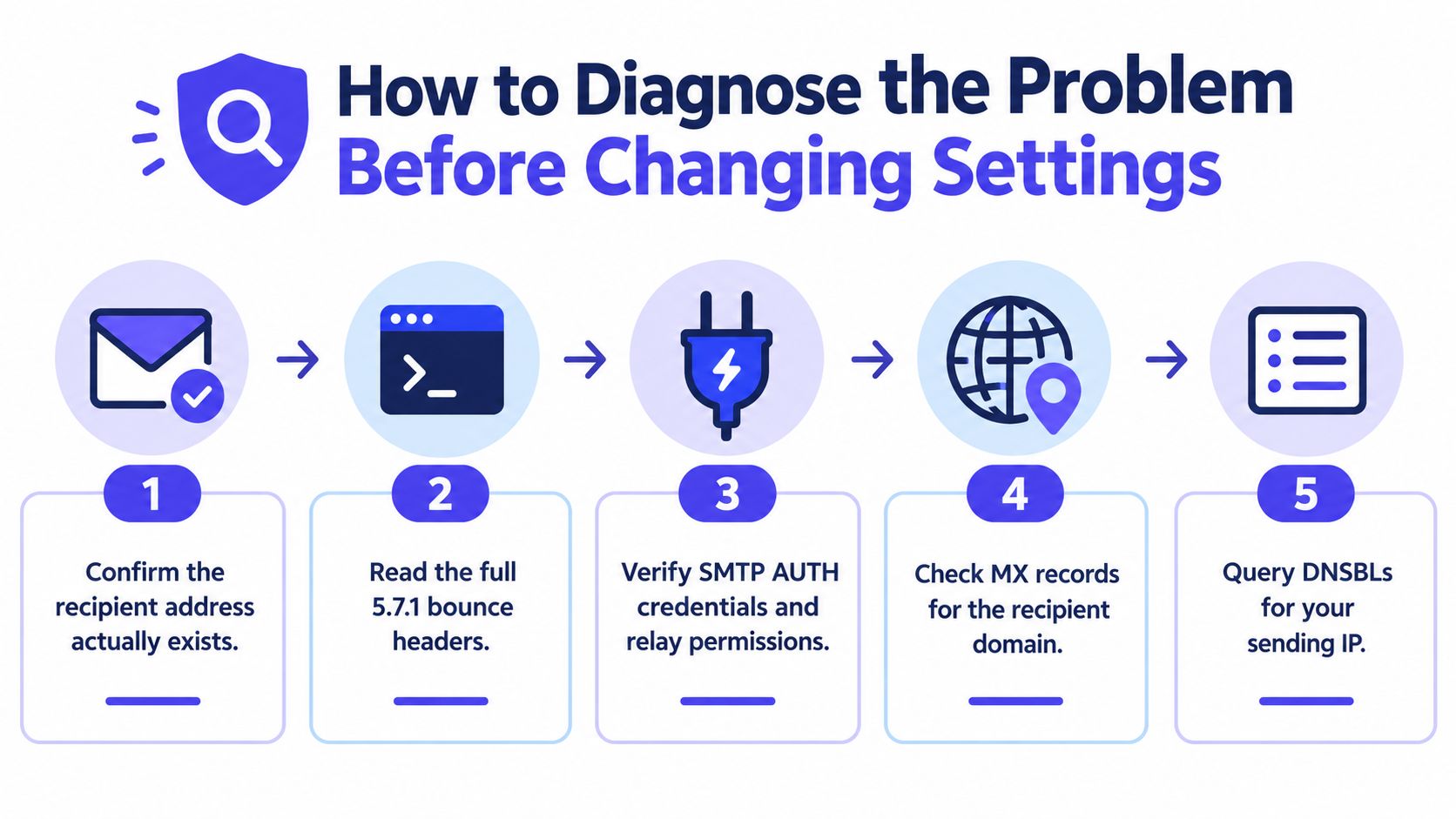
A disciplined diagnosis prevents a sender from “fixing” SMTP AUTH while the destination's MX record still points to the wrong host.
Start with the recipient and the complete response
Confirm that the address exists at the exact domain and subdomain shown in the bounce. A typo or unsupported recipient route can trigger a policy rejection that looks like a general relay failure. If every address at the same domain fails, the recipient domain becomes a stronger suspect.
Capture the full SMTP exchange from the sending environment. Tools such as openssl s_client and swaks can show the server greeting, EHLO response, advertised AUTH mechanisms, TLS negotiation, and the precise line that triggers rejection. The important signal is whether the server rejects the session before authentication, after authentication, or only when the client issues RCPT TO.
Next, inspect the bounce headers:
- Received: Shows which server handled each delivery hop.
- Authentication-Results: Shows whether SPF, DKIM, or DMARC checks passed.
- Diagnostic status: Often names the policy, blocked sender, DNSBL, or relay rule involved.
Check reputation, MX, and local policy
Verify SPF, DKIM, DMARC, and SMTP credentials before assuming the mailbox itself is broken. Microsoft guidance also points administrators toward authentication, recipient validity, IP reputation, blocked senders, delisting, and relay-rule configuration as practical checks in these cases. Microsoft's troubleshooting discussion covers those diagnostic paths.
Then query the recipient domain's published MX records with dig or nslookup from the sending host. Compare the result with the server named in the bounce. A mismatch suggests stale DNS, a misdirected smart host, or an internal route that doesn't match the public route.
Finally, test the same sender and recipient through a different permitted network or mailbox. If the alternate path succeeds, the original IP, account, connector, or local policy is the likely boundary. If both paths fail only for one recipient domain, investigate that domain's gateway and routing.
Fixing Sender-Side Authentication and Relay Settings
When the evidence points to the sender, SMTP AUTH is the first setting to validate. The client must authenticate against the intended outbound server, and that authenticated identity must have relay rights for the recipient domain.
Use an authenticated submission service rather than treating port 25 as a general-purpose sending route. Practical configurations commonly use port 587 with STARTTLS or port 465 with implicit SSL/TLS. The certificate should match the relay hostname, and the client should negotiate encryption before submitting credentials.
| Port | TLS Mode | Auth Method | Common Mistake |
|---|---|---|---|
| 587 | STARTTLS | SMTP AUTH after TLS | Authentication is enabled in the client, but the server or account disallows it |
| 465 | Implicit SSL/TLS | SMTP AUTH over the encrypted session | The client uses STARTTLS behavior against an implicit TLS endpoint |
| 25 | Server-to-server transport | Usually connector or IP policy | The sender expects mailbox authentication to work through a relay that blocks client submission |
Check these points in order:
- Server identity: Confirm the SMTP hostname belongs to the intended provider or relay.
- Credentials: Re-enter the username, password, or app-specific token. If multi-factor authentication is enabled, the provider may require a token or an OAuth-supported client.
- Sender identity: Make sure the
Fromaddress is permitted for the authenticated account. Logging in as one user and submitting another sender can fail even after AUTH succeeds. - Relay scope: Confirm that the outbound connector includes the recipient domain and that the account isn't on a deny list.
- TLS negotiation: Check the certificate and the session transcript. A client that never completes TLS can appear to have an authentication problem.
The Gmail SMTP settings guide is useful when a Gmail-based client has the wrong host, port, encryption mode, or authentication behavior. Enabling a checkbox in Outlook or another client won't correct a server-side connector that still denies relay access.
Fixing Recipient-Side MX and Routing Misconfigurations
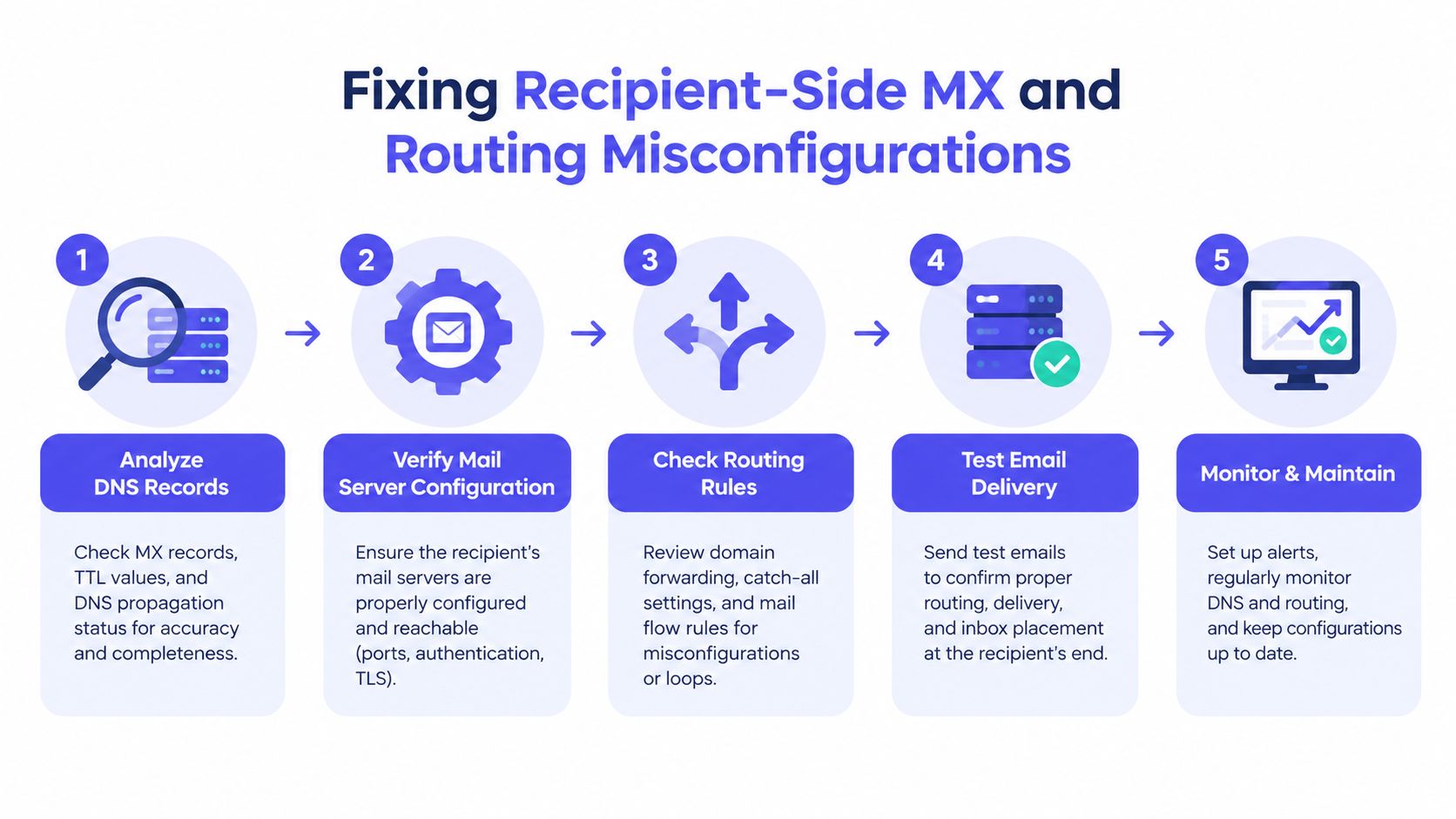
Sender authentication can be completely correct while the destination rejects the message. This happens when the receiving path lands on a server that isn't configured to accept mail for the recipient domain.
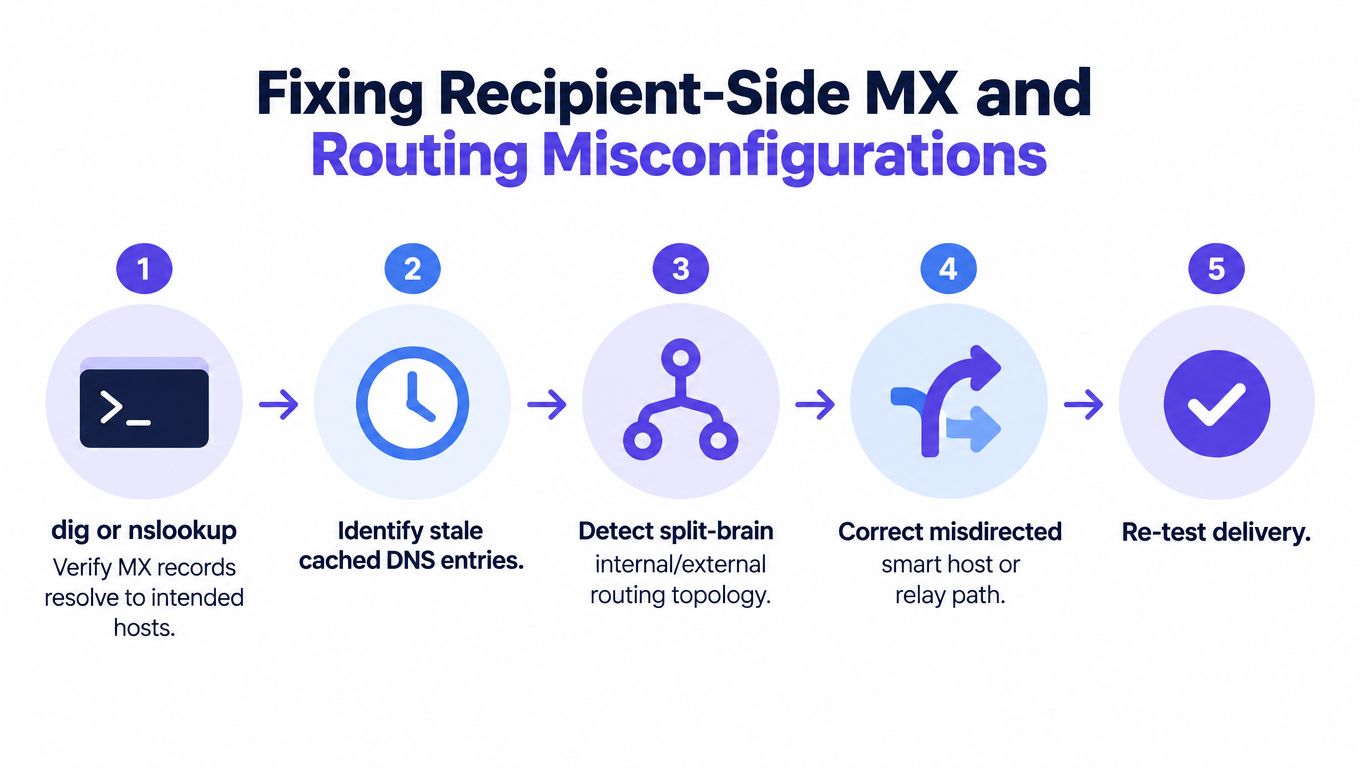
From the sending host, query the domain's MX records and compare the returned hosts with the actual destination in the SMTP transcript. The destination server should be authoritative for the recipient domain, and its firewall must permit SMTP delivery from the sending system. If the MX points to a third-party filtering gateway, that gateway must be configured to accept the domain and the expected inbound route.
Three patterns cause repeated confusion:
- Stale DNS: External resolvers still return an old MX target after a migration.
- Split routing: Internal users follow a private route while external senders follow public MX records, or the reverse.
- Misdirected smart host: A connector sends traffic to a regional or legacy relay that doesn't serve the recipient domain.
The DNS response also exposes the record's TTL. A low TTL doesn't itself create relay denial, but it can make inconsistent caches more visible during a migration. Compare results from the sending host, an external resolver, and the destination administrator's records before changing routing.
For a split internal and external design, the correction is usually architectural. The internal connector must send external recipients through the approved outbound route, while public MX records must point to the active inbound gateway. The guide to email server records helps clarify which records control inbound delivery and which settings belong to the mail server.
Clearing Blocklists and Rebuilding Sender Reputation
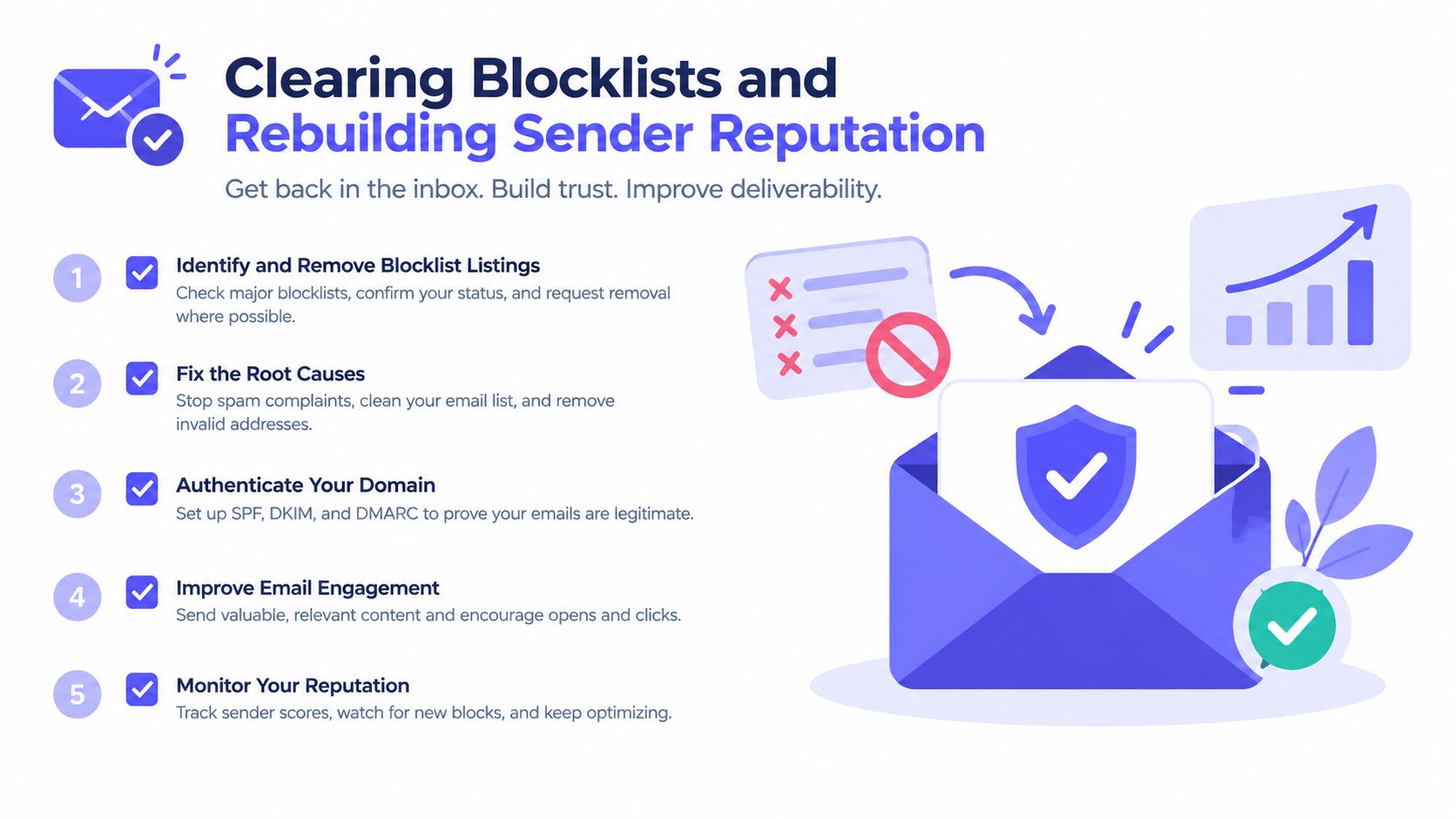
A blocklist hit usually appears in the diagnostic text. The response may name a DNSBL, identify the client host as blocked, or refer to a blocked sender or domain. Those distinctions matter because removing an IP listing won't automatically remove a recipient-specific policy against the account or domain.
Start with the sending IP and domain:
- Identify the listing: Record the list name, reason, and the exact asset listed.
- Remove the cause: Stop abusive traffic, secure compromised credentials, correct list hygiene, and address the policy violation.
- Request delisting: Follow the named list's process and provide the requested evidence.
- Check local blocks: Ask the recipient administrator whether the sender, domain, or IP appears on an internal deny list.
- Retest narrowly: Send a controlled message after the listing status changes, then compare the new diagnostic response.
Delisting is not a substitute for reputation repair. The sender still needs aligned SPF, DKIM, and DMARC, a controlled sending pattern, engaged recipients, and monitoring for complaints and spam traps. A sender that resumes the same behavior can trigger another block even after the first listing disappears.
Teams reviewing outbound campaigns can also use this resource to improve cold email strategy, particularly around targeting and message discipline. For a direct domain check, use a check if your domain is blacklisted workflow before launching another campaign.
Warmup and monitoring help maintain the positive signals that support sender reputation, but they won't repair a disabled relay or an incorrect MX record. Mailwarm is a premium email warmup and deliverability platform that uses real inbox engagement, provider-level controls, spam score monitoring, inbox placement insights, authentication fix tools, bounce prevention, and deliverability analytics. It doesn't require IMAP access or permission to read a private inbox, and expert deliverability calls are included in every plan.
FAQ on Relay Access Denied and Deliverability
Does 554 5.7.1 mean an account was hacked?
No. The code means a server refused to accept or relay the message under its current authorization or policy rules. A compromised account is one possible reason for a block, but the bounce alone doesn't prove that an account was hacked.
Is 554 5.7.1 temporary?
No. 554 is a permanent SMTP rejection, unlike a temporary transport response. The sender must correct the authorization, routing, policy, or reputation issue before delivery can succeed.
Does the fix differ between Microsoft 365, Gmail, Postfix, and cPanel?
The diagnostic logic stays the same, but the control point changes. Microsoft 365 and Gmail typically require provider-approved authenticated submission, while Postfix and cPanel administrators must inspect relay restrictions, authenticated users, connectors, and local routing.
Can SMTP AUTH fix every relay denial?
No. SMTP AUTH fixes a sender-side authorization failure when the account is permitted to relay. It won't correct a stale MX record, a split internal and external route, a destination block, or a recipient gateway that isn't configured for the domain.
How should a sender handle a blocklist listing?
Identify whether the listing affects the IP, domain, sender, or recipient policy. Remove the underlying cause, follow the relevant delisting process, and continue monitoring authentication and sending reputation after access is restored.
Can email warmup prevent this error?
Warmup can support sender reputation and reduce spam risk, especially for new or recently inactive sending infrastructure. It can't grant relay permission or repair DNS, so authentication and routing still require separate checks.
Mailwarm helps teams diagnose the reputation side of relay problems through real inbox engagement, provider-level warmup, spam score monitoring, inbox placement insights, authentication tools, and expert guidance. Visit Mailwarm to build a more controlled deliverability process before the next campaign exposes a sender-side policy issue.