

A campaign is ready to send, a prospect is waiting, and the returned message says 554 5.7.1 blocked. This isn't a temporary delivery delay. It means the recipient's mail server has permanently refused the message under a security or policy rule, so repeated retries won't solve the problem.
The response can point to a blocklist, relay permission, authentication failure, sender reputation issue, or a local filtering rule. The fastest recovery comes from preserving the full bounce, identifying the exact rejection source, fixing the underlying cause, and only then requesting delisting or resuming mail.
What the 554 5.7.1 Blocked Error Actually Means
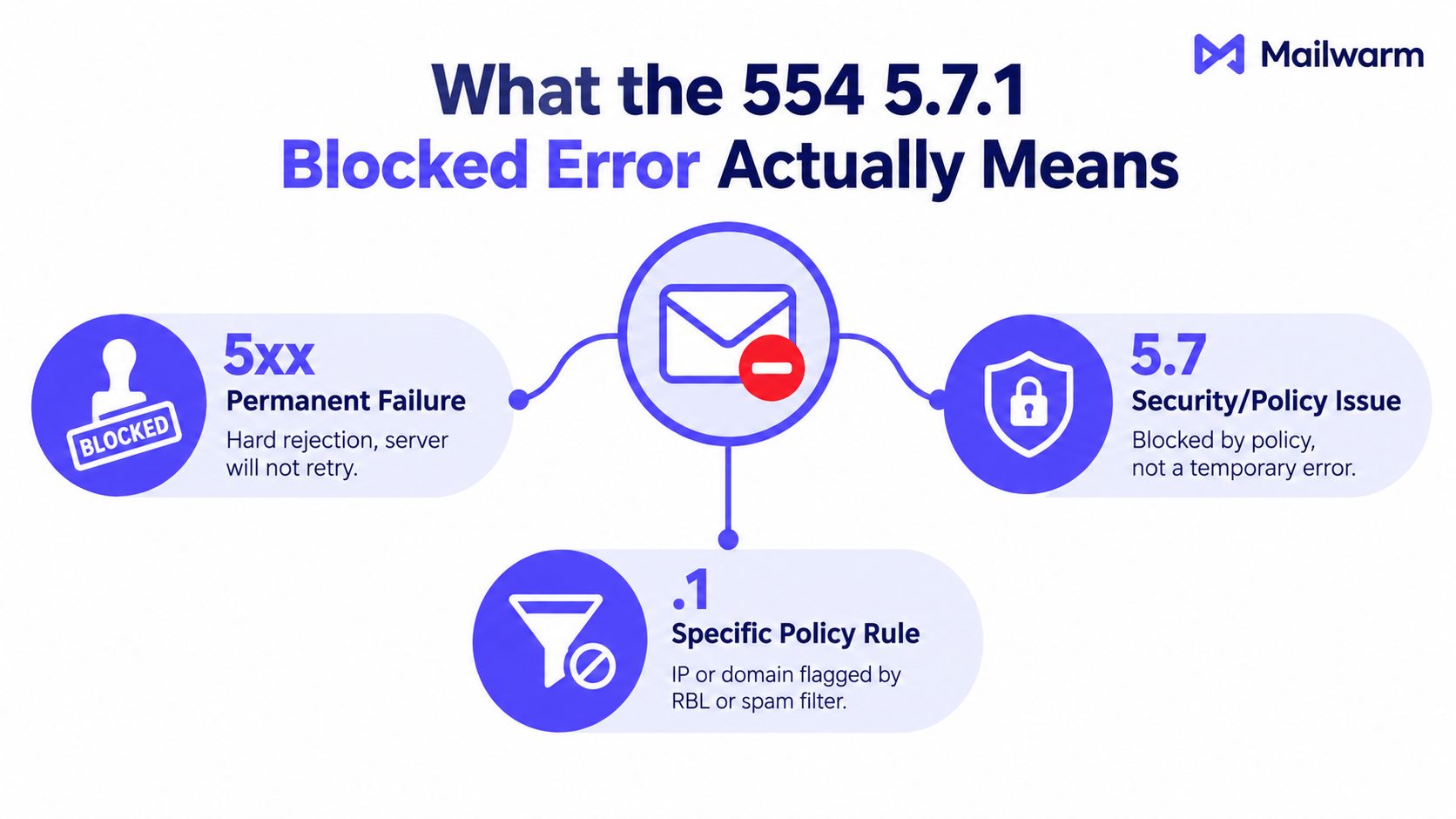
554 5.7.1 is a permanent SMTP rejection. The receiving server decided that the message isn't allowed and shouldn't be redelivered. Microsoft's support examples show this response in cases involving a blocked client host and denied relay access, which makes the full bounce text more useful than the code alone (Microsoft support discussion of 554 5.7.1 relay denial).
The code has three parts:
- 5 means a permanent failure. The receiving server won't treat the response as a request to try again later.
- 7 identifies a security or policy-related refusal.
- .1 narrows the response to a specific authorization or policy classification.
The enhanced status code is commonly interpreted as delivery not authorized, message refused. The recipient address may be valid, but the server has blocked delivery because the sender, message, route, or authentication state failed a policy check (explanation of enhanced status code 5.7.1).
That differs from nearby codes:
| Response | Practical meaning |
|---|---|
| 554 5.7.1 | Permanent security or policy rejection |
| 550 | Permanent refusal, with the enhanced code explaining the category |
| 552 | Often a permanent mailbox or storage-related refusal, depending on the full response |
| 4xx | Temporary failure or deferral, where retrying may be appropriate |
The block may come from a Realtime Blackhole List check, a recipient-side policy rule, relay authorization controls, or a reputation threshold. The bounce body usually identifies which class applies. This is why a one-click “send again” approach doesn't work. A permanent 5xx response requires a root-cause investigation before another attempt (Broadcom explanation of permanent 554 5.7.1 rejection).
How to Read the Bounce and Find Which RBL Blocked You
The returned message should be treated as evidence. Don't begin delisting, changing DNS, or switching sending infrastructure until the complete bounce and mail log have been saved.
Start with the receiving server
Find the hostname that issued the rejection, such as the recipient's MX server. Then locate the diagnostic line, which may appear in a format similar to:
Diagnostic-Code: smtp; 554 5.7.1
The human-readable sentence after that line often names the reason. It may identify Spamhaus CSS, Spamhaus PBL, Barracuda BRBL, SORBS, or Spamcop. It can also say that relay access was denied, the client host was blocked, or a DNSBL policy rejected the connection.
Capture these fields:
- Receiving hostname: The server that refused the message.
- Diagnostic code: The complete SMTP and enhanced status response.
- Listing name: The RBL, DNSBL, or local policy named in the text.
- Sending identity: The sending IP, envelope domain, and From domain.
- Message identifier: The queue or transaction ID used by the sending system.
Confirm the listing directly
A manual DNS lookup can confirm whether the sending IP appears in a specific RBL zone. Common zones include zen.spamhaus.org, b.barracudacentral.org, and dnsbl.sorbs.net. The lookup must use the RBL's documented query format, and the returned result should be interpreted using that provider's own explanation.
For a broader first pass, use MXToolbox Blacklist Check or MultiRBL. These services can test an IP or domain against many lists at once, but a listing shown in a scan still needs to be matched against the bounce that generated the rejection.
| RBL or Tool | Lookup Zone or URL | What It Tells You |
|---|---|---|
| Spamhaus | zen.spamhaus.org | Whether the sending IP appears in a Spamhaus combined reputation zone |
| Barracuda BRBL | b.barracudacentral.org | Whether the IP appears in Barracuda's blocklist |
| SORBS | dnsbl.sorbs.net | Whether the IP is listed in a SORBS DNSBL zone |
| MXToolbox | Blacklist Check | A consolidated view across multiple public lists |
| MultiRBL | MultiRBL lookup | Cross-list testing when the bounce doesn't name the RBL |
If the bounce uses generic wording, such as “client host blocked,” test each relevant RBL directly. The most important operational habit is simple: save the full bounce header before making changes. A shortened dashboard summary may omit the exact list name, response text, or receiving hostname needed for recovery.
Teams can also check if your domain is blacklisted before submitting a removal request.
Diagnosing the Root Cause Behind the Block
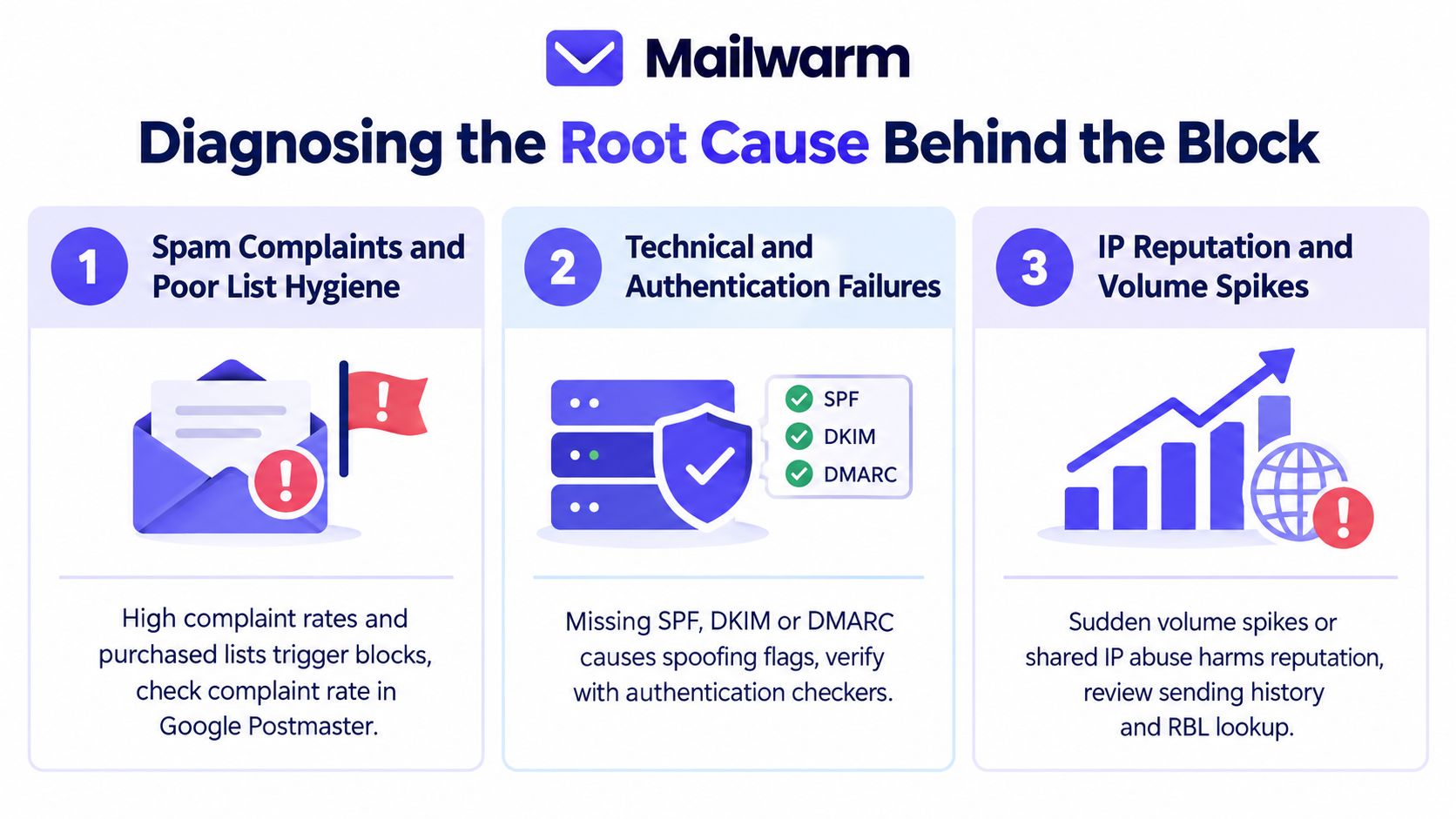
A blocklist entry is a symptom, not a diagnosis. Three cause classes account for most investigations: recipient complaints and poor list hygiene, technical authentication or relay errors, and unauthorized traffic from a compromised account or device.
Complaints and poor list hygiene
The first signal is a change in recipient behavior. Review Feedback Loop reports, unsubscribe activity, suppression events, and campaign-level complaint records. Gmail and Outlook dashboards can reveal whether a particular sending stream is generating negative feedback, but those dashboards won't explain every recipient-side rejection.
Look for:
- Complaint concentration: A specific campaign, list source, or recipient segment appears repeatedly in complaint records.
- List quality problems: Invalid, stale, or unconfirmed contacts continue receiving mail.
- Unexpected recipient patterns: Bulk messages go to contacts who haven't clearly requested them.
Pause the affected stream while the list is reviewed. Removing complaints after an RBL listing won't repair the underlying trust problem if the same audience continues receiving unwanted mail.
Authentication and relay configuration
A policy block can also originate from infrastructure rather than recipient sentiment. Inspect authentication results in delivered headers and sending logs. SPF and DKIM should pass, and the authenticated identities should align with the visible From domain where DMARC enforcement is involved.
Check for:
- SPF failures: The sending service or IP isn't authorized by the published record.
- DKIM failures: The signature is absent, invalid, or no longer matches the message.
- Relay denial: The sending host isn't authorized to forward mail through the server. Relay denial is distinct from a content-based spam block (overview of SMTP 554 causes).
- HELO mismatch: The announced hostname doesn't match the configured sending identity.
- Unexpected infrastructure: Mail is leaving through an IP or relay that the organization doesn't recognize.
A successful delisting request won't correct a relay permission error. The sending platform, SMTP credentials, DNS records, and permitted relay sources all need review.
Compromised accounts and devices
Unfamiliar From addresses, unexpected queue entries, and outbound messages that resemble malware campaigns indicate possible abuse. Mail logs should be checked for senders, authentication sessions, destinations, and sudden changes in traffic patterns.
Practical rule: Don't request removal until unauthorized traffic has stopped and the compromised credential, account, application, or device has been secured.
The investigation should include password and token rotation, application review, endpoint scanning, and a check for unauthorized SMTP clients. Delisting without containment often leads to immediate relisting because the same traffic continues from the same source.
Requesting Delisting From Major Blocklists
Delisting is a verification process, not an appeal based on urgency. Each RBL wants evidence that the cause has been addressed and that the sending source won't repeat the behavior.
Before submitting a request, gather:
- The full 554 5.7.1 bounce.
- The sending IP and domain.
- Relevant mail logs showing that abusive traffic has stopped.
- Authentication results and current DNS records.
- Opt-in evidence for the affected audience.
- A concise explanation of the corrective actions.
Use the RBL's official removal process and keep the request factual. Avoid blaming the recipient, disputing the listing without evidence, or submitting repeated requests while the cause remains active.
| RBL | Delisting URL | Evidence Required | Typical Turnaround | Escalation Path |
|---|---|---|---|---|
| Spamhaus CSS or SBL | Spamhaus lookup and removal guidance | Listing result, sending IP, abuse containment details, and evidence of corrected traffic | Varies by listing and remediation quality | Follow the listing-specific instructions and contact the network owner when Spamhaus identifies one |
| Barracuda BRBL | Barracuda reputation lookup | IP ownership, sending purpose, clean traffic evidence, and corrective action | Varies by review | Submit the requested form again only after correcting the stated issue |
| SORBS | SORBS removal information | Listing details and proof that the technical cause has been fixed | Varies by list and evidence | Use the procedure for the specific SORBS list |
| Spamcop | Spamcop Blocking List | Abuse source review and cessation of reported traffic | Often governed by ongoing report activity | Stop the traffic and allow the listing status to update under Spamcop's process |
| Microsoft Outlook.com SNDS | Microsoft Smart Network Data Services | Sending IP ownership, traffic data, and complaint or reputation context | Varies by access and issue | Use Microsoft's sender support resources after reviewing SNDS data |
Shared IPs require special handling. The sender may not control the traffic that caused the listing, so the ESP or hosting provider usually has to investigate and request removal. Dynamic residential ranges generally shouldn't be used for business email and may be treated as inappropriate sending sources rather than candidates for delisting.
An ESP acting for a client should identify the actual customer, sending stream, and remediation owner. A short request works better than a long defense:
The listed IP is used by [organization] for [mail type]. The issue began after [cause]. The organization has [corrective actions], including [authentication, credential, list, or traffic changes]. The full bounce and relevant evidence are attached. Please review the listing and advise whether any further action is required.
For a broader recovery workflow, see Mailwarm's email blacklist guide.
Fixing Authentication and Preventing Future Listings
Removal only restores an opportunity to send. Prevention comes from a layered system that makes unauthorized traffic, poor list quality, and reputation decline visible before a receiving server returns another permanent rejection.
Build the DNS authentication layer
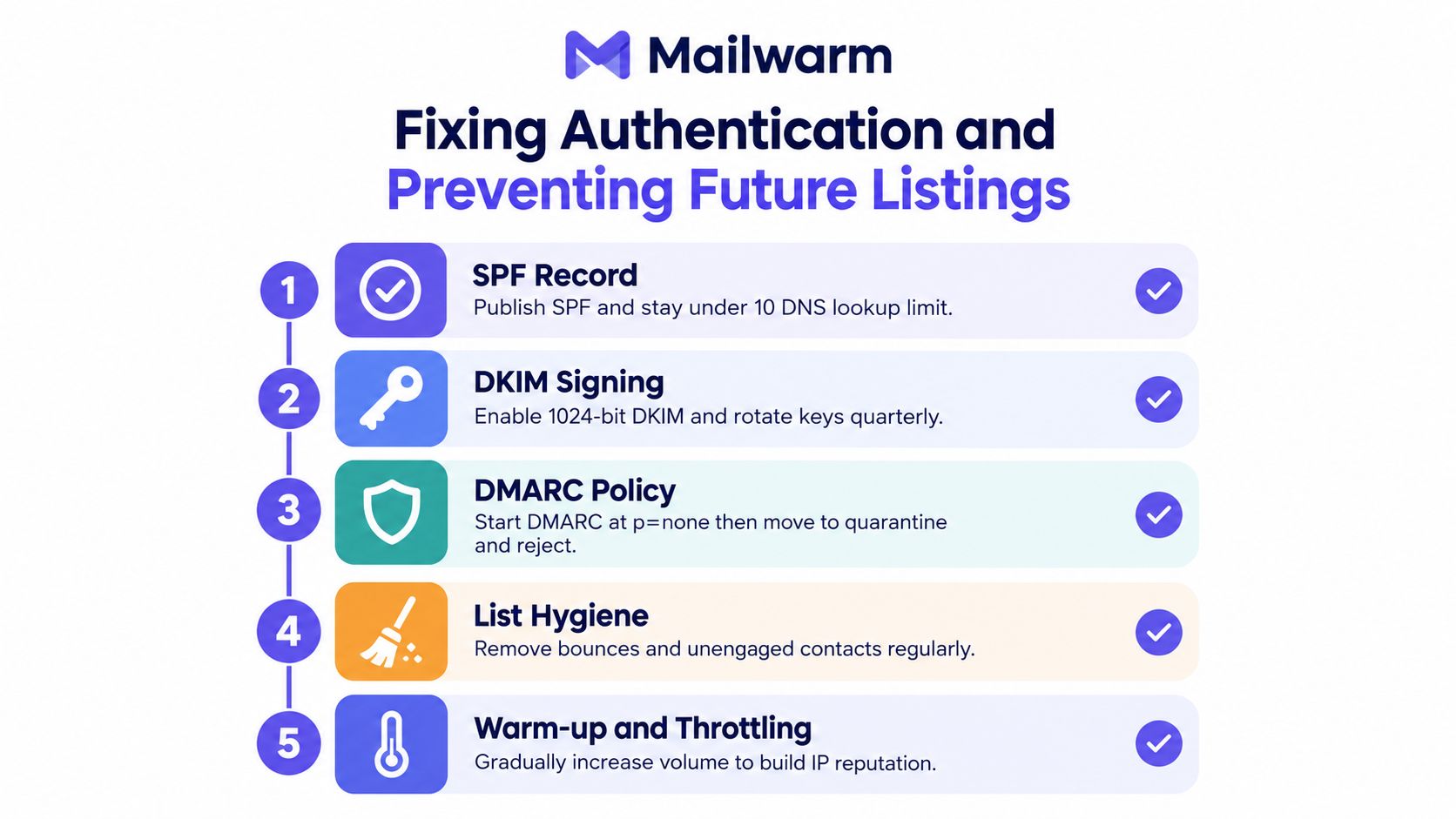
Start with SPF, DKIM, and DMARC. SPF should authorize every legitimate sending service without exceeding the DNS lookup limit. DKIM signing should remain stable across providers, and selectors should be managed so old keys can be retired safely.
DMARC should begin with a monitoring posture while alignment is verified. Once legitimate sources pass consistently, the policy can move toward quarantine or reject. The exact change depends on the domain's sending inventory, forwarding behavior, and business tolerance for false positives.
Review:
- SPF coverage: Every approved sender is represented, and obsolete services are removed.
- DKIM alignment: The signing domain aligns with the visible From domain.
- DMARC reports: Unknown senders are investigated rather than ignored.
- HELO and reverse DNS: The sending infrastructure presents a coherent identity.
Control list and traffic quality
Confirmed opt-in protects the list better than purchased or unverified contacts. Invalid addresses should be suppressed at the SMTP layer, while complaints and unsubscribes should stop future delivery immediately.
Segmenting engaged recipients from cold contacts also helps isolate risk. Transactional mail, marketing traffic, and outbound prospecting shouldn't share an unmanaged stream where one audience can affect the others.
A sending plan should include:
- Throttle new or reactivated infrastructure: Increase traffic gradually rather than creating an abrupt volume change.
- Register feedback loops where available: Use complaint signals to suppress recipients quickly.
- Review logs routinely: Watch authentication failures, rejection reasons, queue anomalies, and unfamiliar senders.
- Check reputation on a schedule: Look at RBL status before a major campaign and after material infrastructure changes.
Mailwarm is a premium email warmup and deliverability platform that combines real inbox engagement, provider-level warmup, spam score monitoring, inbox placement insights, authentication fix tools, bounce prevention, deliverability analytics, and expert guidance. Its network includes 50,000+ aged real inboxes, and its engagement signals can include opens, replies, threads, spam removal, and important marking. Depending on the plan, it can provide up to 100% replies to warmup emails, while operating without IMAP access or permission to read a user's private inbox.
The value of a deliverability layer is not more automated activity. It gives teams a way to monitor reputation, examine provider-level placement, and catch authentication or sending-pattern issues before a block becomes the first signal.
FAQ on the 554 5.7.1 Blocked Error
How long does delisting take?
There isn't one universal timeline. The result depends on the RBL, the listing type, the evidence supplied, and whether the underlying traffic has stopped. A request made before remediation is complete can be denied or followed by another listing.
Is the error the sender's fault or the recipient's?
The recipient's server issues the rejection, but the cause may be on either side. Sender reputation, authentication, relay permissions, and compromised infrastructure are common sender-side causes, while a local recipient policy can block mail even when the sender's infrastructure is sound.
Can a 5.7.1 block permanently damage reputation?
A single rejection doesn't make reputation damage permanent. Continued complaints, unauthorized traffic, repeated failed authentication, or repeated relisting can keep the problem active, so recovery depends on correcting the behavior and maintaining clean sending practices.
Why do some recipients receive mail while others bounce?
Mailbox providers apply different policies, reputation data, and RBL checks. One provider may accept the message while another applies a stricter local rule or recognizes a listing that the first provider doesn't use.
What happens with a shared IP?
A shared IP carries reputation influenced by other senders using the same infrastructure. The ESP may need to investigate the wider traffic and handle removal, while a dedicated IP gives the organization more direct control over its sending reputation.
What if the bounce doesn't name an RBL?
Save the complete response, identify the receiving server, and test the sending IP against relevant RBLs with MXToolbox, MultiRBL, and direct DNSBL lookups. If no listing appears, investigate authentication, relay authorization, content policy, and the recipient's local rules.
Your Recovery Checklist and Next Steps
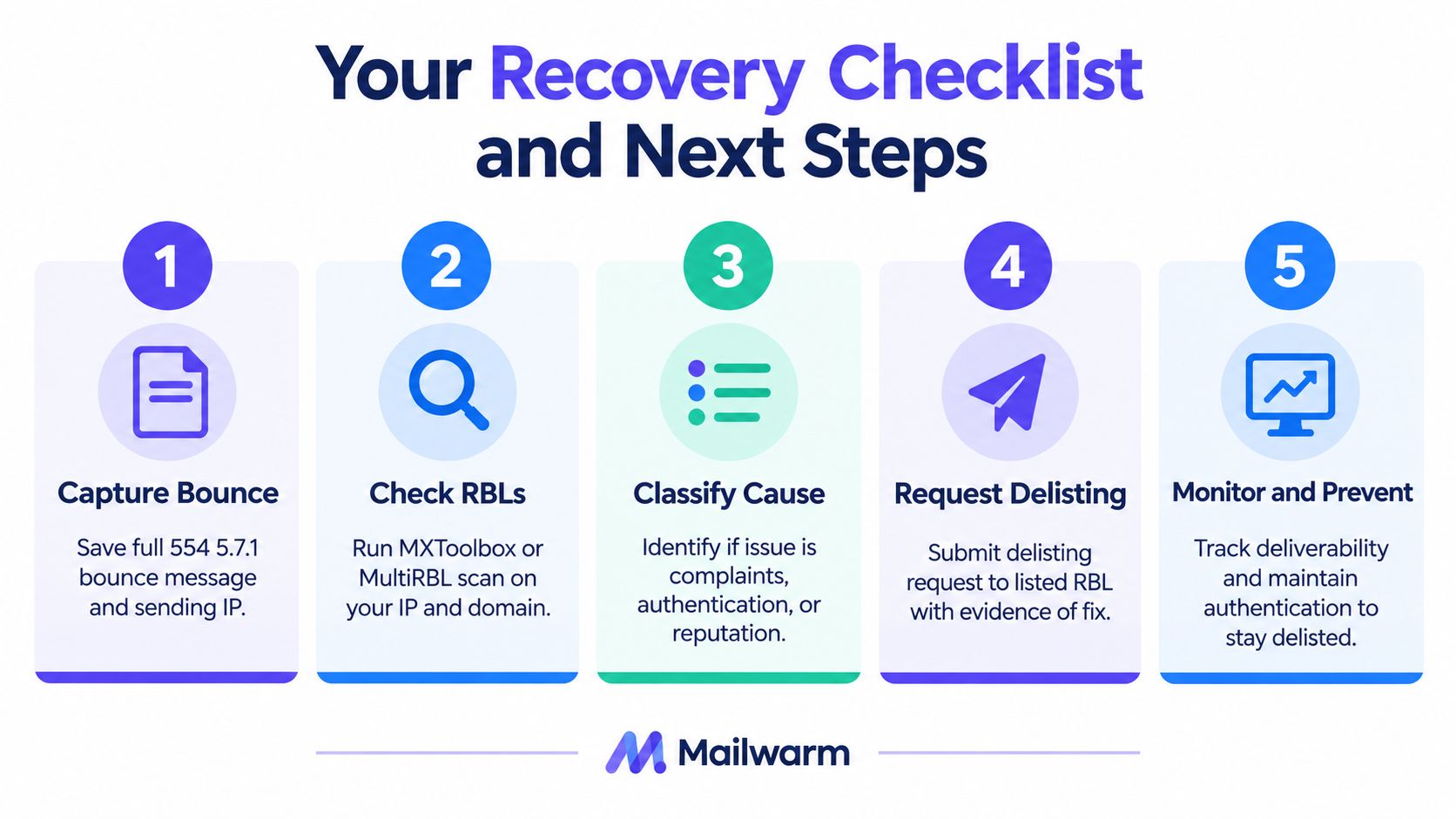
A stressed operator needs an ordered process, not a collection of disconnected fixes. Follow the sequence from evidence gathering to controlled recovery:
- Capture the bounce: Save the full 554 5.7.1 response, headers, receiving hostname, message ID, and sending identity.
- Check RBLs: Run the sending IP and domain through MXToolbox or MultiRBL, then confirm any result with the named RBL.
- Classify the cause: Decide whether the evidence points to complaints and list hygiene, authentication or relay failure, or compromised infrastructure.
- Request delisting: Submit the relevant RBL form with proof that the cause has been contained and corrected.
- Repair authentication: Review SPF, DKIM, DMARC, relay permissions, and sending identity before resuming mail.
- Audit outbound traffic: Check queues, credentials, applications, and devices for unauthorized messages.
- Resume carefully: Use throttled sending and smtp warmup while monitoring placement, bounces, complaints, and new listings.
Teams managing high-volume or transactional traffic often pair manual recovery with expert-guided warmup and inbox placement monitoring. The objective isn't just to remove today's block. It's to detect the next reputation or authentication problem before recipients do.
If 554 5.7.1 blocked messages are disrupting outreach or transactional delivery, Mailwarm provides real inbox engagement, provider-level warmup, authentication tools, spam score monitoring, inbox placement insights, and expert deliverability calls included in every plan. Visit Mailwarm to build a controlled recovery and monitoring process before the next block reaches your sending team.