

Domain authentication is DNS-based proof that a message was authorized by the domain owner, and it works through SPF, DKIM, and DMARC. In 2026, that proof is still incomplete across the internet, with 30.4% of scanned domains using DMARC, 56.0% using SPF, and 22.7% using DKIM, while only 12.8% enforced DMARC with p=quarantine or p=reject (2026 email authentication measurement).
That's why a message can be “sent correctly” and still look untrusted to Gmail, Yahoo, or Microsoft. A clean DNS setup is the start of deliverability, not the finish line.
What Domain Authentication Means
A sender hits “send,” but the receiving mailbox still has to answer a simpler question, “Did this domain authorize this message?” Domain authentication is the DNS record set that helps answer that question. It is the email version of checking a passport before someone enters a building, except the check happens automatically at the mailbox provider.
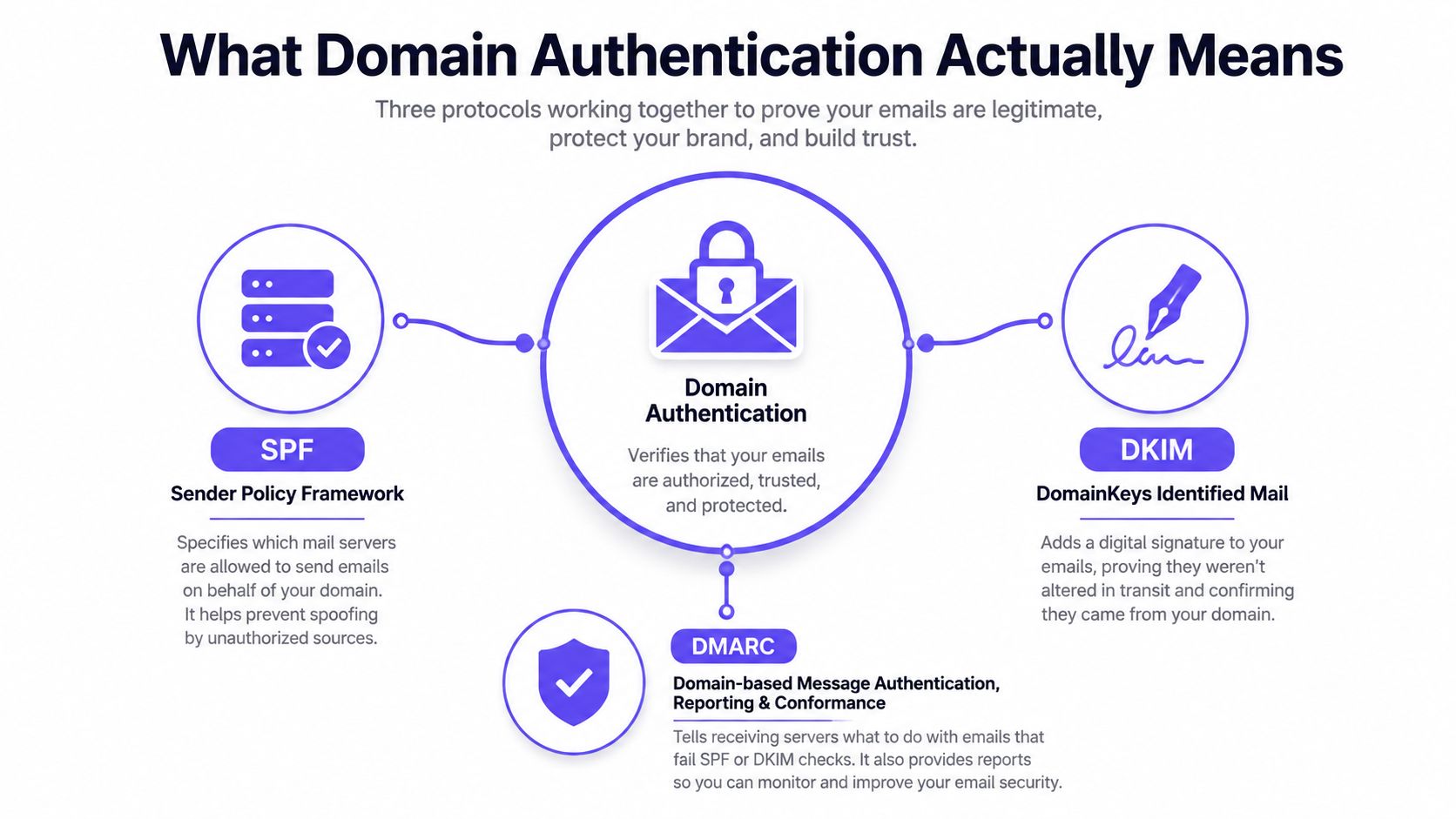
The trust chain rests on SPF, DKIM, and DMARC. SPF names which servers are allowed to send for a domain, DKIM adds a signature that shows the message was not altered in transit, and DMARC tells the receiver how to handle a message when those checks do not line up (Infobip glossary on domain authentication).
That matters because authentication is now a baseline trust signal, not a final stamp of approval. Google and Yahoo now require authenticated mail from bulk senders, which means correct DNS records are part of the entry fee for serious sending. A domain can be authenticated and still miss the inbox if reputation is weak, warmup is skipped, or the message content looks risky.
SPF works like a guest list, DKIM works like a tamper-evident seal on the envelope, and DMARC acts like the rule that says what to do if the name on the letter and the seal do not match. Once those pieces are in place, mailbox providers have a clearer way to judge whether a message belongs to the domain it claims to come from.
If you want to see how email tools handle trust and privacy together, Gmail add-on privacy practices is a useful reference point. The same basic idea applies to authentication, a sender has to prove legitimacy without creating unnecessary exposure.
For a practical follow-up on what comes after DNS is set correctly, the guide on how to avoid the spam folder connects authentication with the rest of deliverability work.
Practical rule: if the domain owner has not published the rules, the mailbox provider has less reason to trust the message.
How SPF, DKIM, and DMARC Work Together
A sender hits publish, the DNS records are in place, and the message still fails trust checks at the mailbox. That usually means one part of the chain is missing or misaligned. SPF, DKIM, and DMARC each handle a different part of that chain, the return address, the sealed envelope, and the policy that decides what happens when either one looks wrong.
SPF is the published list of servers and services allowed to send mail for a domain. If a marketing platform, CRM, or sales sequence tool sends mail, SPF is where the domain owner says whether that sender is permitted.
DKIM is the digital signature. It lets the receiving server verify that the message headers and content weren't changed in transit, which matters because email can pass through several systems before it reaches the inbox.
DMARC is the rulebook. It tells receivers how to handle a message when SPF or DKIM fails, and it also checks alignment, which means the visible From domain has to match the domain used for SPF or DKIM validation.
| Protocol | What it checks | Where it lives | What failure looks like |
|---|---|---|---|
| SPF | Whether the sending server is allowed | DNS | The server isn't on the allowed list |
| DKIM | Whether the message was signed and unchanged | DNS and message headers | The signature is missing or invalid |
| DMARC | Whether SPF or DKIM passes in aligned form, and what to do if not | DNS | The message can be quarantined, rejected, or treated as unauthenticated |
A quick way to sort them out is to follow the path of one message. SPF checks whether the sending system is on the approved list. DKIM checks whether the message still carries the same signed contents it had when it left. DMARC stands above both checks and asks whether the domain in the visible From field is aligned with the authenticated domain, then tells the receiver what policy to apply if the answer is no.
Beginners often get tripped up here. A sender can have SPF and DKIM “working” in a loose sense, but if alignment is off, DMARC still fails. That is why a record existing in DNS is not the same as a message being fully authenticated.
For a setup walkthrough that ties the three records together with BIMI in a practical order, this DKIM, SPF, DMARC, and BIMI guide is a helpful companion.
Alignment is the part that turns separate checks into a real trust chain.
Why Most Domains Still Get Authentication Wrong
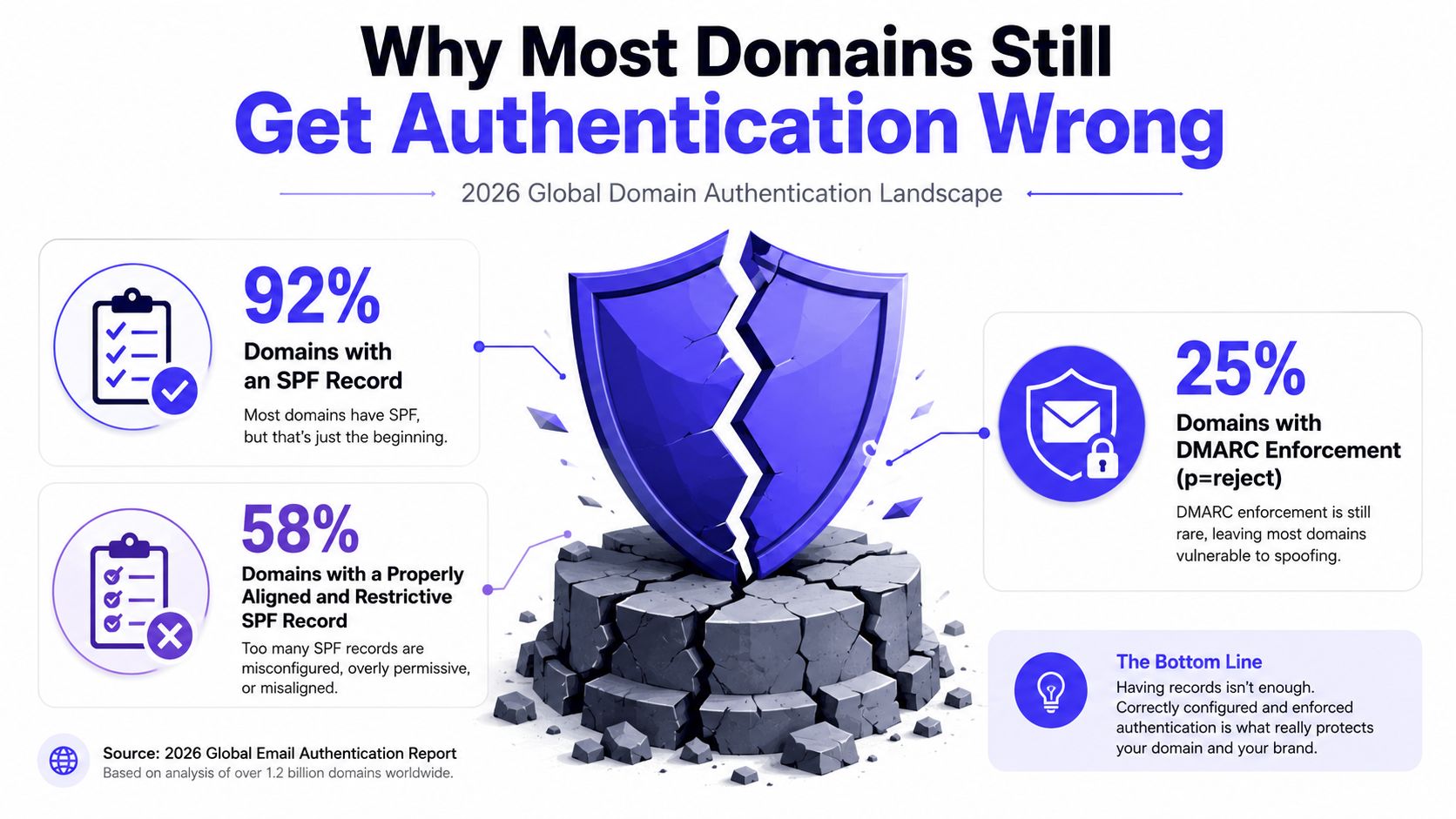
The internet-wide numbers look better than they used to, but they still show a major gap between publishing records and protecting a domain. In the 2026 scan of 5.5 million domains, 40.8% had no email authentication at all, and only 0.04% deployed the full stack of DMARC, SPF, DKIM, MTA-STS, and BIMI (2026 email authentication measurement).
Adoption and protection aren't the same thing
A domain can publish SPF and still be open to mistakes. A DMARC record can exist and still do almost nothing if it sits at a monitoring-only policy or if alignment is broken. The earlier measurement work also showed that the move from niche control to mainstream practice has been slow, even as adoption improved over time.
That gap matters because many senders count records as “done” too early. Misconfigured SPF, missing DKIM selectors from a third-party sender, or a DMARC policy left too soft all make a domain look covered on paper while leaving it underprotected in practice.
The common failure pattern
The same problem shows up in day-to-day email programs. A team adds one platform, then another, then a CRM, then a newsletter tool, and the authentication setup starts drifting. One sender is covered, another isn't, and the domain owner only notices when inbox placement slips or spoofing complaints start.
The fix is not just adding more records. It's checking whether every legitimate sender is signed, allowed, and aligned, then tightening policy once the legitimate mail flow is stable.
Practical rule: authentication should be treated like seatbelts in a car, not decoration on the dashboard.
Real Benefits for Inbox Placement
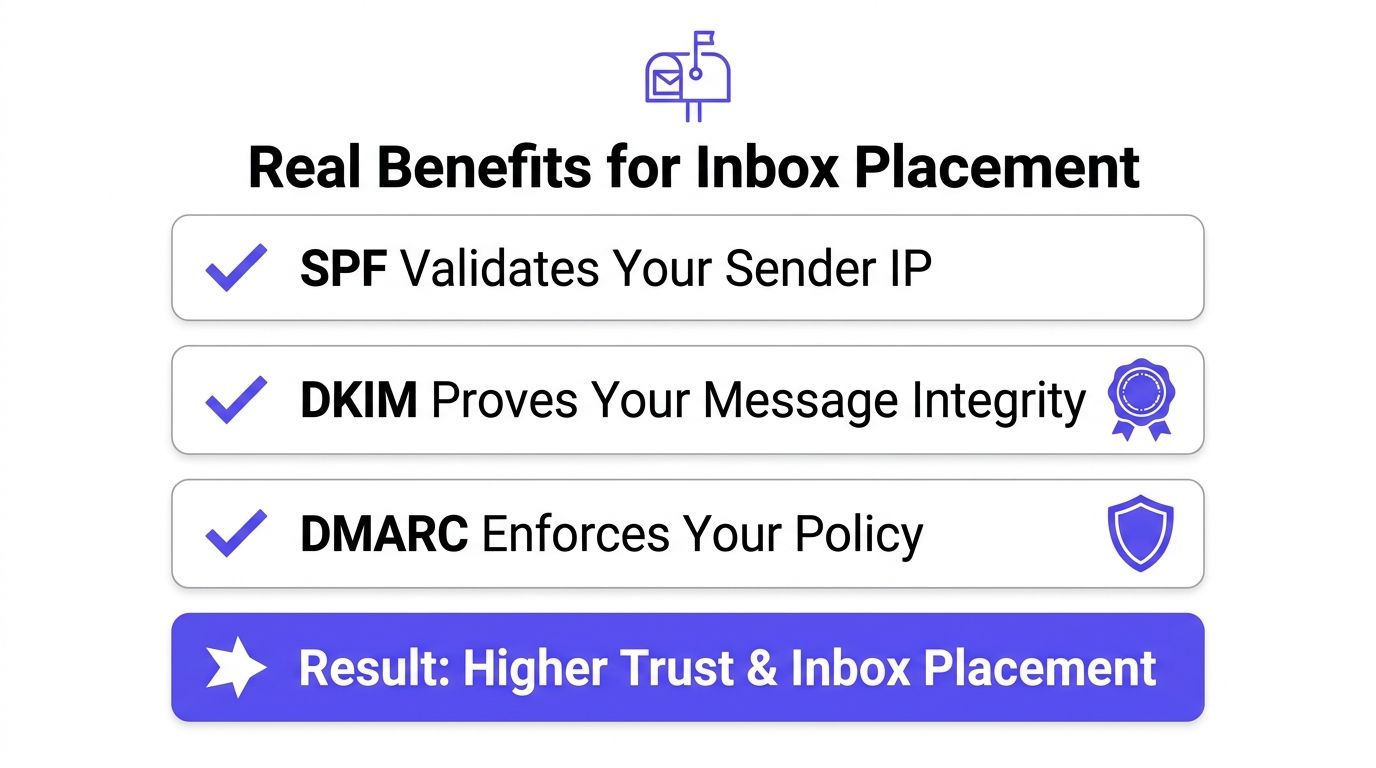
Mailbox providers use authentication as part of their trust decision, so the point of SPF, DKIM, and DMARC is not only anti-spoofing. The point is also to help legitimate mail get treated like legitimate mail.
Google and Yahoo both tightened expectations for bulk senders in 2024. Bulk mail now has to be authenticated, DMARC has to be in place, spam complaint rates have to stay below 0.3% for Gmail, and Yahoo also requires easy unsubscribe handling and the same complaint-rate threshold (Twilio glossary on domain authentication). In that environment, unauthenticated mail isn't just suspicious, it can be rejected or routed to spam.
Microsoft frames the benefit in plain terms. Authenticated marketing email is more likely to reach inboxes because the receiver can confirm the visible from-address belongs to the sending organization, and messages that fail authentication are more likely to be filtered as spam (Microsoft domain authentication guidance).
What authentication changes in practice
Authenticated mail gives providers a reason to trust the domain before reputation even gets evaluated. That trust doesn't guarantee inbox placement, but it removes a major source of avoidable friction.
The win is operational. Sales teams, recruiters, agencies, and marketing teams spend less time fighting false suspicion and more time working on the signals that still matter after DNS is correct, like complaints, list hygiene, and sending behavior.
For teams preparing high-volume outreach, this guide for Gmail mass emailing is a useful resource for understanding the sender-side requirements around bulk sending.
Authentication is necessary, but it isn't the whole deliverability story.
Common Misconfigurations and How to Fix Them
A lot of authentication problems don't come from missing records. They come from records that exist but don't work the way the sender thinks they do.
The four failure modes that show up most often
- Multiple SPF TXT records, the symptom is that lookups fail or SPF behaves unpredictably, the root cause is separate records published for one domain, and the fix is to merge them into one SPF record.
- SPF lookup overload, the symptom is SPF temperamental failures when several services are included, the root cause is too many DNS lookups inside one record, and the fix is to remove unused includes or flatten the setup.
- Missing DKIM selector, the symptom is a DKIM failure in message headers after a platform starts sending, the root cause is that the ESP's DNS record was never published, and the fix is to add the CNAME or TXT record the service provided.
- DMARC left at p=none, the symptom is authentication reporting without real enforcement, the root cause is that the policy never moved beyond monitoring, and the fix is to move carefully toward
pct=100, thenp=quarantine, thenp=rejectonce legitimate mail is aligned.
Each of these looks minor in a DNS panel. Each of them can still break trust at the mailbox level. That's why troubleshooting has to start with headers, not assumptions.
The fastest way to debug is to send a test message and inspect the authentication results in the receiving mailbox. If SPF passes but DMARC fails, alignment is usually the missing piece. If DKIM is missing, the sending platform may not have its signer configured.
Practical rule: if the record is published but the header still says fail, the issue is usually configuration, not philosophy.
How to Test and Monitor Authentication Over Time
Authentication isn't a one-time setup task. It needs a light monitoring routine, because new sending tools, domain changes, and policy updates can break what used to work.
A simple day-one workflow
Start with DNS lookups using tools such as MXToolbox for SPF and DKIM checks, then confirm the same domain is present in Gmail or Outlook message headers as SPF=pass, DKIM=pass, and DMARC=pass. After that, check provider dashboards like Google Postmaster Tools, Microsoft SNDS and JMRP, and Yahoo's Complaint Feedback Loop for reputation and complaint signals.
The reason this matters is that authentication results and reputation signals are related but not identical. A message can authenticate correctly and still land in spam if the sender's reputation is weak or the list is unhealthy.
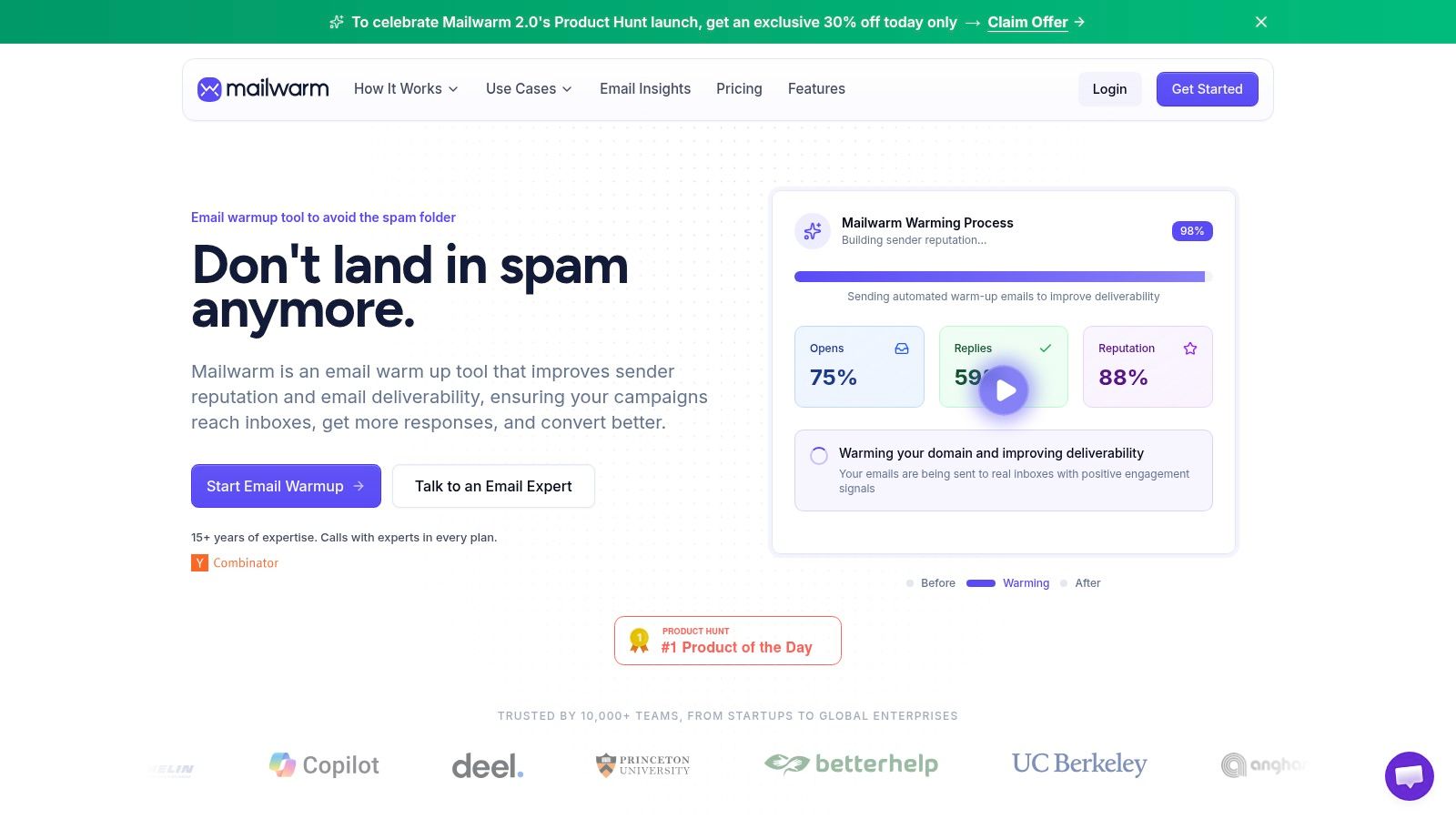
Mailwarm fits into this workflow as a monitoring and remediation layer, not as a substitute for DNS. Its authentication fix tools, spam score monitoring, and inbox placement insights help teams see whether the authentication setup is holding up in real sending conditions, and its approach does not require IMAP access or permission to read a private inbox.
What to review each month
- Authentication results: confirm SPF, DKIM, and DMARC still pass in real mail headers.
- Provider dashboards: look for reputation changes and complaint patterns.
- Sending changes: review any new platform, sequence tool, or mail stream added since the last check.
- Policy drift: verify DMARC is still moving in the right direction, not stuck in monitoring forever.
For teams that want a dedicated check on policy health, Mailwarm's DMARC checker can be part of the review process alongside header inspection and provider dashboards.
Putting It All Together with Mailwarm
A practical setup can be done in five moves. First, publish one clean SPF record that includes every legitimate sender. Second, enable DKIM on every platform that sends as the domain. Third, start DMARC at p=none with a reporting inbox, then watch the reports until legitimate traffic is aligned.
Next, monitor authentication results and spam placement weekly, because reputation can change after a list upload, a domain switch, or a new campaign. Finally, layer in warmup, list hygiene, and content review so the sending program looks healthy to mailbox providers, not just technically correct.
Mailwarm sits in that last part of the process as a premium email warmup and deliverability platform. It uses 50,000+ aged real inboxes, real engagement signals, provider-level warmup, spam score monitoring, inbox placement insights, authentication fix tools, and expert deliverability calls included in every plan. That's also why it costs more than basic warmup tools, it's built for teams that need more than automated activity.
Frequently Asked Questions About Domain Authentication
What is the difference between SPF, DKIM, and DMARC?
SPF says which servers are allowed to send for a domain. DKIM signs the message so receivers can verify it wasn't altered. DMARC sets the policy for what to do when SPF or DKIM fails.
Is domain authentication enough to fix deliverability?
No. Domain authentication is a baseline trust signal, not a guarantee of inbox placement. Reputation, complaints, list quality, and sending behavior still matter.
How should DMARC enforcement be rolled out?
It should usually start in monitoring mode with p=none, then move to quarantine and eventually reject once legitimate mail is aligned. That ramp takes time because the goal is to avoid blocking real mail.
Is a p=none DMARC policy enough for Google and Yahoo bulk sender rules?
It's enough to collect reports and begin monitoring, but it isn't the same as full enforcement. Bulk senders still need authentication in place, and senders should treat p=none as a starting point rather than a final state.
How does Mailwarm help with authentication?
Mailwarm includes authentication fix tools, spam score monitoring, inbox placement insights, and expert deliverability calls. It helps teams see whether their authenticated setup is performing well in real sending conditions.
Does Mailwarm need access to a private inbox?
No. Unlike basic warmup tools that rely on mailbox-level access, Mailwarm does not require IMAP access or permission to read a private inbox. That makes it a better fit for security-conscious teams.
If email is part of the growth plan, Mailwarm helps teams build sender reputation, monitor inbox placement, and reduce spam risk with expert-guided warmup. It pairs well with correct SPF, DKIM, and DMARC because it focuses on the reputation side of deliverability, not just automated activity. Visit Mailwarm to see how a premium deliverability platform can support authentication, warmup, and ongoing inbox placement work.