

A DKIM record is a digital signature for your emails that proves to recipients they're authentic and haven't been tampered with. In practice, it works like a tamper-proof seal on a letter, and 28.1% of Alexa Top 1 Million domains had DKIM enabled in one large measurement study, with 2.9% of those deployments misconfigured, so it's common, but not always done well. DKIM matters because mailbox providers use it to judge whether a message is trustworthy, which affects both sender reputation and inbox placement.
If a business sends sales emails, newsletters, receipts, or product updates, DKIM is part of the trust layer that keeps those messages from looking suspicious. It doesn't replace good content or a healthy sending pattern, but it gives mailbox providers a way to verify that the message really came from the domain it claims to represent.
What Is a DKIM Record and Why It Matters
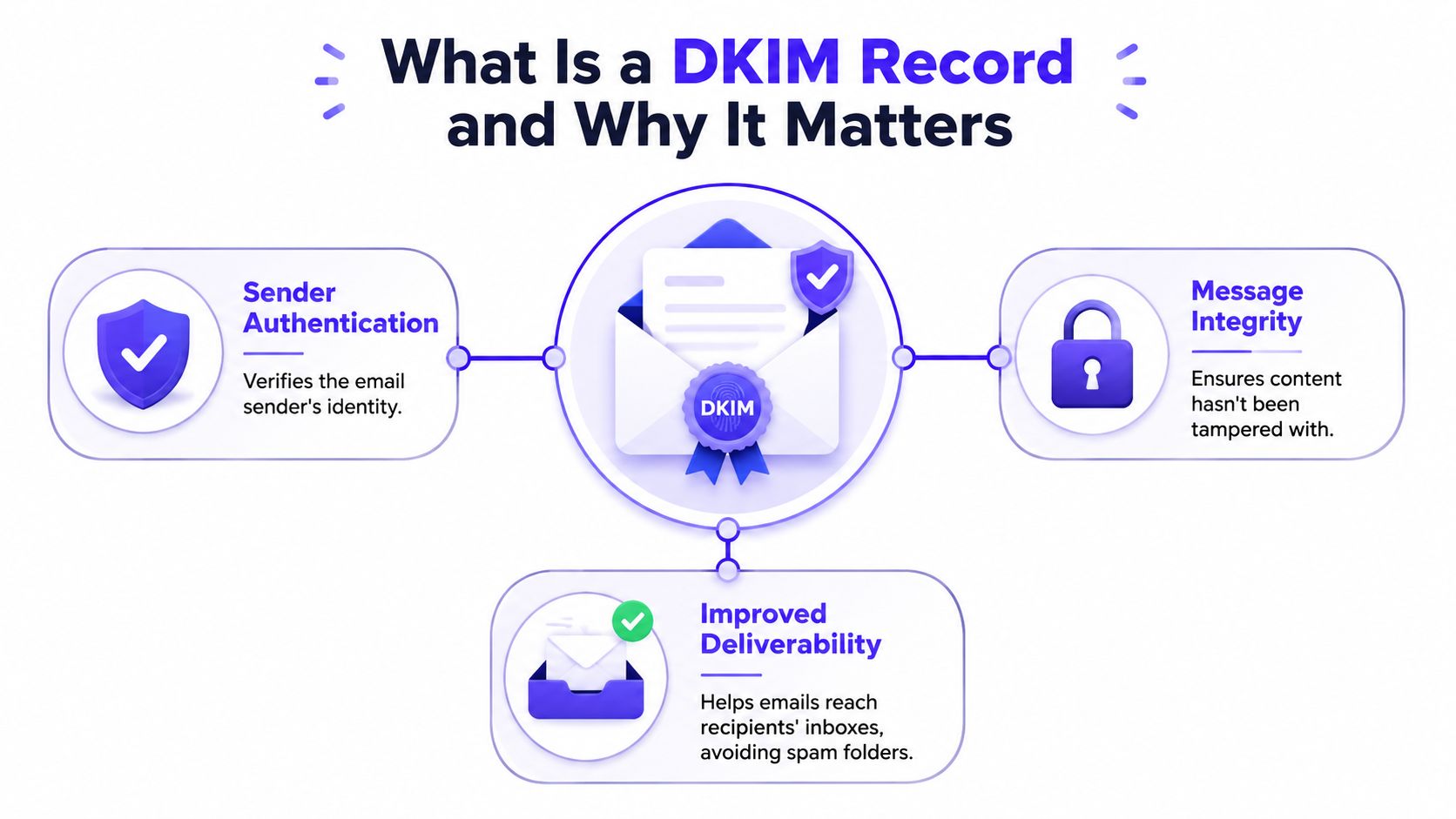
A DKIM record is a DNS TXT record that publishes the public key mailbox providers use to verify an email's DKIM signature, and the standard is formally specified in RFC 6376. In plain terms, the email carries a signature, and the recipient checks that signature against the public key stored in DNS.
That matters because DKIM does more than label a message as technically valid. It gives mailbox providers a way to confirm that the email came from an authorized sender and that the content stayed intact on its way to the inbox. For a business, that helps a legitimate campaign look like a legitimate campaign, rather than a message that may have been forged or altered.
Why mailbox providers care about it
Mailbox providers need signals that help separate real senders from impersonators. DKIM gives them one of those signals by tying a domain to a verifiable signature that can be checked against DNS.
That check affects trust. If a recipient's provider can validate the signature, the message has a stronger case for reaching the inbox instead of being treated as suspicious mail.
Practical rule: DKIM does not fix weak email content, but it does make legitimate email easier to trust.
DKIM also matters because it is part of a sending stack, not a standalone feature. Your DNS must publish the correct public key, your email provider must sign the message correctly, and your marketing or transactional platform must use the same domain alignment your mailbox provider expects. If any one of those pieces is out of sync, the signature can fail even when the email itself looks fine.
That coordination is where many teams run into trouble. A domain may have a DKIM record in place, but if the key in DNS does not match what the sending system uses, or if a vendor change breaks the signer, the message loses one of its strongest trust signals. For senders, the lesson is simple, DKIM has to be configured correctly across the whole path, not just added once and forgotten.
How DKIM Signing and Verification Work
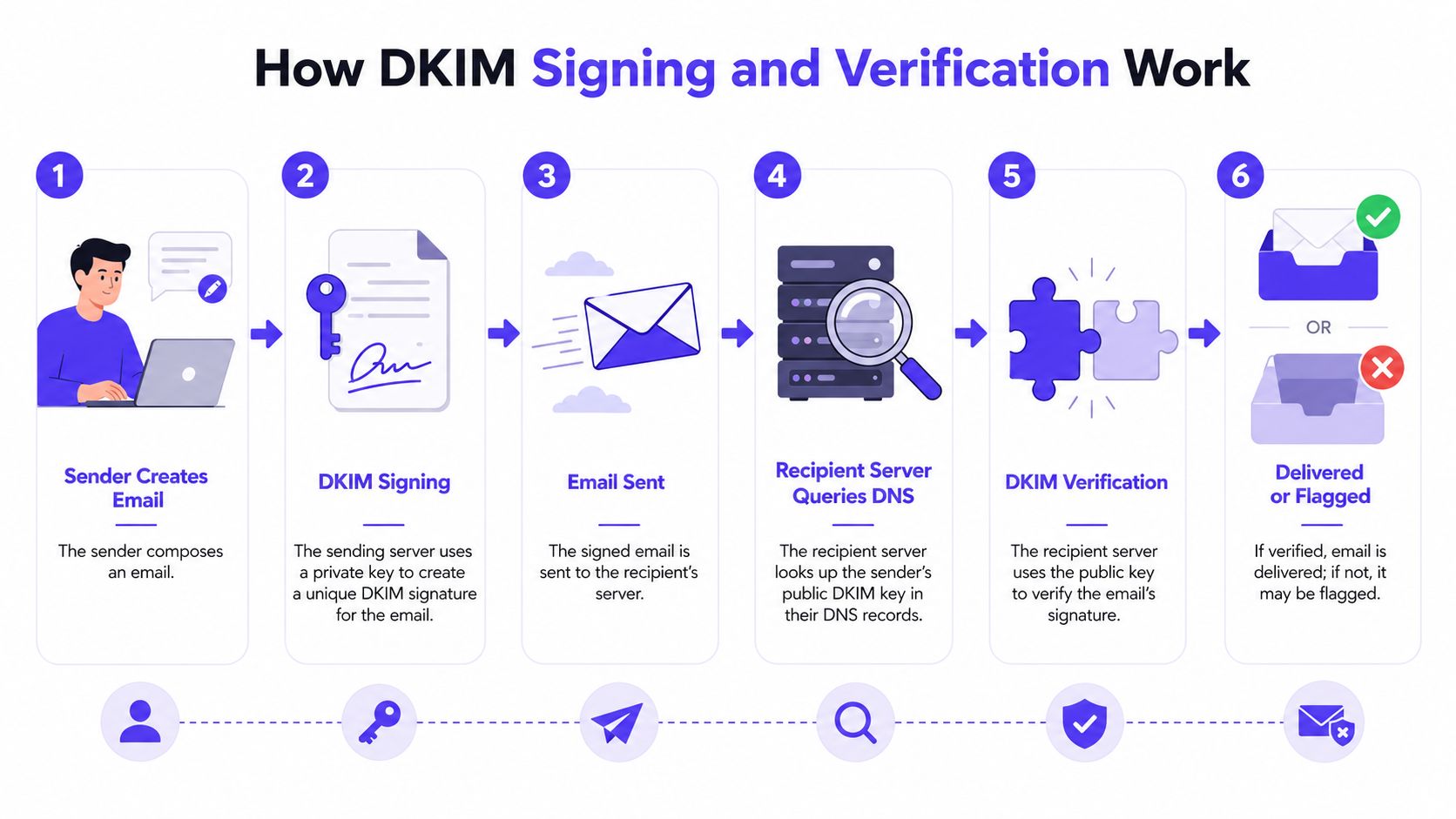
DKIM uses a pair of keys, one private and one public. The sending system keeps the private key secret, then the receiving server checks the matching public key in DNS. That creates a chain of trust without exposing the signing key itself.
The signing step
First, the sender composes an email. The sending server then uses its private key to create a unique DKIM signature and attaches that signature to the email header.
That signature covers selected parts of the message. If those parts change later, even slightly, the signature no longer matches.
The verification step
Next, the recipient's server looks up the public key in DNS and compares it with the signature it received. If the values line up, the message passes DKIM verification.
If the message was altered, or if the wrong key is published, verification can fail. That's why DKIM is useful for detecting message tampering as well as spoofing.
A simple way to frame it is this. The private key acts like a company stamp held in-house, while DNS acts like a public directory that lets the recipient confirm the stamp is real.
For teams that want a broader view of trust signals in public systems, browse brand verification tips for Reddit from Bazzly is a useful example of how verification works in other environments too.
Anatomy of a DKIM Record in DNS
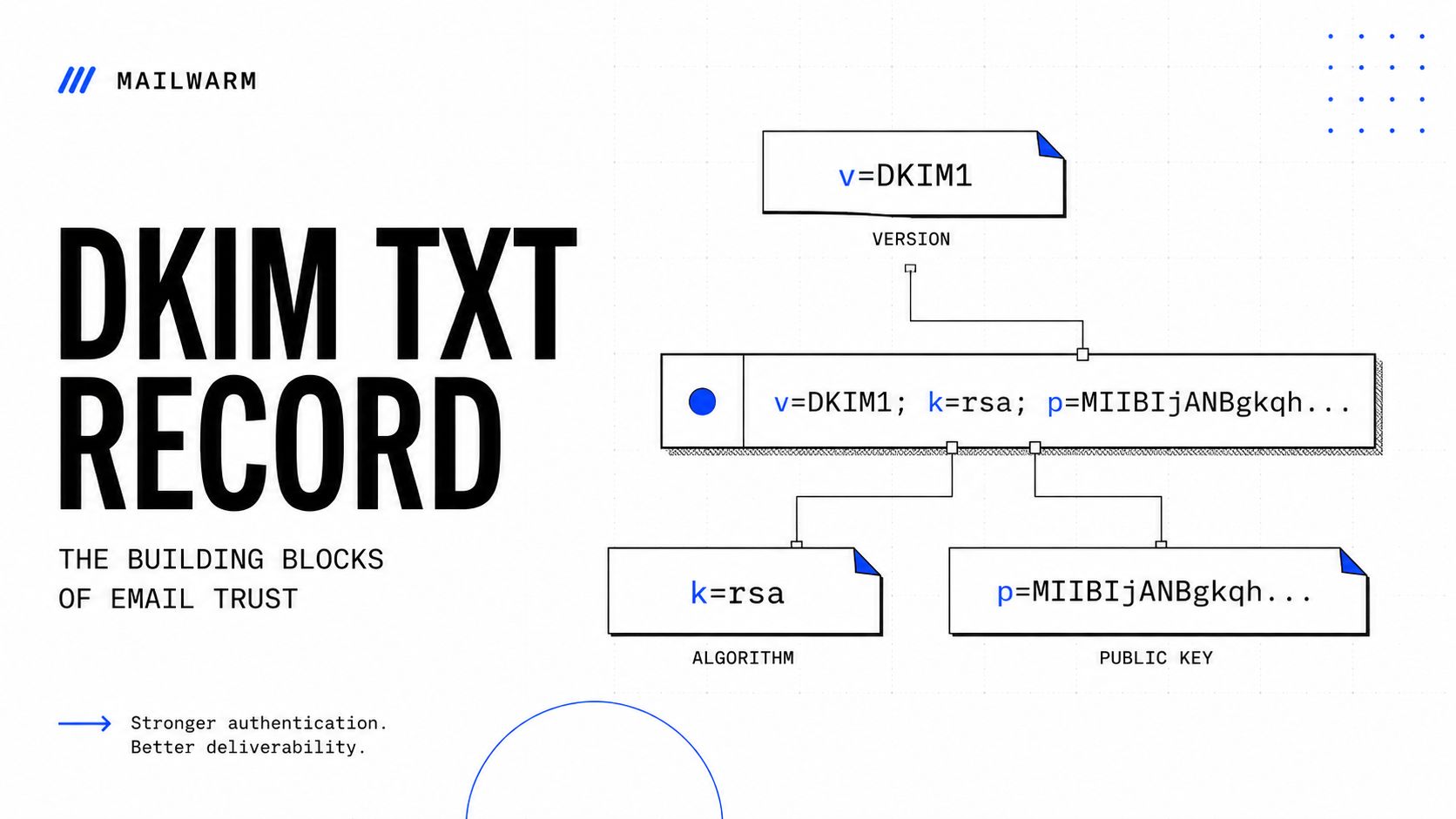
A DKIM record lives in DNS as a TXT record, usually at selector._domainkey.domain. That structure matters because the selector tells the receiving server which key to fetch, especially when a domain uses more than one sending service.
The tags that matter
A valid DKIM DNS record usually includes v=DKIM1 for the version, k= for the algorithm, such as rsa or ed25519, and p= for the Base64-encoded public key (CaptainDNS). Those tags tell the receiving server how to interpret the record and which key to use.
The selector is the part many people miss. It makes it possible for one domain to publish separate keys for separate mail streams, like a CRM, a helpdesk platform, and a newsletter system.
Why this structure avoids confusion
A single domain can send through multiple providers. DKIM handles that by letting each service use its own selector and key pair, instead of forcing every sender to share one setup.
That's why the DNS record isn't just a static line of text. It's part of a coordination layer between the domain owner, the email platform, and the mailbox provider that checks the message.
For readers who want a fuller setup walkthrough for related authentication records, the internal guide on DKIM, SPF, DMARC, and BIMI setup is a practical companion.
DKIM, SPF, and DMARC Working Together
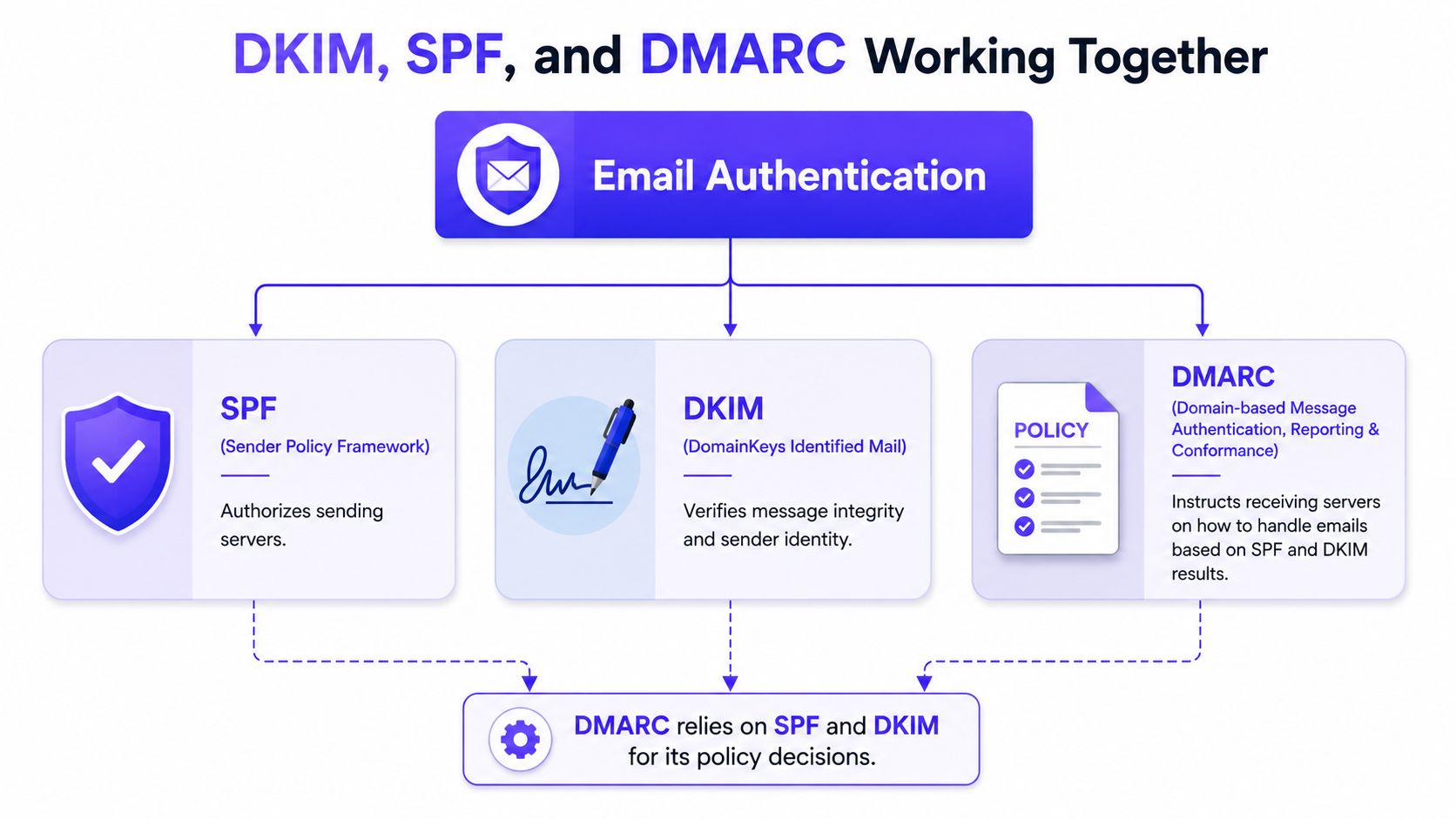
A DKIM record does useful work, but it does not act alone. In a real sending setup, SPF confirms which mail servers are allowed to send for a domain, DKIM verifies that the message signature still matches, and DMARC tells mailbox providers how to handle mail when those checks do not align.
Why one protocol isn't enough
DKIM checks the integrity of the message and helps prove that the content has not been altered in transit. SPF checks the sending source. DMARC ties both signals back to the visible From address that recipients see.
That matters because modern sending stacks are rarely simple. A business may send sales outreach from one provider, invoices from another system, and marketing mail from a third. Each path needs to match the authentication records in DNS, or the receiving server can see mixed signals.
Misalignment is common enough to cause real problems. In the RFC 6376 specification, the cited measurements of Alexa Top 1 Million domains showed DKIM adoption with some deployments still misconfigured, which is a reminder that publishing a record is only part of the job (RFC 6376).
How the three protocols support deliverability
When SPF, DKIM, and DMARC all line up, mailbox providers get a clearer trust picture. That does not guarantee inbox placement, but it removes one of the biggest reasons a legitimate message gets treated with suspicion. It also helps reduce the risk that someone else can spoof the domain and send mail that looks official.
The coordination matters at every step. DNS holds the public key for DKIM, the email provider signs the message, and the marketing or CRM tool has to send through the right domain and selector. If one piece is misconfigured, the result can be a failed signature, an SPF mismatch, or a DMARC policy that blocks mail the business expected to deliver.
A simple way to frame it is this. SPF confirms the sender, DKIM confirms the message, and DMARC checks whether those signals support the domain shown in the inbox.
For teams trying to improve inbox placement, the practical advice in how to avoid the spam folder fits here, because authentication and placement usually move together when the sending stack is configured correctly.
DKIM Best Practices for Better Deliverability
The biggest mistake with DKIM is treating it as a one-time setup. Sending programs change, providers change, and keys age, so a healthy DKIM setup needs routine maintenance.
What stronger hygiene looks like
A long-running measurement of 3,631,768 domains found that 84% still used DKIM keys of 1024 bits or less, and among Alexa Top 100 domains, 68.5% had not rotated their keys in the past five years (DMARC.org). That is a clear sign that many senders still rely on older key practices even though mailbox providers expect more disciplined authentication.
For a business that sends important mail, key size and rotation are not advanced hardening. They are part of keeping the sending stack current, the same way you would keep a CRM integration or payment processor updated when the workflow changes.
Best practices that make sense in a modern stack
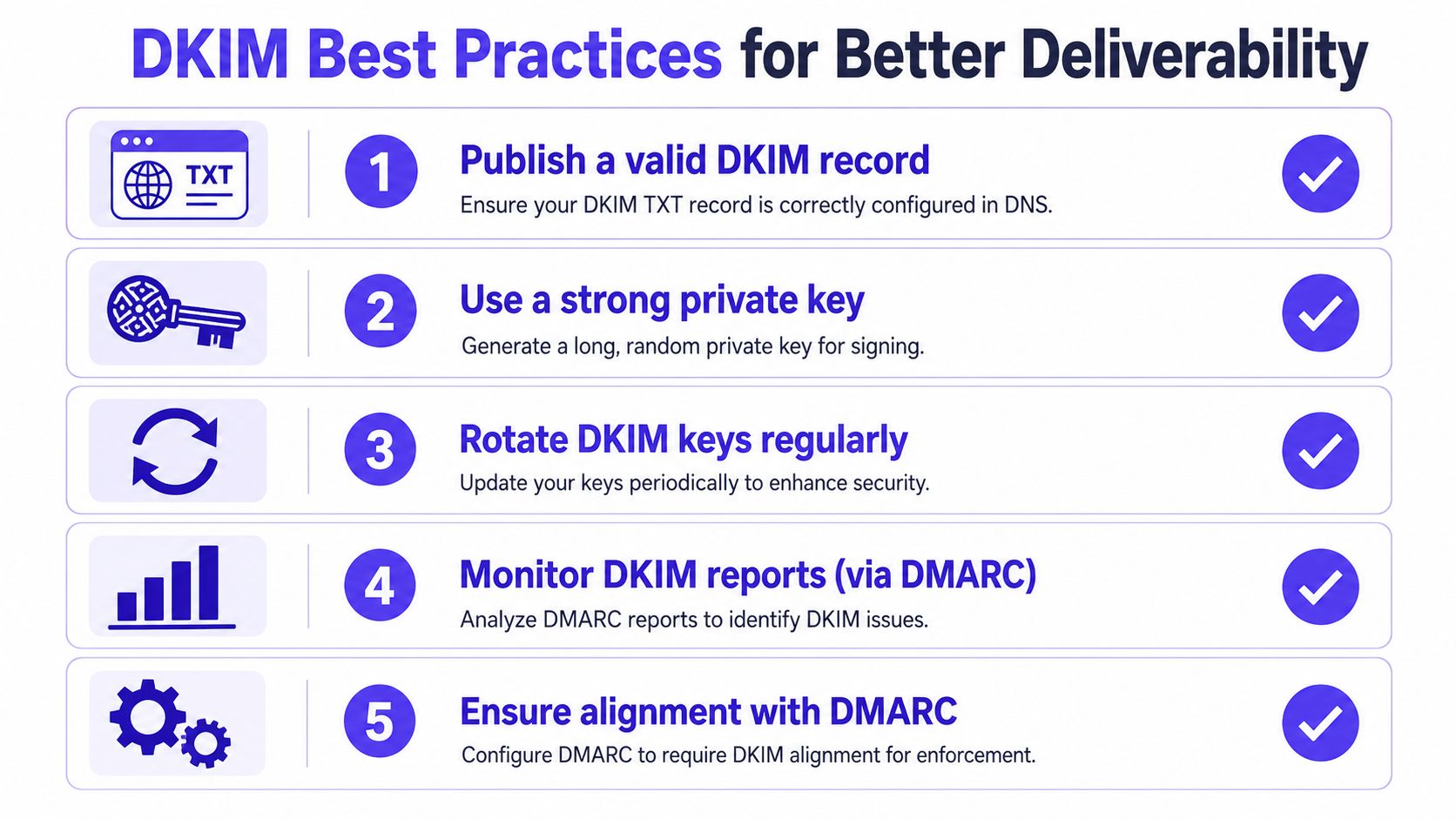
- Publish a valid DKIM record: Make sure the TXT record exists, resolves correctly, and matches the active selector used by the sending service.
- Use a strong private key: Keep the signing key secret and generate it through the sending platform or DNS workflow you trust.
- Rotate DKIM keys regularly: Old keys create avoidable risk when people leave, providers change, or systems get reorganized.
- Monitor DKIM reports through DMARC: If messages start failing, the reports usually show whether the issue is with the selector, alignment, or another sender.
- Match DKIM with DMARC policy: DKIM becomes much more useful when DMARC can interpret its result and enforce a policy.
The Outsoci guide to email deliverability connects authentication to sending behavior and reputation, which is useful because DKIM problems often show up as a coordination issue between the DNS record, the email provider, and the tool that sends the campaign.
What mature teams usually do
They separate transactional, marketing, and outbound streams. That keeps one service from signing mail for another service by mistake, and it makes it easier to see which sender is responsible if authentication starts failing.
They also keep selectors organized so each provider has its own path through DNS and signing. That approach makes troubleshooting faster and helps prevent reputation problems from spreading across every email flow at once.
How to Check Your DKIM Record and Fix Common Issues
A DKIM check starts with DNS, but it doesn't end there. A record can exist and still fail if the selector is wrong, the public key is incomplete, or the sending platform never activated signing.
The quickest check is a DKIM record checker that queries DNS with the selector the sending service uses. Mailwarm offers a free DKIM Record Checker that validates a domain's DKIM configuration by querying DNS records with a specified selector and verifying the cryptographic signature setup for email authentication.
What usually goes wrong
The most common issues are coordination problems, not mysterious technical failures. The DNS team may publish the right record, but the email provider may still be signing with a different selector, or a marketing tool may be using an old key.
A simple troubleshooting flow helps.
- Confirm the selector: The selector in the message header must match the selector in DNS.
- Check the record format: The TXT value should contain the expected DKIM tags and the full public key.
- Verify the sending service: The platform must have signing turned on.
- Test a real message: A DNS record alone doesn't prove the message is signed correctly.
When outside help becomes useful
Teams often get stuck when multiple providers are involved. That's where authentication tools and expert review save time, because the issue is usually about who owns which sending path, not just whether DNS has a typo.
Useful rule: If the same domain sends from several systems, every system needs a clearly owned selector and a known place in DNS.
For teams that want help untangling those issues, Mailwarm's authentication fix tools and deliverability calls fit naturally into the workflow. The value is in diagnosing the coordination gap between DNS, mailbox providers, and the tools sending mail.
For related troubleshooting, the internal article on emails going to spam is a practical next step.
FAQ About DKIM and Email Authentication
| Question | Answer |
|---|---|
| What is a DKIM record? | It's a DNS TXT record that publishes the public key used to verify an email's DKIM signature. Mailbox providers use it to check that the message really came from the claimed domain. |
| Does DKIM stop spam by itself? | No. DKIM helps prove authenticity and protect against tampering, but inbox placement still depends on reputation, content, complaints, and other authentication signals. |
| Can one domain use multiple DKIM records? | Yes, through different selectors. That's useful when one domain sends through multiple providers or separates marketing, transactional, and sales traffic. |
| How often should DKIM keys be rotated? | Regular rotation is a strong practice, especially for serious senders. The exact schedule depends on the environment, but leaving keys unchanged for years is weak hygiene. |
| How does Mailwarm help with DKIM? | Mailwarm provides a DKIM Record Checker, plus authentication fix tools and deliverability guidance, so teams can spot DNS and signing issues faster. |
If email is part of your growth strategy, Mailwarm helps you build sender reputation, monitor inbox placement, and reduce spam risk with expert-guided warmup. It also gives teams a practical way to connect authentication, deliverability, and real inbox engagement in one workflow. Visit Mailwarm to see how its deliverability tools can support a cleaner sending setup.