
What Is a Fake Email Generator and When Should You Use One?
A fake email generator produces disposable or temporary email addresses that you can use for testing or anonymity. QA and development teams rely on these tools to test sign-up flows, trigger confirmation messages, and verify routing, all without exposing their primary inbox or risking spam. They're also handy for blocking unwanted emails from suspicious forms.
Avoid combining these temporary addresses with actual prospect or customer email lists. Disposable domains often cause hard bounces and interact with spam traps, which can harm your sender reputation.
Rule of thumb: Use fake emails only for quality assurance and privacy protection. For outreach or list building, always use real, validated emails.
Important Criteria for Choosing a Fake Email Generator in 2026
- Privacy model: Assess public versus private inbox options and retention policies.
- Domain variety: A wide selection of sending domains helps avoid blocks that detect patterns during testing.
- API and webhooks: Support automated test workflows and CI/CD integration.
- Custom domain support: Enables catch-all routing for advanced, staged testing environments.
- Message retention: Control how long test emails remain available.
- Logging: Access detailed logs, headers, and SMTP trace data for debugging.
- Rate limits: Avoid throttling during high-volume load tests.
- Team features: Shared inboxes and permission controls for QA teams.
Fake Email Generator #1: Mailwarm Email Generator (Free)
The free Mailwarm Email Generator delivers realistic test addresses quickly. Choose between human-style names, random strings, or pattern-based local parts. You can export large sets for form validation and QA procedures.
This tool is ideal for QA engineers, product teams, and growth hackers. Use it to load test forms, verify one-time password (OTP) flows, and check email parsing logic. Pair generated addresses with spam-checking tools to assess likely inbox placement before going live.
Take note: This generator is intended solely for testing. Never send actual marketing campaigns or outreach emails to these addresses.
Mailwarm service overview: As of February 2026, Mailwarm has evolved into a comprehensive email warm-up system that includes centralized multi-account management, detailed email reputation analytics, cross-provider warm-up routines, and granular monitoring of spam scores across major providers such as Gmail, Microsoft, and Yahoo. The system is engineered for scalable, safe performance.
Mailwarm is not a typical email marketing tool. Instead, it simulates activities like opens, replies, spam removal, and inbox tab movement, helping new email domains to earn trust and improve sender reputation. Messages exchanged via the Mailwarm network are purely technical, supporting inbox placement and domain health for new or warming-up senders.
Best for
- Teams needing to generate clean test addresses at scale.
- Organizations focused on ensuring strong deliverability before launching real campaigns.
Considerations
- Never import these test addresses into a production CRM.
- Keep QA/testing domains fully separate from domains used for outreach.
Fake Email Generator #2: Temp Mail for Rapid, Disposable Inboxes
Temp Mail provides quick, short-lived email addresses that excel at one-time verifications and lightweight QA tasks. Its interface is streamlined and easy to use.
Best for
- Speedy sign-up and confirmation testing sessions.
- Blocking unwanted emails from forms you don't trust.
Considerations
- Publicly available domains may be recognized and rejected by some sites.
- Not designed for extended or multi-message test threads.
Fake Email Generator #3: Guerrilla Mail for Simple, Fast Testing
Guerrilla Mail puts speed and privacy first. It rotates addresses and lets users scramble local parts for added anonymity. The platform is great for checking test inboxes on the fly.
Best for
- Rapid QA on registration forms and download flows.
- Simple sandbox testing without needing to create accounts.
Considerations
- Some sites proactively block common disposable domains.
- Email retention is limited, download or archive any important test logs promptly.
Fake Email Generator #4: Mailinator for Public Inbox Testing
Mailinator offers public inboxes that require no signup, making it a favorite for CI pipelines and webhook testing. Paid tiers add security and custom domain support for more controlled scenarios.
Best for
- Automated test runs using email addresses generated on a predictable pattern for consistency.
- Testing multi-step workflows and complex parsing logic.
Considerations
- Public inboxes are visible to anyone who knows the inbox name or address.
- Confidential data should only be used with private, paid tiers or with proper redaction.
Fake Email Generator #5: 10 Minute Mail for Fast, Ephemeral Testing
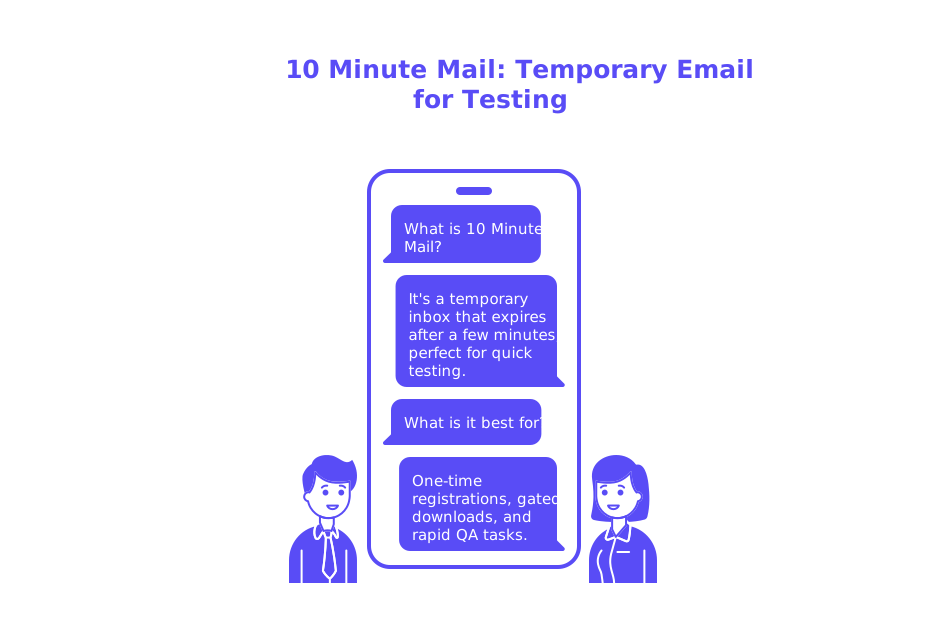
10 Minute Mail creates a temporary inbox that auto-expires after just a few minutes. You get an instant address and a straightforward dashboard for quick checks, perfect for brief, one-off testing needs.
Best for
- One-time registration verifications and gated downloads.
- Rapid-fire QA tasks during short development sprints.
Considerations
- The brief life span isn’t suited for testing longer or multi-message threads.
- Domain variety is limited, which may affect some edge-case tests.
How Using Fake Email Generators Can Affect Email Deliverability, and How to Avoid Risks
Sending messages to disposable domains hurts your sender reputation. Hard bounces and low engagement levels teach spam filters and ISPs to distrust your sending patterns, which could negatively affect the deliverability of your real marketing or transactional emails to your intended recipients.
For more insight on filter behavior and delivery outcomes, read why emails get bounced in 2026 and the new delivery rules. It’s also important to understand how SMTP handshakes and greetings impact trust, see how HELO affects sender reputation.
Focus on getting your emails to reach real inboxes, not just growing large contact lists. These benchmarks and inbox placement best practices for cold emails provide guidance for maintaining a good reputation with email providers.
- Clean your list with a reliable email checker before sending to avoid bounces.
- Use a spam checker to predict inbox placement before launch.
- Monitor blocklists with a blacklist checker as you scale up delivery volume.
Testing Workflow: How to Use Fake Email Generators and Safeguard Your Sender Reputation
- Isolate test traffic: Always test from a QA-dedicated subdomain.
- Authenticate your traffic: Complete SPF, DKIM, and DMARC setup, and confirm alignment.
- Limit test volume: Send small batches during early experiments.
- Track headers: Log the Return-Path, HELO/EHLO, and ARC data for visibility.
- Validate delivery paths: Check catch-all routing and alias handling for edge cases.
- Run content checks: Use a spam checker at each milestone before proceeding.
- Complete a warmup period: Warm up domains prior to sending live or high-volume traffic.
Use disposable emails only for tests. Once outreach or live campaigns begin, stop using fake addresses and make sure your lists contain only real, opted-in contacts.
Final Considerations for Choosing a Fake Email Generator
Your QA and testing strategy should drive your choice of fake email generator, not the other way around. Look closely at privacy, selection of domains, and automation features when evaluating options. Always keep testing environments and addresses completely separate from anything related to production or live sending.
If you plan to engage in cold outreach later, consider your deliverability strategy holistically. Begin by warming up domains, verifying contact lists, and consistently monitoring bounce codes and other deliverability signals. A thoughtful test plan today can save your team from costly remediation efforts down the road.
Ready to start testing? Try the free generator mentioned above, outline your test workflow, and schedule your initial seed run. By the end, you’ll have actionable insights and a much safer route to launching your next campaign.
FAQ
What is a fake email generator used for in development?
Fake email generators are invaluable for development teams to test email flows without compromising real inboxes. They help avoid spam inflow and preserve primary email accounts during QA stages.
Can fake email generators impact email deliverability?
Yes, sending to disposable emails can damage your sender reputation due to hard bounces and low engagement. This can affect your ability to land in real inboxes when it counts.
Should fake email addresses be included in production CRM systems?
It's a huge misstep to include fake emails in production CRMs. It risks damaging your deliverability and complicating your data integrity with non-engaging addresses.
Why should testing environments be separate from live sending domains?
Maintaining separate environments prevents cross-contamination of fake and real data, which could skew analytics and harm deliverability metrics. This separation is crucial for accurate insights.
Can Mailwarm help in improving email deliverability?
Mailwarm can significantly enhance email deliverability by simulating legitimate email activity patterns like opens and replies, thus building trust with email providers efficiently.
Are there specific features to look for in a fake email generator?
Key features include a robust privacy model, domain variety, automation support through APIs, and custom domain options. These features ensure flexibility and reliable testing.
What are the risks of using public inboxes provided by fake email services?
Public inboxes are accessible to anyone and can cause data leaks. Use them judiciously and avoid sharing sensitive information unless you opt for private, secure tiers.
How can Mailwarm support a new email domain's reputation?
Mailwarm aids in nurturing trust for new domains by conducting controlled email interactions that demonstrate reliability to ISPs long before launching actual campaigns.
Why is it essential to monitor deliverability during testing?
Without monitoring, you might miss critical signals indicating deliverability issues. Tracking bounce codes and engagement lets you adjust strategies before campaign rollouts.
Is there a role for a spam checker in a testing workflow?
Absolutely, a spam checker reveals potential pitfalls in your content that might trigger filters. It's an indispensable ally for maintaining a pristine sender image.