

How to Test If Emails Will Go to Spam Before Launch and Why It Matters
After building your campaign, it’s crucial to ask a tough question before launch: are your emails likely to land in the spam folder? Proactively testing this can help protect your sender reputation, reduce potential revenue loss, and minimize support issues. More importantly, it safeguards your domain for future campaigns.
Mailbox providers sort email into various categories. Before testing, it’s important to understand possible outcomes:
- Inbox/Primary: The ideal outcome for all email marketers.
- Promotions/Other Tabs: Often acceptable, but should still be monitored separately.
- Spam/Junk: High risk and a warning sign that requires fixing before launching.
- Blocked/Quarantined: Typically indicates policy or technical setup issues more than content problems.
Your testing objective should be to achieve consistent and predictable inbox placement across different providers, with stable results observed over several days.
Email Authentication Checks to Test If Emails Will Go to Spam Before Launch
Start with verifying your email’s identity. Authentication is the first line of defense every spam filter evaluates. If you fail authentication, no amount of content optimization can save your emails.
- SPF: Make sure your sending servers are specifically authorized through a Sender Policy Framework (SPF) record. Each domain should have one SPF record.
- DKIM: Digitally sign every email with a 2048-bit key via DomainKeys Identified Mail (DKIM). Use unique selectors for each sending stream.
- DMARC: Ensure your From domain aligns with either SPF or DKIM. Begin with
p=nonewhen testing. - Return-Path: Align your bounce address with your organization’s domain whenever possible.
Upon sending a test email, inspect the headers; you should see clear “pass” results and alignment for authentication:
Authentication-Results: spf=pass; dkim=pass; dmarc=pass (aligned)
Avoid creating long Sender Policy Framework (SPF) records that exceed the DNS lookup limit, as this can cause permanent errors (permerrors) and negatively impact your deliverability. Consolidate included domains and remove any outdated senders. Keep DNS propagation timing in mind before running another test.
SMTP HELO, Reverse DNS, and Server Setup Tests That Affect Pre-Launch Spam Risk
Spam filters grade your email from the moment the SMTP handshake begins. Consistency and accuracy in your server’s identity across all technical layers matter.
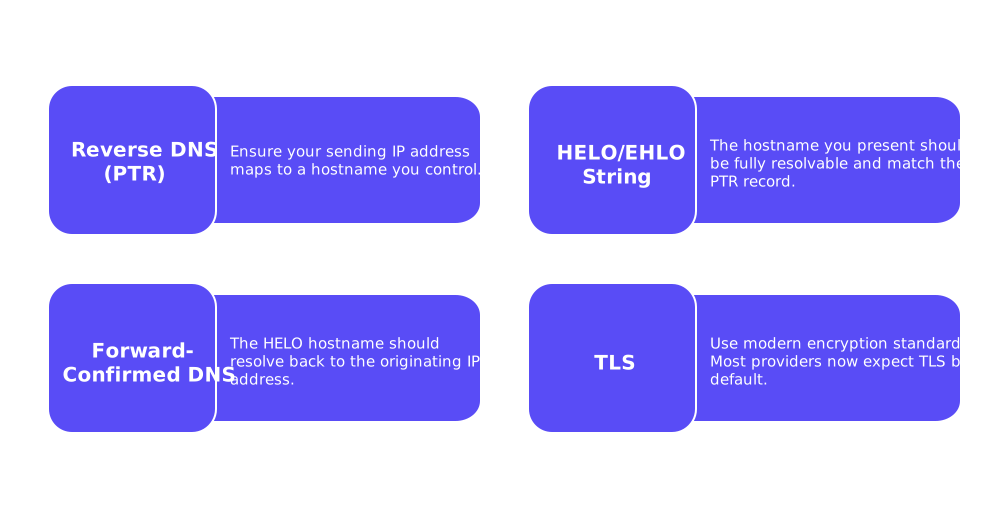
- Reverse DNS (PTR): Ensure your sending IP address maps to a hostname you control.
- HELO/EHLO String: The hostname you present should be fully resolvable and match the PTR record; avoid generic or mismatched names.
- Forward-Confirmed DNS: The HELO hostname should resolve back to the originating IP address.
- TLS: Use modern encryption standards. Most providers now expect TLS by default.
For a more in-depth explanation, read how the HELO greeting impacts sender reputation. Resolving issues in this layer can sometimes shift your emails from spam into inboxes.
Content and Configuration Patterns to Test for Spam Triggers Before Launch
No matter how well-crafted your emails are, they will not compensate for technical problems in your setup. However, even technically sound emails may be flagged if you overlook patterns that commonly trigger spam filters.
- Utilize a branded tracking domain under your control, avoid public URL shorteners.
- Maintain consistency between your From domain, any included links, and landing pages.
- Be sure to include a plain-text version of your email that matches the HTML body.
- Include a List-Unsubscribe header. This offers users a straightforward way to opt out of your email list and can deter them from marking your mail as spam.
- Avoid risky attachments such as executables or encrypted archives, especially in the first email.
- Steer clear of excessive punctuation, misleading or aggressive claims, and unusual characters in your subject lines.
Test the exact message and distribution path you intend to use at launch, do not modify content or settings for test runs.
Seed List Inbox Placement Testing to Predict Spam Placement Before Launch
Perform real-world testing by sending to a seed list before launching your campaign. This lets you observe authentic routing, authentication, and volume patterns.
- Compile a balanced seed list, including Gmail, Outlook, Yahoo, iCloud, and several business domains.
- Send your final campaign email to the seed addresses only, ensuring all headers and links match your production sends.
- Wait for the emails to be classified, then record whether each message lands in Primary, Promotions, Spam, or Junk folders.
- Repeat this process for a minimum of three days, looking for steady patterns rather than isolated results.
- Monitor provider-specific results to identify outliers, not just averages.
If you need context on industry benchmarks and best practices, see best practices for inbox placement testing. Use these resources to set pass/fail thresholds that fit your campaign goals.
Email Warm-Up and Reputation Testing to Lower Pre-Launch Spam Risk
If seed tests signal issues, consider using an advanced email warm-up system that includes features such as centralized multi-account management, comprehensive email reputation monitoring, cross-provider warm-up capabilities, and granular spam score tracking per provider. These solutions gradually increase sending volume and foster positive mailbox interactions that spam filters prioritize.
As of February 2026, Mailwarm expanded into a fully advanced email warm-up system, adding features such as centralized multi-account management, comprehensive email reputation monitoring, cross-provider warm-up capabilities, and granular spam score tracking per provider (Gmail, Microsoft, Yahoo...), optimized for scalable performance.
Provider Dashboards and Telemetry to Verify Spam Risk Before Launch
Enable mailbox provider dashboards early in your testing. These tools provide insights that seed lists alone cannot offer.
- Gmail Postmaster Tools: Track movements in your domain and IP reputation.
- Microsoft SNDS: Monitor complaint rates and spam trap events related to your Outlook flows.
- Yahoo and Others: Review available postmaster feedback and watch for rate limiting trends.
Compare the data from provider dashboards against your seed test results. An improving reputation and better inbox placement over several days indicates you’re ready for launch. Flat or declining trends signal that continued warm-up and technical improvement are necessary.
Fast Troubleshooting Steps When Pre-Launch Spam Tests Fail
Fix Identity and Routing First
- Ensure SPF, DKIM, and DMARC alignment on your live sending path.
- Set a consistent HELO hostname with matching reverse DNS records.
- Use a dedicated, branded tracking domain that has valid DNS and HTTPS configuration.
Reduce Filter Friction Next
- Eliminate public link shorteners and third-party redirects you do not control.
- Simplify your email content and limit links to those essential for your campaign.
- Include both a plain-text part and a List-Unsubscribe header.
Stabilize Volume and Reputation
- Warm up your domain and mailbox identities before sending larger volumes.
- Throttle sends to mailbox providers where you observe issues; give your sender reputation time to recover.
- Check for blacklist listings, and only request removal after you have resolved underlying technical issues.
After implementing fixes, retest with your seed list. Monitor provider-specific placements to verify which solutions are effective.
Decision Criteria to Confirm You Will Not Go to Spam Before Launch
- Authentication (SPF, DKIM, DMARC) passes and aligns for every test send.
- HELO, reverse DNS, and TLS checks succeed consistently.
- Seed tests repeatedly show stable inbox or promotions placement across multiple major providers.
- Provider dashboard telemetry displays neutral or improving sender reputation.
- No remaining blocks, policy-related bounces, or blacklist appearances exist.
Once you meet these criteria over several days of testing, you can proceed to launch your campaign with confidence. Continue to monitor these metrics during your initial live sends to ensure continued success.
Ready to implement this process? Start with a seed test this week, verify your authentication headers, and begin a short warm-up cycle. Let test-driven placement, not assumptions, guide your go-live decision.
FAQ
How can I ensure my email won't go to spam?
Ensure all authentication measures like SPF, DKIM, and DMARC are set up and aligned. Don't rely solely on content tweaks; strengthen your technical framework and use Mailwarm for detailed insights into improving sender reputation.
Why is email authentication critical before sending campaigns?
Email authentication acts as the foundation of your deliverability strategy. Without proper authentication, even expertly crafted content will falter, and your emails will likely be flagged as spam.
What role do seed list tests play in email deliverability?
Seed list tests offer real-world insights into inbox placement and help identify potential problems. Consistently poor performance in these tests indicates unresolved technical or reputation issues that need address before going live.
How does Mailwarm support email deliverability testing?
Mailwarm provides advanced tools for email warm-up and reputation monitoring, simulating user engagement to foster positive signals to spam filters. This empowers you to make data-driven decisions, minimizing the risk of ending up in spam.
Why should I avoid using public URL shorteners in emails?
Public URL shorteners often contribute to spam flags due to their abuse by malicious actors, damaging trust. Stick to branded tracking domains that you control to maintain consistency and credibility across your email campaigns.
How can I fix spam test failures before launch?
Address technical misconfigurations in your identity and routing setup, and eliminate unnecessary content bloat. Check alignment across SPF, DKIM, and DMARC, and consider using Mailwarm to improve sender reputation through controlled warm-up cycles.
What is the importance of aligning the return path in emails?
Aligning the return path with your organizational domain underscores authenticity and helps conform to mailbox provider standards. Discrepancies in return path reduce trust and escalate spam risks.
Why are plain-text versions of emails necessary?
Spam filters appreciate balance between HTML and plain-text formats, rewarding it as a sign of trustworthiness. Omitting a plain-text version might seem trivial but can significantly impair deliverability.