
An SMTP authentication error is most often a 535-class failure, caused by wrong credentials, skipped STARTTLS, disabled SMTP authentication, or an expired token, rather than a simple password mistake. The standard fix is to identify the reply code, verify the provider's required authentication method, and test the port and TLS handshake from the same system that sends the email.
A sales sequence can be written, approved, and ready to launch, yet every message fails at the SMTP connection stage. The sender sees “authentication failed,” resets a password, tries again, and gets the same result. That loop happens because providers increasingly enforce rules about transport security, authentication mechanisms, mailbox permissions, and tenant policy.
What the SMTP Authentication Error Actually Means
An SMTP authentication error means the receiving submission server rejected the client's AUTH attempt. The most common visible response is 535 5.7.8, which generally means authentication failed because of incorrect credentials, a disabled account, or an expired token, as documented in this SMTP authentication reference.
That interpretation is useful, but incomplete. A correct password can still produce the same response when the account isn't allowed to use SMTP AUTH, the client is using the wrong authentication method, or the server expects a secure connection before it accepts credentials.
The error is usually a policy mismatch
SMTP submission normally depends on three pieces working together:
- Identity: The username, password, app password, or OAuth token must be valid.
- Transport: The client must use the provider's expected port and encryption mode.
- Permission: SMTP AUTH must be enabled for the mailbox and, where applicable, the organization or tenant.
Port 587 with STARTTLS is generally used for authenticated submission, while port 465 is used for implicit TLS. A client that sends AUTH before negotiating STARTTLS can receive a 530 response. A server may return 534 when the authentication mechanism is too weak or required TLS is missing. Other protocol-order or unsupported-command problems can surface as 504, 503, or 501 responses, depending on the server.
Practical rule: Treat the reply code as a diagnostic signal, not as a verdict that the password is wrong.
The operational causes now matter more than repeated password resets. A sender may have copied the wrong port, enabled SSL where the application expects STARTTLS, used a webmail password where an app password is required, or connected to a mailbox where an administrator disabled SMTP AUTH.
That distinction changes the troubleshooting path. The problem isn't “find a new password and try again.” The problem is “find which part of the authenticated submission handshake conflicts with the provider's policy.”
How to Diagnose the Exact Failure Point
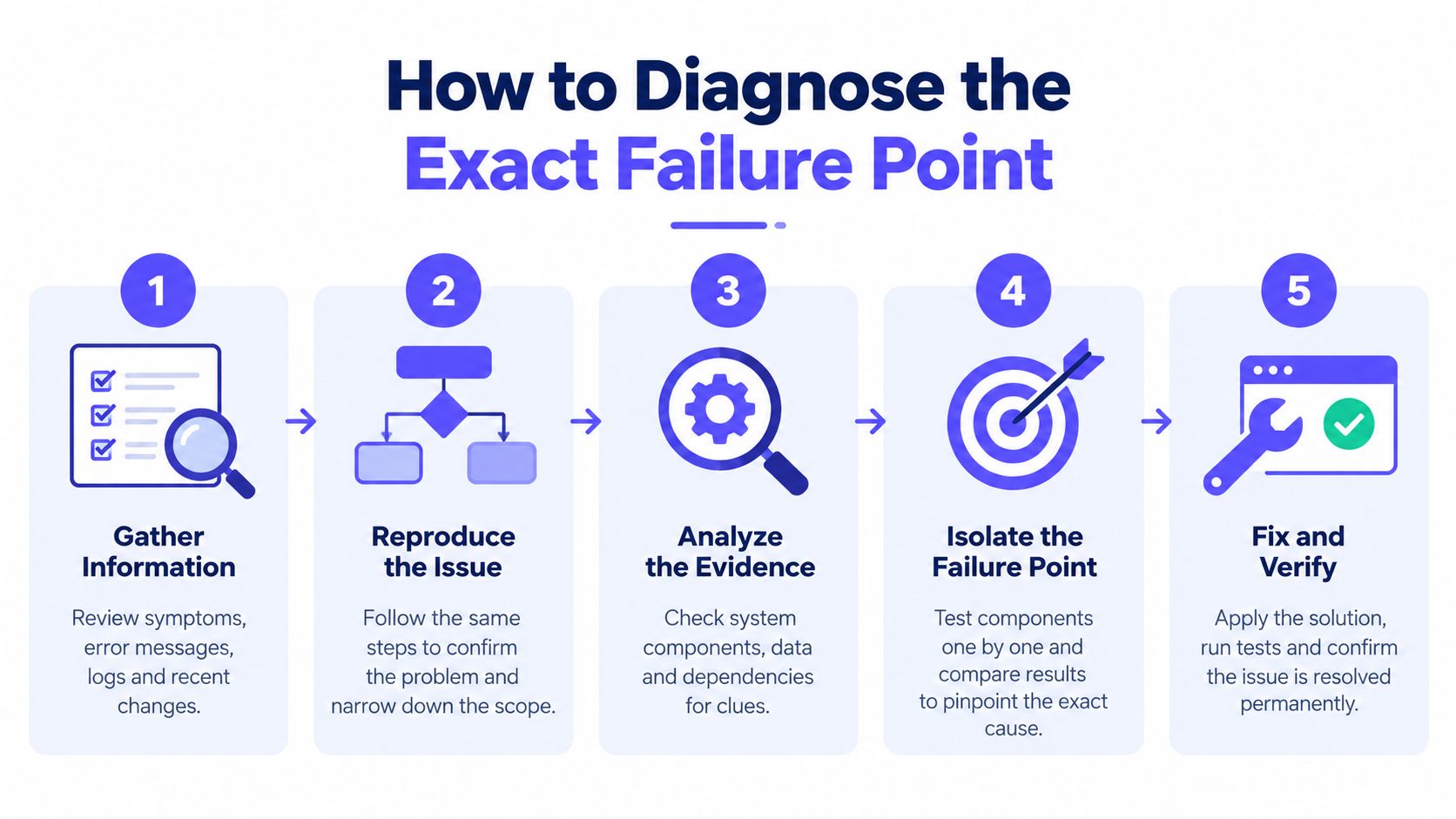
The fastest resolution comes from collecting evidence in the order the SMTP session runs. A configuration file can look correct while the deployed application uses an old environment variable, a different port, or a different authentication mechanism.
Start with the server's exact reply
Capture the complete SMTP response.
Record the numeric code, enhanced status code, and surrounding message.535 5.7.8,530, and534point toward different failure classes, so a shortened log entry such as “authentication failed” isn't enough.Confirm the server and port.
Check that the application connects to the provider's documented submission endpoint. Authenticated sending generally uses 587 with STARTTLS, while 465 uses implicit TLS. A port and encryption mismatch can prevent the server from exposing or accepting the expected authentication flow.Inspect the EHLO response.
After the client sendsEHLO, check whether the server advertisesSTARTTLSandAUTH. IfAUTHappears only after TLS negotiation, the client must not send credentials before completing STARTTLS.Test TLS from the sending runtime.
Run the test from the same host, container, worker, or server that sends the mail. This exposes firewall, proxy, certificate, and environment differences that won't appear when testing from a developer laptop.Verify the account policy.
Confirm the username format, SMTP permission, required credential type, and mailbox or tenant-level SMTP AUTH setting. If MFA is active, determine whether the provider requires OAuth or an app-specific password.
Match the code to the likely fault
| Reply | Likely meaning | First check |
|---|---|---|
| 535 5.7.8 | Credentials, account status, or provider policy rejected the login | Username, token, app password, and SMTP permission |
| 530 | AUTH was attempted before STARTTLS | TLS negotiation order and port mode |
| 534 | Mechanism is too weak or required TLS is missing | Authentication method, STARTTLS, and encryption |
| 504, 503, or 501 | Unsupported method, command order, or malformed command | Client compatibility and SMTP command sequence |
A separate client test can isolate the application from the provider. If the same credentials work in a controlled SMTP client but fail in the production application, the application's port, TLS mode, username format, or authentication mechanism is the likely fault.
For a broader workflow covering related fix email deliverability issues, teams can also review the effects of authentication failures on sending reliability. A Mailwarm spam checker can help examine message-level spam risks after the connection itself works, but it won't replace protocol diagnosis.
Gmail, Microsoft 365, and Provider-Specific Blocks
A valid-looking login doesn't mean every provider will accept password-based SMTP submission. Gmail and Microsoft 365 illustrate two different policy paths, and treating them as interchangeable creates avoidable failures.
Gmail requires a different credential path
Gmail doesn't accept a normal account password directly for this SMTP use case. Google requires either a 16-character App Password or OAuth 2.0, and an App Password can be created only after 2-Step Verification is enabled, according to this Gmail SMTP setup guide.
That produces a common diagnostic pattern:
- 2-Step Verification is enabled, but no App Password is being used. The regular account password fails even when it works for webmail.
- The App Password was revoked or replaced. The application continues sending the old secret.
- OAuth is required by the chosen integration. A password field alone cannot satisfy the provider's authentication flow.
The right fix is to confirm which Gmail method the application supports, create or refresh the required credential, and place that credential in the deployed runtime rather than only in a local settings screen.
Microsoft 365 is moving away from Basic Authentication
Microsoft's Exchange Online timeline is more urgent. Microsoft had disabled Basic Authentication for most Exchange Online protocols by October 1, 2022, while SMTP client submission remained an exception for longer. Phased implementation for SMTP AUTH Basic Authentication began on March 1, 2026 and reached complete shutdown by April 30, 2026, according to the Microsoft SMTP client submission documentation.
Microsoft also states that Basic Authentication will be disabled by default for existing tenants at the end of December 2026, with final removal to be announced later. Organizations using Exchange Online should therefore treat OAuth 2.0 and updated client submission flows as the migration path, not as optional refinements.
An administrator should verify the Authenticated SMTP setting under the mailbox's email app management controls. Microsoft recommends disabling SMTP AUTH across the organization and enabling it only for accounts that still need it. Guidance on small business MFA and email security can help teams review the surrounding account protection policies, but the SMTP permission itself still needs to be checked in the Microsoft 365 administration environment.
Why Authentication Fails Even With Correct Passwords
The phrase “wrong password” often describes the server's response, not the actual root cause. Providers use generic authentication failures to avoid revealing too much about account state, and the same visible code can represent a credential problem, a transport problem, or a policy block.
The handshake can fail before credential validation
A typical secure submission sequence looks like this:
- The client connects to the submission endpoint.
- The server responds to
EHLO. - The client negotiates STARTTLS when using port 587.
- The client sends
EHLOagain over the encrypted session. - The server advertises permitted
AUTHmechanisms. - The client sends the supported credential or token.
If the client skips step three, selects implicit TLS on a STARTTLS endpoint, or attempts a mechanism the server has disabled, the password may never be evaluated. Repeating the password reset won't change that sequence.
The same issue appears when an MFA policy changes the acceptable credential. A webmail password can remain correct while SMTP requires an app-specific password or OAuth token. Likewise, an administrator can disable SMTP AUTH for a mailbox or tenant while the account continues to work normally in the browser.
Separate transport faults from reputation faults
A useful test matrix separates the layers:
| Test result | What it suggests |
|---|---|
| TLS negotiation fails | Port, encryption, certificate, proxy, or network issue |
TLS succeeds, AUTH is absent | Provider policy or unsupported authentication capability |
AUTH is present, credentials fail | Credential, token, username, or account permission issue |
| SMTP accepts the message, inbox placement suffers | Deliverability, reputation, content, or authentication alignment issue |
A separate SMTP client helps confirm whether the application is sending the expected username and mechanism. Logs should include the exact provider reply, but secrets must be redacted before sharing them with support.
After the connection works, a sender can run an email blacklist check to identify reputation risks that SMTP authentication alone won't reveal. Authentication proves that the sender may submit mail. It doesn't guarantee that mailbox providers will place the message in the inbox.
Fixing the Error and Improving Deliverability
The immediate fix should follow the failure layer. Don't change five settings at once, because that removes the evidence needed to identify the actual cause.
Apply the smallest correction first
- For 535 5.7.8: Re-enter the correct username, replace an expired or revoked token, confirm the account is active, and check SMTP permission.
- For 530: Use STARTTLS before AUTH on port 587, or configure the client for implicit TLS when the provider documents port 465.
- For 534: Select a supported authentication mechanism and complete TLS negotiation before sending credentials.
- For provider blocks: Move to OAuth 2.0 or an approved app password instead of repeatedly testing Basic Authentication.
- For inconsistent deployments: Compare environment variables, worker settings, and application configuration across every sending runtime.
Once authenticated submission succeeds, the next risk is deliverability. A sender can pass the SMTP login and still face spam filtering because of weak reputation, poor engagement, bounce problems, or message-level risk.
Mailwarm helps senders build reputation, monitor inbox placement, and improve deliverability through real inbox engagement, advanced warmup controls, and expert guidance. Its platform includes provider-level warmup, spam score monitoring, authentication fix tools, bounce prevention, inbox placement insights, and deliverability analytics. It uses 50,000+ aged real inboxes across major providers, with engagement signals such as opens, replies, threads, spam removal, and important marking.
Mailwarm doesn't require IMAP access or permission to read a private inbox. Teams reviewing broader expert email marketing reviews can compare that security model with tools that require deeper mailbox access. For senders whose SMTP connection is stable but whose reputation needs controlled improvement, the warm up an SMTP server workflow connects technical authentication with ongoing sender-reputation management.
Frequently Asked Questions About SMTP Errors
Why does SMTP authentication fail when the password is correct?
The provider may require OAuth, an app-specific password, or enabled SMTP permission. The client may also be using the wrong port, skipping STARTTLS, or sending an unsupported authentication mechanism.
Can switching ports fix an SMTP authentication error?
It can, when the current port and encryption mode don't match. Port 587 generally uses STARTTLS, while port 465 uses implicit TLS, so the client must use the mode documented for the selected endpoint.
What does 535 5.7.8 mean?
It usually means the server rejected authentication because of invalid credentials, a disabled account, or an expired token. It can also represent an account-policy failure, so the mailbox and tenant SMTP settings should be checked before resetting passwords repeatedly.
Is an SMTP authentication error the same as a DMARC failure?
No. SMTP authentication controls whether a client may submit mail to a server. DMARC concerns domain authentication alignment and receiving-provider policy after or during message evaluation, so fixing SMTP AUTH doesn't automatically resolve DMARC-related delivery problems.
Does Mailwarm need access to a private inbox?
No. Mailwarm doesn't require IMAP access or permission to read the user's private inbox. It combines warmup controls, inbox placement insights, authentication tools, and deliverability guidance without requiring that mailbox access model.
Mailwarm is a premium email warmup and deliverability platform that helps teams protect sender reputation after SMTP setup is fixed, using real inbox engagement, provider-level warmup, spam score monitoring, authentication tools, and inbox placement insights. Visit Mailwarm to review an expert-guided approach to improving sending reliability and reducing spam risk.