
If your mail is going to spam, it's rarely for a single reason. The issue is usually a mix of factors, and your job is to diagnose which ones are tripping up spam filters at providers like Gmail and Outlook. The key is to run a few simple diagnostics to find the real source of the problem.
This guide will walk you through the most common reasons your emails land in spam and give you a clear, step-by-step process to fix them. Think of it like a detective's investigation: before changing subject lines or rewriting emails, you need to gather clues about your technical setup, sender reputation, and content.
A methodical approach saves you from wasting time. After all, tweaking email copy is useless if the real issue is a broken authentication record.
Why Does Sender Reputation Matter?
Your sender reputation is a trust score that mailbox providers assign to your domain. It’s the first thing you should investigate if your mail is going to spam. If that score is low, your chances of hitting the inbox are slim.
You can get a quick health check on your reputation using various free online tools. These services scan your domain or IP and show you how it’s perceived, including whether you’ve been flagged on any major blacklists.
Takeaway: A bad sender reputation is a deal-breaker for mailbox providers. If you're on a blacklist or have a low score, you must focus on fixing that before doing anything else.
Are Red Flags in Your Email Content Causing Problems?
Even with a perfect reputation, your emails can still get flagged if they look like spam. Spam filters are sensitive to certain words, formatting, and other common triggers. It’s crucial to analyze your emails from a filter's perspective.
Spam filters often catch things like:
- Aggressive sales language: Using pushy phrases like "limited time offer" or "buy now."
- Unusual formatting: Writing in ALL CAPS, using too many exclamation points, or multiple font colors.
- Image-heavy emails: An email with a large image and very little text is a classic spam signal.
- Deceptive subject lines: If the subject line promises one thing and the email delivers another, you erode trust.
To see what a spam filter sees, run your email through an online spam checker before sending. It’s a simple step that provides clear, actionable feedback.
How to Fix Your Email Authentication Records
Email authentication is a set of technical records that proves to mailbox providers like Gmail and Outlook that you are who you say you are. Without proper authentication, your emails are more likely to go straight to the spam folder.
This "digital passport" is built on three core records: SPF, DKIM, and DMARC.
- SPF (Sender Policy Framework): This is a public list of all services you’ve authorized to send emails from your domain, such as your email marketing platform or Google Workspace.
- DKIM (DomainKeys Identified Mail): This adds a digital signature to every email, which the recipient's server checks to ensure the message wasn't altered in transit.
- DMARC (Domain-based Message Authentication, Reporting, and Conformance): DMARC tells mailbox providers what to do if an email fails SPF or DKIM checks, such as sending it to spam or rejecting it.
Getting these technical pieces right is a critical step in diagnosing why your mail is going to spam.
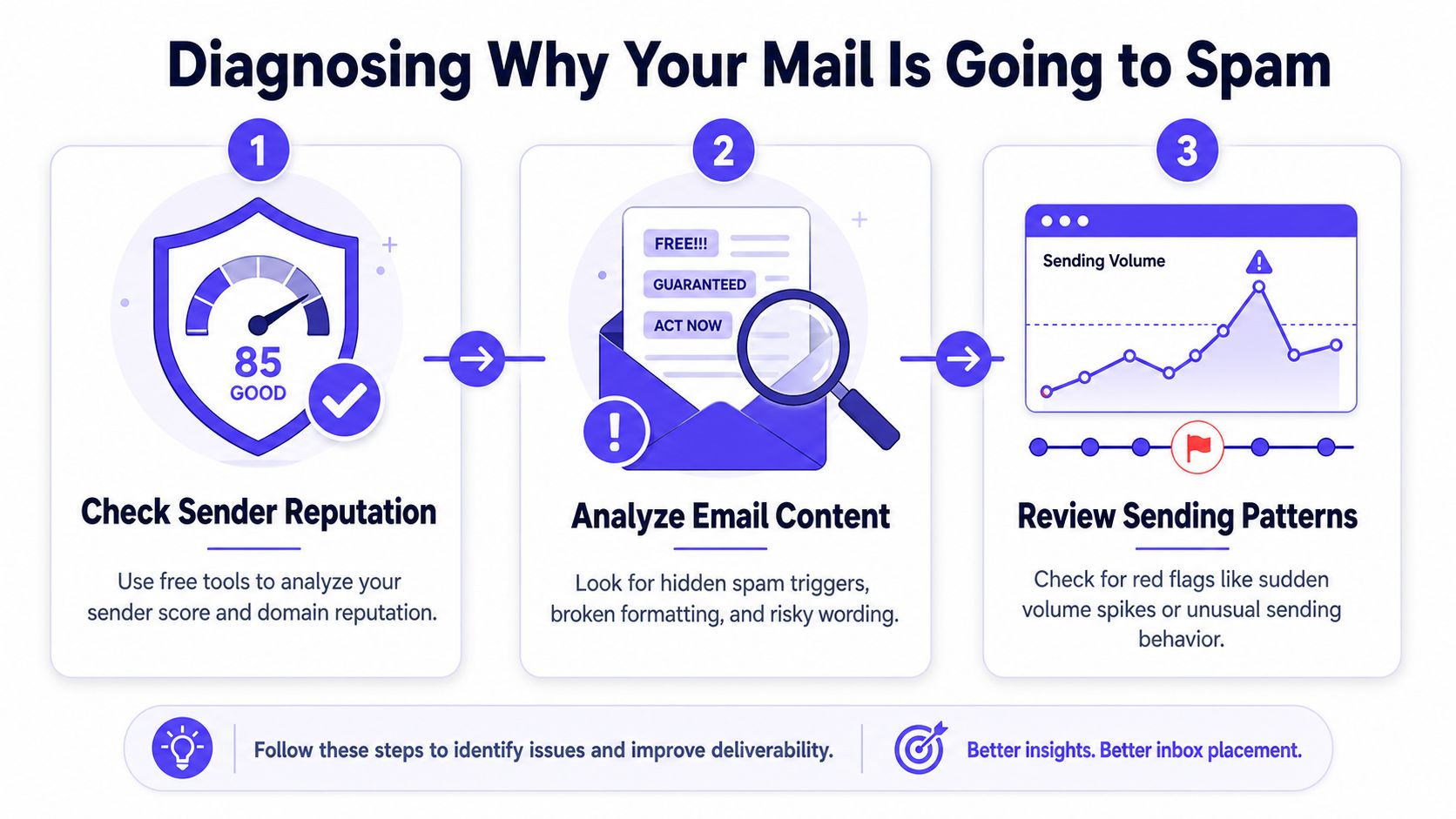
Image alt text: An infographic illustrating three key steps to diagnose and prevent your emails from going to spam.
How to Check and Fix Your Records
You don't need to be a developer to check your authentication. Many free online tools can analyze your domain in seconds. Just enter your domain name, and they'll provide a report showing what's working and what needs fixing.
One of the most common mistakes is having multiple SPF records. When you add a new email tool, you must merge its information into your one existing SPF record, not create a new one.
Takeaway: You can only have one SPF record for your domain. If you add a new email service, you must update your existing record. Multiple SPF records will cause authentication to fail.
Getting these records right is a foundational step. If you need help, our guide to mastering email authentication can walk you through it. Mailwarm helps senders build reputation and improve deliverability through real inbox engagement, advanced controls, and expert guidance. Our experts can even review your setup during a deliverability call and guide you through the fixes.
Does Your Email List Need Cleaning?
If you notice more of your mail going to spam, the first two places to look are your email list and your content. These are the biggest levers you can pull to fix deliverability problems and show providers like Gmail and Outlook that your mail is wanted.
Your email list isn't just a static collection of addresses; it's a living audience. To keep that audience healthy, you need to practice good "list hygiene" by actively managing who receives your messages.
Image alt text: A Mailwarm blog post titled Email List Hygiene showing an illustration of cleaning an email list.
Keep Your Email List Squeaky Clean
A high bounce rate is a massive red flag for mailbox providers. Before sending another campaign, run your entire list through a trusted email verification service. This non-negotiable step will scrub out typos, old addresses, and known spam traps.
Next, segment subscribers based on engagement. Create separate groups for your most active fans and for those who haven't opened an email in months. This allows you to send targeted offers to engaged users and try a gentle re-engagement campaign to win back inactive subscribers.
Takeaway: Regularly clean your list. It's better to send emails to 1,000 engaged subscribers who want to hear from you than to 10,000 who ignore them. This sends strong positive signals to inbox providers.
Fine-Tune Your Email Content
Just like your list, your content is under constant scrutiny. Spam filters have become sophisticated at picking up on words, phrases, and formatting choices that signal spam, even if your intentions are legitimate.
Think about the signals your email sends. Here are common content mistakes that trigger filters:
- Deceptive subject lines: Never use "Re:" or "Fwd:" to fake a prior conversation. Filters are smart enough to spot this, and it’s a quick way to destroy trust.
- Aggressive sales language: Words like "free," "risk-free," "buy now," or "limited time" are classic triggers. Be creative with your promotions to avoid sounding like a late-night infomercial.
- The giant image problem: An email that is just one large image with almost no text is a hallmark of a spammer. Always maintain a healthy balance of text and images.
By cleaning your list and refining your content, you build a better relationship with your subscribers and earn trust with mailbox providers, showing them you're focused on providing real value.
How to Build Trust with Smart Sending Habits
It's a classic mistake: you have a new email account, a perfected message, and you're ready to launch a big campaign. But sending a massive blast of emails right away is one of the fastest ways to get your mail sent directly to spam.
Mailbox providers like Google and Microsoft are always on the lookout for suspicious activity, and a brand-new sender suddenly emailing thousands of people looks like a spammer.
The way around this is to earn their trust over time by proving you're a legitimate sender. This starts with a gradual email warm-up, not going from zero to a thousand overnight.
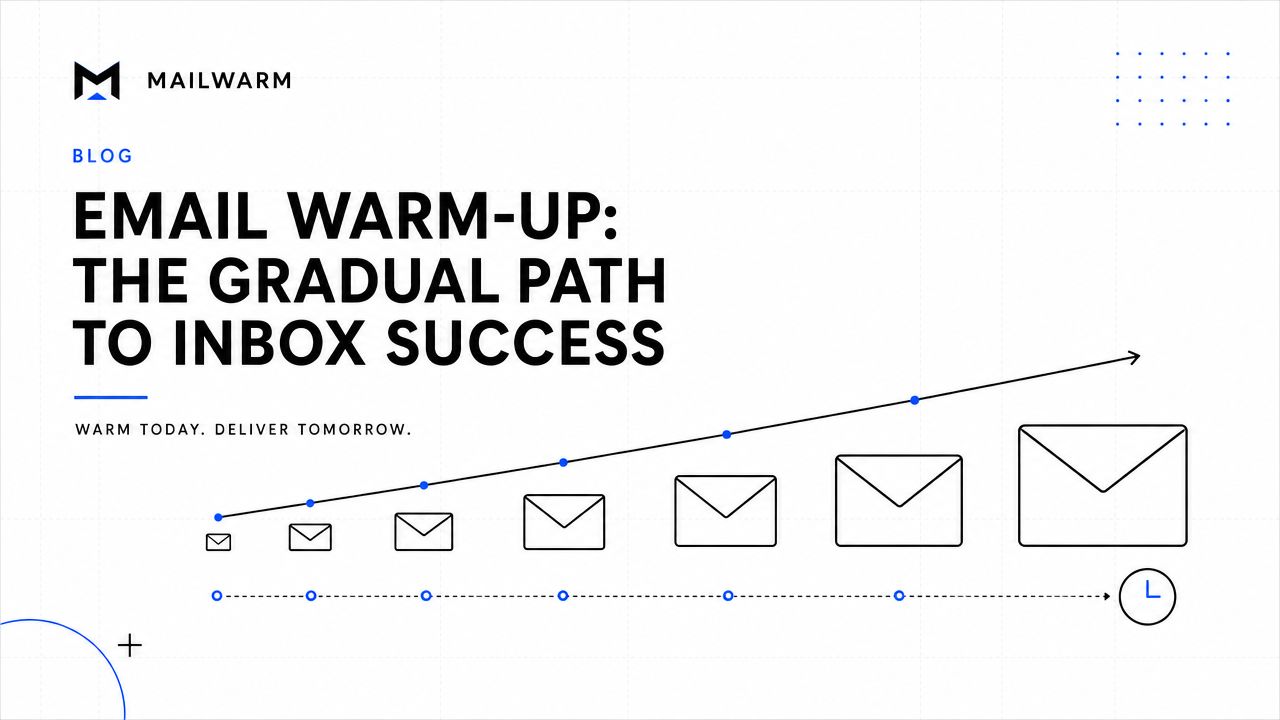
Image alt text: A conceptual graphic illustrating the email warm-up process with growing envelopes along an upward trend line.
The Power of Positive Engagement Signals
When you send your first few emails, your primary goal is to get positive reactions. Every open, reply, or "mark as important" action sends a powerful signal to the email provider that your mail is wanted.
This is where a premium deliverability platform can make a significant difference. A service like Mailwarm automates this trust-building phase. It uses a network of over 50,000 real, aged inboxes to generate the opens, replies, and other positive signals you need to build a strong sending history.
Takeaway: Never underestimate the impact of a simple reply. An active conversation thread is one of the strongest indicators to an email provider that your messages are sparking genuine human interaction, the exact opposite of what spam does.
From Warm-Up to a Consistent Cadence
Once you've built foundational trust, you can slowly increase your sending volume. The trick is to keep your volume and frequency consistent and aligned with your engagement. If open rates dip, that's your cue to pull back and reassess.
A smart sending strategy includes:
- Starting small: Send just a few emails per day to your most engaged contacts.
- Ramping up slowly: As positive engagement increases, gradually increase your daily volume.
- Staying consistent: Avoid long gaps of inactivity followed by a huge send. A predictable schedule looks more trustworthy.
Building a solid sender reputation is a marathon, not a race. For a closer look at the metrics that shape your reputation, our guide on how to improve your email sender reputation breaks it down further.
Common Spam Triggers and Their Solutions
This table connects common issues with their most effective solutions.
| Problem Area | Why It Sends Mail to Spam | Primary Solution |
|---|---|---|
| Authentication | SPF, DKIM, or DMARC records are missing or misconfigured, making emails look forged. | Set up and validate all three authentication protocols (SPF, DKIM, and DMARC) in your DNS settings. |
| Sender Reputation | Your domain or IP has a history of spam complaints, low engagement, or is too new to have established trust. | Initiate a gradual email warm-up process to build a positive sending history and improve engagement metrics. |
| List Quality | Your list contains invalid, inactive, or unengaged email addresses, leading to high bounce rates and low interaction. | Regularly clean your email list with a verification service and remove subscribers who haven't engaged in over 90 days. |
| Email Content | Your message contains spammy words, too many images, or misleading subject lines that trigger filters. | Write natural, value-focused copy, maintain a healthy text-to-image ratio, and ensure your subject line is accurate. |
| Sending Behavior | You're sending a high volume suddenly or on an inconsistent schedule, which mimics spammer activity. | Establish a consistent sending schedule and gradually increase volume based on positive engagement rates. |
This table is a starting point. Deliverability issues are often caused by a combination of factors, so a holistic approach is always best.
How to Monitor and Maintain Your Deliverability
You’ve pulled your emails out of the spam folder. That’s a huge win, but the work isn’t over. The most important part is just beginning. Email deliverability is like fitness, you can’t go to the gym once and expect to stay in shape forever.
The real challenge is keeping a constant pulse on your sender reputation. It's easy for it to slip without you noticing until it’s too late. You need to know where your emails are landing: the primary inbox, promotions tab, or back in spam. Spotting a downward trend early is much easier than repairing a trashed reputation.
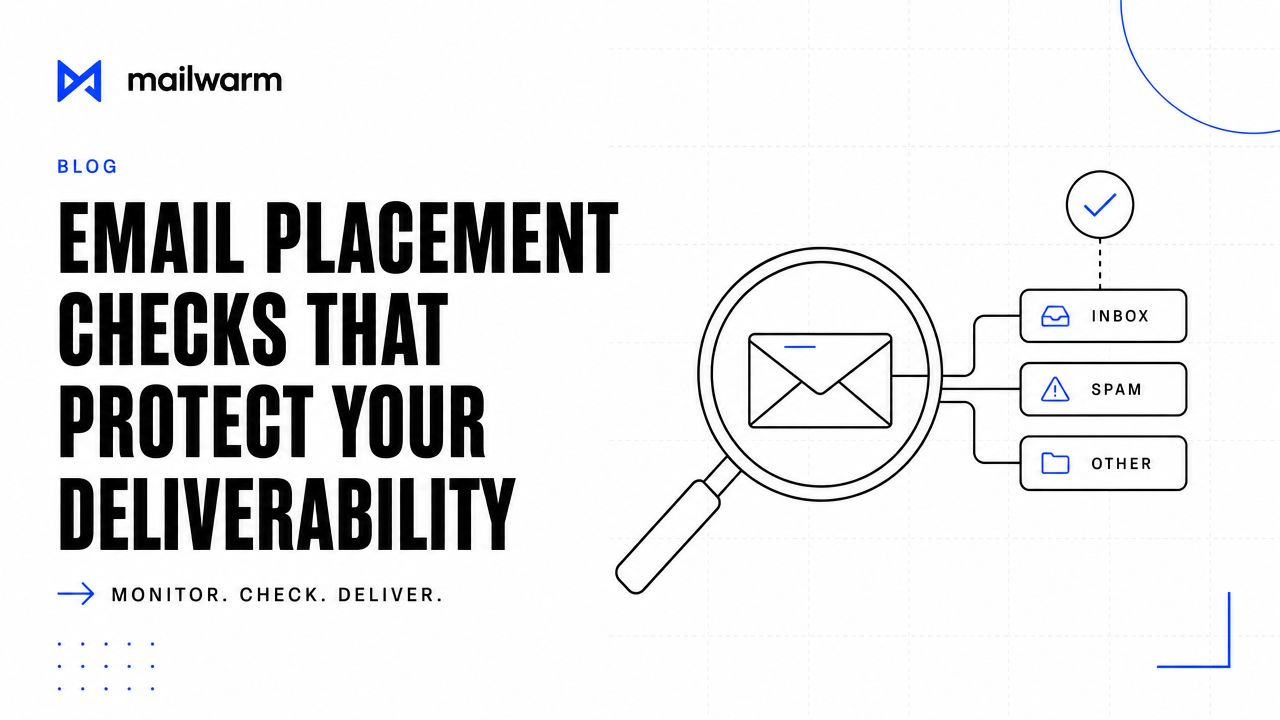
Image alt text: A conceptual graphic illustrating email deliverability with a magnifying glass examining messages sent to inbox, spam, or other folders.
Beyond the Initial Fix: Long-Term Maintenance
After you’ve figured out why your mail is going to spam, your strategy must shift from emergency repair to long-term maintenance. This involves two key activities: continuous warming and active monitoring. A consistent stream of positive engagement tells providers like Gmail and Outlook that you’re a trustworthy sender.
A 2026 industry report found that emails from domains with an unmonitored sender reputation are 4.3 times more likely to land in spam. This often happens because today's smart filters can mistake a legitimate but quiet sender for a suspicious one. You can dig deeper into these email spam statistics to see the full impact.
Takeaway: Your sender reputation isn't a "set it and forget it" metric. Without a steady diet of positive signals and careful monitoring, even a healthy reputation will decay, and you'll find your mail going to spam again.
This is why a premium deliverability platform is essential. Mailwarm goes beyond basic warmup by combining warmup automation, spam score monitoring, inbox placement insights, and expert deliverability guidance. It provides the deliverability analytics and inbox placement insights that show you exactly where your emails are going and help you identify potential issues.
Mailwarm is built for teams that care about real inbox placement, not just automated warmup activity. We help you build your reputation, monitor inbox placement, and reduce your spam risk with engagement from real inboxes, so your most important messages get seen.
Frequently Asked Questions (FAQ)
Why do my emails suddenly start going to spam?
When emails suddenly start going to spam, it usually points to a specific trigger. Did you recently send a large campaign, increase your sending volume, or change your domain settings and break an authentication record? Often, a spike in spam complaints from a recent email is the culprit.
How long does it take to fix spam issues?
It depends. Technical fixes, like correcting a broken SPF record, can show positive results within 24 to 48 hours. However, repairing a damaged sender reputation takes longer. You'll need to demonstrate weeks of consistent, positive sending behavior to rebuild trust with providers like Gmail and Outlook.
Is email warmup enough to fix deliverability?
Email warmup is essential but not a complete solution on its own. To stop your mail from going to spam, you need a holistic approach. Warmup must be paired with perfect authentication (SPF, DKIM, DMARC), clean email lists, high-quality content, and smart sending habits.
How does Mailwarm help improve sender reputation?
Mailwarm helps improve sender reputation and reduce spam risk through real inbox engagement. It uses a network of over 50,000 real, aged inboxes to generate positive signals like opens, replies, and "mark as important" actions. This activity tells providers like Outlook and Gmail that your emails are valued and expected, which is the foundation of a trustworthy sending profile.
Does Mailwarm need access to my private inbox?
No. Unlike basic warmup tools, Mailwarm does not require IMAP access or permission to read your private inbox. Our system works by having your account send warmup emails to our network of real inboxes, which then generate positive engagement signals back to your sending address, all without compromising your privacy or security.
If email is part of your growth strategy, Mailwarm helps you build sender reputation, monitor inbox placement, and reduce spam risk with expert-guided warmup. Learn more about how Mailwarm can help.