

An IP reputation service gives an email sending address a 0 to 100 trust score, usually based on a rolling 30-day average, and scores below 70 fall into Needs Repair, which raises the chance of filtering or blocking. It works like a credit score for email, and mailbox providers use it to decide whether messages reach the inbox or disappear into spam.
A lot of teams find this out the hard way. The campaign is ready, the copy is solid, the targeting looks right, and the reply rate still falls flat because the messages never had a fair shot at being seen. A low IP reputation doesn't just create a technical problem. It makes sales outreach, lifecycle email, recruiting, and customer communication less visible at the exact moment those channels are supposed to produce revenue.
What Is IP Reputation and Why It Matters for Your Business
IP reputation is the trust history attached to the internet address that sends email. The easiest way to think about it is a credit score. A sender builds a record over time, and mailbox providers judge risk based on that record.
According to Proofpoint's explanation of IP reputation, IP reputation services function as a digital trustworthiness score for an internet address, similar to a credit score, which ISPs and email providers use to assess risks tied to spam, phishing, or malware. That score is shaped by behavioral patterns, technical configuration, and historical data. A higher score signals reliability, while a lower score can trigger filtering or blocking.
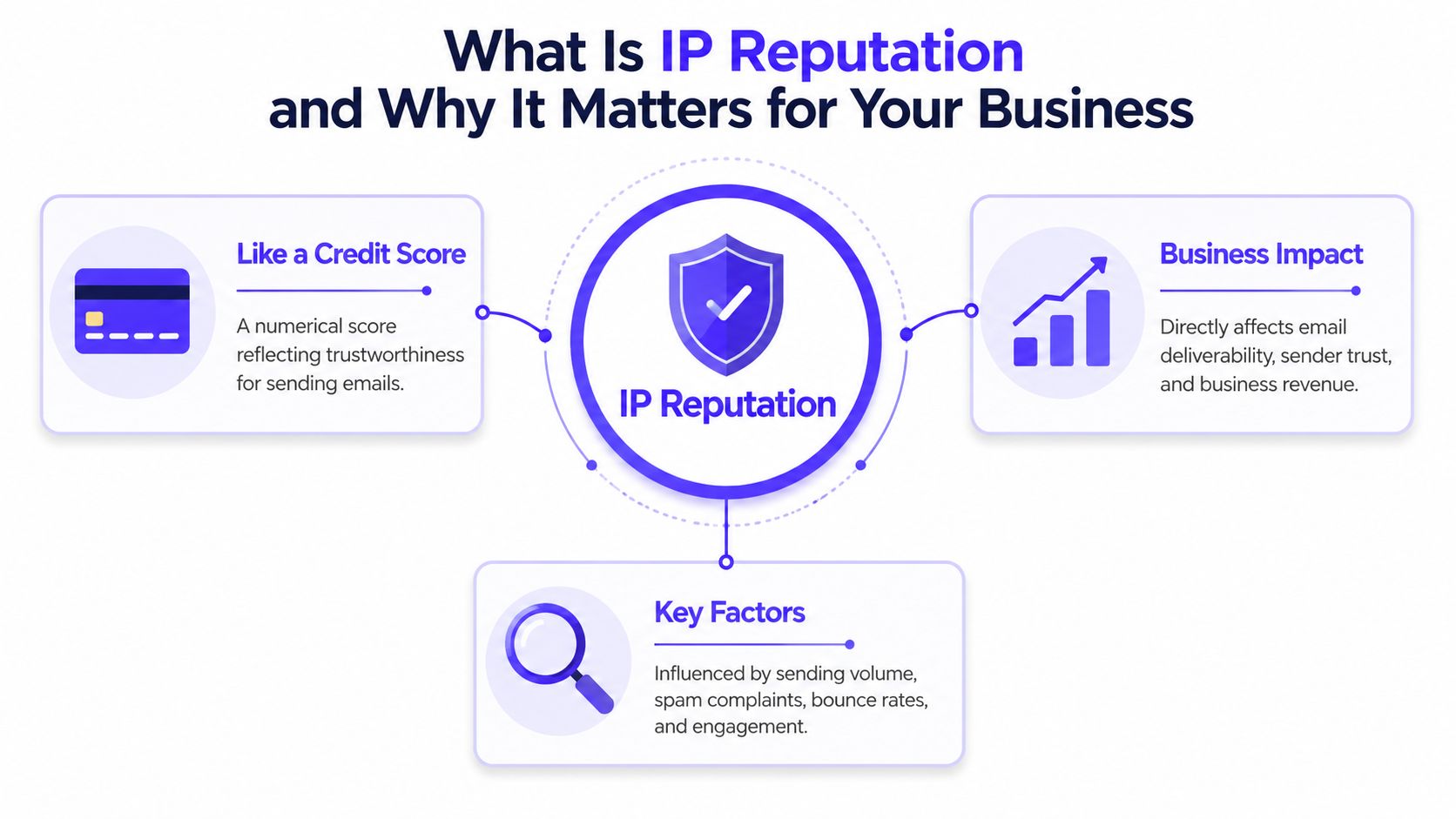
Why founders and revenue teams should care
For a founder or sales leader, this isn't an infrastructure footnote. It changes whether outbound gets seen, whether nurture emails land, and whether pipeline from email is real or inflated on paper.
A strong reputation usually means less friction. A weak one means mailbox providers become skeptical before a human ever reads the subject line.
Business impact shows up in practical ways:
Sales outreach slows down: Good prospects never see the sequence.
Marketing ROI gets distorted: The campaign may be fine, but delivery hides the true result.
Recruiting suffers: Candidate outreach can look unreliable even when the message is legitimate.
Customer communication gets riskier: Important updates may be delayed or filtered.
Practical rule: If email drives pipeline, retention, or hiring, IP reputation belongs on the operating dashboard, not in an IT backlog.
Why bad reputation is so expensive
A poor IP reputation can block legitimate messages even when the email itself is well written. Proofpoint notes that factors like spam complaints, bounce rates, blacklist status, sudden volume spikes, or malicious activity can lead to immediate blocking of otherwise valid email.
That's what makes IP reputation dangerous. It fails imperceptibly.
The team often blames copy, targeting, timing, or the offer first. Those all matter, but they don't help if providers don't trust the sender in the first place. In practice, a low score turns email into a low-visibility channel. The business keeps spending time on campaigns that never fully reach the market.
Reputation is now broader than one IP
Another important shift is that reputation systems don't always judge a single address in isolation. CrowdSec explains in its IP range reputation system overview that modern systems can operate at the /24 IP range level, aggregating reputation across a subnet to detect coordinated abuse.
That matters for shared infrastructure and cloud environments. One compromised sender in the range can create suspicion for others nearby. For teams using shared sending environments, that raises the importance of monitoring, isolation, and disciplined sending behavior.
How IP Reputation Is Scored and Monitored
IP reputation feels opaque until the scoring logic is broken down into the signals providers watch. In practice, these systems are evaluating patterns, not intentions.
According to IronScales' IP reputation glossary, IP reputation services assign a 0–100 trustworthiness score based on a rolling 30-day average of behavioral patterns, technical configurations, and historical data. Scores below 70 indicate Needs Repair and are linked to higher filtering or blocking by ISPs and mailbox providers.
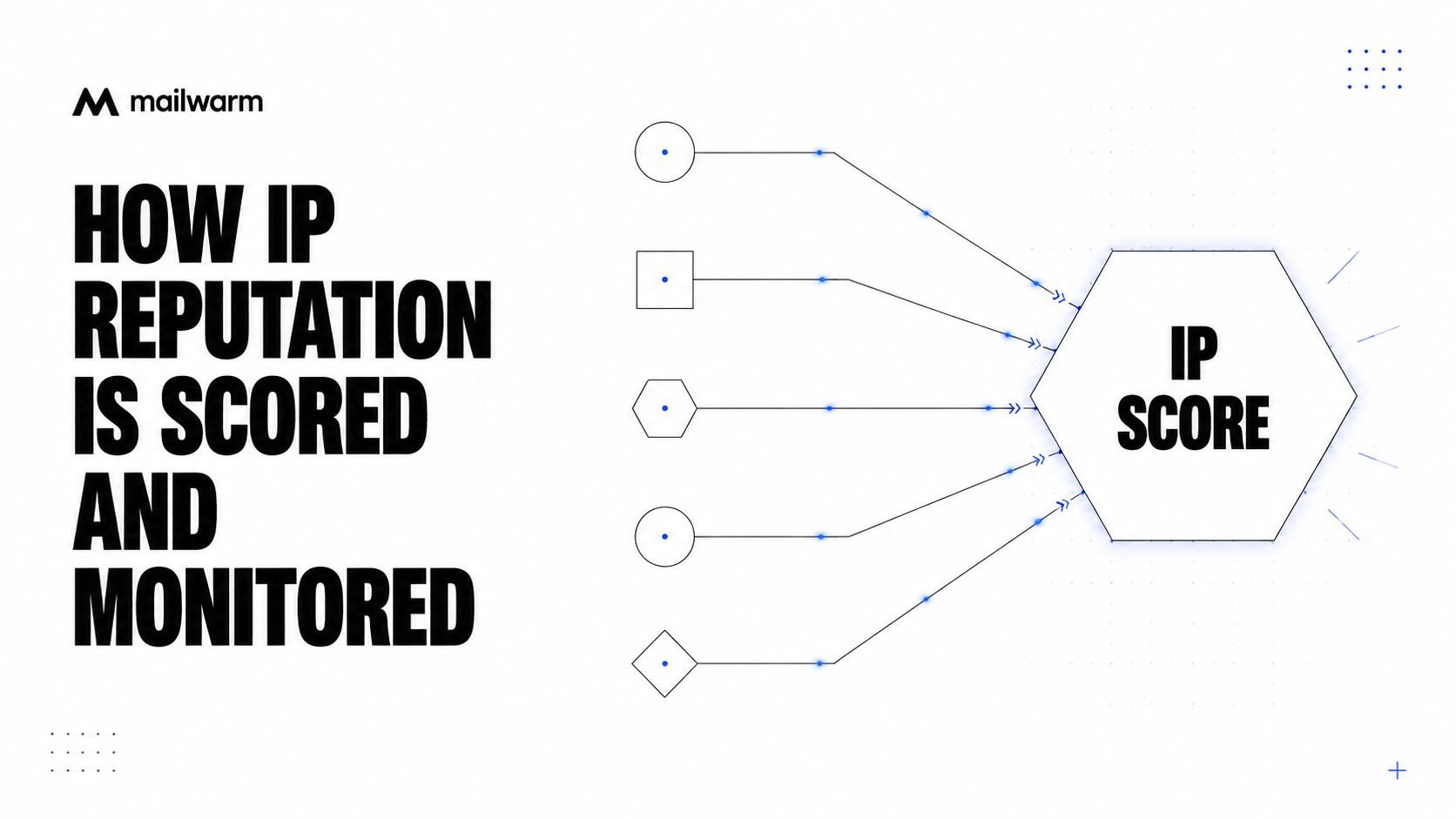
What providers are actually measuring
Most IP reputation services and mailbox providers pay attention to a cluster of recurring signals:
Complaint behavior: If recipients mark messages as spam, trust drops.
Bounce patterns: High bounce rates suggest poor list quality or careless sending.
Blacklist presence: If the IP appears on major blocklists, providers become more cautious.
Volume consistency: Sudden spikes often look suspicious.
Technical setup quality: Authentication and sending configuration help establish legitimacy.
History over time: Reputation is cumulative, not based on one campaign alone.
This is why teams can't treat deliverability as a one-time setup task. The score moves with behavior.
Monitoring is operational, not occasional
Checking reputation once a quarter doesn't work. By the time someone notices a delivery problem in campaign performance, the damage has often already affected multiple sends.
A better approach is to monitor reputation as part of daily or weekly sending operations. That includes blacklist checks, complaint monitoring, inbox placement review, and watching for sudden shifts after changes in volume or targeting.
A practical starting point is using a dedicated blacklist checker from Mailwarm to see whether a sending setup is being flagged by public lists. That won't explain everything, but it catches one of the fastest ways reputation problems turn into rejected mail.
Traffic doesn't fail at random. It usually fails because providers saw a pattern they didn't trust.
Why persistence matters
Bad reputation can also stick longer than many teams expect. Webroot notes in its IP reputation glossary that malicious activity is often persistent. 25.8% of the top 50,000 recurring malicious IPs were observed doing something malicious every single month over a multi-month period, and 45% of those top 50,000 recurring malicious IPs appeared in at least two different months.
That persistence matters because reputation systems are designed to remember patterns. Once an IP looks risky, the sender usually needs sustained good behavior, not one cleanup action, to recover trust.
How to Evaluate and Choose an IP Reputation Service
Most tools in this category promise visibility. The useful ones create decisions. That's the difference that matters.
A founder or growth lead doesn't need another dashboard full of warnings with no next step. The right IP reputation service should help answer a practical question fast: what's hurting inbox placement right now, and what needs to change first?
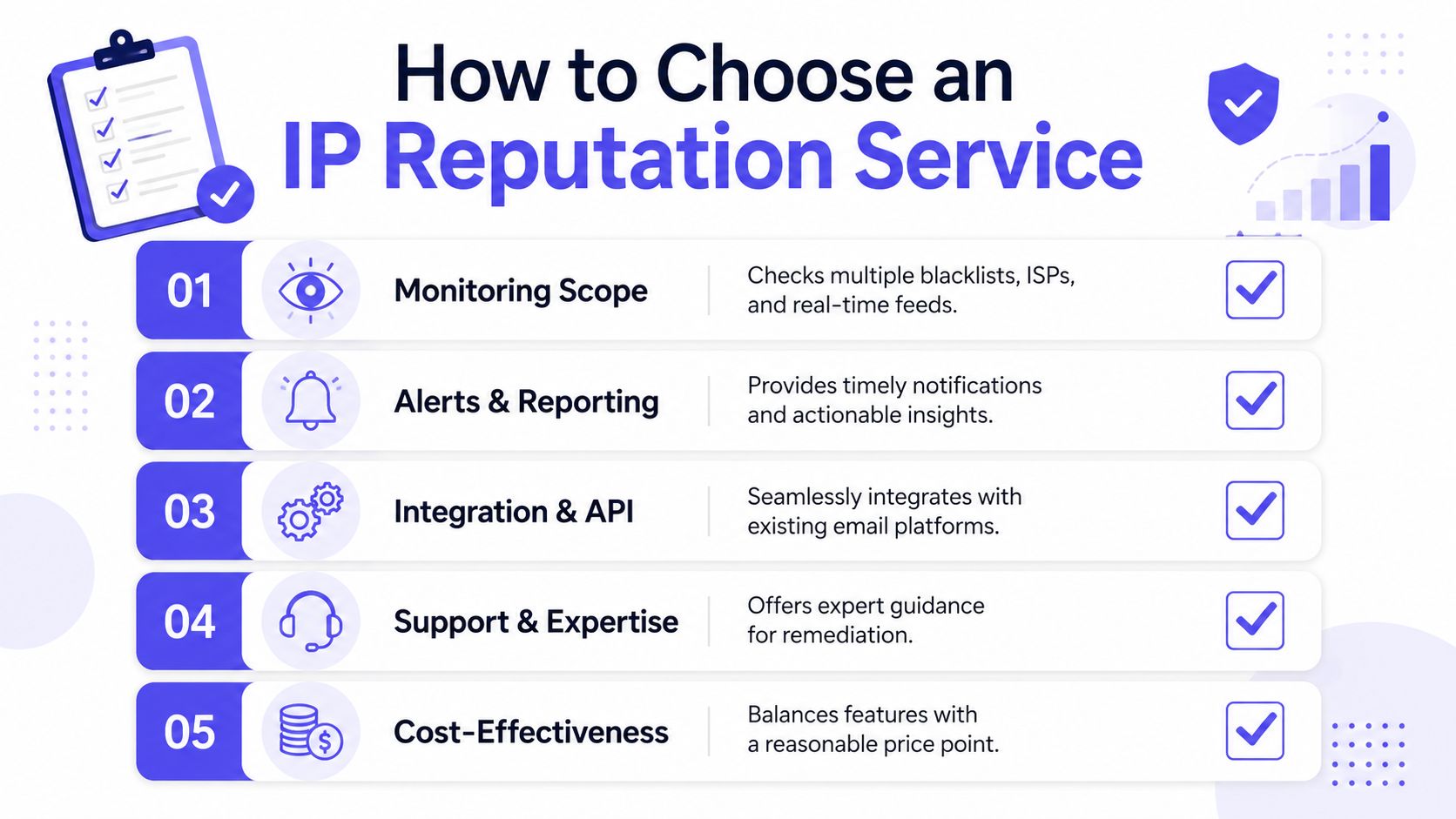
What to look for first
Use this checklist before committing to a platform:
Broad monitoring coverage: The service should check major blacklists, sender signals, and provider-specific issues, not just one narrow feed.
Useful alerts: Alerts should point to action. “Risk detected” without context wastes time.
Clear reporting: Teams should be able to understand what changed, when it changed, and which mailbox provider is reacting.
Integration fit: It should work with the sending stack already in use, whether that's an ESP, CRM, sales engagement platform, or SMTP setup.
Human support: When reputation drops, interpretation matters as much as detection.
A good tool should answer these questions
Not every platform surfaces the same level of operational clarity. A buyer should test whether it can answer questions like these:
| Evaluation question | Why it matters |
|---|---|
| Can the team see blacklist exposure quickly? | Public listings can trigger fast rejection or filtering. |
| Does it show trends, not just snapshots? | Reputation problems usually build over time. |
| Can the team separate IP issues from list or content issues? | Otherwise the wrong fix gets applied. |
| Does it support shared and dedicated infrastructure decisions? | Sending environment changes reputation risk. |
| Is support tactical or generic? | Teams need remediation guidance, not canned advice. |
Shared versus dedicated context matters
A lot of buyers skip this point and regret it later. The service should help the team understand whether the reputation issue is tied to a shared environment, a dedicated sending setup, or both.
That's especially important when choosing infrastructure strategy. Mailwarm's guide on dedicated vs shared IP deliverability is useful context for teams deciding how much control they need over their sending reputation.
The cheapest monitoring tool often becomes the most expensive option if it only tells the team that something is wrong after campaigns start missing the inbox.
What doesn't work
A few buying patterns consistently fail:
Choosing on price alone: Cheap tools often stop at surface-level blacklist checks.
Relying on one signal: A blacklist listing matters, but it isn't the whole deliverability picture.
Ignoring usability: If sales ops or marketing ops can't read it quickly, it won't be used consistently.
Buying a tool without remediation support: Detection without guidance creates more confusion than clarity.
The best IP reputation services reduce uncertainty. They don't just score reputation. They help teams protect revenue tied to email.
Practical Steps to Improve and Protect Your IP Reputation
Reputation improves when sending behavior becomes predictable, authenticated, and wanted by recipients. There isn't one magic fix. There is a stack of habits that reduce risk and build trust over time.
A negative IP reputation has concrete consequences. As explained by Abusix on why reputation decides what gets through, traffic may be blocked entirely, delayed significantly, or pushed under heavy scrutiny, while good reputation allows traffic to move with far less friction.
Start with sending discipline
Most reputation damage starts with behavior that looks erratic or careless.
A practical baseline looks like this:
Warm up new sending gradually
New infrastructure shouldn't jump straight into heavy outreach or campaign volume. Providers trust patterns they can observe over time.Keep volume stable
Sharp spikes create suspicion, especially after low or inconsistent sending.Send to cleaner lists first
Start with contacts most likely to engage. That lowers complaints and unnecessary bounce activity.Pause when signals worsen
If engagement drops and filtering rises, pushing harder usually makes recovery slower.
Fix the technical foundation
Good behavior won't fully help if the setup itself looks unreliable.
Focus on these areas:
Authentication health: SPF, DKIM, and DMARC need to be configured correctly.
Bounce prevention: Invalid or stale addresses should be removed before they cause repeated issues.
Provider visibility: Monitoring should show whether problems are concentrated at Gmail, Outlook, Yahoo, or elsewhere.
For teams that need a guided ramp, Mailwarm's IP warmup is one example of a structured option. Mailwarm is a premium email warmup and deliverability platform. It helps senders build reputation, monitor inbox placement, and improve deliverability through real inbox engagement, advanced warmup controls, and expert guidance. It uses 50,000+ aged real inboxes, supports provider-level warmup, offers spam score monitoring, inbox placement insights, authentication fix tools, bounce prevention, and includes expert deliverability calls in every plan. Unlike basic warmup tools, it doesn't require IMAP access or permission to read a user's private inbox.
A short walkthrough can help teams see how warmup fits into reputation protection:
Protect reputation across channels
Teams often think about email reputation in isolation, but trust signals show up in other messaging channels too. For businesses that also rely on SMS, this guide to number reputation management adds useful context on how sender identity and trust affect message delivery beyond email.
Good reputation comes from boring consistency. Sudden scale, weak list quality, and broken setup usually create the mess.
What actually works long term
The durable playbook is simple, even if execution takes discipline:
Send to people who expect the email
Watch complaint and bounce signals closely
Use warmup when launching new infrastructure
Review provider-level performance regularly
Treat reputation drops as an operational issue, not just a campaign issue
Teams that do this consistently usually avoid the pattern where every deliverability issue gets blamed on subject lines.
A Daily Workflow for Sales and Marketing Teams
Technical advice becomes useful when it turns into routine. The teams that protect reputation well usually don't treat it like a special project. They make it part of normal campaign operations.
A simple daily workflow keeps email visible and makes problems easier to catch before they spread.
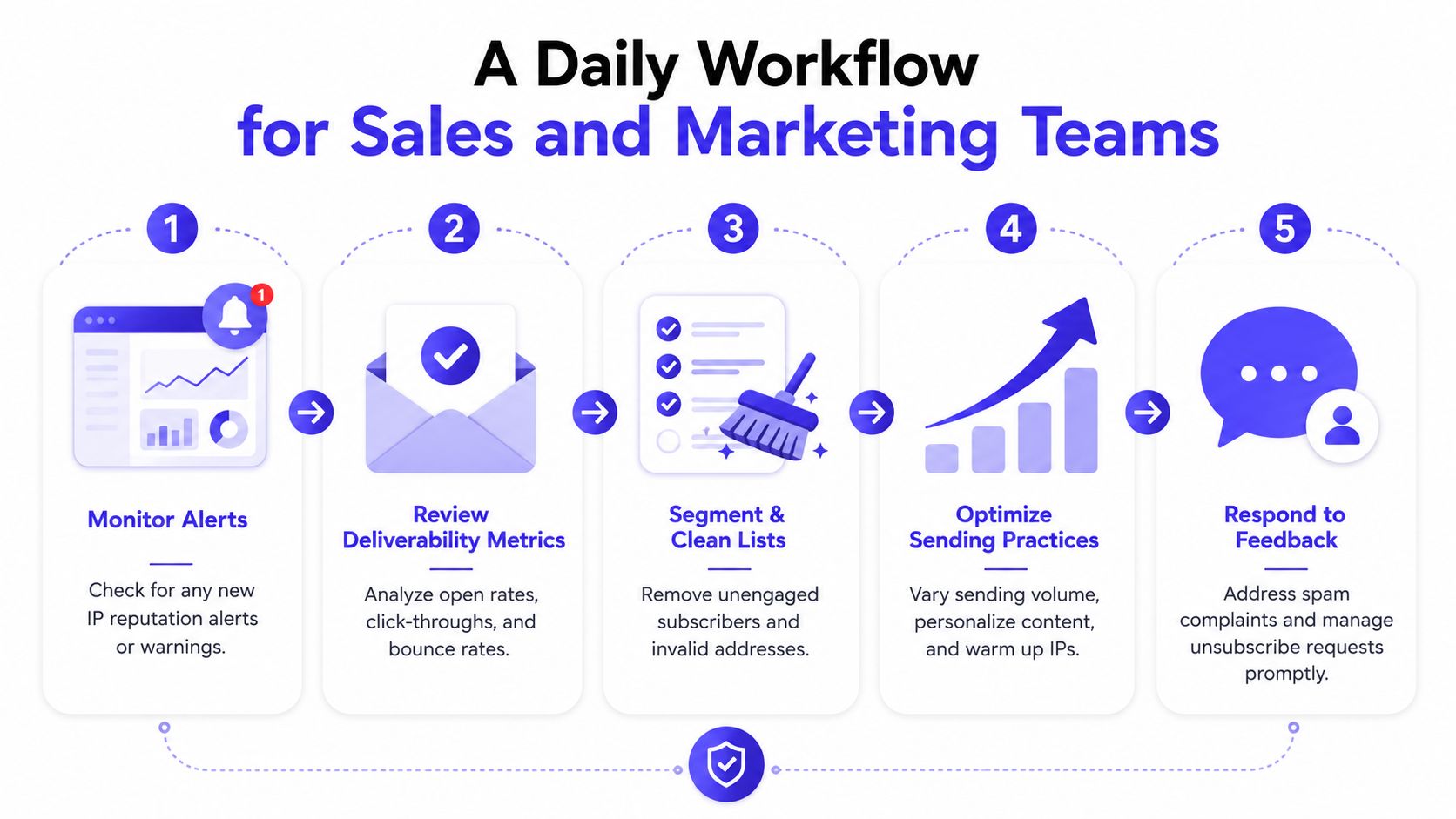
Morning checks
A sales ops or marketing ops lead can start the day with three quick reviews:
Check alerts first: Look for blacklist events, unusual filtering, or provider warnings.
Review yesterday's delivery signals: Not every drop means a reputation issue, but patterns matter.
Scan bounce categories: A small shift here often appears before a larger reputation problem.
This doesn't need to become a long ritual. The point is to catch changes while they're still manageable.
Before a campaign or sequence launch
When a team is about to launch a campaign, two questions should come first.
Is the sending volume consistent with recent history?
Is the target list clean enough to avoid unnecessary complaints and bounces?
If either answer is uncertain, the team should slow down. A campaign delayed by a day is cheaper than a sender reputation problem that affects the next several weeks of outreach.
A practical SDR onboarding pattern
For outbound teams, a repeatable new-mailbox workflow helps a lot:
| Stage | Team action |
|---|---|
| Setup | Confirm authentication and sending readiness before outreach begins |
| Early warmup | Send low-risk warmup traffic and watch initial delivery behavior |
| Limited outreach | Start with smaller prospect segments that are likely to engage |
| Daily review | Watch deliverability signals and pause if filtering increases |
| Gradual expansion | Increase activity only when the mailbox is stable |
That process matters because a brand-new mailbox behaves differently from an established one. Teams that skip the ramp often create reputation issues before the first real campaign has even settled.
Weekly operating habits
A weekly review usually works better than a giant monthly audit.
A useful agenda looks like this:
List quality review: Remove stale or risky segments.
Provider review: Compare whether issues are concentrated with specific mailbox providers.
Campaign pattern review: Look for spikes, abrupt targeting changes, or aggressive sends.
Feedback loop review: Make sure complaints and unsubscribe behavior are being handled quickly.
If a team reviews pipeline every week but ignores deliverability until something breaks, email stops being a reliable growth channel.
The goal isn't perfection. It's early detection, steady habits, and fewer preventable hits to sender trust.
Common IP Reputation Problems and How to Fix Them
Most reputation problems fall into a small set of patterns. The fix usually starts with identifying the trigger, then reducing the behavior that created it.
Sudden drop after a big campaign
Likely cause: The campaign introduced a large volume spike, low-quality targeting, or both.
Fix: Pause large sends, reduce volume, and review complaint and bounce patterns from that campaign first. Resume gradually with cleaner segments and steadier pacing.
Public blacklist appearance
Likely cause: The sender triggered abuse signals or shared infrastructure got contaminated.
According to Hostek's explanation of IP reputation blacklisting, when an IP builds negative reputation across multiple RBLs, the chance of server rejection rises sharply because those lists aggregate abuse reports and warn other systems.
Fix: Identify which list flagged the IP, stop the behavior causing the listing, clean the affected list or workflow, then follow the delisting process where appropriate.
Good content but poor inbox placement
Likely cause: The issue may sit with sender trust rather than email copy.
Fix: Review reputation signals, sending consistency, and setup quality before rewriting the campaign. Teams often waste time optimizing creative when the mailbox provider has already decided the sender looks risky.
One provider performs much worse than others
Likely cause: Reputation damage may be concentrated with a specific mailbox ecosystem.
Fix: Segment reporting by provider, slow activity to the affected provider, and look for bounce or complaint patterns unique to that audience. Broad averages can hide a localized problem.
FAQ About IP Reputation and Deliverability
| Question | Answer |
|---|---|
| What is IP reputation in email? | IP reputation is the trust score attached to the internet address that sends email. Mailbox providers use that history to judge whether messages look safe enough for the inbox or risky enough for filtering. |
| How is IP reputation usually scored? | Some IP reputation services use a 0 to 100 scale based on a rolling 30-day average of sending behavior, technical setup, and historical data. Lower scores are more likely to face filtering or blocking. |
| Can a good email still go to spam because of IP reputation? | Yes. Even a legitimate message can be filtered if the sending IP has a poor reputation. That's why deliverability problems often persist even after teams improve copy or targeting. |
| Does IP reputation only affect marketers? | No. It affects sales outreach, recruiting, transactional messages, customer success communication, and any workflow that depends on email being seen quickly. |
| How long does it take to improve IP reputation? | There isn't one fixed timeline. Improvement depends on what caused the damage, how consistently the sender fixes it, and whether mailbox providers observe better behavior over time. |
| How does Mailwarm help improve sender reputation? | Mailwarm helps senders build reputation, monitor inbox placement, and improve deliverability through real inbox engagement, advanced warmup controls, and expert guidance. It goes beyond basic warmup by combining warmup automation, spam score monitoring, inbox placement insights, and deliverability support. |
| Why is Mailwarm more expensive than basic warmup tools? | Mailwarm costs more because it combines real inbox engagement, up to 100% replies to warmup emails depending on the plan, spam score monitoring, provider-level warmup, authentication tools, no IMAP access required, and expert deliverability calls included in every plan. |
| Does Mailwarm need access to my inbox? | No. Unlike basic warmup tools, Mailwarm does not require IMAP access or permission to read a private inbox. That makes it less intrusive for teams that care about security and access control. |
IP reputation isn't just a technical score. It's a business lever that affects whether email can reliably produce pipeline, engagement, and customer communication. Teams that monitor it early, warm up carefully, and keep sending behavior disciplined usually avoid the costly cycle of invisible campaigns and reactive fixes.
If email is part of a company's growth strategy, Mailwarm helps build sender reputation, monitor inbox placement, and reduce spam risk with expert-guided warmup.